

Free PDF AI Detection Tool-Reliable PDF Content Checker




Specialized PDF Forensics
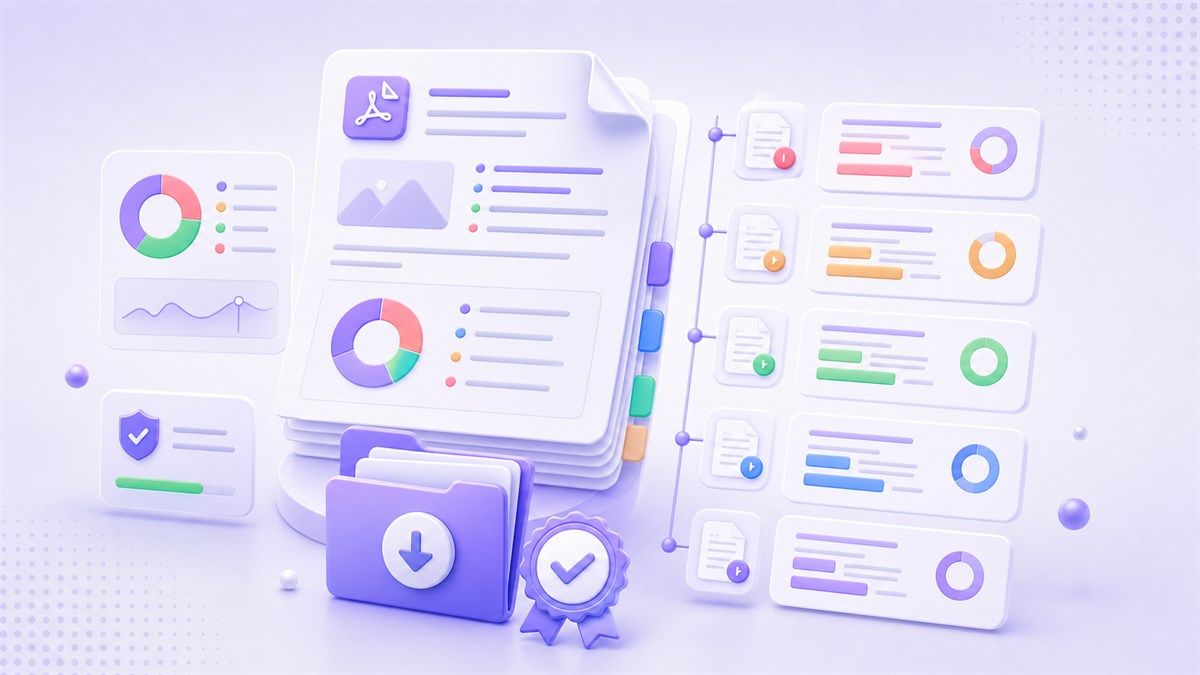
Full Document Integrity Reports
Review a clear PDF audit view with overall signals and highlighted sections. The report helps you decide which pages or paragraphs deserve manual follow-up.

Evolving Detection Logic
As AI writing tools change, detection should be interpreted carefully. Lynote keeps the workflow focused on practical review signals rather than unsupported certainty.
Why choose Lynote AI Detector for PDF?

Built for PDF AI checks
Lynote focuses on PDF documents, not just pasted text. Upload a supported PDF and review extracted writing for AI-generated, mixed, and human-written signals.

Check ChatGPT, Claude, and Gemini drafts
Use the PDF AI detector to review content that may have been drafted with ChatGPT, Claude, Gemini, or similar AI tools before you accept, edit, or publish it.

Sentence-level review signals
Instead of relying on one vague score, Lynote highlights likely AI-written or paraphrased lines so reviewers can inspect the parts that need closer attention.

Useful for long-form PDF documents
Review essays, reports, proposals, whitepapers, and PDF submissions where authorship and writing originality matter.

Privacy-minded document handling
Lynote is designed for practical document checks without turning your uploaded content into training data. Still, avoid uploading files you are not authorized to review.

A signal, not final proof
AI detection can produce false positives or false negatives. Use the report as a review signal alongside context, source checks, and human judgment.
How to check AI writing in a PDF
Upload Your PDF
Drag and drop your PDF into Lynote AI Detector for PDF. For the clearest result, use a document with selectable or clearly extractable text.

Run the PDF AI Scan
Lynote extracts the document text and checks it for AI-writing signals associated with tools such as ChatGPT, Claude, Gemini, and similar models.
Review the PDF Audit
Use the highlighted passages and AI, mixed, and human-written signals to guide a closer human review before you make any decision.

Upload Your PDF
Drag and drop your PDF into Lynote AI Detector for PDF. For the clearest result, use a document with selectable or clearly extractable text.
Run the PDF AI Scan
Lynote extracts the document text and checks it for AI-writing signals associated with tools such as ChatGPT, Claude, Gemini, and similar models.
Review the PDF Audit
Use the highlighted passages and AI, mixed, and human-written signals to guide a closer human review before you make any decision.
Use cases for PDF AI detection

Academic PDF submissions
Screen essays, research drafts, and PDF assignments for sections that may need a closer authorship or citation review.
Screen essays, research drafts, and PDF assignments for sections that may need a closer authorship or citation review.

Editorial and publishing workflows
Review PDF articles, whitepapers, and guest submissions before editing, approving, or sending them to stakeholders.
Review PDF articles, whitepapers, and guest submissions before editing, approving, or sending them to stakeholders.

Business and compliance documents
Check reports, proposals, and policy PDFs when teams need a quick AI-writing signal before deeper human review.
Check reports, proposals, and policy PDFs when teams need a quick AI-writing signal before deeper human review.

Hiring and portfolio review
Use the AI checker for PDF resumes, writing samples, and portfolios as one input in a broader evaluation process.
Use the AI checker for PDF resumes, writing samples, and portfolios as one input in a broader evaluation process.
Who should use a PDF AI detector?

Teachers and academic reviewers
Use PDF AI detection to flag passages for follow-up when reviewing essays, reports, or application documents.

Editors and content managers
Check PDF drafts for generic AI wording before publication, client delivery, or peer review.

Compliance and legal teams
Review policy documents, briefs, and PDF reports for writing signals that may require source verification.

Recruiters and HR teams
Inspect PDF resumes, cover letters, and writing samples while keeping AI detection as a supporting signal.

Researchers and analysts
Review long PDF reports and manuscripts for sections that need closer reading, citation checks, or author clarification.

Students and professionals
Check your own PDF drafts before submission to spot overly generic AI-like language and improve clarity.
What People Say About Us

Senior Compliance Officer

This is the only tool that handles our 50-page PDF compliance reports without crashing. The accuracy in identifying AI-generated legal jargon is impressive.

Academic Journal Editor
Essential for our editorial workflow. It preserves the PDF layout while highlighting suspicious sections, making it easy to verify citations and data.

Legal Consultant
Fast, secure, and reliable. I use it to screen all incoming PDF briefs. It provides the objective proof I need to ensure document authenticity.

Grant Coordinator
We receive hundreds of PDF proposals. This tool helps us filter out AI-generated fluff so we can focus on the most genuine and innovative projects.

HR Director
When reviewing PDF portfolios and resumes, this detector is a lifesaver. It helps us find candidates who actually have the communication skills they claim.

Freelance Technical Editor
My clients demand 100% human content in their whitepapers. This PDF scanner gives me a professional report I can attach to my final delivery.
AI Detector for PDF FAQs
Find answers about PDF AI detection, scanned documents, ChatGPT checks, and how to read the results responsibly.
An AI Detector for PDF checks text inside a PDF document for writing patterns that may look AI-generated. Lynote returns AI-generated, mixed, and human-written signals so you can review the document with more context.
Upload your PDF to Lynote AI Detector for PDF, run the scan, and review the highlighted results. The PDF AI detector helps you inspect likely AI-written passages, but the result should be treated as an editorial signal rather than absolute proof.
Yes, Lynote can help review writing that may come from common AI tools such as ChatGPT, Claude, Gemini, and other large language models. It looks for linguistic patterns and sentence-level signals in the extracted PDF text.
The best results come from PDFs with selectable or clearly extractable text. If a scanned PDF is image-based, blurry, or poorly formatted, text extraction may be less reliable and the AI checker for PDF may need a cleaner file.
Lynote offers a free AI detection workflow for quick checks, including PDF upload support. For longer or more complex documents, follow the limits shown in the tool and review the results section by section.
Yes, it can help teachers, editors, compliance teams, and reviewers flag sections that deserve closer human review. AI detection can produce false positives or false negatives, so decisions should combine the report with context, source checks, and professional judgment.
Pricing Plans For Every Customer
Choose a plan that is best for you,completely transparent,no additional cost.
More Tools For You to Choose on Humanization&AI Detection


More Knowledge of AI Humanization&Detection in Lynote Camp
Seek more latest advanced knowledge of AI checking,humanization, text rewriting in Lynote Camp for a better life and much easier work.


