

Google Gemini Video Summarizer
Harness the power of Google’s most advanced AI to transform YouTube videos into structured insights, deep-dive notes, and logical breakdowns—instantly and without a login.







Why Use Gemini for YouTube Video Summarization

Multimodal Contextual Analysis
Unlike basic GPT tools, Gemini “sees” the video. It analyzes visual cues, on-screen text, and audio simultaneously to provide a summary that understands the full context of the footage.

Logical Reasoning & Timestamps
Gemini identifies the underlying structure of complex discussions. It creates semantic chapters that allow you to jump to the exact moment a specific argument or data point is mentioned.

Technical Insight Extraction
Perfect for developers and engineers. Gemini extracts code snippets, technical specifications, and complex formulas directly from the video frames into clean, usable text.

Zero-Friction Access
Experience the power of Google’s flagship AI without the hurdle of a Google Cloud setup or API keys. Just paste your link and get high-tier intelligence for free.

Research-Ready Markdown
Export your Gemini-powered insights directly into your personal knowledge management system. Fully compatible with Obsidian, Notion, and Logseq for seamless research.

Global Intelligence (100+ Languages)
Leverage Gemini’s massive multilingual training. Summarize a technical lecture in German or a news report in Japanese directly into your native language with perfect nuance.
3 Steps to Summarize with Gemini AI
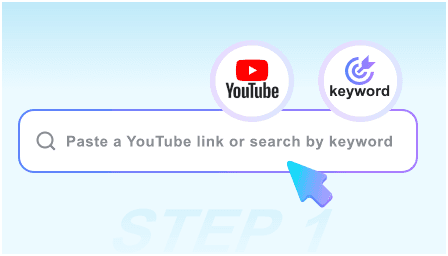
Step 1: Paste the YouTube URL
Drop the link of any lecture, documentary, or technical tutorial into the search bar. Gemini handles videos of any length with its massive context window.
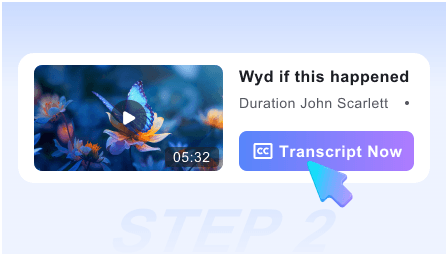
Step 2: Run Gemini Deep Analysis
Our engine utilizes the Gemini Pro API to scan the video. In seconds, it generates a hierarchical summary, key takeaways, and a visual breakdown of the content.
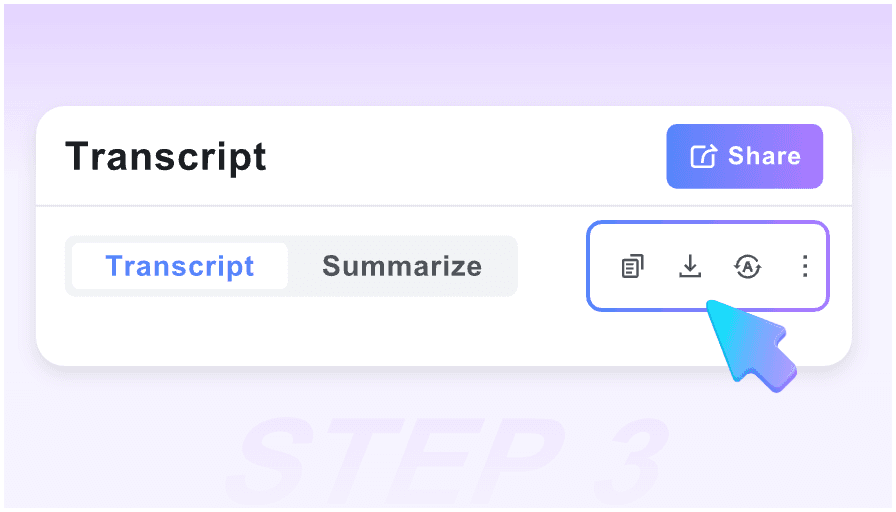
Step 3: Sync to Your Second Brain
Review the AI-generated insights, copy the structured logic, or export the entire analysis as a Markdown file to your professional research database.
Who is this Gemini-powered tool for?

Academic Researchers
Process hours of symposiums and academic lectures. Gemini identifies core hypotheses and supporting evidence, turning long videos into citable research notes.

Software Developers
Skip the 20-minute intro of a coding tutorial. Get the logic flow, library requirements, and code blocks extracted by Gemini’s superior reasoning capabilities.

Market Analysts
Summarize earnings calls and industry keynotes. Gemini detects sentiment and extracts key financial figures or projections mentioned during the presentation.

Medical & Legal Professionals
Extract precise terminology and complex definitions from expert seminars. Gemini’s high-parameter model ensures technical accuracy that basic summarizers miss.

Product Managers
Quickly digest competitor demos and user feedback videos. Use Gemini to categorize feature requests and pain points into structured action items.

Data Scientists
Stay updated on AI breakthroughs. Use Gemini to summarize the latest research presentations and extract the mathematical intuition behind new models.
User Feedback on Gemini Summarization

University Professor

The depth of Gemini’s reasoning is unparalleled. It doesn’t just transcribe; it understands the pedagogical structure of my lectures and creates perfect study guides for my students.

Full-Stack Developer
I use this for 3-hour long tech conferences. Gemini finds the specific 5 minutes of code I actually need and formats it in Markdown. It’s like having a senior dev watch the video for me.

Intelligence Analyst
Most AI summarizers hallucinate on technical data. Gemini is remarkably grounded. The fact that I can get this level of accuracy without a login is a massive productivity win.

PhD Candidate
The semantic timestamps are a lifesaver. I can search for a specific concept like ‘quantum entanglement’ and Gemini takes me to the exact frame where the visual diagram appears.

Tech Journalist
Gemini’s ability to summarize non-English keynotes is the best I’ve seen. I can cover global tech events in real-time without needing a translator on standby.

Knowledge Architect
The Markdown export is clean and logical. It fits perfectly into my Obsidian workflow. It’s the first tool that actually makes YouTube a viable source for a professional ‘Second Brain’.
Gemini Video AI FAQ
Curious about how Google Gemini handles video? Find the answers to common technical questions below.
Gemini is a multimodal model. It processes the video frames and audio stream directly, allowing it to “understand” visual demonstrations even if the speaker doesn’t describe them verbally.
Thanks to Gemini’s massive context window, we can process everything from short clips to 2-hour long deep dives, ensuring no critical information is lost in the middle.
Extremely accurate. Gemini uses temporal reasoning to align its summaries with the exact visual transitions in the video, making navigation seamless.
Yes. The Markdown export is designed for professional use in Notion or Obsidian, providing a structured hierarchy (H1, H2, Bullets) that is ready for your knowledge base.
We utilize the latest Gemini Pro models optimized for speed and reasoning, providing the best balance of deep insight and near-instant summary generation.
Yes, Gemini’s OCR (Optical Character Recognition) capabilities allow it to read text directly from presentation slides and include those details in your summary.
We process requests via the API. Your personal identity is not linked to the request since no login is required, providing a layer of privacy between you and the AI model.
Currently, the tool works on any video that is accessible via a public or unlisted URL. Private videos requiring a login cannot be accessed by the AI for security reasons.