

Book Note Taker: Make Note Taking on Books Easier

Drop files or browse

Add study materials to enable the AI to extract and structure content.
Take Action to Make Your Book Notes





Why Choose Lynote for Book Note Taking?

Turn Book Chapters into AI Notes
Upload supported book PDFs or chapter documents and generate structured notes with clear headings, summaries, and key points. Use the generated content as a starting point instead of manually copying every important paragraph.

Capture Key Ideas and Details
Organize definitions, explanations, arguments, and supporting examples from your reading materials. Keep essential information easier to find when you return to a chapter later.

Create Editable Reading Notes
Make your book notes personal with Lynote's editor. Add reflections, correct information, adjust headings, and reorganize sections based on what you want to remember.

Work with Different Reading Materials
Generate notes from supported PDFs, documents, images, webpages, and other source formats. This is useful when your reading involves book chapters, articles, course materials, and recorded explanations.

Ask AI About Your Book Notes
Use AI Chat to explore information contained in your uploaded reading materials. Ask questions about a concept or explanation and review the response alongside the original source.

Review with AI Flashcards
Turn important information from your book notes into question-and-answer flashcards. Practice recalling key concepts, definitions, and explanations after completing a chapter.

Organize Information by Chapter or Topic
Arrange generated notes into headings and sections that reflect your reading goals. Separate major ideas from supporting details so your notes remain easy to scan.

Revisit and Reuse Your Notes
Return to editable notes when reviewing a book, preparing for class, or developing a research project. Refine the information as your understanding changes and reuse the notes when appropriate.
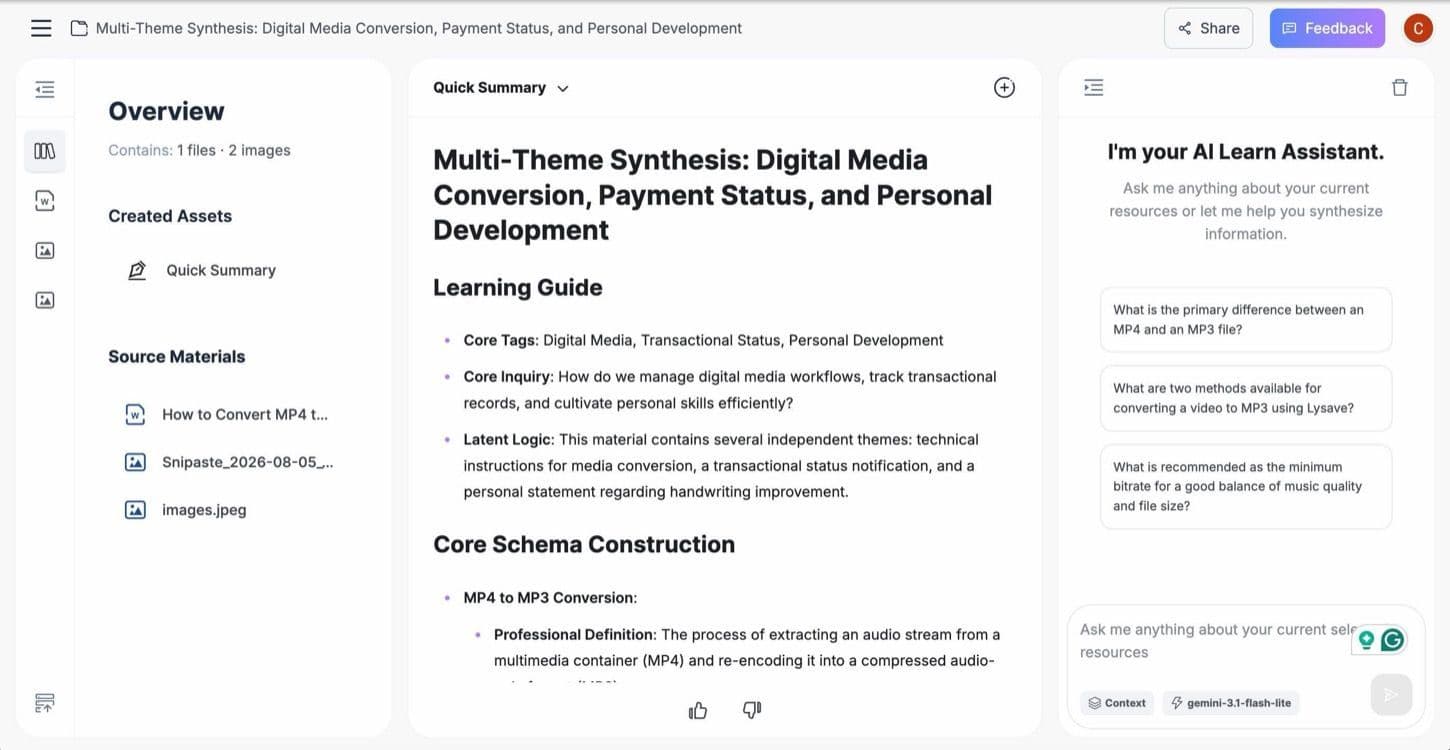
Turn Book PDFs into Structured Notes
Long textbooks and nonfiction books often contain more information than you need to remember at once. Finding important explanations across multiple chapters can become time-consuming, especially when studying several subjects.
Lynote helps generate organized AI notes from supported book PDFs and documents. Important concepts and explanations are presented in sections you can review and refine.
Instead of starting from a blank page, use the generated draft to build your own notes from books.
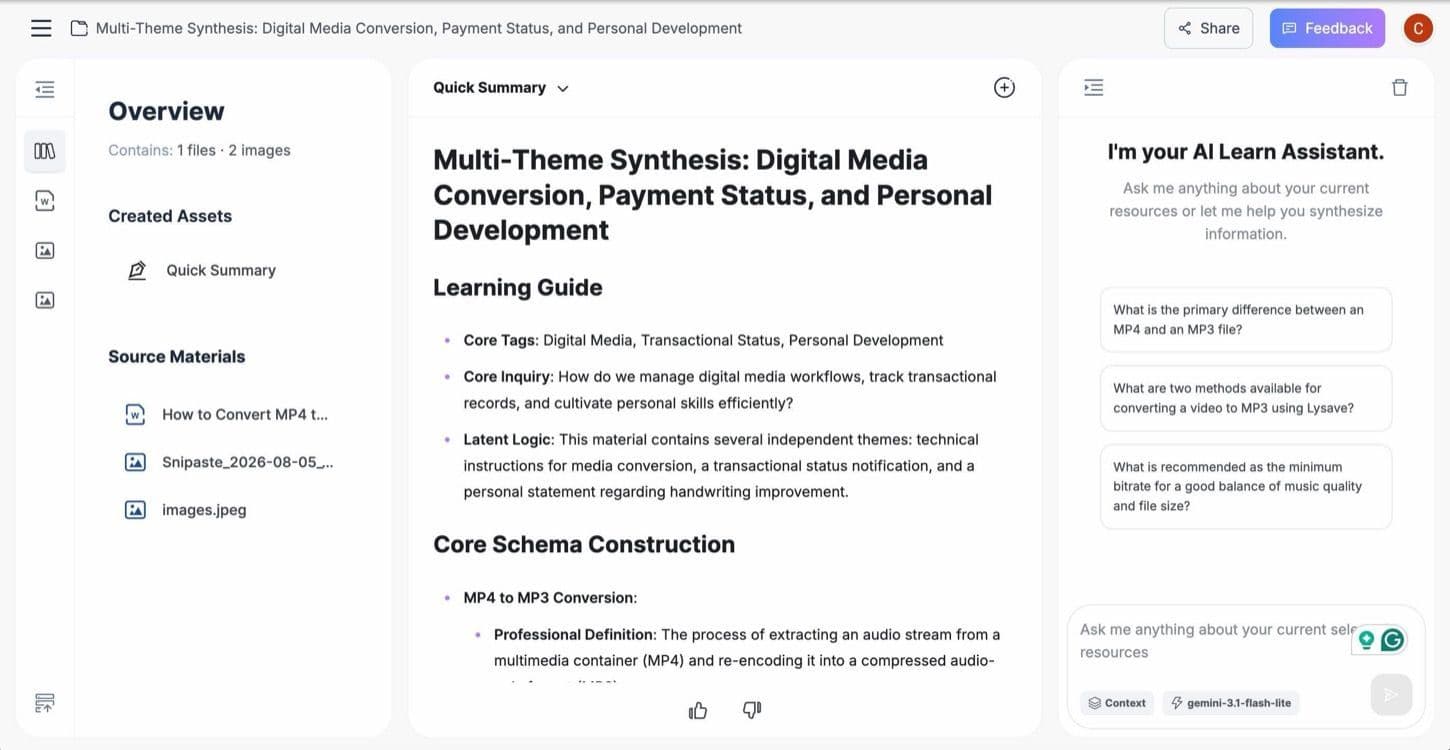
Make Your Reading Notes Personal
Good notes go beyond repeating what an author wrote. They include questions, interpretations, useful examples, and connections to other ideas.
With Lynote's editable AI Notes, you can add your observations, reorganize information, and correct details. This helps turn a structured draft into a reading resource that reflects your purpose.
Whether you're reading a textbook or nonfiction book, personalizing the notes makes them more useful for future reference.
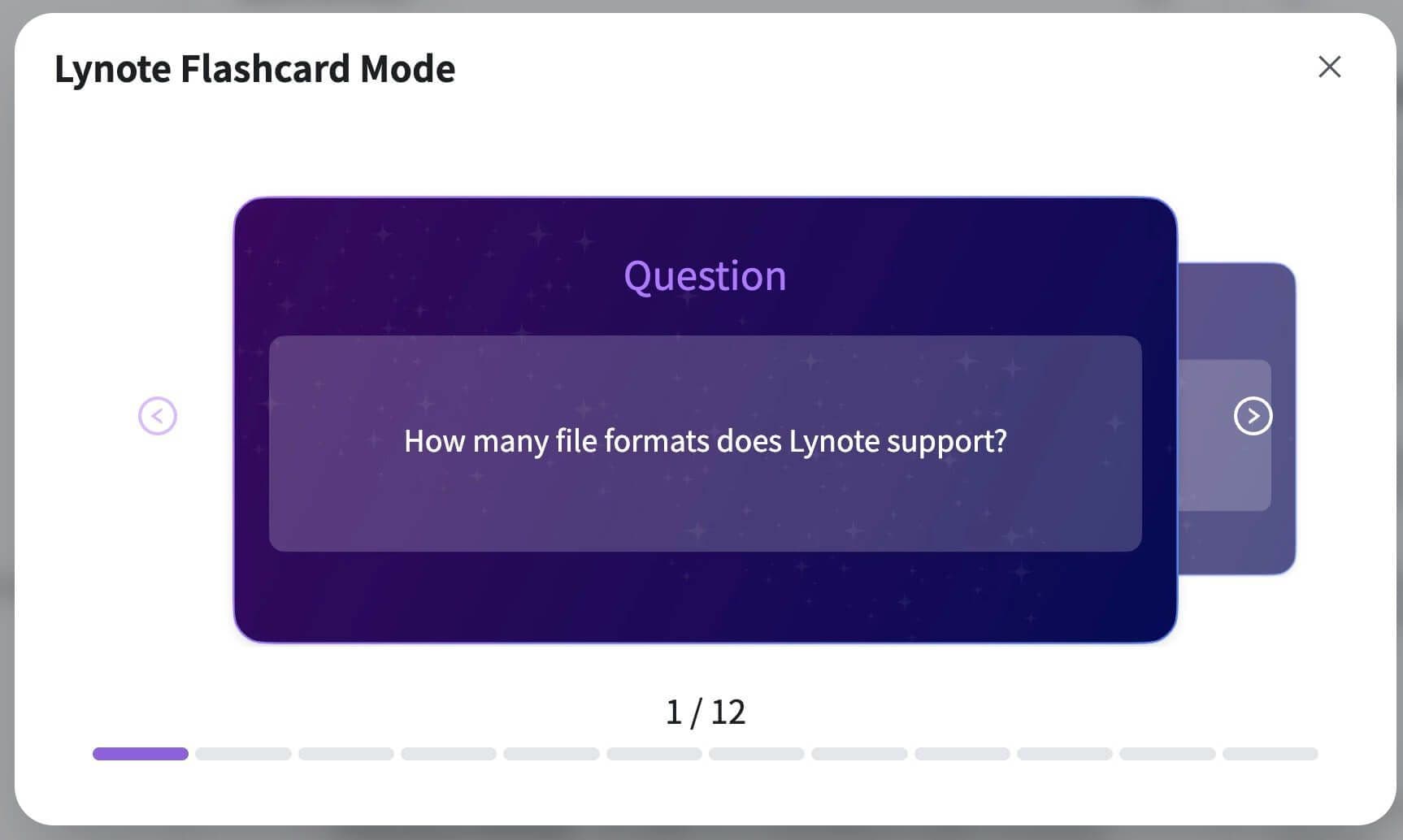
Remember More with AI Chat and Flashcards
Taking book notes is only the beginning. Reviewing the information helps you discover what you understand and which ideas need more attention.
Lynote connects AI Notes with source-grounded AI Chat and Flashcards. Ask questions about uploaded material, revisit explanations, and create flashcards to practice recalling important concepts.
This gives your notes a role beyond storing information, helping you reuse them throughout your learning process.
How to Create Book Notes with Lynote in 3 Steps
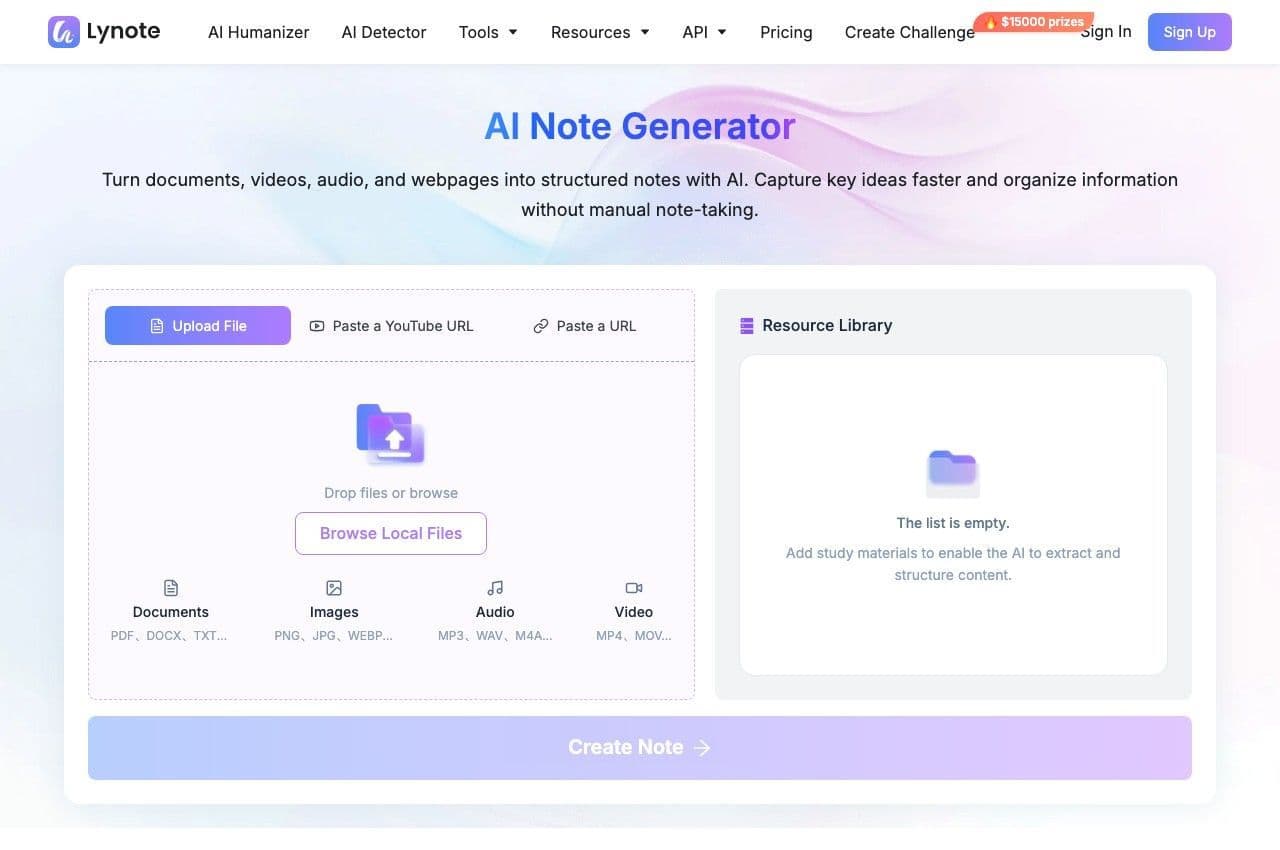
Upload Your Book or Reading Material
Upload a supported book PDF, document, or image containing the material you want to study. You can also paste a supported webpage URL if your reading content is available online. For longer books, start with the most relevant chapters or sections. Make sure you have permission to process the material and check applicable file limits.
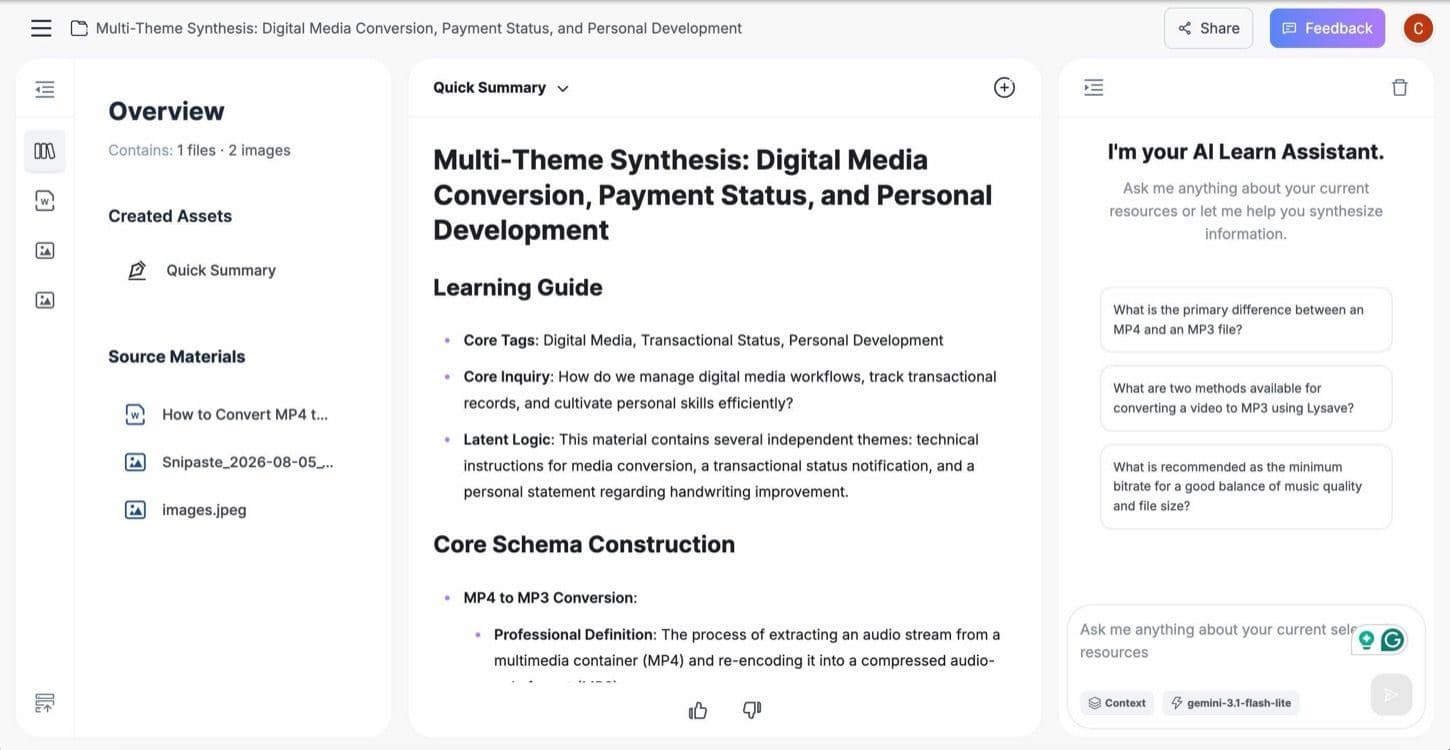
Generate and Personalize Your Book Notes
Click Create Note to generate structured notes from the uploaded content. Lynote organizes information into headings, key points, and supporting explanations. Review the generated notes and compare important information with the original book. Use the editor to add your interpretations, questions, and observations.
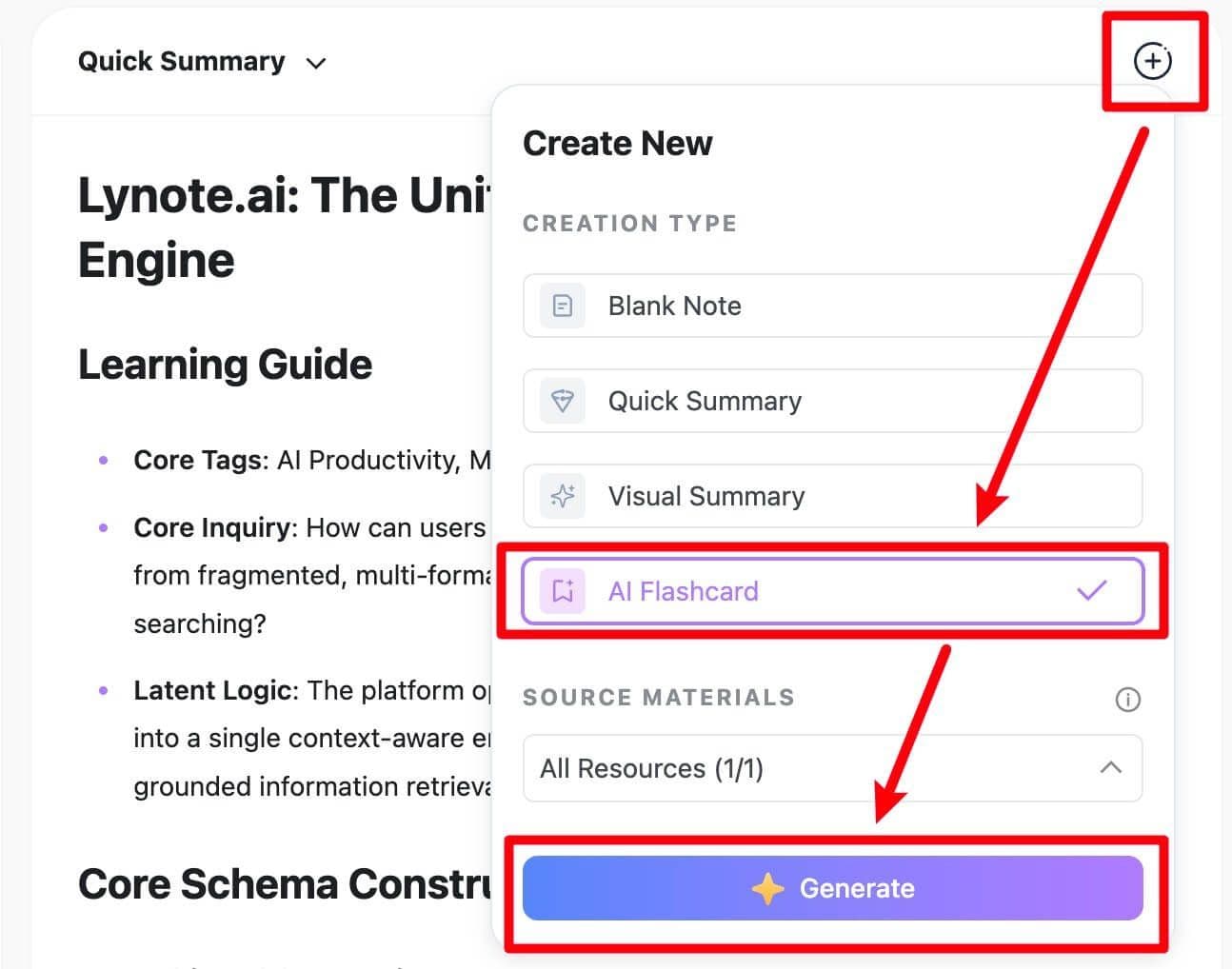
Review and Reuse Your Notes
After editing your notes, use AI Chat to ask questions based on the supplied reading materials. You can also create flashcards from definitions and concepts you want to remember. Return to your book notes whenever you need to revisit information or continue studying. Update them as your understanding develops.
How to Take Notes While Reading a Book
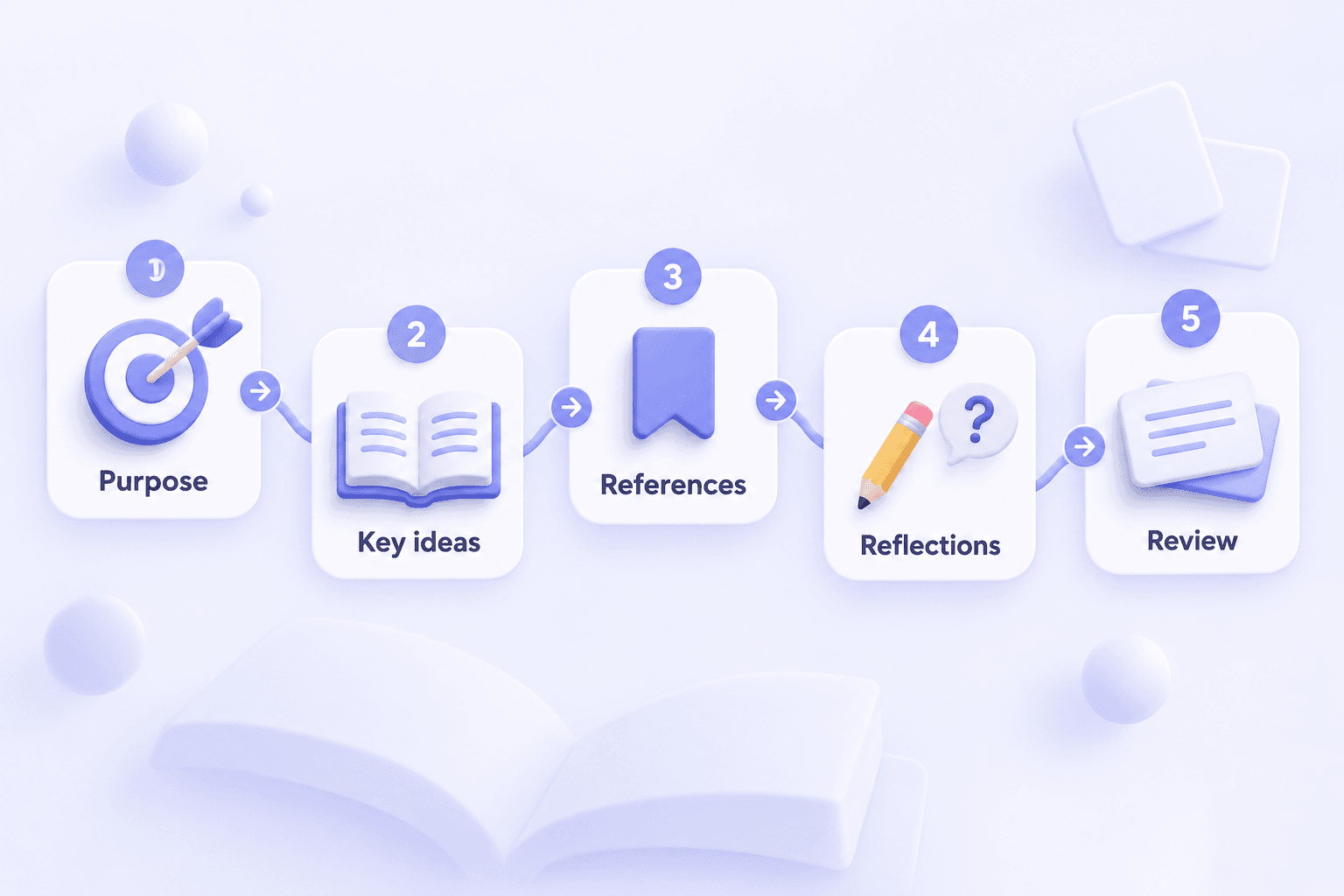
Learning how to take notes while reading a book is about more than highlighting interesting sentences. A useful system should help you understand the author's ideas, preserve important details, and remember why those details matter.
1. Define Your Reading Purpose
Before taking notes on a book, decide what you want to learn. You might be preparing for an exam, collecting research evidence, or exploring ideas for personal development.
Your purpose will help determine which sections deserve detailed notes. A student may focus on definitions and explanations, while a researcher may prioritize arguments and supporting evidence.
2. Identify Important Ideas as You Read
Pause after a meaningful section and identify the main point. Instead of copying entire paragraphs, explain the idea using a short sentence or bullet point.
Look for definitions, arguments, processes, and examples relevant to your reading goal. Keep enough context to understand the information later.
3. Record Page References and Supporting Details
When noting book passages, write down the chapter or page number if available. This makes it easier to verify an idea, revisit the original explanation, or prepare a citation.
Distinguish direct quotations from your own paraphrases. Check the original text before using a quotation in academic or published work.
4. Add Your Own Questions and Reflections
Useful book notes should capture your thinking as well as the author's ideas. Record questions about unclear explanations, unexpected examples, or connections to other topics.
These reflections turn a collection of summaries into a personal learning resource. They also help you identify what to investigate next.
5. Summarize and Review Each Chapter
At the end of a chapter, write a short summary of its central message. Highlight the ideas you want to remember and the questions you still need to answer.
You can then organize your notes into a structured digital document. Review important concepts using questions or flashcards rather than only rereading the same passages.
Taking Notes in Books: Physical vs. Digital Methods
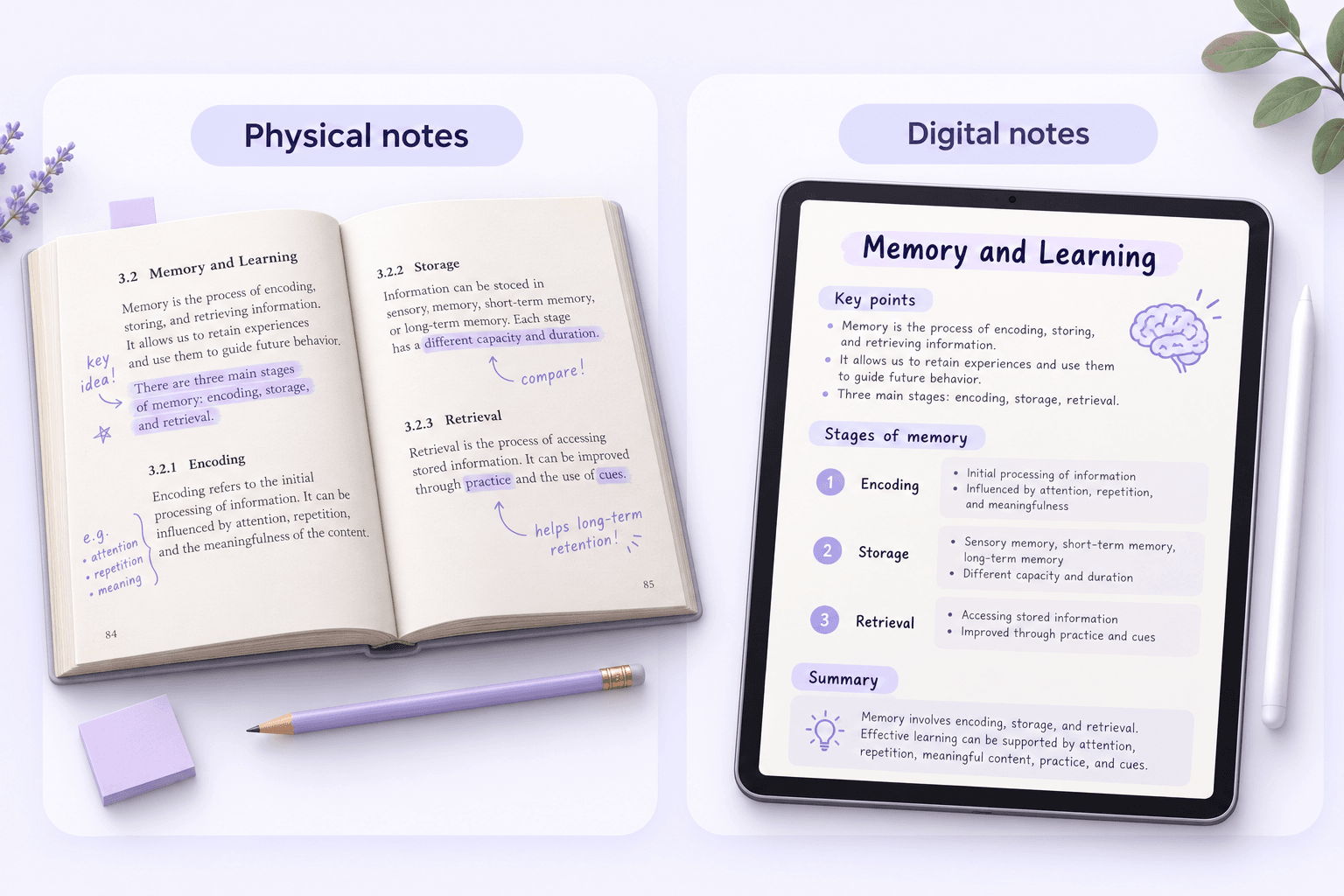
There are several ways to create notes in books, and the best approach depends on how you read. Writing directly on a physical page, maintaining a separate notebook, and using a digital note-taking tool each offer different advantages.
Writing Notes in Physical Books
If you own a physical book and are comfortable marking its pages, you can underline important sentences and write short notes in the margins. Use symbols or sticky tabs to identify questions, definitions, and important passages.
This method keeps your observations close to the original text. However, space is limited, and extensive notes written in books may be difficult to reorganize later.
Taking Notes in a Separate Notebook
A separate notes book allows you to organize ideas without marking the original pages. Record chapter titles, summaries, quotations, and reflections while maintaining references to the book.
This approach is useful for borrowed books or readers who prefer keeping pages unmarked. You can also organize notes from several books around a shared topic.
Creating Digital Notes from Books
Digital note-taking allows you to edit, reorganize, and revisit information without rewriting an entire page. It is particularly useful when your reading materials are available in supported PDF or document formats.
Lynote can generate structured AI Notes from supported source files. You can then personalize the results and use additional tools for review.
Which Book Note-Taking Method Should You Choose?
| Method | Best For | Main Advantage | Limitation |
|---|---|---|---|
| Marginal Notes | Readers using physical books | Observations stay close to the text | Limited writing space |
| Sticky Notes | Borrowed or valuable books | Temporary, removable annotations | Notes may become scattered |
| Separate Notebook | Reading journals and personal study | Flexible organization | Manual copying takes time |
| Digital Notes | Long-term reference and research | Editable and reusable content | Requires a device |
| Lynote AI Notes | Supported book PDFs and digital materials | Generates structured drafts from sources | Requires review and compatible files |
You do not have to choose only one method. For example, you might use sticky notes while reading a printed book and later transfer your important ideas into a digital reading notebook.
Book Notes Example: How to Organize a Textbook Chapter
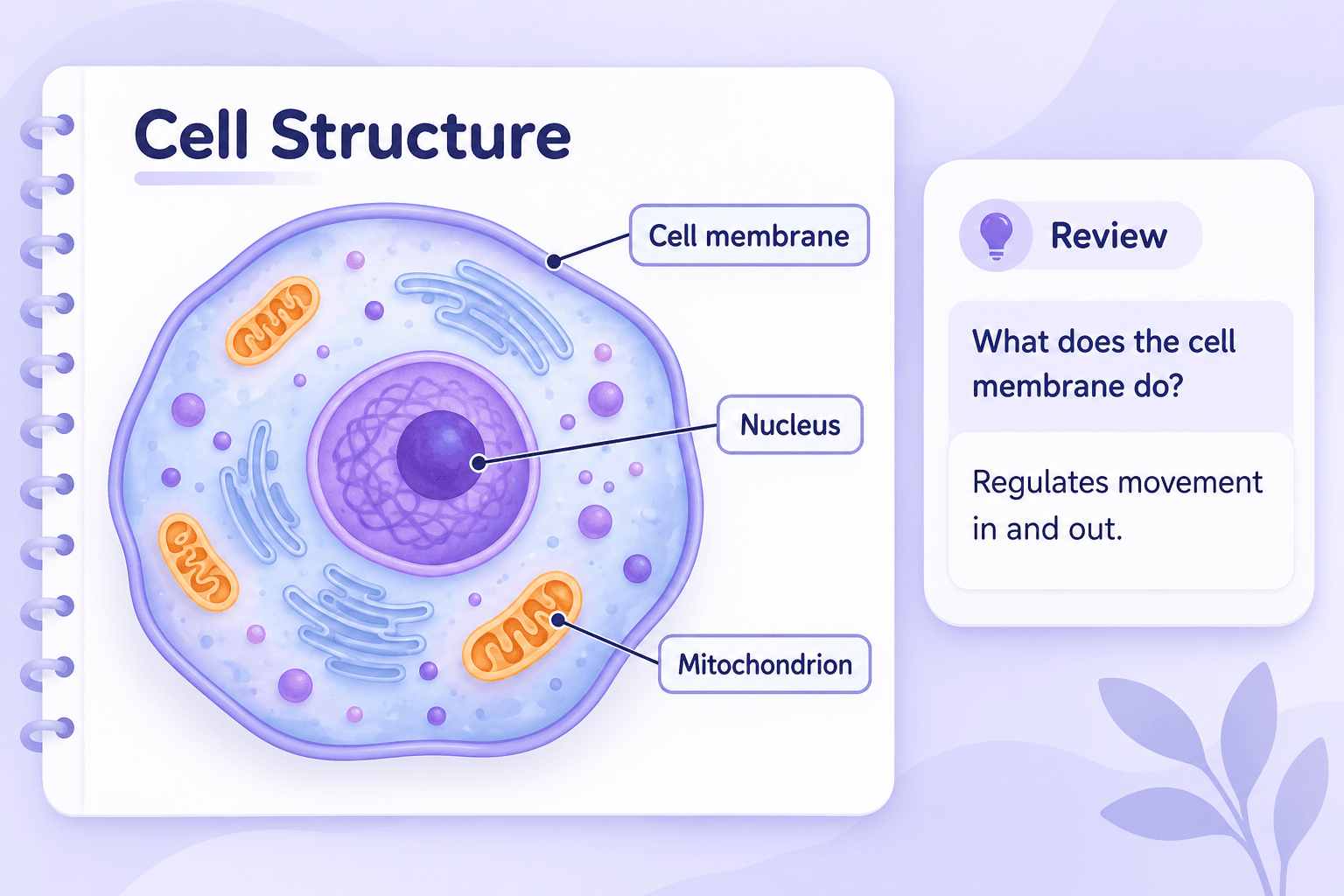
Here is an example of how to make notes from books using a structured format. This example is based on general introductory biology concepts rather than reproduced passages from a copyrighted textbook.
Book Type: Biology Textbook
Chapter Topic: Cell Structure and Function
Main Ideas
- Cells are the basic structural and functional units of living organisms.
- The cell membrane helps regulate the movement of substances.
- In eukaryotic cells, the nucleus contains most of the genetic material.
- Mitochondria are involved in cellular energy production.
Important Terms
| Term | Definition |
|---|---|
| Cell Membrane | A selectively permeable boundary surrounding a cell |
| Nucleus | An organelle containing most of a eukaryotic cell's DNA |
| Mitochondrion | An organelle involved in ATP production through cellular respiration |
| Cytoplasm | Material within the cell membrane, excluding the nucleus in eukaryotic cells |
Personal Reading Notes
The chapter explains how different cellular structures contribute to the functions of living cells. A useful next step is to compare plant and animal cells using diagrams and examples from the textbook.
Questions for Review
- What is the function of the cell membrane?
- How does the nucleus differ from the cytoplasm?
- Why are mitochondria important for cellular energy production?
Flashcard Preview
Question: What is the main function of the cell membrane?
Answer: It regulates the movement of substances into and out of the cell.
This example demonstrates how to make book notes using definitions, key concepts, reflections, and review questions. The same structure can be adapted to history, business, psychology, and other subjects.
Book Note Taking for Every Reading Goal
Textbooks and Academic Books
Create notes from supported textbook chapters, course readings, and reference documents. Focus on definitions, important explanations, processes, and examples that support your learning goals.
Nonfiction and Personal Development Books
Organize useful frameworks, arguments, and lessons from nonfiction reading. Add your own observations and identify ideas you want to apply or revisit.
Research and Reference Books
Build research notes around major arguments, supporting evidence, and connections between sources. Verify quotations and citation details against the original material.
Fiction and Literature
Create notes about plot developments, characters, themes, and important passages from the material you provide. Add your own interpretations and questions for literary analysis.
Business and Professional Books
Capture management frameworks, case examples, technical explanations, and professional concepts. Revisit important information when preparing presentations, training materials, or reference documents.
Reading Across Multiple Books
When studying a topic through several books, use a consistent note-taking format. Organize the key ideas from each source, then compare their arguments and supporting evidence yourself.
Book Notes vs. Book Summaries: What's the Difference?
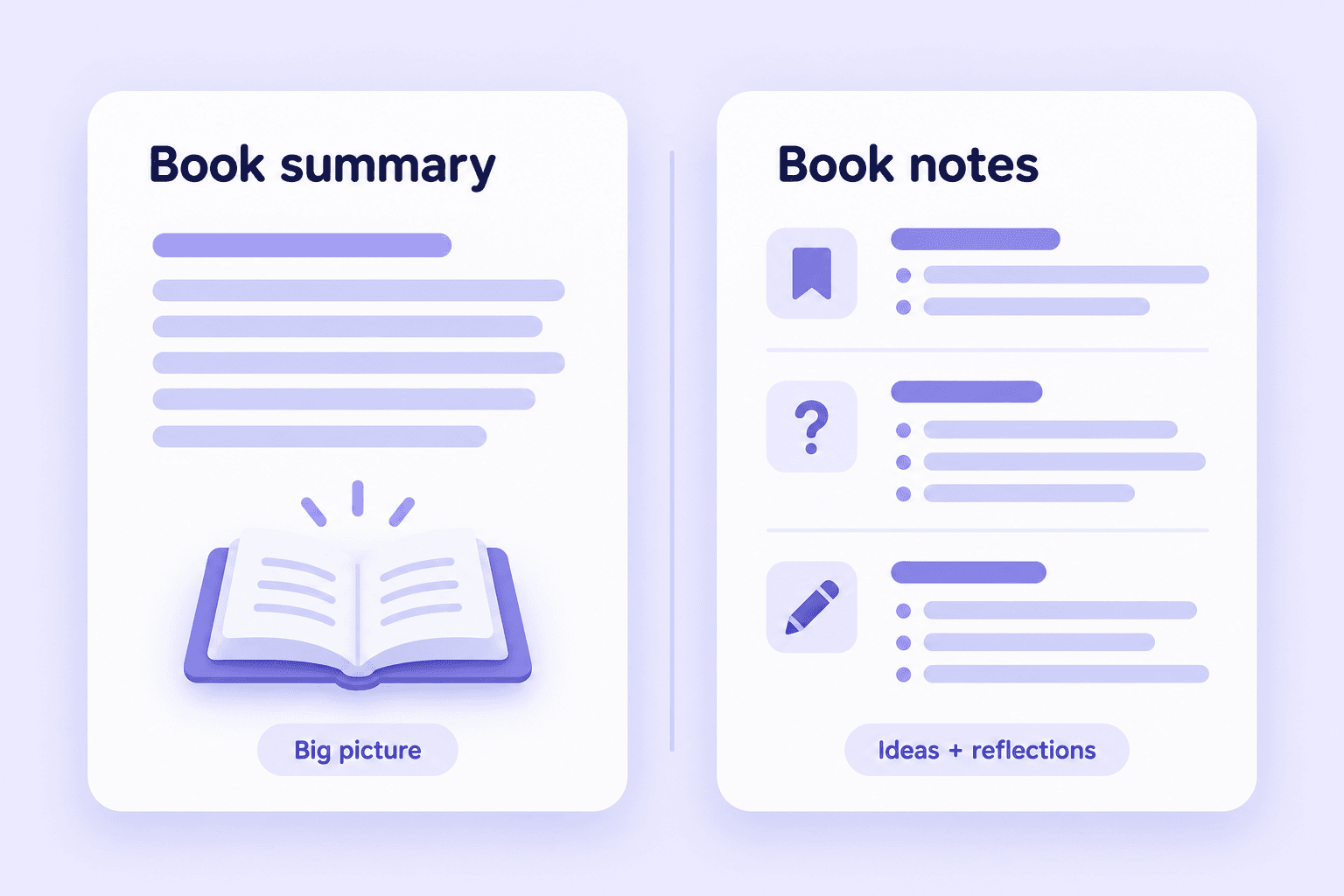
Book summaries and book notes both help readers revisit information, but they serve different purposes. A summary provides a condensed overview, while notes can preserve specific ideas, examples, questions, and personal reflections.
| Feature | Book Summary | Book Notes |
|---|---|---|
| Main Purpose | Explain the overall content | Record useful information for a specific goal |
| Organization | Condensed overview | Chapters, topics, questions, and details |
| Personal Reflections | Usually limited | Can be added throughout |
| Source Details | Focus on major ideas | Can retain examples and references |
| Review | Useful for quick understanding | Useful for targeted learning |
| Best For | Getting the big picture | Studying, research, and knowledge retention |
If you only need to understand a book's central argument, a summary may be enough. If you want to remember specific concepts or use the material in future work, structured book notes offer more flexibility.
Lynote helps generate editable AI notes from supported reading materials, giving you a starting point for creating your own reading resource.
Who Can Benefit from a Book Note Taker?
Students
Turn textbook chapters and assigned readings into organized study notes. Add definitions, important examples, and flashcards to prepare for exams.
Researchers
Prepare working notes from books, articles, and supporting documents. Organize arguments and evidence while checking important information against the original source.
Nonfiction Readers
Capture useful ideas from books about productivity, business, learning, and personal development. Add reflections and revisit the concepts you find valuable.
Educators
Organize information from teaching materials and reading resources into editable notes. Add examples and explanations when preparing lessons or study guides.
Writers and Content Creators
Collect ideas, themes, and reference material from books and related reading sources. Keep source information separate from your own interpretation and verify citations.
Lifelong Learners
Build a structured collection of notes from the books and subjects you explore. Use AI-assisted organization and flashcards to make future review easier.
Frequently Asked Questions About Book Note Taking
A book note taker is a tool or method for recording important information from books. It helps organize ideas, definitions, explanations, and personal observations for later review. Lynote is an AI note-taking tool that can turn supported book PDFs and reading materials into structured, editable notes.
Start by deciding which information matters to your reading goal. Record important ideas, useful quotations, questions, and page references as you move through the book. After completing a chapter, summarize the main points in your own words. Organize the notes so you can find and review the information later.
Use removable sticky notes, page tabs, or a separate reading notebook. These methods allow you to record observations without permanently writing on the pages. For digital reading materials, use compatible annotation or note-taking tools. Lynote focuses on generating notes from supported source files rather than directly marking a physical book.
Upload a compatible digital book chapter, PDF, or document to an AI note-taking tool. Generate a structured draft and review it against the original source. With Lynote, you can edit the generated notes and use AI Chat and Flashcards for further review. Processing limits depend on the supported file formats and account settings.
You can prepare notes from supported book files, but processing a complete book depends on file size, format, document quality, and platform limits. For long books, working through individual chapters may help maintain a manageable note structure. Always review the results for missing context or important details.
Organize your notes by book title, chapter, and topic. Include key ideas, supporting examples, personal questions, and a short summary. When reading several books on one subject, you can also group your notes by shared themes. This makes it easier to return to relevant material later.
Both methods can work well. Writing notes in books keeps your observations near the relevant passages, while a separate notebook makes it easier to organize ideas across multiple sources. Choose based on whether the book belongs to you, how much you want to write, and how you plan to review the information.
Start with a PDF you are authorized to use. Identify the important chapters and organize the content into key ideas, definitions, and supporting examples. You can also upload supported PDFs to Lynote to generate structured notes. Review the AI output and verify important information against the original document.
Books containing reader-written annotations are often described as annotated books. Annotations may include highlights, margin notes, underlining, questions, or personal comments. A published annotated edition is different because it includes editorial explanations or commentary prepared for readers.
Yes. Lynote provides Flashcards as part of its AI Notes workflow, allowing users to create question-and-answer cards from important concepts. Flashcards can be useful for textbooks, academic reading, and other material that requires repeated review.
Lynote does not claim direct Kindle account synchronization or access to purchased ebook libraries. It works with supported uploaded documents and other source formats. If you have a compatible file you are authorized to process, check whether it meets Lynote's upload requirements. Do not bypass copyright or digital rights restrictions.
Book notes are often more useful when you want to preserve specific information, personal questions, and detailed examples. A summary is more suitable for understanding the main content quickly. You can combine both approaches by writing a short chapter summary followed by more detailed notes on the ideas you want to remember.
Read Better, Remember More
Explore practical guides to note-taking methods, organizing information, and building effective reading habits.
Turn Your Reading into Notes Worth Revisiting
Make note taking on books simpler with Lynote. Generate structured notes from supported book PDFs, chapters, and reading materials, then edit the results and review important ideas with AI Chat and Flashcards. Spend less time copying text and more time understanding what you read.