SafeAssign does not publicly describe itself as a dedicated AI or ChatGPT detector. Its documented job is to compare a submission with existing sources and show matching or similar text in an Originality Report. A school may use a separate AI detector or its own review process alongside SafeAssign, but a SafeAssign match alone does not prove that AI wrote the work.
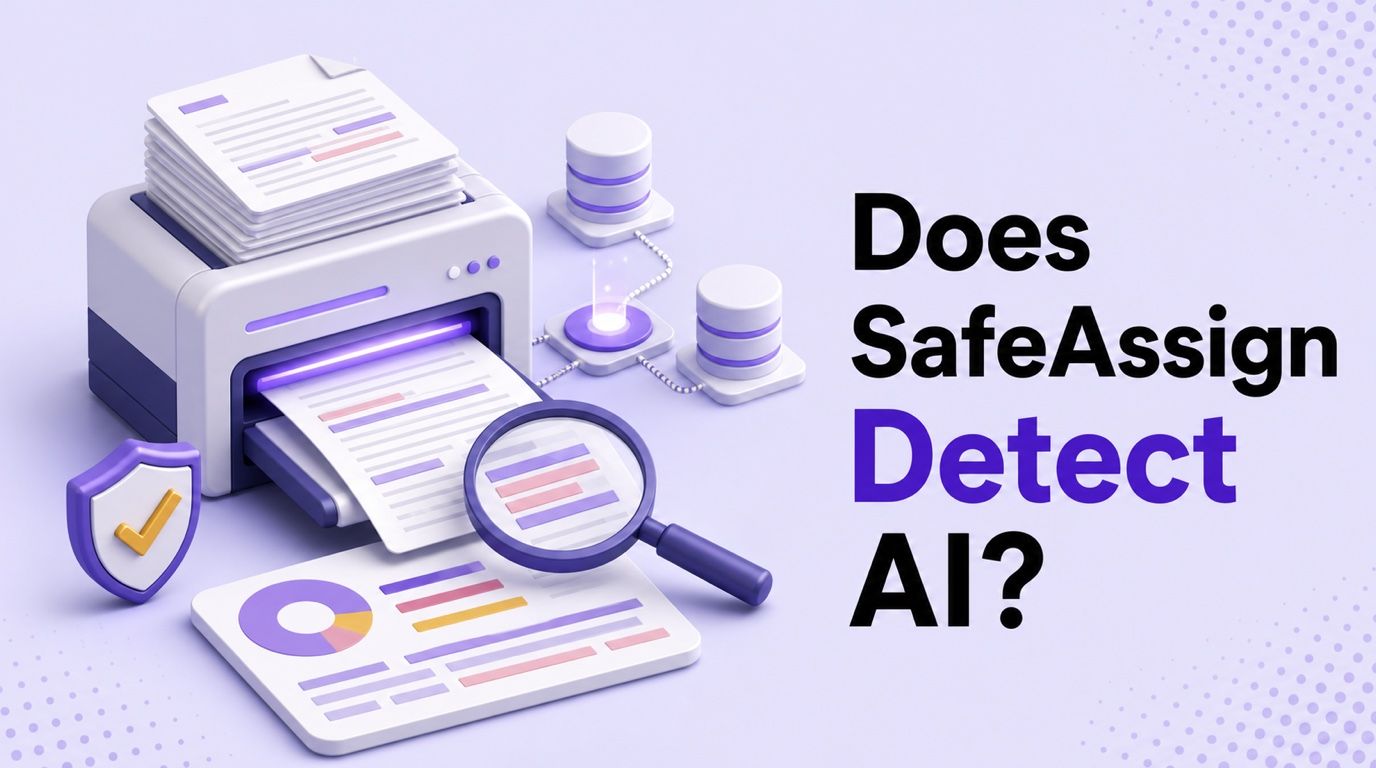
That distinction matters because plagiarism matching and AI detection answer different questions. SafeAssign asks where the wording overlaps with known material; an AI detector estimates whether the writing pattern resembles machine-generated text.
Direct Answer: Can SafeAssign Detect AI?
SafeAssign may surface a problem in AI-generated text, but usually because the text resembles an indexed source, not because SafeAssign has identified ChatGPT as the author. For example, generated writing may reproduce a familiar definition, common explanation, or language already published online.
The reverse is also possible. A newly generated paragraph may have little direct overlap with SafeAssign's sources even though it was produced by AI. A low SafeAssign score therefore does not prove human authorship, just as a high score does not automatically prove misconduct.
| Signal | Question it answers | Typical output | What it cannot prove |
|---|---|---|---|
| SafeAssign match | Does this text overlap with known sources? | Match percentage, highlighted passages, possible sources | Whether ChatGPT wrote the submission |
| AI detector score | Does this language resemble AI-generated writing? | AI, mixed, or human probability | Who wrote the text or whether misconduct occurred |
| Instructor review | Does the work fit the assignment, sources, and writing process? | A contextual judgment | A complete tool history without supporting evidence |
The most accurate short answer is therefore: SafeAssign checks originality through source matching, not AI authorship directly. Any claim that it always detects or never detects AI is too broad.
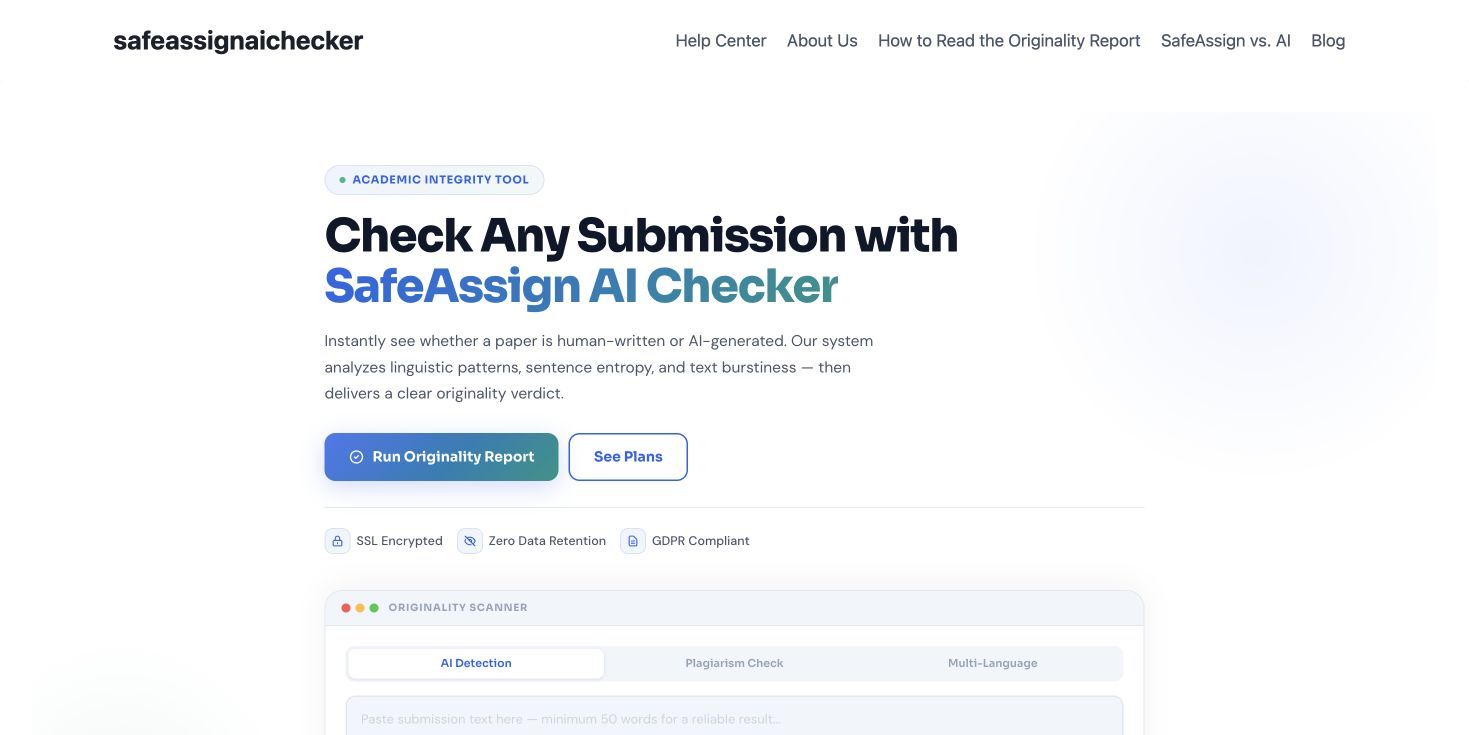
Part of the confusion comes from third-party websites that use “SafeAssign AI Checker” in their product names. The interface below belongs to an independent AI-checking website, not Blackboard's official SafeAssign service.
What Does SafeAssign Check For?
SafeAssign checks submitted text for exact and inexact matches with material available in several collections. Its comparison pool can include papers held by the student's institution, papers voluntarily added to a cross-institution reference database, academic publications available through ProQuest, and webpages indexed by SafeAssign's internet search service.
This system is designed to help instructors and students locate passages that may need quotation marks, citations, closer paraphrasing review, or original analysis. It can identify overlap, but it cannot decide by itself whether the overlap is acceptable.
SafeAssign may check:
- Sentences copied exactly from a source
- Closely matching or lightly altered passages
- Text that resembles previous student submissions in an available database
- Wording found in indexed academic publications
- Material found on webpages available to its search index
SafeAssign does not inherently establish:
- Whether ChatGPT, Claude, Gemini, or another model produced the text
- Whether a match is properly quoted and cited
- Whether the student intended to plagiarize
- Whether every relevant webpage exists in its index
- Whether an unmatched passage is original or human-written
An instructor still needs to open the report, inspect each source, and interpret the match in context. A quotation with a correct citation and an uncited copied sentence may both contribute to the percentage, but they do not represent the same academic issue.
How Does SafeAssign Work?
SafeAssign follows a source-comparison workflow. It processes readable text from a submission, searches its available collections, calculates matching passages, and produces an Originality Report for review.
1. SafeAssign extracts readable text
When a student submits a SafeAssign-enabled assignment, Blackboard sends supported text content for processing. SafeAssign can work with text entered in the assignment and common document formats that can be converted into plain text.
Formatting, images, and visual design are not the central evidence. The analysis focuses on the words it can extract and compare.
2. It searches several source collections
SafeAssign compares the extracted text with sources available through its institutional, cross-institution, academic-publication, and internet collections. Because no search index contains every page or private document, coverage is broad but not unlimited.
A passage may go unmatched if the source is unavailable, private, recently published, or not yet indexed. That is one reason an Originality Report should be treated as a review aid rather than a complete originality certificate.
3. It identifies exact and inexact matches
The system looks for both direct overlap and sufficiently similar wording. It then weighs the returned matches and associates passages in the submission with possible sources.
This is more useful than a simple exact-phrase search, but it still centers on textual similarity. It is not the same process as predicting whether a language model generated a paragraph.
4. It builds an Originality Report
The report presents an overall matching level, highlights relevant text, and lists possible sources. Instructors can inspect individual matches and, where appropriate, exclude a source before reviewing the report again.
The percentage summarizes overlap; it is not a grade, plagiarism verdict, or AI score. The real work begins when someone reads the highlighted passage and asks why it matched.
Does SafeAssign Detect ChatGPT Specifically?
SafeAssign cannot normally look at a passage and reliably label ChatGPT as the exact tool that produced it. Different AI systems can generate similar prose, and human writers can also use polished, predictable, or formulaic language.
However, ChatGPT output can still produce SafeAssign matches in several situations:
- The response repeats a widely published definition or explanation.
- The prompt asks for a summary of a specific source, and the output remains close to that source.
- The generated answer uses common template language found in many papers.
- The student combines AI output with copied or lightly paraphrased material.
- The model reproduces distinctive wording that already exists in an indexed document.
Consider two hypothetical paragraphs. The first is written by a student but includes a long, correctly quoted definition; it may receive a substantial match. The second is generated by ChatGPT from a broad prompt and contains no close source overlap; it may receive a low match.
Those results would not mean the first paragraph was AI-written or the second was human-written. They would mean only that one contained more text matching SafeAssign's available sources.
This also explains why “Does SafeAssign detect ChatGPT?” is not quite the right technical question. A better question is: Can text produced with ChatGPT contain source overlap that SafeAssign finds? Yes, it can, but the report still cannot attribute the text to ChatGPT with certainty.
SafeAssign vs an AI Detector: The Important Difference
SafeAssign and AI detectors may appear in the same academic conversation, but their methods and outputs are different. Treating one as a substitute for the other creates misleading conclusions.
| Dimension | SafeAssign | AI detector |
|---|---|---|
| Main purpose | Find similarity with existing sources | Estimate whether writing resembles AI output |
| Primary evidence | Matching words, phrases, and passages | Statistical and linguistic patterns |
| Typical output | Match percentage and source links | AI, mixed, or human probability |
| Strongest use | Reviewing quotation, citation, and source dependence | Locating passages that may merit closer authorship review |
| Main limitation | Cannot find sources outside its available collections | Can misclassify both human and AI-assisted writing |
| Can it prove ChatGPT use? | No | No |
An AI detector might react to unusually uniform sentence structure, predictable transitions, repetitive phrasing, or other learned signals. SafeAssign is looking for overlap with material it can compare against, regardless of whether the overlapping passage was written by a person or generated by a model.
The two tools can also disagree without either report being technically inconsistent. A paragraph can be highly original in wording but strongly AI-like in pattern, or heavily matched to sources while sounding entirely human.
How a third-party SafeAssign AI checker differs
The third-party checker shown below offers a direct text box with separate AI Detection, Plagiarism Check, and Multi-Language options. That interface is closer to a standalone AI detector than the Originality Report workflow documented for Blackboard SafeAssign.
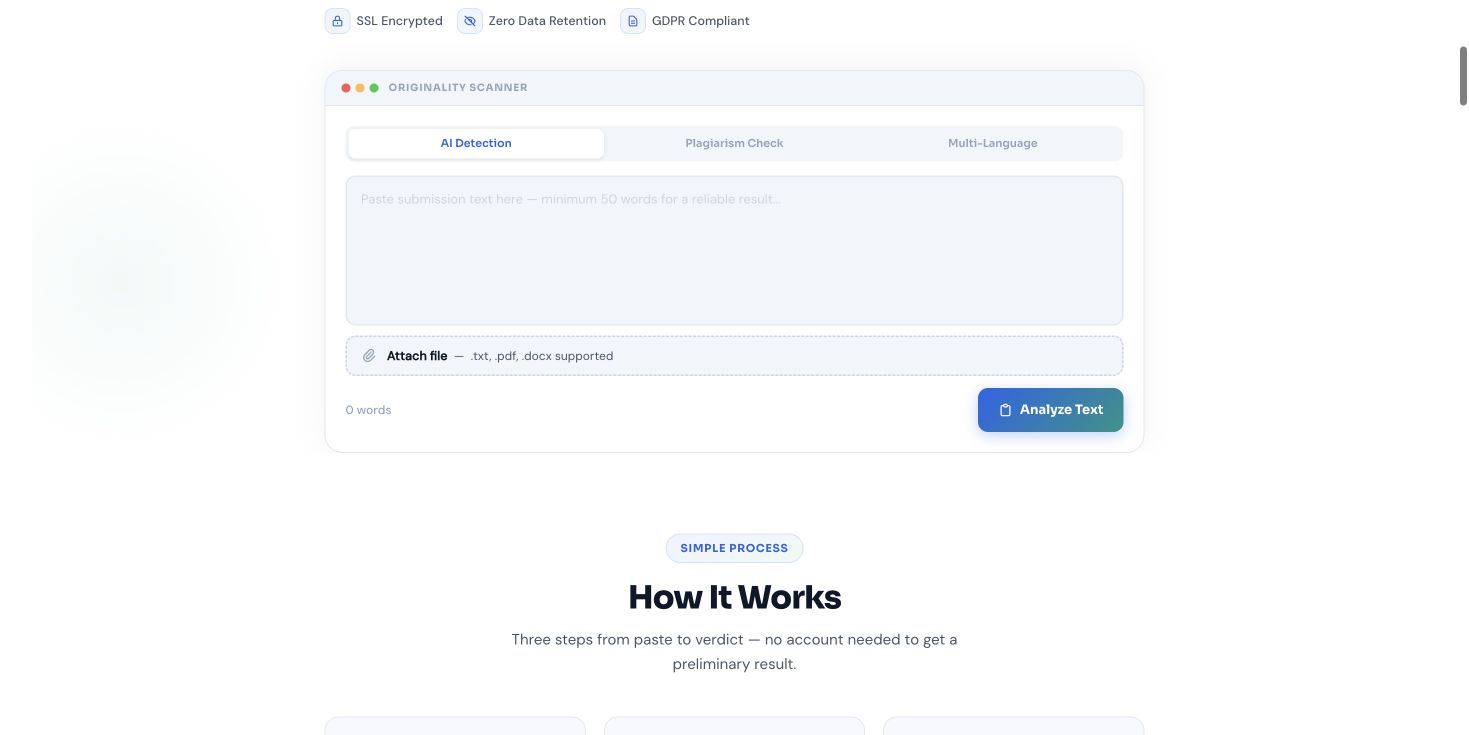
Its published workflow describes pasting text, running language-pattern analysis, and receiving an AI probability report. This is a useful visual example of why readers should verify which “SafeAssign” product a school or webpage is referring to before interpreting a result.
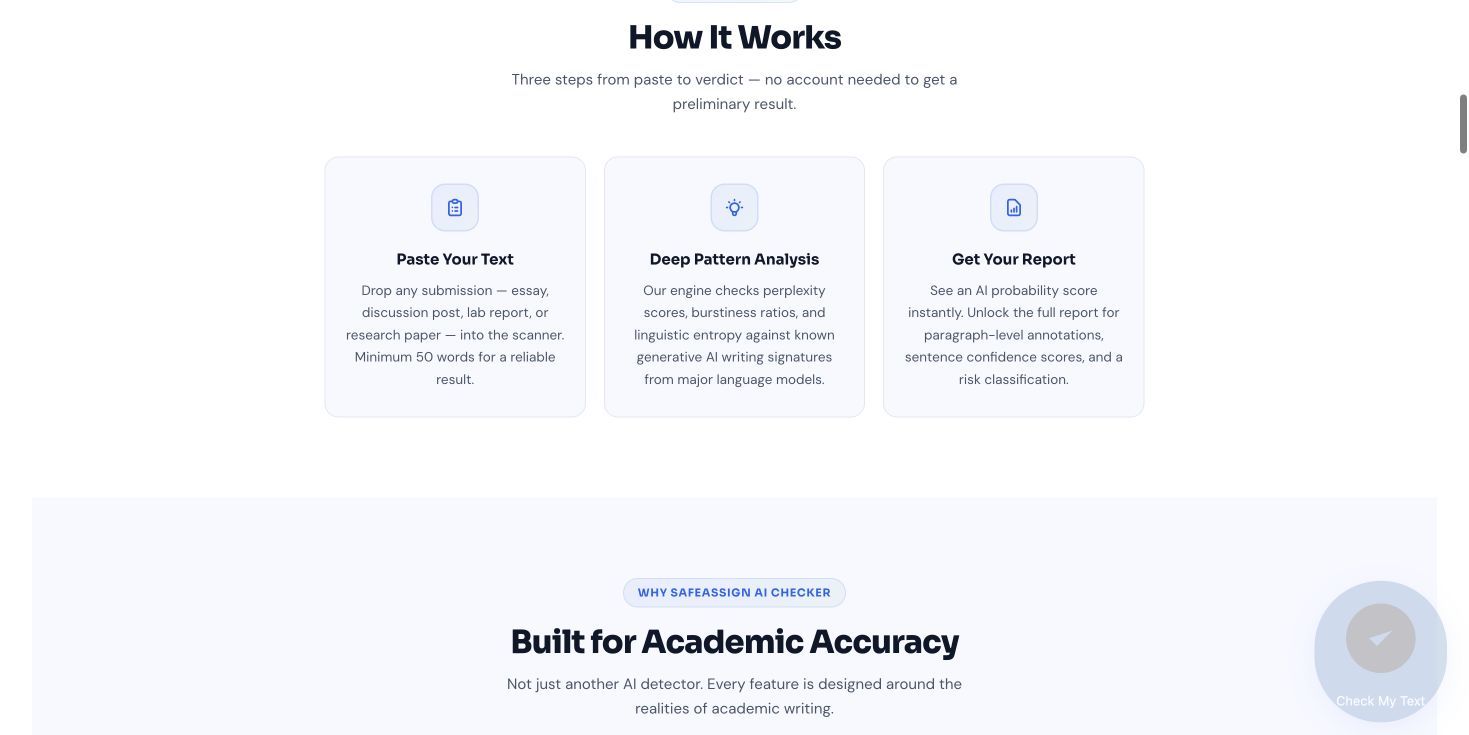
The naming overlap does not make the services interchangeable. Blackboard SafeAssign centers on similarity to available sources, while this third-party website markets AI-pattern analysis as a separate checking experience.
Can Humanizing AI Text Change a SafeAssign Result?
Humanizing can change wording, sentence structure, rhythm, and transitions, so it may change which phrases match existing sources. But it does not guarantee a lower SafeAssign percentage, and it does not resolve questions about authorship, citations, or permitted AI use.
The result depends on what caused the match. If a passage contains a necessary quotation, rewriting it merely to reduce overlap would be the wrong response; it should remain quoted and cited. If a paragraph follows a source too closely, the writer needs to understand the source, restate the idea independently, cite it, and add original analysis.
Humanized text may still match when it contains:
- Required quotations or standard terminology
- Citation details and bibliography entries
- Common assignment or template language
- Distinctive facts or phrasing taken from a source
- Material already submitted to an available paper database
- A structure that remains too close to the original source
A humanizer is best used as an editing aid for writing you are allowed to revise. It can help make stiff or repetitive language easier to read, but it should not be used to disguise copied work or misrepresent authorship.
How to Humanize AI-Assisted Text With Lynote
If your own draft sounds mechanical, repetitive, or unlike your normal voice, Lynote AI Humanizer can help revise its phrasing while preserving the intended meaning. It supports pasted text and PDF, DOC, DOCX, or TXT uploads, with up to 600 words per request on the free tier and no sign-up required for basic use.
Unlike basic synonym replacement, context-aware rewriting can adjust sentence construction and flow across a passage. That can improve readability, but you still need to verify every claim, citation, and piece of subject-specific terminology.
Step 1: Paste your text or upload a document
Open the AI Humanizer and paste the passage you want to revise. For a document-based workflow, switch to the upload option and add a supported PDF, DOC, DOCX, or TXT file.

Work with a manageable section rather than treating an entire assignment as one opaque block. That makes it easier to compare the rewrite with your notes, sources, and original argument.
Step 2: Choose a rewriting mode
Select Balanced for a standard readability-focused revision, Focus for a stronger rewrite, or Advanced for a slower and more deliberate balance of rewriting depth and quality. The strongest setting is not automatically the right choice; use the lightest level that fixes the writing problem.

For academic or technical work, a more aggressive rewrite may alter qualifications or terminology. Read closely for small changes in meaning.
Step 3: Humanize the passage
Click Humanize to generate the revised version. Compare it with the original instead of assuming the new version is ready to use.
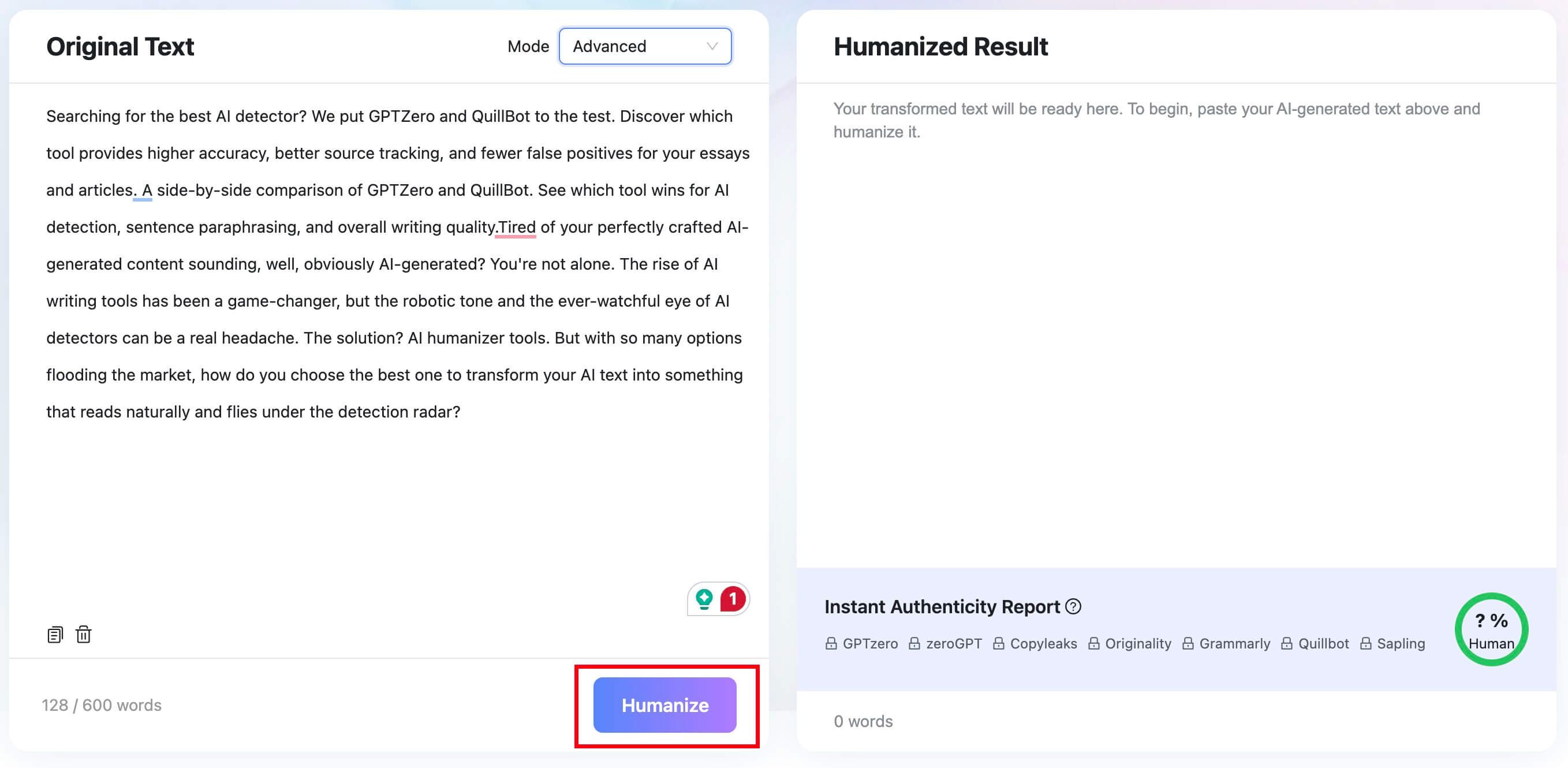
Look for clearer transitions, varied but natural sentence lengths, fewer repeated phrases, and a voice that fits the intended audience. Reject changes that introduce facts, overstate evidence, or make a citation less clear.
Step 4: Review the result and authenticity signals
The result panel includes an Instant Authenticity Report with predicted results across several major detectors. These predictions are useful as editing feedback, not proof that a school will classify the text the same way.

Before using the rewrite, confirm that it still represents your thinking, follows the assignment's AI policy, and preserves every necessary citation. Keep your notes and draft history so you can explain the writing process if questions arise.
Lynote can make an AI-assisted draft sound more natural, but it cannot create genuine understanding or guarantee a SafeAssign outcome. Its most responsible use is improving clarity in your own permitted work, not concealing copied text or prohibited AI authorship.

What Does SafeAssign-Enabled Mean?
When an assignment says SafeAssign-enabled, the instructor has turned on SafeAssign originality checking for that assignment or test. After submission, SafeAssign processes the readable text and generates an Originality Report.
Students usually do not need to run a separate upload process beyond submitting the assignment normally. The instructor decides whether students can view the report and whether multiple attempts are available.
SafeAssign-enabled does not automatically mean that a dedicated AI detector is active. It means source-matching analysis is enabled. A school may have additional tools or policies, but those should not be assumed from the SafeAssign label alone.
Students may also see language about adding a paper to a reference database. That choice concerns whether the submission can help identify matches in future papers; it is separate from whether the current submission receives an Originality Report.
How to Read a SafeAssign Score Without Misinterpreting It
A SafeAssign score represents the amount of text that matches or closely resembles available sources. It does not represent the probability that AI wrote the paper.
The overall number can be useful for triage, but the highlighted passages provide the real context. A modest score could include one serious uncited passage, while a higher score could be driven by correctly quoted material, a reference list, or standard language required by the assignment.
Common reasons for matches include:
- Properly quoted and cited passages
- Bibliographic entries and publication titles
- Common phrases or technical definitions
- Assignment prompts included in the response
- Templates shared across a course
- A student's own previously submitted work
- Uncited copying or overly close paraphrasing
Do not chase a universally “safe” percentage. Acceptable overlap varies by assignment type, discipline, citation style, and instructor expectations. A literature review, lab report, and personal reflection naturally produce different matching patterns.
Review each highlighted passage with three questions:
- Is this wording taken from a source?
- If so, is the source quoted or paraphrased and cited correctly?
- Does my own analysis clearly extend beyond the source material?
That review is more meaningful than trying to reduce the number without understanding why it exists.
Can Teachers Still Question AI Use If SafeAssign Does Not Identify It?
Yes. A low SafeAssign match does not prevent an instructor from noticing other concerns, especially if the submission differs sharply from a student's previous work or contains claims the student cannot explain.
An instructor may review:
- Differences in voice, vocabulary, or reasoning compared with earlier work
- Citations that do not support the claims made
- References that appear inaccurate or do not exist
- Sudden changes in formatting or writing quality
- Version history, notes, outlines, or drafts when policy allows
- The student's ability to explain the argument and research process
- Results from a separate AI-detection service used by the institution
None of these signals should be treated as automatic proof in isolation. They provide context for a conversation about how the work was created.
This is why editing solely for a detector score is a weak strategy. Stronger academic evidence comes from accurate sources, original reasoning, transparent permitted tool use, and a drafting process that the writer can explain.
What to Do If Your Work Is Flagged or Questioned
First, ask what was actually flagged. A SafeAssign similarity match, an AI-detector result, and an instructor's concern about writing style are three different issues and require different responses.
If the concern comes from SafeAssign:
- Open the Originality Report if student access is available.
- Review each highlighted passage and its suggested source.
- Correct missing quotation marks, weak paraphrases, or incomplete citations.
- Explain legitimate matches such as required wording, references, or properly quoted text.
- Ask the instructor how the report is interpreted for that assignment.
If AI use is questioned, preserve and organize evidence of your process. Notes, outlines, source annotations, document history, and earlier drafts can show how the argument developed more clearly than a detector score can.
Be specific and calm when discussing the work. Explain the thesis, why each source was selected, and how key paragraphs changed during revision. If an AI tool was used within the course policy, describe that use accurately rather than making a broader claim that no tool was involved.
FAQs About SafeAssign and AI Detection
Does SafeAssign check for AI?
SafeAssign's documented function is source matching and originality reporting, not standalone AI-authorship detection. An institution may use other AI-review tools alongside it.
Can SafeAssign detect ChatGPT?
SafeAssign can find source overlap in text produced by ChatGPT, but that does not mean it has identified ChatGPT itself. A match shows similarity to an available source, not which writing tool created the passage.
What does SafeAssign check for?
It checks submitted text against available institutional papers, a cross-institution reference database, academic publication content, and indexed internet sources. The report highlights exact or inexact matches for human review.
What does SafeAssign-enabled mean?
It means the instructor turned on SafeAssign originality checking for the assignment or test. The submission will be processed for source matches, and the instructor controls whether students can view the report.
Is a SafeAssign score an AI score?
No. It is a text-matching score based on similarity to available sources. It is not a percentage estimate of AI authorship.
Can SafeAssign detect paraphrasing?
SafeAssign can identify some inexact matches and close paraphrases, especially when the wording and structure remain similar to a source. It will not find every paraphrase or every source.
Can students see the SafeAssign report?
Only when the instructor allows student access. If enabled, students can review the highlighted passages and possible sources associated with their submission.
Final Verdict
SafeAssign does not directly answer “Was this written by AI?” Its documented purpose is to find exact and inexact overlap between a submission and known sources, then present those matches in an Originality Report.
ChatGPT-generated or humanized text can still receive matches, and human-written text can receive them too. The percentage must be interpreted through citations, source use, assignment requirements, and the writer's drafting process.
Use SafeAssign as a prompt to inspect originality, not as proof of AI authorship or misconduct. Clear sourcing, genuine understanding, and work you can explain remain more important than achieving a particular score.

Written by Janet L. Harris
AI Writing Specialist
Janet reviews AI detectors and humanization tools, with a focus on accuracy, limitations, and responsible use. View all articles →