

Humanize AI Text Free 1000 Words Online
Content
Result

Your humanized result will be ready here. To begin, paste your AI-generated text in the left box.



Why Choose Our AI Humanizer Free 1000 Words Workflow?

Built for 1,000-Word Drafts
Humanize a 1,000-word AI draft by splitting it into two clear sections, each within the 600-word free run limit.

Three Free Registered Runs
Registered users can try Lynote 3 times for free, with up to 600 words per humanizing request.

Meaning-First Rewriting
Lynote rewrites sentence flow and phrasing while helping preserve your original point, examples, and message.

Better Paragraph Rhythm
Turn flat AI paragraphs into writing with more natural pacing, cleaner transitions, and less repetitive structure.

Paste or Upload Documents
Paste your text directly or upload supported files such as PDF, DOC, DOCX, and TXT for rewriting.

Choose Rewrite Depth
Use Simple, Balanced, or Enhanced mode depending on whether your draft needs light polish or deeper revision.

Review Human Signals
Check the Instant Authenticity Report after rewriting and use it as one helpful signal before your final edit.

Private Draft Handling
Your original text and rewritten output are processed privately and are not used to train AI models.
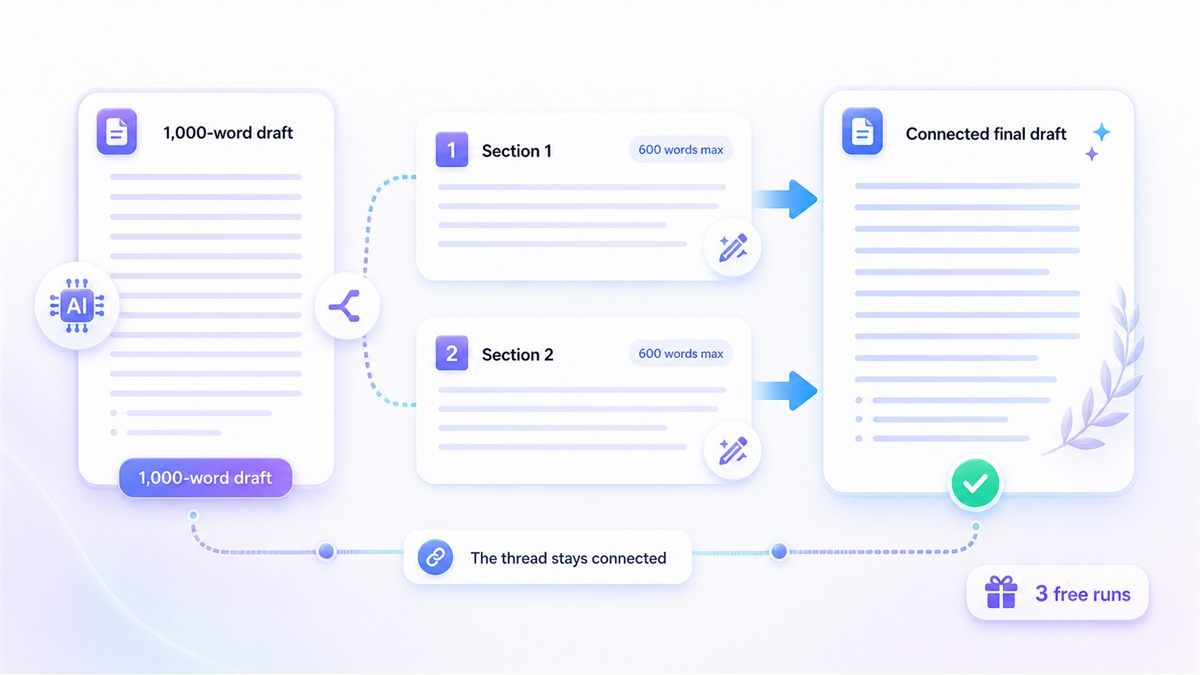
Humanize 1,000 Words Without Losing the Thread
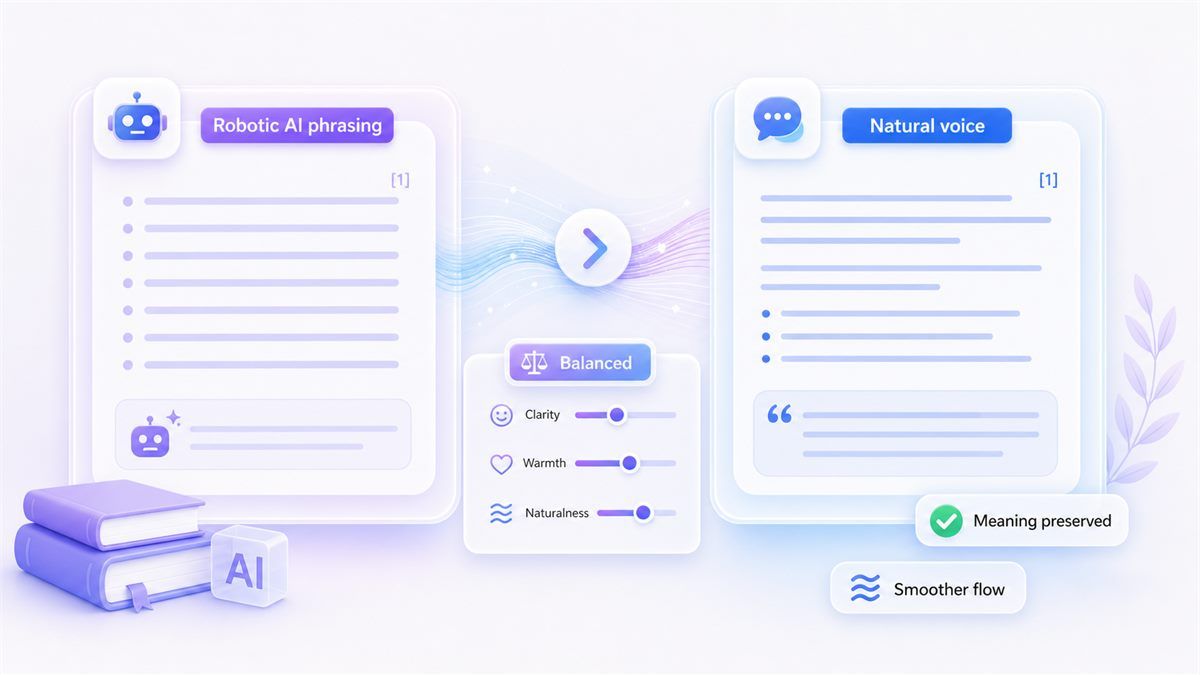
Turn Robotic AI Phrasing Into Natural Voice
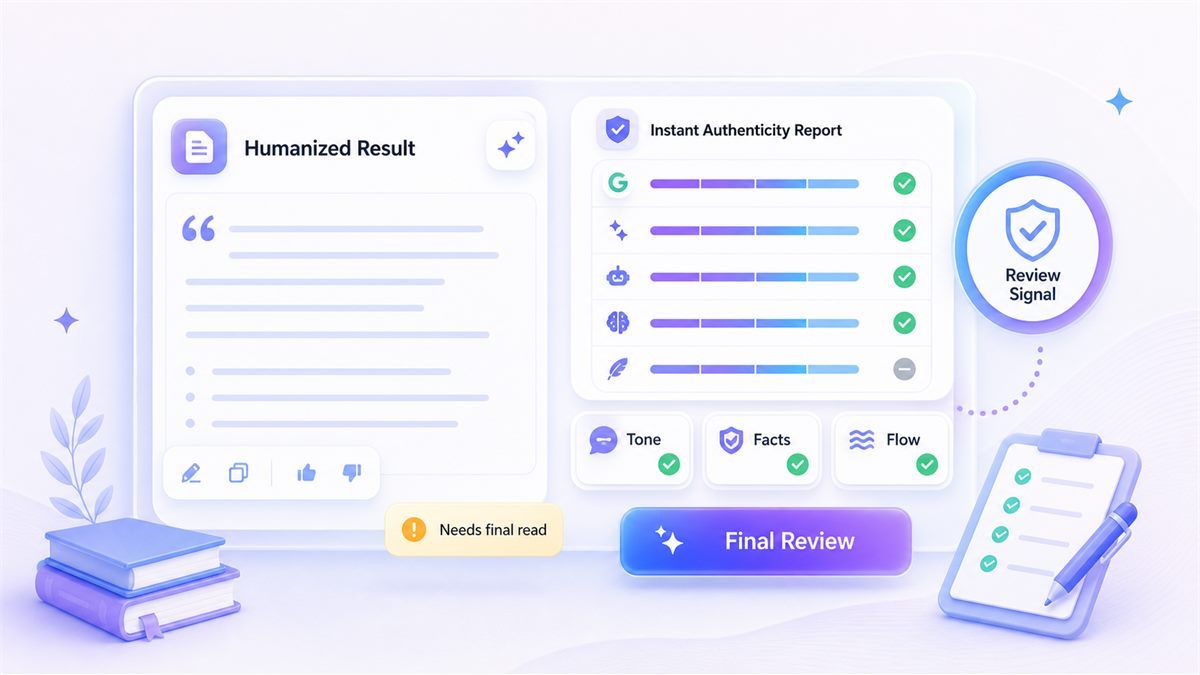
Use the Authenticity Report as a Final Review Signal
How to Humanize AI Text Free 1000 Words in Three Steps
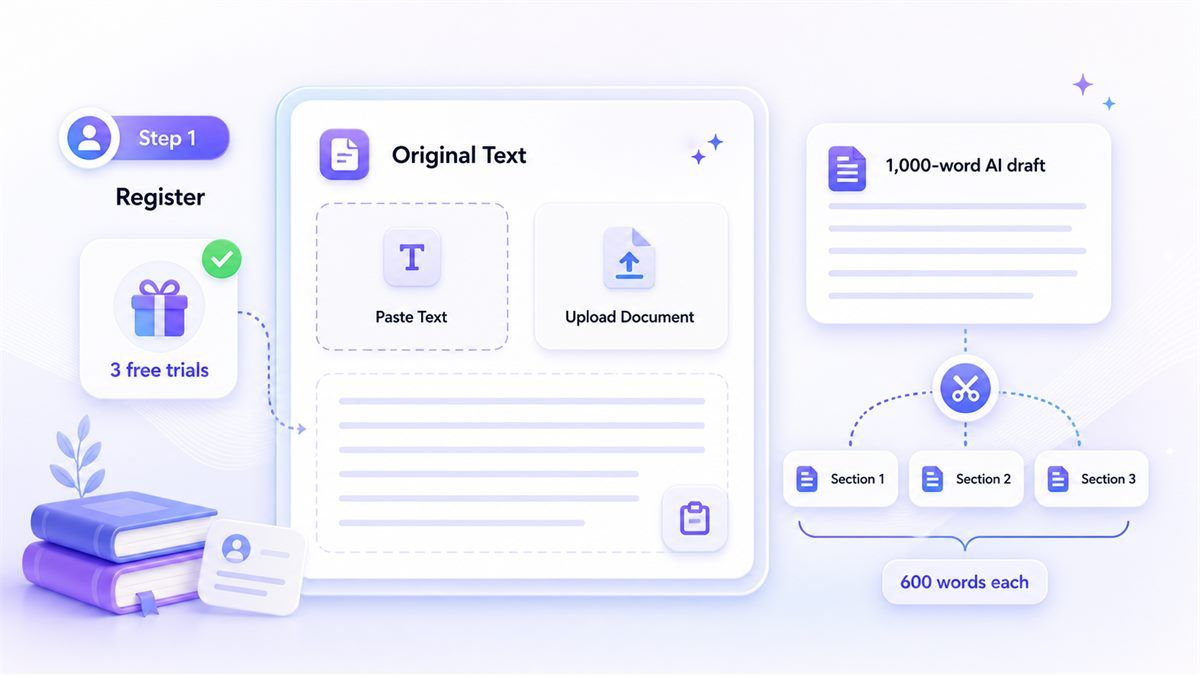
Step 1. Register and Add Your Draft
Create an account to unlock 3 free Humanizer trials. Paste your AI text or upload a supported document, then split a 1,000-word draft into sections under 600 words each.

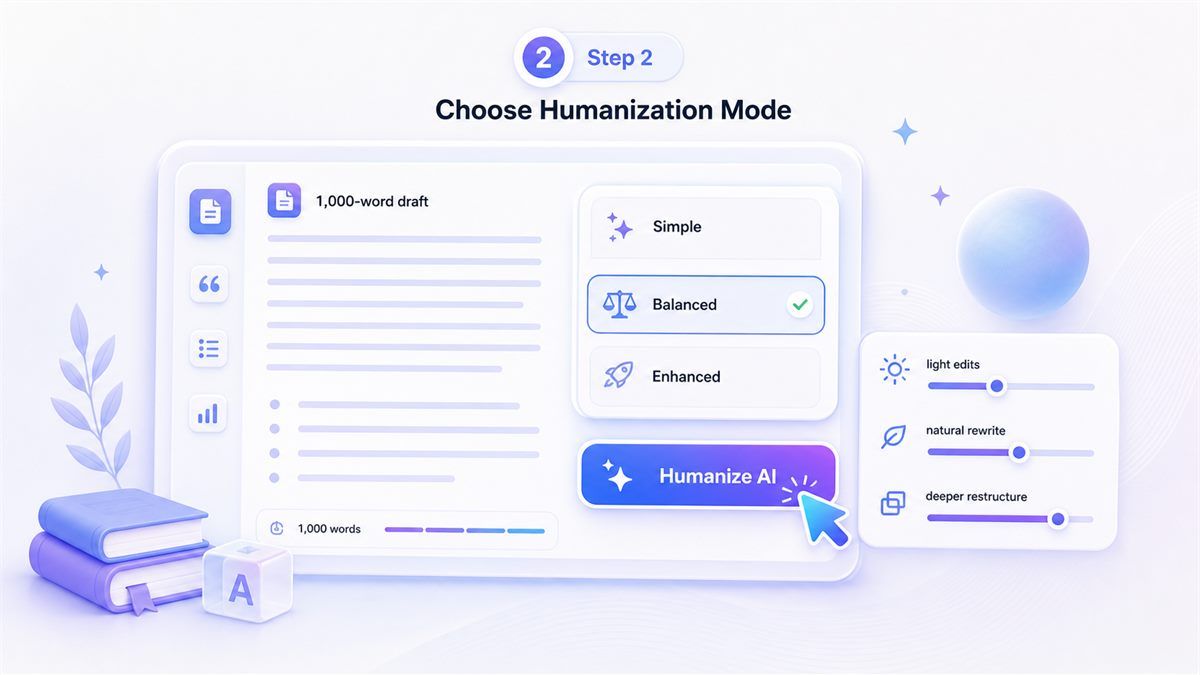
Step 2. Choose a Humanization Mode
Select Simple for light edits, Balanced for natural rewriting, or Enhanced for deeper sentence restructuring. Pick the mode that matches how much your draft needs to change.
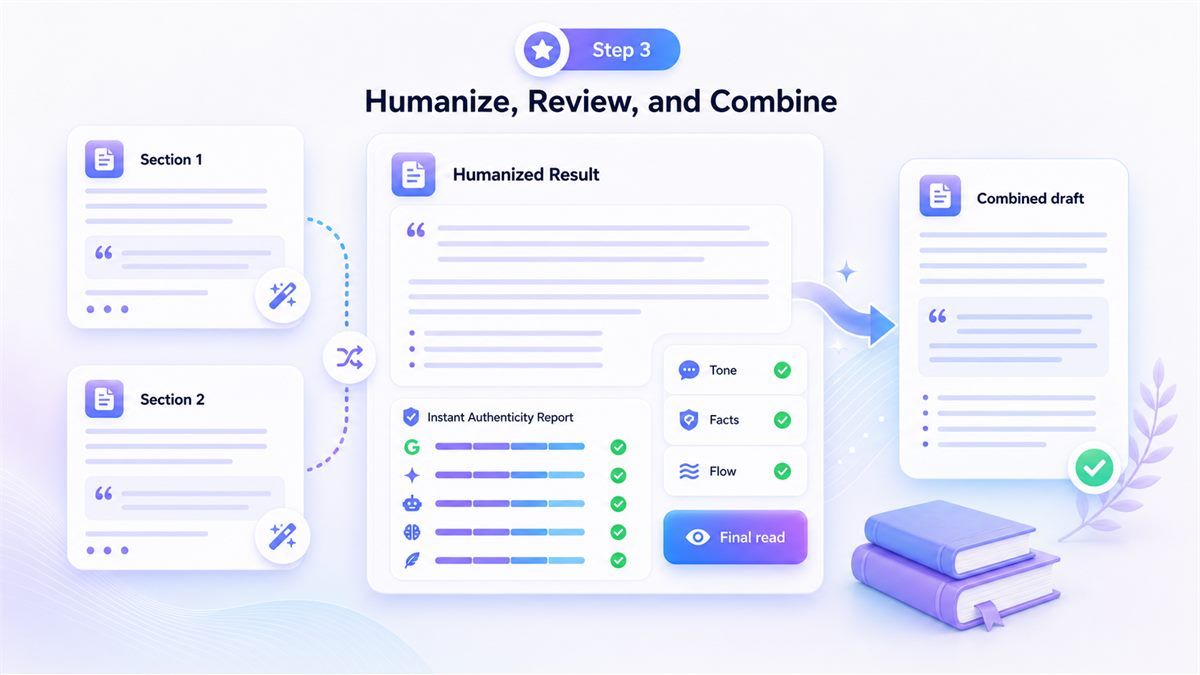
Step 3. Humanize, Review, and Combine
Click Humanize, review the rewritten section, then repeat for the next part of your 1,000-word draft. Combine the sections and do one final read for tone, facts, and flow.
Perfect for Longer AI Drafts

Blog Drafts
Use Lynote to humanize AI text free 1000 words online for blog posts that need clearer structure and less robotic phrasing.
Use Lynote to humanize AI text free 1000 words online for blog posts that need clearer structure and less robotic phrasing.

Student Essays
Rewrite AI-assisted essay sections while preserving your thesis, examples, and academic tone for final review.
Rewrite AI-assisted essay sections while preserving your thesis, examples, and academic tone for final review.

Work Reports
Polish AI-generated reports into direct, readable business writing before sharing them with a team or client.
Polish AI-generated reports into direct, readable business writing before sharing them with a team or client.

Marketing Copy
Humanize landing page sections, product descriptions, and campaign drafts without flattening the message.
Humanize landing page sections, product descriptions, and campaign drafts without flattening the message.
Who Is This AI Humanizer For?

Students
Students can rewrite AI-assisted essay sections and review the final draft before submitting their own work.

Bloggers
Bloggers can turn rough AI drafts into smoother posts with more natural paragraph flow and stronger transitions.

SEO Writers
SEO writers can humanize AI-generated copy while keeping target keywords and search intent visible.

Professionals
Professionals can polish emails, reports, proposals, and internal documents so they sound less automated.

Non-Native Writers
Non-native writers can make translated or AI-assisted English drafts sound clearer and more natural.

Content Teams
Content teams can use the 3 free registered runs to test Lynote before adding it to a longer editing workflow.
What Our Users Say

SEO Writer

"Two 600-word runs were enough to clean up my 1,000-word blog intro and body section without losing the keywords."

Product Marketer
"I used the Balanced mode on a landing page draft. The copy sounded less robotic but still kept the original offer."

Graduate Student
"The free registered runs helped me rewrite my essay in sections, then I combined everything for one final review."

Operations Manager
"I pasted a report draft from an AI tool and Lynote made the tone clearer for a real business update."

Freelance Editor
"The authenticity report gave me a useful second check before I sent the revised draft back to my client."

Non-Native Writer
"I used Lynote to smooth a 1,000-word English article. Working in sections made the rewrite easier to control."
Frequently Asked Questions
Questions about free trials, 600-word runs, and 1,000-word AI text humanizing.
Yes. Registered users get 3 free Humanizer trials, and each trial supports up to 600 words. That gives you enough free capacity to humanize a 1,000-word draft by splitting it into two sections.
Lynote supports an ai humanizer free 1000 words workflow for registered users. You can use multiple free 600-word runs to cover a longer draft without forcing everything into one request.
Yes. Lynote works online in your browser. Register, paste your text or upload a supported document, then humanize your draft section by section.
The 600-word limit keeps each rewrite focused and easier to review. For a 1,000-word draft, split the text into two sections and combine the results after checking flow.
Yes. The 3 free Humanizer trials are available for registered users. Each free trial supports up to 600 words per request.
Lynote is designed to preserve your meaning while improving phrasing, rhythm, and readability. You should still review the final text for facts, citations, and tone.
Yes. Lynote supports pasted text and document uploads, including PDF, DOC, DOCX, and TXT files.
No. Lynote provides an Instant Authenticity Report as a review signal, but no tool can guarantee a detector outcome. Use the report to guide your final edits.
Use Balanced for most drafts. Choose Simple for light polishing or Enhanced when the text sounds very stiff and needs deeper rewriting.
After the 3 free registered trials, you can continue based on the available Lynote account or plan options shown on the live product page.