

Identifies low variance, smooth writing, safe sentence progression, and generalizations frequently found in outputs from OpenAI-like models.
Free AI Detector Online
Check AI-written text free with no signup and review clear AI, mixed, and human scores in seconds.
Free · no sign-up
Up to 500 words per check
No credits used
Content
Paste Text⌘Vor click
Upload DocumentTXT.DOCX.PDF
Try Example:
ChatGPT
Claude
Human
Human + AI
0 / 500 words
Result
Your verdict appears here
One clear verdict in seconds — AI, Mixed, or Human.
Flagged as AI? Make it read human.
Rewrite AI drafts, keep your meaning — start with 100 free credits.
BEFORE100% AI
AFTER98% Human

350K+
Scans Performed Monthly

99%
Accuracy Rate

4.9
Average Rating from 12,589 Users
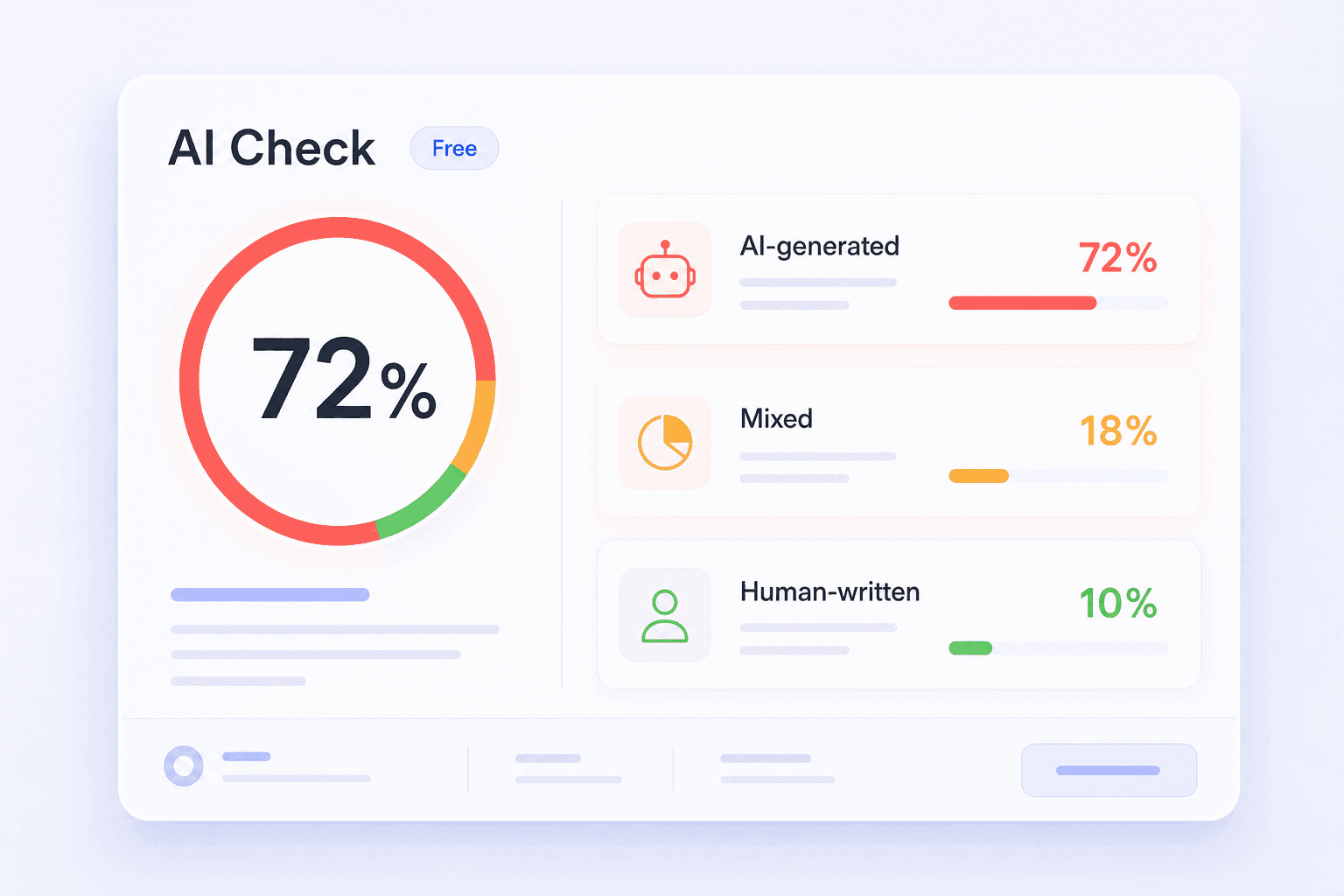
Free AI Text Detector With Clear Scores
A free result should still be useful. Lynote separates the text into AI-generated, mixed, and human-written signals so you can see how the whole draft is being read.
Use the scores as a review guide, then check the highlighted lines and your original context before making a decision.
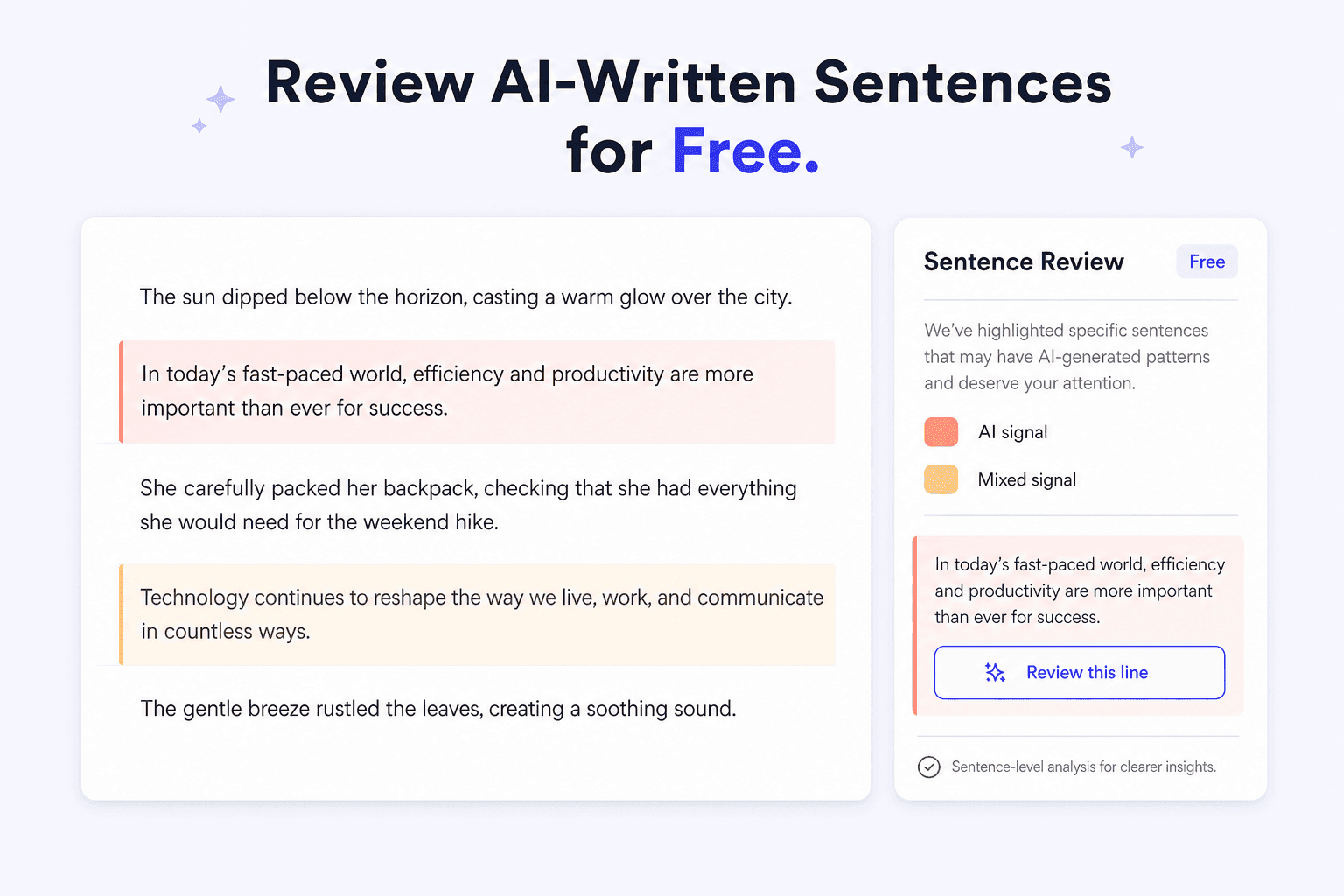
Review AI-Written Sentences for Free
A high document score does not tell you which wording triggered it. Lynote marks the sentences that show stronger AI-writing patterns, helping you focus on the lines that matter.
This is useful when you only need to revise a few formulaic transitions, repetitive phrases, or overly even paragraphs.
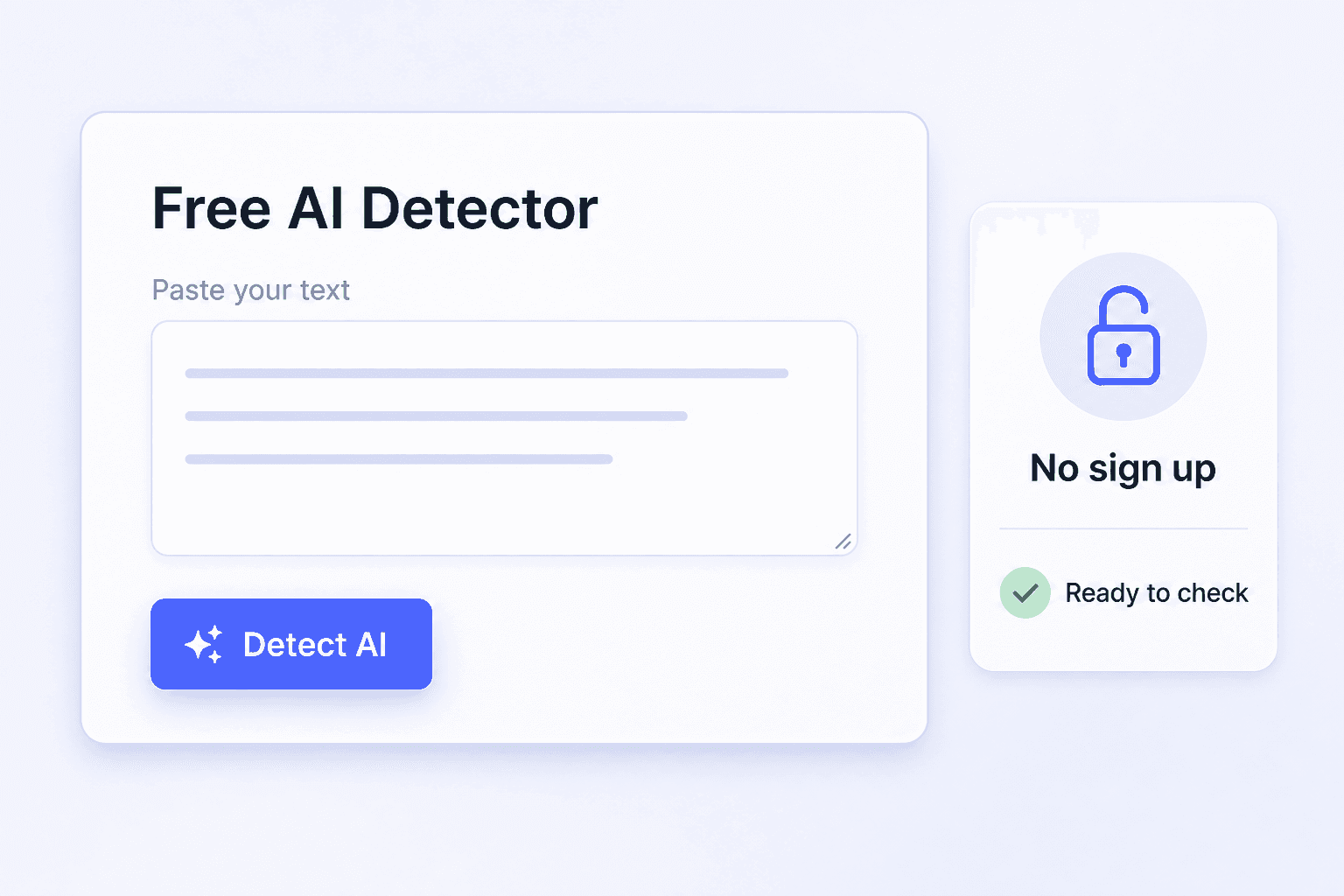
Check Essays and Content Without Signing Up
Run a free AI text check on essays, articles, reports, applications, and marketing drafts directly in your browser. There is no account wall before the first result.
For school or workplace decisions, combine the report with drafts, citations, revision history, and human review.
Understand Your Free AI Detection Report
A useful free AI check should show more than one percentage. Lynote separates the result into AI-generated, mixed, and human-written signals, then points you to the sentences worth reviewing.
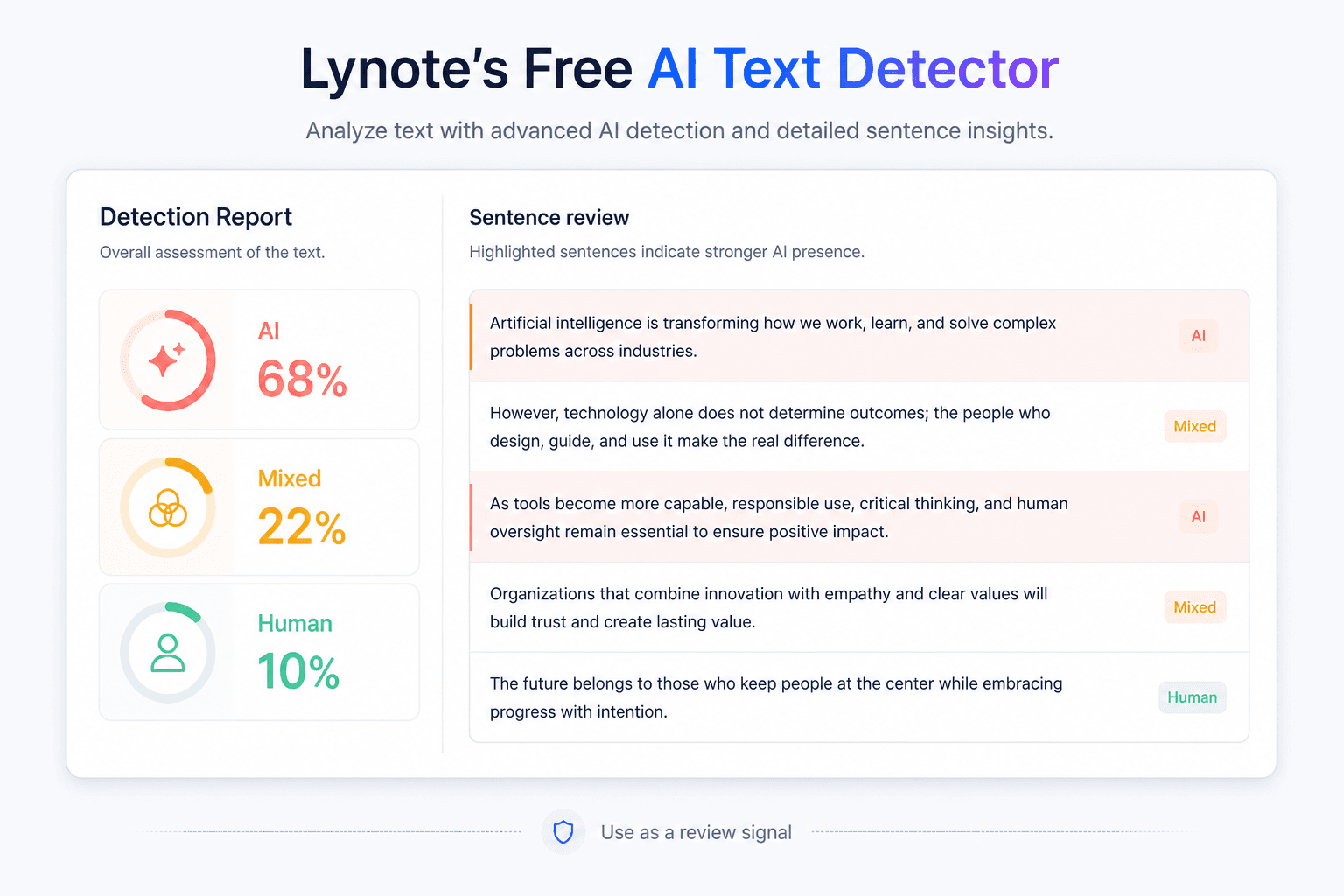
Use each part of the report as a review signal rather than a verdict:
- AI-generated score: Shows how strongly the full text resembles common AI-writing patterns.
- Mixed score: Highlights writing that may combine original wording with AI-assisted edits.
- Human-written score: Estimates how closely the text matches natural human writing patterns.
- Sentence highlights: Directs your attention to specific lines instead of leaving you with only a document-level score.
- Context matters: Short, formal, technical, translated, or heavily edited text can produce uncertain results.
Check Writing From Popular AI Models for Free
Run a free check on text created or edited with popular AI assistants. Lynote analyzes the writing itself and reports AI-likelihood signals without pretending to identify the hidden source model with certainty.
ChatGPT, Claude, Gemini, and similar tools can produce different topics and tones, but their output may still share patterns such as unusually even rhythm, repeated transitions, generic detail, or predictable structure. Lynote compares several signals together and shows where closer reading is useful.
Identifies analytical, well-balanced structure and perfectly symmetrical paragraph progression that seems overly consistent.
Flags conversational but dense synthesis, fact-heavy compression, and transitions that sound smoothly generated.
Core review signals include repetition, sentence rhythm, lexical variance, predictability, and detector-aware phrase patterns.
ChatGPT Claude Gemini
Writing signals reviewed in the free check
Phrase repetition
High
Sentence rhythm
Medium
Lexical variety
Medium
Structural predictability
High
99%Established benchmark accuracy for supported AI text checks
50+Languages available for multilingual review
1 ReportAI, mixed, human, and sentence-level signals in one view
What to Do After a Free AI Check
A score is a starting point. Use the report to inspect the text, recover context, and make intentional edits instead of chasing a lower number.
Read the Highlighted Lines
Start with the sentences Lynote marked for closer review. Look for repetitive phrasing, broad claims, and unusually even structure.
Compare Earlier Drafts
Check notes, outlines, citations, and revision history. These materials provide context that a detector score cannot see.
Restore Specific Detail
Replace vague statements with concrete examples, evidence, dates, observations, or domain-specific language that belongs in the draft.
Edit With Your Own Voice
Rewrite only the lines that need work. Preserve accurate ideas while varying rhythm, emphasis, and wording naturally.
Run Another Free Check
Check the revised version again to see whether the highlighted patterns changed, then read the text yourself before finalizing it.
Follow the Relevant Policy
Use the rules set by your school, publisher, client, or employer. Disclose AI assistance when the applicable policy requires it.
What Can You Check for Free?

Essays and Assignments
Review a draft before submission and inspect any highlighted lines alongside your notes, sources, and revision history.
Review a draft before submission and inspect any highlighted lines alongside your notes, sources, and revision history.

Articles and Blog Drafts
Check an article before publishing, especially after using AI for outlining, rewriting, or headline ideas.
Check an article before publishing, especially after using AI for outlining, rewriting, or headline ideas.

Marketing Copy
Review landing pages, emails, ads, and social copy for wording that feels repetitive, generic, or overly automated.
Review landing pages, emails, ads, and social copy for wording that feels repetitive, generic, or overly automated.

Workplace Documents
Check reports, applications, proposals, and internal drafts before sharing them with a reviewer or team.
Check reports, applications, proposals, and internal drafts before sharing them with a reviewer or team.
Who Uses This Free AI Detector?

Students
Check an essay after using AI for brainstorming or editing, then compare the report with your own notes and draft history.

Educators
Use sentence highlights to guide a conversation about a submission instead of treating one score as a final judgment.

Writers
Review articles, newsletters, and scripts before delivery when parts of the draft may have been AI-assisted.

Editors
Find the lines that need a closer read while keeping tone, evidence, and the author's revision history in view.

Marketers
Check campaign drafts and content briefs for generic AI phrasing before they reach customers.

Recruiters
Review written assessments or applications as one signal while keeping a human reviewer responsible for the hiring decision.
How to Check AI-Written Text for Free
Take a look at how Lynote AI Detector scans the text for signs of AI writing, flags suspicious sentences, and converts detection alerts into a report for your review prior to publication.
Free AI Detector FAQ
Clear answers about free checks, no-signup access, limits, accuracy, privacy, and AI-writing reports.
Yes. You can run a free AI text check online and review the result without creating an account. Paid plans are available for higher usage and longer workflows.
No. Paste text or upload a supported file, click Detect AI, and view the free report without registering.
Free checks currently support up to 600 words per scan. Paid plans support up to 3,000 words per scan. The current limit is also shown in the tool before you start.
Yes. You can check an essay and review AI-generated, mixed, and human-written signals for free. For academic decisions, also consider drafts, citations, sources, and the student's writing process.
The AI score estimates resemblance to common AI-writing patterns. The mixed score signals text that may combine human and AI-assisted wording, while the human score estimates resemblance to natural human writing.
AI detectors can be useful review tools, but no detector is perfect. Read the sentence highlights and consider the text's length, genre, editing history, and context before drawing a conclusion.
Lynote can review text created or edited with popular AI assistants, including ChatGPT, Claude, and Gemini. It analyzes writing patterns rather than claiming to prove which hidden model wrote the text.
Yes. AI-assisted text can retain predictable structure, repeated transitions, or unusually even rhythm after editing. Human writing can also produce similar patterns, so review the highlighted sentences in context.
Lynote does not use submitted text to train its detection models. Avoid uploading material you are not authorized to process, and follow your school or workplace privacy rules.
No. An AI detector estimates whether writing resembles AI-generated text. A plagiarism checker searches for copied or closely matched source material.
Lynote supports multilingual AI-writing checks. Results can vary by language, text length, genre, and editing history, so read the highlighted sentences in context.
Yes. You can revise highlighted lines yourself or use the AI Humanizer as an editing aid. Review the final wording to make sure it remains accurate and reflects your own voice.
Check Your Text for AI Free
Paste your draft, run a free AI check without signing up, and review the lines that deserve a closer look.
More Tools for Reviewing AI-Written Content
Explore focused AI-checking tools for essays, documents, applications, and model-assisted writing, or read the complete AI Detector guide.


