Image to Flashcards

Drop files or browse

Add study materials to enable the AI to extract and structure content.
Why Choose Our Image to Flashcards Generator?

No Manual Retyping
Skip manual retyping. Start with a picture of the material you already have instead of copying a textbook page, lecture slide, or worksheet into a new document.

Cards From Your Images
Create cards directly from your images, so every question and answer stays focused on the study material you actually need to learn.

Key Facts Into Q&A
Turn visible definitions, dates, terms, and explanations into short prompts that are easier to test than a full page of notes.

Active Recall From Photos
Turn study photos into active-recall practice. Answer each card before revealing the response instead of simply rereading a screenshot.

Clear Images, Better Cards
A bright, straight, readable picture gives the generator stronger source material and makes the resulting cards easier to verify.

100+ Study Languages
Create image-based flashcards for multilingual classes, vocabulary sheets, and learning material across more than 100 supported languages.

Keep the Source in View
Keep the source image in view while comparing generated questions, especially when wording, figures, or specialist terms need a closer check.

Review Before High-Stakes Study
Edit uncertain cards and confirm important facts against the image before using the deck for an exam, clinical topic, or certification review.
Turn Study Images Into Flashcards
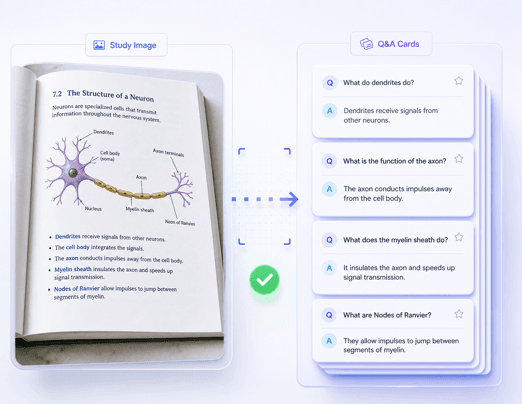
Pull Key Facts From Each Picture
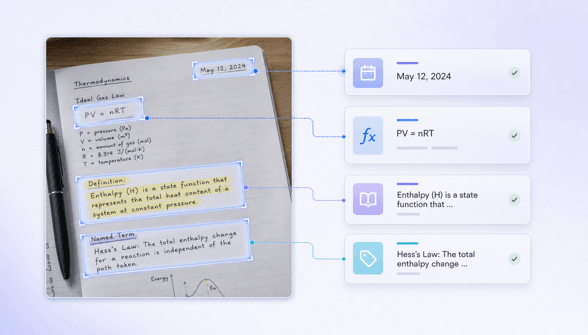
Review Image-Based Cards Before Studying
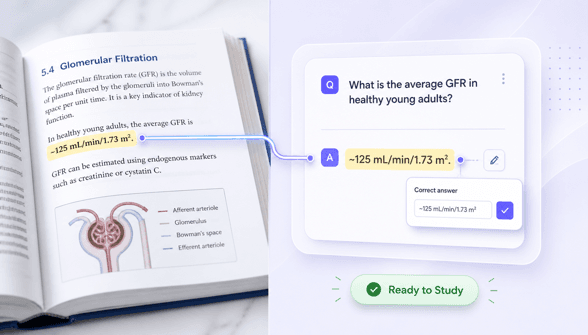
How to Turn an Image Into Flashcards
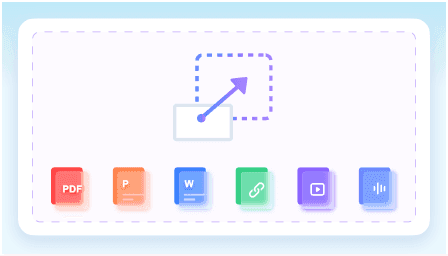
Upload a Clear Study Image
Choose a readable photo or screenshot of a textbook page, lecture slide, worksheet, vocabulary list, or other focused study material.
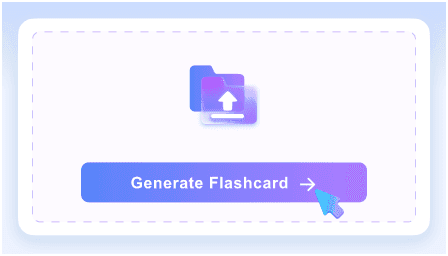
Generate Q&A Flashcards
After uploading your image, click Turn Images into Flashcards. On the generated note page, click + Flashcard, then click Generate to create question-and-answer cards from the study material.
Review and Start Studying
Compare the cards with the image, correct uncertain details, and test yourself before revealing each answer.
How Learners Use Image-Based Flashcards

Biology Student

I photographed a labeled textbook section after class and turned the definitions into review cards. Checking them beside the page helped me catch one term before studying.

Nursing Student
A clear photo of my dosage-conversion worksheet became a short practice deck. I verified every number against the image before using it for recall.

Language Learner
I used a screenshot of a vocabulary handout to make prompt-and-answer cards. It saved the typing, and I could adjust the example phrases myself.

Certification Candidate
I turned several focused screenshots from a training slide deck into separate card sets. Keeping each image to one topic made the questions much more useful.

History Teacher
A timeline image became a draft review activity for my class. I edited the dates and wording, then used the cards as discussion prompts.

Graduate Researcher
I photographed a concise methods summary and generated cards for terminology I kept forgetting. The source image stayed useful when a definition needed more context.
Who Uses an Image to Flashcards Generator?

College Students
Turn textbook photos, lecture screenshots, and revision sheets into focused cards for quizzes, midterms, and final exams.

Medical and Nursing Students
Build review prompts from readable study pages, then verify terminology, figures, and high-stakes details against the source.

Language Learners
Convert vocabulary sheets, grammar examples, and translated study material into recall cards across supported languages.

Teachers and Tutors
Create editable review questions from lesson slides, classroom handouts, and focused worksheet images.

Certification Candidates
Turn screenshots of exam objectives, technical tables, and training material into compact practice prompts.

Researchers
Make terminology cards from photographed summaries or scanned reading material while keeping the original source available for context.
Image to Flashcards FAQs
Learn how to turn clear study pictures into focused, reviewable flashcards.
An image to flashcards generator turns visible study material in a picture into question-and-answer cards. It helps you begin with your own textbook photo, screenshot, worksheet, or scanned page instead of typing the content again.
Upload a clear picture containing focused study material, generate the cards, and compare every question and answer with the source image. Edit unclear wording or missing context before you study.
Use bright, straight, high-resolution images with readable text and little glare. A picture covering one topic or section usually produces a more focused deck than a crowded page containing several unrelated subjects.
Yes. Clear textbook photos, lecture-slide screenshots, worksheets, and scanned study pages are useful sources. Make sure you have permission to use the material and review the generated cards against the image.
Results can vary with handwriting style, image quality, and page layout. Clear printed or typed material is the safest source. If you use handwritten notes, review every card carefully and correct anything the image did not communicate clearly.
Yes. Check names, numbers, definitions, and specialist terms against the original picture. This is especially important for exams and high-stakes medical, legal, scientific, or technical material.