

Turn PDFs Into Flashcards for Study

Drop files or browse

Add study materials to enable the AI to extract and structure content.



Why Use Lynote’s PDF to Flashcards Generator?

Turn PDFs Into Practice
Convert dense reading material into question-and-answer cards so you can test recall instead of rereading passively.

Focus on Key Ideas
Generate cards from definitions, formulas, dates, processes, and core arguments rather than every minor sentence.

Edit Before You Study
Review the deck, merge duplicate cards, and rewrite vague questions before memorizing.

Useful for Course PDFs
Use lecture notes, textbook chapters, handouts, and exam review packets as source material.

Create a Faster First Draft
Start with AI-generated cards, then improve them with your class priorities and instructor emphasis.

Connect Notes and Review
Use generated flashcards as part of a wider study workflow with summaries and notes.
Quality Beats Quantity
Good Cards Test Recall
Use AI as Drafting Help
How to Turn a PDF Into Flashcards
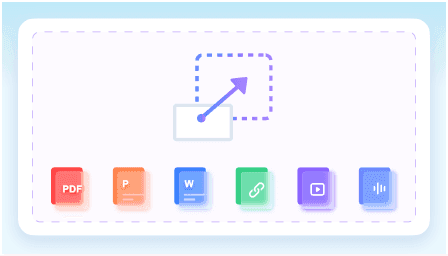
Upload Your PDF
Use a clear textbook chapter, lecture handout, or study guide.
Generate Cards
Let Lynote identify concepts and create question-answer cards.
Review the Deck
Edit weak questions, remove duplicates, and start studying with active recall.
What Our Users Say

Medical Student

"I needed to study a dense 50-page anatomy PDF. This AI flashcard generator from PDF free processed the entire file and created perfect active recall questions."

Law Student
"It automatically pulled the exact dates, precedents, and rulings from my 30-page case study PDFs. Using this AI that makes flashcards from PDF saved me hours."

Language Learner
"I uploaded Spanish short story PDFs to build my vocabulary. Because it supports over 100 languages, this tool is a fantastic way to turn PDF into flashcards AI."

Corporate Trainer
"I merged multiple compliance policy PDFs into one comprehensive training deck. It's exactly what I needed to make AI flashcards from PDF for our new hires."

Researcher
"I love that the questions are based strictly on my uploaded literature review PDFs. It ensures the PDF to flashcards AI keeps my study focus entirely on the source material."

High School Teacher
"My students used the built-in testing interface to review our syllabus PDFs right in class. Finding an AI PDF to flashcards tool with immediate practice features is incredible."
Who Should Use PDF to Flashcards?

Students
Turn lectures, chapters, and review guides into study cards.

Medical and Science Learners
Create cards for terminology, processes, formulas, and examples.

Teachers
Draft practice questions from class readings.

Certification Candidates
Convert manuals and prep PDFs into review decks.

Language Learners
Build cards from vocabulary lists and reading notes.

Self-Learners
Turn saved PDFs into a reusable practice workflow.
Frequently Asked Questions
Answers to common questions before using this tool.
Yes. Upload a readable PDF and generate question-and-answer cards from key concepts.
Clear lecture notes, textbook chapters, and structured handouts usually work better than messy scans.
Yes. Edit vague cards, remove duplicates, and check important facts against the source.
Only when OCR can read the scan clearly. Poor scans may need cleanup first.


