Turn Notes to Flashcards with AI
Upload your notes and generate focused Q&A flashcards for active-recall study.

Drop files or browse

Add study materials to enable the AI to extract and structure content.



Why Choose Our Notes to Flashcards Generator?

Key Facts First
Lynote identifies definitions, core concepts, dates, and facts worth turning into review questions, so the first deck starts with material that matters.

Built From Your Notes
Questions and answers are built directly around your uploaded materials rather than relying on a generic premade deck.

100+ Study Languages
Create study cards from materials in more than 100 languages, whether you are reviewing a translated reading or learning new vocabulary.

Skip Manual Card Formatting
Automatic card creation removes repetitive copying, question writing, and answer formatting before you can begin reviewing.

Dense Notes, Clear Questions
Turn long lecture transcripts and multi-page study guides into focused questions instead of rereading every paragraph from the beginning.

Bring Every Study Source
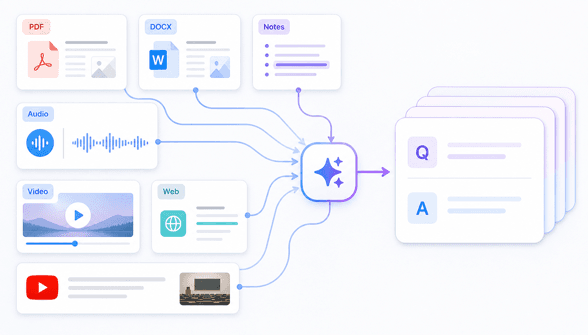
Learners can bring written text, PDFs, lecture audio, and web links into the same workflow to turn notes to flashcards.

Check Cards Against Source
Keep the original material nearby while reviewing generated cards, especially when a definition or detail needs more context.

Review Before High-Stakes Study
Treat the first deck as a study draft. Check important facts before an exam, then use the cards to focus on the areas you still miss.
Convert Notes Into Flashcards with AI in Seconds
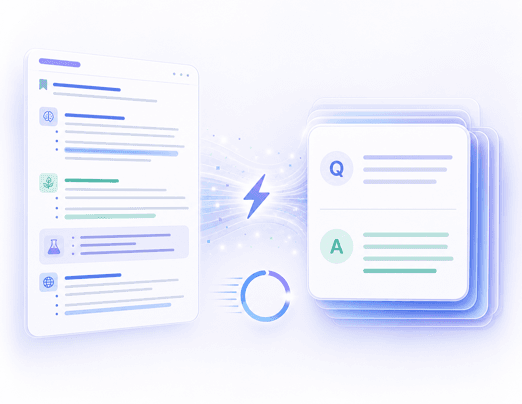
Generate Flashcards From All Types of Notes
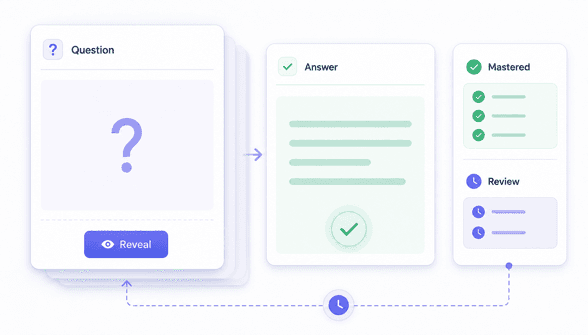
Turn Notes Into Active Recall Flashcards to Study Better
How to Turn Notes Into Flashcards
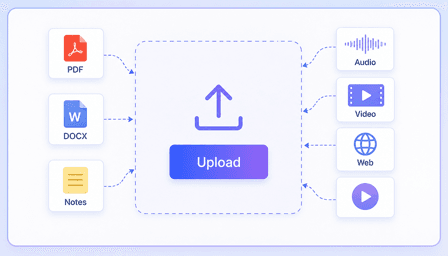
Step 1. Upload Your Notes
Upload a document, add an audio or video file, or paste a webpage or YouTube link containing the material you want to study.
Step 2. Convert Note to Flashcard
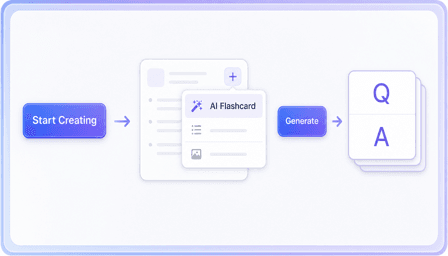
Now click the purple **Start Creating** button. Once Lynote creates a note from your material, click the **+** button, choose **AI Flashcard**, and then click **Generate**.
Step 3. Review and Start Recall
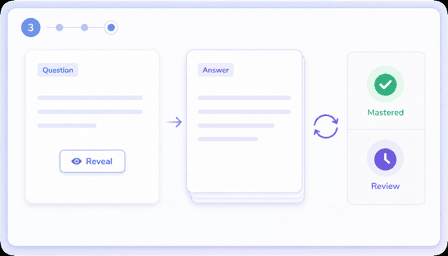
Check important cards against the source, then test yourself before revealing each answer. Spend more time on the questions you miss.
What Learners Say About Lynote

Medical Student

"It automatically extracts key definitions and concepts from my dense 5,000-character DOCX anatomy notes. This notes to flashcards app saves me hours of manual formatting before exams."

Language Learner
"I use it to convert vocabulary lists into flashcards in the language I am studying. The cards give me a quick way to test recall instead of rereading the same list."

High School Teacher
"I paste a YouTube lecture link and get a draft Q&A set without transcribing the whole lesson first. I still review the dates, but it gives my class a useful starting point."

Law Student
"Instead of a generic premade deck, it builds questions and answers around my uploaded case law PDFs. I just upload notes to make flashcards that are actually relevant."

Nursing Student
"This tool helps me turn notes to flashcards for pharmacology. Identifying knowledge gaps from my uploaded text files using active recall has never been easier."

Corporate Trainer
"With one click, it processes PDFs, Word files, and video links. It is a fantastic notes to flashcards generator for digesting dense training manuals."
Who Uses a Notes-to-Flashcards Generator?

College Students
Convert lecture transcripts and study guides into active-recall cards when preparing for midterms and final exams.

Medical Students
Turn anatomy, pharmacology, and clinical study notes into focused recall questions. Extract facts from dense PDFs to memorize medical terms faster.

Language Learners
Convert foreign vocabulary lists into practice decks. Use this notes to flashcards AI to master complex grammar rules and retain new terminology faster.

Teachers
Generate practice Q&A cards from lesson plans and presentation slides. Provide students with instant study materials based directly on class curriculum.

Corporate Trainees
Transform onboarding manuals and meeting notes into review cards that help employees revisit procedures and company policies.

Self-Taught Learners
Paste a YouTube tutorial or upload a guide, then turn the main ideas into recall questions for independent study.
Notes to Flashcards FAQs
Still got questions about turning your notes into flashcards? Here are the answers.
An AI notes to flashcards tool scans your study materials and automatically creates question-and-answer pairs. It extracts key definitions, dates, and concepts so you can review them using active recall.
You can upload over 15 different formats, including DOCX files, text documents, audio recordings, and videos. You can also paste YouTube links or web URLs directly into the tool.
Yes, you can easily convert PDF notes to flashcards. Simply upload your PDF document, and the AI will extract the text to build a custom study deck based on your material.
Yes, it supports study workflows in over 100 languages. You can upload foreign language vocabulary notes or translated texts to generate practice decks in your target language.
The accuracy depends heavily on the clarity and quality of your original study materials. The AI extracts definitions, concepts, and facts directly from the text you provide. While the system is highly reliable, we recommend reviewing the generated cards to ensure they capture the specific nuances needed for your exams.
Yes, you should always review your flashcards before using them for high-stakes exam preparation. This ensures the AI captured the exact context you need.