

High School GPA Calculator
Compare weighted and unweighted high school GPA. Add your classes or update an earlier GPA.
Understand Your High School GPA
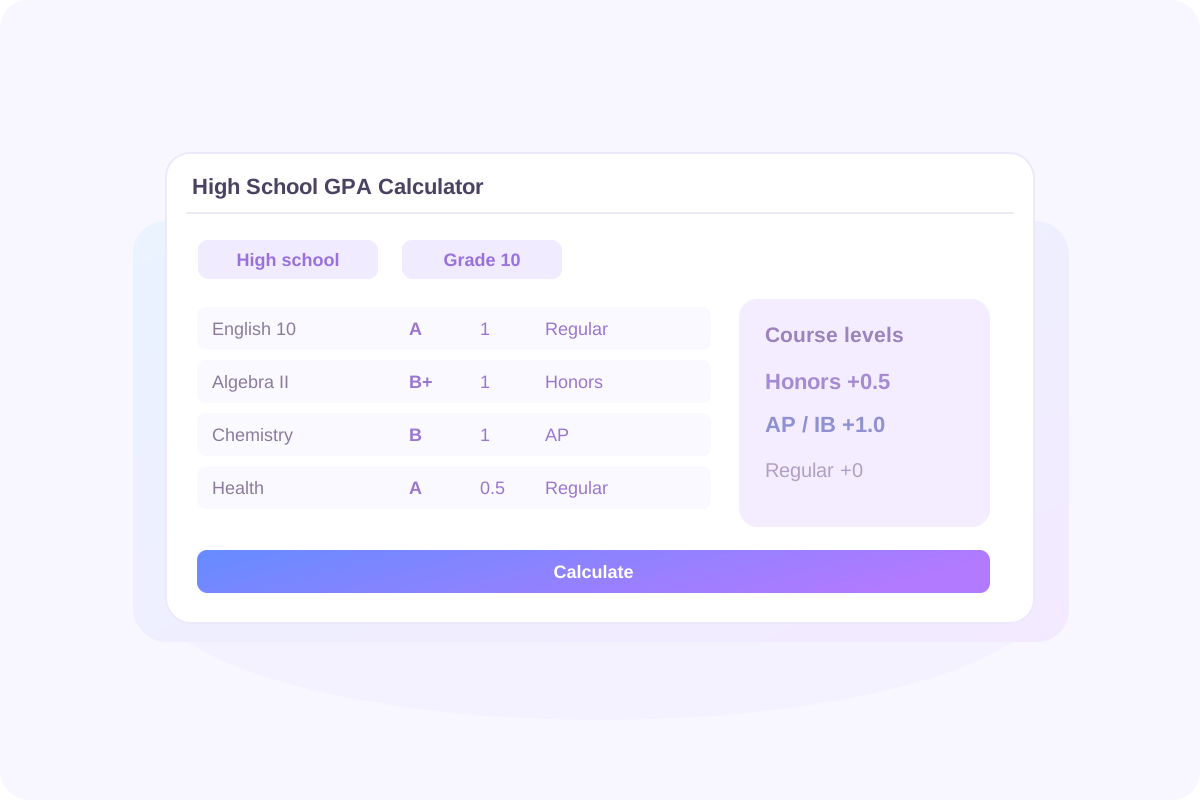
Your transcript may show more than one GPA. An unweighted GPA reflects your letter grades, while a weighted GPA also gives extra points to eligible advanced classes. Both can describe the same coursework.
Lynote helps you calculate high school GPA from the classes you enter. Review one term, combine several school years, or add an earlier GPA with its corresponding credits. Check the results alongside your transcript and your school's grading policy.
See Two Views of Your Grades
Compare weighted and unweighted results without building two separate course lists. Regular, Honors, AP, and IB selections determine the course-level bonuses used for the weighted calculation.
Include the Years You Need
Add coursework under the appropriate school year. For a semester GPA, enter that semester's GPA-bearing grades; for a broader result, include the additional coursework your school counts.
How to Use the High School GPA Calculator
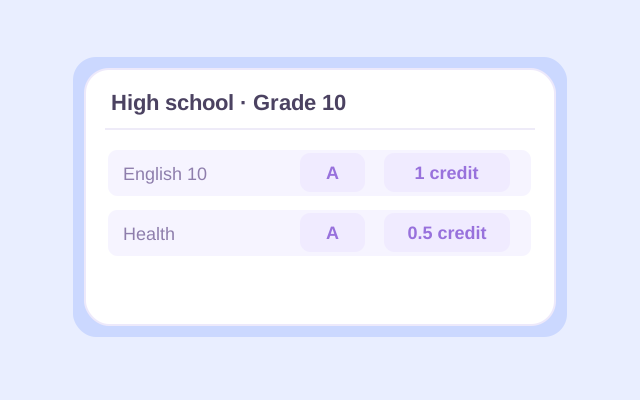
Step 1. Add Your Classes and Credits
Select High school, then enter a course name and letter grade for each class. Choose the appropriate school year and the course's 0.5 or 1 credit value. Use your report card or transcript to check the entries, especially for half-credit electives.

Step 2. Set Course Levels and Add Earlier Grades
Choose Regular, Honors, AP, or IB for each course. Open Change if you need a different grading preset. Add other school years as needed, or use Previous GPA to enter an existing GPA and the credits behind it. Select whether that earlier GPA is weighted or unweighted.
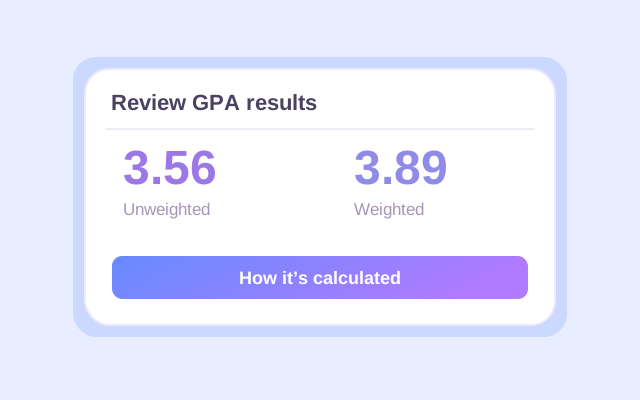
Step 3. Calculate and Review Both GPAs
Click Calculate. Check the weighted and unweighted results, counted credits, and calculation details. If you added an earlier GPA, read which result is cumulative and which covers current classes only. Recalculate after changing any input, then export the result you want to keep.
Weighted vs. Unweighted High School GPA
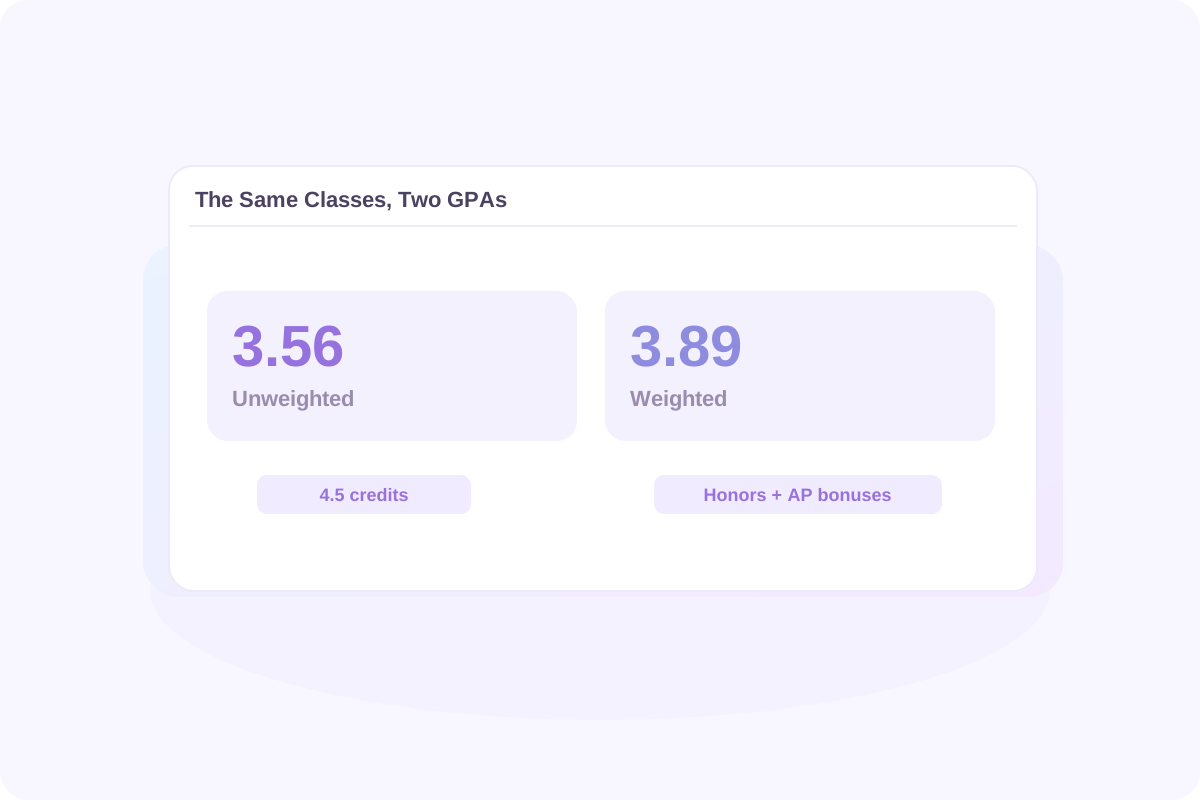
An unweighted GPA calculator for high school uses each letter grade's base point value. On Lynote's default 4.0 preset, an A is 4.0 whether the course is Regular or AP.
The weighted high school GPA calculation adds 0.5 for Honors and 1.0 for AP or IB to eligible grades. A Regular A contributes 4.0 points per credit; an Honors A contributes 4.5; an AP or IB A contributes 5.0. An F receives no course-level bonus.
Using the course example below, the same grades produce a 3.56 unweighted GPA and a 3.89 weighted GPA. The difference comes from the Honors and AP bonuses. Each course's credit value affects both results.
When comparing GPAs, match the type and scale. A weighted 4.2 and an unweighted 3.8 are different measures. Your school may use bonuses that differ from Lynote's presets.
High School GPA Scale for Regular, Honors, AP, and IB Classes
Start with the grading scale on your transcript. This table shows Lynote's default 4.0 plus/minus values and course-level bonuses.
| Letter Grade | Regular / Unweighted | Honors | AP / IB |
|---|---|---|---|
| A+ | 4.0 | 4.5 | 5.0 |
| A | 4.0 | 4.5 | 5.0 |
| A− | 3.7 | 4.2 | 4.7 |
| B+ | 3.3 | 3.8 | 4.3 |
| B | 3.0 | 3.5 | 4.0 |
| B− | 2.7 | 3.2 | 3.7 |
| C+ | 2.3 | 2.8 | 3.3 |
| C | 2.0 | 2.5 | 3.0 |
| C− | 1.7 | 2.2 | 2.7 |
| D+ | 1.3 | 1.8 | 2.3 |
| D | 1.0 | 1.5 | 2.0 |
| D− | 0.7 | 1.2 | 1.7 |
| F | 0.0 | 0.0 | 0.0 |
For a high school GPA calculator on a 4.0 scale, keep the default preset when its values match your school. The 4.33 preset changes the base value of A+ to 4.33. Letters only ignores plus and minus signs, so B+, B, and B− all use the B value.
If your school does not award A+, enter the grade it actually reports. Removing plus and minus distinctions is a separate choice; select Letters only when that matches the calculation you need.
How Credits Change Your High School GPA
Calculating high school GPA involves two separate ideas: the credit value of a class and any bonus for its level. A half-credit course contributes half as much as a one-credit course with the same grade and level.
Unweighted GPA = Σ(base grade points × course credits) ÷ total GPA credits
Weighted GPA = Σ(weighted grade points × course credits) ÷ total GPA credits
The products are called quality points. Add them before dividing by the credits counted. Here is an illustrative term using the default 4.0 preset.
| Course | Grade | Level | Credits | Unweighted Quality Points | Weighted Quality Points |
|---|---|---|---|---|---|
| English 10 | A | Regular | 1.0 | 4.0 × 1 = 4.0 | 4.0 × 1 = 4.0 |
| Algebra II | B+ | Honors | 1.0 | 3.3 × 1 = 3.3 | 3.8 × 1 = 3.8 |
| Chemistry | B | AP | 1.0 | 3.0 × 1 = 3.0 | 4.0 × 1 = 4.0 |
| World History | A− | Regular | 1.0 | 3.7 × 1 = 3.7 | 3.7 × 1 = 3.7 |
| Health | A | Regular | 0.5 | 4.0 × 0.5 = 2.0 | 4.0 × 0.5 = 2.0 |
| Total | — | — | 4.5 | 16.0 | 17.5 |
Unweighted GPA: 16.0 ÷ 4.5 = 3.56. Weighted GPA: 17.5 ÷ 4.5 = 3.89, rounded to two decimal places.
Simply averaging these five courses would give the half-credit Health class too much influence. Use the actual course credits whenever they differ.
Calculate Cumulative GPA Across High School Years

A semester GPA covers one term. A cumulative high school GPA combines all the GPA-bearing coursework you include across the relevant years. Earlier coursework continues to affect the result as new grades arrive.
Build Your Result from Course Grades
Enter the coursework under each school year to calculate an overall high school GPA from the included classes. Use the grades and credits your school counts. Entering both semester grades and a full-year grade for the same coursework can count it twice.
Add Your Current GPA Instead
If you already have a GPA, use Previous GPA with the credits included in that number. Choose the matching GPA type. This lets you update a cumulative result without re-entering every earlier class.
New cumulative GPA = (previous GPA × previous GPA credits + new quality points) ÷ (previous GPA credits + new GPA credits)
Suppose your earlier weighted GPA is 3.80 across 10 credits. Add the new courses above, which contribute 17.5 weighted quality points across 4.5 credits.
| Coursework | GPA Credits | Weighted Quality Points |
|---|---|---|
| Previous study: 3.80 GPA | 10.0 | 3.80 × 10 = 38.0 |
| New courses | 4.5 | 17.5 |
| Combined | 14.5 | 55.5 |
The updated weighted GPA is 55.5 ÷ 14.5 = 3.83. The unweighted result remains 3.56 for current classes only, because you supplied earlier weighted data, not earlier unweighted data.
To calculate an unweighted cumulative result, use an earlier unweighted GPA with its corresponding credits instead. Never mix GPA types or include the same earlier courses in both Previous GPA and the course list.
Read and Save Your GPA Results
Before using a result, check the GPA type and the coursework it represents. Review counted credits, counted classes, school-year results, and the course-by-course calculation details.
- Weighted and unweighted: Compare the impact of course-level bonuses on the classes you entered.
- Current or cumulative: Read the result labels, especially when Previous GPA is included.
- Calculation breakdown: Check the grade points, credits, and quality points behind the total.
- Downloads: Keep an Excel or CSV copy, or use Print / PDF through your browser.
Changing a grade, credit value, or course level makes the earlier result out of date. Click Calculate again before downloading. Course entries are not automatically retained after a page refresh, so export anything you want to keep.
Why Your GPA May Differ from Your Transcript

A GPA calculator for high school can follow its selected rules correctly and still differ from your official record. Check these details before comparing the numbers.
Grade Values and Course Bonuses
Your school may use different A+ values, plus/minus rules, or advanced-course bonuses. Compare those rules with Lynote's presets rather than assuming every weighted GPA follows the same scale.
Which Classes Count
Some calculations include all GPA-bearing courses; others use a defined set of academic subjects. Graduation credit and GPA credit are not necessarily identical. Ask your counselor which electives, PE, art, or earlier courses belong in the result you need.
Special Grades and Repeated Courses
In Lynote, an F earns zero grade points and still adds its course credits to the GPA denominator. P, NP, W, and I are excluded from both quality points and GPA credits. Retakes are not automatically replaced: include the attempts your school's policy requires.
Time Period and Rounding
Compare the same grading period, GPA type, and credits. Lynote displays GPA rounded to two decimal places; an official calculation may use different precision or truncation. Your school's transcript remains the official record.
What Is a Good High School GPA?
A useful comparison starts with the scale and the goal. On the default unweighted 4.0 scale, 4.0 corresponds to an A average, 3.0 to a B average, and 2.0 to a C average. These are grade-point reference values, not universal admission or scholarship thresholds.
Before comparing your GPA with a published number, check whether that number is weighted or unweighted, which courses it includes, and whether it describes admitted students or an eligibility requirement.
Colleges can review your record in the context of the courses available at your school. For example, Stanford describes its review as holistic and considers academic achievement in context. A calculator result alone cannot predict an admission decision.
Explore How New Grades Could Affect Your GPA
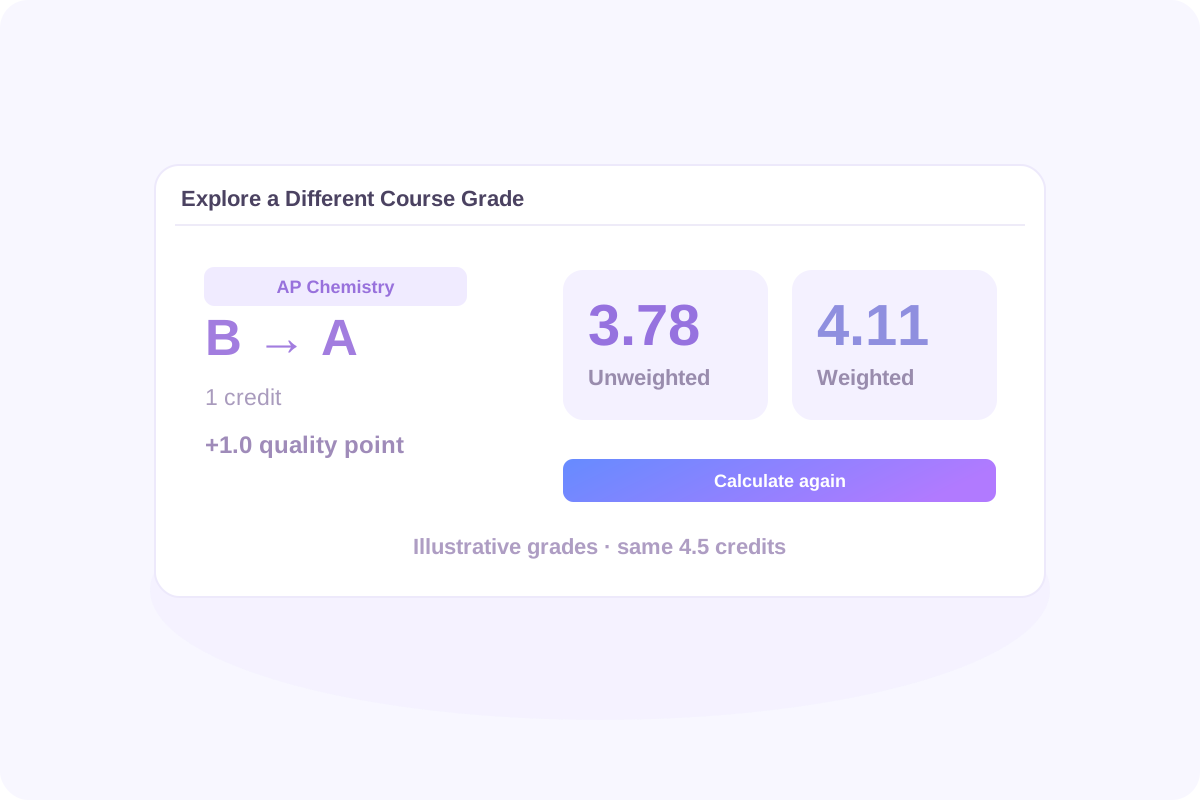
Use expected course grades to compare possible outcomes, then replace them with final grades when available. Change one input, click Calculate again, and compare the new result with your saved earlier result.
In the example above, raising the one-credit AP Chemistry grade from B to A adds 1.0 quality point to both totals. With the same 4.5 credits, the unweighted GPA becomes 17.0 ÷ 4.5 = 3.78, and the weighted GPA becomes 18.5 ÷ 4.5 = 4.11.
Changing course level is a different comparison: it affects weighted GPA but does not improve the underlying letter grade. Use levels that reflect the actual courses you take. Lynote supports manual comparisons; it does not automatically solve for the grades needed to reach a target GPA.
Students can use these comparisons to prepare questions for a counselor. Parents and advisors can use the breakdown to discuss how grades, course levels, and credits contribute to the total.
High School GPA Calculator FAQ
If your school gives every included course equal weight, enter 1 credit for each to produce an equal-course average. If some classes are worth 0.5 credits and others 1, use their actual values. Do not guess equal credits when they are unknown, and do not combine equal-course weights with a previous GPA measured in different credit units.
Lynote currently accepts letter grades. Convert each percentage or number grade to a letter using your school's grading chart, then select that letter. There is no universal percentage-to-GPA conversion, and dividing a percentage by 25 may not reproduce your school's calculation.
Use each letter grade's base points without Honors, AP, or IB bonuses. Multiply by course credits, add the quality points, and divide by counted credits. In High school mode, Lynote shows an unweighted result alongside the weighted one for the entered classes.
On the default 4.0 preset, an AP or IB A earns 5.0 weighted points per credit. That does not make every class a 5.0-scale class. Lynote does not offer a dedicated 6.0-scale preset or editable course bonuses. Check whether its preset values match the calculation your school requires.
If A+ is not a reported grade, simply enter the grades your school uses. Choose Letters only when plus and minus distinctions should be ignored. That preset treats A+, A, and A− as A; the standard 4.0 plus/minus preset instead keeps A− at 3.7.
Include ninth-grade coursework if it belongs in your school's cumulative GPA. A college or scholarship may count different years or subjects. Lynote follows the courses you include; it does not decide which years a particular institution requires.
Use the grade records and credits your school counts for GPA. For a semester GPA, include that semester's coursework. If you use a full-year final grade, do not also enter the component semester or quarter grades as additional coursework unless your school's method specifically requires that treatment.
They count when the GPA you are calculating includes them. A class may earn graduation credit without affecting GPA. Check your transcript or ask your school which courses are GPA-bearing, then include the appropriate grades or special grade symbols.
You can manually enter only the courses that belong in the core GPA you need. Confirm the required subjects, grade values, and weighting rules first. Lynote does not automatically identify core courses or certify an admissions, athletic-eligibility, or scholarship GPA.
Follow your school's rules for which attempts count and whether a dual-enrollment course earns extra points. Lynote does not automatically replace retakes or offer a separate dual-enrollment level. Do not assume an AP or Honors preset is equivalent unless its point values match the required treatment.
Enter the course's letter grade, not an AP exam score or an IB examination score. Select the actual course level for the weighted calculation. Exam results and course grades serve different purposes and should not be substituted for one another.
Start with your school's grading policy and distinguish its GPA from a scholarship GPA. Georgia's HOPE GPA uses its own course and weighting rules. Lynote's standard high school presets do not reproduce that official calculation; use GAfutures to check the applicable rules and your official HOPE GPA.
Use Lynote when the courses, credits, and point values match the GPA you want to estimate. Florida scholarship calculations can use different rules: the Bright Futures application guidance explains that its GPA may differ from a report-card GPA. This calculator does not determine Bright Futures eligibility.
Follow each college's current application instructions for the GPA to report. Some institutions assess grades in their school context or use their own calculation rules. Lynote estimates the GPA produced by your inputs and selected preset; it does not reproduce an institution's internal admissions review.
You can estimate a final cumulative GPA by entering all the completed coursework it should include, or by combining previous GPA data with the remaining courses. If you mean the exam score needed to earn a particular course grade, that is a different calculation; this GPA tool does not solve final-exam grade requirements.
Your school determines when official GPAs are updated. Use posted grades for a completed reporting period, or label expected-grade calculations as estimates. Recalculate when new grades arrive, and check your student portal or transcript for the official updated GPA.
Lynote provides a GPA calculation breakdown and result exports. An Excel, CSV, or printed result is not an official transcript, and the calculator does not currently provide a school-certified transcript template. Request an official transcript through your school's process.
You can start with 50 free calculations without signing up. Signed-in users receive a one-time allowance of 100 free calculations; additional use follows Lynote's credit rules. Entries are not automatically retained after a page refresh. Export your results before leaving if you need a copy.
More Tools for High School Study


Explore Tool Uses
| Tool | Use It For |
|---|---|
| Word Counter | Check the length of essays, reports, and application responses. |
| AI Learning Path Generator | Organize topics to study as you work toward a learning goal. |
| AI Notes Generator | Turn supported learning materials into organized study notes. |
| AI Humanizer | Revise draft wording while following your school's rules on AI assistance. |
| AI Detector | Review AI-content estimates as one signal during a writing review. |
| Invisible Character | Copy blank characters for text fields where that formatting is permitted. |
| Document Translator | Translate supported study documents for multilingual review. |
| AI Flashcards | Create practice cards from supported study materials. |
| PDF Summarizer | Review main ideas from supported textbook chapters and readings. |
| Audio to Text | Transcribe recordings you have permission to process for later review. |
High School Study and Note-Taking Guides
Make your next study session easier to organize with practical reading and note-taking methods. Explore ways to turn assigned reading into notes you can revisit before a quiz or class discussion. Compare note-taking approaches and choose a structure that suits a lecture, reading assignment, or review session. Learn how written transcripts can support review of recordings you are allowed to use.



Calculate Your High School GPA
Bring your course grades, credits, and levels together. Compare weighted and unweighted GPA, check the calculation, and keep a copy for your next conversation with a teacher or counselor.
