Your Record So Far
A previous cumulative GPA summarizes earlier quality points and GPA credits. Check the date and course coverage of that number before adding anything to it.


Add new course grades to your previous GPA. See your updated cumulative GPA and the credits behind it.

Your cumulative GPA combines the GPA-bearing coursework included in your academic record across the periods you are measuring. A semester GPA describes one term. A cumulative GPA includes earlier study as well as the new classes you add.
A previous cumulative GPA summarizes earlier quality points and GPA credits. Check the date and course coverage of that number before adding anything to it.
New entries should cover classes outside that earlier record. Their grades and credits contribute new quality points to the combined result.
Lynote works as a semester and cumulative GPA calculator: enter a term’s courses to review that term, or combine new course entries with Previous GPA to update the overall result. The scope depends on the coursework and history you supply.
Use posted grades when checking an actual update. For planning, label projected grades as assumptions. A calculation based on expected grades is a scenario rather than an official academic record.
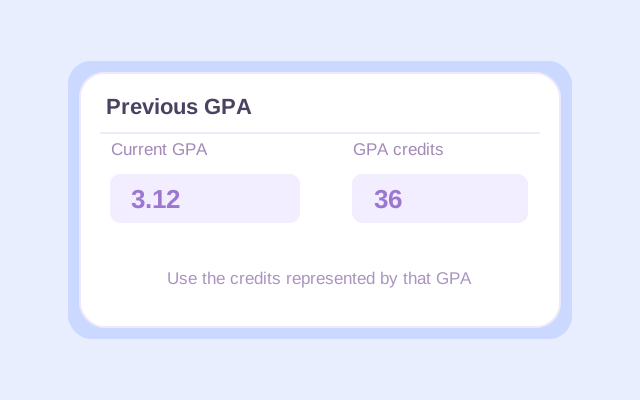
Select the appropriate school mode and open Previous GPA. Enter your earlier GPA with the GPA credits it represents. For high school history, also choose Weighted or Unweighted to match the earlier number.

Fill in each required course name, letter grade, and credits. Check the grading preset against your school’s rules. Add only coursework outside the historical total, using actual or clearly identified hypothetical grades. The College course-credit options run from 1 to 6. High school mode offers 0.5 or 1 credit and course levels. Use values that match the GPA calculation you are trying to reproduce.
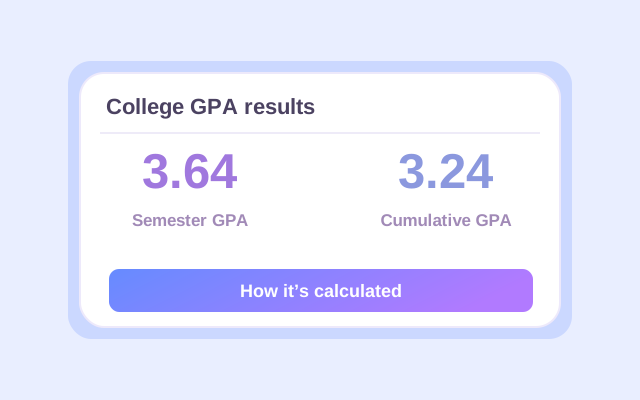
Click Calculate, then compare the current-course and cumulative results. Check the course breakdown and included credits. If you change an entry, calculate again before exporting or recording the updated numbers.
To calculate cumulative GPA, turn the earlier GPA into its represented quality points, add the new course quality points, and divide by the combined GPA credits.
Suppose your earlier GPA is 3.12 across 36 GPA credits. Using that supplied value gives 3.12 × 36 = 112.32 historical quality points. Your new courses use Lynote’s default 4.0 plus/minus preset:
| Course | Grade | Grade points | Credits | Quality points |
|---|---|---|---|---|
| Introductory Economics | A− | 3.7 | 3 | 11.1 |
| College Writing | B+ | 3.3 | 3 | 9.9 |
| Statistics | A | 4.0 | 4 | 16.0 |
| Biology Lab | B | 3.0 | 1 | 3.0 |
| New total | Four courses | — | 11 | 40.0 |
40.0 new quality points ÷ 11 new credits
(112.32 + 40.0) ÷ (36 + 11) = 152.32 ÷ 47
The new courses average 3.64, but they represent only 11 of the combined 47 credits. The larger earlier record keeps the cumulative result closer to 3.12.
If the supplied historical GPA is rounded, multiplying it by credits reconstructs an approximate historical quality-point total. Your registrar may use more precise original figures, producing a small difference.

Each period should contribute in proportion to its GPA credits. A short summer term and a full course load do not automatically have the same influence.
A simple average of 3.12 and the displayed 3.64 is 3.38. That ignores the fact that the two numbers cover 36 and 11 credits.
The example adds 112.32 and 40.0 quality points, then divides by 47 credits. The resulting cumulative GPA is 3.24.
You can average term GPAs directly only when they represent equal GPA credits and compatible grading rules. Otherwise, multiply each term GPA by its corresponding credits before combining the terms.
When calculating cumulative GPA for all semesters, preserve the same scale, GPA type, and course-inclusion policy across the record. Use original quality points where available instead of rounding every intermediate term calculation.
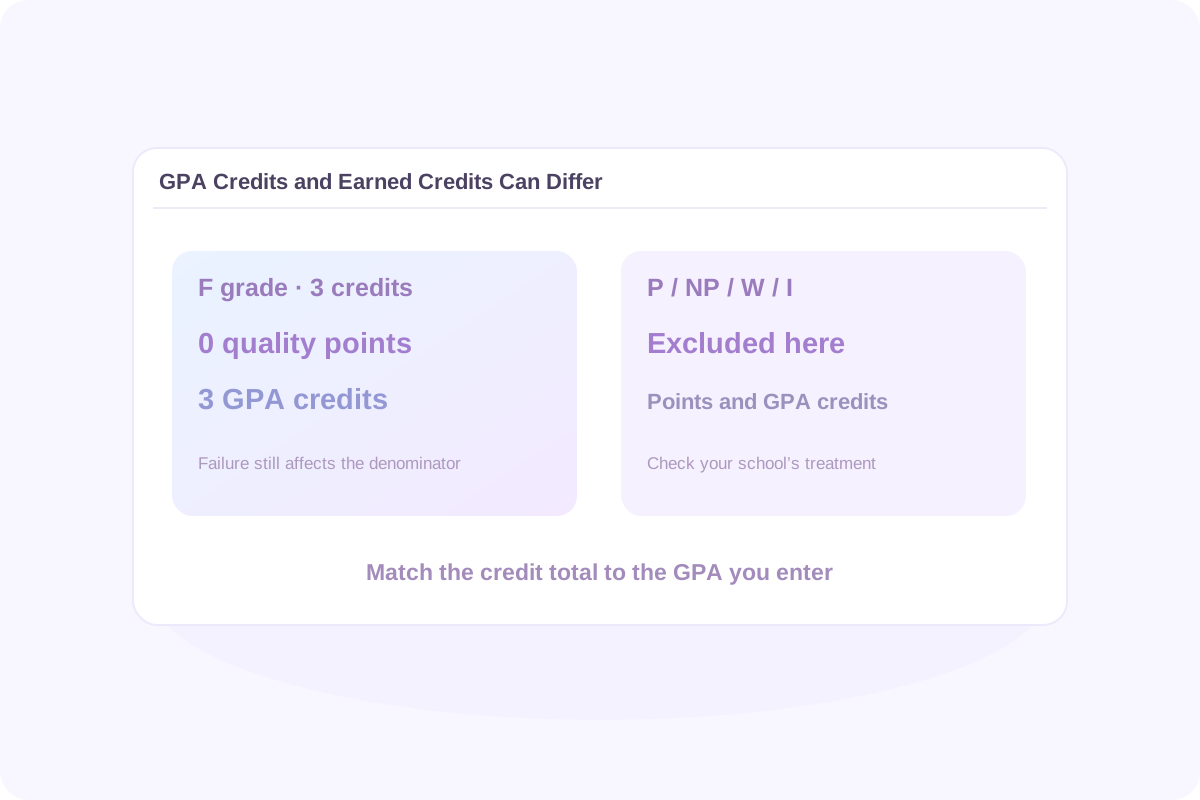
Use the GPA credits associated with the GPA you enter. Your transcript may list those as GPA hours or a similar term. They can differ from credits earned toward graduation.
In Lynote, an F contributes zero quality points while its GPA credits remain in the denominator. A failed class can affect GPA even when it earns no graduation credit.
P, NP, W, and I are excluded from both GPA points and GPA credits in Lynote. Check whether your school records or counts a particular outcome differently.
Transfer, examination, or other credits may count toward a qualification without belonging in the institution’s GPA. Include them only when the relevant GPA policy requires them.
Do not copy a graduation-credit total into Previous GPA just because it is the largest credit number on the transcript. The GPA and the credits beside it must describe the same included coursework.
Use Previous GPA for the earlier record and enter new courses outside that record. This avoids re-entering every previous class when you already have the matching GPA and GPA-credit total.
If you do not have a historical GPA, enter all the relevant course grades and credits you want included. The calculated average describes that full set of entered coursework. Leave Previous GPA out rather than inventing an earlier result.
To calculate cumulative GPA with semester GPA records, first combine each term’s GPA multiplied by its GPA credits, then divide by the total credits. You can use that consolidated historical value with new coursework, provided the scales and policies are compatible.
This is a manual preparation step. Lynote’s workflow uses one Previous GPA entry; it does not provide a dedicated list of past-term GPA inputs. Alternatively, rebuild the relevant history from individual course details.
Keep the two paths separate. A class included in Previous GPA should not also appear among the new entries. For example, a transcript total already covering spring grades should not have those same spring classes added again.
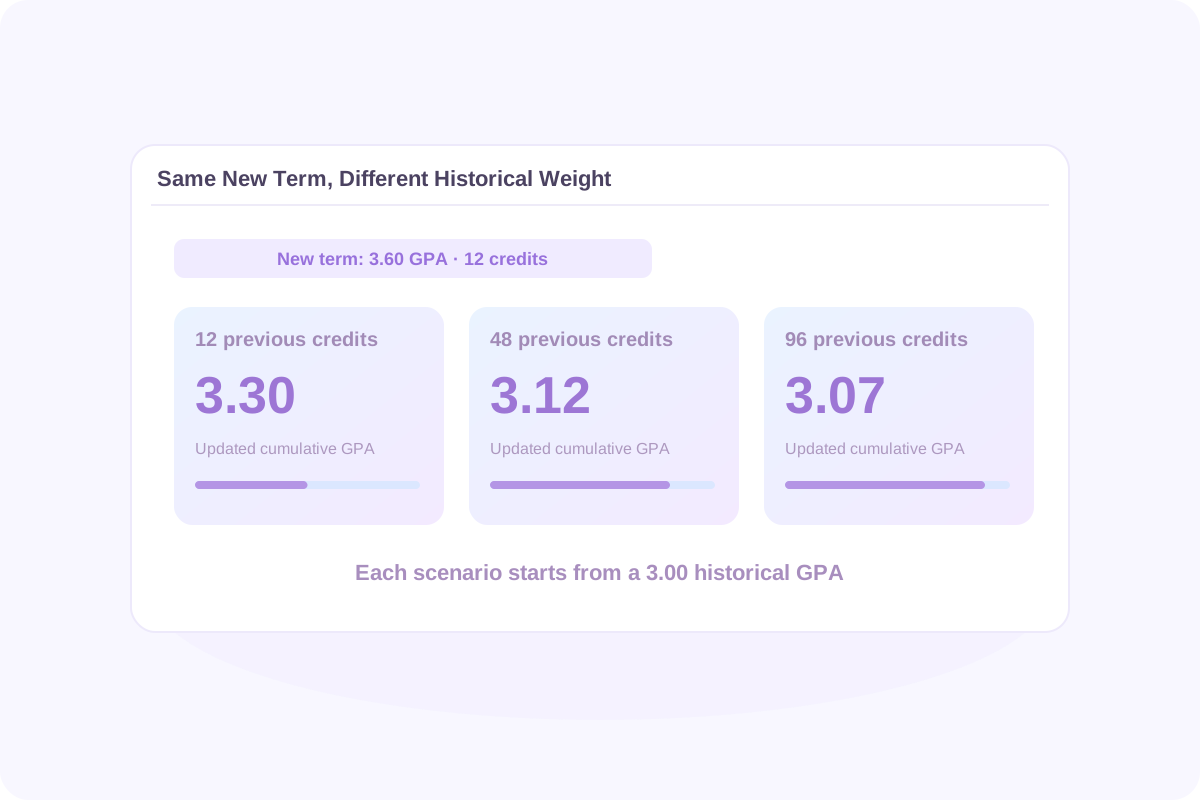
The effect depends on the difference between your new and previous averages and the share of credits being added. The same term can move an early record more than a longer one.
| Previous GPA | Previous GPA credits | New term GPA | New credits | Updated cumulative GPA |
|---|---|---|---|---|
| 3.00 | 12 | 3.60 | 12 | 3.30 |
| 3.00 | 48 | 3.60 | 12 | 3.12 |
| 3.00 | 96 | 3.60 | 12 | 3.07 |
These examples use the same grading basis and count each credit once. They illustrate the calculation rather than promise a particular improvement from taking more classes.
To explore how to raise cumulative GPA, keep your historical inputs fixed and manually compare clearly labelled new-course grade scenarios. Recalculate after each change. Lynote does not automatically solve for the term GPA, course load, or final-exam score needed to reach a target.
Cumulative describes the coursework covered; weighted or unweighted describes how course grade points are calculated. A high school cumulative GPA can be either type.
Select High school, enter the course grades and 0.5 or 1 credit, and choose each actual level: Regular, Honors, AP, or IB. When adding history, identify its type under Previous GPA.
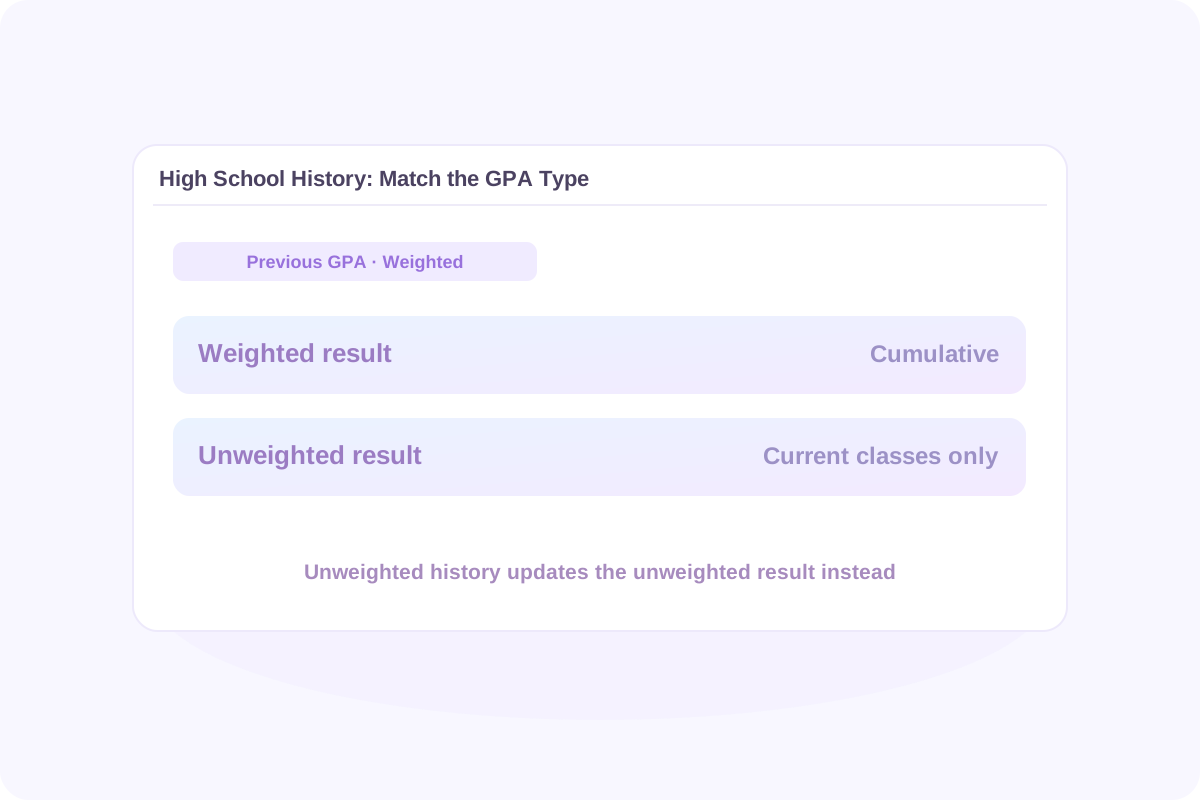
The unweighted result combines the supplied unweighted history with new base quality points. The weighted result covers the current entered classes only.
The weighted result combines weighted history with new weighted quality points. The unweighted result covers the current entered classes only.
A cumulative weighted GPA calculator needs compatible bonus rules across the periods being combined. Do not add weighted history to unweighted points or assume one historical total can update both result types.
Under Lynote’s default 4.0 base preset, eligible AP or IB grades can earn weighted course points up to 5.0. This does not create a separate 5.0 base-scale preset or automatically convert historical GPAs between scales.
A cumulative estimate can differ because the input record or rules differ, even when the formula is correct. Check these details before matching an official result.
Lynote offers default 4.0 plus/minus, 4.33 A+, and Letters only presets. Check A+, plus/minus treatment, and grade-point precision. If your grades are percentages, convert them using your school’s letter-grade thresholds first.
Check which subjects and attempts count, the date covered by Previous GPA, and whether any new entry is already included. Institutional, major, and application GPAs can cover different coursework.
For example, Penn State’s published GPA table uses A− = 3.67 and B+ = 3.33. Lynote’s default values are 3.7 and 3.3. A general calculator is not an automatic match for every university’s official method.
Check the school’s repeat policy before using a cumulative GPA calculator with repeated courses. Lynote does not automatically remove an old attempt from Previous GPA. Adding the replacement course alone leaves the old attempt inside that historical total.
Use updated historical GPA figures that reflect the applicable policy, or rebuild from a confirmed course list. Deleting a new course row does not change an old grade already embedded in Previous GPA. Do not remove historical credits without confirming which attempts the school excludes.
A cumulative GPA calculator for a quarter system uses the same quality-points principle, but the credits must remain in compatible units. Verify that course credits fit the available inputs. Lynote does not automatically convert quarter credits to semester credits or determine which transfer grades belong in a destination school’s GPA.
Use your registrar’s instructions when combining records across institutions or systems. A general estimate does not replace an official transfer evaluation, grade-forgiveness decision, or academic-standing determination.
Read the scope label before using a GPA number. In the college example, 3.64 describes the new 11-credit coursework, while 3.24 describes the combined 47-credit record. They answer different questions.
For a straightforward combination using the same rules and positive GPA credits, the combined GPA should fall between the earlier and new-course averages. Use this as a manual arithmetic check. A different result may call for reviewing the inputs, scope, or policy adjustments.
Combine an earlier record with newly posted grades and check the updated overall result.
Enter hypothetical letter grades to compare possible outcomes. Keep planned calculations separate from confirmed transcript figures.
Check the required GPA type, included courses, and credit basis before comparing a result with a program or award requirement.
Bring the course breakdown to a conversation about grades, course coverage, or a calculation that differs from your school record.
Export the calculated details to Excel or CSV, or use the browser’s Print/PDF workflow. Recalculate after editing an input. Keep the copy you need before refreshing; entries are not automatically preserved after a page refresh.
CGPA commonly means cumulative grade point average: the average across the GPA-bearing coursework included in the record you are measuring. Check the scale and institutional definition, since the same abbreviation can appear in different grading systems.
A semester GPA describes one term’s included classes. Cumulative GPA combines a broader record. In Lynote, adding a compatible Previous GPA and its credits to new course entries updates the combined result.
Multiply the current historical GPA by its corresponding GPA credits, add the quality points from new coursework, and divide by the combined credits. The new entries must not already be included in the earlier GPA.
Only when the semesters have equal GPA credits and compatible grading rules. Otherwise, multiply each term GPA by its own credits, add those quality points, and divide by the total GPA credits.
Use the GPA credits represented by that exact GPA, not automatically every earned or graduation credit. Check the transcript legend or ask the school if you cannot identify the matching total.
Yes in Lynote: an F adds zero quality points and retains its GPA credits in the denominator. Excluding failed-course credits simply because they were not earned toward graduation would change the calculation.
Lynote excludes these entries from both GPA points and GPA credits. Your school may use different symbols or treatment, so confirm the policy when matching an official record.
You can enter the relevant individual course grades and credits to calculate their combined average. For a first term, enter that term’s coursework. Do not invent historical GPA figures just to use Previous GPA.
Manually combine each term GPA multiplied by its matching GPA credits, then divide by the total credits. Use that compatible historical result with new courses, or rebuild from course details. Lynote does not offer separate rows for past-term GPA totals.
It can be either. Cumulative refers to the record covered, while weighted and unweighted refer to the grade-point method. In High school mode, choose the type of Previous GPA so it updates the matching result only.
Yes. Use High school mode with course names, grades, 0.5 or 1 credit, and actual course levels. Supply Weighted or Unweighted history consistently. The other result remains current-course only when history is supplied for one type.
It depends on both GPA values and the old and new GPA credits. A new term has less influence when it represents a smaller share of the combined credits. There is no fixed improvement associated with a semester.
You can manually enter hypothetical course grades and recalculate to compare scenarios. The current tool does not automatically solve for a required term GPA, future credit load, or final-exam score.
Follow the school’s inclusion policy. Lynote does not automatically replace a historical grade. If the old attempt is inside Previous GPA, obtain appropriately adjusted history or rebuild the record from confirmed course details before including the new attempt.
Only include coursework the GPA you are calculating is meant to cover. Check grade-point values, credit units, and institutional policies first. The calculator does not decide transfer eligibility or automatically recreate a destination institution’s official GPA.
Enter letter grades using your school’s conversion rules. Lynote offers its existing 4.0, 4.33 A+, and Letters only presets. High school weighted course points may exceed 4.0 through bonuses, but there is no standalone 5.0 base preset or automatic conversion between grading scales.
After calculating, export Excel or CSV, or use browser Print/PDF. Changing an input requires recalculation before exporting the updated result. Do not rely on automatic persistence after refresh or on transcript synchronization.
Check the allowance and credit requirements shown in the live tool. Available use depends on the applicable account and remaining allowance; this page does not promise unlimited free calculations.
The formula works with compatible GPA-credit units. Keep historical and new credits on the same basis, confirm that course values fit the available inputs, and follow the institution’s rules for any conversion. There is no dedicated quarter-system selector or automatic semester-credit conversion.
Only compatible inputs and rules can produce a comparable estimate. Check your registrar’s grade values, GPA credits, repeated-course policy, transfer treatment, and precision. Lynote does not automatically select university-specific rules or certify an official result.
Check the word count of a paper before comparing it with assignment requirements.
Outline topics and a study sequence for a subject you want to strengthen.
Organize supported class materials into notes you can review.
Revise readability in writing tasks where this use is permitted by your course.
Review an AI-writing estimate as a signal requiring context rather than proof of authorship.
Copy a blank character for formatting tasks that allow it.
Translate supported reading documents to help you understand the material.
Prepare flashcards for retrieving important concepts during revision.
Get a starting overview of supported PDFs before studying the details.
Convert supported audio to text when you have the necessary permission to process it.
Pair a clearer view of your academic record with practical ways to handle upcoming coursework. Start with these published Lynote guides.
Develop a useful record of the concepts and examples in your reading. Compare note structures before choosing one for a new class. Explore a workflow for reviewing permitted audio materials as text.
Find the GPA and GPA credits from your earlier record, then add the courses outside that total. Calculate your updated result and check how the old and new coursework combine.