

College GPA Calculator
Calculate your college GPA from grades and credits. Review semester results or update your cumulative GPA.
What Can You Calculate with Lynote?
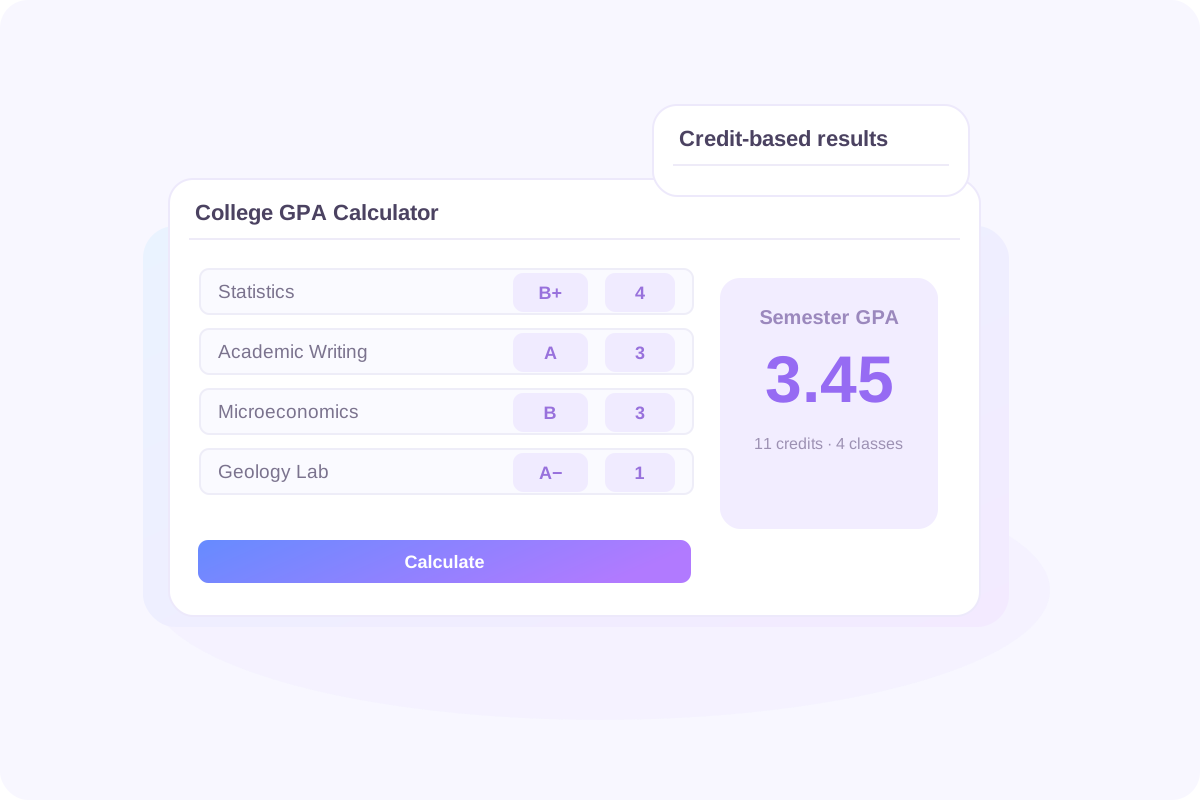
A college GPA calculator helps you see how your course grades and credit hours add up. Use Lynote to review a completed semester, update an existing cumulative GPA, or compare possible course grades before your final results arrive.
Your Semester GPA
Enter the courses from one term to calculate your semester GPA. Each course contributes according to its credits, so a four-credit class carries more weight than a one-credit lab.
Your Updated Cumulative GPA
Add your current GPA and the credits included in that GPA. Lynote combines your previous study with the new courses you enter to estimate your overall college GPA.
Your Grades on Three Preset Scales
Choose the standard 4.0 plus/minus scale, a 4.33 scale for A+ grades, or Letters only. Check your college's grade-point values before choosing a preset.
A Breakdown You Can Keep
Review counted courses, credits, and calculation details. Download an Excel or CSV file, or use Print / PDF to keep a copy through your browser.
How to Use the College GPA Calculator

Step 1. Add Your Courses and Credit Hours
Select College and enter a name, letter grade, and credit value for each course. Use Add class when you need another row, and remove courses you do not want included. Use the credits listed on your transcript or course record. The current College credit menu offers whole-number values from 1 to 6; do not round a different credit value just to fit an available option.
Step 2. Choose Your Scale and Add Previous GPA
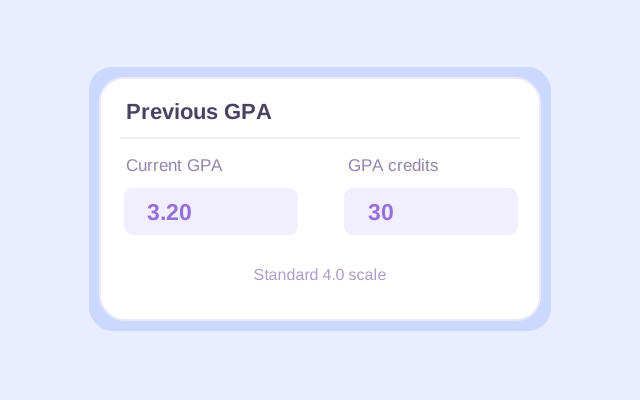
Open Change to choose your grading preset. For a college GPA calculator with current GPA, also open Previous GPA and enter your existing GPA and its corresponding GPA-bearing credits. Enter only the new courses that are not already included in your previous GPA. For a semester-only result, leave Previous GPA unused.
Step 3. Calculate and Review Your Results
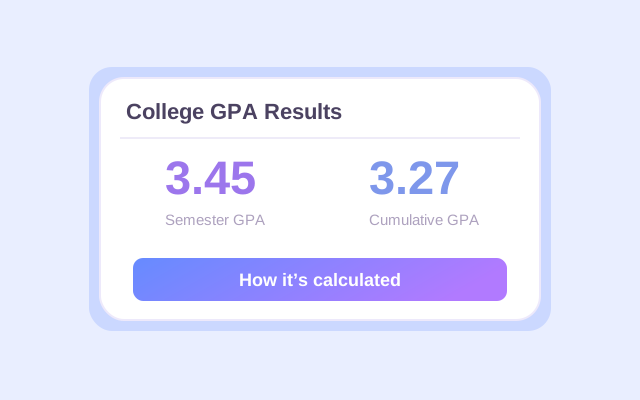
Click Calculate to see your result. Check the counted credits and classes, then open How it’s calculated to review the course-by-course math. If you change an input, click Calculate again before using or exporting the updated result.
Read Your College GPA Results

Your result is easier to check when you understand the numbers behind it.
| Result | What It Tells You |
|---|---|
| Semester GPA | The credit-based average for the courses you entered for one term. |
| Cumulative GPA | The combined average after adding a previous GPA and its corresponding credits. |
| Credits | The credits counted in the calculation, including previous credits when you use cumulative mode. |
| Classes this term | The current courses counted toward GPA. Excluded grades do not increase this count. |
| Class contributions | A visual view of the counted courses, their grades, and their credits. |
| How it’s calculated | The grade points, quality points, and totals used to produce your result. |
The letter-grade average shown beside your GPA is an approximate reference. It does not change the grades on your transcript.
How Credit Hours Affect Your College GPA
To calculate college GPA, convert each letter grade to points, multiply those points by its credit hours, and divide the total quality points by the total credits counted.
Course quality points = Grade points × Credit hours
College GPA = Total quality points ÷ Total GPA-bearing credits
A College Semester GPA Example
This example uses Lynote's standard 4.0 plus/minus scale.
| Course | Grade | Grade Points | Credits | Quality Points |
|---|---|---|---|---|
| Statistics | B+ | 3.3 | 4 | 13.2 |
| Academic Writing | A | 4.0 | 3 | 12.0 |
| Microeconomics | B | 3.0 | 3 | 9.0 |
| Geology Lab | A− | 3.7 | 1 | 3.7 |
| Total | 11 | 37.9 | ||
Semester GPA = 37.9 ÷ 11 = 3.45, rounded to two decimal places.
A simple average of these four grade-point values would be 3.50. The college GPA is 3.45 because the courses have different credit values. A GPA calculator with credit hours keeps that difference in the calculation.
College GPA Scales: 4.0, 4.33, and Letters Only
A college GPA calculator on a 4.0 scale still needs the right grade-point values. Colleges can assign different values to A+ grades and plus/minus grades.
| Letter Grade | 4.0 Plus/Minus | 4.33 Scale | Letters Only |
|---|---|---|---|
| A+ | 4.0 | 4.33 | 4.0 |
| A | 4.0 | 4.0 | 4.0 |
| A− | 3.7 | 3.7 | 4.0 |
| B+ | 3.3 | 3.3 | 3.0 |
| B | 3.0 | 3.0 | 3.0 |
| B− | 2.7 | 2.7 | 3.0 |
| C+ | 2.3 | 2.3 | 2.0 |
| C | 2.0 | 2.0 | 2.0 |
| C− | 1.7 | 1.7 | 2.0 |
| D+ | 1.3 | 1.3 | 1.0 |
| D | 1.0 | 1.0 | 1.0 |
| D− | 0.7 | 0.7 | 1.0 |
| F | 0.0 | 0.0 | 0.0 |
Use Letters only when plus and minus signs should not affect the point value. If your college uses a different scale, these presets may not reproduce its official GPA.
Update Your Cumulative College GPA
Your semester GPA covers one term. Your cumulative college GPA combines that term with the earlier coursework you include.
Using Lynote as a cumulative GPA calculator for college is straightforward: enter your previous GPA and its GPA-bearing credits, then add the new courses separately.
Updated cumulative GPA =
(Previous GPA × Previous GPA-bearing credits + New quality points) ÷ (Previous GPA-bearing credits + New GPA-bearing credits)
Adding a Semester to Your Current GPA
Suppose your previous GPA is 3.20 across 30 credits. Add the 11-credit semester from the example above.
| Study Included | GPA | Credits | Quality Points |
|---|---|---|---|
| Previous study | 3.20 | 30 | 96.0 |
| New semester | 3.45, rounded | 11 | 37.9 |
| Combined | 3.27, rounded | 41 | 133.9 |
Cumulative GPA = (96.0 + 37.9) ÷ (30 + 11) = 3.27, rounded.
Use the new courses' quality points rather than multiplying their rounded semester GPA by credits. Do not simply average 3.20 and 3.45: the earlier 30 credits carry more weight than the new 11 credits.
Check that your previous credit total corresponds to the GPA you entered. Degree credits earned through excluded coursework may differ from the credits used to calculate your GPA.
Which Grades Count Toward GPA?
Not every grade code affects the result in the same way. Lynote applies the following rules to the grades available in its calculator.
| Grade | Grade Points | Credits Counted Toward GPA? |
|---|---|---|
| A through D, including available +/− grades | Based on the selected preset | Yes |
| F | 0 | Yes |
| P — Pass | Excluded | No |
| NP — No Pass | Excluded | No |
| W — Withdrawal | Excluded | No |
| I — Incomplete | Excluded | No |
An F lowers the average because its credits remain in the denominator while it contributes zero quality points. P, NP, W, and I are excluded from both the quality-point total and the credits counted here.
These are the calculator's rules. Your college may use different codes or treat particular failing, withdrawal, and incomplete grades differently. Follow your institution's policy when preparing an official calculation.
Why Your Estimate May Differ from Your Transcript

If your result does not match your student portal, compare the inputs and grading rules before assuming the arithmetic is wrong.
- Grade-point values: A+ and plus/minus values may differ from Lynote's presets.
- Repeated courses: Your institution may replace an earlier grade, count both attempts, or apply another rule. Lynote does not automatically decide which attempt belongs in your GPA.
- Transfer and non-GPA credits: Credits accepted toward a degree do not always enter the institution's GPA calculation.
- Duplicate coursework: A course already included in Previous GPA should not also appear in your new course list.
- Credit values: Use a consistent credit basis and the correct GPA-bearing hours. Do not mix unlike credit systems without the appropriate conversion.
- Rounding: Lynote displays two decimal places. Your college may use a different precision or truncation method.
Your transcript and your college's published policies remain the reference for your official GPA.
What Does Your College GPA Mean for Your Goals?

On Lynote's standard 4.0 scale, 4.0 represents an A average, 3.0 a B average, and 2.0 a C average. Whether a result meets your needs depends on the requirement you are checking.
Before comparing your GPA with a major, scholarship, internship, or graduate program requirement, check which GPA it asks for: semester, cumulative, major-only, or another defined set of courses.
You can also change a planned course's letter grade and calculate again to compare possible outcomes. Label those grades as estimates until they are final. Lynote calculates the values you enter; it does not predict your grades or guarantee eligibility.
Bring the course breakdown to an advising conversation when you need help interpreting a policy or understanding which courses count.
Keep a Copy of Your GPA Breakdown
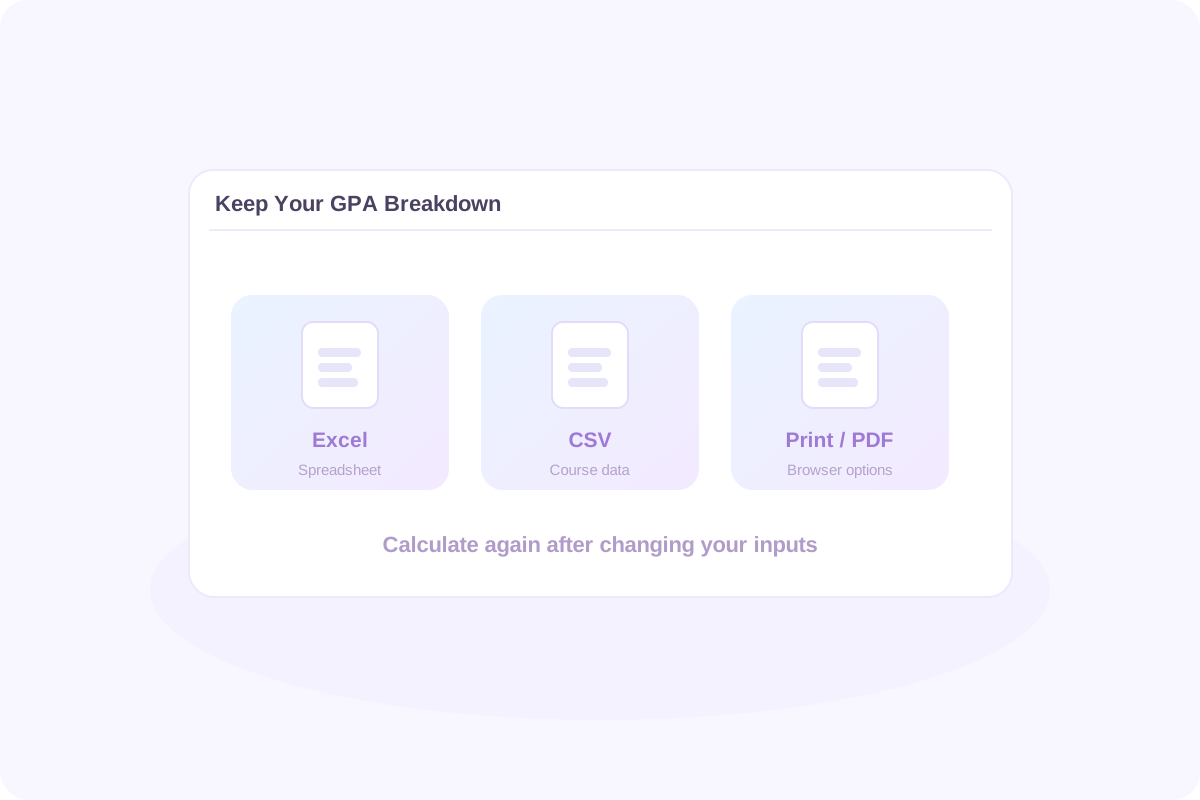
Save a result when you want to compare semesters, review course contributions, or prepare for an advising meeting.
- Download Excel (.xlsx): Keep your result and course information in a spreadsheet.
- Download CSV: Open the exported data in a compatible spreadsheet application.
- Print / PDF: Use your browser's printing options to print a copy or save a PDF where available.
Recalculate after editing your inputs. The calculator marks the previous result as out of date and disables downloads until you update it.
Your course entries are not automatically retained after a page refresh. Export any result you want to keep before leaving or reloading the page.
College GPA Calculator FAQ
The usual credit-based method is to multiply each course's grade-point value by its credit hours, add the quality points, and divide by GPA-bearing credits. Each institution decides its grade values and which courses to include.
Yes. Open Previous GPA, enter your current GPA and its corresponding GPA-bearing credits, then add only the new courses. Lynote combines the previous quality points with the new course results to calculate an updated cumulative GPA.
A college semester GPA covers one term. Overall or cumulative GPA usually covers the included coursework across your studies. Use Previous GPA when your new term needs to be combined with an existing college GPA.
If all included courses carry equal weight, entering the same credit value for each gives their grade-point average. For an accurate credit-based GPA, use the actual credits. Treating unequal-credit courses as equal can change the result.
It depends on the course's credits and your total GPA-bearing credits. For example, four A grades in three-credit courses and one B in a four-credit course produce 60 quality points over 16 credits: a 3.75 GPA on the standard 4.0 scale.
Yes, in Lynote an F contributes zero grade points while its credits still count. P, NP, W, and I are excluded here. Check your college's policies for codes and situations that may be treated differently.
Lynote currently accepts letter grades rather than percentage scores. Convert each percentage to a letter grade using your course or college's published cutoffs before entering it. A percentage-to-GPA conversion is not universal, so dividing every percentage by a fixed number may give the wrong result.
If your college still uses other plus/minus grades, choose a matching preset and enter A as the highest awarded grade. You do not need to enter A+. Check the remaining grade-point values too; removing A+ alone does not guarantee a match.
Yes. Choose Letters only when your calculation should ignore + and − signs. A+, A, and A− then count as 4.0; B+, B, and B− count as 3.0, and so on. Use this setting only when it matches the rules you need.
You can manually include selected courses from different colleges in one list when their grade values, credit units, and inclusion rules are compatible. This produces an estimate for that selected coursework. Lynote does not reconcile transcripts or determine how a receiving college will treat transfer grades.
Use Lynote for an estimate when a preset matches your school's rules. For example, Boston College lists A− as 3.67, while Lynote's default is 3.7. Your official transcript, registrar, or institution-specific calculator is the appropriate source for an official result.
No. Include or exclude attempts according to your college's repeat policy. If a previous GPA already contains a grade that must be replaced, that historical total may need to be adjusted before you use it. Lynote does not perform automatic grade replacement.
You can combine your completed GPA with assumed letter grades and credits for remaining courses. The result is a scenario based on those assumptions. It is not a prediction of your final course grades or a calculation of the exam scores you need.
You can start without signing up. Lynote's current GPA tool offers 50 free calculations to unsigned users and a one-time allowance of 100 free calculations to signed-in users. Additional use follows its credit rules; check the current allowance and account terms in the tool.
Yes. Download Excel or CSV after calculating, or choose Print / PDF. Inputs are not automatically kept after a refresh, so save a copy before reloading or closing the page.
More Tools for College Coursework


College Study and Note-Taking Guides
Build a study routine that helps you work with the material behind your grades. Explore ways to turn assigned reading into notes you can review and test yourself with. Compare note-taking approaches for lectures, readings, and different review tasks. Learn a practical workflow for turning recorded explanations into readable reference material.



Calculate Your College GPA
Bring your course grades, credit hours, and previous GPA together. Calculate your semester or cumulative result, check the breakdown, and keep a copy for your next academic review.
