

Class Notes Online: Turn Lessons into AI Study Notes

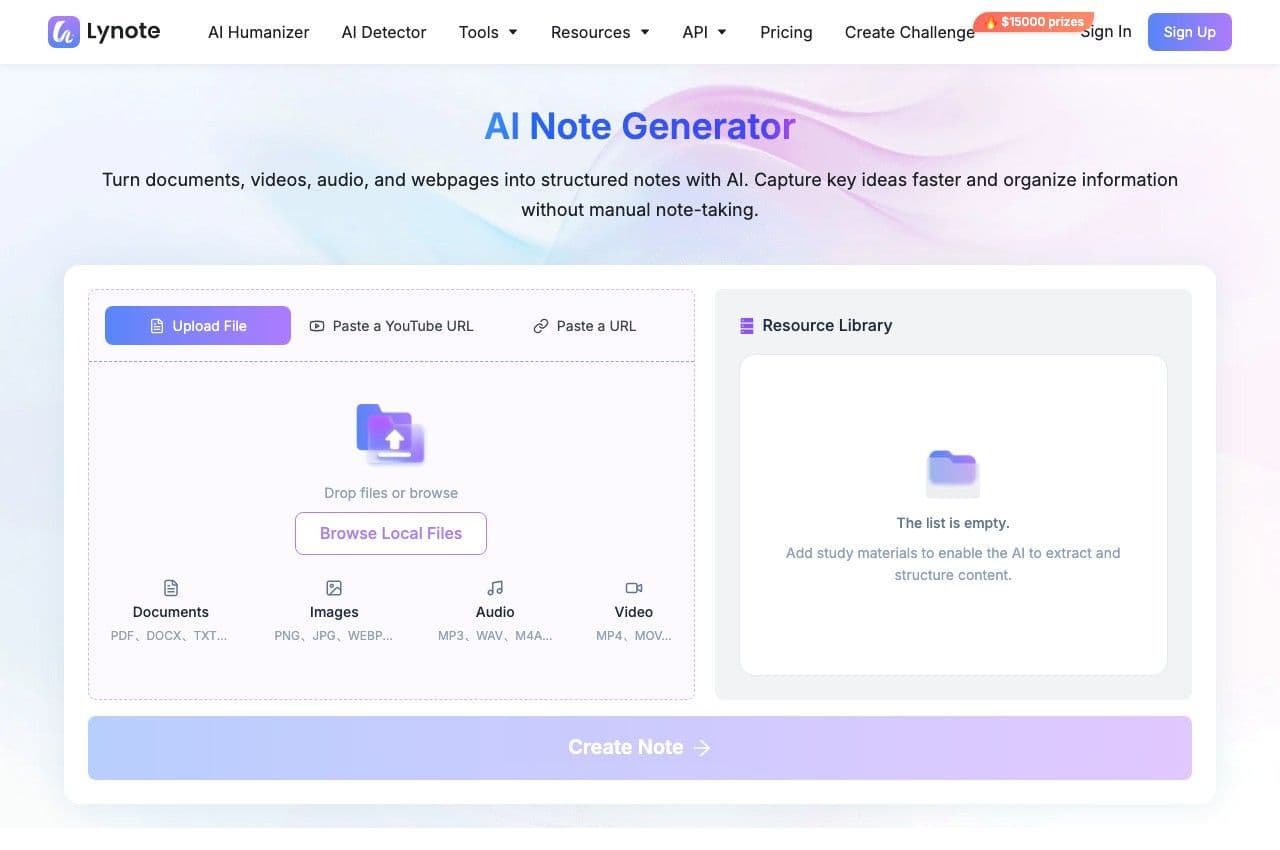
Drop files or browse

Add study materials to enable the AI to extract and structure content.



Why Choose Lynote for Online Class Notes?
Taking notes in online classes can be challenging when you're listening to explanations, following slides, and trying to identify key concepts at the same time. Lynote helps organize information from your existing course materials into structured, editable notes that you can review after class.

Turn Lecture Recordings into Notes
Upload supported class audio or video recordings and generate notes from the lesson content. Capture important explanations, definitions, and supporting details without manually transcribing the entire recording.

Organize Slides and PDF Materials
Turn teacher-provided presentations, PDF handouts, and course documents into structured notes. Bring scattered concepts into readable sections with headings and key points.

Create Editable Study Notes
Review and personalize your AI-generated notes with the built-in editor. Add your own observations, correct unclear explanations, and reorganize sections to match your learning goals.

Ask Questions About Your Lessons
Use AI Chat to ask questions based on your uploaded course materials. Revisit difficult concepts and explore explanations without searching through a complete document again.

Review with AI Flashcards
Generate flashcards from important information in your class notes. Practice recalling definitions, concepts, and supporting explanations during revision sessions.

Learn from Multiple Content Formats
Work with supported PDFs, documents, audio recordings, videos, images, YouTube links, and webpages. Use different class materials in one AI note-taking workflow rather than manually copying information from every source.
Turn Recorded Lessons into Class Notes
Online classes often contain useful explanations that students may miss while focusing on the lecture. Rewatching an entire recording to find one important concept can take considerable time.
Lynote helps generate structured notes from supported lecture audio and video files. Instead of manually copying every sentence, you can review key topics and explanations organized from the source material.
Use the generated content as a starting point, then check it against the original recording to confirm important details.
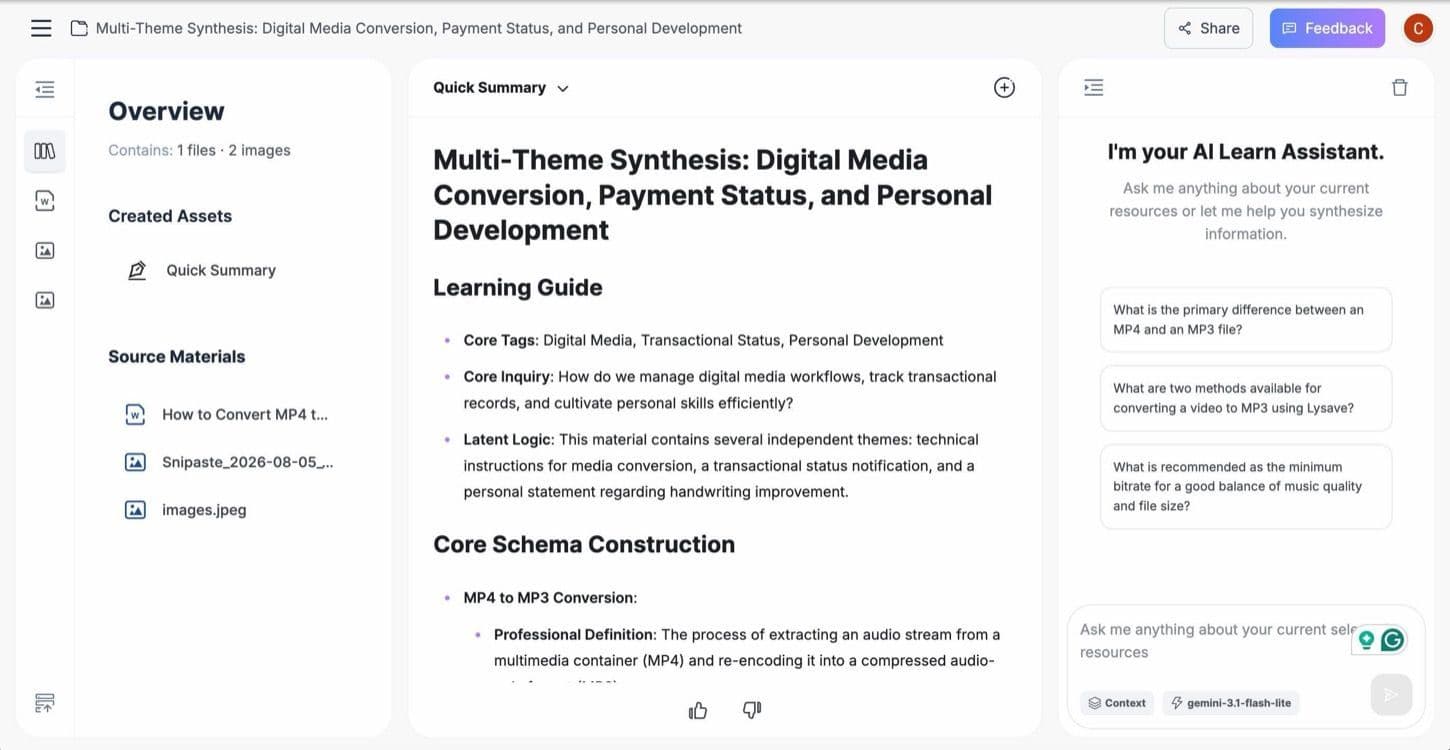
Organize Course Slides, PDFs, and Class Documents
Students frequently receive learning materials in different formats, including slides, scanned handouts, course PDFs, and reading assignments. Keeping these resources organized can become difficult as a course progresses.
Lynote turns supported materials into notes with headings, summaries, and important concepts. You can edit the output to match the lesson structure or your teacher's revision guidance.
This makes it easier to develop class notes that remain useful when you return to the topic later.
Understand and Review Lessons with AI
Good class notes should help you understand what you've learned, not simply store information. When a concept remains unclear, returning to the original source can help fill the gap.
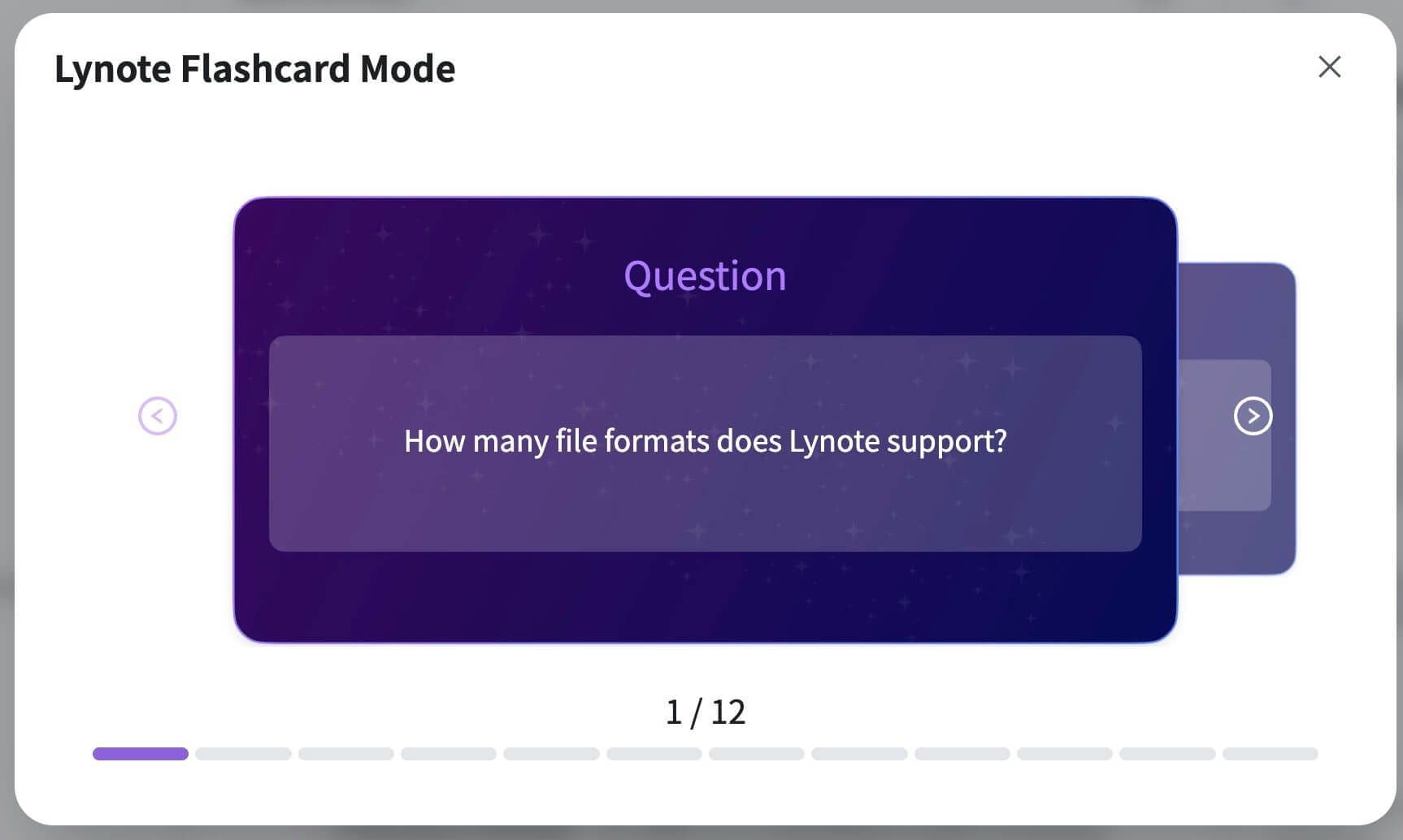
Lynote connects AI Notes with AI Chat and Flashcards. Ask questions grounded in your uploaded materials and turn important information into question-and-answer cards for review.
Check any AI-generated explanation before relying on it for assignments, examinations, or technical subjects.
How to Create Class Notes Online with Lynote
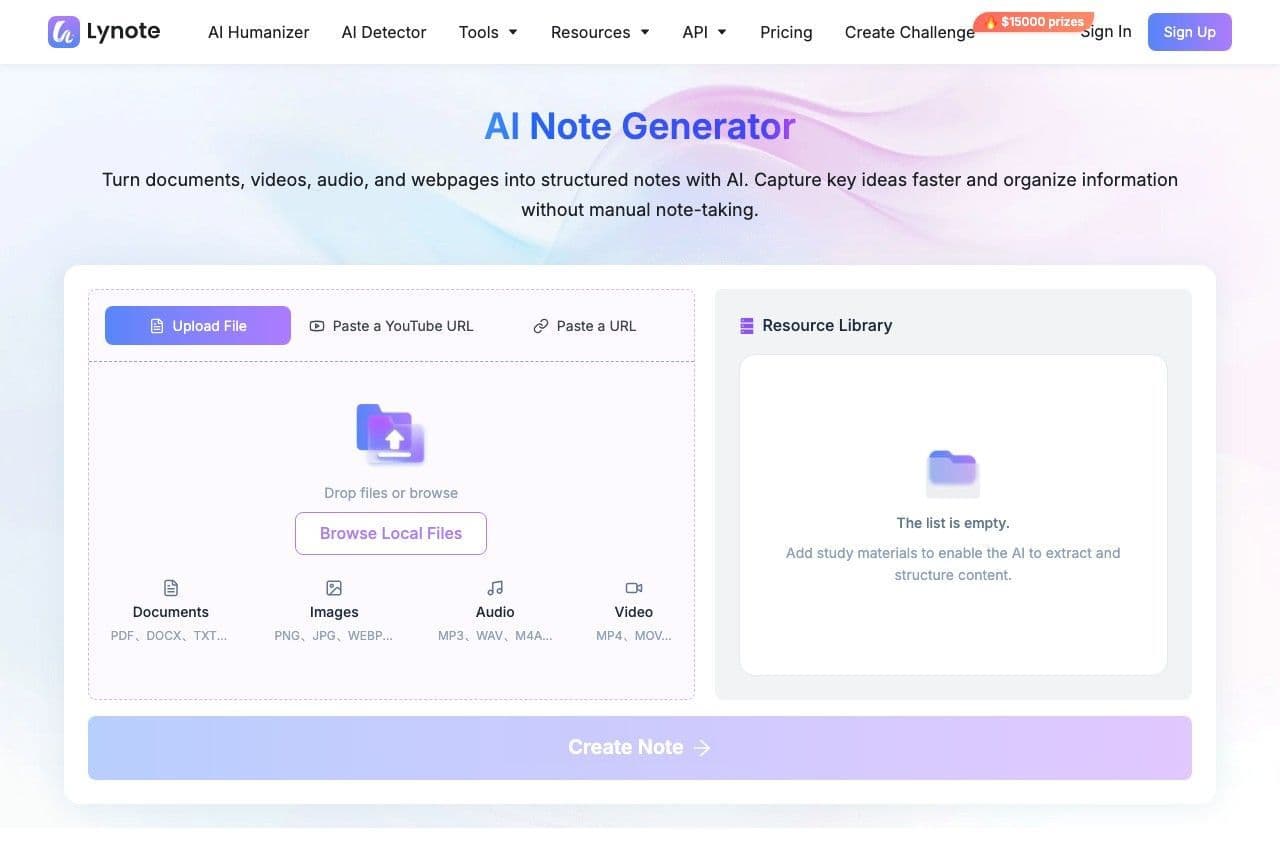
Step 1. Upload Your Class Materials
Upload a lecture audio recording, video, PDF, slide deck, document, or image to Lynote. You can also paste a supported YouTube or webpage URL containing educational material. Choose files that match the topic you're studying and make sure you have permission to process them.
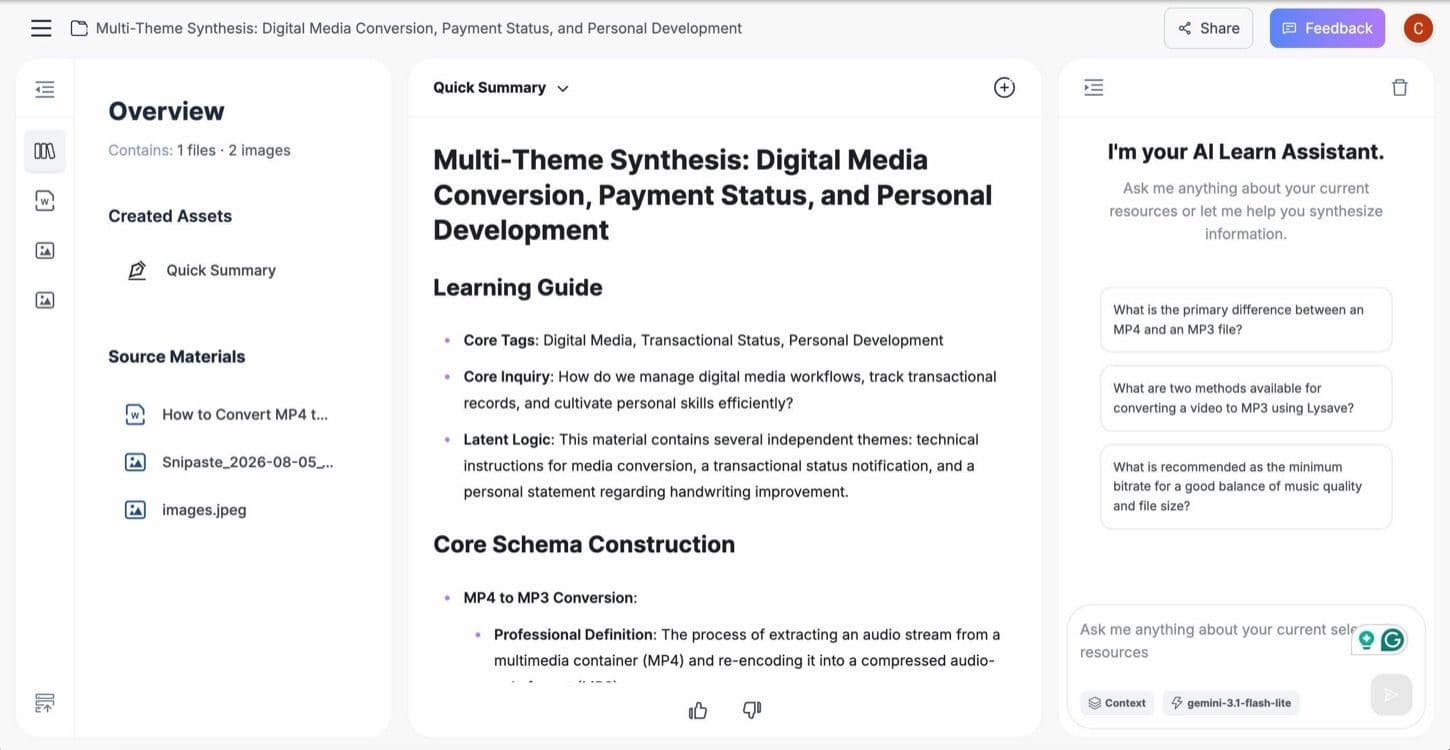
Step 2. Generate and Customize Your Notes
Click Create Note to generate structured class notes based on the provided material. Lynote organizes relevant information into headings, summaries, and key points. Review the results and correct missing or inaccurate details. Use the editor to add explanations, adjust the structure, and include your own observations.
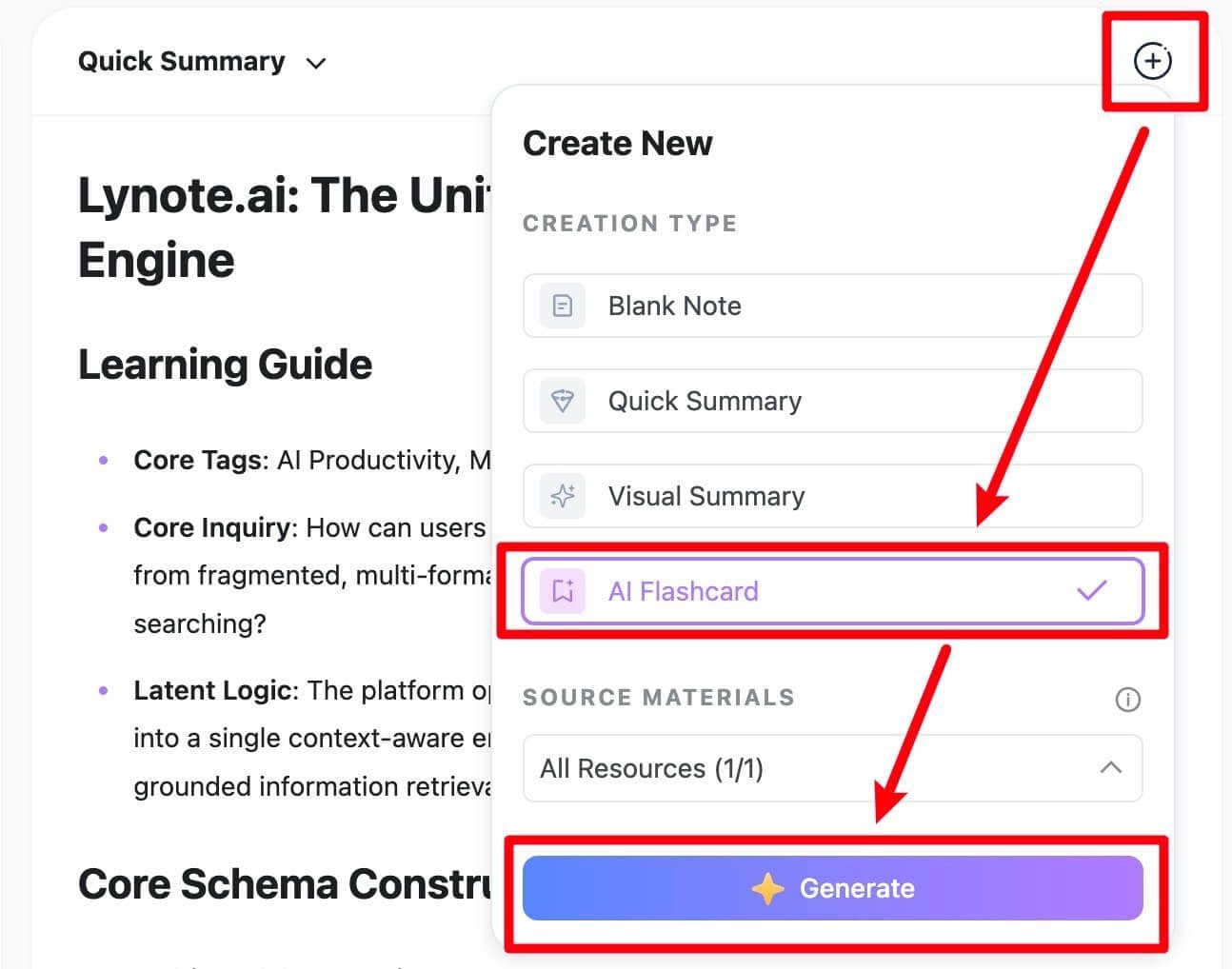
Step 3. Review with AI Chat and Flashcards
Use AI Chat to ask questions about information included in the source materials. Create flashcards from important terms and concepts to support repeated review. Return to the original content whenever you need additional context. Your final notes should reflect both the source material and your own understanding.
From Class to Revision: A Smarter Study Routine
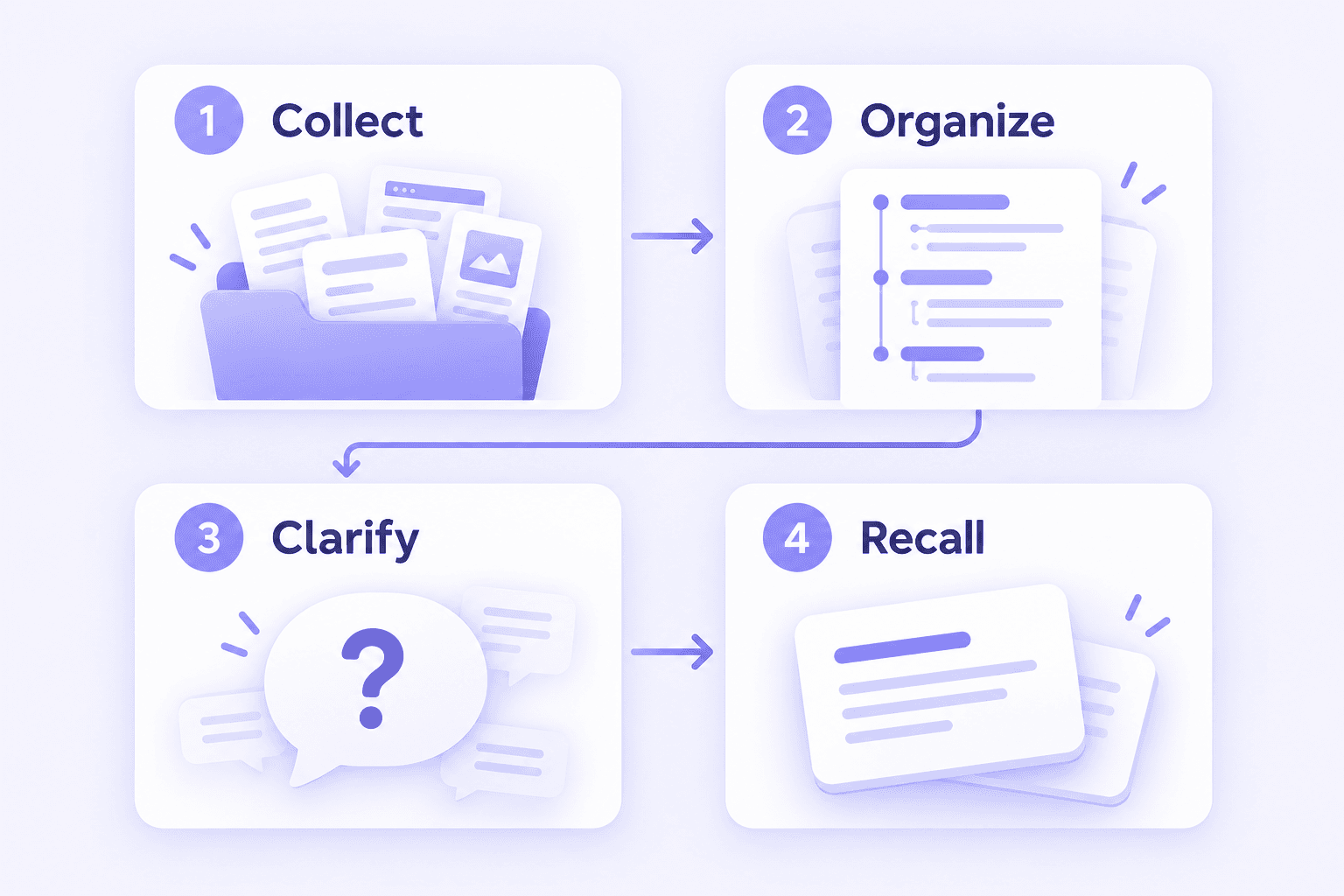
Effective note taking for online classes continues after the lesson ends. A useful routine should help you collect information, organize important ideas, understand concepts, and test what you remember.
1. Collect Your Learning Materials
After class, gather the recordings, slides, readings, and handouts related to the lesson. Label the files by subject, date, or topic so you can recognize them later.
Keep the original materials accessible for verification and additional review.
2. Organize the Main Concepts
Use Lynote to generate structured notes from supported materials. Then refine the headings and explanations to match the topics covered in your class.
Add information from your own classroom observations if it is important but missing from the generated result.
3. Clarify Difficult Topics
Identify definitions, processes, or explanations you don't fully understand. Ask AI Chat questions based on the available source content and compare the answers with your course materials.
If the necessary information is not in the source, consult your teacher, textbook, or another reliable educational resource.
4. Test Your Understanding
Turn important concepts into flashcards and attempt to answer questions from memory. Revisit topics that are difficult to explain, then repeat the process during later review sessions.
This creates a practical learning cycle from recorded materials to organized notes and active recall.
Class Notes Example: Biology Lesson on Photosynthesis
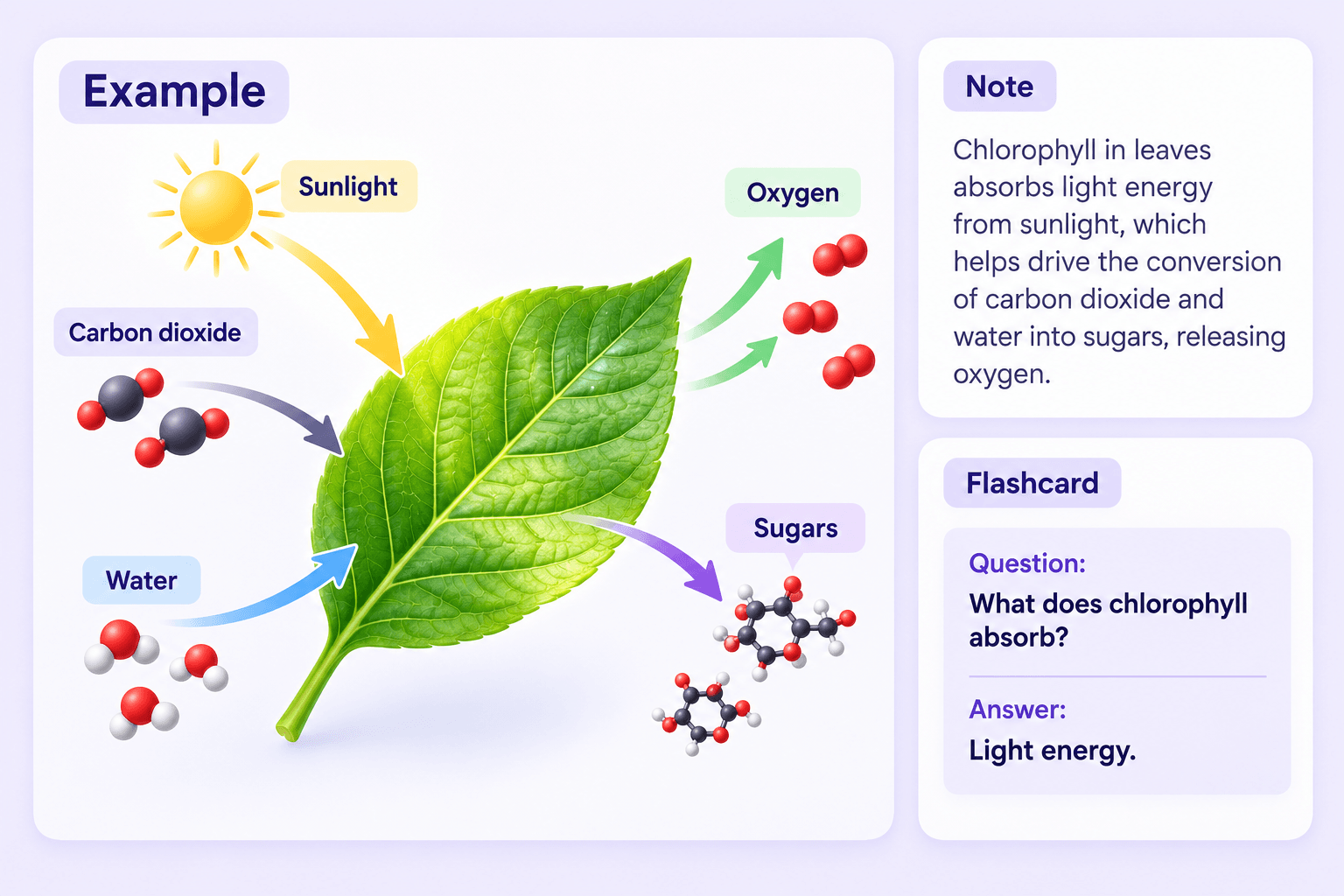
Here's a simplified example of how online class notes can be organized after a biology lesson. The content is illustrative rather than a claim that Lynote automatically generates this exact template.
Subject: Biology
Topic: Photosynthesis
Key Concepts
- Photosynthesis converts light energy into chemical energy stored in sugars.
- Chlorophyll absorbs light energy used during the process.
- Carbon dioxide and water are inputs.
- Sugars are produced, and oxygen is released.
Important Terms
| Term | Meaning |
|---|---|
| Photosynthesis | Process that converts light energy into chemical energy stored in sugars |
| Chlorophyll | Pigment that absorbs light energy |
| Chloroplast | Organelle where photosynthesis occurs in plants and algae |
| Glucose | A sugar that can be produced during photosynthesis |
Lesson Summary
Photosynthesis allows plants to use light energy to produce sugars from carbon dioxide and water, releasing oxygen in the process. This supports plant growth and provides the basis for many food webs.
Questions for Review
- What is the role of chlorophyll?
- What materials are needed for photosynthesis?
- Why is photosynthesis important for ecosystems?
Flashcard Example
Question: What is the main function of chlorophyll?
Answer: It absorbs light energy used in photosynthesis.
A structure like this makes it easier to review important definitions and explanations. You can adapt the same format to other subjects using information from your own class materials.
Class Notes Online for Different Subjects
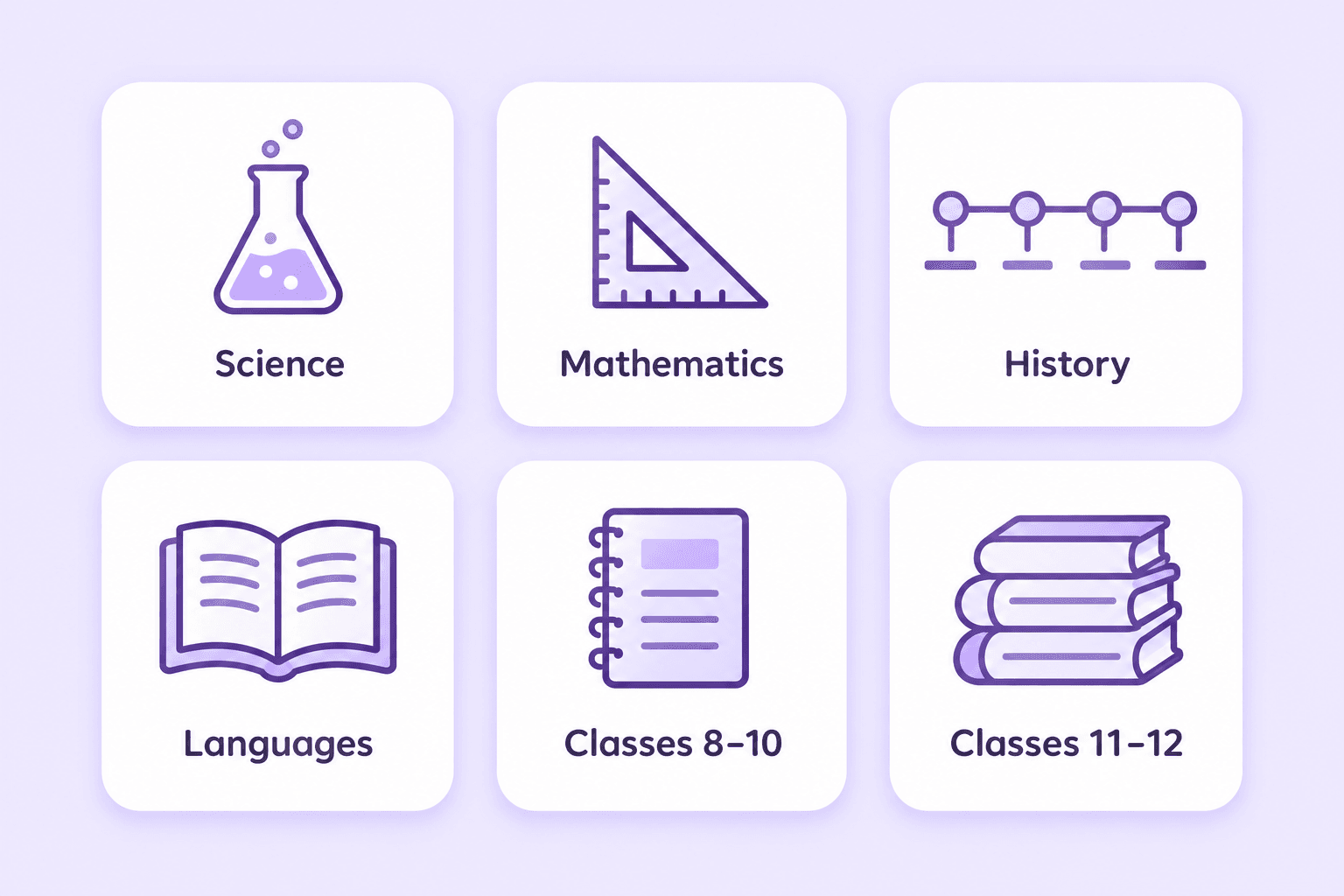
Different school subjects require different note-taking approaches. Lynote can help organize supported learning materials, while you decide how to structure the content for your class.
Science Class Notes
Prepare notes from biology, chemistry, and physics lessons using supported recordings, PDFs, and documents. Organize definitions, processes, scientific explanations, and examples from the material.
For mathematics and science topics involving formulas, diagrams, or calculations, check the AI-generated output carefully against the original sources.
Mathematics Class Notes
Turn supported algebra, geometry, and other math lesson materials into an initial structured note. Organize definitions, formulas, worked examples, and the steps used to solve problems.
Use your textbook and teacher's explanations to verify calculations and mathematical symbols. Lynote is a note-taking assistant, not a dedicated mathematics solver.
History and Social Science Class Notes
Create notes from history lectures, social science textbooks, and classroom documents. Organize historical events, timelines, causes, consequences, and key terms.
Students looking for online free notes for Class 10 Social Science or similar school topics can use Lynote to prepare notes from their own authorized course materials.
English and Language Class Notes
Generate notes from reading lessons, grammar explanations, and language-learning resources. Separate important vocabulary, definitions, examples, and supporting explanations.
Review grammar rules and translations carefully, particularly when the lesson contains unfamiliar or context-dependent expressions.
Classes 8–10: Build Foundational Notes
Students in Classes 8, 9, and 10 can organize school-level science, mathematics, social science, and language lessons into structured notes. Start with textbook chapters, teacher handouts, or supported recorded explanations.
For Class 9 Science or Class 9 Social Science, compare your notes with the relevant board syllabus before using them for examination revision.
Classes 11–12: Prepare Detailed Subject Notes
For Classes 11 and 12, class notes may need more detailed explanations, definitions, formulas, and examples. Students can use supported course materials to prepare notes for topics in science, commerce, humanities, and other subjects.
The content should match the curriculum of your specific education board. Lynote does not provide a verified, comprehensive official library of Class 11 or Class 12 notes.
AI Class Notes vs. Traditional Note Taking
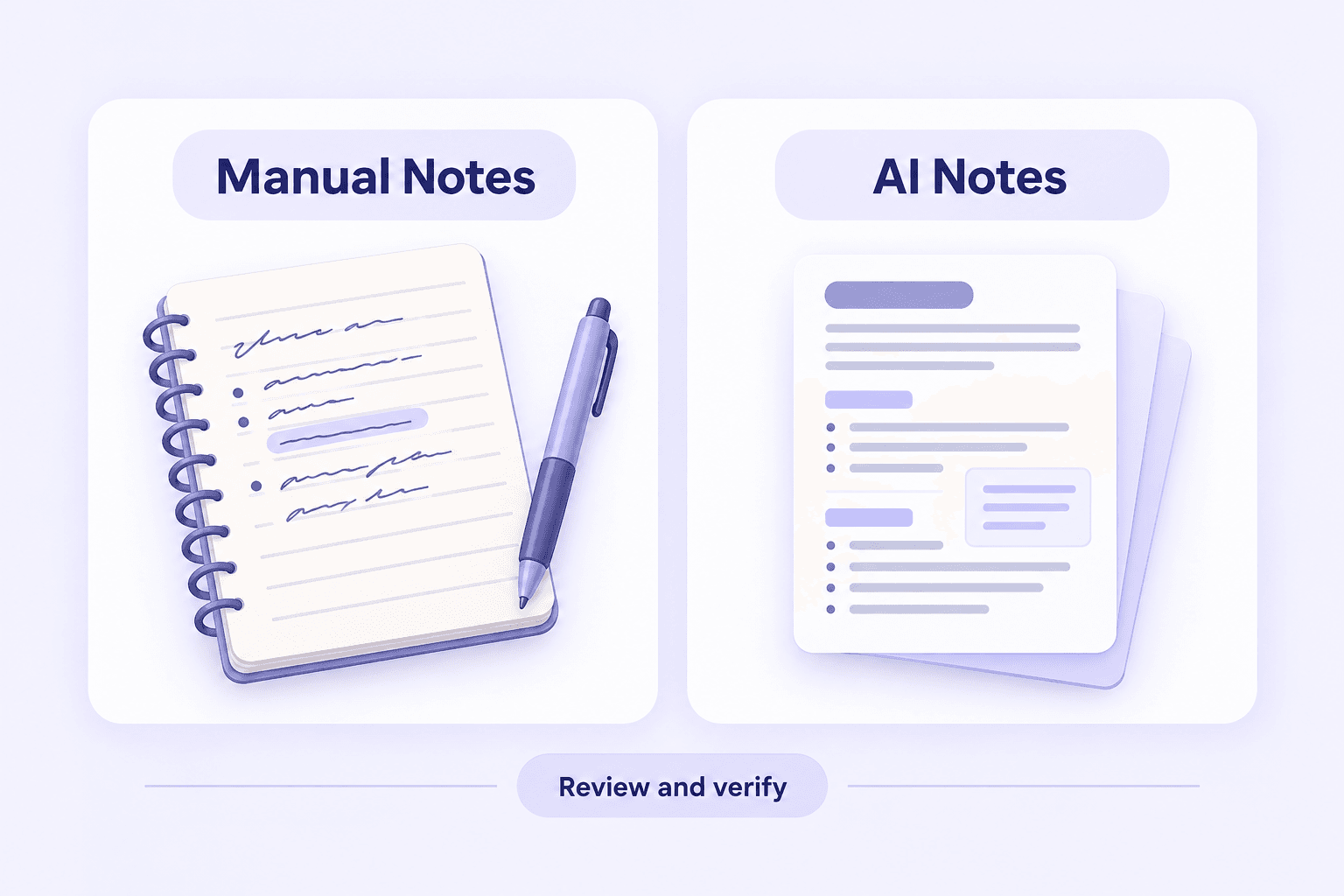
Traditional note-taking and AI-assisted notes can both support effective learning. The main difference is how information is initially collected, structured, and reviewed.
Traditional notes give students direct control over what they record during a lesson. AI-assisted note-taking can help organize existing materials after class, although students must still verify important details and build their own understanding.
| Feature | Traditional Class Notes | Lynote AI Class Notes |
|---|---|---|
| Note Creation | Mainly manual writing | Generated from supplied class materials |
| Source Materials | Classroom explanations, textbooks, personal observations | Supported PDFs, documents, audio, video, images, and URLs |
| Organization | Student creates headings and structure | AI generates structured notes |
| Editing | Manual revision | Editable generated notes |
| Reviewing Concepts | Rereading and self-created questions | AI Chat based on source materials |
| Flashcards | Created manually or with separate tools | Integrated with AI Notes |
| Accuracy | Depends on the student's understanding | Requires verification against original materials |
| Live Classroom Recording | Depends on the student's chosen tools | Not an advertised live recording feature |
When Traditional Note Taking Works Best
Manual notes are useful when students need to sketch diagrams, annotate equations, record spontaneous classroom observations, or capture information not included in a digital source.
Writing your own explanations can also help identify gaps in understanding. Even when using AI, personal notes and corrections remain valuable.
When AI Class Notes Are Useful
AI class notes can help when you already have lecture recordings, course PDFs, or educational videos that need organizing. They provide an initial structured draft that students can review and personalize.
For many students, a combined workflow works well: take brief notes during class, then use supported course materials to prepare a clearer study resource afterward.
Who Can Benefit from Online Class Notes?

Middle and High School Students
Organize class slides, textbook chapters, and supported educational videos into structured notes. Review important definitions, explanations, and concepts before school examinations.

College and University Students
Turn lecture recordings, academic presentations, and course readings into editable notes. Add your own interpretations and use flashcards to revisit important concepts.

Online Course Learners
Prepare notes from recorded lessons, training videos, and course documents. Keep explanations organized by topic so you can review the material at your own pace.

Professional Exam Candidates
Generate notes from authorized course documents and recorded explanations for professional learning. Use official syllabi and approved resources to check the accuracy and completeness of your revision materials.

Teacher Training Students
Organize educational theory, teaching methods, psychology, and pedagogy lessons from supported sources. This can help students enrolled in B.Ed. courses prepare their own class notes from authorized learning materials.

Self-Study Learners
Create notes from educational websites, videos, audio lessons, and other supported resources. Edit the generated content and review important information as your knowledge develops.
Note Taking Strategies for Online Classes
Good note taking for online classes involves more than copying information from a screen. Students need a consistent approach to capturing important points, organizing materials, and reviewing what they have learned.
These practical strategies can help whether you attend live online lessons or watch recorded classes.
Prepare a Simple Note Template Before Class
Create sections for the lesson title, date, key concepts, examples, questions, and summary. A consistent template makes it easier to capture information without repeatedly deciding where everything belongs.
If the teacher provides slides or a reading outline beforehand, review the main headings to understand what the lesson will cover.
Focus on Explanations, Not Complete Transcripts
During online classes, listen for important definitions, processes, examples, and connections between ideas. Record brief points instead of trying to copy every spoken sentence.
If a concept is unclear, write down a question that you can revisit later. Recording more words does not necessarily produce more useful notes.
Separate Key Concepts from Personal Questions
Keep factual explanations and your own questions in distinct sections. This prevents uncertainties from being mistaken for confirmed information.
For example, you might record a biology definition under Key Concepts and place an unresolved question under Review Later. After class, use the textbook or instructor's explanation to clarify it.
Organize Notes Immediately After Class
Review your notes while the lesson is still familiar. Add missing context, correct unclear wording, and group related ideas under descriptive headings.
If you have access to supported course recordings or documents, Lynote can help generate an organized draft that you can compare against your personal notes.
Review with Questions and Flashcards
Turn major concepts into questions that require explanation rather than simple recognition. Practice recalling the answer before checking the notes.
Use flashcards for vocabulary and definitions, and combine them with worked problems or written explanations for more complex subjects.
Keep a Consistent File Naming System
Use descriptive titles such as Biology | Photosynthesis | Chapter 4 or Class 11 Physics | Motion | Lesson 2. This helps distinguish notes from different subjects and lessons.
Keep original materials available so you can verify information later. A simple, consistent organization system is usually easier to maintain than a complicated structure.
Tips for Better Online Class Notes
The best note taking tips for online classes are the ones you can apply consistently. Try reviewing your notes briefly after each lesson, then revisit important information throughout the week.
Avoid treating AI-generated notes as finished study materials. They are most useful when combined with your own understanding, corrections, and active review.
Frequently Asked Questions About Class Notes Online
Class notes online are digital records of information from lessons, lectures, or educational materials. They may include definitions, explanations, important concepts, diagrams, and summaries. Lynote helps generate structured notes from supported learning materials and allows users to edit and review the content. It is designed to assist with note preparation rather than provide a complete library of prewritten school notes.
You can start with your own lesson materials and use a digital note-taking application to create organized notes. Lynote offers free access to AI note generation, subject to current usage limits. Upload a supported document, recording, or educational video and review the generated content. Check the website for the latest free allowances and account requirements.
Prepare a simple template with headings for key concepts, examples, questions, and summaries. During class, focus on important explanations instead of copying every sentence. Afterward, review and organize your notes. If you have a compatible recording or document, AI can help create an initial structured draft.
Yes. AI-generated notes can help organize authorized school materials in subjects such as science, mathematics, history, and social science. For students looking for online free notes for Class 8, Class 9 Science, or Class 10 Social Science, Lynote can help prepare personalized notes from uploaded sources. It does not claim to provide an official school-board notes repository.
Yes. Students can use supported lesson recordings, PDFs, presentations, and textbooks to prepare structured notes for Class 11 and Class 12 subjects. Review formulas, definitions, and explanations against your particular syllabus. Lynote does not automatically guarantee complete coverage of every board or examination.
No. Lynote is not an official source of NBSE or SEBA curriculum notes, nor does it claim to host content from OnlineFreeNotes.com or related educational platforms. If you're looking for NBSE online free notes for Class 9 Social Science, Class 11, or SEBA Class 10 resources, check the appropriate board or authorized education provider. Lynote can help organize supported materials you are permitted to upload.
Yes, Lynote can help generate structured notes from supported CBSE Class 10 Science learning materials supplied by the user. You can then edit explanations and turn important concepts into flashcards. The generated notes should be compared with the current CBSE syllabus and authorized textbook materials. Lynote does not provide an official CBSE notes collection.
ICAI provides class-related learning resources through its official educational channels. Students should obtain authorized faculty notes, assignments, or recordings through the relevant ICAI platform. If you have materials you are permitted to process, Lynote can help organize supported files into editable notes. Lynote is not affiliated with ICAI and does not provide its official virtual class materials.
If you attend Lakshya online classes and have access to compatible learning materials, you may be able to prepare personal notes from authorized files or recordings using Lynote. Check the course provider's rules before uploading protected materials. Lynote does not host official Lakshya course notes or provide access to lessons outside your subscription.
Lynote can help structure supported educational material that you are authorized to use. This may include course documents or recordings you have permission to process. It does not provide an official collection of Rakesh Yadav class notes or automatically access third-party paid lessons. Use authorized sources when obtaining those materials.
Yes, if you have compatible sociology learning materials and permission to process them, Lynote can help generate structured study notes. You can edit the output and review important concepts from the uploaded sources. Lynote does not supply official Sleepy Classes sociology course notes or claim affiliation with that learning provider.
Yes. Teacher education students can use supported PDFs, recorded lectures, and documents to create notes covering learning theories, pedagogy, classroom management, and related topics. If you are searching for learning classes online B.Ed. notes, begin with your institution's authorized course materials. Verify the generated notes against the relevant university curriculum.
Lynote's AI Note Generator supports processing compatible audio and video files after they are provided. It should not be assumed to automatically join or record live classes. If you plan to record a lesson yourself, follow the instructor's rules and obtain any necessary consent before uploading the recording.
Yes. Lynote includes Flashcards as part of its AI Notes workflow, allowing you to generate questions from important concepts in your notes. Use flashcards to practice recalling definitions and explanations. Combine them with exercises, assignments, and official practice materials when studying more complex subjects.
No. AI-generated notes may omit information, misunderstand an explanation, or represent technical details incorrectly. Review important definitions, formulas, dates, and examples against your original course materials. Use teacher feedback or authoritative references when additional clarification is necessary.
Better Ways to Take and Organize Study Notes
Explore practical guides to note-taking methods, organization, and exam preparation.
Make Your Class Notes Easier to Create and Review
Turn your lecture recordings, course PDFs, presentations, and educational videos into organized class notes with Lynote. Edit important details, ask questions about your source materials, and create flashcards for future study sessions. Spend less time rewriting class materials and more time understanding what you learn.
