Raise GPA Calculator

Enter your current GPA and planned course grades to see how much your cumulative GPA could improve.

Standard 4.0 scale·
Change
—
Semester GPA
—Credits
—Classes this term

Add your classes and click Calculate.

Based on the standard 4.0 scale. Your school may use a different scale.

How to Use the Raise GPA Calculator

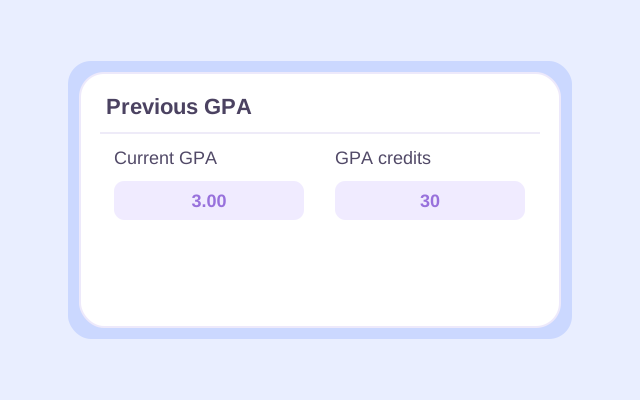
raise GPA calculator - enter your current cumulative GPA and its GPA credits

Step 1. Add Your Current GPA

Open Previous GPA and enter your current cumulative GPA and the credits that count toward it.

GPA calculator to raise GPA - enter planned courses, credits, and expected letter grades

Step 2. Enter Planned Grades

Add each planned course’s name, credit value, and expected letter grade.

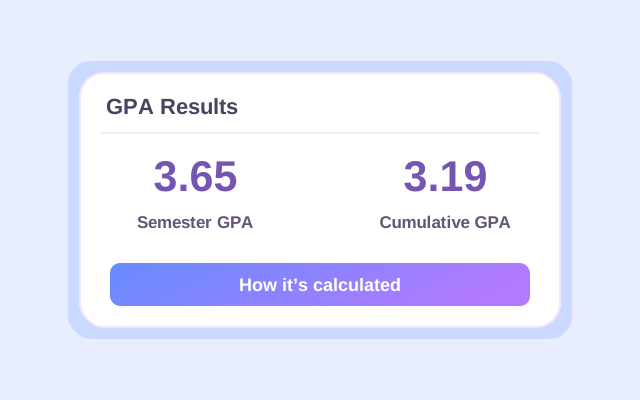
raise cumulative GPA calculator - review the projected cumulative GPA after new coursework

Step 3. Compare Your Results

Click Calculate to check your cumulative GPA, then change a grade and calculate again to compare.

How Much Can You Raise Your GPA in One Semester?

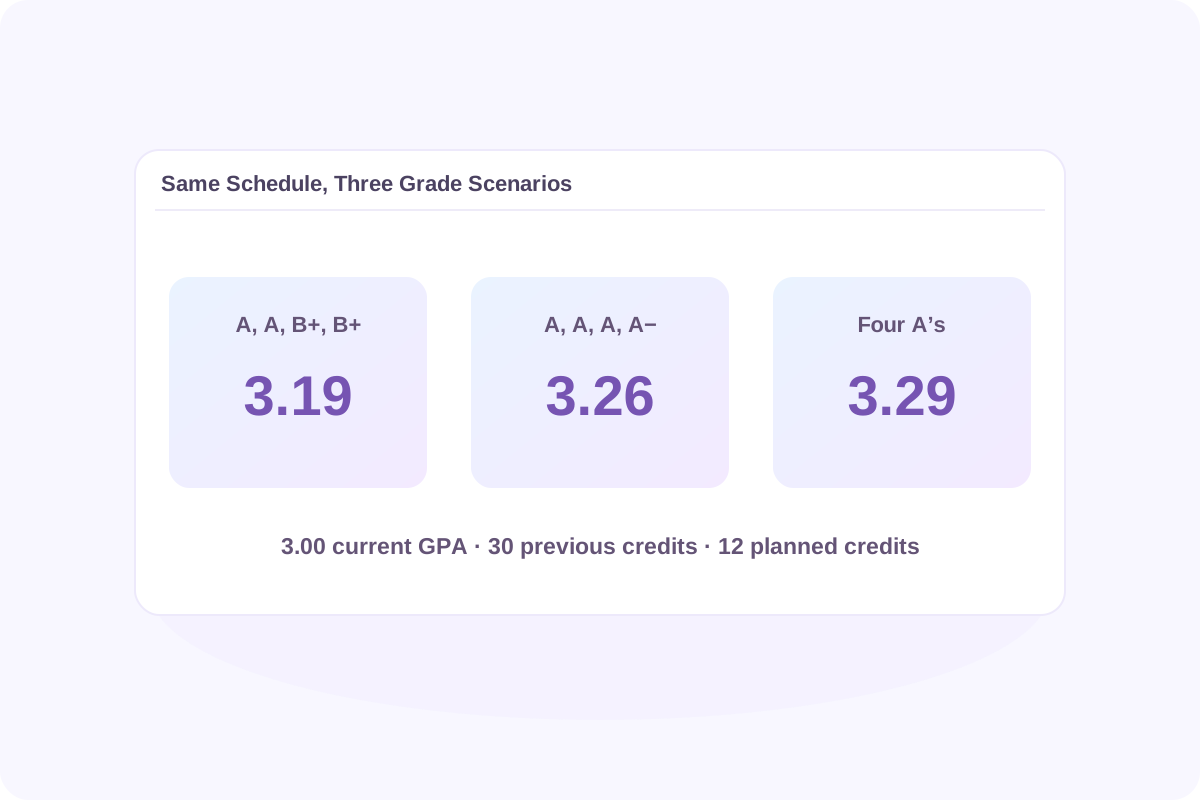
Suppose you have a 3.00 GPA over 30 GPA credits and plan to take four 3-credit courses next semester. Select College mode and 4.0 plus/minus to try these three grade combinations.

Planned gradesNext-semester GPAProjected cumulative GPAChange from 3.00
A, A, B+, B+3.653.19+0.19
A, A, A, A−3.9253.26+0.26
A, A, A, A4.003.29+0.29

The Semester GPA covers the new courses you entered. The Cumulative GPA combines them with your previous record. For the first scenario, your previous courses contribute 90 quality points, and the new courses add 43.8. Divide 133.8 total quality points by 42 GPA credits to get 3.19 after rounding.

Your cumulative GPA rises when the credit-weighted average of your new courses exceeds your current GPA. The more credits you already have, the less the same semester will move your average.

how much can I raise my GPA - compare projected cumulative GPA across three grade scenarios

What Semester GPA Do You Need to Reach Your Goal?

If you know your target and how many GPA credits you’ll take, you can calculate the average you need by hand. Then use Lynote to test letter-grade combinations that could produce that average.

Required semester GPA = [Target GPA × (current GPA credits + new GPA credits) − current GPA × current GPA credits] ÷ new GPA credits

Using the same example, suppose your goal is 3.25 after the next 12 GPA credits.

CalculationResult
Quality points needed for a 3.25 GPA across 42 credits3.25 × 42 = 136.5
Quality points you already have3.00 × 30 = 90.0
Quality points you need from the new courses136.5 − 90.0 = 46.5
Average you need across the next 12 credits46.5 ÷ 12 = 3.875

You need a 3.875 credit-weighted average across the new courses. With four equal-credit classes, three A’s and one A− average 3.925 and bring your projected cumulative GPA to 3.26. If your courses have different credit values, test the grades against your actual schedule. An A in a four-credit class contributes more than an A in a one-credit class.
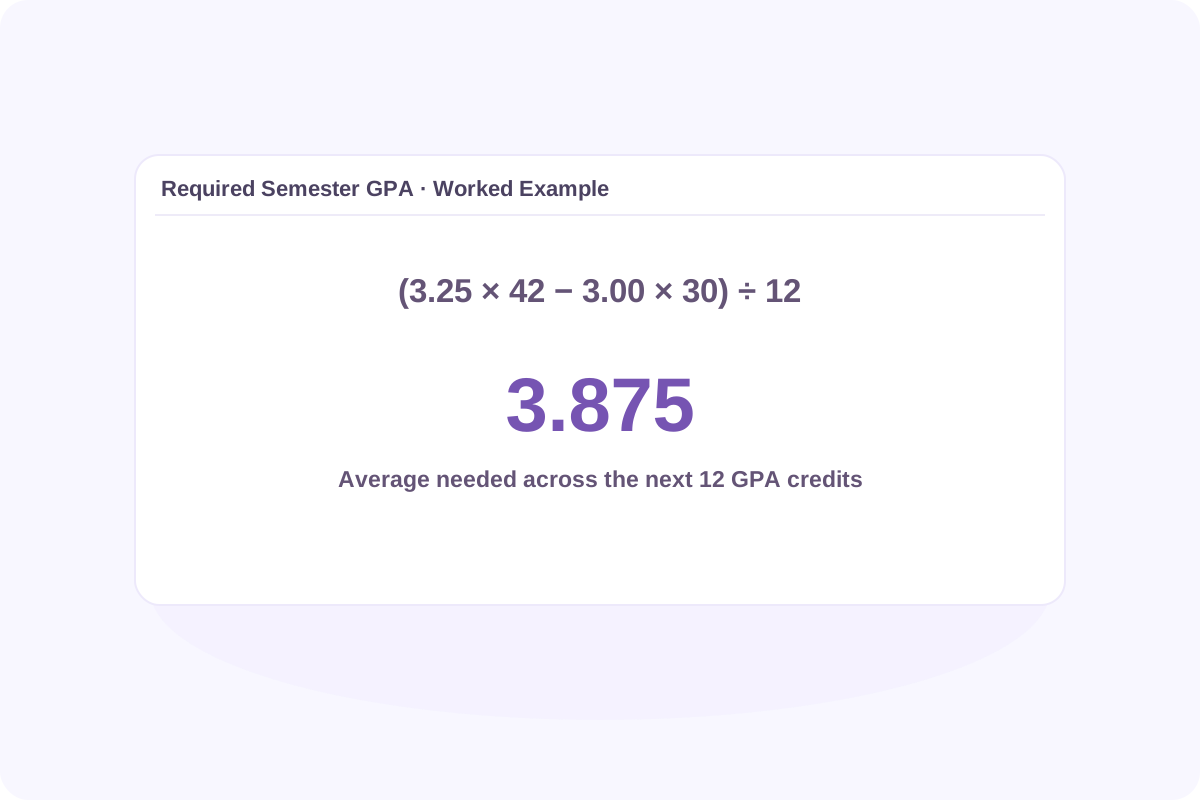

calculate grades needed to raise GPA - show the average required to reach a 3.25 target

Can You Reach Your Target With the Credits You Have Left?

Example: 3.00 current GPA, 30 GPA credits completed, and 12 credits planned on the default 4.0 scale.

Target cumulative GPA
3.30
Semester GPA needed
4.05
Highest projected cumulative GPA
3.29

Now try a higher target of 3.30 with the same starting GPA and the same 12-credit schedule. You would need a 4.05 semester GPA. On the default 4.0 scale, straight A’s yield the highest projected cumulative GPA for this schedule: 3.29.

To check the upper limit for your own plan, enter the highest grades available under your grading rules and calculate again. If the result falls short, use it to set an interim goal or check what a longer timeline could allow. Keep the grading scale, course credits, and GPA type consistent as you compare plans.

College and High School GPA Planning

Check how your school counts credits and grades before you compare projections.

College: Use the credits behind your GPA

Find your current cumulative GPA and its GPA credits on your transcript or student portal. Total earned credits can differ from GPA credits. For example, a transferred course may count toward graduation while its grade is excluded from your school’s GPA. Add only courses that aren’t already included in your previous GPA.

High school: Keep the GPA type consistent

In High school mode, select the actual course levels and choose Weighted or Unweighted to match the GPA you enter under Previous GPA. Lynote combines that history with the matching result. The other result covers the classes you entered. If your school uses different course bonuses or grading rules, compare your estimate with its policy.

Retakes: Check what happens to the original grade

Retaking a class can raise your GPA, but the effect depends on which attempts your school counts. Lynote’s Previous GPA feature adds new coursework and does not automatically replace an old grade. If the old attempt is already in your previous GPA and your school replaces it, confirm the rule and rebuild your course list before estimating the change.

Who Can Use the Raise GPA Calculator?

Plan for the grades and GPA credits you can complete before your next deadline.

raise GPA calculator - try your course schedule

College students

Try your course schedule

Compare expected letter grades and credits to see how next term could change your cumulative GPA.

raise GPA calculator - match your gpa type

High school students

Match your GPA type

Start from your weighted or unweighted GPA and test the courses you expect to take next.

raise GPA calculator - start with gpa credits

Transfer students

Start with GPA credits

Use the credits included in your current GPA before adding projected grades for new classes.

raise GPA calculator - check a deadline

Scholarship applicants

Check a deadline

Estimate where you could be after the courses that will finish before your program or scholarship deadline.

raise GPA calculator - discuss the next term

Parents & guardians

Discuss the next term

Compare two realistic grade scenarios together and see how much each could move the cumulative GPA.

raise GPA calculator - explain the result

Teachers & advisors

Explain the result

Use the worked example to show why prior credits affect how much a single term can change a GPA.

What Our Users Say About Raise GPA Calculator

I can try the same schedule with a B+ or an A− in one class and see how much that one change would move my cumulative GPA.

Maya Bennett

College planning

I can start with my unweighted GPA, try the grades I’m aiming for, and compare the projection with my goal.

Ethan Rivera

High school planning

I can test a straight-A scenario with the credits I have left. That gives me a clearer idea of what I could reach by graduation.

Nina Brooks

Graduation planning

Why Use Lynote to Plan a Higher GPA?

Compare the grades you’re aiming for and see what each scenario could mean for your cumulative GPA.

raise GPA calculator - start with your existing gpa

Start with your existing GPA

Use Previous GPA and its credit total instead of entering every completed course.

raise GPA calculator - try expected letter grades

Try expected letter grades

Enter a grade for each planned course to estimate your cumulative result.

raise GPA calculator - compare two plans

Compare two plans

Change a grade or course credit and calculate again to see the difference.

raise GPA calculator - use your planned credits

Use your planned credits

See how a higher-credit course affects the result more than a lower-credit course.

raise GPA calculator - review the course breakdown

Review the course breakdown

Check which grades and credits contributed to your semester and cumulative results.

raise GPA calculator - match your grading rules

Match your grading rules

Choose a supported grading preset and use the matching weighted or unweighted history in High school mode.

raise GPA calculator - keep a copy of each scenario

Keep a copy of each scenario

Export your results as Excel or CSV, or use your browser’s Print / PDF option.

Raise GPA Calculator FAQ

It depends on your current GPA, the GPA credits you’ve already completed, and the grades and credits you add. To estimate the most you could raise it with your planned schedule, enter the highest applicable grade for each class and check the projected cumulative GPA.

To raise your GPA at all, your new courses need a credit-weighted average above your current cumulative GPA. To reach a specific target, use the required-semester-GPA formula above, then test a mix of letter grades in Lynote.

More credits give your new grades more influence. If those grades average above your current GPA, they can help raise it. If they average below it, the extra credits can pull it down.

Lynote projects a cumulative GPA from the courses, credits, and grades you enter. To compare credit loads, add or remove planned courses and calculate again. The current calculator does not automatically solve for the minimum number of credits needed.

On a scale capped at 4.0, straight A’s bring your average closer to 4.0 while earlier grades below 4.0 remain in the calculation. The displayed number can round to 4.00 even if the underlying average is slightly lower. A school’s grade replacement policy can change which grades count.

The GPA calculator uses course letter grades and credits. If you have a percentage, use your school’s grade chart to find the corresponding letter. If you’re working out what exam score you need in one class, start with a course grade calculator.

Your previous GPA may already be rounded, and your school may use different grade-point values, credit exclusions, or repeat rules. Your projection also depends on the grades you expect to earn. Check your school’s record for the official result.

More Tools to Prepare for a Stronger Semester

Plan study time for your upcoming courses, organize lecture notes, and review key topics with flashcards as you work toward your GPA goal.

Project Your GPA

Have a semester plan in mind? Enter your current GPA and try the grades you’re aiming for.