The 5 Best AI Note-Taking Apps for iPad & iPhone (2026 Review)

For years, my iPad was a digital graveyard of half-finished notes. I had lecture scribbles in one app, web clippings in another, and typed meeting minutes floating in a third. It was organized chaos at best, a productivity black hole at worst. The promise of a paperless life felt more like a digital junk drawer. That all changed when note-taking apps evolved. They stopped being just digital paper and started becoming intelligent assistants.
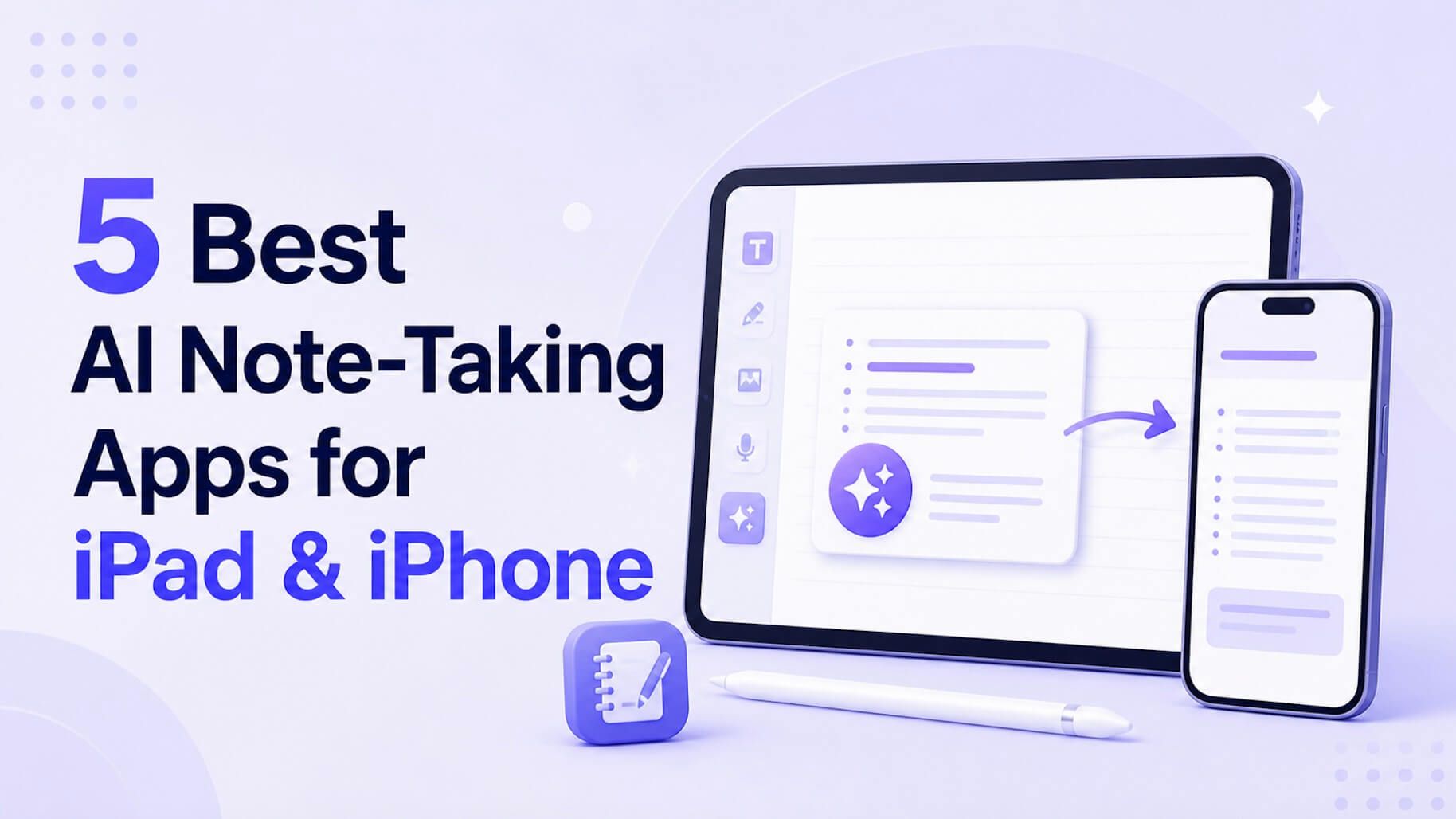
The best note-taking app for your iPad or iPhone isn't just about having a place to write; it's about finding a system that thinks with you. For users who need to transform existing content—like long PDFs, video lectures, or audio recordings—into concise, usable notes, an AI-powered tool like Lynote is the clear frontrunner. It automates the heavy lifting of summarization. For those whose workflow is rooted in digital handwriting, sketching diagrams, and annotating documents with an Apple Pencil, apps like Goodnotes and Notability remain champions of the craft. This guide will break down the top 5 contenders to help you find the perfect fit for your workflow.
Quick Verdict: Top 5 Note-Taking Apps for iPad & iPhone
Before we dive deep, here’s a high-level look at how the best apps stack up. This isn't about finding a single "winner," but about matching the right tool to the right job. Are you a content synthesizer or a manual creator? Your answer will point you to the right column.
| App | Primary Function | Key AI Features | Apple Pencil Support | Pricing Model |
|---|---|---|---|---|
| Lynote | AI Note Generation & Summarization | Content Summary (Docs, Video, Audio), Q&A | N/A (Input is source files) | Freemium / Subscription |
| Goodnotes | Digital Handwriting & PDF Annotation | AI Spellcheck, Scribble to Text, AI Math Help | Excellent (Core Feature) | One-time / Subscription |
| Notability | Handwriting & Audio-Synced Notes | AI Math Conversion, Handwriting Cleanup | Excellent (Core Feature) | Subscription |
| Evernote | Cross-Platform Text & Web Clipping | AI-Powered Search, Task Automation, AI Cleanup | Basic (Markup & Sketching) | Freemium / Subscription |
| Bear | Markdown & Plain Text Editing | Minimal / None | Basic (Drawing & Scribbling) | Subscription |
Bottom Line: If your goal is to reduce study or research time by automatically processing source material, start with Lynote. If your daily driver is the Apple Pencil for creating notes from scratch, your best bet is Goodnotes or Notability.
The 5 Best Note-Taking Apps for iPad & iPhone: A Detailed Review
Each app on this list serves a distinct purpose. Let's break down their strengths, weaknesses, and ideal user.
1. Lynote AI Note Taker
Lynote represents the new frontier of note-taking, shifting the focus from manual creation to automated generation. Instead of starting with a blank page, you start with your source material—a dense textbook chapter, a two-hour lecture on YouTube, or a series of research articles. Lynote’s AI engine then reads, watches, or listens to the content and produces a structured, concise summary.
This approach fundamentally changes the note-taking process from a task of transcription to one of review and refinement. It’s designed for efficiency, targeting the biggest bottleneck for students and professionals: the sheer volume of information that needs to be consumed.
Key Features:
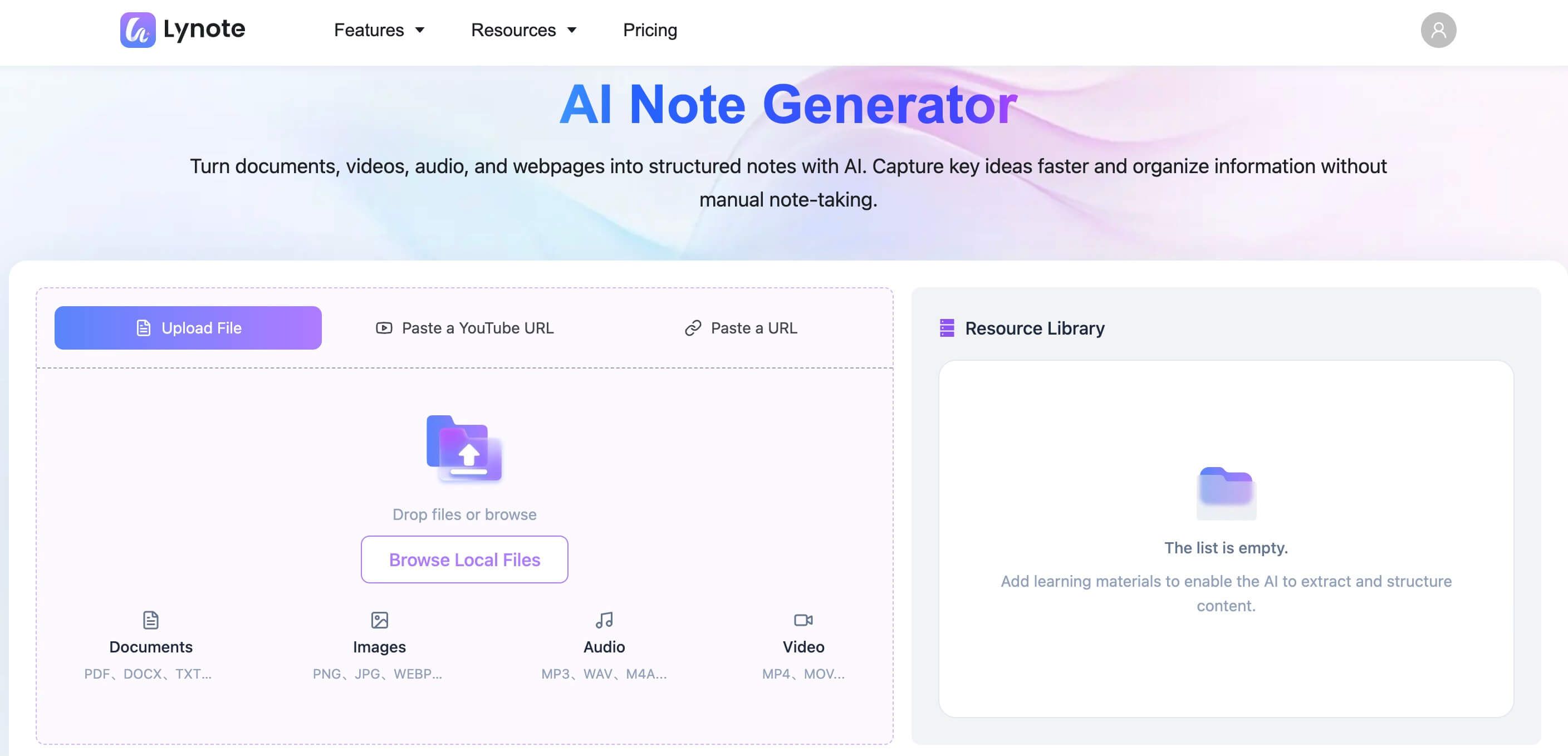
- Multi-Format Input: Accepts PDFs, Word docs, TXT files, MP3 audio, MP4 video, YouTube links, and webpage URLs.
- AI-Powered Summarization: Uses advanced AI to distill core concepts, key arguments, and important data points from source files.
- Batch Processing: You can upload and analyze multiple files at once, making it ideal for compiling literature reviews or studying for a comprehensive exam.
- Editable Output: The generated notes are not static; you can edit, copy, and export them for use in other applications or study tools.
Pros:
- Massively reduces the time spent on initial information processing.
- Excellent for tackling long-form content that would be tedious to summarize manually.
- The ability to handle mixed media (e.g., a PDF and a video on the same topic) is a unique advantage.
Cons:
- Not designed for manual handwriting or free-form sketching with an Apple Pencil.
- The quality of the summary is dependent on the clarity and structure of the source material.
Best for: Students, researchers, and professionals who need to quickly digest and summarize large volumes of source material like lecture recordings, academic papers, and business reports.
2. Goodnotes
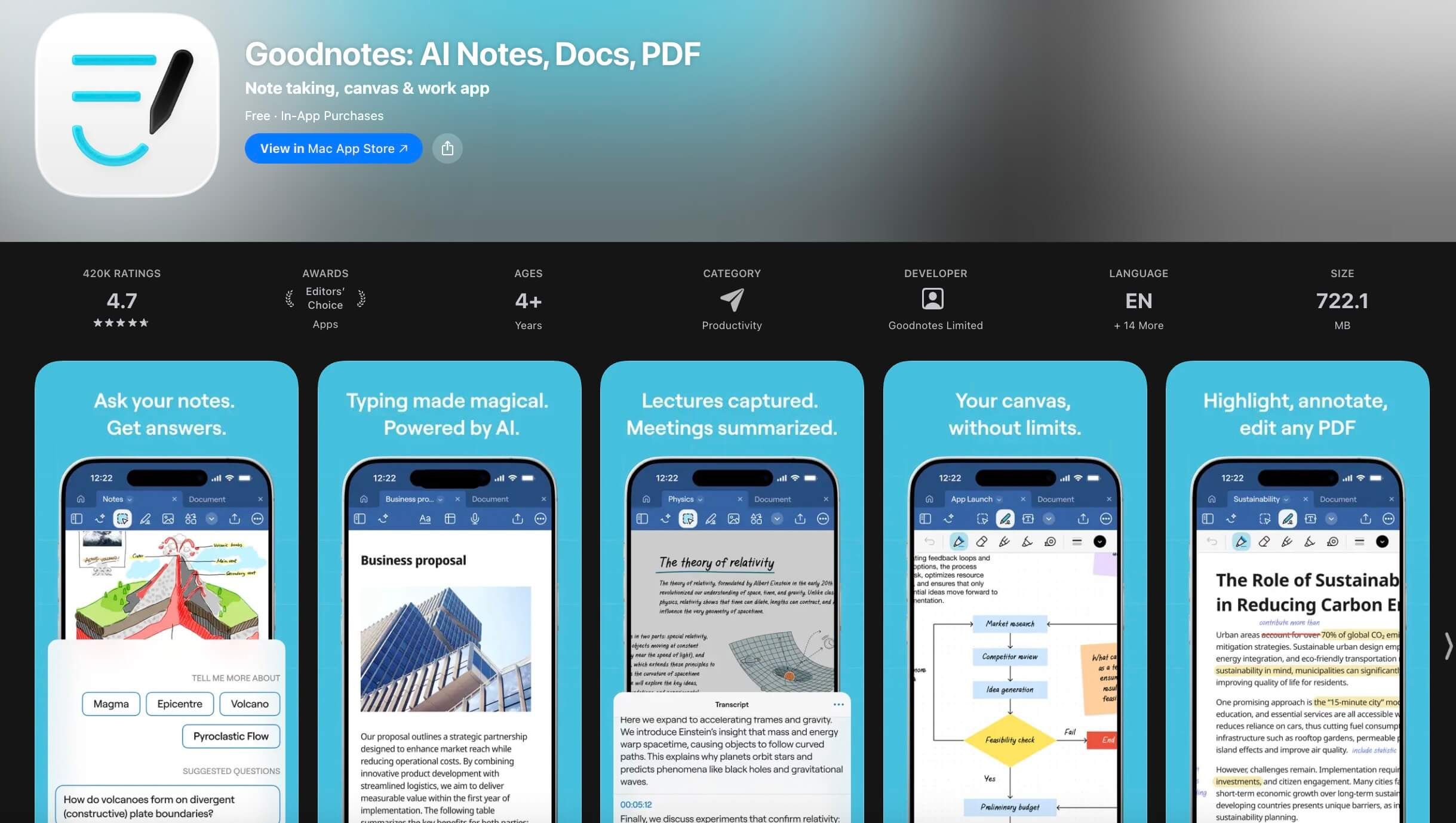
For years, Goodnotes has been the gold standard for anyone wanting to replicate the feeling of writing on paper on their iPad. Its power lies in its robust Apple Pencil integration, fantastic organizational structure (using notebooks and folders), and vast library of paper templates. It truly feels like an infinite digital binder.
Recently, Goodnotes has begun integrating AI features, such as spellcheck for handwritten notes and the ability to solve math equations. However, its core identity remains firmly planted in the world of digital ink. It excels at annotation, diagramming, and creating beautiful, structured handwritten notes.
Key Features:
- Superior Writing Experience: Industry-leading latency and pressure sensitivity with the Apple Pencil.
- Powerful Organization: Create unlimited notebooks with customizable covers and paper templates, organized into folders.
- PDF Annotation: Mark up PDFs, textbooks, and articles with ease.
- Emerging AI Tools: Handwriting spellcheck and word completion help clean up messy notes.
Pros:
- The best-in-class digital handwriting experience.
- Flexible organization that can be adapted to any project or subject.
- A massive community creating and sharing templates.
Cons:
- AI features are assistive rather than generative; it won't summarize a document for you.
- Syncing between devices can sometimes be slower than cloud-native apps like Evernote.
Best for: Visual learners, students who handwrite lecture notes, and anyone who needs to mark up documents and values a high-fidelity digital paper experience.
3. Notability
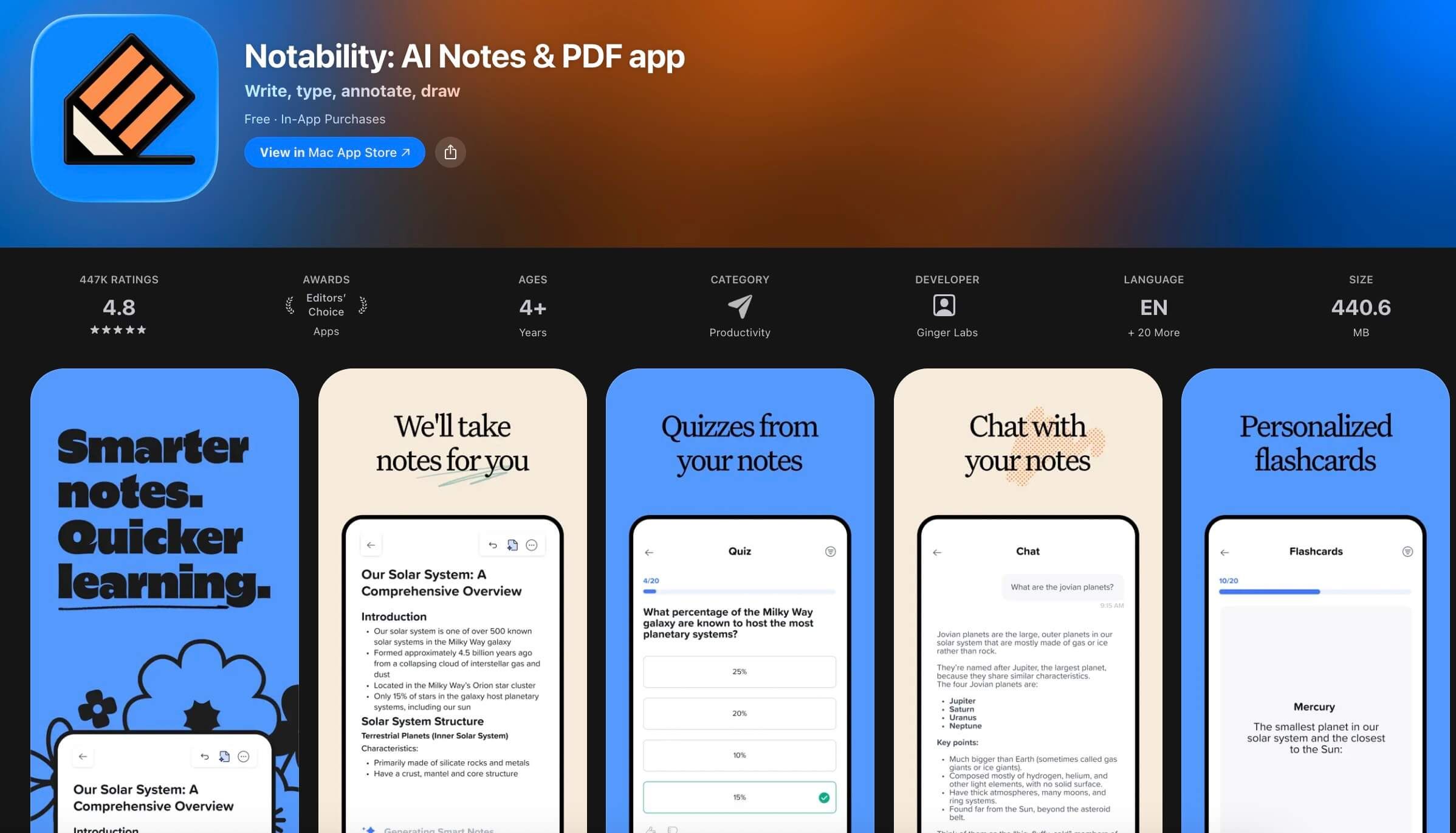
Notability shares much of its DNA with Goodnotes but stands out with one killer feature: audio-synced notes. When you hit record, everything you type or write is timestamped to the audio. Tapping on a word or sketch later will jump the playback to the exact moment you wrote it. For students in lectures or professionals in meetings, this is an absolute game-changer.
Its interface is slightly more streamlined than Goodnotes, favoring a continuous vertical scroll over distinct pages, which some users prefer for uninterrupted note-taking. Like Goodnotes, it has started adding AI tools for math conversion and presentation, but its core value remains in that perfect marriage of ink and audio.
Key Features:
- Audio Syncing: The defining feature that links your notes to a live recording.
- Multi-Note: Work on two notes side-by-side.
- Infinite Scrolling: A seamless, continuous page for long-form notes.
- Multimedia Integration: Easily drag and drop photos, GIFs, and web clips into your notes.
Pros:
- Audio sync is invaluable for reviewing lectures and meetings.
- Simple, intuitive interface that's easy to pick up.
- Solid toolset for both handwriting and typing.
Cons:
- The subscription model has been a point of contention for some long-time users.
- Organization is slightly less robust than Goodnotes' folder system.
Best for: Students who need to record lectures, journalists conducting interviews, and professionals who want to capture every detail of a meeting.
4. Evernote
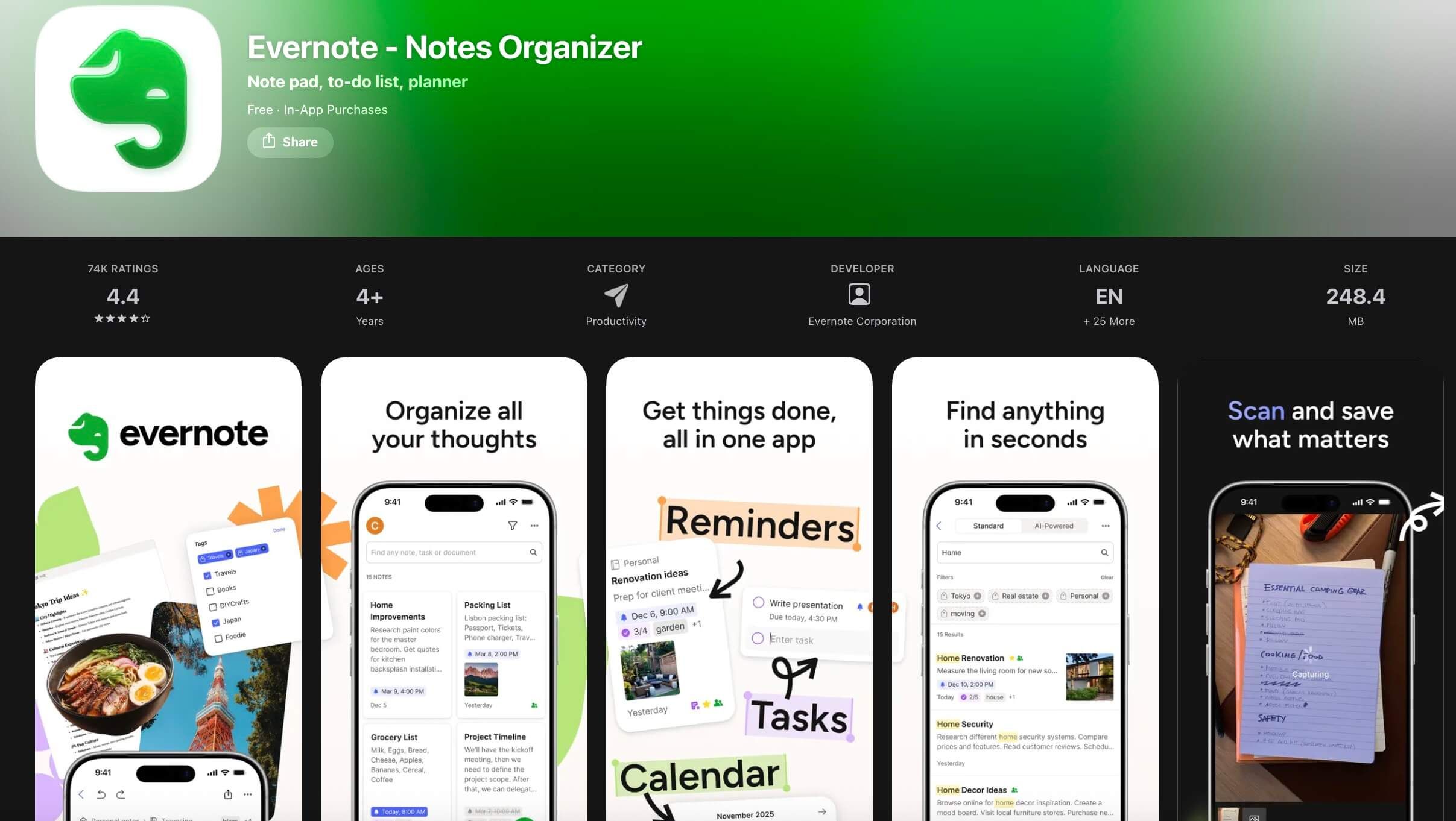
Evernote is the veteran of the group, a cross-platform powerhouse built to be your "second brain." Its strength has always been its universal accessibility and its powerful search. It's less of a handwriting app and more of a digital filing cabinet for everything: web clippings, documents, photos, typed notes, and to-do lists.
Its recent AI integrations focus on making your existing note library more useful. AI-powered search can understand natural language queries to find what you're looking for, and AI Cleanup can automatically format messy, pasted text. It’s not about generating new content, but about managing the knowledge you already have.
Key Features:
- True Cross-Platform Sync: Works seamlessly across iOS, Android, Windows, Mac, and the web.
- Web Clipper: The best browser extension for saving articles, research, and inspiration.
- Advanced Search: Search for text inside PDFs, documents, and even images.
- Task Management: Integrated to-do lists and reminders turn notes into actionable items.
Pros:
- Unmatched for capturing and organizing information from the web.
- Robust search and tagging system makes finding anything easy.
- Excellent for text-based notes and document storage.
Cons:
- Apple Pencil support is very basic compared to dedicated handwriting apps.
- The free tier is quite limited, pushing users toward a pricey subscription.
Best for: Professionals, writers, and researchers who work across multiple devices and need a reliable system for capturing and organizing web-based information and typed notes.
5. Bear
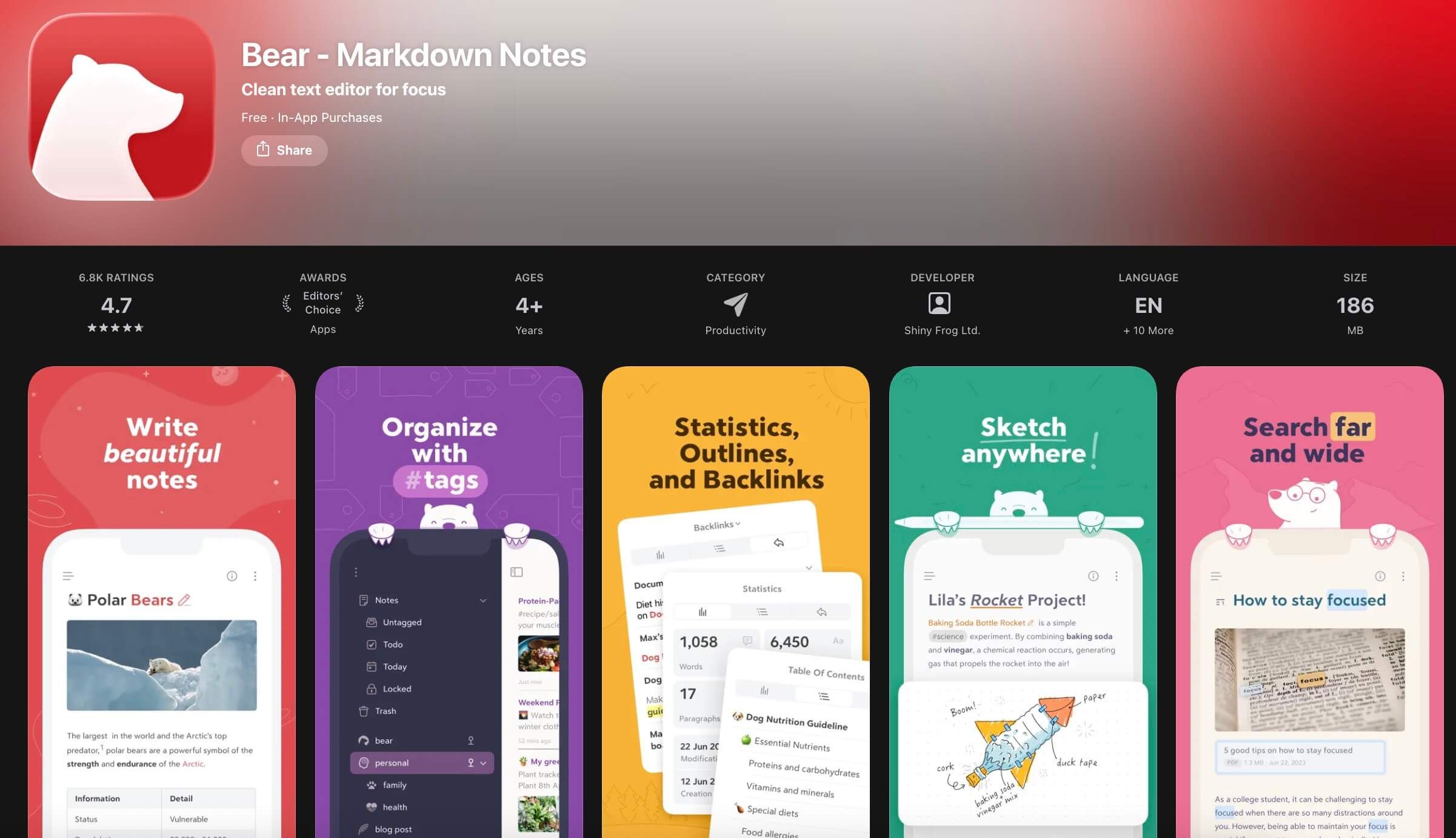
For those who find other note-taking apps too cluttered, Bear is a breath of fresh air. It is a beautiful, minimalist app that focuses on one thing: writing in Markdown. Its clean, typography-focused interface is a joy to use, and its hashtag-based organization system is surprisingly powerful and flexible.
Bear isn't trying to compete on AI features or complex handwriting tools. It is designed for writers, developers, and anyone who values a fast, focused writing environment. It syncs flawlessly between iPad, iPhone, and Mac using iCloud, making it a favorite within the Apple ecosystem.
Key Features:
- Markdown Support: A fast and efficient way to format text without lifting your hands from the keyboard.
- Hashtag Organization: Use nested tags (e.g.,
#work/project/notes) to create a flexible folder structure. - Focus Mode: Hides UI elements so you can concentrate on your writing.
- Beautiful Themes & Typography: Customize the app's appearance to create your perfect writing space.
Pros:
- Elegant, distraction-free interface.
- Fast and reliable syncing.
- The tagging system is both simple and powerful.
Cons:
- No AI features for summarization or content generation.
- No support for Windows or Android.
- Handwriting/drawing tools are very limited.
Best for: Writers, bloggers, developers, and anyone who primarily works with text and prefers a clean, minimalist interface using Markdown.
How to Instantly Generate Smart Notes with Lynote
Seeing is believing. The real power of an AI note-taker is how it transforms a multi-hour task into a matter of seconds. Here’s a look at the workflow.
Before you start
To get the best results, make sure your source files are ready:
- PDFs: Ensure they are not password-protected and that the text is selectable (not a flat image). For scanned documents, a high-quality scan is crucial.
- Audio/Video: Clear audio without excessive background noise will yield a much more accurate summary.
- Links: Double-check that your YouTube or webpage links are public and accessible.
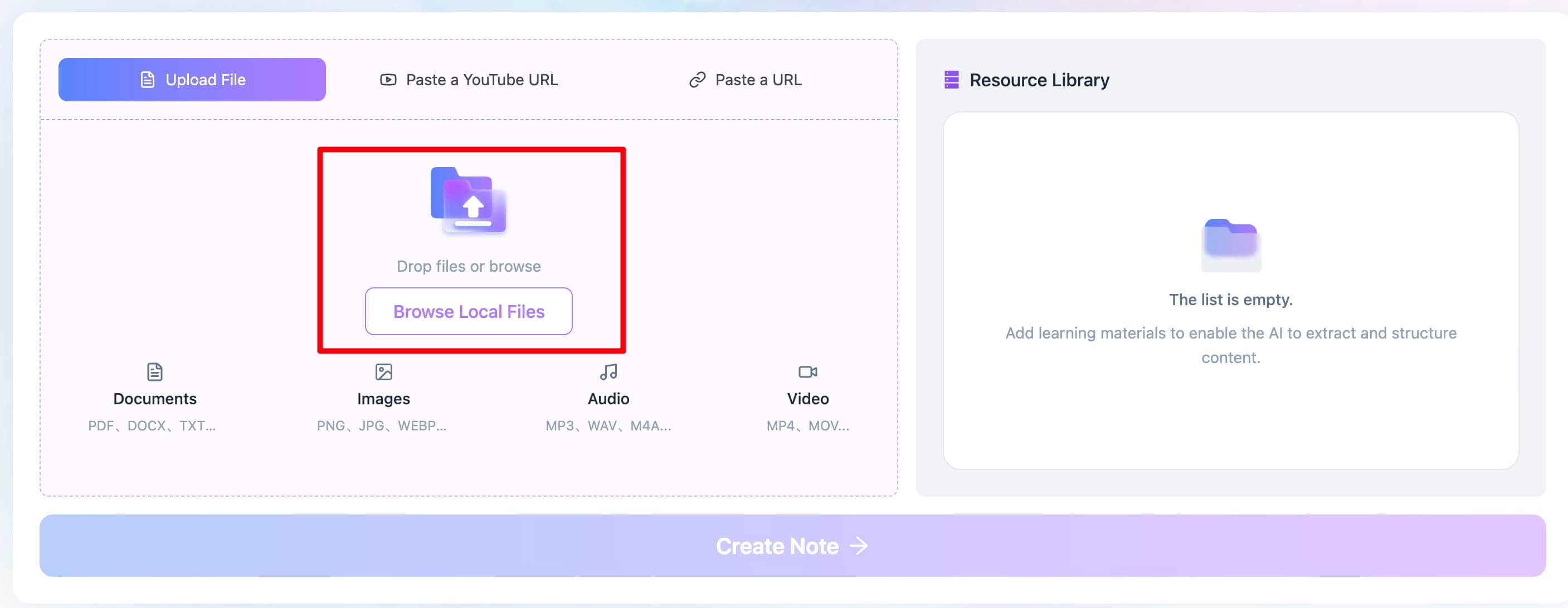
Step 1. Upload Your Source Material
Imagine it’s 10 PM the night before a final. You have a 40-page PDF of required reading, a link to a 90-minute guest lecture on YouTube, and a Word document of a classmate's notes. Instead of panicking, you open the Lynote AI Note Generator. The interface allows you to upload multiple files at once—you can drag in the PDF and Word doc, and paste the YouTube link all in the same session. This batch processing is a huge time-saver.
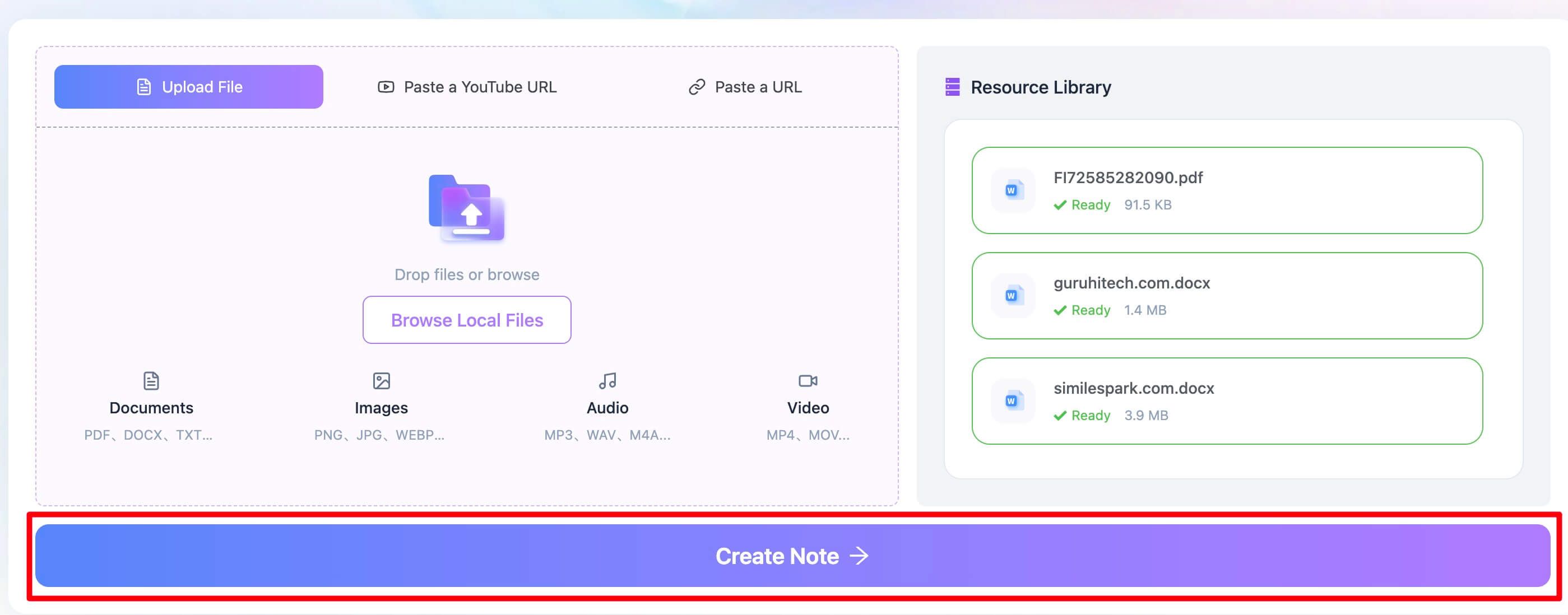
Step 2. Let the AI Do the Heavy Lifting
With your sources loaded, you simply click the "Create Note" button. This is the magic moment. Lynote’s AI gets to work, transcribing the video, parsing the documents, and identifying the core arguments, key evidence, and main conclusions from all sources. It's not just grabbing random sentences; it’s building a coherent understanding of the material. You can grab a cup of coffee while the platform does what would have taken you hours of highlighting and typing.
Step 3. Review, Edit, and Export Your Smart Notes
Within seconds, a consolidated summary appears. It’s structured with headings and bullet points, pulling the most critical information into one place. This is your new starting point. I had a moment that sold me on this workflow: prepping for a client presentation, I was handed three dense industry reports an hour before the meeting. I fed them into Lynote, and it produced a one-page executive summary with the key market trends and statistics. I walked in looking like I'd been studying them for days.
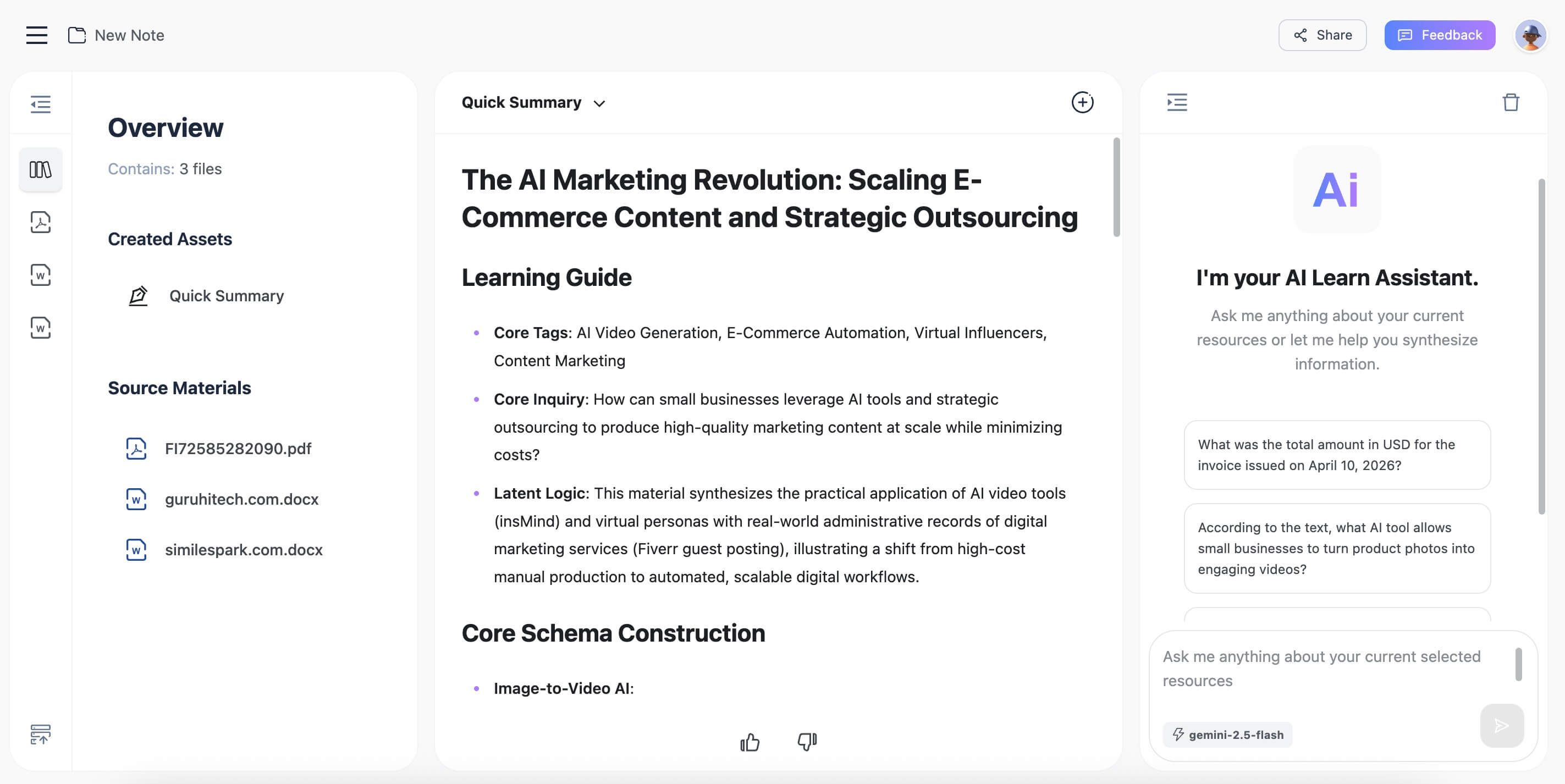
From here, you can copy the text to your favorite study app, edit it to add your own insights, or export it as a document. You’ve just compressed hours of work into minutes.

Who Needs an AI Note-Taking App for iPad and iPhone?
You might be wondering if this new wave of AI tools is right for you. While anyone can benefit from efficiency, certain groups will find these apps transformative.
- Students: The most obvious beneficiaries. Imagine turning a three-hour video lecture into a two-page summary of key concepts. Or distilling a dense, 50-page academic paper into its core thesis and supporting arguments before you even start reading. It’s like having a research assistant to prepare your study guides.
- Professionals and Executives: Time is money. Professionals can use AI note-takers to summarize long meeting recordings, get the gist of lengthy business reports without reading every word, or stay on top of industry news by feeding articles into the AI. It's about getting to the actionable insight faster.
- Researchers and Academics: Conducting a literature review can be a monumental task. An AI app can process dozens of papers, helping to identify common themes, conflicting findings, and key authors in a fraction of the time, dramatically accelerating the initial phase of research.
- Lifelong Learners: If you're someone who loves learning through online courses, podcasts, or documentaries, an AI note-taker can help you build a personal knowledge library. You can create summaries of everything you consume, making it easier to remember and revisit what you've learned.
How to Choose the Right Note-Taking App for You
Forget feature checklists for a moment and ask yourself one simple question: What does my workflow actually look like?
- Is your primary input an Apple Pencil or a source file?
If you think by drawing, sketching, and writing by hand, your brain is wired for an app like Goodnotes or Notability. Your main activity is creating notes from scratch.
But if your starting point is a mountain of existing information—PDFs, videos, articles—that you need to distill, your workflow is about processing. The main reason Lynote outperforms traditional apps for this use case is its ability to ingest and synthesize multiple, mixed-media source files into a single, unified summary. - How important is cross-platform availability?
If you live exclusively in the Apple ecosystem (iPad, iPhone, Mac), then an app like Bear or Goodnotes offers seamless syncing. If you need to access your notes on a Windows PC at work or an Android phone, Evernote is built from the ground up for that kind of universal access. - What’s your organizational style? Structured vs. Flexible.
Do you like the rigid, predictable structure of digital binders, notebooks, and folders? Goodnotes will feel like home. Do you prefer a more fluid, web-like structure where a single note can live in multiple "places" at once? The hashtag system in Bear or the tagging in Evernote will be a better fit.
Frequently Asked Questions
What is the best free note-taking app for iPad?
For a completely free, surprisingly powerful option, Apple's native Notes app is excellent. It supports Apple Pencil, basic organization, and syncs across all your devices. For more advanced features, many premium apps like Evernote and Lynote offer a free tier that lets you test the core functionality before committing to a subscription.
Do these apps work well with Apple Pencil?
Absolutely, but with a major distinction. Apps like Goodnotes and Notability are built around the Apple Pencil; it is their primary input method, and the experience is flawless. Apps like Evernote and Bear offer basic sketching or handwriting support, but it feels like an add-on, not a core feature. AI-generation apps like Lynote don't use the Apple Pencil at all, as their input is the source content itself.
Can AI completely replace manual note-taking?
No, and it shouldn't. The act of manually writing or typing notes is a powerful cognitive tool that helps with memory retention and understanding. AI note-takers are not a replacement for thinking. They are an accelerant. Use AI to do the first pass on dense material, to create a high-level summary, or to process recordings. Then, use that output as a foundation to build your own understanding, make connections, and add your personal insights.
Why do my images and formatting break when I move notes between apps?
This happens because there is no universal standard for "rich text" notes. Each app (Goodnotes, Evernote, etc.) uses its own proprietary format to store handwriting, images, and text boxes. When you export, you're often converting it to a more universal format like PDF, which "flattens" the layout, or to plain text, which loses it entirely. This is a common pitfall to be aware of if you plan on switching apps frequently.
Final Thoughts: Your Notes, Supercharged by AI
Choosing the best note-taking app in 2026 is no longer just about digital paper. It's about choosing an extension of your brain that matches the way you work. The landscape has split into two clear paths: manual creation and AI-powered synthesis.
If your process is creative, visual, and begins with a blank slate and an Apple Pencil, the powerful handwriting engines of Goodnotes and Notability are your best allies. They offer an unmatched tactile experience for crafting notes from the ground up.
However, if your biggest challenge is the overwhelming firehose of information you face daily, an AI note generator is the single biggest upgrade you can make to your productivity. For this, Lynote is the standout choice, designed specifically to turn content overload into concise, actionable knowledge.
Don't just pick the app with the longest feature list. Analyze your needs, try a free version, and choose the tool that truly makes you smarter and more efficient.

Written by Janet L. Harris
AI Writing Specialist
Janet reviews AI detectors and humanization tools, with a focus on accuracy, limitations, and responsible use. View all articles →