The 5 Best AI Note Taking Apps (2026 Tested & Ranked)

Let’s be honest. The frantic scramble to capture every important detail in a meeting or lecture is a losing battle. You’re either typing so fast you miss the nuance, or you’re listening so intently you forget to write down the key takeaway. Your notebooks are a graveyard of half-formed thoughts and cryptic bullet points. This manual process isn't just inefficient; it's a bottleneck that actively stifles learning and productivity.
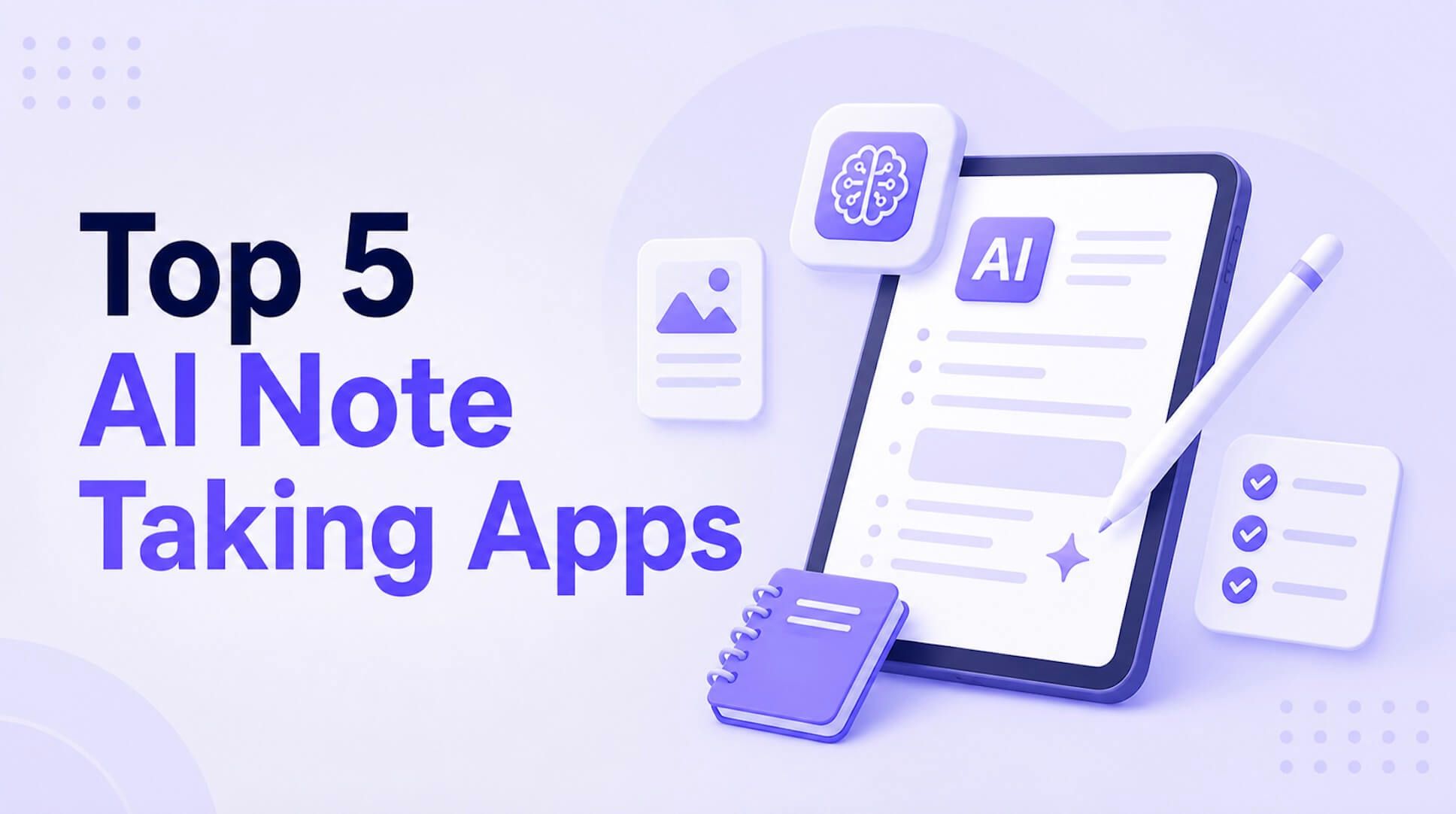
An AI note taker is an application that uses artificial intelligence to automatically transcribe, summarize, and organize information from audio, video, or text sources. Instead of just recording, these tools analyze content to identify key points, action items, and speakers, turning hours of raw data into concise, usable notes. This guide compares the top 5 apps on accuracy, summarization quality, and unique features like multi-modal input to help you choose the right tool and reclaim your focus.
Quick Verdict: The Best AI Note Takers at a Glance
For those who need the bottom line now, here’s a high-level comparison of our top picks. We’ve evaluated these tools based on their primary strengths to help you find the perfect fit for your specific needs, whether you're a student, a project manager, or a remote team lead.
| Tool | Best For | Key Feature | Starting Price |
|---|---|---|---|
| Lynote | Students & Academic Learning | Synthesizes notes from text, audio & video | Free Tier |
| Fireflies.ai | Automated Meeting Workflows | Deep CRM & project management integrations | Free Tier |
| Otter.ai | Live Transcription & Collaboration | Real-time transcription with speaker ID | Free Tier |
| Notion AI | Integrated Knowledge Management | AI features inside a comprehensive workspace | $10/mo (add-on) |
| Krisp | Note-Taking in Noisy Environments | AI noise cancellation + transcription | Free Tier |
This table gives you a starting point. For students and researchers who need to distill knowledge from diverse sources like PDFs and lecture videos, Lynote is the standout choice. For corporate teams focused on sales calls and internal meetings, Fireflies.ai offers unparalleled workflow automation. Read on for the deep-dive analysis.
What is an AI Note Taker (And What Should It Do)?
Before we jump into the reviews, let’s establish a baseline. An AI note taker is far more than a simple voice recorder. It's an intelligent assistant designed to handle the cognitive heavy lifting of information processing.
At its core, a modern AI note taker should deliver on four key promises:
- Automated Transcription: It accurately converts spoken words from meetings, lectures, or audio files into written text. The best tools can distinguish between different speakers and handle various accents with high precision.
- AI-Powered Summarization: This is the magic ingredient. Instead of leaving you with a wall of text, the AI analyzes the transcript to extract the most critical information. It should produce concise summaries, bulleted key points, or even detailed outlines.
- Action Item & Topic Detection: A truly smart tool doesn't just hear words; it understands intent. It can identify tasks, decisions, and questions raised during a conversation and flag them for follow-up. It can also categorize discussion topics automatically.
- Multi-Modal Input: The world of information isn't just audio. Top-tier apps can now ingest and analyze text documents (PDFs, Word), video files (MP4s), and even links to YouTube videos or web pages, creating a unified knowledge source.
Expert Takeaway: The goal of an AI note taker isn't to replace your thinking. It's to eliminate the tedious administrative work of capturing and organizing information so you can spend your time thinking, analyzing, and creating.
The Top 5 AI Note Taking Apps of 2026
We didn't just pull names out of a hat. The five apps below were selected after evaluating dozens of tools based on their core technology, user interface, real-world performance, and unique value propositions. We aimed for a diverse list that serves different users—from the college student drowning in research papers to the sales director needing to track client commitments.
1. Lynote.ai: Best for Students and Academic Learning
Lynote AI Note Taker stands out by positioning itself squarely as a learning and study tool, and it delivers exceptionally well on that promise. While other apps focus almost exclusively on meeting audio, Lynote is built to synthesize knowledge from the diverse materials students actually use: dense academic PDFs, long video lectures, messy Word documents, and online articles. This multi-modal approach makes it an indispensable tool for anyone engaged in research or coursework.
The platform’s strength lies in its ability to take multiple, varied sources and weave them into a single, coherent set of notes. Imagine feeding it a chapter from a textbook, a link to a professor's YouTube lecture, and your own rough notes. Lynote doesn't just summarize them individually; it creates a unified summary, helping you connect dots you might have missed.
Key Features:
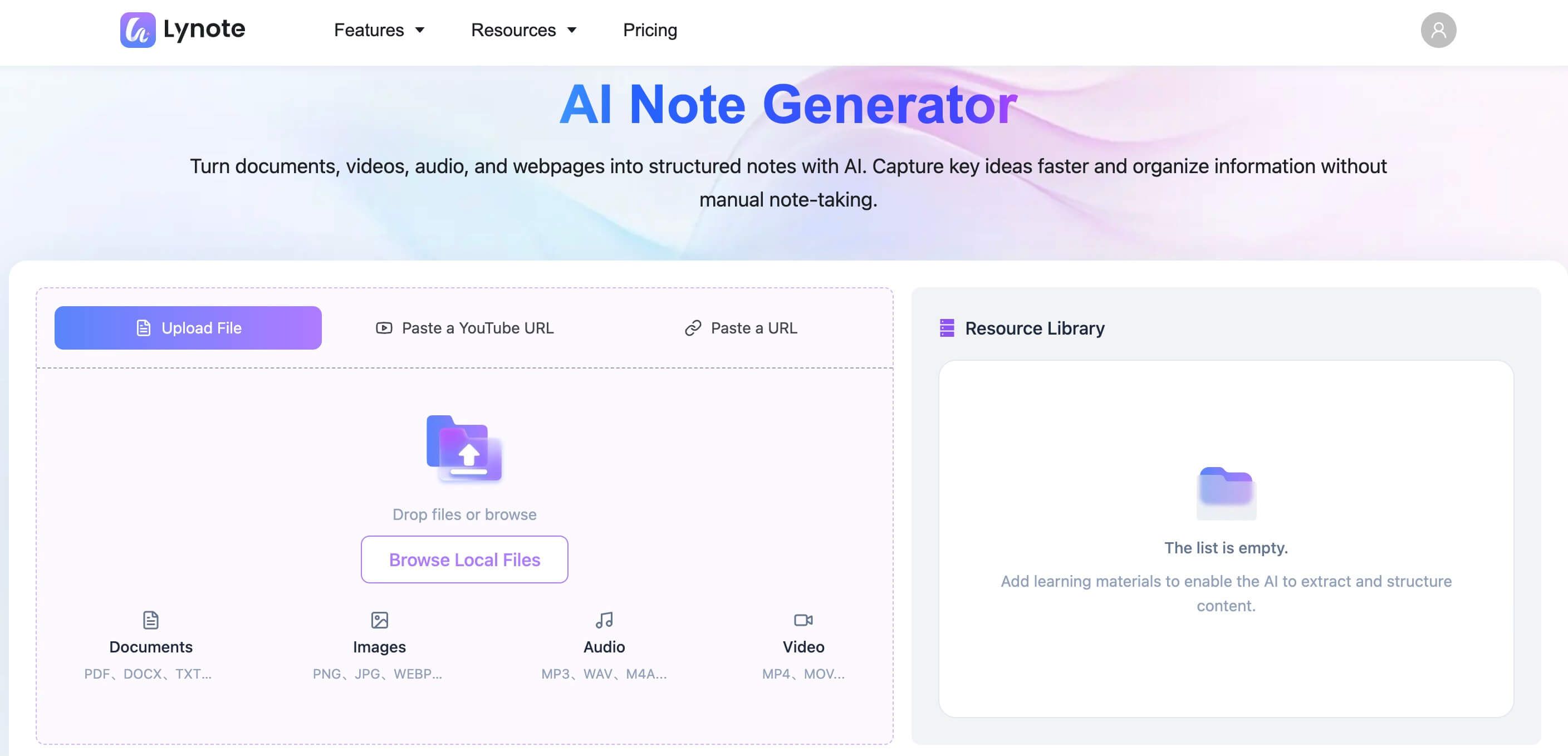
- Multi-Source Synthesis: Upload PDFs, Word docs, TXT files, MP3s, MP4s, and provide links to YouTube videos or web pages.
- Advanced AI Summarization: Generates structured notes, key takeaways, and concise summaries tailored for study.
- Simple, Clean Interface: A minimalist design that focuses on the content, eliminating distractions.
- Fast Processing: Quickly analyzes files and generates notes, often in under a minute.
Pros:
- Uniquely designed for the academic workflow.
- Handles both text and multimedia sources seamlessly.
- The free tier is generous enough for many students' needs.
- Incredibly easy to use with virtually no learning curve.
Cons:
- Lacks the deep CRM and project management integrations of corporate-focused tools.
- Features like AI chat and auto-generated flashcards are on the upcoming roadmap, not yet live.
Best for: University students, researchers, lifelong learners, and anyone who needs to distill knowledge from a mix of documents and media.
How to Generate Notes with Lynote
Getting started is refreshingly simple. Here’s a typical workflow for a student preparing for an exam.
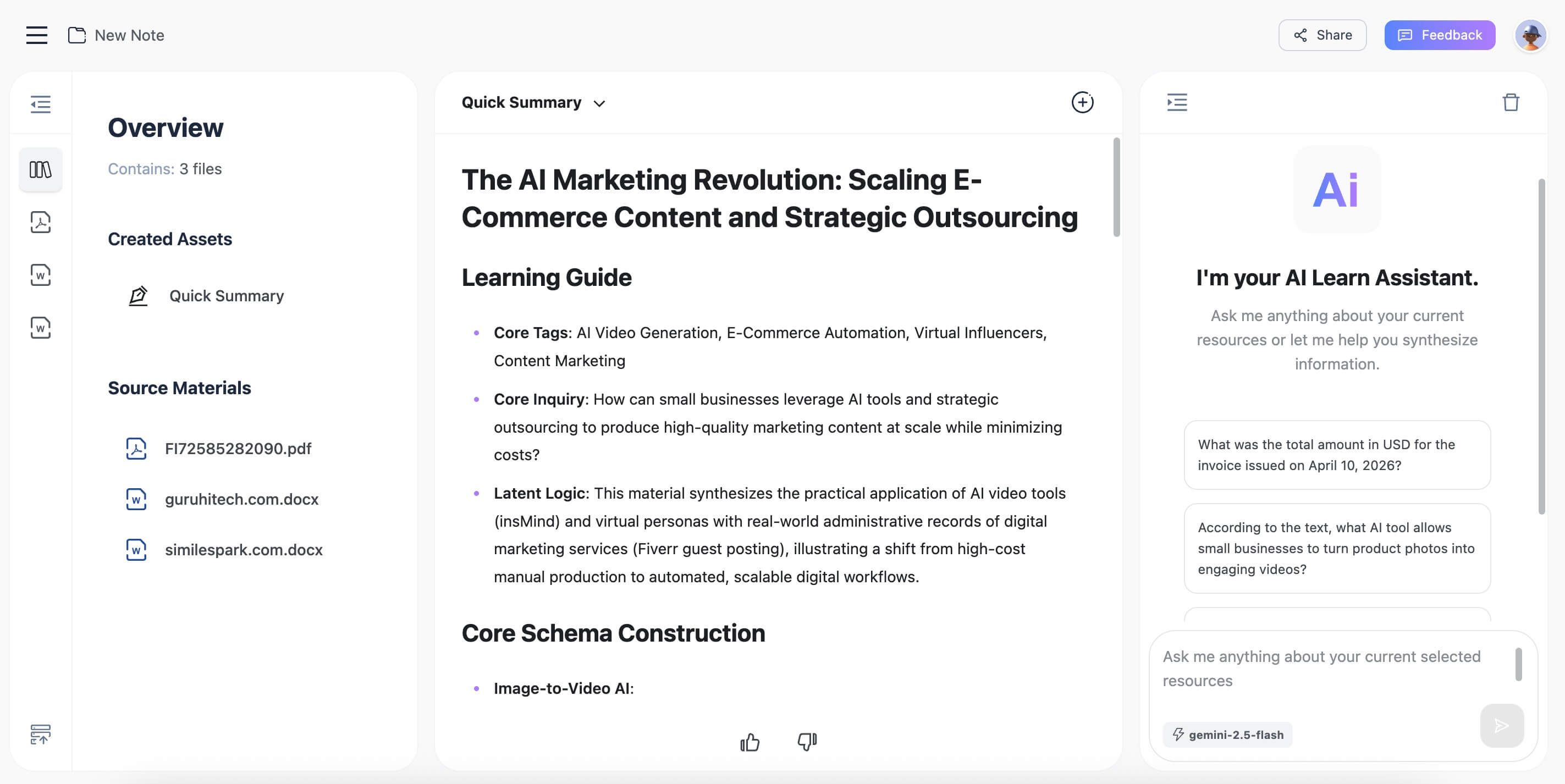
Step 1. Upload Your Learning Materials
First, gather all your relevant files. Lynote’s power is in its ability to handle multiple formats at once. You can drag and drop a collection of files directly into the interface—for instance, a PDF of a required reading, an MP4 of a recorded lecture, and a Word document with your initial thoughts. You can also paste in URLs from YouTube or other academic websites.
Step 2. Generate Your AI Notes
Once your files are uploaded, you simply click the "Create Note" button. This is where the AI gets to work. It’s not just doing a simple transcription or summary of each file in isolation. The engine analyzes all the provided content, identifies overlapping themes, key definitions, and core arguments to build a comprehensive set of notes that reflects the entire body of material.
Step 3. Review and Export Your Summary
In a surprisingly short time—often less than a minute for a standard set of files—your AI-generated notes will appear. The output is typically a well-structured summary with clear headings and bullet points. From here, you can copy the text to your favorite study app, make edits directly within Lynote, or export the notes for offline use.

2. Fireflies.ai: Best for Automated Meeting Workflows
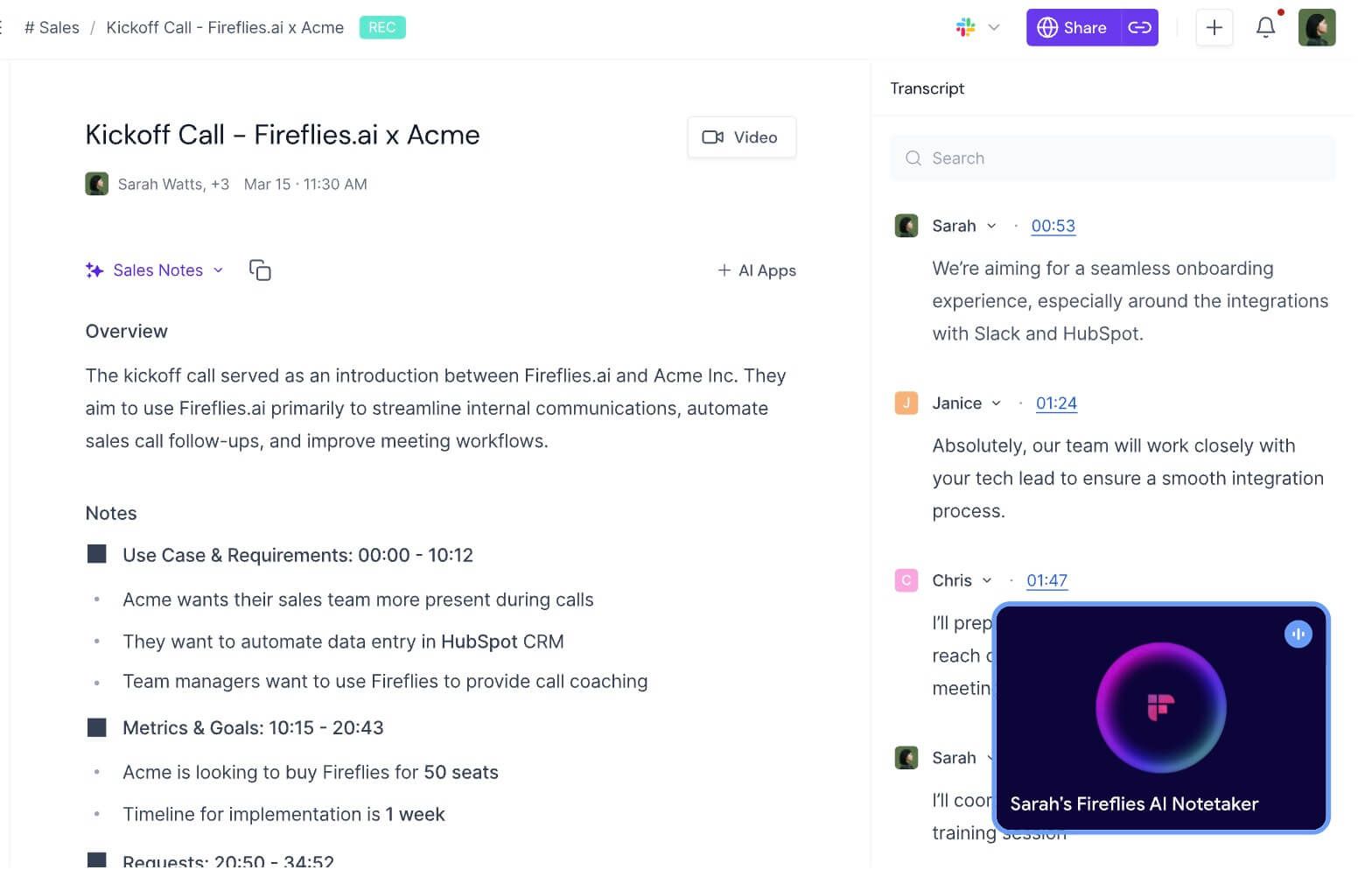
Fireflies.ai is a powerhouse for the corporate world. It's designed to live inside your calendar and automatically join, record, transcribe, and summarize your video-conference meetings on platforms like Zoom, Google Meet, and Microsoft Teams. Its true differentiator, however, is what it does after the meeting.
It integrates deeply with over 40 other platforms, including Salesforce, Slack, Asana, and HubSpot. This means action items identified in a sales call can be automatically pushed to your CRM as a new task, or key decisions from a project meeting can be sent to your team’s Slack channel. This level of automation transforms meeting notes from a static record into a dynamic, actionable workflow.
Key Features:
- Automated Meeting Bot: Joins scheduled meetings automatically.
- Deep Integrations: Pushes notes, tasks, and data to CRMs, project management tools, and communication platforms.
- Conversation Intelligence: Provides analytics on talk-to-listen ratios, sentiment, and topic trends.
- Soundbites & Collaboration: Easily create and share audio snippets of key moments from a call.
Pros:
- Unmatched automation for business workflows.
- Excellent transcription accuracy and speaker identification.
- Powerful search allows you to find anything said across all your meetings.
- Conversation intelligence provides valuable data for sales and management coaching.
Cons:
- The meeting bot (Fred) can feel intrusive for some external clients or first-time calls.
- The free tier is quite limited, making a paid plan almost necessary for business use.
Best for: Sales teams, project managers, recruiters, and any organization looking to automate post-meeting tasks and extract data from conversations.
3. Otter.ai: Best for Live Transcription and Team Collaboration
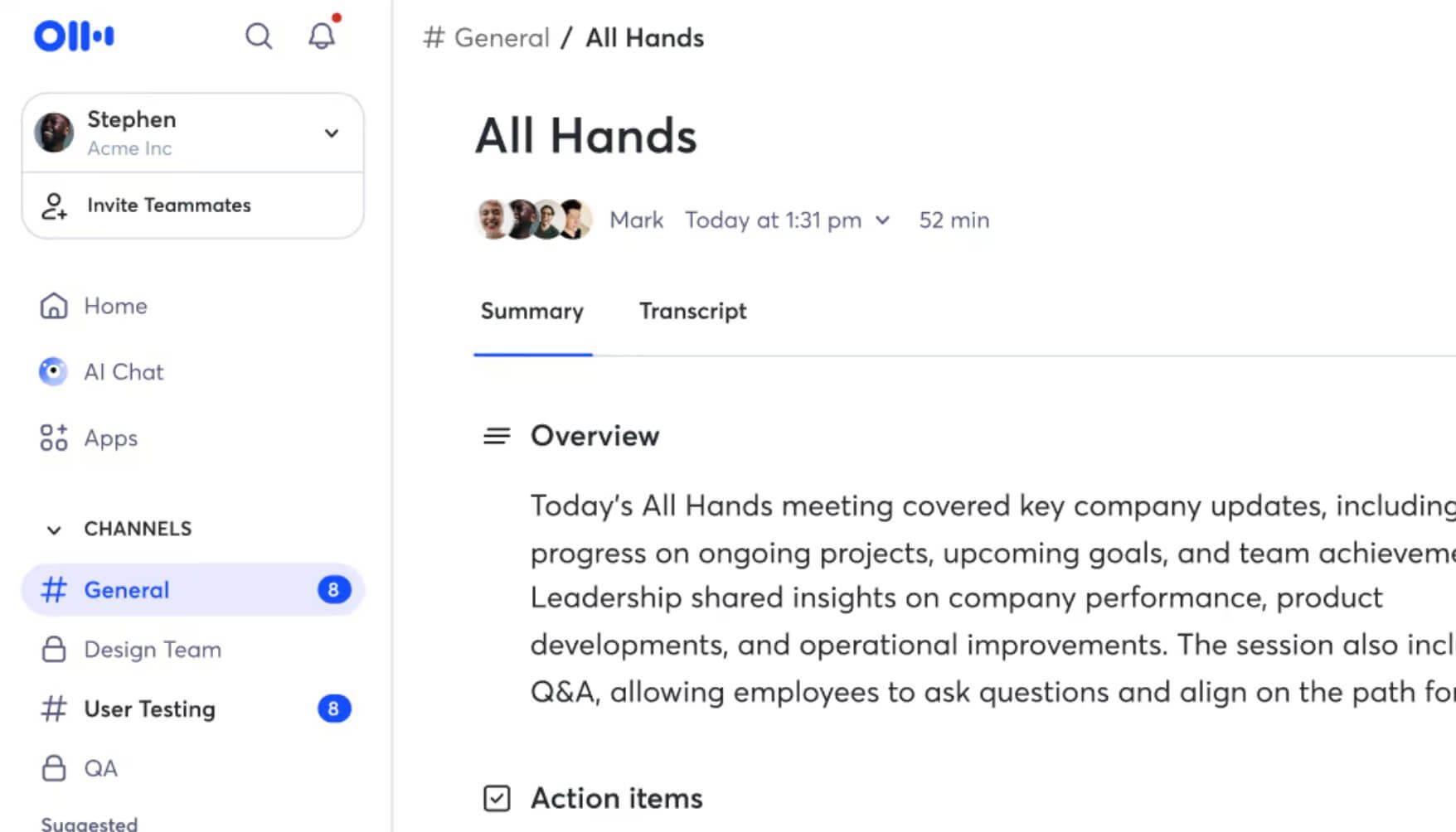
Otter.ai has become almost synonymous with live transcription. Its core strength is providing a real-time, shareable transcript as a meeting or lecture is happening. This is fantastic for collaborative environments where team members can follow along, highlight key points, add comments, and even assign action items directly within the live transcript.
The "OtterPilot" can also automatically join your meetings, but its main appeal is the live experience. It's also great for journalists and researchers conducting interviews, as it provides an immediate text record that can be annotated on the fly. After the meeting, it generates a summary and identifies keywords, but the collaborative, real-time aspect is its signature feature.
Key Features:
- Real-Time Transcription: See a live, running transcript of the conversation.
- Collaborative Highlighting & Commenting: Team members can interact with the transcript as it's being generated.
- Custom Vocabulary: You can teach Otter specific names, acronyms, and jargon to improve accuracy.
- Speaker Identification: Does a solid job of distinguishing between different voices in the room.
Pros:
- Best-in-class for live, in-the-moment transcription.
- Excellent for accessibility (e.g., for participants who are hard of hearing).
- Intuitive and easy-to-use interface.
- Generous free tier for individuals with 300 monthly transcription minutes.
Cons:
- Summarization features are less robust than competitors like Fireflies or Lynote.
- Can struggle with accuracy in rooms with heavy echo or significant background noise.
Best for: Teams that need to collaborate on notes during a live meeting, journalists, students attending live lectures, and anyone who values immediate, real-time text.
4. Notion AI: Best for Integrated Knowledge Management
Notion AI is a different beast entirely. It’s not a standalone note-taking app but rather an AI layer built directly into the incredibly popular Notion workspace. If your entire life—your project plans, your personal wiki, your team documents—already lives in Notion, then its AI features are a remarkably seamless addition.
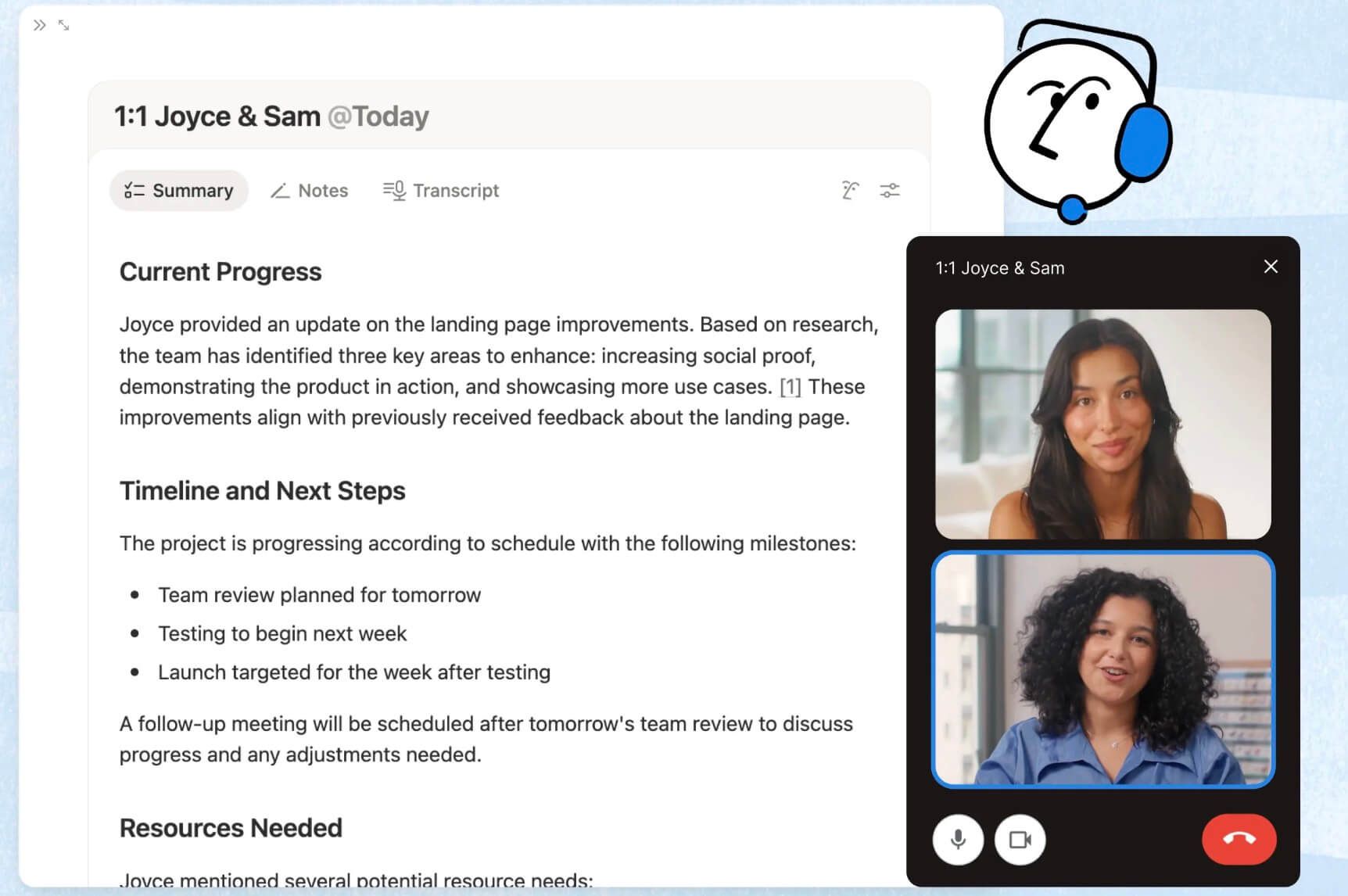
You can select any block of text in Notion (including pasted-in meeting notes) and ask the AI to summarize it, find action items, improve the writing, or even translate it. You can also use it to brainstorm ideas or generate first drafts of documents from a simple prompt. Its power comes from this deep integration; the AI has the context of your entire knowledge base.
Key Features:
- Integrated into Notion: Works within your existing documents, databases, and pages.
- Versatile AI Blocks: Can summarize, find action items, rewrite, translate, and generate content.
- Context-Aware: The AI leverages the information already stored in your Notion workspace.
- Template Generation: Can create complex project templates or meeting agendas from a single prompt.
Pros:
- Perfect for users already heavily invested in the Notion ecosystem.
- Extremely versatile, going far beyond simple transcription and summarization.
- Consolidates tools by keeping AI assistance inside your primary workspace.
Cons:
- Requires a Notion subscription plus the AI add-on, which can be costly.
- Not a dedicated meeting transcriber; you have to get the text into Notion first.
- Can feel less focused than a dedicated note-taking tool.
Best for: Individuals and teams who use Notion as their central "second brain" or knowledge management system.
5. Krisp: Best for Note-Taking in Noisy Environments
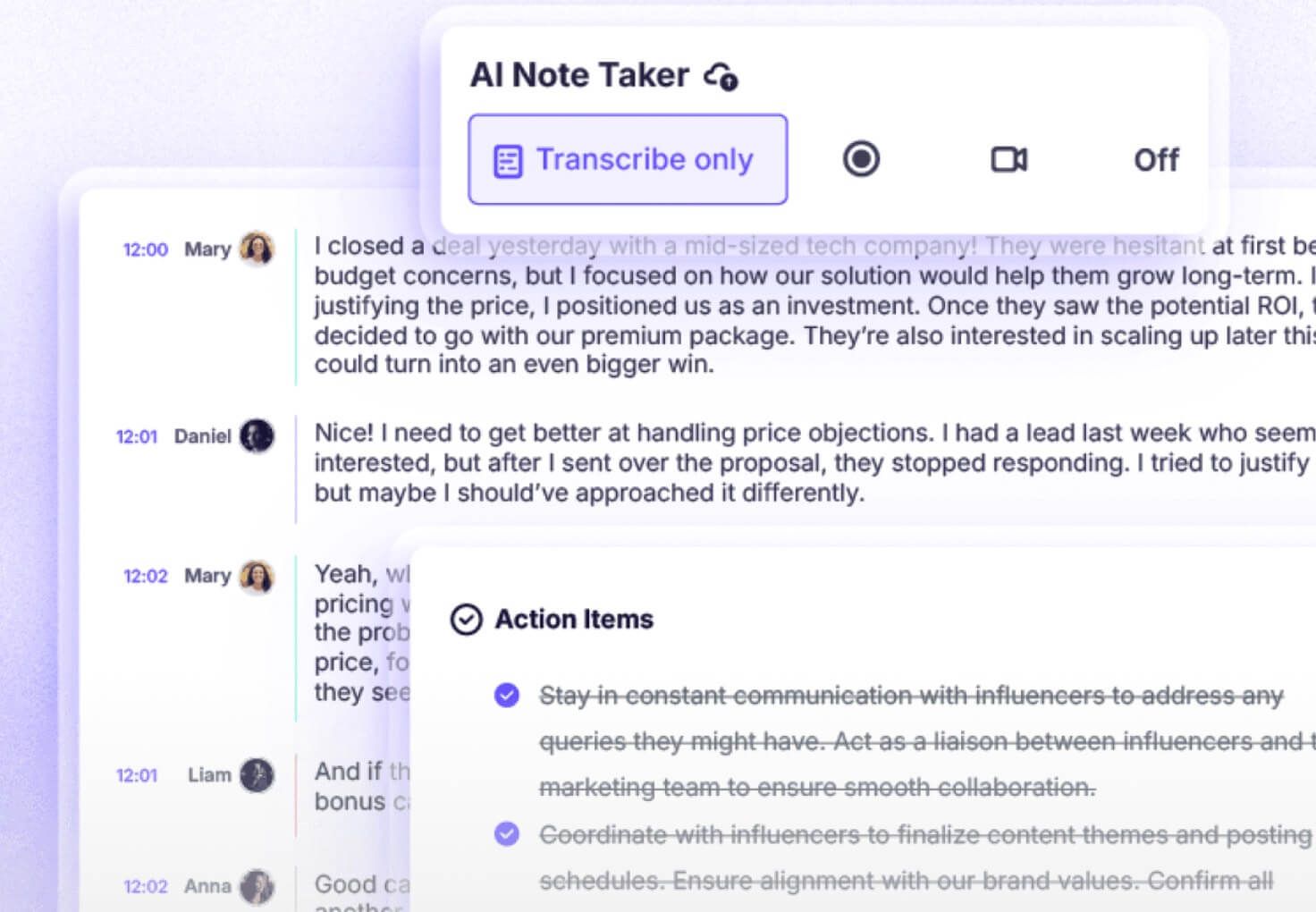
Krisp started as a phenomenal noise-cancellation app, and that technology remains its core advantage. It uses AI to remove background noise (crying babies, barking dogs, coffee shop chatter) from both your microphone and your speakers. It has since added AI Meeting Assistant features, including transcription and summarization.
The main reason Krisp outperforms other tools in challenging audio situations is its foundation in audio clarity. If the AI can't hear the words clearly, the transcription will be garbage. Krisp cleans the audio before it gets transcribed, leading to surprisingly accurate notes even on calls where other tools would fail. If you or your team frequently take calls from imperfect environments, this is a killer feature.
Key Features:
- World-Class Noise Cancellation: Removes background noise from both ends of the call.
- High-Accuracy Transcription: Benefits from the pre-processed, clean audio.
- Meeting Summaries & Action Items: Provides automated notes after the call concludes.
- Works with Any Communication App: It sits as a layer between your hardware and apps like Zoom, Teams, etc.
Pros:
- Unbeatable performance in noisy environments.
- Improves overall call quality and professionalism, not just note-taking.
- Simple to set up and use across all your communication apps.
Cons:
- The note-taking features are more basic compared to dedicated platforms like Fireflies.
- It's another piece of software running on your machine, which can consume system resources.
Best for: Remote workers, digital nomads, and anyone who regularly takes important calls from loud or unpredictable locations.
How to Choose: A Detailed 5-Way Feature Comparison
Seeing the individual reviews is helpful, but how do these tools stack up head-to-head? Let's break it down by the criteria that matter most.
| Feature / Criterion | Lynote | Fireflies.ai | Otter.ai | Notion AI | Krisp |
|---|---|---|---|---|---|
| Transcription Accuracy | N/A (Text/Video Focus) | ★★★★☆ | ★★★★☆ | N/A (Text Focus) | ★★★★★ |
| Summarization Quality | ★★★★★ | ★★★★☆ | ★★★☆☆ | ★★★★☆ | ★★★☆☆ |
| Multi-Modal Input (PDF/Video) | ★★★★★ | ★☆☆☆☆ | ★☆☆☆☆ | ★★☆☆☆ | ★☆☆☆☆ |
| Live Collaboration | ★★☆☆☆ | ★★★☆☆ | ★★★★★ | ★★★★☆ | ★★☆☆☆ |
| Workflow Integration | ★★☆☆☆ | ★★★★★ | ★★★☆☆ | ★★★★★ | ★★☆☆☆ |
| Ease of Use | ★★★★★ | ★★★★☆ | ★★★★★ | ★★★☆☆ | ★★★★★ |
| Cost-Effectiveness | ★★★★★ | ★★★☆☆ | ★★★★☆ | ★★☆☆☆ | ★★★★☆ |
Scores are editorial heuristics (1-5 stars) based on each tool's primary strengths, not measured benchmarks.
Bottom Line: Your choice depends entirely on your primary source of information. If your "notes" come from documents and videos, Lynote is the clear winner. If they come from back-to-back Zoom calls, Fireflies.ai is your automation champion. If they come from live, collaborative sessions, Otter.ai excels.
Beyond Transcription: The Hidden Features of Top AI Note Takers
The race isn't just about who has the most accurate transcript anymore. The real innovation is happening in the layers of analysis built on top of the text. When you're evaluating tools, are you asking the right questions?
You might be wondering: what separates a good tool from a great one in 2026? It's features like:
- Semantic Search: Can you search for "our Q4 budget decision" and find the moment it was discussed, even if no one used those exact words? This is the difference between keyword search and concept search, and it's a game-changer for retrieving information.
- Sentiment Analysis: Some advanced tools, particularly in the sales space, can analyze the tone and sentiment of a conversation. This can help you understand client engagement, detect frustration, and identify coaching opportunities for your team.
- Action Item Generation vs. Detection: It's one thing to flag a sentence where someone says "I will send the report." It's another for the AI to understand the context and generate a task: "Assign to John: Send Q3 performance report to client by EOD Friday." The latter is far more valuable.
- Multi-Modal Synthesis: As we saw with Lynote, the future isn't just transcribing a single meeting. It's about creating a single source of truth from a dozen different inputs—a PDF, a video, a webpage, and an audio file—and synthesizing them into a cohesive brief.
When you're testing these apps, push them beyond a simple summary. See how well they help you find, understand, and act on the information buried inside your content.
Frequently Asked Questions
What is the best free AI note taking app?
For most users, Otter.ai and Lynote offer the most functional free tiers. Otter gives you a generous 300 minutes of transcription per month, which is great for individuals. Lynote's free tier is also robust, making it perfect for students who need to process documents and videos without a budget. Krisp also has a great free plan for noise cancellation with some basic note-taking.
How secure are my notes with AI apps?
This is a critical question. Reputable providers use enterprise-grade encryption for data both in transit and at rest. They should also offer clear privacy policies stating that your data is not used to train their models without your consent. Always review the security and compliance page of any service you consider, especially if you handle sensitive client or company information.
Why did my AI summary miss an important point?
This is a common and insightful question. AI summarization models are probabilistic; they identify what is statistically important or frequently mentioned in a text. They don't have human context or an understanding of strategic priority. A brief, offhand comment that contains a critical decision might be missed if the surrounding conversation was about something else. The fix is to use the AI summary as a first draft. Scan it, then use the full transcript to find and add the nuanced points the AI may have overlooked.
Can these tools handle strong accents or technical jargon?
Most modern AI transcription engines have gotten much better with a variety of accents. However, accuracy can still dip. The best tools, like Otter.ai, allow you to create a "custom vocabulary" where you can pre-load specific names, acronyms, and technical terms common in your field. This dramatically improves accuracy for specialized discussions.
The Final Verdict: Which AI Note Taker Should You Choose?
After extensive testing and comparison, the best AI note taking app is not a one-size-fits-all answer. It's about matching the right tool to your specific workflow.
Here’s our final recommendation, broken down by user type:
- For the Student or Researcher: Your choice is Lynote. No other tool is as well-designed for synthesizing knowledge from the mix of PDFs, lecture videos, and text files that define academic work. It's built for learning, not just for meetings.
- For the Sales or Operations Professional: Go with Fireflies.ai. Its power to automate workflows by pushing meeting data directly into your CRM and project management tools will save you hours of administrative work every week.
- For the Live Collaborator or Journalist: Otter.ai remains the champion of real-time transcription. If your primary need is to have a live, shareable, and annotatable record of a conversation as it happens, Otter is unbeatable.
- For the All-in-One Knowledge Manager: If you already live and breathe Notion, Notion AI is the logical choice. It seamlessly integrates powerful AI capabilities into the workspace you already use for everything else.
The era of manual note-taking is over. By choosing the right AI partner, you can stop being a stenographer and start being the most prepared, insightful, and focused person in the room.

Written by Janet L. Harris
AI Writing Specialist
Janet reviews AI detectors and humanization tools, with a focus on accuracy, limitations, and responsible use. View all articles →