logo
menu

The 5 Best AI Flashcard Generators (Tested & Reviewed)

By Janet | May 2, 2026

Remember that sinking feeling? It’s 11 PM, the final exam is in two days, and you’re staring at a 70-page textbook chapter on organic chemistry. Your desk is littered with a hopeful but empty stack of index cards. The old advice echoes in your head: "Make flashcards!" But you know the truth—manually identifying key concepts, typing out questions, and crafting concise answers is a monumental task. It’s hours of tedious prep work before you can even start studying. That entire process is now obsolete.

best-ai-flashcard-generators.jpg

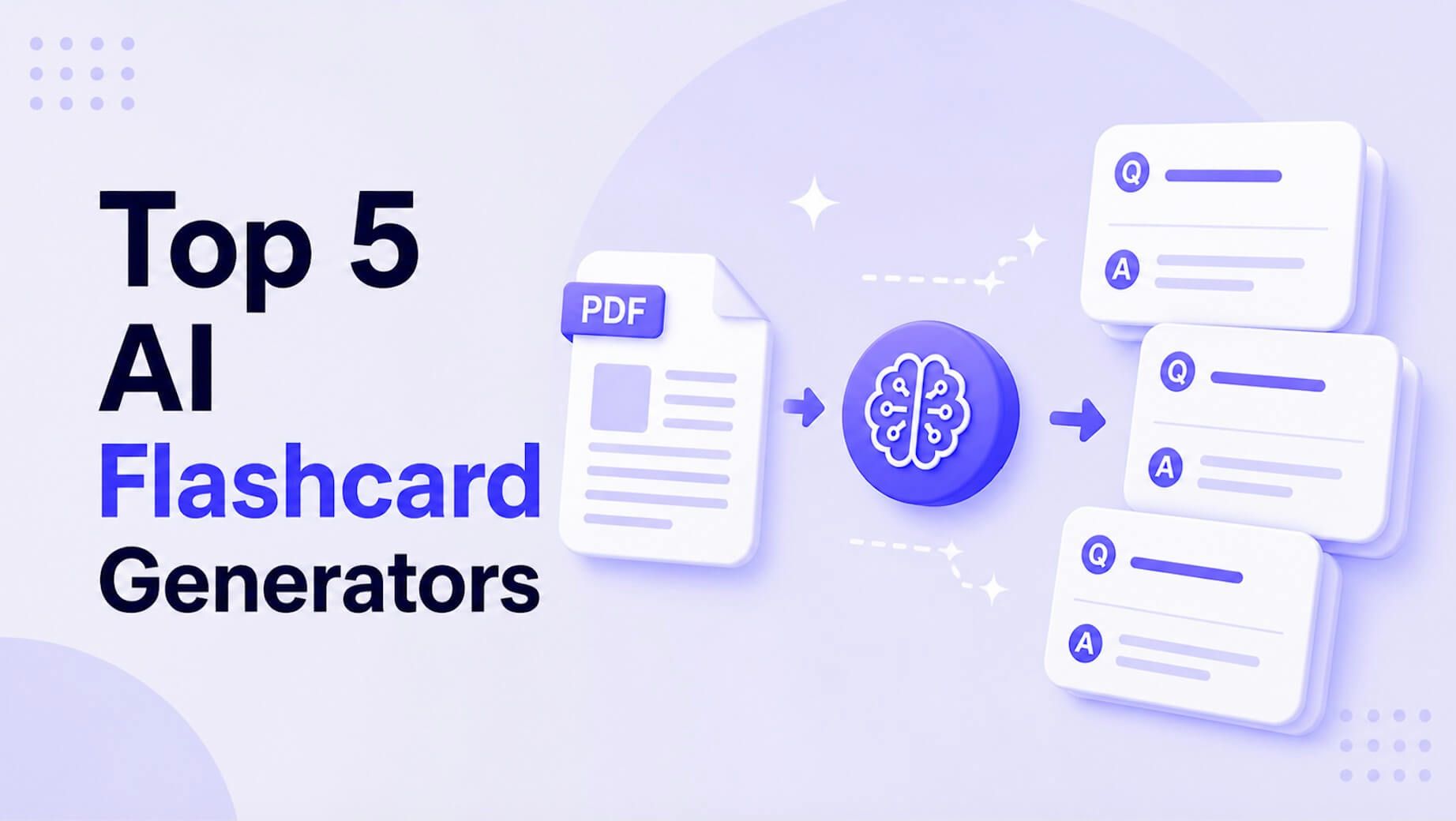
The best AI flashcard generator automates this grunt work, transforming your raw notes, dense PDFs, or even lecture videos into powerful study decks in minutes. The right tool doesn't just save time; it creates smarter, more effective questions that target core concepts you might have missed. For students and professionals, the top choice is often Lynote, which excels at creating flashcards from diverse media types within an integrated note-taking environment. However, platforms like Quizlet and Anki-Decks.com offer compelling alternatives depending on your need for existing communities or hardcore learning algorithms. This guide breaks down the top 5 to help you find the perfect fit.

Quick Verdict: Top AI Flashcard Generators at a Glance

For those who need to make a fast decision, here’s a high-level breakdown of our top picks. Each tool serves a slightly different type of learner, from the casual student to the dedicated memorization expert.

ToolBest ForKey AI FeaturePricing Model
LynoteStudents needing an all-in-one note-taking and study hub.Generates flashcards from diverse inputs (docs, video, audio).Freemium
QuizletLearners who value gamification and a massive user-generated library.Q-Chat™ and AI-powered question generation within a mature ecosystem.Freemium (AI is paid)
Anki-Decks.comSerious learners and med students who prioritize spaced repetition.AI front-end that generates cards for the powerful Anki SRS platform.Paid (One-time)
ReviselyUsers who want a fast, no-frills tool for text-based notes.Simple copy-paste or PDF upload for rapid card creation.Freemium
NoteGPTStudents who primarily work from web articles and online text.Browser extension that captures web content to generate notes & cards.Freemium

This table gives you the lay of the land, but the devil is in the details. The "best" tool truly depends on how you learn and what kind of material you're trying to master. Let's dive into the criteria we used to evaluate them.

How We Tested: What Makes a Great AI Flashcard Generator?

Not all AI is created equal. A tool that just pulls random sentences from your notes isn't helpful. To separate the truly smart platforms from the simple text extractors, we judged them on these core principles:

  • Input Flexibility: Can the AI handle more than just a block of text? We looked for tools that could competently process PDFs, web links, and ideally, even video or audio transcripts. The more seamlessly it fits into your existing workflow, the better.
  • Quality of AI Generation: This is the most critical factor. We tested each tool with a variety of source materials, from a dense Wikipedia article on economics to a set of scattered lecture notes. We asked: Does it generate insightful questions that test comprehension, or just superficial "what is X?" definitions? Does it create question-and-answer pairs, fill-in-the-blanks, and true/false statements?
  • Learning Science Integration: A great flashcard app is more than a deck of cards; it's a learning system. We prioritized tools that incorporate proven methodologies, especially Spaced Repetition Systems (SRS), which intelligently schedule cards for review based on how well you know them.
  • Customization and Control: AI is a starting point, not the final word. A top-tier generator must allow you to easily edit, delete, or add your own cards to the AI-generated deck. Bonus points for features that let you add images or rich media.
  • Platform & Accessibility: Is it a clunky web app or a polished experience available on desktop and mobile? The easier it is to study on the go, the more likely you are to stick with it.

The Top 5 AI Flashcard Generators in Detail

Here’s our deep dive into each platform, breaking down what they do best and where they fall short.

1. Lynote AI Flashcard Generator

Lynote is positioning itself as more than just a flashcard maker; it's an integrated AI-powered learning environment. Its core philosophy is to reduce the friction between consuming information and actively studying it. Instead of having separate apps for notes, transcripts, and flashcards, Lynote aims to bring it all under one roof. This makes it incredibly powerful for students who are juggling lecture recordings, reading assignments, and personal notes.

I recently tested it with a link to a 45-minute YouTube documentary on the Roman Empire. The platform first transcribed the video and generated a clean, readable summary. From that summary, I clicked a single button. In less than 30 seconds, it produced a 25-card deck covering key figures, dates, and concepts. The ability to go from a passive video to an active study tool without ever leaving the app is its killer feature.

lynote-ai-flashcard.jpg

Key Features

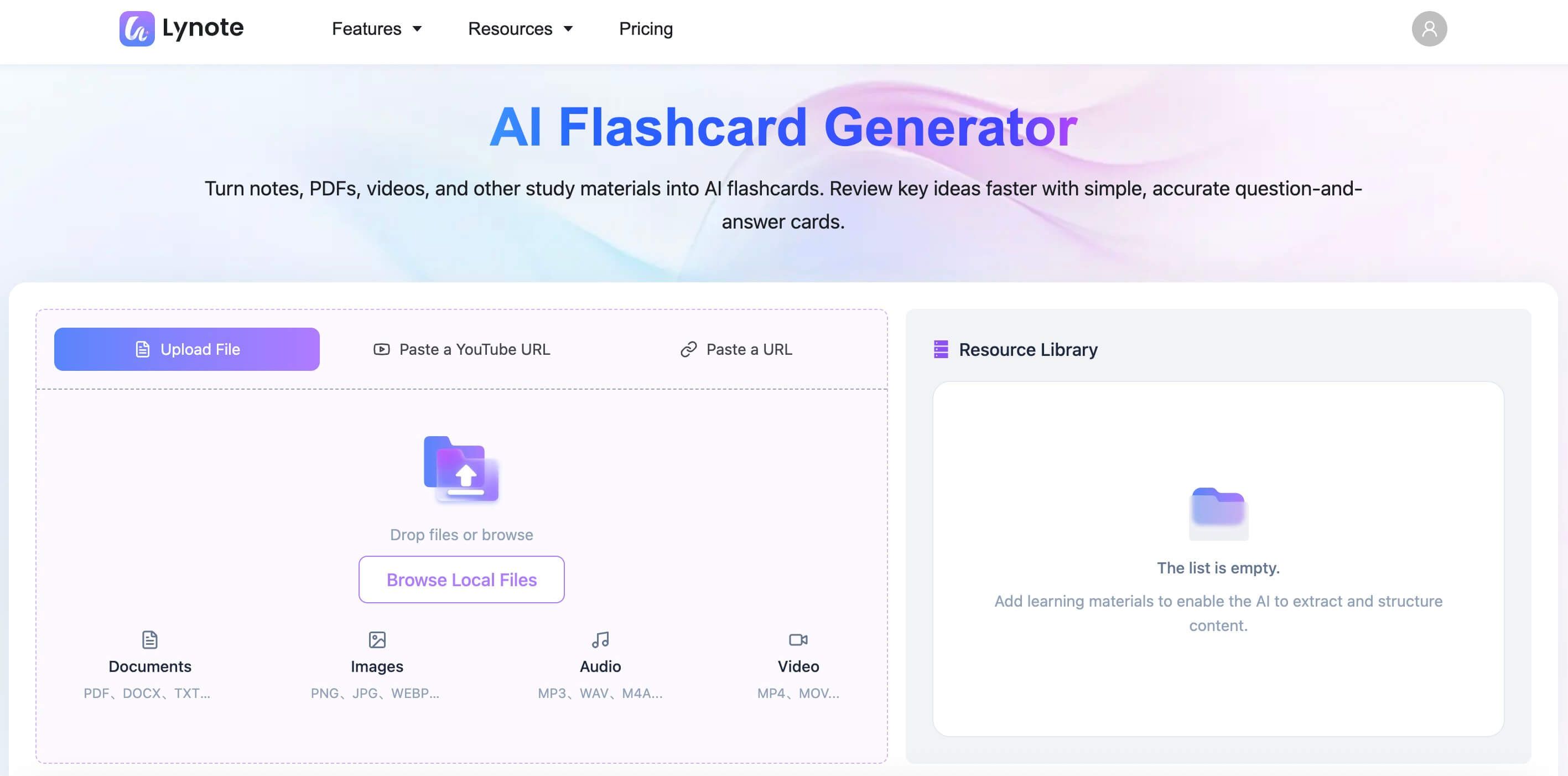
  • Multi-Modal Input: Can generate notes and flashcards from documents (PDF, DOCX), video links (YouTube), audio files, and pasted text.
  • Integrated Workflow: Creates a central "note" from your source material, which can then be summarized, queried via chat, or turned into flashcards.
  • Clean & Modern UI: The interface is intuitive and minimalist, focusing on the content without overwhelming the user with options.
  • Built-in Study Mode: Once cards are generated, you can immediately start reviewing them within the platform.

Pros

  • Extremely versatile input options cater to modern learning habits.
  • The seamless workflow from content to summary to flashcards is a huge time-saver.
  • The clean interface makes it easy to focus on learning.

Cons

  • As a newer platform, it lacks the massive pre-built deck library of a veteran like Quizlet.
  • Advanced learning science features like a customizable SRS are still in development compared to Anki.

Best for: Students and lifelong learners who want a single, modern platform to process diverse materials (videos, articles, PDFs) and turn them directly into study assets.

2. Quizlet

Quizlet is a titan in the digital flashcard space, and for good reason. It has a colossal library of over 500 million user-generated study sets on virtually every topic imaginable. Its recent integration of AI, including the "Q-Chat" tutor and an AI flashcard generator, adds a powerful modern layer to a trusted platform. You can now upload your notes or a document and have Quizlet automatically create a deck for you.

The platform's true strength lies in its ecosystem. Once your cards are made, you can use Quizlet's various study modes—Learn, Test, Match, Gravity—which turn memorization into a game. This gamified approach is fantastic for staying engaged.

quizlet-ai-flashcard.jpg

Key Features

  • AI-Powered Generation: Creates flashcards from uploaded documents, pasted text, or by prompting its AI tutor.
  • Massive Content Library: Access to millions of existing study sets created by other users.
  • Multiple Study Modes: Gamified learning modes make studying more interactive and fun.
  • Mobile-First Design: Excellent mobile apps for studying anytime, anywhere.

Pros

  • The combination of AI generation and a huge existing library is unbeatable.
  • Gamified study modes are highly motivating for many learners.
  • Rock-solid platform with polished mobile and web experiences.

Cons

  • The best AI features are locked behind the Quizlet Plus subscription.
  • The AI can sometimes produce overly simplistic cards from complex source material.

Best for: High school and college students who thrive on gamification and want access to a vast library of pre-made content in addition to creating their own.

3. Anki-Decks

This tool is a fascinating hybrid. It leverages AI to solve the single biggest problem with Anki, the world's most powerful spaced repetition software: the tedious process of card creation. Anki itself is notoriously bare-bones and has a steep learning curve, but its algorithm for long-term memorization is considered the gold standard by medical students, language learners, and other serious scholars.

Anki-Decks.com acts as a smart front-end. You provide your text, and it uses AI to generate a high-quality Anki-compatible deck (.apkg file) that you can then import into the Anki app. It's the perfect marriage of modern AI convenience and battle-tested learning science.

anki-decks-ai-flashcard.jpg

Key Features

  • Anki-Specific Output: Generates decks specifically formatted for import into Anki (desktop or mobile).
  • Focus on SRS: Built for users who are committed to the spaced repetition methodology for long-term retention.
  • Variety of Card Types: Can create basic, cloze deletion ("fill-in-the-blank"), and other Anki card formats.
  • Simple Web Interface: No-frills UI focused purely on generating the deck file.

Pros

  • Automates the most painful part of using the most effective memorization software.
  • The quality of generated cloze deletions is particularly strong.
  • Allows you to leverage the powerful, free, and open-source Anki ecosystem.

Cons

  • Requires you to use two separate platforms (Anki-Decks to create, Anki to study).
  • The Anki interface itself can be intimidating for new users.

Best for: Medical students, language learners, and dedicated scholars who are already committed to (or want to start using) the Anki spaced repetition system.

4. Revisely

Revisely is built for speed and simplicity. Its interface is clean and direct: you have a large text box where you can paste your notes or upload a document, and a button to generate cards. It gets you from raw text to a study-ready deck with minimal fuss.

While it lacks the multi-modal input of Lynote or the gamification of Quizlet, its strength is its straightforwardness. It also generates a good variety of question types, including multiple-choice, true/false, and standard question-and-answer, which keeps study sessions from getting stale.

revisely-ai-flashcard.jpg

Key Features

  • Fast Generation: Creates cards from text or documents in seconds.
  • Multiple Question Types: Automatically generates a mix of formats to test knowledge from different angles.
  • Clean, Uncluttered UI: Easy to use with no learning curve.
  • Built-in Spaced Repetition: Includes a simple SRS mode for efficient studying.

Pros

  • One of the fastest and easiest tools to get started with.
  • The variety in question types is a nice touch for a simple tool.
  • The free tier is quite generous.

Cons

  • Limited input options (primarily text and basic documents).
  • Lacks deeper customization and organizational features.

Best for: Students looking for a quick, free, and easy way to turn their typed lecture notes or articles into flashcards without a complex setup.

5. NoteGPT

NoteGPT operates with a focus on web-based learning. Its standout feature is often a browser extension that allows you to summarize web pages, YouTube videos, and articles, and then generate flashcards directly from that summarized content. This workflow is ideal for researchers, writers, and students who do most of their learning in a browser.

The platform effectively bridges the gap between online content consumption and active recall practice. By integrating directly into the browser, it removes the need to copy-paste information between windows, streamlining the research-to-study pipeline.

notegpt-flashcard.jpg

Key Features

  • Browser Extension: Captures and processes content directly from your web browser.
  • AI Summarization: Condenses long articles or videos into key points before generating cards.
  • Direct Export: Can often export to other platforms like Anki or Quizlet.
  • Note-Taking Environment: Provides a space to organize your captured notes and generated decks.

Pros

  • Excellent workflow for anyone who learns primarily from online sources.
  • The summarization feature helps distill content down to its most important elements.
  • Reduces friction in the research process.

Cons

  • Less effective for offline materials like personal notes or scanned textbook chapters.
  • The user experience can sometimes feel more fragmented than an all-in-one app like Lynote.

Best for: Researchers, online learners, and students who need to quickly process and learn from web articles, blogs, and online videos.


Head-to-Head: Comparing the 5 Best AI Flashcard Makers

Seeing features side-by-side can make the choice clearer. Here’s how our top 5 stack up on the most important criteria.

FeatureLynoteQuizletAnki-Decks.comReviselyNoteGPT
Input Sources📄 Docs, 📹 Video, 🎤 Audio, 🔗 Link, 📝 Text📄 Docs, 📝 Text📝 Text📄 Docs, 📝 Text🔗 Link, 📝 Text
AI Question TypesQ&A, DefinitionsQ&A, Multiple ChoiceQ&A, Cloze DeletionQ&A, T/F, Multiple ChoiceQ&A, Definitions
Spaced Repetition✅ (Learn Mode)✅ (Via Anki App)✅ (Basic)❌ (Varies)
Image/Media Support✅ (Via Anki App)
Collaboration❌ (Roadmap)
Mobile App✅ (Web-based)✅ (Excellent)✅ (Via Anki App)✅ (Web-based)✅ (Web-based)

Bottom line: The main reason a tool like Lynote stands out for modern students is its ability to handle diverse media like video and audio natively. Unlike text-focused tools, it meets learners where they are—on YouTube, listening to podcasts, and reviewing recorded lectures. For pure, powerful memorization, however, the Anki-Decks.com to Anki App pipeline remains unmatched.

How to Create AI Flashcards with the Best AI Tool - Lynote

Seeing the workflow in action is the best way to understand the time-saving potential. Here’s how you can go from a document to a full study deck in under a minute using Lynote.

Before you start:

  • Have your content ready: This can be a document (PDF, DOCX), a link to a YouTube video, an audio file (MP3, M4A), or simply text you've copied.
  • Ensure it's accessible: For documents, make sure they aren't password-protected. For links, ensure they are public.

Step 1. Upload or Link Your Content

Navigate to the Lynote AI Flashcard Maker. You'll see clear options to either upload a file from your computer, paste a link, or drop in raw text. It supports documents, videos, audio, and link. For this example, let's say you have a PDF of your professor's lecture slides. Simply choose the "Browse Local Files" option and select your file. The platform will immediately begin processing the content.

file-upload.jpg

Step 2. Generate the Core Note

After uploading your files, click the “Create Note” button. Lynote creates a central "note" containing the extracted text and an AI-generated summary.

create-note-button.jpg

Step 3. Generate AI Flashcards

This is already a huge win. From this screen, you'll see a "+" button or a similar "Add" icon. Clicking this reveals several options. Select "AI Flashcard" and then click the "Generate" button. The AI will read through the entire note and begin formulating question-and-answer pairs based on the key concepts.

generate-ai-flashcard.jpg

Step 3. Review and Begin Studying

In a matter of seconds, the system will populate a complete flashcard deck. Click the “Open” button, and you can now scroll through the generated cards to check them for accuracy. You can also start quizzing yourself. 

view-the-flashcard.jpg

The Gotcha: Common Pitfalls of AI-Generated Flashcards

AI is a powerful assistant, but it's not a perfect scholar. Relying on it blindly can lead to ineffective study sessions. Here’s the honest truth about what can go wrong and how to fix it.

  1. The "Superficial Definition" Trap: AI is great at pulling out definitions (e.g., "What is mitosis?"). It's less skilled at creating questions that test deeper understanding (e.g., "Compare and contrast the outcomes of mitosis and meiosis.").
    • The Fix: Do a quick 60-second review of your deck. If you see too many simple "what is" questions, manually edit a few to be "why" or "how" questions. Combine two simple cards into one more complex card.
  2. Loss of Crucial Context: An AI might pull a factoid from a paragraph but miss the surrounding context that makes it important. A card might say "The Treaty of Westphalia was signed in 1648," but omit the crucial fact that it ended the Thirty Years' War and established the concept of state sovereignty.
    • The Fix: When you review a card that feels too simple or random, quickly refer back to the source material. Add a short "because..." or "which led to..." clause to the answer to restore the context.
  3. Awkward Phrasing and "AI-isms": Sometimes, the AI's wording is just... weird. It might create a clunky, grammatically correct but unnatural-sounding question that you'd never ask yourself.
    • The Fix: Don't hesitate to rephrase questions and answers in your own words. The act of rewriting itself is a form of studying and helps reinforce the concept.

Frequently Asked Questions

Can AI generate flashcards from scanned PDFs or handwritten notes?

Yes, but with a major caveat. The process requires Optical Character Recognition (OCR) to first convert the image of the text into machine-readable text. The quality of the final flashcards is highly dependent on the quality of the OCR. A clean, high-resolution scan of a textbook will work well. A blurry photo of crumpled, handwritten notes will produce poor, often nonsensical results. Always start with the best quality scan possible.

Is it better to use AI or make flashcards manually?

The most effective method is a hybrid approach. Use AI for speed and scale; use manual editing for precision and depth. Let the AI do the heavy lifting of generating 80% of your deck from a long chapter. Then, spend 10-15 minutes manually reviewing, refining the AI's work, and adding a few of your own high-level conceptual questions. This gives you the best of both worlds: efficiency and deep, personalized learning.

Why do my AI flashcards sometimes feel too easy or miss the main point?

This happens because most current AI models are trained to identify explicit facts, definitions, and key terms. They excel at questions with a clear, self-contained answer in the text. They are less adept at identifying implicit themes, overarching arguments, or the significance of a fact. If a professor spends 10 minutes on a single slide, the "main point" might be the reasoning, not just the bullet points on the slide. The AI might generate cards for the bullet points but miss the core argument entirely. This is why a quick human review is essential.

Final Verdict: Which AI Flashcard Generator Should You Choose?

After extensive testing, it's clear that the "best" AI flashcard generator is not a one-size-fits-all answer. Your choice should be guided by your primary source material and preferred study method.

  • If you are a serious scholar committed to long-term memorization and willing to learn a powerful system, the Anki-Decks.com + Anki App combination is, without question, the most effective for cognitive science-backed learning.
  • If you are a typical high school or college student who loves gamification, needs a great mobile app, and benefits from a massive community library, Quizlet is the most well-rounded and engaging choice.
  • If you just need a fast, free, no-nonsense tool to convert typed notes into a quick study deck, Revisely gets the job done with zero friction.

Editor's Choice: Lynote

For the modern student or lifelong learner who consumes information from everywhere—PDFs, articles, and especially video—Lynote is our top pick. Its ability to create an integrated workflow from diverse media types is a genuine game-changer. It directly addresses the reality that learning no longer just comes from textbooks.

The main reason Lynote wins for overall utility is its all-in-one design, which drastically reduces the steps needed to go from passive content consumption to active studying. The candid downside is that its learning science features, while good, are not yet as robust or customizable as a dedicated SRS platform like Anki. But for the vast majority of users, its convenience and versatility will provide a massive boost to their study efficiency.

Ultimately, the goal is to spend less time making cards and more time learning from them. Pick the tool that best fits your workflow, give it a try, and reclaim your study time.

generate-flashcard.png