

AI YouTube Video Reviewer & Auditor
Instantly generate critical reviews, technical audits, and timestamped feedback reports for any YouTube video—no login required.




Why Use Lynote for Professional Video Reviewing

Frame-by-Frame Visual Audit
Don’t just summarize—critique. Our AI pairs critical analysis with specific video snapshots, allowing you to review visual quality and context without scrubbing through the timeline.

Precision Timestamped Feedback
Generate a professional audit trail. Every critique point is linked to a precise timestamp, letting you jump directly to the exact second that needs improvement or verification.

Fact-Checking & Logic Analysis
Skip the fluff and verify the substance. We extract claims and data points, turning long videos into structured “Review Sheets” so you can audit the accuracy of the content.

Anonymous & Instant Auditing
Review sensitive or competitor content with total privacy. No account needed—just paste the URL to generate a comprehensive review report instantly and securely.

Professional Audit Export
Seamlessly integrate reviews into your QA workflow. Export your full video audit to Markdown for Notion/Obsidian or copy structured feedback directly to your project management tool.

Global Content Review
Audit international content with ease. Our tool analyzes videos in any language and generates your review report in English, ensuring you never miss a detail in foreign market research.
3 Steps to Audit Any YouTube Video
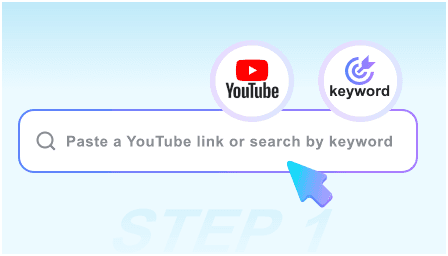
Step 1: Paste Video for Review
Copy the YouTube URL of the video you need to analyze. Whether it’s a competitor’s ad, a technical tutorial, or a documentary, our AI is ready to audit.
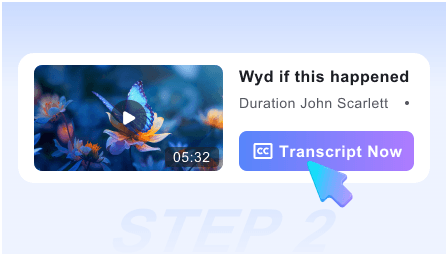
Step 2: Generate Critical Analysis
Our AI engine performs a deep-dive review, identifying key arguments, visual cues, and potential inaccuracies, presenting them in a structured review dashboard.
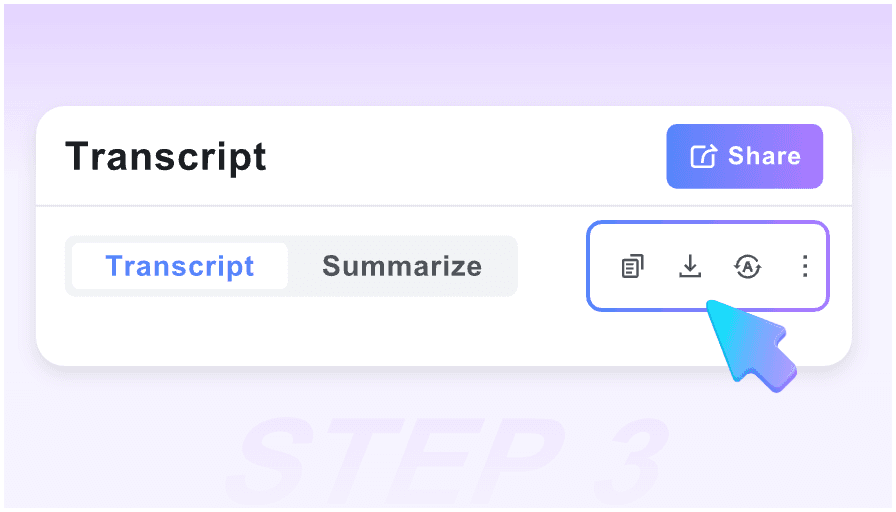
Step 3: Export the Review Report
Finalize your audit by exporting the findings. Use the Markdown report to share feedback with your team or save the critique to your private research database.
Who is this Video Reviewer for?

Quality Assurance (QA) Teams
Streamline video content audits. Use visual snapshots and timestamps to flag production errors or branding inconsistencies across entire channels.

Fact-Checkers & Journalists
Verify claims in record time. Turn hours of footage into a searchable “Review Sheet” of statements and data points for rapid cross-referencing.

Competitor Analysts
Deconstruct competitor strategies. Review their messaging, visual hooks, and call-to-actions without having to watch every minute of their uploads.

Academic Peer Reviewers
Critique educational content and video essays. Extract the core thesis and supporting evidence into a structured format for formal evaluation.

Video Editors & Producers
Perform “Post-Mortem” reviews on your own drafts. Identify pacing issues and key highlights to ensure your final cut meets professional standards.

Legal & Compliance Officers
Audit videos for regulatory compliance. Quickly scan for specific disclosures or prohibited content using the automated timestamped review log.
What Professional Reviewers Say

Senior Content Auditor

The visual audit feature is essential for my workflow. Instead of taking manual notes, Lynote gives me a timestamped critique with screenshots. It’s the most efficient way to review video quality.

Fact-Checking Lead
I use this to audit long-form documentaries. The AI extracts every major claim, making it incredibly easy to verify sources without re-watching the entire 2-hour video.

Competitor Intelligence Analyst
Finally, a tool that lets me review competitor videos anonymously. The Markdown export fits perfectly into my Notion research database. It’s a professional-grade tool.

YouTube Channel Manager
I use the Smart Timeline to review my team’s edits. I can click on a critique point and jump to the exact frame that needs a fix. It has cut our review time by 60%.

Media Consultant
As a visual reviewer, having the snapshots alongside the critical analysis is a game-changer. It captures the nuance of the video that a simple transcript misses.

Compliance Officer
Most tools are too generic. This reviewer focuses on the details. I can get a full compliance audit and a “Review Sheet” before the video even finishes buffering.
Video Reviewer FAQ
Need help with your video audits? Find answers to common questions about our reviewing tool below.
Yes, our tool is 100% free. You can generate unlimited professional video reviews and audits without any subscription fees or hidden costs.
Absolutely. We do not require registration. You can audit any video anonymously, ensuring your research and review history remains completely private.
A summary just tells you what happened. Our Review tool provides critical analysis, identifies key visual frames, and organizes content into an “Audit Trail” for professional evaluation.
Yes. You can export the entire review report, including timestamps and snapshots, in Markdown format, which is fully compatible with Notion, Obsidian, and most project management tools.
Yes. Our AI is built for deep-dive auditing. It can process long-form content and identify “Critical Moments” across several hours of footage in seconds.
Definitely. The tool is optimized to extract technical steps and verify the logic of instructional content, creating a structured “Review Sheet” for you to follow.
Yes. You can input a video in any language, and our AI will perform the review and generate the audit report in your native language, making global content auditing seamless.
We prioritize privacy. Since no login is required and we do not store your search history, your video review sessions are entirely ephemeral and private.