

YouTube to Notes Converter
Transform any YouTube video into structured study notes, lecture outlines, and Markdown summaries instantly—no manual typing or login required.






Why Use Lynote to Convert YouTube to Notes

Visualized Study Notes
Don’t just read—visualize. We pair AI-generated notes with critical video snapshots, allowing you to review complex diagrams and slides without re-watching the entire lecture.

Timestamped Outlines
Navigate dense academic content with ease. Every note entry is linked to a specific timestamp, letting you jump directly to the explanation of a specific concept or formula.

Key Takeaways & Study Guides
Skip the filler and focus on the exam material. Our AI extracts core definitions and turns long tutorials into structured study guides and actionable checklists.

100% Free & No Sign-up
Convert unlimited videos to notes without the friction of creating an account. We prioritize your academic efficiency—just paste the link and start building your library.

Seamless Markdown Export
Perfect for your “Second Brain.” Export your converted notes directly to Markdown for Notion, Obsidian, or Logseq, keeping your digital workspace organized and searchable.

Global Research Support
Learn from the world’s best professors regardless of language. Convert foreign language lectures into comprehensive notes in your native tongue for better retention.
3 Steps to Convert YouTube to Notes
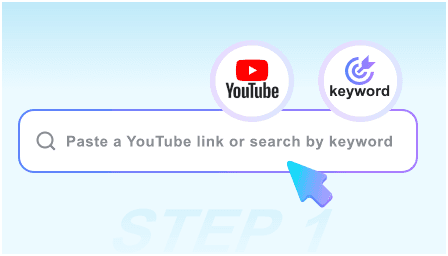
Step 1: Paste the Lecture URL
Simply copy the link of the educational video or podcast you need to study. We handle everything from 5-minute tutorials to 3-hour university lectures.
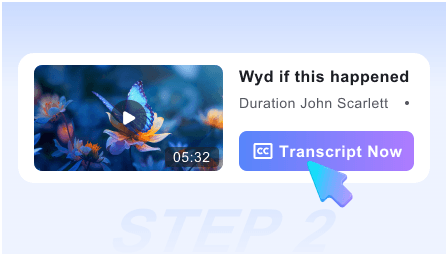
Step 2: Generate Structured Notes
Click “Convert” and watch as our AI drafts a comprehensive note structure, complete with visual context, key definitions, and chronological timestamps.
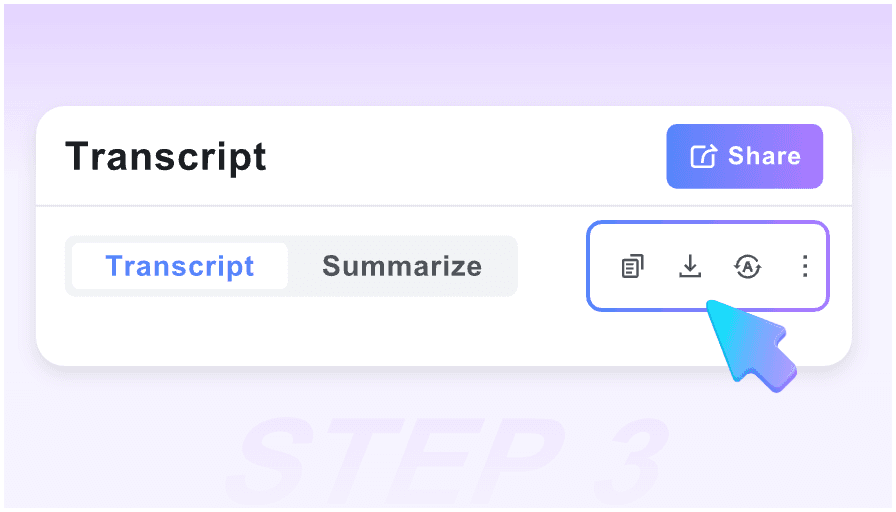
Step 3: Sync to Your Notebook
Review your new notes, refine the key takeaways, and use the one-click Markdown export to save the content into your personal knowledge management system.
Who is this converter designed for?

University Students
Turn recorded lectures into exam-ready study notes instantly. Use visual snapshots to capture whiteboard drawings and complex slides without pausing.

Online Learners
Convert “how-to” courses into step-by-step manuals. Stop scrubbing through timelines and start following a structured written guide of the video content.

Academic Researchers
Efficiently document insights from seminars and interviews. Extract verbatim quotes and key findings directly into your research database via Markdown.

Professional Cert Preppers
Studying for the Bar, CPA, or AWS exams? Convert technical prep videos into condensed review sheets to maximize your study sessions.

Knowledge Curators
Build a searchable library of your favorite podcasts and talks. Use our structured notes to ensure you never lose a valuable insight again.

ESL Students
Master difficult topics by reading notes alongside the video. Pairing visual context with translated text helps bridge the gap in language comprehension.
What our users say about converting YouTube to notes

University Professor

This is the best tool for converting guest lectures into reading material for my students. The visual snapshots ensure that the context of the slides is never lost.

Medical Student
I use this for every anatomy video. It turns a 40-minute lecture into a 5-minute read with all the diagrams included. It has completely changed how I study for finals.

PhD Candidate
The Markdown export is a lifesaver. I can convert a dozen research interviews into notes and have them synced to my Obsidian vault in seconds. Truly frictionless.

Self-Taught Developer
I used to spend hours pausing coding tutorials to type out steps. Now I just convert the video to notes and follow the checklist. It’s a massive productivity boost.

Language Student
As a visual learner, having the screenshots next to the translated notes helps me understand technical terms in English much faster than a plain transcript ever could.

Bar Exam Candidate
Most tools require a subscription, but this is free and instant. I can convert long legal seminars into concise notes while I’m on the go. Highly recommended.
Frequently Asked Questions
Everything you need to know about converting YouTube videos into professional notes.
Yes, it is 100% free. You can convert as many videos as you need into structured notes and study guides without any hidden costs or limits.
Absolutely. We believe in fast learning. You don’t need to sign up or log in—just paste your URL and get your notes immediately.
Transcripts are messy walls of text. Our converter creates “Visual Notes” that include key screenshots, headings, and bullet points for much better readability.
Yes! We provide a clean Markdown export option specifically designed to look great in Notion, Obsidian, Tana, and other popular note-taking apps.
Yes. Our AI is built to handle long-form educational content, identifying the most important concepts and timestamping them for easy navigation.
Yes, our “Action Guide” logic identifies instructional sequences and formats them as a checklist within your notes, perfect for “how-to” content.
Yes. You can input a video in any major language and the tool will generate the summary and notes in your chosen language, making global knowledge accessible.
Your privacy is paramount. Since we don’t require accounts, we don’t track your history or build a profile on you. Your research and study sessions remain your own.