

YouTube Notes Summarizer
Transform any video into structured study notes, Markdown summaries, and organized knowledge—instantly and without a login.






Why Use Our YouTube Notes Summarizer

Structured Markdown Notes
Stop taking manual notes. Our AI converts video content into perfectly formatted Markdown, complete with headings, bullet points, and bolded key terms for your digital garden.

Timestamped Reference Points
Every note is linked to a specific timestamp. Click any bullet point in your summary to jump to the exact moment in the video for deeper context or verification.

Automated Executive Summaries
Get the “TL;DR” of any 2-hour lecture or podcast in seconds. We extract the core thesis and supporting arguments so you can master the material without the fluff.

No-Login Frictionless Workflow
Your research shouldn’t be interrupted by sign-up forms. Paste a link and get your notes immediately. We value your speed and focus above all else.

Second Brain Integration
Built for PKM enthusiasts. Export your YouTube notes directly to Obsidian, Notion, or Logseq with one click, maintaining all formatting and structural integrity.

Global Research Support
Summarize foreign language lectures or international news. Our AI translates and notes down key insights in your native language, expanding your knowledge base globally.
3 Steps to Build Your Video Knowledge Base
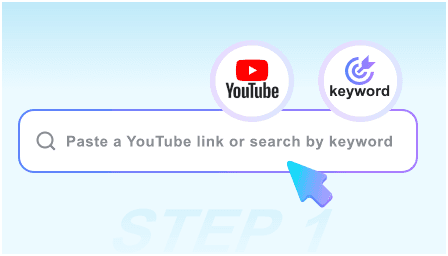
Step 1: Paste the Source Link
Copy the URL of the lecture, webinar, or tutorial you need to study. Our engine handles everything from 5-minute clips to 4-hour deep dives.
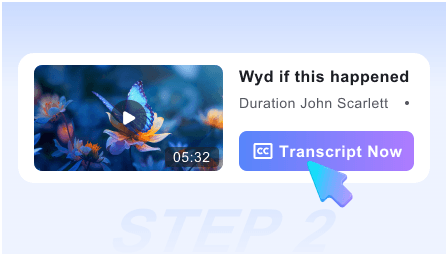
Step 2: Generate AI Study Notes
Watch as the AI parses the transcript to create a structured outline, identifying key concepts, definitions, and actionable insights in real-time.
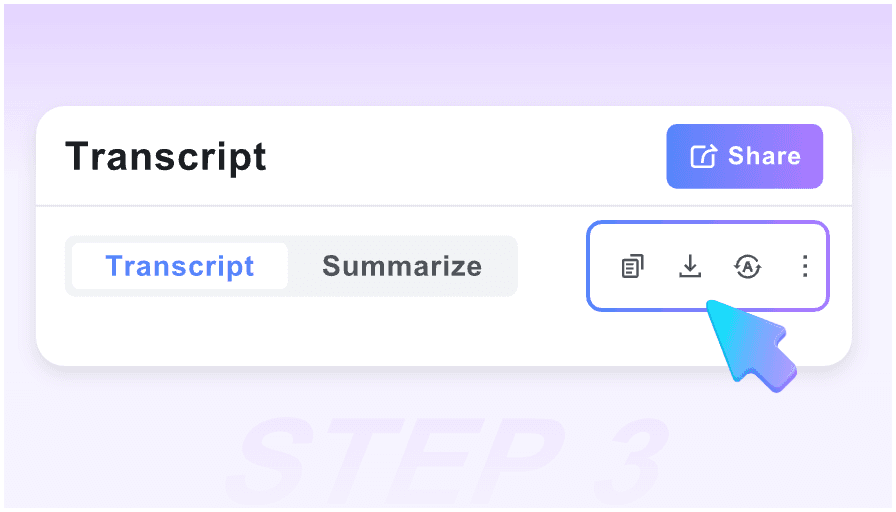
Step 3: Sync to Your Notebook
Review the generated notes, then use the “Export to Markdown” button to save the summary directly into your Notion workspace or Obsidian vault.
Who is this note-taking tool for?

University Students
Turn recorded lectures into exam-ready study guides. Focus on understanding the professor instead of frantically typing every word.

PhD Researchers
Quickly scan through academic seminars and interviews. Extract citations and core arguments to fuel your literature review process.

Notion & Obsidian Users
Perfect for those building a “Second Brain.” Get clean, structured Markdown that fits perfectly into your existing folder hierarchy.

Professional Self-Learners
Master new software or business strategies by converting long-form tutorials into concise, actionable checklists and reference notes.

Podcast Enthusiasts
Convert 3-hour long-form conversations into 5-minute executive summaries. Capture the best ideas without spending your whole afternoon listening.

Technical Developers
Summarize coding walkthroughs and system design videos. Extract the logic and steps into a technical doc you can refer to while building.
What our power users say

Academic Researcher

This is the best YouTube notes summarizer I’ve found. The Markdown export is clean, and it captures the nuance of academic lectures without losing the core thesis.

Computer Science Student
I use this for all my coding tutorials. It creates a perfect step-by-step note set that I can paste right into my Obsidian vault. It’s a massive productivity boost.

PKM Strategist
The fact that I don’t have to log in to get high-quality structured notes is incredible. It fits perfectly into my “capture” workflow for my digital garden.

MBA Candidate
I save hours on case study videos. The smart timestamps allow me to jump back to specific data points mentioned in the notes instantly.

Tech Lead
As a visual and textual learner, having the snapshots alongside the summarized notes helps me retain complex architectural concepts much faster.

Online Course Creator
I use this to outline my own videos and research competitors. It’s free, fast, and the Markdown formatting is exactly what a professional needs.
Frequently Asked Questions
Everything you need to know about generating professional YouTube notes.
Yes, it is 100% free. You can generate as many structured notes and Markdown summaries as you need without any subscription or hidden costs.
Absolutely. We believe in a “no-friction” workflow. You can start generating notes the moment you land on the page—no email required.
Once your notes are generated, click the “Export” button. It will provide a .md file or copy the text to your clipboard, ready for Notion, Obsidian, or Roam.
Yes. Our AI is specifically tuned to handle long-form content, ensuring that even a 3-hour lecture is condensed into a coherent, structured note set.
The timestamps in the web view are clickable. In the Markdown export, they are formatted as text references so you can easily find the spot in the original video.
Yes, the AI is trained on a wide variety of data, making it highly effective at summarizing technical jargon, medical lectures, and complex tutorials.
It does. You can summarize videos in over 50 languages. The tool will translate the insights and provide your final notes in the language of your choice.
Your privacy is our priority. Since we don’t require accounts, we don’t track your personal identity or build a profile on what you are researching.