

YouTube Link Summarizer
Convert any YouTube link into structured study notes, executive summaries, and actionable checklists in seconds—no account or login required.







Why Use Our YouTube Link Summarizer

Instant Link-to-Insight
Stop scrubbing through timelines. Paste any YouTube link and get a comprehensive visual breakdown that pairs AI analysis with key frames so you can “read” the video at a glance.

Deep-Link Timestamps
Every summary point is a clickable deep-link. Navigate directly to the most relevant parts of the video without wasting time on intros, sponsors, or filler content.

Automated Action Blueprints
Our AI identifies the core “how-to” within the link. It automatically extracts instructions and creates a step-by-step checklist, turning passive watching into active execution.

Zero-friction Access
No sign-up, no credit card, and no “free trial” traps. We provide unlimited link summarization immediately because your research shouldn’t be gated by a login screen.

Knowledge Base Ready
Perfect for your “Second Brain.” Export your link summaries directly to Markdown for seamless integration with Notion, Obsidian, or Logseq with one click.

Global Link Translation
Paste a link in any language. Our engine translates the core concepts and generates your summary in English (or your native tongue), breaking down international knowledge barriers.
3 Steps to Summarize Any YouTube Link
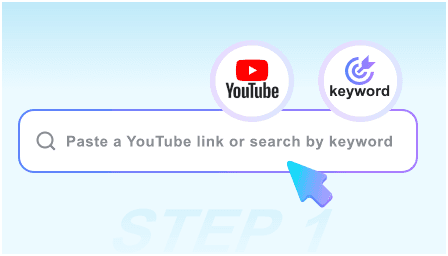
Step 1: Paste the YouTube Link
Copy the URL from your browser or the “Share” button on mobile and drop it into our search bar. We handle everything from 2-minute clips to 4-hour podcasts.
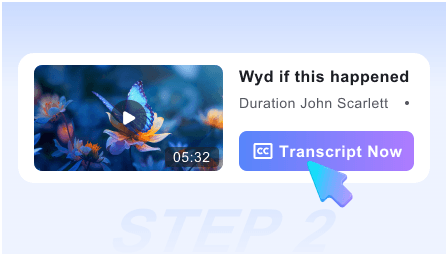
Step 2: Generate AI Analysis
Click “Summarize” to trigger our neural engine. It scans the transcript and visual cues to build a structured report with timestamps and key takeaways instantly.
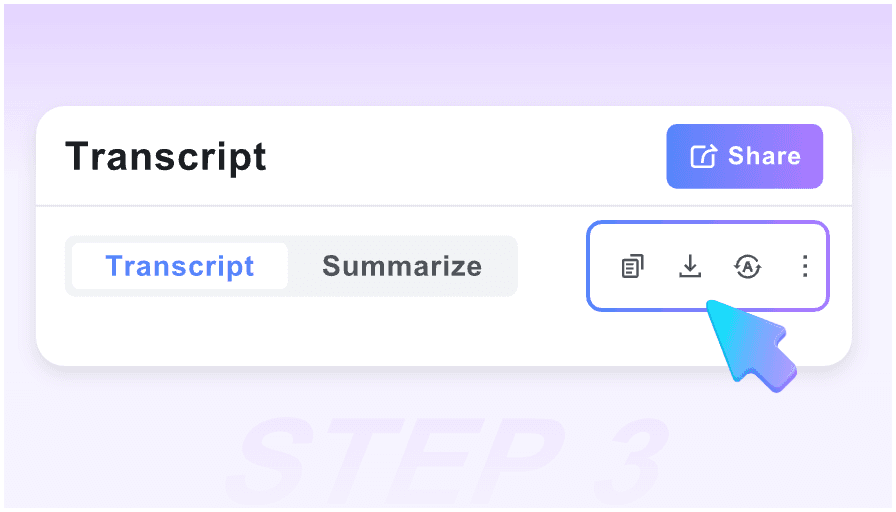
Step 3: Save to Your Notes
Review the generated insights, copy the formatted text, or export the Markdown file to your personal knowledge management system for future reference.
Who is this link summarizer for?

Academic Researchers
Quickly vet hours of recorded symposiums and lectures. Extract the thesis and supporting evidence from a link without sitting through the entire presentation.

Technical Learners
Turn complex coding or engineering tutorial links into technical documentation. Get the exact commands and logic steps in a clean, readable format.

Market Analysts
Process industry interviews and earnings calls faster. Summarize links to competitor webinars to identify key trends and data points in minutes.

Knowledge Workers
Manage your “Watch Later” backlog. Use the link summarizer to decide if a video is worth your full attention or if the summary provides enough detail for your project.

Executive Leaders
Get the “TL;DR” on long-form business podcasts and thought-leadership videos. Stay informed on industry shifts during short breaks between meetings.

DIY Enthusiasts
Convert repair or craft video links into printable shopping lists and assembly steps. Follow the guide on your phone while your hands are busy working.
What our power users say

University Professor

This is the most efficient way to process research links. The ability to get a visual summary with timestamps allows me to cite specific video segments in seconds.

Software Engineer
I use this for every documentation link I find. It turns 20-minute dev vlogs into a 2-minute read. The Markdown export to my Obsidian vault is flawless.

Startup Founder
No login required is the killer feature. I can paste a link, get the executive summary of a competitor’s keynote, and move on with my day. Truly frictionless.

MBA Student
The ‘Action Guide’ feature is incredible for case studies. It pulls out the strategic frameworks from interview links so I don’t have to take manual notes.

Growth Marketer
I process dozens of webinar links weekly. This tool helps me find the ‘High-Value Moments’ instantly so I can skip the fluff and get straight to the data.

Product Designer
Most link summarizers are just text walls. This one gives me the visual context I need to understand UI/UX tutorials without re-watching the whole video.
Frequently Asked Questions
Everything you need to know about summarizing YouTube links with AI.
No. Our YouTube link summarizer is completely free and unlimited. You can process as many URLs as you need for your research or learning.
It works with any public or unlisted link. However, for privacy reasons, the tool cannot access private videos that require a specific user login to view.
Our AI uses the latest LLM technology to analyze both the transcript and visual frames, ensuring a high level of accuracy for educational and factual content.
Yes! We provide a dedicated “Export to Markdown” button which is perfectly formatted for Notion, Obsidian, and other popular note-taking apps.
We can summarize links for videos up to 4 hours long, making it ideal for long-form podcasts, university lectures, and lengthy live streams.
Yes, if the video contains code or specific technical steps, our AI will attempt to format these into a structured Action Guide for easy copying.
Absolutely. Paste a link in any major language, and the tool will translate the content to provide you with a clear summary in your chosen language.
Your privacy is our priority. Since no account is required, we don’t track your identity or build a profile on you. Your link history remains your own.