

YouTube Subtitles Extractor
Instantly extract SRT and VTT subtitles from any YouTube video. Perfect for video editors, accessibility compliance, and repurposing global content into localized captions.




Why Choose Our YouTube Subtitles Extractor

Instant SRT & VTT Extraction
Stop manual transcribing. Extract high-quality subtitle files in seconds. Our engine pulls hard-coded and auto-generated captions directly from YouTube’s API for maximum speed and reliability.

No Account, No Limits
Download as many subtitle tracks as you need without ever hitting a paywall or creating an account. We provide a frictionless workflow for professional editors and creators.

Advanced Subtitle Formatting
Beyond raw text, we are launching advanced subtitle styling, frame-rate conversion, and multi-track merging to ensure your captions look professional on any video player.

Frame-Perfect Timestamps
Every subtitle line is synced with millisecond precision. Ensure your captions never lag or lead, making them ready for immediate import into Premiere Pro, Final Cut, or DaVinci Resolve.

Pro Export Options
Export in industry-standard formats including .SRT, .VTT, and .TXT. Whether you need captions for social media or a clean script for documentation, we have the right format.

Global Language Extraction
Extract subtitles in over 100 languages. Perfect for translating foreign films, localizing marketing content, or studying international media with accurate native-language captions.
3 Steps to Extract YouTube Subtitles
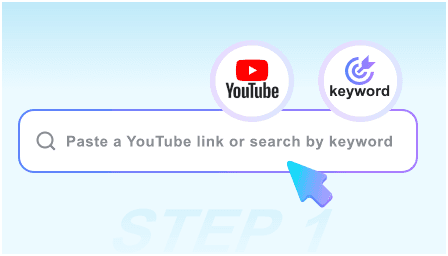
Step 1: Paste Video URL
Copy the link of the YouTube video you need subtitles for and paste it into our extractor. We’ll instantly scan for all available caption tracks.
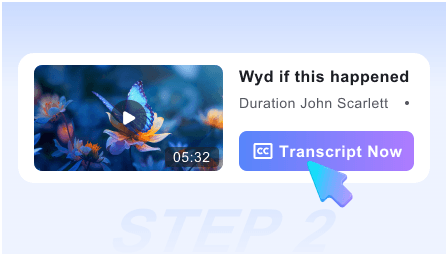
Step 2: Select Language & Format
Choose from the list of available languages (English, Spanish, etc.) and select your preferred file format like SRT for video editing or TXT for reading.
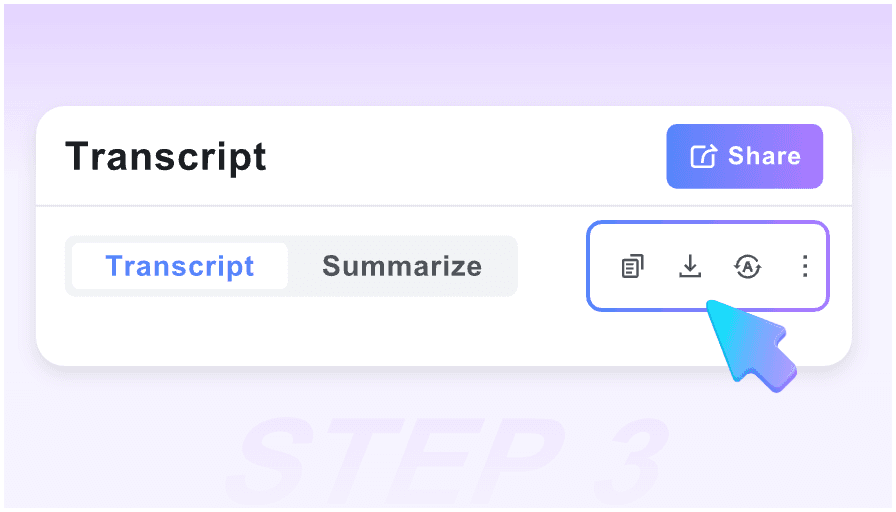
Step 3: Download Subtitle File
Click the download button to save the subtitle file to your device. Your captions are now ready to be uploaded to your video editor or used for translation.
Who is this tool suitable for?

Video Editors
Save hours of manual captioning. Download SRT files to instantly sync subtitles with your timeline in professional editing software.

Accessibility Specialists
Ensure your content meets WCAG compliance by extracting and refining captions for hearing-impaired audiences across all platforms.

Content Localizers
Extract foreign language subtitles to translate and adapt global trending videos for your local target audience and niche markets.

Language Students
Download dual-language subtitles to follow along with native speakers, helping you master pronunciation and complex vocabulary in context.

Social Media Managers
Repurpose YouTube captions into TikTok and Reel subtitles. Increase engagement by ensuring your videos are watchable without sound.

SEO & Metadata Experts
Extract subtitle text to create keyword-rich video descriptions and closed-caption files that help search engines index your video content.
What professional users say

Professional Video Editor

This is the fastest SRT extractor I’ve used. I can pull captions from a 30-minute documentary and have them in Premiere Pro in under a minute.

Localization Manager
Essential for our translation workflow. We extract the VTT files, translate them, and re-upload. It has cut our production time by 40%.

YouTube Growth Consultant
I use this to analyze competitor videos. Extracting their subtitles allows me to see their script structure and keyword density instantly.

Accessibility Coordinator
No sign-up makes this so easy for my team. We can quickly grab captions for compliance checks without any technical hurdles.

Documentary Filmmaker
The timestamp accuracy is incredible. Even for long-form interviews, the sync remains perfect, which is rare for free online extractors.

Social Media Strategist
I love the ‘One-Click Copy’ for grabbing quotes for Twitter. It’s the most reliable tool in my content repurposing toolkit.
Subtitle Extraction FAQ
Everything you need to know about downloading and using YouTube subtitles for your projects.
Yes, our tool is 100% free. You can extract and download unlimited SRT and VTT files without any hidden costs or subscription requirements.
No registration is required. We value your privacy and speed; just paste the link and download your subtitles immediately.
We currently support .SRT (SubRip), .VTT (WebVTT), and plain .TXT formats, covering 99% of video editing and web player requirements.
Absolutely. Our tool is optimized for long-form content like documentaries, webinars, and podcasts, processing them in just a few seconds.
We can only extract subtitles that are already present on the video (either uploaded by the creator or auto-generated by YouTube). If the “CC” icon is missing on YouTube, no subtitles are available to extract.
Yes. If the video has multiple caption tracks (e.g., English, Spanish, French), you can select and download each language individually.
Yes, our extractor is fully mobile-responsive. You can download subtitle files directly to your iPhone, Android, or tablet via any web browser.
Yes, both SRT and VTT formats include precise timestamps. If you choose the TXT format, you can opt for a clean transcript or one with timecodes.