

Video to Notes AI Free
Transform any video into structured study notes, lecture outlines, and exam-ready Markdown instantly. No login, no fees—just pure academic efficiency.




Why Use Our AI to Convert Video to Notes

Automated Lecture Outlines
Don’t just summarize—structure. Our AI identifies core academic concepts and pairs them with video snapshots, creating a visual notebook that makes complex topics easy to review.

Precision Timestamps for Review
Navigate long seminars with surgical precision. Every note is linked to a specific timestamp; click any key concept to jump directly to that explanation in the video.

Exam-Ready Study Guides
Skip the filler and “ums.” We extract high-yield information and convert technical tutorials into step-by-step study checklists so you can master the material faster.

100% Free & No Account Needed
Access premium AI note-taking without a subscription. We prioritize your focus—simply paste your lecture link and generate unlimited notes immediately without signing up.

Seamless Notion & Obsidian Export
Build your digital brain effortlessly. Export your structured notes directly to Markdown for Notion or Obsidian, keeping your formatting, headers, and links perfectly intact.

Global Research Support
Learn from the world’s best professors in any language. Our AI translates foreign language lectures into clear, structured notes in your native tongue for better retention.
3 Steps to Turn Any Video into Notes
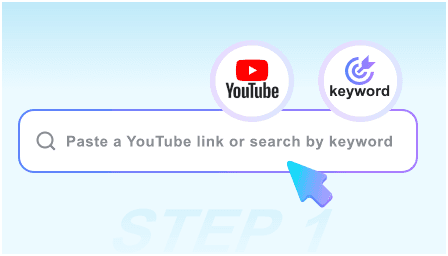
Step 1: Paste Your Lecture Link
Copy the URL of any educational video or recorded seminar. We handle everything from 10-minute tutorials to 3-hour university lectures.
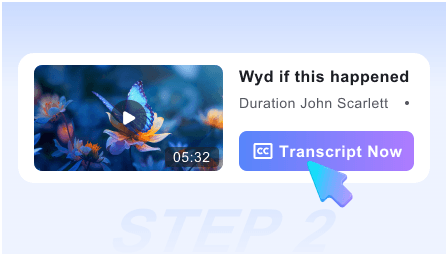
Step 2: Generate AI Notes Instantly
Click “Convert” and watch as our AI transcribes, categorizes, and formats the content into a structured note with key visual references.
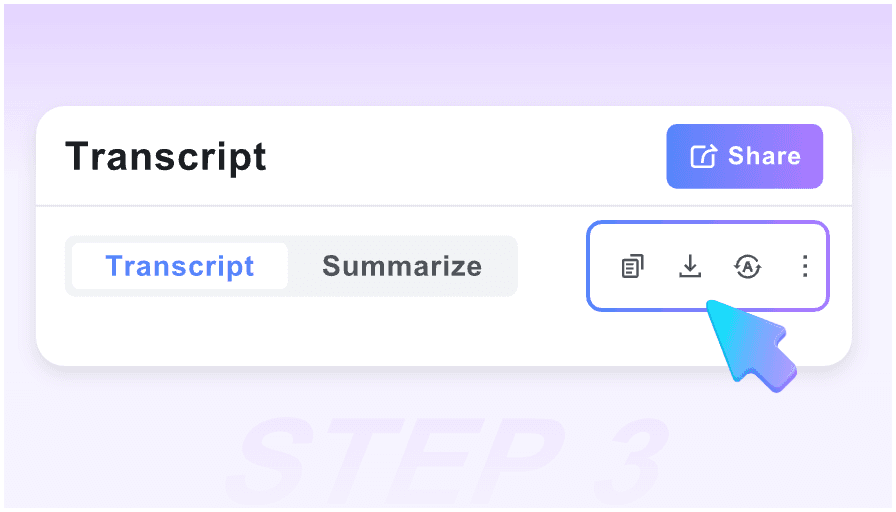
Step 3: Sync to Your Notebook
Review your new study guide, copy the key takeaways, or use the one-click Markdown export to save the notes to your personal knowledge base.
Who is this AI Note-Taker for?

University Students
Convert 2-hour recorded lectures into 5-minute reading materials. Perfect for catching up on missed classes or prepping for finals.

Online Course Learners
Turn Skillshare or Coursera videos into actionable workbooks. Stop pausing every 30 seconds to type; let the AI build the manual for you.

PhD Researchers
Quickly parse through academic webinars and symposiums. Extract specific citations and key findings directly into your research database.

Coding Bootcampers
Transform programming tutorials into clean documentation. Capture code snippets and logic flows without manual transcription.

Professional Cert Preppers
Studying for the Bar, CPA, or AWS exams? Turn prep videos into structured flashcard-ready notes to maximize your study blocks.

Lifelong Learners
Master any hobby or skill. Use the visual-text pairing to understand complex DIY steps or scientific theories through structured observation.
What Students & Learners Say

Post-Doctoral Researcher

This is the best ‘video to notes’ tool I’ve found. The visual snapshots are vital for scientific diagrams—it’s like having a teaching assistant take perfect notes for me.

Medical Student
The Markdown export is a lifesaver for my Anki and Notion workflow. I can turn a complex anatomy video into a structured study guide in under 60 seconds.

Self-Taught Developer
I love that it’s truly free and requires no login. I use it daily for coding tutorials to get the logic steps down without having to re-watch the whole video.

MBA Candidate
I use the smart timestamps to skip the intros of guest lectures and go straight to the case studies. It has cut my prep time in half.

Language Student
As a visual learner, seeing the screenshots next to the translated notes helps me understand context that a plain transcript just can’t provide.

Undergraduate Student
Most ‘free’ tools have a catch. This one actually works. It’s my go-to for turning YouTube lectures into exam notes without spending a penny.
Frequently Asked Questions
Need help turning your videos into notes? Find the answers to common student queries here.
Yes, it is 100% free. We designed this for students and learners to generate unlimited notes and study guides without any hidden costs or subscriptions.
Absolutely. We know students are busy. There is no sign-up process—just paste your link and get your notes instantly.
Transcripts are messy walls of text. Our AI creates “Visual Notes” by selecting the most important frames from the video to illustrate the written summary.
Yes! You can export your notes in Markdown format, which is the standard for Notion, Obsidian, Roam, and other popular note-taking apps.
Yes. Our AI is built for long-form educational content. It will break down a multi-hour lecture into digestible chapters and key takeaways.
Definitely. For tutorials or lab demos, the AI specifically looks for “Action Steps” to create a checklist you can follow while you work.
Yes. You can input a video in any major language, and the AI will generate the structured notes in your chosen language, making global education accessible.
Your privacy is our priority. Since no login is required, we don’t track your identity or store a history of the videos you’ve converted to notes.