

Translate Tagalog to English




Why Choose Our Tagalog to English Translator?

Paragraph-Friendly Translation
Translate Tagalog sentences and paragraphs with surrounding context, so the English result is easier to understand than a word-by-word lookup.

Everyday Meaning Support
Useful for casual Tagalog messages, family updates, social posts, travel notes, school text, and workplace communication.

English to Tagalog Too
Switch directions when you need English to Tagalog translation for replies, captions, notes, or simple Filipino-language drafts.

Text and Document Workflow
Paste short text for quick translation, or upload a supported PDF, DOCX, PPTX, or XLSX file when you need to translate longer content.

Translate Tagalog Sentences and Paragraphs

English to Tagalog Translation for Replies and Drafts
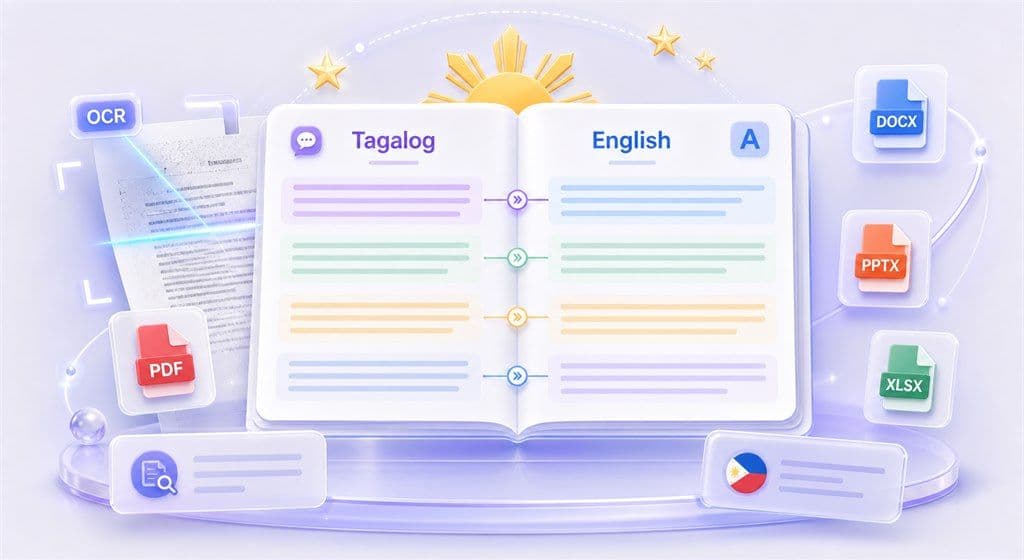
Translate Tagalog and English Documents
How to Translate Tagalog to English Online

Step 1. Paste Tagalog Text or Upload a File
Paste up to 5,000 characters into the text box for quick Tagalog to English translation. For longer content, open the Document tab and upload a supported PDF, DOCX, PPTX, or XLSX file up to 10 MB.


Step 2. Choose English as the Target Language
Set Tagalog as the source language and English as the target language. If the source language is unclear, use auto-detect, then adjust the language pair before translating.

Step 3. Copy or Download the Translation
Copy the English translation for messages, notes, emails, or study use. For document translation, download the translated file after processing.
Who Can Use This Tagalog Translator?

Filipino Families and Everyday Messages
Translate Tagalog messages, updates, and personal notes into English when you need to understand tone and meaning quickly.

Students and Language Learners
Use Tagalog to English translation for reading practice, vocabulary review, homework support, and paragraph-level comprehension.

Work and Business Communication
Translate workplace notes, customer messages, internal documents, and short announcements between Tagalog and English.
What People Say About Lynote

Language Learner

"I use Lynote for Tagalog paragraphs, not just single words. It helps me understand the full English meaning before I reply."

Customer Support Lead
"Our team receives short Tagalog messages from users. Lynote helps us translate them into English quickly so we can respond with the right context."

Student
"The paragraph translation is useful for class readings and notes. I can paste Tagalog text and review the English meaning in one place."

Travel Planner
"For travel notes and local messages, the Tagalog to English translator saves time. It is simple enough to use whenever I need a quick check."

Content Assistant
"I switch between English to Tagalog and Tagalog to English when preparing captions. It helps me compare both versions before publishing."

Operations Coordinator
"Being able to translate supported documents is helpful when the content is too long to paste line by line."
FAQs About Tagalog to English Translation
Common questions about Tagalog to English translation, English to Tagalog translation, and supported text or document workflows.
Paste your Tagalog text into Lynote, choose English as the target language, and run the translation. For longer content, upload a supported PDF, DOCX, PPTX, or XLSX file.
Yes. You can reverse the language direction and use Lynote for English to Tagalog translation as well as Tagalog to English translation.
Yes. Lynote can translate words, sentences, and paragraphs. Paragraph translation is useful when the meaning depends on context rather than a single word.
Tagalog and Filipino are closely related, and many users search for both when they need English and Philippine-language translation. Review important translations carefully, especially when tone or regional wording matters.
Yes. Lynote supports PDF document translation up to 10 MB. If the PDF is scanned, OCR can help read the text before translation.
Yes. Upload a DOCX file, choose English as the target language, and download the translated document after processing.
Yes. Paste English sentences into the text box and choose Tagalog as the target language. This is useful for replies, captions, notes, and everyday messages.
The text translator supports up to 5,000 characters per request. For longer content, use the document translation workflow when your file format is supported.
No sign-up is required for quick translation. You can paste text or upload a supported file and start translating in your browser.
Yes. You can use Lynote to check Tagalog word meaning, but it is often more helpful to translate the full phrase or sentence so the English result includes context.