Translate Indonesian Audio to English

Drop files or browse

Add study materials to enable the AI to extract and structure content.



Why Choose Our Indonesian Audio Translator?
Indonesian Transcript First
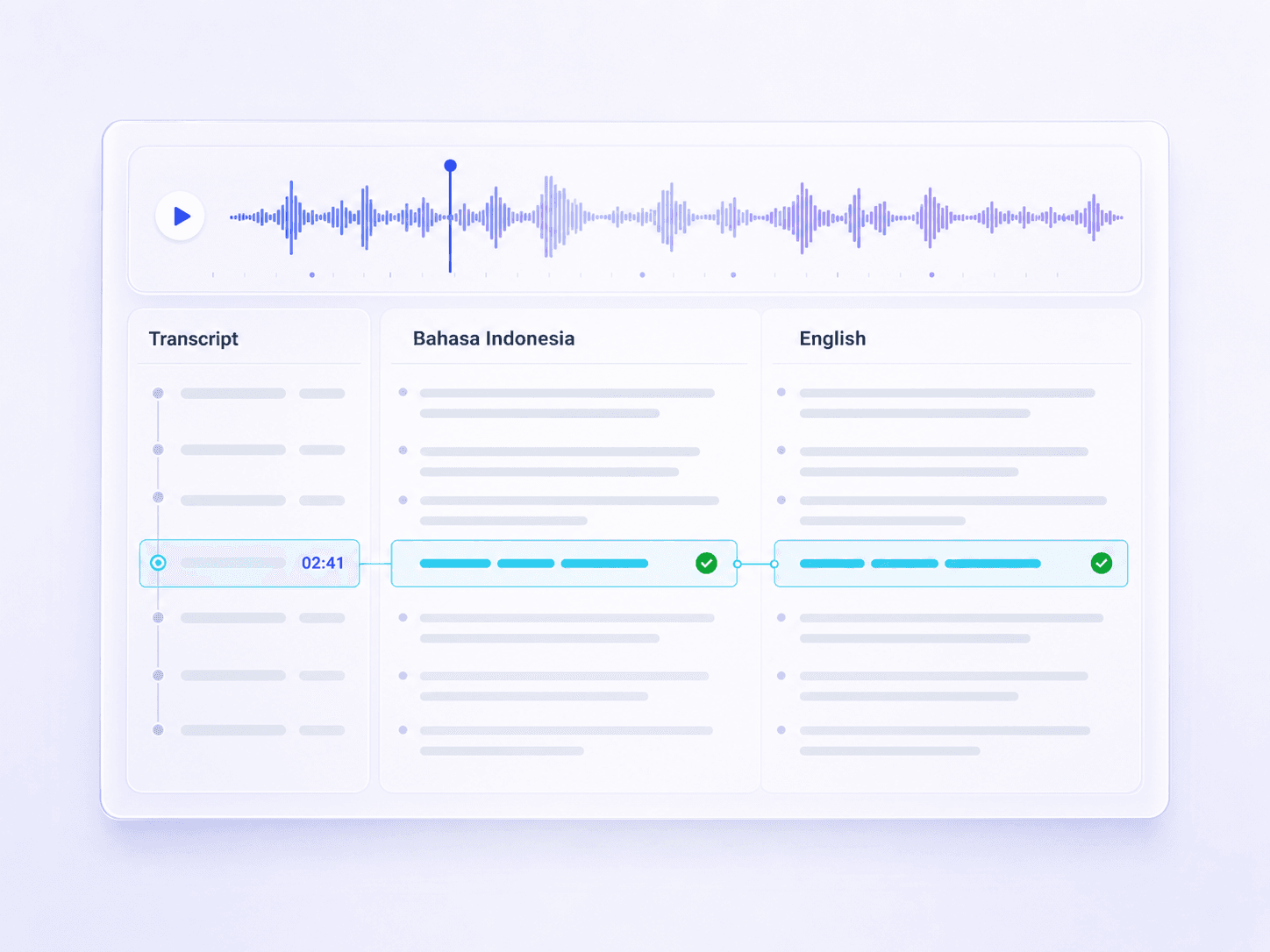
See what Lynote heard in Indonesian before relying on the English version. You can check names, numbers, and local terms against the recording, then translate from a transcript you have already reviewed.

One-Click English Translation
Once the Indonesian transcript is ready, use the translate control and choose English. The translation stays in the same workspace, so you do not need to move long interview or meeting text between separate tools.

File or Link Input
Upload an Indonesian voice recording or paste a supported media link. This gives you a practical route for saved audio, shared recordings, and online source material.

Searchable English Text
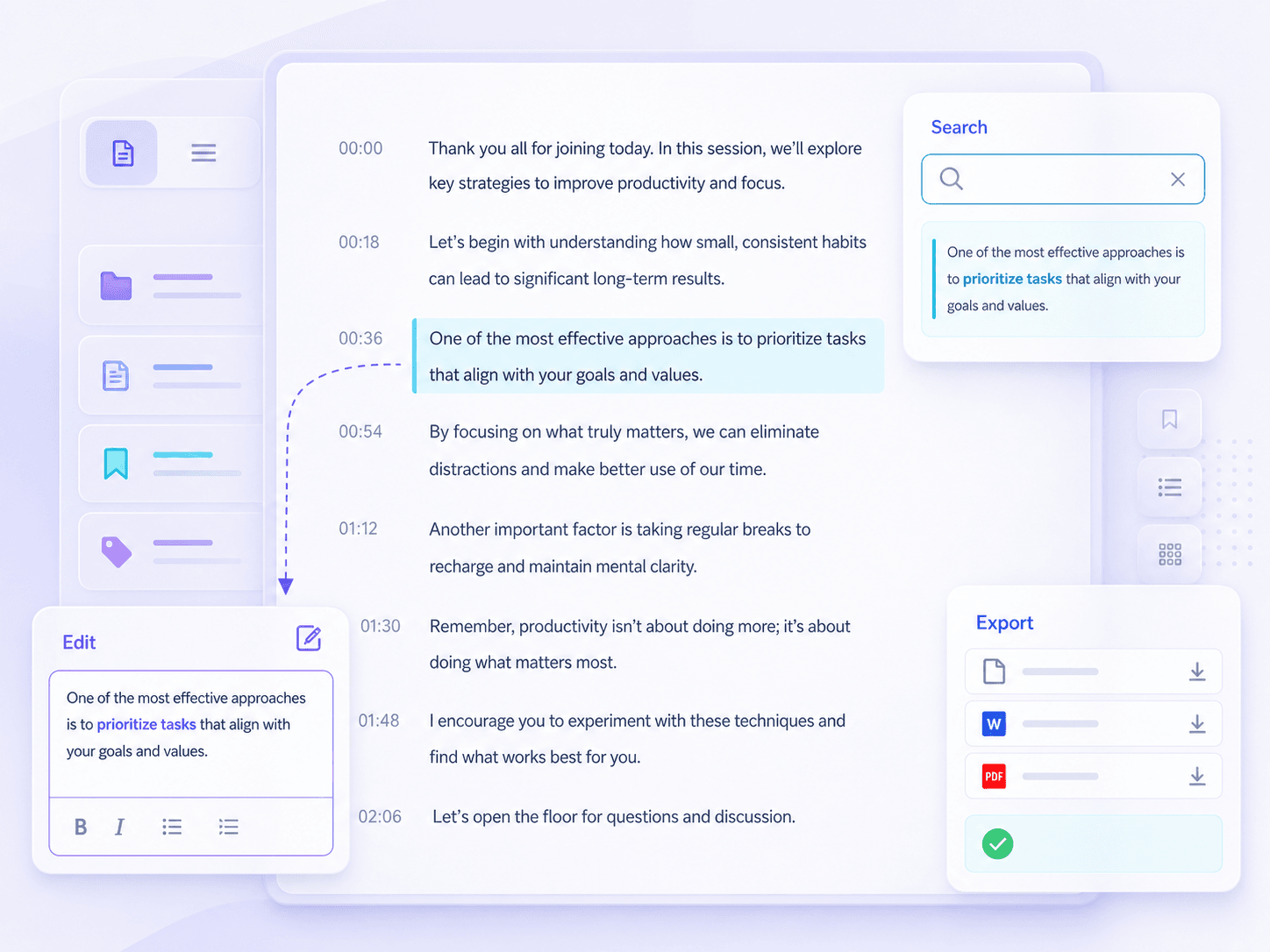
Search the translated transcript for a speaker, topic, place, or decision. It is much faster than replaying an Indonesian recording whenever you need one detail in English.
130+ Languages
Continue beyond Indonesian and English when a project involves regional or global teams. Lynote supports transcription and translation workflows across more than 130 languages.
Built for Long Recordings
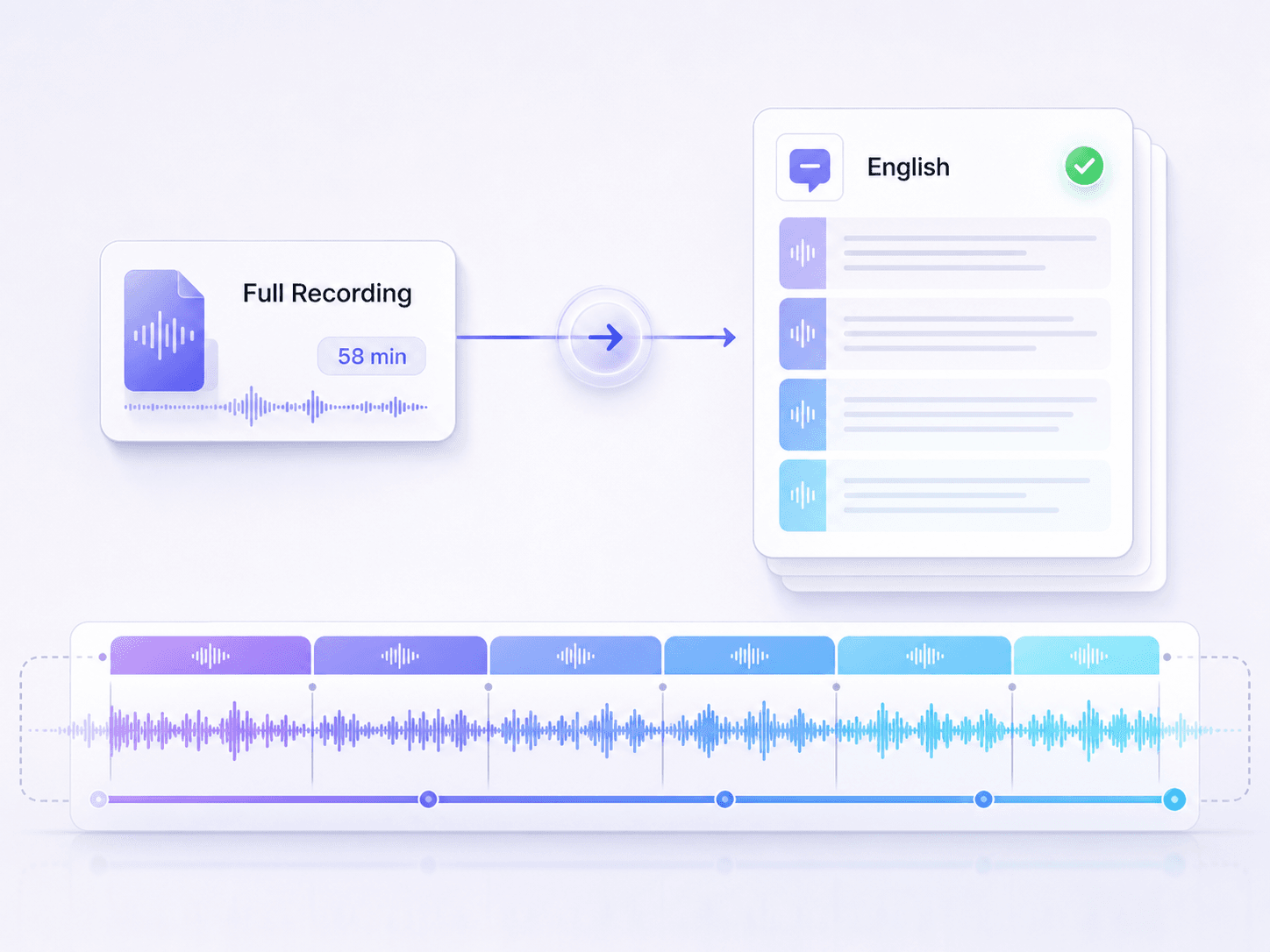
Work through full interviews, lectures, meetings, podcasts, and research recordings instead of translating isolated voice snippets. The resulting text is easier to review section by section.
Edit Before Download
Correct a name, technical phrase, or translation choice before the English text leaves your workspace. Then copy, export, or download the version you actually want to use.

Private Processing
Your uploaded recordings and transcripts stay private, are processed securely, and are not used to train AI models. This matters when your Indonesian audio contains interviews, internal meetings, or customer conversations.
Compare Indonesian Speech With English Text
Translate Full Indonesian Recordings
Turn English Transcripts Into Working Notes
How to Translate Indonesian Audio to English
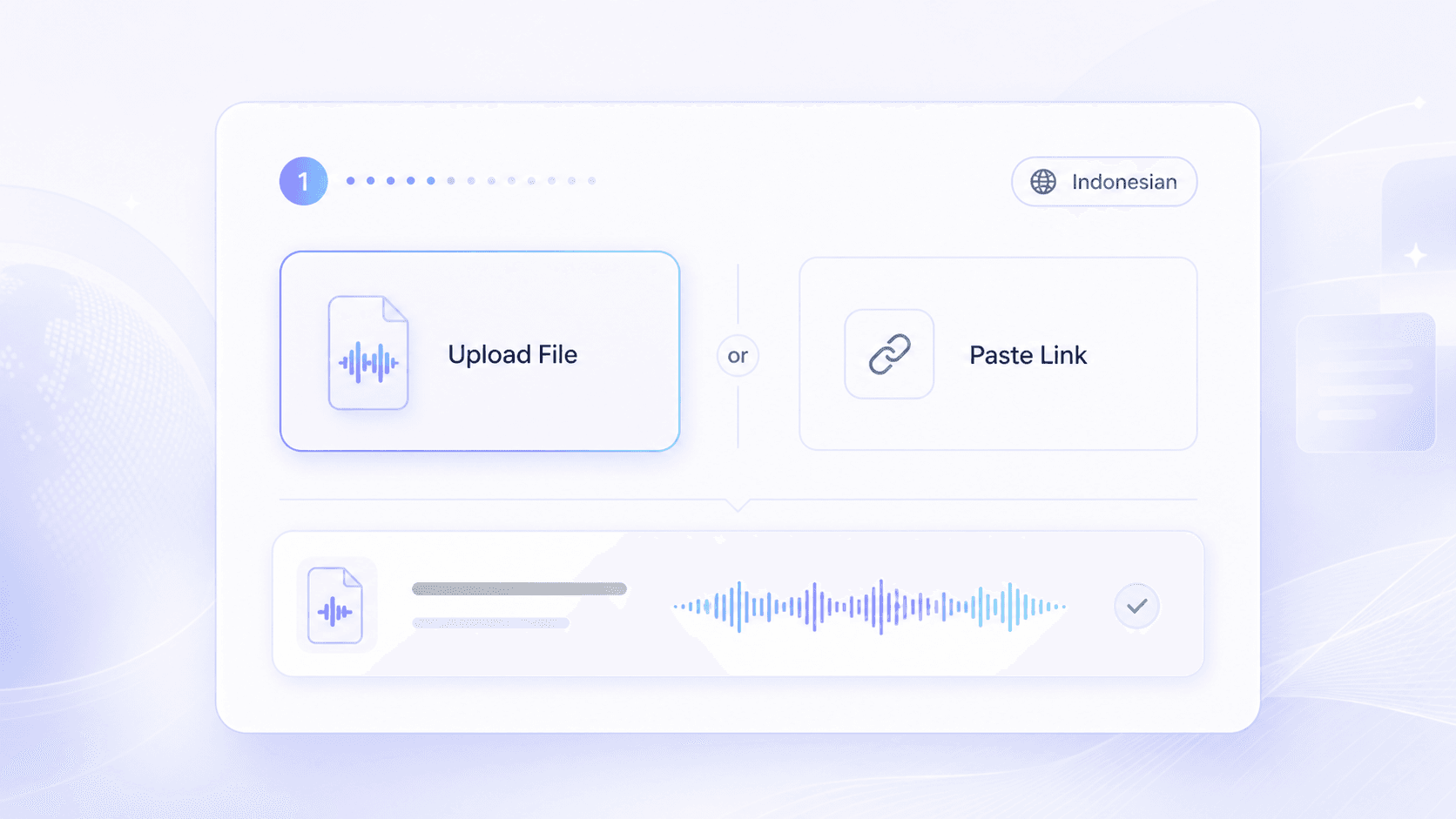
Step 1. Upload Indonesian Audio or Paste a Link
Upload your Indonesian voice file or paste a supported media link. Choose the recording you want to translate and make sure the speech is clear enough to review.
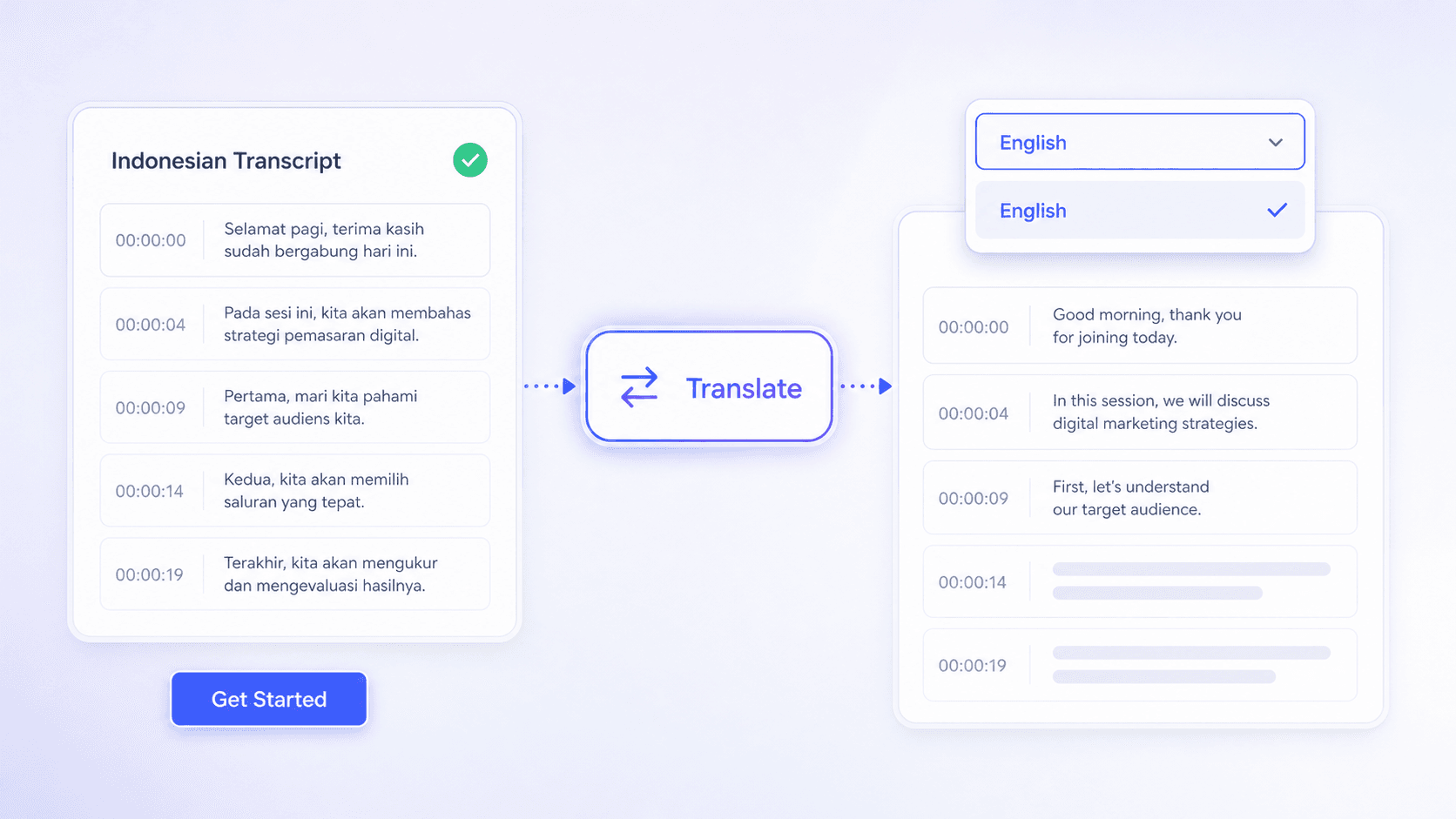
Step 2. Get the Transcript and Translate
Click Get Started to generate the Indonesian transcript. Review the text, click the translate icon, select English, and let Lynote create the English translation.
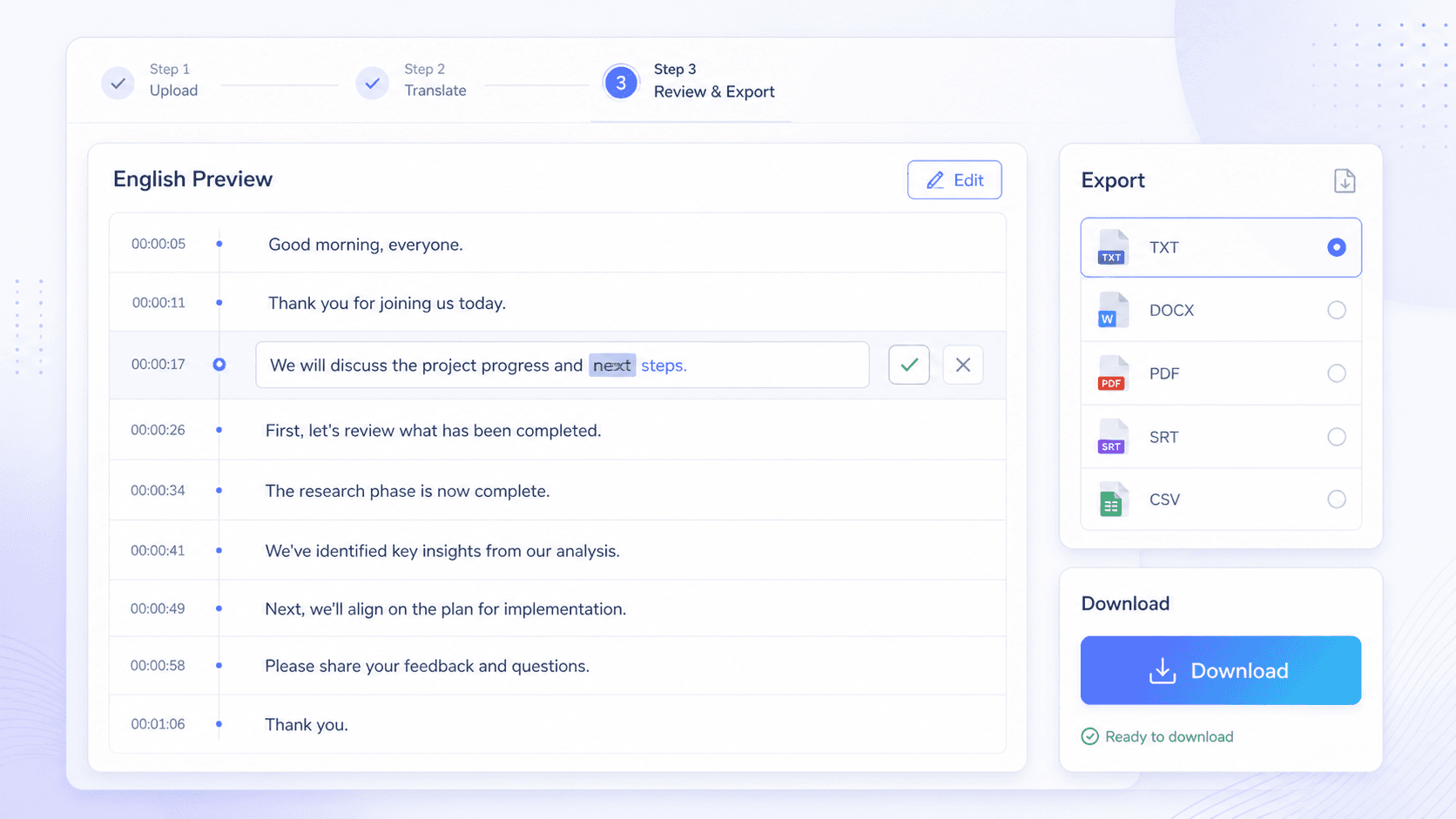
Step 3. Preview, Export, and Download
Preview the English text beside the source transcript, correct anything that needs context, then copy, export, or download the translated transcript.
Who Uses an Indonesian Audio to English Translator?

Researchers With Indonesian Interviews
Review the Indonesian transcript before moving interview quotes into English. This helps protect participant names, figures, and culturally specific wording.

Global Teams Reviewing Meetings
Turn Jakarta calls and regional team recordings into English meeting text that colleagues can search for decisions, owners, and follow-up points.

Students With Indonesian Lectures
Convert recorded lessons into an Indonesian transcript and readable English study text. Edit course terms before using the translation in your notes.

Journalists Checking Source Audio
Keep the source-language transcript beside the English version while checking statements from interviews, press briefings, and field recordings.

Creators Localizing Indonesian Content
Translate Indonesian podcast episodes, video narration, and recorded discussions into English text for summaries, descriptions, and multilingual content planning.

Support Teams Reviewing Calls
Turn Indonesian customer voice notes or call recordings into English text for handoffs, case review, and follow-up by teams in another market.
What Users Say About Indonesian Audio Translation

Research Coordinator

I check Indonesian names and figures in the source transcript before translating quotes. Having both versions in one place makes interview review much more controlled.

Regional Operations Manager
Our Jakarta meeting became searchable English text, so the wider team could find decisions without waiting for someone to write a separate recap.

Graduate Student
I translated an Indonesian lecture into English study notes and corrected one course term in the transcript first. That review step made the final text far more useful.

Foreign Correspondent
Keeping the Indonesian transcript beside the English translation helps me verify what was actually said before I use a line from source audio.

Podcast Producer
A full Indonesian guest episode became workable English material for show notes. I could search the transcript and pull out the sections worth summarizing.

Customer Experience Lead
An Indonesian voice note can be turned into an English handoff without losing the original transcript. That gives our support team useful context when a case changes regions.
Indonesian Audio to English Translation FAQs
Learn how Indonesian transcription, English translation, file input, review, and downloads work.
To translate audio from Indonesian to English, upload the recording or paste a supported link, generate the Indonesian transcript, and review it. Then click the translate icon, choose English, and preview the translated text before downloading it.
Lynote supports common audio formats such as MP3, WAV, and M4A, along with supported video and media inputs. Available formats can vary by upload workflow, so check the file picker if your recording uses a less common format.
Accuracy depends on recording quality, background noise, accents, overlapping speech, and specialized vocabulary. Review names, numbers, technical terms, and important quotes in the Indonesian transcript before relying on the English translation.
Yes, supported media links can be used instead of a local upload. Access still depends on whether the source is available to the transcription workflow.
Yes. Lynote generates the source-language transcript first so you can correct a name, number, or Indonesian term before creating the English version.
Yes. This Indonesian audio to English translator lets you preview and edit the translated text, then copy, export, or download it for notes, reports, briefs, or another working document.
No. If you want to translate Indonesian voice to English, this workflow transcribes the speech and returns English text. It does not dub the recording, clone a speaker's voice, or create translated audio.
No. Indonesian and Malay are closely related but distinct languages with differences in vocabulary and usage. Select Indonesian for Indonesian recordings, then review regional terms in the transcript before translation.