

Translate English to Chinese




Why Choose Our English to Chinese Translator?

Meaning Beyond Word Order
English and Chinese often use different sentence structures. Lynote helps you translate English to Chinese with the surrounding meaning in mind, so the result is easier to review than a direct word-by-word conversion.

Simplified and Traditional Chinese Workflows
Use Lynote when you need English to Simplified Chinese for mainland-focused writing, English to Traditional Chinese for Taiwan, Hong Kong, or heritage reading contexts, or Chinese to English translation when you need to understand source text.

Chinese Characters, Words, and Paragraphs
Translate English words to Chinese characters, convert Chinese text to English, or review longer Chinese paragraphs. This is useful for learners, bilingual teams, content editors, and anyone comparing meaning across languages.

Text and Document Translation
Paste up to 5,000 characters for quick translation, or upload a supported PDF, DOCX, PPTX, or XLSX file up to 10 MB when you need to translate a full document without copying every section manually.

Translate English to Chinese Characters
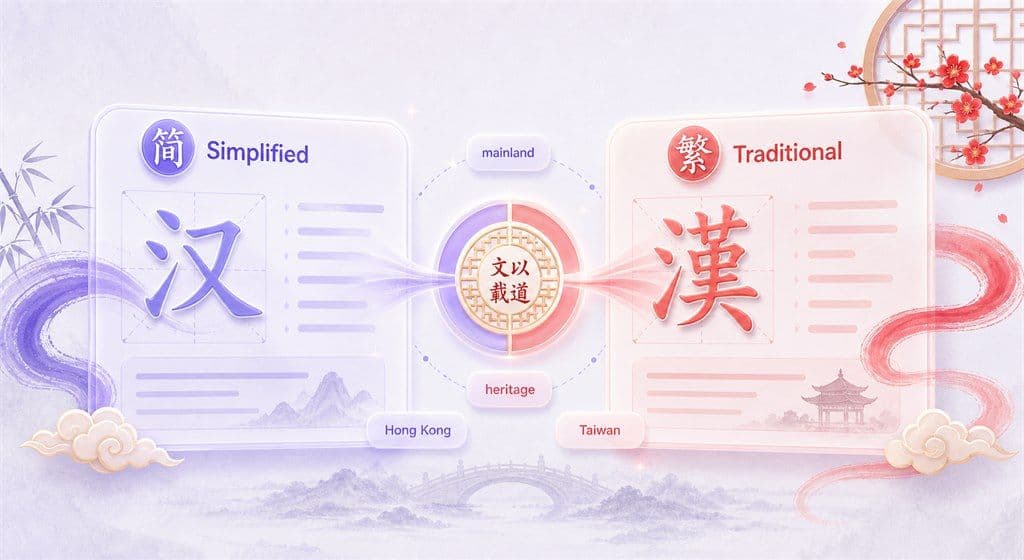
Choose Simplified or Traditional Chinese

Chinese to English Translation for Source Text
How to Translate English to Chinese Online

Step 1. Add English Text or Upload a File
Paste up to 5,000 characters into the text box for quick English to Chinese translation. For longer content, open the Document tab and upload a supported PDF, DOCX, PPTX, or XLSX file up to 10 MB.


Step 2. Select Chinese as the Target Language
Choose English as the source language and Chinese as the target language. If you need a specific writing system, select the available Simplified Chinese or Traditional Chinese option before translating.
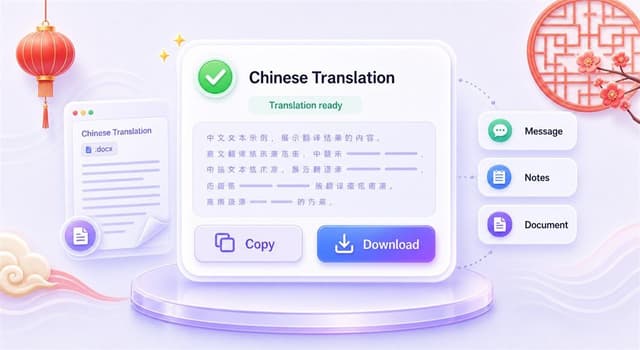
Step 3. Copy or Download the Chinese Translation
For text translation, copy the Chinese result and use it in messages, notes, emails, product copy, or drafts. For document translation, download the translated file after processing.
Who Can Use This English to Chinese Translator?

Students and Mandarin Learners
Translate English to Mandarin Chinese for vocabulary, sentence practice, class notes, and reading support. Reverse the direction when you need Chinese to English meaning checks.

Business and Support Teams
Prepare bilingual messages, product descriptions, support replies, internal notes, and customer-facing text for Chinese-speaking audiences while keeping a practical review step in the workflow.

Researchers, Creators, and Document Users
Translate Chinese PDFs, Word documents, PowerPoint slides, Excel sheets, web text, and copied paragraphs when you need a faster way to compare meaning across English and Chinese.
What People Say About Lynote

Language Learner

"I use Lynote to compare English sentences with Chinese characters. It helps me review meaning before I add the text to my notes."

Product Marketer
"For short product copy, I can draft in English, translate to Chinese, and then check the phrasing with our local reviewer."

Graduate Student
"The Chinese to English direction is useful when I need to understand source paragraphs before writing my research notes."

Operations Manager
"Our team handles bilingual updates. Lynote gives us a quick place to translate text and documents without switching tools."

Content Editor
"I like having Simplified and Traditional Chinese in the workflow. It makes the review process easier for different audiences."

Travel Planner
"For Chinese messages, signs, and copied text, the translator helps me understand the English meaning quickly."
FAQs About English to Chinese Translation
Paste your English text into Lynote, choose Chinese as the target language, and run the translation. For longer content, upload a supported PDF, DOCX, PPTX, or XLSX file.
Yes. You can reverse the language direction and use Lynote for Chinese to English translation, including Chinese characters, sentences, and paragraphs.
Yes. When a Simplified Chinese option is available in the language selector, choose it as the target language before translating your English text or document.
Yes. Choose the Traditional Chinese target option when you need text for audiences that read Traditional Chinese. Review important wording before publishing or sending.
Mandarin is the most common spoken form associated with written Chinese translation searches. Lynote can help with English to Chinese text translation, but you should review tone, region-specific wording, and formal phrases when accuracy matters.
Yes. Paste Chinese characters into the text box and choose English as the target language. This is useful for understanding Chinese writing, source text, notes, and short messages.
Yes. Upload a supported PDF up to 10 MB and choose English as the target language. OCR can help when the PDF is scanned, though the result depends on scan quality and text clarity.
Yes. Lynote supports DOCX, PPTX, and XLSX document translation up to 10 MB, along with PDF. Use document translation when you want to translate longer files instead of copying paragraphs manually.
No. Lynote is an online translation tool for everyday, study, and work drafts. For legal, immigration, academic, or official certified translation needs, use a qualified certified translation service.
The text translator supports up to 5,000 characters per request. For longer content, use the document translation workflow with a supported file up to 10 MB.