

Summarizing Worksheets Online

Drop files or browse

Add study materials to enable the AI to extract and structure content.



Why Choose Our Summarizing Worksheets Tool?

Reading Worksheet Summaries
Turn reading passages, short-answer worksheets, and comprehension activities into concise summaries you can review.

Classroom-Friendly Practice
Use Lynote with summarizing practice worksheets, main idea worksheets, and reading comprehension exercises.

Article and Paragraph Support
Summarize a paragraph worksheet, article worksheet, nonfiction reading, or short story worksheet in one workflow.

Printable Worksheet Review
Upload printable worksheets or paste the text from free summarizing worksheets before creating an editable summary.

Nonfiction Text Breakdown
Extract the main idea, key details, evidence, and takeaway from nonfiction worksheet passages.

Worksheet Data Summaries
Summarize data from multiple worksheets or explain spreadsheet-style information in clearer written form.

Secure Processing
Your uploaded worksheets and pasted text are processed securely and are not used to train AI models.

Summarize Reading Worksheets Without Rewriting Everything

Turn Article and Nonfiction Worksheets Into Main Ideas
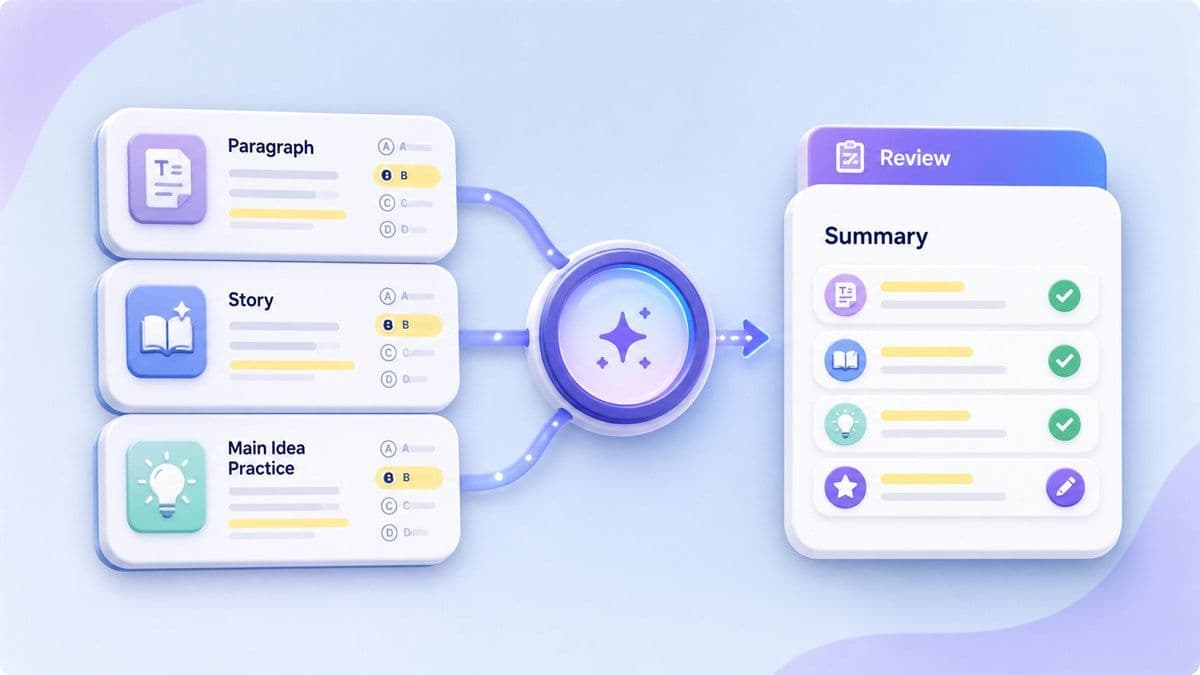
Review Summarizing Practice Worksheets Faster

Summarize Worksheet Data From Multiple Worksheets
How to Summarize a Worksheet Online
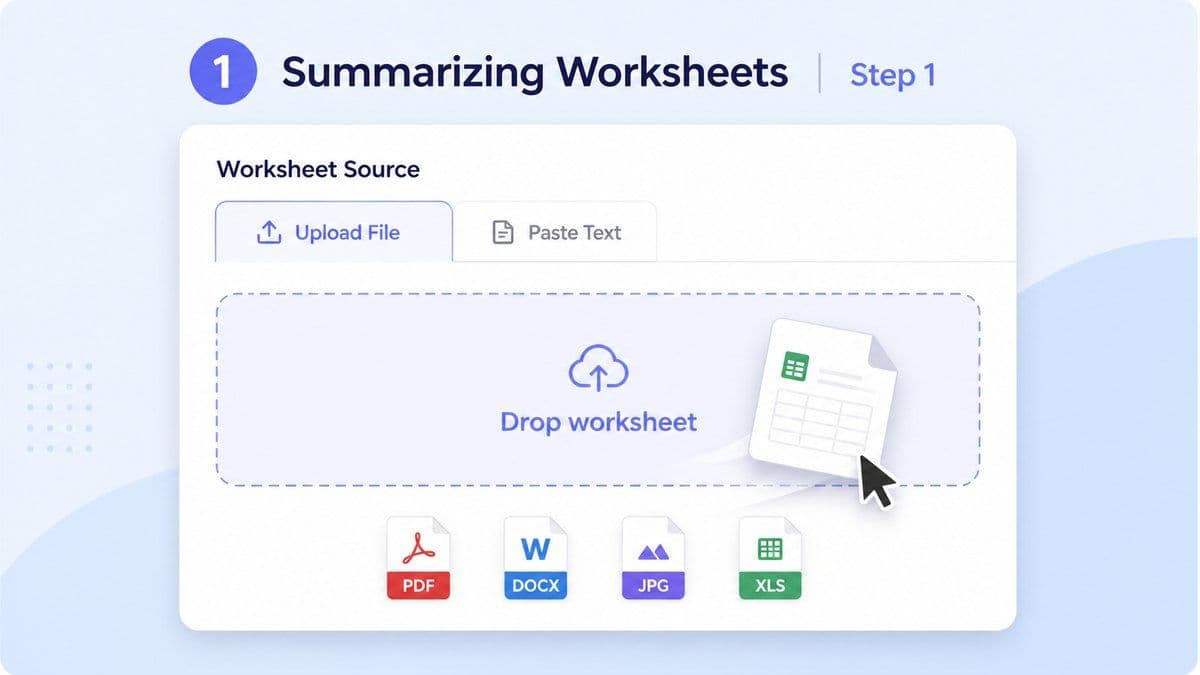
Step 1. Upload or Paste Your Worksheet
Upload a worksheet file, paste worksheet text, or add reading material from a paragraph, article, story, nonfiction passage, or spreadsheet. Lynote works best when the source text is clear enough to review.
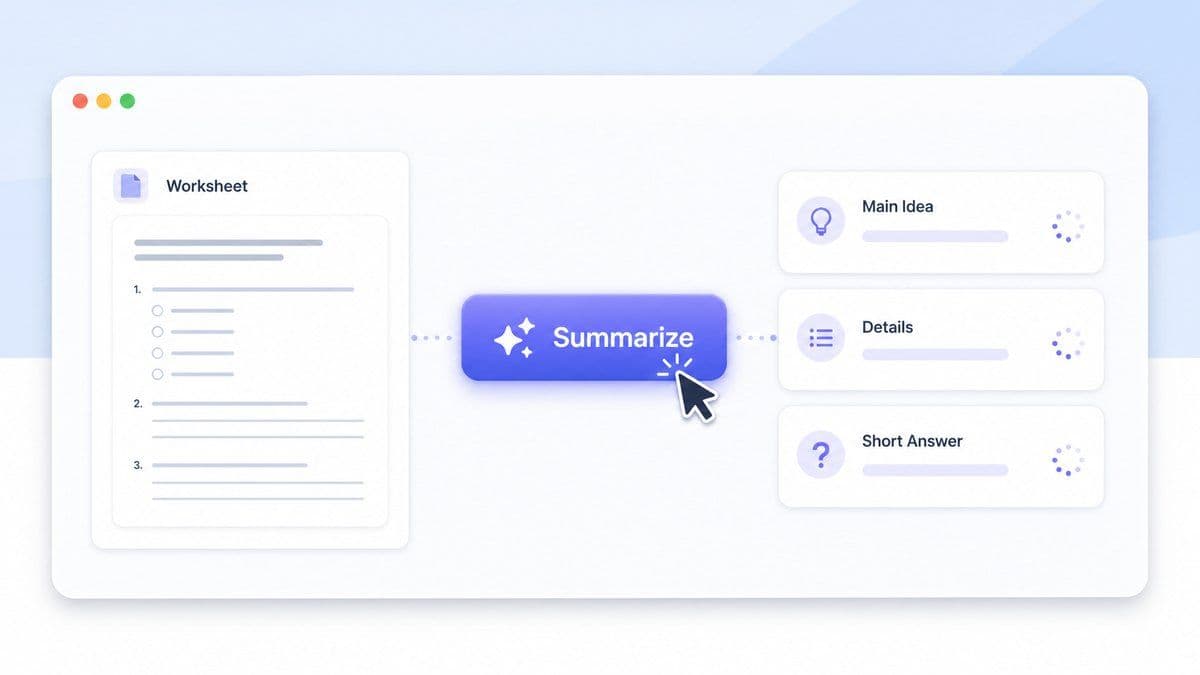
Step 2. Generate the Worksheet Summary
Run the summarizer and Lynote will create an editable summary from the worksheet content. The output can include main ideas, key details, short explanations, and cleaner study notes.
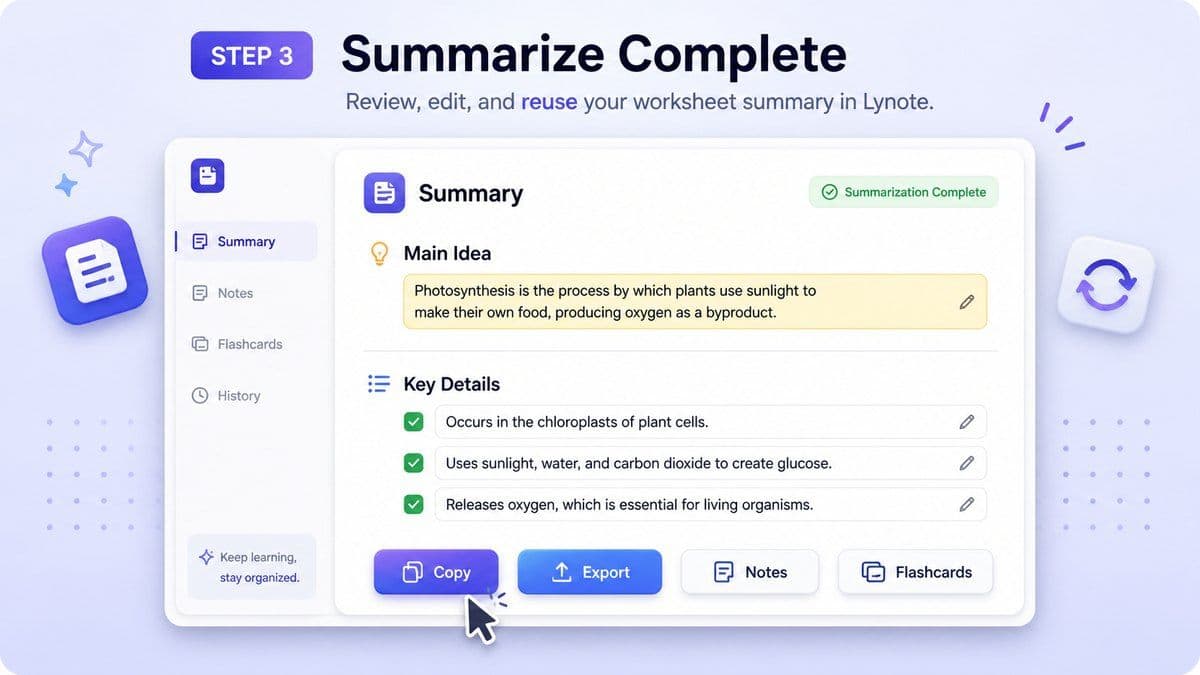
Step 3. Review, Edit, and Reuse
Read the summary, correct anything that needs class-specific wording, and reuse it for study guides, answer checks, teaching notes, summaries, or spreadsheet explanations.
Who Can Use This Worksheet Summarizer?

Students
Summarize worksheet passages, textbook activities, articles, and short stories before studying or answering questions.

Teachers
Create quick summary drafts for practice worksheets, reading activities, answer review, and classroom examples.

Parents
Help children review worksheets at home without rewriting the whole reading passage by hand.

Tutors
Use summaries to explain main ideas, supporting details, and better wording during tutoring sessions.

Homeschool Learners
Turn printable summarizing worksheets and nonfiction passages into study-friendly notes.

Office and Data Users
Summarize worksheet data, spreadsheet tabs, and repeated rows into plain-language takeaways.
What People Say About Lynote Worksheet Summaries

4th Grade Teacher

I use Lynote to create quick examples for summarizing worksheets. It helps me show students what a strong main idea and detail summary looks like.

College Student
When a worksheet has a long article, Lynote helps me understand the point before I start answering questions. I still review the source, but I save a lot of time.

Tutor
My students struggle with paragraph summaries. Lynote gives us an editable draft we can discuss, shorten, and improve together.

Homeschool Parent
I use it with reading and summarizing worksheets at home. It helps me check whether my child captured the main idea instead of copying random sentences.

Operations Analyst
I needed to summarize data from multiple worksheets for a weekly update. Lynote helped me turn spreadsheet notes into a clear written summary.

High School Student
It is useful for nonfiction worksheets. I can see the key details and then rewrite the summary in my own words.
Frequently Asked Questions
Summarizing worksheets are activities that help students identify the main idea, key details, and shorter version of a reading passage, article, paragraph, or story.
Yes. You can paste worksheet text or upload supported content, then use Lynote to create an editable summary for review, study, teaching, or reuse.
Yes. Lynote can work as a summarizer worksheet tool for reading passages, article worksheets, paragraph worksheets, nonfiction worksheets, and some spreadsheet-style worksheet content.
Yes. Paste the article worksheet text or upload the file, generate a summary, then review the main idea, evidence, and takeaway before using the result.
Yes. Teachers and parents can use Lynote to create simple summary drafts for 4th grade summarizing worksheets, but the final wording should match the student level and class expectations.
Yes. You can upload supported PDF content and use Lynote to create a summary. Scanned or low-quality PDFs may need extra review.
Yes. If the worksheet data is readable, Lynote can help turn repeated rows, tabs, or observations into a written summary. For exact calculations, verify totals and formulas in your spreadsheet tool.
Lynote processes your uploaded or pasted content securely and does not use it to train AI models.


