 Live results
Type or Paste Your Text
Add your paragraph, essay, email or other writing to the text box. Choose the relevant portion first if your task excludes headings, references or notes.


Use our free sentence counter to count sentences online and check your writing instantly.
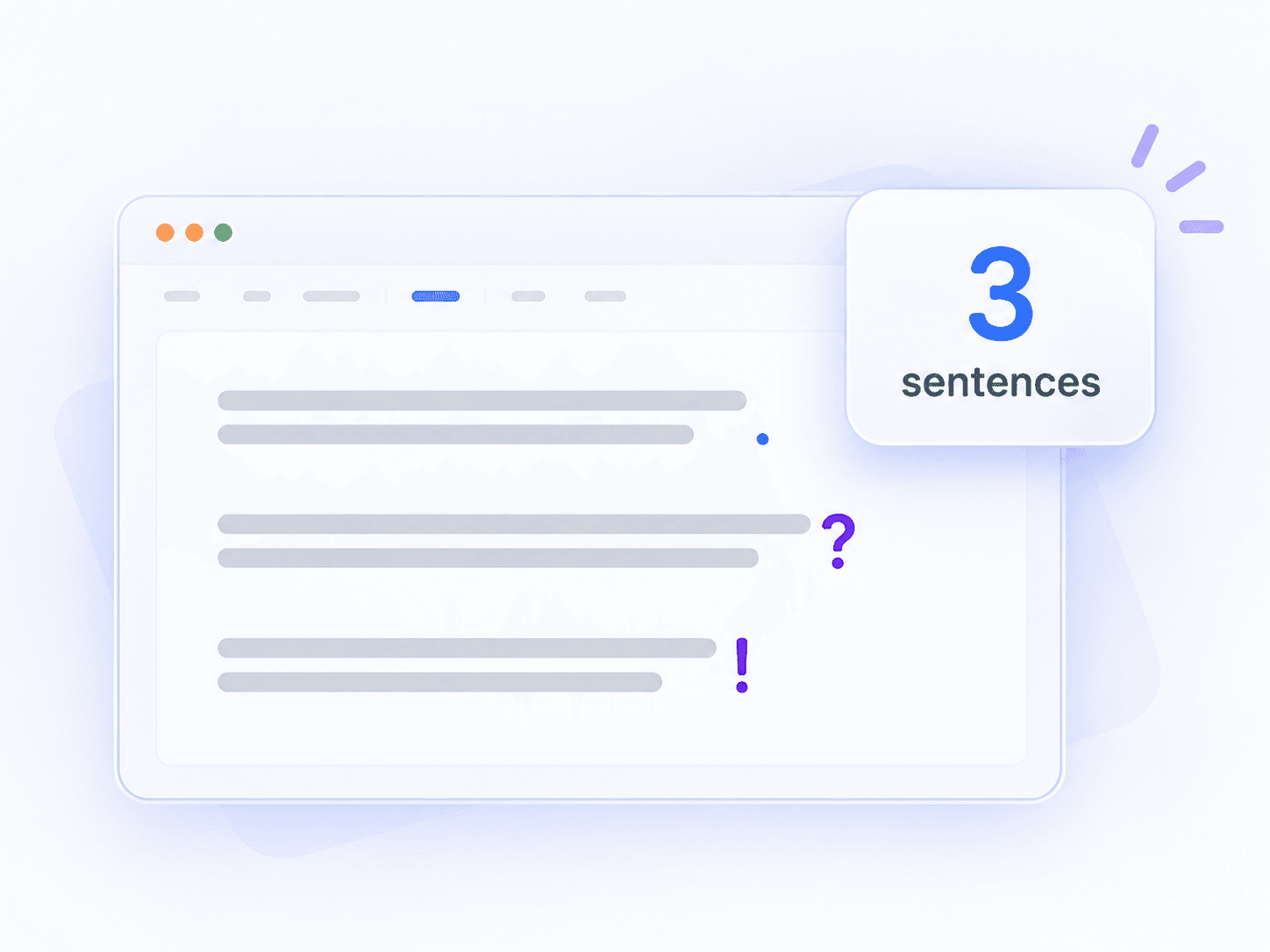
A sentence counter identifies sentence boundaries in your text and adds up the results. Use it to check a paragraph, review an assignment or see how your draft changes as you edit. Lynote brings sentence, word, character and paragraph counts together, so you can check the length and structure of the same text.
Word count measures how much text you have. Sentence count helps you understand how that text is divided. A 300-word passage with 15 sentences averages 20 words per sentence. The same word count spread across 25 sentences averages 12 words. Neither arrangement is automatically better: the right structure depends on the ideas and the reader.
Use a word counter for a word limit, and check sentences when the task calls for a particular number of sentences or a closer look at sentence length.
A sentence counter tool is useful when you need a five-sentence summary, want to check a paragraph exercise or are reviewing a dense draft. It can also help you track a writing goal. Start with the count, then read the text to decide whether each sentence does its job.
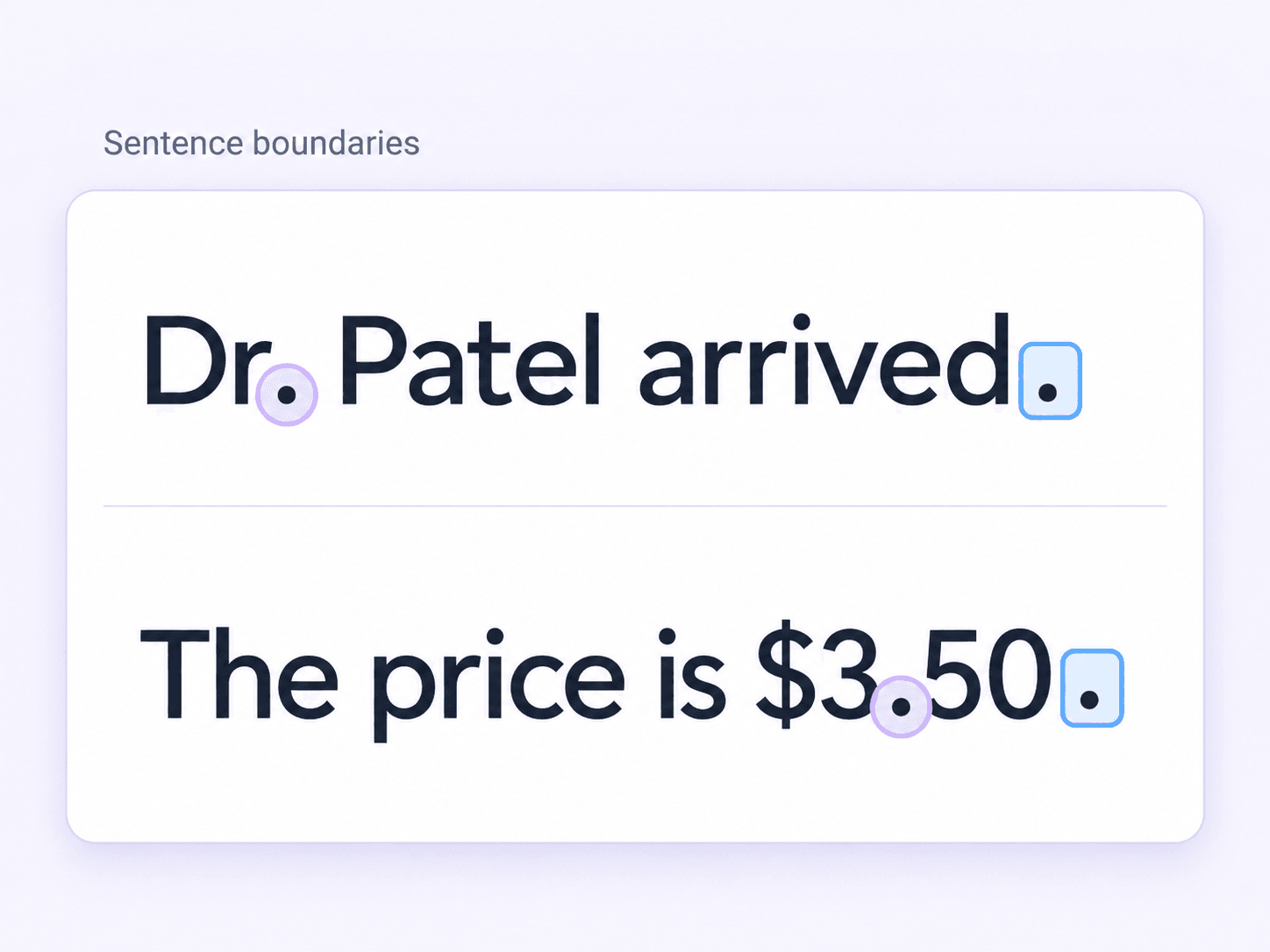
In ordinary prose, a sentence expresses an idea and usually ends with a full stop, question mark or exclamation mark. Automatic counters identify boundaries from patterns in text. Those patterns do not always match a reader’s interpretation, especially in notes, dialogue or writing with many abbreviations.
Periods (.), question marks (?) and exclamation marks (!) commonly signal sentence endings. Chinese and Japanese writing also use forms such as 。, ? and !. Several marks together, such as ?!, do not necessarily mean several sentences. Closing quotation marks and brackets can follow a sentence’s final punctuation.
Not every dot ends a thought. The period in Dr. Patel, the dots in U.S., and the decimal point in 3.14 serve other purposes. Names with initials and addresses such as example.com create similar challenges. When an exact count matters, review these parts of your text instead of counting punctuation marks individually.
Dialogue can contain several sentences within one pair of quotation marks. An ellipsis may show a pause, an omission or an unfinished thought. A final sentence may also be missing its closing punctuation. These cases need context, and different counters may treat them differently.
A line wrapping on your screen does not create a new sentence. Headings, bullet points and notes may contain incomplete phrases even when each appears on its own line. Languages also use different writing conventions. For a prose assignment, paste the relevant body text and review headings or lists separately if the instructions exclude them.
These examples show how a reader would normally interpret the text; they are not a guarantee of every counter’s output.
| Text | Usual reading | What to check |
|---|---|---|
The bus arrived. We got on. |
Two sentences | Two complete statements |
Are you coming? Yes! |
Two sentences | Different ending marks |
Dr. Patel arrived. We began. |
Two sentences | An abbreviation is not a separate statement |
The price is $3.50. Delivery is free. |
Two sentences | The decimal point belongs to the number |
She said, “Come in.” We followed. |
Two sentences | Punctuation inside quotation marks |
Wait... are you sure? |
Often one sentence | The ellipsis may represent a pause |
Unusual punctuation and incomplete text can produce unexpected totals. If you are submitting work with a strict requirement, check the count against the actual sentences and the instructions you received.
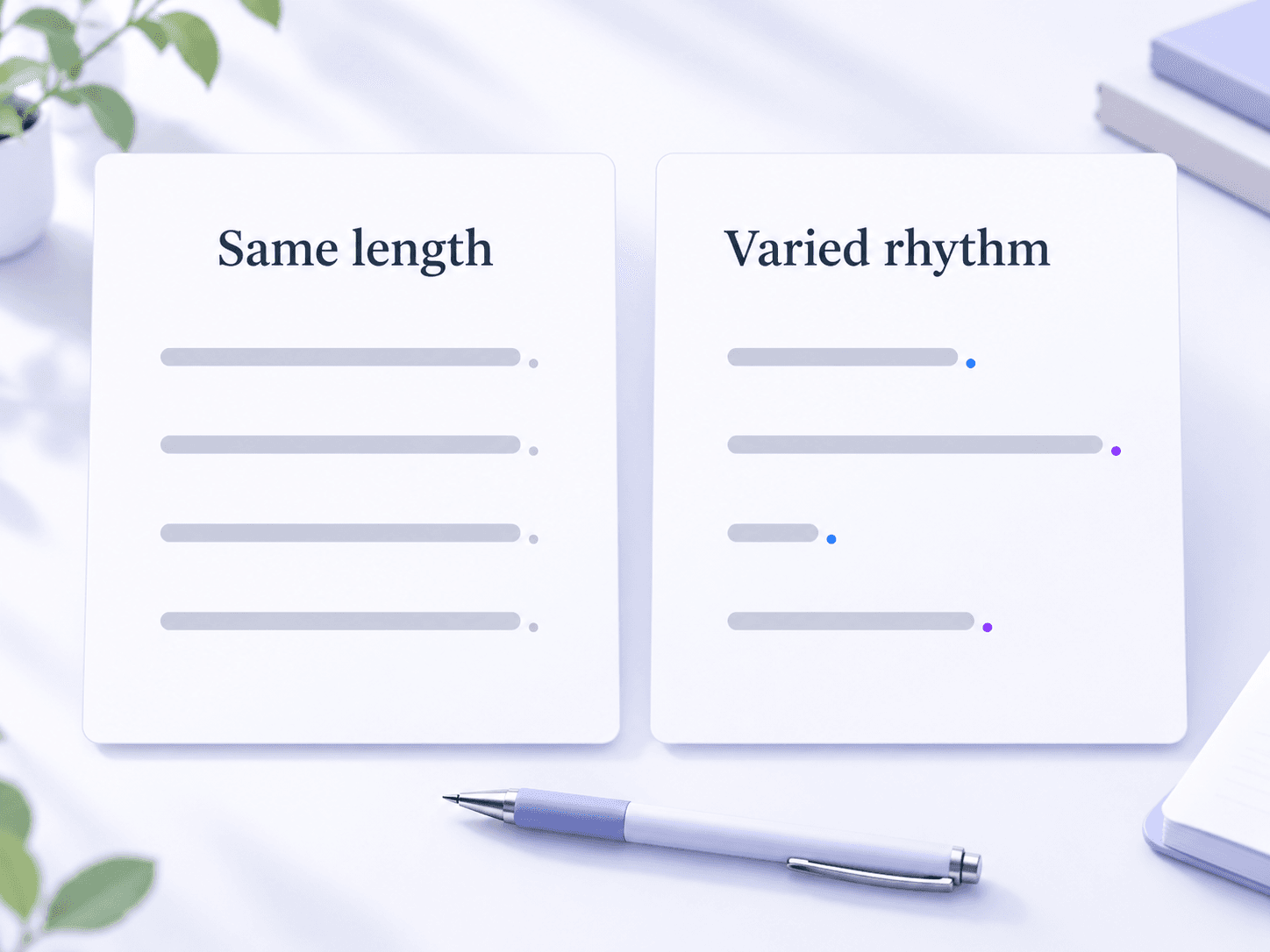
Sentence length affects how information reaches your reader. A short sentence can make a point stand out. A longer sentence can connect ideas and carry necessary detail. Choosing the length to suit the meaning is more useful than trying to make every sentence equally short.
Use shorter sentences for important actions, conclusions and changes of direction. Give a longer sentence enough structure to show how its ideas relate. If you have to reread it to find the main point, consider moving some detail into a new sentence or a list.
Compare these two versions:
Repeated pattern: The rain stopped. The crowd returned. The band started playing.
Varied pattern: When the rain stopped, the crowd returned. The band started playing.
Both are clear. The second connects two events while leaving the final action separate. Vary sentence length where it helps the reader follow the meaning, rather than changing it just to produce a different number.
There is no universal target for every kind of writing. For plain-language digital content, the Australian Government Style Manual recommends an average of 15 words and a maximum of 25. Treat that as guidance for its intended context, not a grammar rule for every essay, novel or research paper.
When reviewing a draft, a sentence above 25 words can be a useful place to pause and check clarity. Length alone does not make it wrong.
Average sentence length is one ingredient in several readability formulas. Vocabulary, punctuation, organisation and the reader’s background also matter. A short sentence full of unfamiliar terms may be harder to understand than a longer sentence using familiar language. Use numerical estimates to guide a review, then read the passage itself.
| Writing context | What to aim for |
|---|---|
| Web copy and advertisements | Put the main message and next action where readers can find them quickly. |
| Journalism | Balance direct statements with the context needed to understand events. |
| Business writing | Keep requests clear and separate actions that need different responses. |
| Academic writing | Preserve necessary relationships between ideas without burying the argument. |
| Fiction and creative writing | Choose sentence length to support voice, pacing and emphasis. |
| Speeches and scripts | Read aloud to check pauses, breath and the listener’s ability to follow. |
Lynote’s basic counts give you a starting point. The explanations below also show how to calculate sentence-length measures yourself when you want a closer review.
| Measure | What it helps you check |
|---|---|
| Sentences | How many sentence units the counter detects |
| Words | The overall length of the text |
| Characters | Text length for character-based requirements |
| Characters without spaces | A count that excludes whitespace |
| Paragraphs | How the text is divided into blocks |
Lynote counts paragraphs as blocks separated by a blank line. A single line break is not the same as a paragraph break. When comparing tools, check their definitions: line counts, space counts, unique words and average word length describe different aspects of text and are not substitutes for sentence count.
Average words per sentence = total words ÷ total sentences.
For five sentences containing 8, 10, 12, 14 and 46 words, the total is 90 words and the average is 18. The median is 12: the middle value after sorting the lengths. This shows how one unusually long sentence can pull the average upward. With an even number of sentences, average the two middle values to find the median.
You can also divide sentence-character totals by sentence count, or total sentences by paragraph count. Keep the counting rules consistent, including whether spaces are included. An average has no meaningful value when its denominator is zero.
To find the extremes manually, put each sentence on a separate line and count its words. Keep its original number beside it so you can find it again in the draft. Review unusually long or short sentences in context: one may need editing, while another may create exactly the emphasis you intended.
A simple review table makes comparisons easier:
| Original position | Sentence | Words |
|---|---|---|
| 1 | The doors opened. | 3 |
| 2 | Everyone stepped inside to escape the rain. | 7 |
| 3 | We waited. | 2 |
Add a character-count column if you need it. If you arrange your notes from longest to shortest, keep the original numbers. You can then return to the right part of the text without confusing its reading order with its length order.
For a long document, check a copy of the body text and confirm that the full passage was pasted. If you work section by section, use the same inclusion rules throughout; splitting a sentence across two checks can change the total.
Time estimates depend on an assumed pace. At an illustrative 250 words per minute, 500 words take two minutes to read. At an illustrative speaking pace of 125 words per minute, they take four minutes to say. These are calculations, not promises about a particular reader or speaker. Technical detail, pauses and delivery all change the time needed.
Once you know the count, look for places where the reader might lose the thread. Edit for meaning first, then check how the numbers change.
Find the main action and decide which details belong with it. For example:
Before: We reviewed the proposal after the meeting and found two missing estimates that the supplier needs to send before we can approve the budget.
After: We reviewed the proposal after the meeting and found two missing estimates. The supplier must send them before we can approve the budget.
The revision separates the finding from the next action without dropping the connection.
Repeated openings and identical sentence lengths can make a passage feel mechanical. Combine closely related ideas, shorten a key point or change the order of information. Keep useful repetition when it creates emphasis or makes instructions easier to follow.
A run-on sentence joins independent clauses incorrectly. It can be short:
Run-on: The lights went out we used candles.
Corrected: The lights went out, so we used candles.
A long sentence may be grammatically correct. A sentence counter measures text; it cannot establish whether clauses have been joined properly.
A brief fragment can be deliberate in dialogue or creative writing. In a formal explanation, it may leave the reader without enough information. Likewise, a dense academic sentence may need clearer vocabulary or fewer nested clauses. Read the passage aloud and check whether each idea is complete in context.
Follow the purpose of the text and any explicit instructions. Sentence totals are useful constraints when a task specifies them, but they are not a universal measure of completeness.
A paragraph develops a connected idea. It may need one sentence or several, depending on its purpose and supporting detail. Start a new paragraph when the focus changes or when separating information makes it easier to follow. There is no fixed sentence count that works for every paragraph.
An essay’s sentence count depends on its word count and sentence lengths. For planning only, a 1,000-word essay averaging 20 words per sentence would contain about 50 sentences. That is an estimate based on an assumption, not an essay requirement. Give the introduction, argument and conclusion the space they need.
If a task asks for five sentences, paste only the answer you intend to submit. Check the total, then read each sentence to confirm it is complete and contributes something. Do not split a thought awkwardly or add filler just to reach the number. Include titles or quotations only if the task requires them.
Use this online sentence counter while you write or to review text you have already prepared.
Add your paragraph, essay, email or other writing to the text box. Choose the relevant portion first if your task excludes headings, references or notes.
Look at the Sentences total alongside words, characters and paragraphs. If the number seems unexpected, inspect abbreviations, punctuation and incomplete lines in your text.
Make your changes and review the updated counts. Copy the finished text back to your document when you are ready. Keep your own copy before refreshing or leaving the page.
Use sentence counts where they help you make a specific writing decision.
Check short answers, summaries and paragraph exercises with a stated sentence requirement. Review the actual sentences as well as the total, especially when practising punctuation or writing in another language.
Teachers can prepare examples and exercises with consistent instructions. Researchers can review the structure of abstracts and explanations while following the requirements of their publication or institution.
Track a daily writing goal or examine the rhythm of a scene. Compare passages with short, abrupt sentences and those with longer descriptions, then choose what supports your voice.
Review dense passages and sentences that carry several facts at once. Use the count as a starting point for checking pacing, clarity and the order in which information reaches the reader.
Check articles, product descriptions and campaign copy for passages that need tightening. Keep the reader’s question and next action clear instead of chasing a particular sentence total.
Review scripts for ideas that are difficult to say or follow aloud. Pair sentence checks with rehearsal to judge pauses and delivery; a numerical estimate cannot replace a timed read-through.
Check application answers and professional summaries when an employer gives a sentence limit. For cover letters, concentrate on a clear introduction, relevant evidence and a concise closing.
Review emails, summaries and reports before sharing them. Separate requests and decisions where useful, so colleagues can understand what happened and what they need to do next.
Get the counts you need while keeping your attention on the text.
Check the Sentences total to answer a simple question: how many sentences does your text contain? Use the surrounding counts for context when reviewing the passage.
Type or paste your writing and see the counts update as you edit. You can make a change and check its effect without starting a separate analysis each time.
Use the sentence counting tool without creating an account or paying for a subscription. Open the page and add the text you want to check.
Review sentences alongside words, characters and paragraphs. Check a sentence requirement and the overall length of your response in the same workspace.
Use the browser-based counter on a computer, tablet or phone. Keep your writing in your own document and paste the passage you need to review.
Continue with Lynote’s Word Counter, AI Humanizer or AI Detector when your next task calls for a different tool. Each serves a separate purpose; sentence count itself does not identify AI-written text.
Sentence counts are calculated in your browser. Keep a copy in your own document before leaving the page. Other Lynote tools have their own workflows and data handling.
Automatic counting is useful for ordinary prose, but abbreviations, unusual punctuation and incomplete text can affect the result. Check the examples above and review important totals manually rather than treating a count as proof that every sentence is complete.
Tools can apply different rules to abbreviations, decimals, ellipses, line breaks and unfinished text. If two sentence counters disagree, check where each might have divided the passage. For a formal submission, follow the receiving organisation’s instructions.
You can enter the text, but the number may not reflect your intended sentences. Without clear boundaries, a counter cannot reliably know where one thought ends and another begins. Add appropriate punctuation and review the text before relying on the total.
No. A line may wrap simply because of your screen width. In Lynote’s paragraph count, a blank line separates blocks of text. Sentence boundaries depend on the text and punctuation, so a heading or list item should not automatically be treated as a complete sentence.
You can paste text in other languages. Lynote’s counter recognises common sentence-ending punctuation, including Chinese and Japanese forms. Results can vary with language-specific conventions, so review the total when boundaries are less explicit.
No. Counting does not determine whether a sentence is grammatically correct. A long sentence may be valid, while a short one may join clauses incorrectly. Review the structure yourself or use a dedicated grammar-checking tool.
Yes. Copy the relevant text from your document and paste it here. Leave out titles, references or comments if they are outside the task’s counting rules. Paste your revisions back into the original document when you finish.
Paste the text you want to review and confirm that the whole selection is present. Very large passages may be easier to check in complete sections, depending on your device. The counter does not establish which parts of a document belong in an assignment’s required count.
For a manual check, copy each sentence onto its own line and compare word counts. Keep the original position beside each one. Review the extremes in context; the longest sentence is not necessarily the one that needs changing.
Copy your text and record the counts in your own document. If you create a sentence-by-sentence table, save it with the draft it describes so the figures remain easy to check after revisions.
Open the file in your usual document app, then copy and paste its text into the counter. Save the source document separately and copy back any edits you want to keep before leaving this page.
Yes. The basic counter is free to use in your browser without signing up. You can paste and review text on a computer, tablet or phone.
Sentence counts are calculated in your browser. Keep a copy in your own document before leaving the page. Other Lynote tools have their own workflows and data handling.
A sentences counter is another name for a tool that counts sentences in a passage. Use the Sentences total for sentence limits, and the Words total for word limits. They measure different aspects of the same text.