

AI PDF to Notes Converter

Drop files or browse

Add study materials to enable the AI to extract and structure content.



Why Choose Our AI PDF to Notes Converter

99% Extraction Accuracy
Turn your PDF into AI notes without losing critical data. The engine guarantees precise text extraction from dense documents.

Structured Output Formats
Transform dense PDF paragraphs into structured output formats, complete with logical headings, bullet points, and clear sections.

Visual Context Capture
Pull images, charts, and graphs directly from your pages. Keep essential visual aids alongside your text summaries.

Multiple Data Sources
Process multiple data sources by uploading textbooks, scanned PDF documents, and research papers to generate comprehensive study materials.

Multi-Language Support
Process documents in over 20 languages. Translate foreign research papers into localized study materials automatically.

Private and Secure
Keep your uploaded PDFs private and secure. We process your documents safely and never use them to train AI models.
Verify Facts With Source-Linked PDF Citations
Convert Multiple PDFs to Notes in One Batch
Ask Follow-Up Questions About Your PDF Notes
Turn Scanned PDFs Into Editable Notes With AI
How to Convert PDF to Notes in 3 Steps
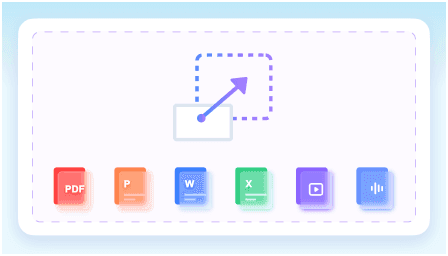
Step 1. Upload Your PDF Document
Start by uploading your file directly into the workspace. You can drag and drop your document or select it from your local drive to begin the extraction process.
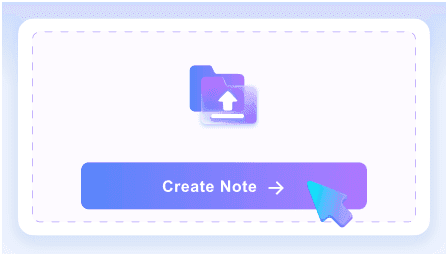
Step 2. Create AI Notes
Once your file is ready, click the Create Note button. The system will instantly analyze your text and generate structured summaries featuring key points and core concepts.
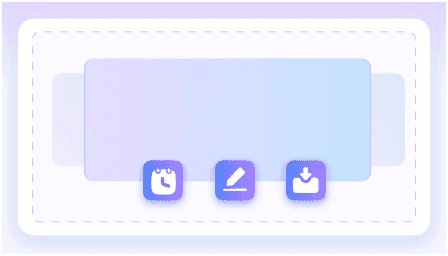
Step 3. Review, Edit, and Export
Read through the generated output and use the rich-text editor to make adjustments. Export the final document to share with your team or save locally.
Who Uses This PDF to Notes Converter?

College Students
Convert dense PDF textbook chapters into structured study notes to prepare for your exams faster.

Academic Researchers
Summarize complex PDF journal articles into readable insights, capturing the core methodology and findings.

Legal Professionals
Extract key clauses and terms from long PDF contracts without reading every single page.

Medical Students
Structure lengthy PDF clinical guidelines into quick-reference notes for faster diagnosis review and memorization.

Corporate Analysts
Pull actionable data points from dense PDF market reports to build strategy presentations quickly.

Technical Writers
Break down detailed PDF specification sheets into organized summaries while keeping technical terminology intact.
What Our Users Say

Law Student

"This PDF to notes AI tool organized a 50-page PDF case study into clean headings and bullet points. It completely changed how I prep for seminars."

Market Analyst
"I saved hours not copying text from dense PDF market reports. The PDF to notes converter ai handles the heavy lifting so I can focus on analysis."

Medical Resident
"I turned 100-page PDF clinical guidelines directly into study flashcards with one click. It is the best PDF to study notes solution I have found."

PhD Candidate
"The PDF notes generator maintains source-linked structure. I used those links to instantly verify claims in massive PDF research papers without losing my place."

Technical Writer
"It actually captures visual context. I kept crucial diagrams intact when summarizing PDF spec sheets, which most pdf to ai notes tools miss entirely."

Corporate Trainer
"The integrated rich-text editor is fantastic. I edited the generated PDF handbook notes perfectly before sharing them with our new hires."
Frequently Asked Questions
Still wondering how to convert a PDF to notes? Here are the answers.
A PDF to notes converter is an AI-powered tool that reads long documents and extracts the most important information. Instead of manually highlighting text, you upload your file, and the system generates a structured outline with key takeaways.
The AI analyzes the semantic context of your document to identify main topics and supporting details. It automatically groups related concepts under logical headings and creates concise bullet points for quick reading.
Yes, the tool includes OCR capabilities to extract text from scanned PDFs and image-based documents before generating your notes.
Yes, you can upload PDFs up to 50MB per file. This accommodates most textbooks, research papers, and lengthy reports without issue.
The AI PDF to notes converter is highly accurate, even with dense material. It extracts text directly from your document to build structured summaries. However, output quality depends on source clarity. We recommend reviewing the generated notes for domain-critical accuracy.
Yes, your files are strictly private. We use secure processing for every document, and your data is never shared with third parties.
Most documents process in under a minute. Short articles finish in seconds, while longer textbooks or dense reports might take slightly longer to generate structured notes.