

MP4 to Text With AI

Drop files or browse

Add study materials to enable the AI to extract and structure content.



Why Choose Our MP4 to Text Converter?

Fast MP4 Video Transcription
Lynote helps you convert MP4 to text without replaying a video again and again. Upload your file, let AI process the speech, then review the editable transcript.

From Video to Structured Notes
This is more than simple mp4 to text transcription. Lynote can turn video transcripts into summaries, study notes, key takeaways, and searchable knowledge.

Works Online in Your Browser
Use Lynote as an mp4 to text free workflow without installing desktop software. It is useful for quick transcription tasks, video review, and content repurposing.

Built for Learning and Work
Need to transcribe mp4 to text from a class recording, product demo, team meeting, or webinar? Lynote helps capture the spoken content and organize it into something easier to use.

Supports Content Repurposing
Creators can turn MP4 videos into blog outlines, captions, newsletters, social posts, and episode notes. A transcript gives every video a second life.

Easy Review After Transcription
After transcription, you can check names, terms, timestamps, and important sections. Lynote helps make video content easier to scan, quote, summarize, and share.
Extract Speech From Video Files

Create Notes From Long Videos
Reuse Video Content Across Channels
How to Convert MP4 to Text With AI
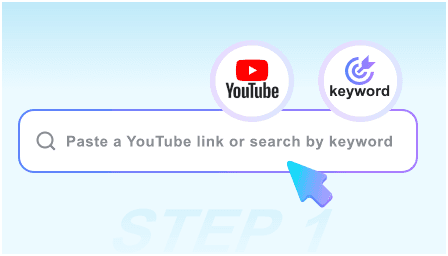
Step 1. Upload Your MP4 File
Upload your MP4 video directly into Lynote. You can use recordings from online classes, interviews, meetings, training sessions, webinars, presentations, or tutorials.
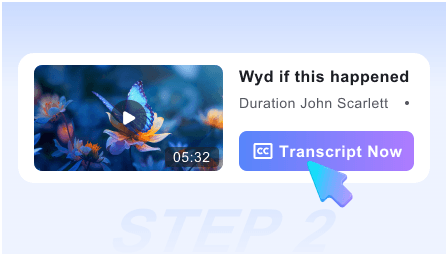
Step 2. Transcribe MP4 to Text
Lynote processes the video audio and creates an editable transcript. This helps you transcribe mp4 to text without manually typing every sentence.
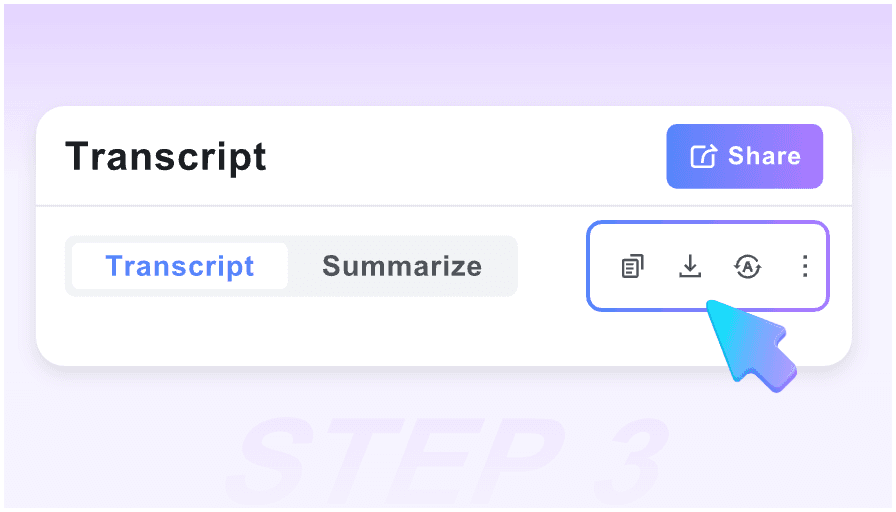
Step 3. Review, Edit, and Create Notes
Check the transcript, correct names or technical terms, then turn it into notes, summaries, translations, or AI Q&A prompts. Your video becomes easier to search and reuse.
Who Can Benefit From MP4 to Text?

Students
Students can use transcribe mp4 to text free workflows for recorded lectures, online classes, group presentations, and study videos. The transcript can become notes or flashcards.

Researchers
Researchers can convert recorded interviews, presentations, panel discussions, and field videos into searchable text for analysis and citation review.

Content Creators
Creators can turn MP4 videos into captions, blog drafts, show notes, social posts, and content calendars. Lynote helps make video content easier to repurpose.

Business Teams
Teams can transcribe product demos, meetings, onboarding videos, customer calls, and training recordings into searchable internal knowledge.

Educators
Teachers and course creators can convert lesson recordings into readable transcripts, summaries, and student review materials.

Marketing Teams
Marketers can use mp4 to text transcription to extract insights from webinars, testimonials, interviews, and campaign videos.
What Our Users Say

Course Creator

Lynote helped me turn long MP4 lessons into transcripts and summaries. It made course editing and student notes much easier.

Marketing Manager
I needed an mp4 to text converter for webinar recordings. Lynote gave us a transcript we could turn into blog posts and email copy.

Graduate Student
I used Lynote to transcribe mp4 to text from class recordings. Searching the transcript was much faster than jumping through the video timeline.

Content Producer
Our team repurposes interviews into social posts. Lynote helped us convert MP4 to text and find the strongest quotes quickly.

Research Assistant
The transcript made it easier to analyze panel discussions. I could highlight themes without replaying the entire video.

Training Lead
We use Lynote for training videos. The text output helps create onboarding notes and searchable internal documentation.
Frequently Asked Questions
Got questions about MP4 transcription, editable video transcripts, and video-to-note workflows? Start here.
An MP4 to text converter turns spoken content from a video file into editable written text. Lynote helps you transcribe, review, summarize, translate, and organize video content.
Upload your MP4 file, let Lynote process the video audio, then review the generated transcript. You can use the text for notes, captions, summaries, Q&A, or content reuse.
Yes, Lynote supports free online workflows for getting started. You can upload a video and test transcribe mp4 to text free before using the transcript in larger projects.
Yes. Lynote is built for mp4 to text transcription, especially when you need editable text from lectures, meetings, webinars, tutorials, or interviews.
Lynote is useful for longer video workflows, but very long files may be easier to review in sections. Check the live product limits and split long recordings when needed.
Yes. After you convert MP4 to text, you can review the transcript and reuse it for captions, subtitles, show notes, or content drafts.
Yes. Lynote supports video, audio, documents, images, and web sources, including MP4, MOV, MP3, WAV, PDF, DOCX, PNG, JPG, and URLs.