

MOV to Text Converter for Video Transcripts

Drop files or browse

Add study materials to enable the AI to extract and structure content.



Why Choose Our MOV to Text Converter?

Built for MOV Video Files
MOV is widely used for iPhone videos, QuickTime recordings, product demos, training clips, and creative video projects. Lynote helps turn mov to text so spoken content becomes easier to search, quote, summarize, and reuse.

Convert MOV to Text Online
Use Lynote to convert mov to text directly in your browser. Upload your MOV file, let AI process the audio, then review the generated transcript without installing desktop transcription software.

More Than Raw Video Transcription
This is more than a simple mov to text converter free workflow. Lynote can turn your video transcript into structured notes, summaries, flashcards, translations, and AI Q&A prompts.

Perfect for iPhone and QuickTime Recordings
Many MOV files come from mobile recordings or Mac-based video workflows. Lynote helps creators, students, researchers, and teams turn those recordings into clean, usable text.

Faster Review for Long Videos
Instead of scrubbing through a video timeline to find one quote or key point, use the transcript to search, scan, and organize the spoken content faster.

Easy Content Repurposing
A MOV transcript can become captions, blog outlines, social posts, meeting notes, training documentation, or research highlights. Lynote helps every video do more work.
Extract Speech From MOV Files
A video often hides important information inside spoken dialogue. Lynote helps convert MOV speech into editable text so you can copy quotes, review sections, summarize content, and build notes.

Create Notes From Video Recordings
Long MOV videos can contain ideas, decisions, examples, or teaching points that are hard to find later. Lynote helps organize the transcript into notes and summaries for faster review.
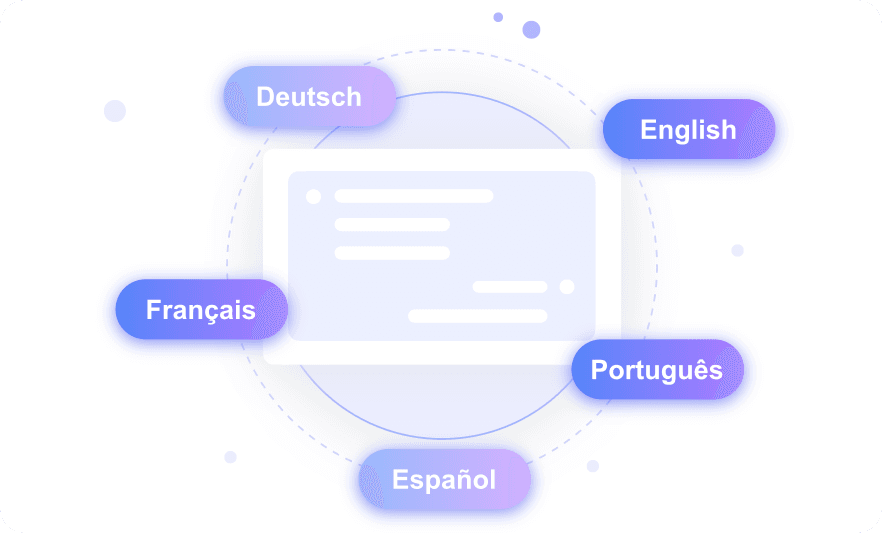
Repurpose MOV Content Across Channels
After you convert MOV to text, you can use the transcript for captions, newsletters, blog drafts, course materials, internal docs, or AI chat workflows.

How to Convert MOV to Text Online
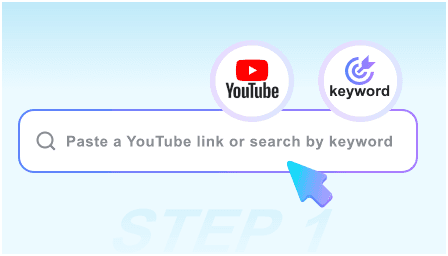
Step 1. Upload Your MOV File
Upload your .mov video file from your device. You can use iPhone videos, QuickTime recordings, interviews, lectures, webinars, tutorials, product demos, or meeting recordings.
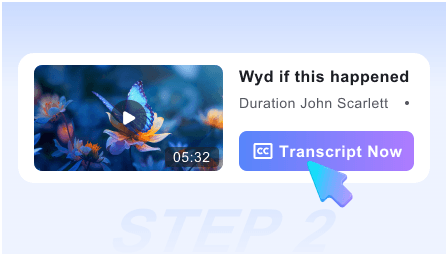
Step 2. Transcribe MOV to Text
Lynote processes the video audio and creates an editable transcript. This helps you convert MOV video into text without replaying and typing every sentence manually.
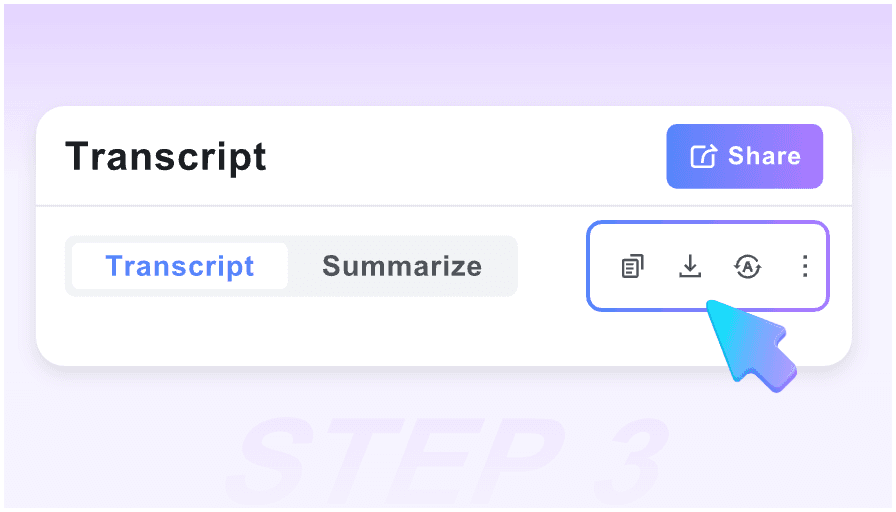
Step 3. Review, Edit, and Create Notes
Check the transcript for names, terms, timestamps, and important details. Then turn it into summaries, notes, translations, flashcards, or AI Q&A prompts.
Who Can Benefit From MOV to Text?

iPhone Video Creators
Creators who record MOV files on iPhone can turn raw video into transcripts, captions, scripts, and content ideas.

Students
Students can convert MOV class recordings, presentations, and study videos into searchable text, notes, summaries, and flashcards.

Researchers
Researchers can transcribe MOV interviews, field videos, recorded observations, and panel discussions for analysis and reference.

Business Teams
Teams can convert MOV meeting clips, training videos, product demos, and internal recordings into searchable documentation.

Educators
Teachers and course creators can turn recorded lessons and tutorials into transcripts, study notes, and student review materials.

Marketers
Marketing teams can use MOV transcripts from testimonials, webinars, interviews, and campaign videos to create quotes, case studies, emails, and social content.
What Our Users Say

Video Creator

I record most of my clips as MOV files on my phone. Lynote helped me turn the spoken parts into captions and post ideas much faster.

Training Manager
We had QuickTime training recordings that no one wanted to rewatch. Lynote gave us transcripts we could turn into onboarding notes.

Graduate Researcher
I used Lynote as a mov to text converter for interview videos. Searching the transcript saved me hours during analysis.

Marketing Lead
After we converted MOV webinar clips to text, it was much easier to pull quotes for landing pages and email campaigns.

Online Teacher
My lesson recordings became searchable notes. Students could review the transcript instead of replaying the full video.

Product Manager
Lynote helped our team convert product demo recordings into internal documentation and follow-up tasks.
Frequently Asked Questions
Got questions about MOV transcription, video transcripts, and video-to-note workflows? Start here.
A MOV to text converter turns spoken audio from a MOV video file into editable written text. Lynote helps you create transcripts, notes, summaries, translations, and AI Q&A from your videos.
Upload your MOV file, let Lynote process the video audio, then review the generated transcript. You can copy the text, summarize it, translate it, or turn it into structured notes.
Yes. Lynote supports a mov to text converter free workflow for getting started. You can upload a MOV video and test transcription before using the transcript in larger projects.
Yes. MOV is commonly used by iPhone and QuickTime recordings. Lynote can process MOV files as part of its video-to-text workflow.
Yes. Lynote works in your browser, so you can upload MOV files and create editable transcripts without installing desktop transcription software.
Yes. After you convert MOV to text, you can review the transcript and reuse it for captions, subtitles, show notes, summaries, or content drafts.
Yes. Lynote can help turn MOV transcripts into summaries, notes, flashcards, translations, and AI Q&A prompts.
