

AI Lecture Video to Notes Converter
Transform complex academic lectures into structured study notes, exam guides, and searchable Markdown summaries instantly—no login required.





Why Use Lynote for Academic Lecture Notes

Visualized Lecture Summaries
Don’t lose the context of complex diagrams or formulas. We pair AI-generated lecture notes with key whiteboard snapshots to help you visualize the professor’s explanation alongside the text.

Topic-Based Chapters & Timestamps
Navigate 3-hour seminars with ease. Our AI identifies syllabus-relevant topics and creates clickable timestamps so you can jump directly to the specific concept you need to review.

Exam Prep & Study Guides
Skip the professor’s tangents. We extract core academic concepts and turn long-winded explanations into concise, bulleted study guides and “must-know” definitions for your finals.

100% Free for Students
Get unlimited lecture notes without a subscription or account. We prioritize your academic focus—just paste the university lecture link and start building your digital library immediately.

Academic Export & Markdown
Seamlessly integrate with your personal knowledge management system. One-click export to Markdown for Notion, Obsidian, or Anki, keeping your lecture notes organized and searchable.

Global Research Support
Access global knowledge without language barriers. Our AI translates international lectures and generates structured notes in your native language for better conceptual understanding.
3 Steps to Convert Lectures to Notes
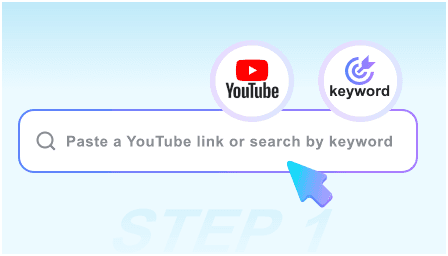
Step 1: Paste Lecture URL
Simply copy and paste the YouTube link of your university lecture or seminar. We support everything from STEM tutorials to Humanities deep-dives.
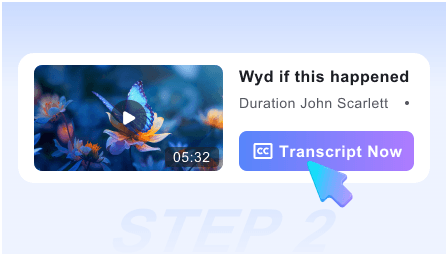
Step 2: Generate Study Notes
Click “Start” and let the AI analyze the curriculum. Within seconds, it produces a structured summary with visual snapshots of slides and key formulas.
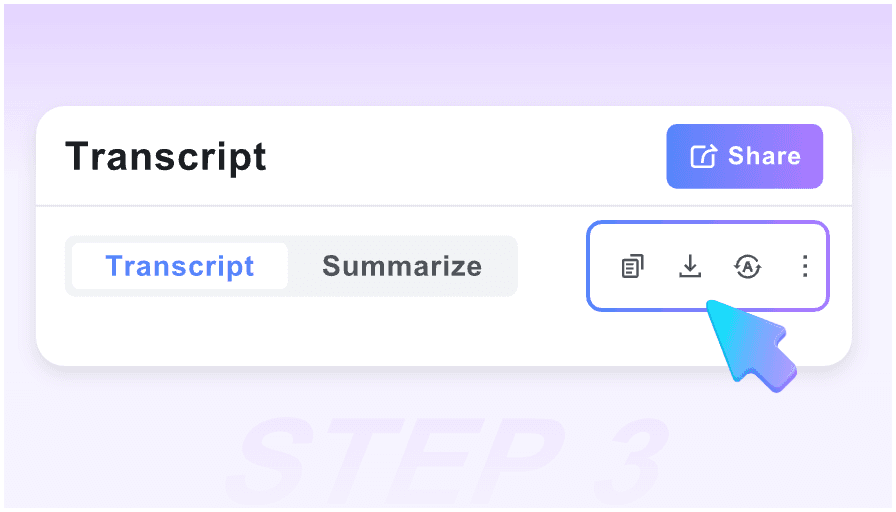
Step 3: Sync to Your Second Brain
Review the key takeaways, copy the generated Study Guide, or export the entire lecture in Markdown format directly into your Notion or Obsidian vault.
Who is this tool suitable for?

University Students
Convert marathon lectures into scannable notes. Use visual snapshots to capture complex slides and review for midterms without re-watching hours of video.

Online Learners
Turn MOOCs and YouTube tutorials into actionable learning logs. Our AI extracts the “how-to” steps so you can master new skills through structured documentation.

PhD Researchers
Quickly synthesize academic symposiums and guest lectures. Grab key quotes and visual data points to cite in your papers or literature reviews.

Exam Preppers
Focus on high-yield material. Use the “Key Highlights” feature to identify the most important parts of a lecture series and create flashcards in record time.

Medical & Law Students
Navigate dense, information-heavy recordings. Use smart timestamps to jump between specific cases or anatomical explanations without wasting a second.

Non-Native Speakers
Bridge the gap in fast-paced lectures. Read summarized academic points alongside visual context to ensure you haven’t missed critical terminology or nuances.
What students and educators say

University Professor

The visual snapshot feature is revolutionary for my students. It captures my whiteboard drawings alongside the summary, ensuring the technical context isn’t lost in translation.

Medical Student
I love the Study Guide feature. I watch 2-hour pathology lectures, and this tool automatically creates a checklist of symptoms and treatments for me. It’s an absolute lifesaver.

Computer Science Major
Finally, a tool that works with my Obsidian workflow. No login required, and the Markdown export includes the timestamps. It’s the perfect companion for my digital garden.

Graduate Researcher
I used to spend hours re-watching seminars to find one specific quote. Now, I use the Smart Timeline to jump exactly to the slide I need. It has doubled my research efficiency.

Engineering Student
As a visual learner, having the professor’s slides next to the AI summary helps me grasp fluid dynamics much faster than a plain transcript ever could.

Lifelong Learner
Most AI tools are behind a paywall. This is truly free and instant. I can get the core concepts of a lecture before I even commit to watching the full hour.
Frequently Asked Questions
Need help with your study workflow? We’ve got the answers for you.
Yes, our tool is 100% free. You can generate unlimited lecture notes and study guides without any hidden fees, perfect for a student budget.
Currently, we support all public YouTube lecture links. For private videos, you can upload them to a “Unlisted” YouTube link to use our AI summarization features.
Unlike text-only transcripts, we capture snapshots of the video. This means math formulas, chemical structures, and diagrams are preserved alongside the text notes.
Absolutely. We support one-click Markdown export, which is the standard format for Notion, Obsidian, and Tana, making your lecture notes fully searchable.
Yes. Our AI is optimized for long-form academic content. It identifies key thematic shifts and timestamps them, so you can navigate long recordings in minutes.
The Study Guide feature extracts the most important concepts and definitions, effectively creating a roadmap for your exam preparation based on the video content.
Yes. You can summarize lectures from top universities worldwide. Input a video in any language, and we will generate the notes in your preferred language.
Definitely. Since no account is required, we don’t track your search history or what lectures you are summarizing. Your study sessions remain completely anonymous.