

Convert Handwriting to Text Online

Drop files or browse

Add study materials to enable the AI to extract and structure content.



Why Choose Our Handwriting to Text Converter?

Save Time on Retyping
Save time on retyping by turning notebook pages, class notes, whiteboards, and handwritten drafts into digital text.

Organize Notes Faster
Keep converted notes organized as editable text you can clean up, search, label, store, and find later.

Create a Digital Backup
Keep a reusable digital copy of journals, field notes, family letters, and classroom notes so they are easier to store and revisit.

Copy and Share Instantly
Move the converted text into documents, study materials, emails, or shared notes without entering it again.

Works on Any Device
Upload a clear phone photo or scan from a mobile device, tablet, or desktop browser.

Reads Varied Handwriting
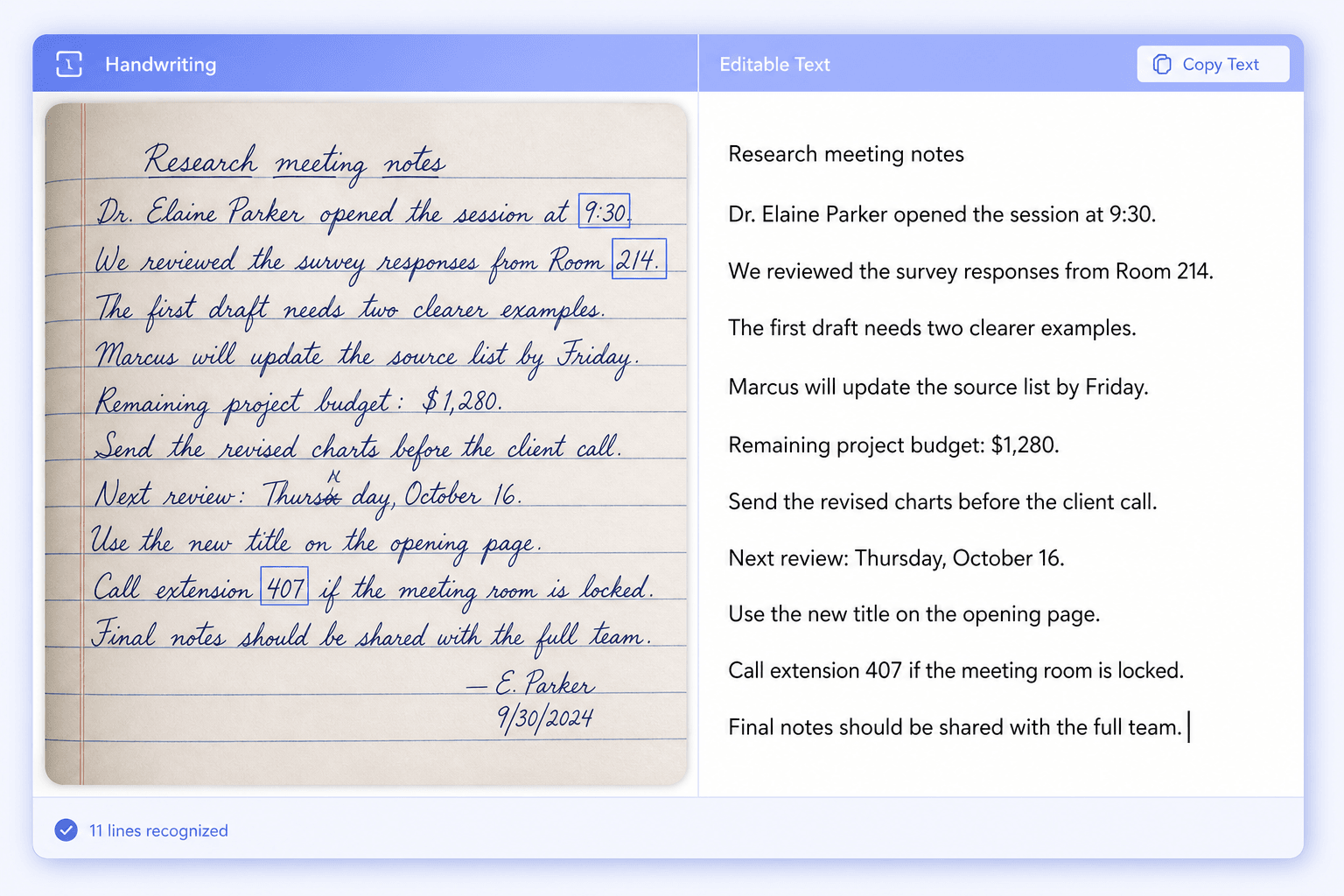
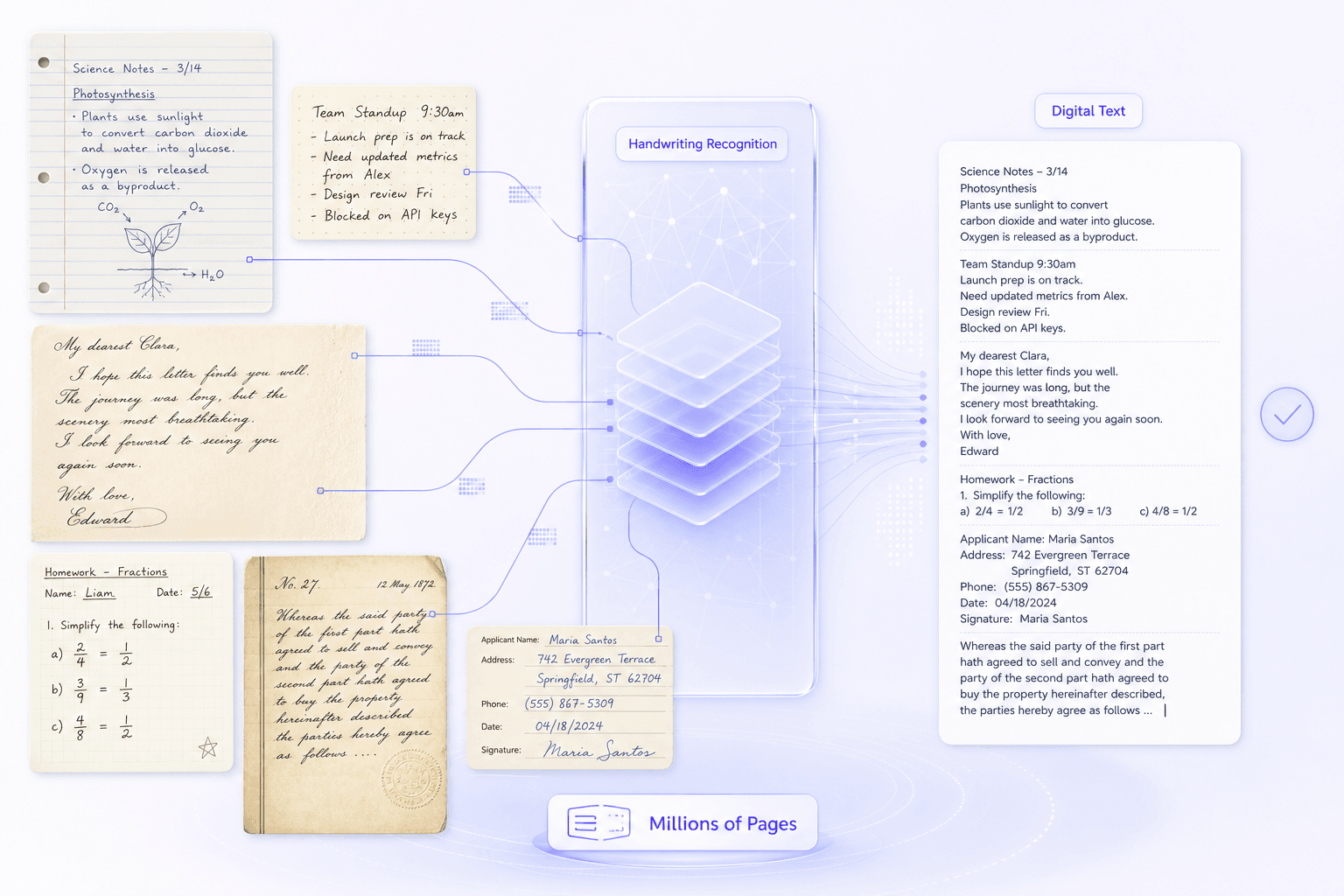
Work with print, cursive, and mixed handwriting while remembering to review crossed-out or unclear words.

Ready to Search and Ask
Once handwriting becomes digital text, search the note, find details, summarize it, or ask questions about its contents.

Privacy-Conscious Processing
Use privacy-conscious processing for personal journals, assignments, letters, and meeting notes. Upload only material you are authorized to process and review the result before sharing it.
Convert Handwriting to Editable Digital Text
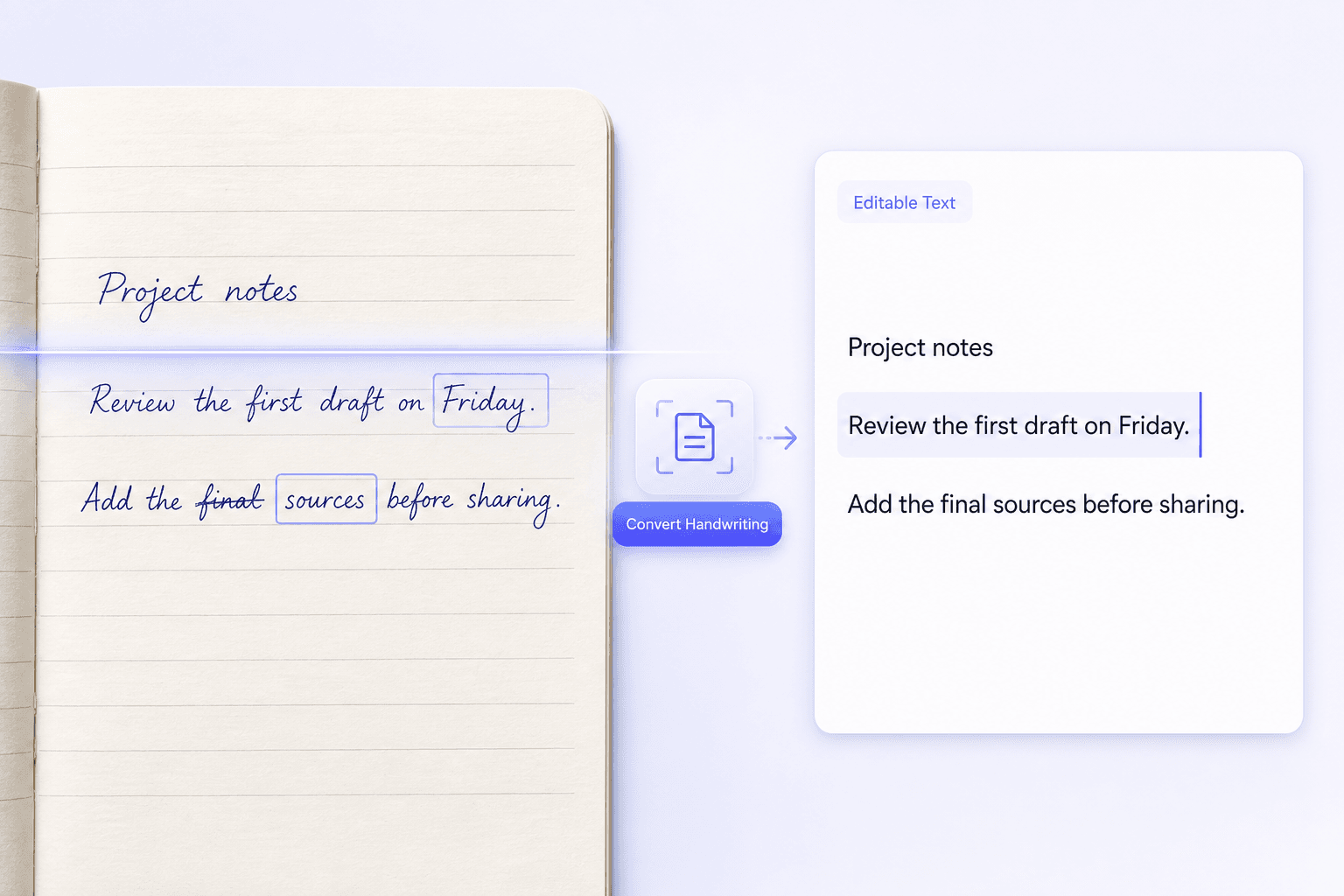
Handwriting to Text Converter with Accuracy
AI Trained on Millions of Handwritten Pages
How Does Handwriting Recognition Work?
Handwriting recognition reads more than isolated characters. It examines page layout, writing patterns, and surrounding words to turn handwritten strokes into editable digital text.
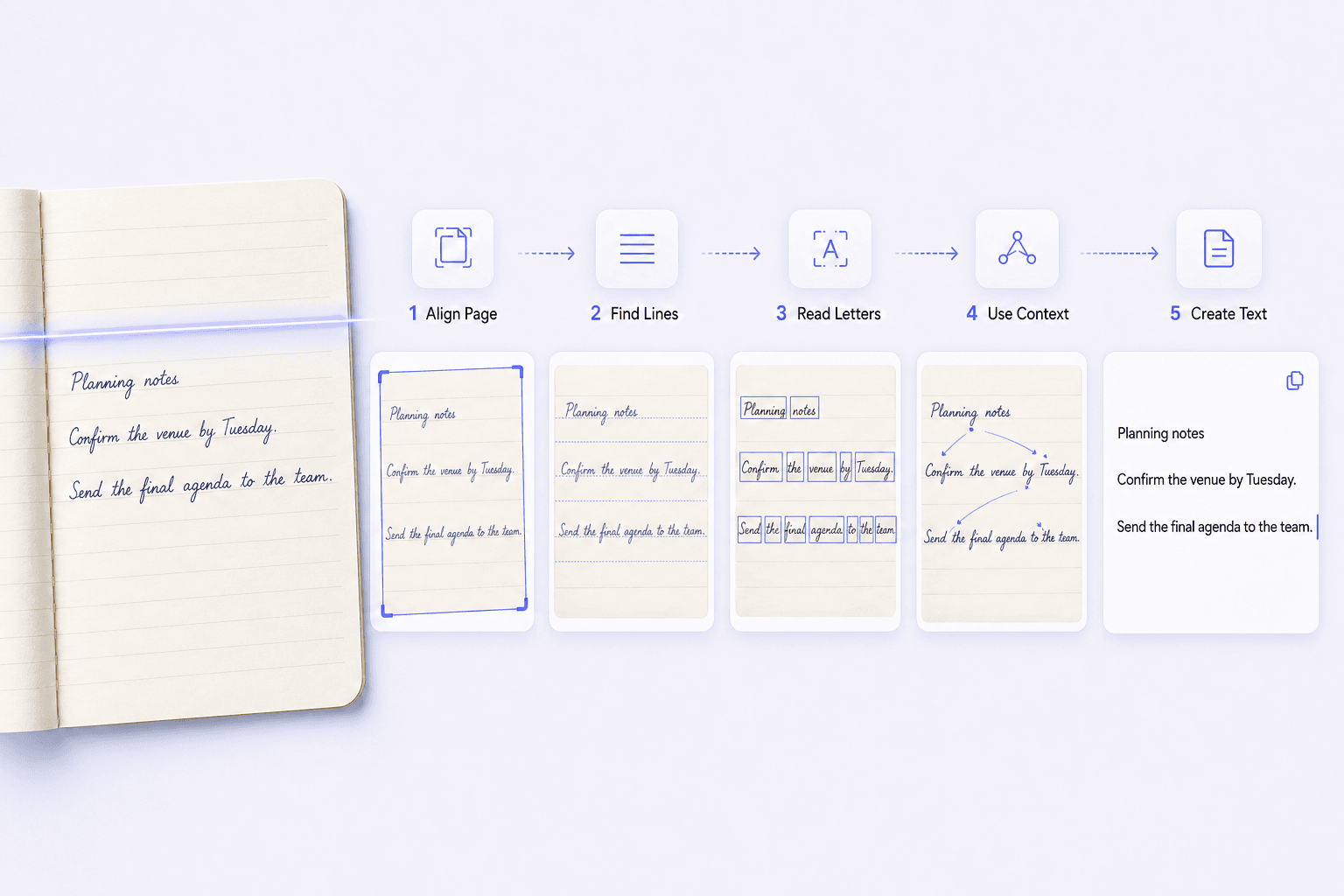
Lynote works through the page in several stages:
- Prepare the image: A clear, well-lit, straight photo helps separate ink from the page and follow each line.
- Find lines and words: The page is divided into writing regions, lines, and words before individual characters are interpreted.
- Read handwriting patterns: Letter shapes, stroke flow, spacing, and connected characters are analyzed together instead of being treated like printed type.
- Use surrounding context: Nearby words help distinguish characters that look similar when viewed on their own.
- Create editable text: The recognized result can be corrected and reused. Check names, numbers, formulas, abbreviations, and heavily edited passages against the source.
How to Convert Handwriting to Text
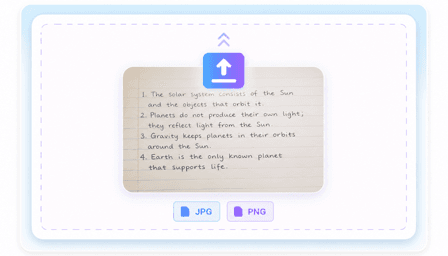
Step 1. Upload a Photo or Scan
Choose a clear image of a notebook page, cursive letter, classroom board, whiteboard, or other handwritten document.
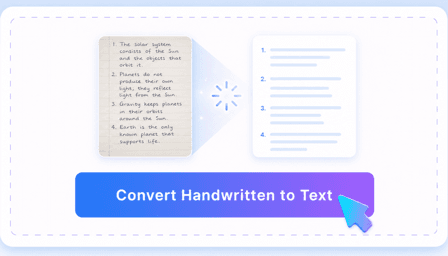
Step 2. Convert Handwriting to Text
Once your image is uploaded, click "Convert Handwritten to Text" to start the analysis. You will get clean, editable text in seconds.
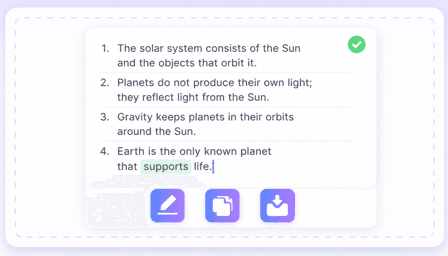
Step 3. Review, Edit, and Copy
Review uncertain words, edit the note, then copy, export, summarize, or use it for study.
Who Should Use This Handwriting to Text Converter?

Students
Convert lecture pages into text that is easier to clean up, search, and review before an exam.

Researchers
Digitize field notebooks and archival handwriting, then review names, dates, and specialist terms against the original page.

Journalists
Convert interview notes and reporter notebooks into editable copy so important quotes and details are easier to find during drafting.

Writers
Bring journal pages, outlines, and pocket-notebook drafts into a digital workspace without retyping every line.

Meeting Facilitators
Turn whiteboard photos into a shared recap while the discussion, decisions, and next steps are still fresh.

Teachers
Digitize classroom notes, handwritten annotations, and selected student responses for easier review and reuse.
What Our Users Say

College Student

"I photographed my biology notes before an exam and had an editable version to clean up and search. It saved me from typing the whole notebook again."

Field Researcher
"I use it for field notes with a mix of cursive and print. I still check names and abbreviations, but getting a first transcription makes the review much faster."

Journalist
"After interviews, I photograph pages from my reporter's notebook and turn them into editable draft material. Finding the important quotes is much easier."

High School Teacher
"I use it for handwritten classroom notes and student responses. Keeping the source image nearby makes it straightforward to check any word the converter may have misread."

Meeting Facilitator
"After a workshop, I upload the whiteboard photos and clean up the converted text into a recap. The team gets the notes while the discussion is still fresh."

Writer
"I have years of ideas in pocket notebooks. Converting a few pages at a time makes old lines searchable without losing the original pages."
Frequently Asked Questions
Still got questions about converting handwriting to text? Here are the answers.
A handwriting to text converter reads handwritten words from a photo or scan and turns them into editable digital text. An AI handwritten to text tool can interpret letter shapes and surrounding words, making it useful when you want to search, copy, organize, or reuse notes without typing them again.
To change handwriting to text, upload a clear photo or scan into Lynote. If you need to transcribe handwriting to text from a full page, the tool reads the writing and generates an editable digital note, so you can turn handwriting into text and review the result beside the original.
For the most accurate results, ensure your image is well-lit and in focus. While you can transform handwriting to text from messy notes, clear contrast between the ink and paper helps. Avoid heavy shadows when snapping pictures of your notebooks.
Lynote can convert clear cursive and mixed handwriting, but results depend on image quality and legibility. Review names, numbers, abbreviations, and heavily corrected words against the original page.
Yes, you can edit the text directly in Lynote after conversion to correct errors or add new details.
You can start the handwriting-to-text workflow online. Available usage limits may depend on your current Lynote plan, so check the product interface for the latest allowance.
Lynote processes the uploaded note to create the digital result. Upload only content you are authorized to process, and review Lynote's current privacy policy before using the tool with sensitive material.


