

AI Chat with YouTube Videos

Drop files or browse

Add study materials to enable the AI to extract and structure content.



Why Choose Our Video AI Chat Tool?

Instant Video Answers
Get instant video answers to your questions without watching the entire clip. Extract immediate insights and skip the fluff.

Paste Links or Upload
Paste URLs directly into the workspace to chat with video content, or upload local files to start conversations immediately.

Multi-Video Chat
Combine multiple sources to chat with videos simultaneously. Cross-reference information from different creators easily in a single thread.

Switchable AI Models
Toggle between different AI models depending on your task. Choose speed for quick summaries or deep reasoning for complex content.

Ask Direct Questions
Extract specific details by asking targeted questions instead of settling for generic summaries. Get the exact facts you are looking for.

Secure & Private
Your data stays safe. We enforce strict privacy controls for all processed media and unlisted links to protect your content.
Get Answers Backed by Exact Video Timestamps
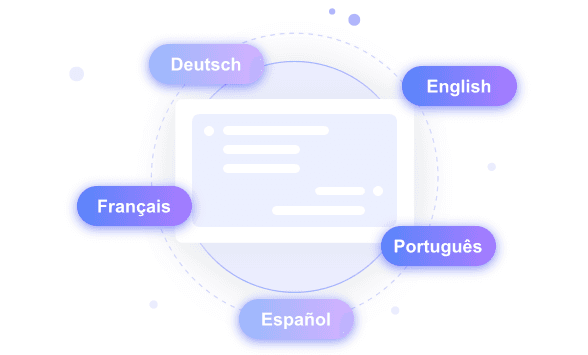
Chat with Foreign YouTube Videos in Multiple Languages
Ask Any Questions about Long Video Lectures
How to Chat with YouTube Videos
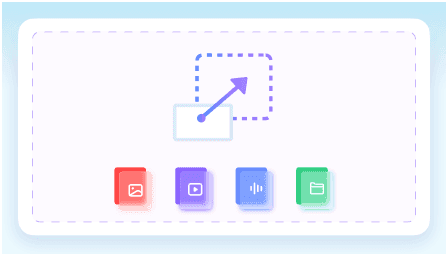
Step 1. Paste Links or Upload Files
Start by pasting URLs directly into the input bar. You can also upload local files from your computer to create a shared context base.
Step 2. Ask Questions about the Video
Type direct questions about the uploaded content into the chat interface. Request cited answers to see exactly where the information appears.
Step 3. Review, Summarize, and Share
Read through the AI responses to review the insights. Use the chat outputs to summarize, translate, and share the key takeaways with your workflow.
Who Should Use This Tool?

University Students
University students can ask any questions about two-hour YouTube lectures to prepare for exams. Clarify complex concepts directly from the video context to improve your study sessions.

Content Creators
Extract viral hooks and script structures from trending YouTube videos. Content creators can use our YouTube video AI chat to research competitor strategies.

Academic Researchers
Pull exact quotes and timestamps from historical YouTube documentary interviews. Academic researchers can chat with video sources to gather accurate citations.

Marketing Professionals
Analyze 45-minute webinar videos to extract key product takeaways. Marketing professionals can turn long videos into actionable campaign notes in minutes.

Software Developers
Find specific code explanations buried in long YouTube tech tutorials. Software developers can chat with videos to jump straight to relevant programming syntax.

Language Learners
Translate and understand foreign YouTube vlogs. Language learners can use AI chat with video content to practice vocabulary and comprehend native speech patterns.
What Our Users Say

University Student

"I pasted a link to a two-hour physics lecture video, and the chat with video feature gave me instant answers about thermodynamics. It even generated a 500-word study guide based on the professor's exact words."

Software Developer
"Finding exact code snippets in a 40-minute React tutorial used to take forever. Now, I use chat for YouTube to get answers backed by precise video timestamps and transcript text."

Academic Researcher
"Comparing three different historical documentary videos in one workspace is amazing. I can chat with videos simultaneously to cross-reference facts for my 10-page research paper."

Marketing Professional
"I love the flexibility to upload local MP4 files or paste unlisted YouTube links. It helps me review our 50MB campaign drafts and get feedback summaries."

Language Learner
"This YouTube AI chat lets me interact with Japanese cooking vlogs entirely in English. It translated the spoken instructions into a clear recipe PDF I could save for later."

Content Creator
"By asking direct questions to the AI, I can break down the exact pacing and structure of competitor vlogs. It extracts all the key details into a structured DOCX outline."
Frequently Asked Questions
Still got questions about chat for YouTube? Here are the answers.
An AI chat with YouTube video lets you interact with video content using text. You paste a link, and the AI processes the audio and visuals. You can then ask questions, request summaries, or extract specific information directly from the video's context.
When you chat with a YouTube video, the AI extracts the transcript and analyzes the context. It uses this source data to generate accurate, context-aware answers. Every response is grounded in the actual content, often including timestamps so you can verify the information.
You can do both. The workspace allows you to paste public or unlisted YouTube links, as well as upload local video files directly from your device. This flexibility lets you chat with videos from various sources in one thread.
Yes, the tool supports cross-language workflows. You can paste a link to a foreign language YouTube video and ask questions or request summaries in your native language. The AI translates and processes the content to deliver accurate answers.
Yes, video length limits apply based on your current workspace plan. Most standard YouTube videos, including long lectures and podcasts, are fully supported.
The timestamps are highly accurate because the AI directly references the video transcript. Each cited answer links back to the exact moment, allowing you to verify facts instantly.


