

Professional AI Video Reviewer
“Automate your creative feedback loop. Generate frame-accurate critiques, compliance checks, and technical audits using AI—no account required.”




Why Use Lynote for AI Video Reviewing

Frame-Accurate Visual Critique
Don’t just guess—see the flaw. Our AI pairs specific timestamps with visual snapshots to highlight composition, lighting, and pacing issues more accurately than manual notes.

Automated QC & Timestamps
“Navigate through raw footage or final cuts with automated quality control. Click any flagged review point to jump directly to the frame that needs adjustment.”

Creative Brief & Edit Lists
“Skip the back-and-forth. We extract key creative insights and turn long recordings into actionable edit lists and revision checklists to streamline your post-production.”

100% Free & No Sign-up
“Run unlimited video audits without a subscription or login. We prioritize your production speed—just paste the link and get a professional review instantly.”

Production-Ready Export
“Integrate directly into your editing suite. One-click export your review notes to Markdown for Notion/Obsidian or copy structured feedback for your Trello/Jira boards.”

Global Content Compliance
“Review international content with ease. Our AI understands global context and generates technical audits and feedback in your native language for clear team communication.”
3 Steps to Professional Video Review
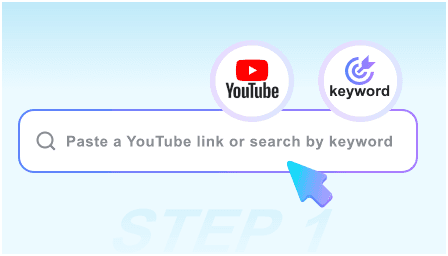
Step 1: Submit Video URL
“Paste your YouTube link or private upload. We support ads, cinematic clips, and social content—no manual time-coding required for your review.”
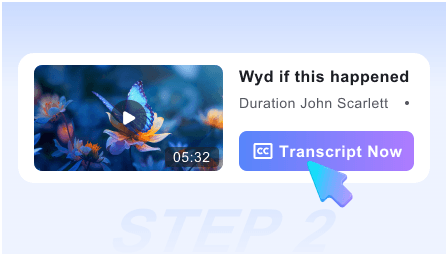
Step 2: Generate AI Audit
“Launch the AI reviewer to analyze pacing, narrative flow, and technical quality. Within seconds, receive a visual breakdown and a prioritized revision checklist.”
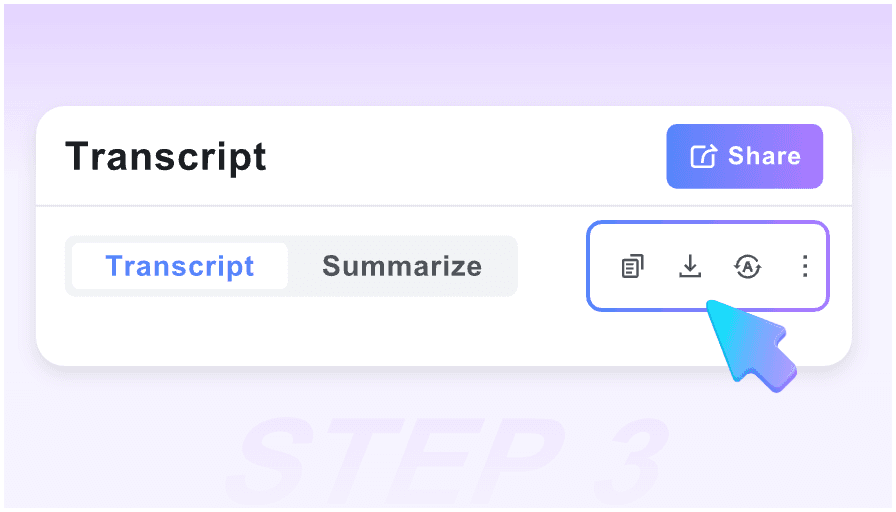
Step 3: Sync with Post-Production
“Review the flagged frames, copy the generated Edit List, or export the entire technical audit in Markdown to your project management tool.”
Who is this AI Reviewer for?

Video Editors
“Convert raw footage into structured edit logs instantly. Use visual snapshots to track continuity and pacing without re-watching the entire timeline.”

Creative Directors
“Turn rough cuts into polished feedback. Our AI extracts narrative gaps and visual inconsistencies so you can provide clear direction to your team.”

Marketing Managers
“Audit ad performance and brand safety. Grab high-quality snapshots of key frames to ensure brand guidelines are met across all video assets.”

UX Researchers
“Extract core insights from user testing videos. Use specialized Markdown export to move observation notes directly into your research repository.”

Agency Leads
“Short on time for client reviews? Jump straight to ‘Critical Revision Points’ using smart timestamps to approve content and keep projects moving.”

Quality Assurance Teams
“Ensure technical excellence with image-text pairing. Review visual artifacts or audio sync issues alongside the visual context for 100% accuracy.”
What industry pros say about us

Senior Video Editor

“The frame-accurate snapshot feature is a lifesaver. Instead of vague notes, I get a visual log of every pacing issue. It has cut my revision time in half.”

Creative Agency Director
“I love the Revision Checklist. I review dozens of social ads daily, and this tool automatically flags the key moments that need work. No more manual time-stamping.”

Independent Filmmaker
“Finally, a review tool that doesn’t require a complex setup. No login, and the Markdown export fits perfectly into my production workflow in Obsidian.”

Brand Marketing Lead
“I used to scrub through videos for hours looking for brand inconsistencies. Now, the AI Reviewer flags them instantly. It’s an essential part of our QA process.”

YouTube Strategist
“As a visual storyteller, having snapshots next to the critique helps me explain complex pacing issues to my clients much faster than a text email.”

Social Media Producer
“Most review platforms are expensive and slow. This is instant and free. I can get a technical audit and an Edit List before my coffee is even ready.”
Frequently Asked Questions
Need help with your video audit? Check our FAQs or reach out to our technical team.
Yes, our tool is 100% free. You can generate unlimited technical reviews and revision checklists without any subscription fees or hidden costs.
No registration is required. Simply paste the URL (ensure it’s accessible via link) and start your AI-powered review immediately.
Transcripts only capture words. Our Visual Critique analyzes the actual video frames, pairing technical feedback with screenshots for full creative context.
Yes. We focus on workflow efficiency. You can export the full audit and Edit List to Markdown, which is natively supported by Notion, Obsidian, and most PM tools.
Absolutely. Our AI is built for professional lengths. It identifies key narrative shifts and technical errors across 2+ hour videos in seconds.
Yes. The AI analyzes the video to create a prioritized list of actionable steps, making it easy for editors to implement changes without confusion.
Yes, we support global production. You can review videos in over 50 languages, and the AI will provide the technical audit in your chosen language.
We prioritize production security. Since no account is required, we do not track your identity or store your review history. Your audits are strictly for your eyes.