

AI Video Reader
Transform any video into a searchable, interactive document. Extract deep insights, structured study notes, and technical data with our high-precision AI engine—no account required.





Why Professionals Use Our AI Video Reader

Context-Aware Visual Reading
Don’t just skim text—read the visual data. Our AI syncs deep-learning transcriptions with high-resolution frames, allowing you to “read” charts, slides, and demonstrations with perfect clarity.

Semantic Indexing & Timestamps
Navigate complex technical content using AI-generated semantic chapters. Click any technical term or summary point to instantly jump to the precise frame where it’s discussed.

Deep Insight Extraction
Filter out the noise. Our reader identifies core arguments, technical specifications, and key data points, converting dense video presentations into structured, actionable intelligence.

Instant Access, Zero Friction
High-speed analysis without the barrier of a sign-up. We provide professional-grade video reading tools for researchers and analysts who value immediate results and data privacy.

Knowledge Base Integration
Seamlessly bridge the gap between video and your “Second Brain.” Export structured Markdown files directly into Notion, Obsidian, or Roam Research with preserved hierarchy.

Global Intelligence Support
Read videos in over 50 languages. Our AI translates and interprets foreign-language lectures and international briefings, providing localized summaries for global research.
3 Steps to Read Any Video
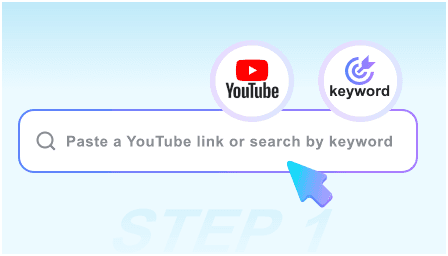
Step 1: Load Video Source
Paste the URL of the lecture, webinar, or technical tutorial you need to analyze. Our reader supports all major video platforms and educational content.
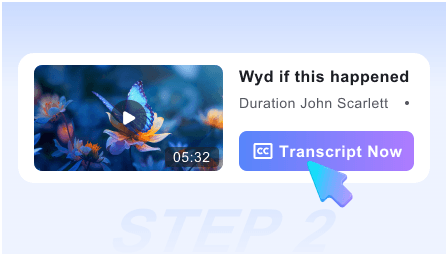
Step 2: AI Deep Analysis
Our engine “reads” the audio and visual tracks simultaneously, generating a comprehensive structured report with key snapshots and technical takeaways in seconds.
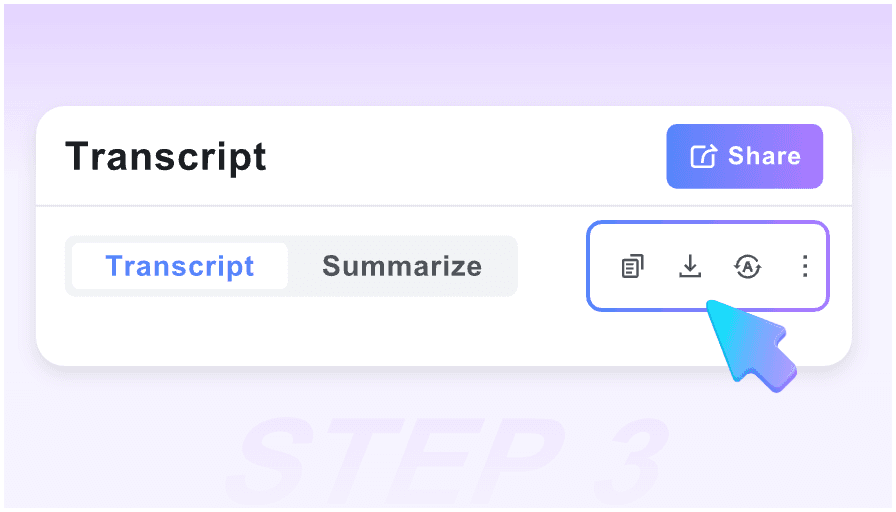
Step 3: Synthesize & Export
Review the extracted insights, refine the auto-generated notes, and export the entire session to your professional knowledge management system.
Who is this AI Video Reader for?

Academic Researchers
Turn 3-hour symposiums into searchable text documents. Cite specific video segments and extract visual data from presentation slides automatically.

Software Developers
Read through coding tutorials and documentation videos. Extract code snippets and logic flows without manually pausing and rewinding every 10 seconds.

Market Analysts
Process earnings calls and industry webinars at 10x speed. Identify market trends and competitor insights using our high-density summary engine.

Medical & Legal Pros
Review expert testimony or medical seminars with precision. Use the visual-text pairing to ensure no nuance is lost in the transcription process.

Graduate Students
Master complex subjects by converting lecture series into structured study guides. Use the Markdown export to prepare for comprehensive exams efficiently.

Technical Trainers
Audit training materials and create SOPs from video demonstrations. Turn “showing” into “reading” for better team documentation and onboarding.
Expert User Feedback

University Professor

This is the first AI video reader that actually understands academic context. The way it pairs slide snapshots with the transcript makes reviewing research presentations incredibly efficient.

Senior DevOps Engineer
I use this to ‘read’ through long architecture deep-dives. The semantic timestamps let me skip the fluff and get straight to the configuration steps I actually need for my sprint.

Intelligence Analyst
Privacy is paramount in my field. Being able to analyze international briefings without creating an account, then exporting to my local Obsidian vault, is a massive workflow win.

MBA Candidate
I stopped taking manual notes during webinars. I just run the link through the AI Video Reader and I have a perfectly formatted case study ready for my Notion workspace in seconds.

Technical Lead
The visual-text pairing is essential for technical content. Reading a summary is one thing, but seeing the specific diagram the speaker is referencing right next to the text is genius.

Product Manager
Most tools are too generic. This reader focuses on the ‘reading’ experience—structured, searchable, and exportable. It’s transformed how I consume industry news and tutorials.
Frequently Asked Questions
Technical details and workflow questions answered.
Our AI is trained on diverse datasets including academic, medical, and technical content, ensuring high precision for industry-specific terminology and jargon.
No. Our engine is optimized for long-form content, easily processing 3-hour lectures or 4-hour podcasts into concise, structured documents.
While a summarizer gives a brief overview, our Reader provides a deep, interactive document with visual snapshots, semantic indexing, and structured data extraction.
Yes. The Markdown export is designed for professional workflows, allowing you to import structured notes directly into Notion, Obsidian, or Tana.
Yes, our visual engine identifies key frames (like slides or diagrams) and pairs them with the relevant text to provide full context for your notes.
Absolutely. The AI identifies instructional sequences and formats them into a logical “Action Guide” or checklist for technical implementation.
Yes. You can analyze videos in over 50 languages. The AI will read the source and provide the analysis and summary in your chosen target language.
No. We operate on a “Privacy-First” model. Since no login is required, your analysis sessions are ephemeral and not linked to any personal profile.