

AI Video Describer
Transform any video into detailed text descriptions, accessibility-ready scripts, and searchable scene breakdowns using advanced AI—no account required.




Why Use Our AI Video Describer for Your Content

Frame-by-Frame Visual Context
Go beyond simple captions. Our AI analyzes visual elements, on-screen text, and actions to provide a comprehensive narrative description of every scene.

Searchable Scene Indexing
Locate specific visual moments instantly. Our tool generates time-stamped descriptions so you can find “the part with the blue chart” without manual scrubbing.

Automated Audio Descriptions
Make your content inclusive. Generate high-quality descriptive transcripts that meet accessibility standards (WCAG) by detailing non-verbal cues and settings.

Instant & Anonymous
No sign-up walls. Paste your link and get a full text description of your video immediately, ensuring your data and workflow remain private and fast.

Structured Metadata Export
Perfect for SEO and archiving. Export your video descriptions in Markdown or JSON to power your CMS, alt-text fields, or internal video databases.

Global Visual Recognition
Our AI identifies objects, text, and context in over 50 languages, providing accurate descriptions for international footage and multilingual projects.
3 Steps to Describe Any Video
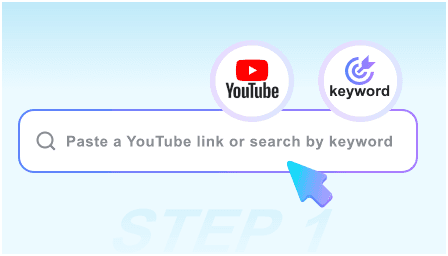
Step 1: Paste Video Link
Drop the URL of the video you need to describe. Our engine supports everything from short social clips to long-form documentaries.
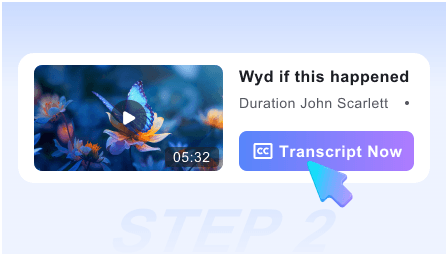
Step 2: AI Visual Analysis
Our AI scans the footage, identifying key visual changes, on-screen actions, and important text overlays to build a narrative timeline.
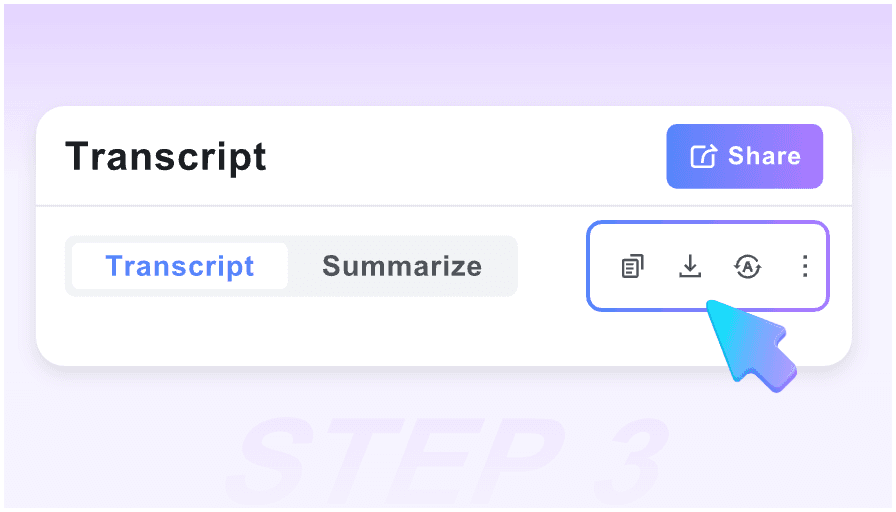
Step 3: Copy Detailed Description
Review the generated scene-by-scene breakdown. Copy the text for your blog, accessibility alt-text, or export it as a structured Markdown file.
Who is this AI Describer for?

Accessibility Specialists
Quickly generate descriptive transcripts for the visually impaired, ensuring your video content is compliant and inclusive for all audiences.

SEO & Content Marketers
Turn “invisible” video content into indexable text. Use detailed descriptions to boost your video’s search rankings and discoverability.

Video Archivists
Catalog massive video libraries by their visual content. Search your database for specific scenes based on the AI-generated text descriptions.

Researchers & Analysts
Convert visual data from interviews or field recordings into structured text notes for easier qualitative analysis and coding.

Social Media Managers
Generate accurate “Alt Text” and captions for Instagram, LinkedIn, and X to reach a wider audience and improve engagement metrics.

Scriptwriters & Editors
Create “as-produced” scripts from finished videos. Use the descriptions to document visual choices and transitions for future production reference.
What our users say

Accessibility Consultant

This is the most accurate AI video describer I’ve used. It picks up on subtle visual cues that other tools miss, making my compliance workflow 10x faster.

SEO Strategist
I use this to turn our YouTube tutorials into blog posts. The way it describes the on-screen actions allows me to write detailed guides without re-watching the video.

Digital Librarian
The Markdown export is a lifesaver for our archive. We can now search our entire video collection for specific visual elements thanks to these descriptions.

UX Researcher
Describing user testing videos used to take hours. Now I just run them through this tool and get a perfect timeline of every action the user took on screen.

Educational Content Creator
For my science videos, the AI accurately describes complex diagrams and charts. It’s an essential tool for making my lectures accessible to everyone.

Social Media Lead
No login, no fuss. I can get a description for a 30-second ad or a 30-minute webinar in seconds. It’s the fastest way to generate alt-text for our socials.
Frequently Asked Questions
Need more details on how our AI describes video? Find your answers here.
Yes, you can generate detailed text descriptions for your videos at no cost. There are no hidden fees or daily limits for standard usage.
Unlike a standard transcriber, our AI specifically describes visual actions, settings, and on-screen text, providing a full narrative of what is happening visually.
The AI provides a scene-by-scene breakdown. It identifies key objects, movements, and changes in the environment to ensure the description is contextually rich.
Absolutely. Our tool is designed to help creators generate the “text alternatives” required for accessibility standards like WCAG 2.1.
Yes! Because our AI focuses on visual recognition, it can describe silent films, CCTV footage, or tutorials that only have background music.
You can copy the text directly or export the description as a Markdown (.md) file, which is perfect for Notion, Obsidian, or web publishing.
Yes, our AI includes OCR (Optical Character Recognition) to identify and describe slides, titles, and any other text that appears within the video frame.
We do not require a login, and we do not store your videos. The analysis is performed in real-time, and your session data is cleared once you close the page.