

AI Math Solver for Photos, PDFs, and Videos

Drop files or browse

Add study materials to enable the AI to extract and structure content.



Why Choose Our AI Math Solver?

Works With What You Have
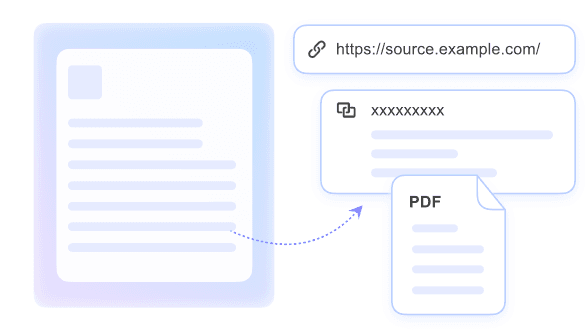
Most students do not start with a perfectly typed formula. Upload a photo, PDF, video, audio note, or link and solve from the material you already have.

No Retyping Needed
No retyping is needed. Lynote reads your uploaded study material, pulls out the math problem, and keeps the original context visible while you work.

Every Step Explained
Every step is explained in plain language, including the formula, substitution, and reasoning behind the answer, so the method actually makes sense.

Ask Follow-Up Questions
Ask follow-up questions when step four still feels unclear. Lynote keeps the same problem in context, so you can request another explanation without starting over.

Multi-Format Workspace
The multi-format workspace keeps textbook photos, worksheet PDFs, lecture videos, audio notes, and web links together instead of scattered across separate tools.

Full STEM Coverage
Full STEM coverage helps with algebra, geometry, calculus, statistics, linear algebra, and physics word problems inside the same study workspace.

Context Memory
Context memory helps Lynote remember the file, the question, and the steps already discussed, so every follow-up can build on where you left off.
Solve Math From Any Study File

Talk Through the Problem Step by Step

Understand What Is Happening
Practice Until It Sticks

How to Use the AI Math Solver

Step 1. Upload What You Have
Add a worksheet photo, PDF, lecture video, audio note, Word file, or YouTube link. Lynote reads the material and prepares it for solving inside the workspace.

Step 2. Ask Your Math Question
Point to the problem you want to solve or ask a direct question in the chat. Lynote uses the uploaded material as context instead of answering from a blank prompt.

Step 3. Review, Follow Up, and Learn
Read the step-by-step solution, ask for clarification, and try another method when needed. Keep working with the same problem until the reasoning feels clear.
Who Should Use This AI Math Solver?

High School Students
Got a worksheet due tomorrow and one step that makes no sense? Upload the question, ask Lynote where the logic changes, and understand it before you submit.

University-Level Learners
When your differential equations PDF is forty pages and the exam is close, upload the material and work through only the concepts and examples that are not clicking.

Teachers and Tutors
When a student is not getting your first explanation, open the problem in Lynote and find a cleaner way to break it down without building a new example from scratch.

Parents Helping With Homework
If you have not done this kind of math in years, upload the assignment and follow Lynote's explanation with your child instead of guessing at the next step.

Self-Learners
Working through a recorded lecture and lost at minute 34? Paste the YouTube link, jump back into that concept, and ask questions until the explanation feels usable.

Exam Prep Students
If your past-paper answer key skips the reasoning, upload the practice questions into Lynote and review each solution step by step before test day.
What Our Users Say

High School Student

“I uploaded a photo of my algebra question and asked Lynote to explain the steps. It helped me understand what was happening instead of just giving me the answer.”

College Student
“My calculus worksheet was in a PDF. I uploaded it and asked follow-up questions until the solution made sense.”

Parent
“Lynote made it easier to help my child with homework. I could ask for a simpler explanation and follow the steps.”

Math Tutor
“I use Lynote when I need to break down a problem in a clearer way. The chat format makes it easier to explain each step.”

Exam Prep Student
“I uploaded my practice questions and used the workspace to review the solutions. It helped me study faster.”

Self-Learner
“I like that I can ask why a formula is used. It feels more helpful than a normal calculator.”
Frequently Asked Questions
Answers to common questions about solving math with Lynote.
An AI math solver helps you solve math problems with step-by-step explanations. Lynote goes further by working with the materials you already study from, including photos, PDFs, videos, audio notes, and links.
Most math tools ask you to type or manually enter the problem first. Lynote works with the materials you already have, such as photos, PDFs, lecture videos, audio files, and YouTube links, so the tool adapts to your study workflow.
You can work with common study materials such as photos, handwritten equation images, PDFs, Word documents, video files, audio recordings, and YouTube links.
Yes. Upload a recorded lecture or paste a YouTube link, and Lynote can help you ask questions about specific problems or concepts from the video without rewatching the full lesson.
No. Lynote explains each calculation step in easy-to-understand language, including which formulas are used, why they apply, and what each transformation means. The goal is real understanding, not simple answer copying.
Lynote can help with arithmetic, algebra, geometry, trigonometry, calculus, differential equations, statistics, probability, linear algebra, and physics word problems.
Yes. Lynote includes a free plan for core solving and chat workflows. Advanced AI models, larger file processing, and higher usage may depend on your plan.


