

Accurate AI Image Summarizer

Drop files or browse

Add study materials to enable the AI to extract and structure content.



Why Choose Our AI Image Summarizer?

Skip Manual Typing
Skip manual typing entirely by instantly extracting text from photos and presentation slides, giving you usable content without tedious data entry.

100+ Supported Languages
Automatically summarize text from images in 100+ languages. Upload screenshots, scanned documents, photos, and multilingual images to generate clear summaries for global workflows.

Batch Image Processing
Upload multiple images at once to generate a single cohesive summary across all your visual sources.

Structured Text Output
Convert visual data into structured text output. The AI organizes extracted information into clean headings and concise bullet points for easy reading.

Process Scans and Handwriting
Process scans and handwriting with high precision. The tool accurately interprets complex scanned documents and handwritten meeting notes to digitize your physical records.

Multi-Modal Integration
Achieve true multi-modal integration by adding visual analysis to your broader workspace, summarizing images alongside your PDFs, audio files, and video content.

Strict Data Privacy
Process uploaded files securely with strict privacy policies that guarantee your content never trains AI models.
Extract Key Information With the AI Picture Summarizer
Embed Visual Context When You Summarize Screenshots
Ask Follow-Up Questions of the Image Summary
How to Summarize an Image with AI
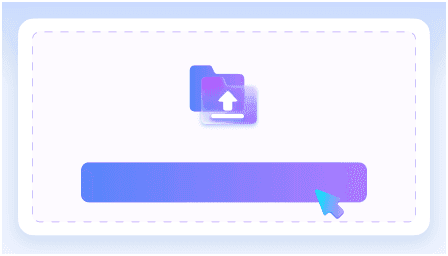
Step 1: Upload Your Images
Start by importing your content into the platform. Simply upload image files like PNG or JPG, or directly paste screenshots from your clipboard to begin the extraction process.
Step 2: Generate AI Summary
Click the summarize button to activate the tool. The AI will instantly analyze the visual content to extract key ideas, major points, and embedded text automatically.
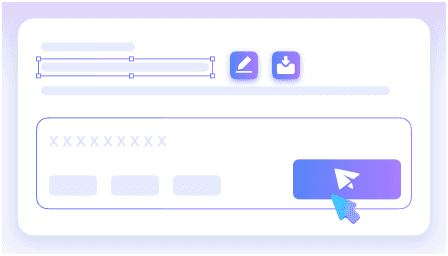
Step 3: Review and Export
Review the structured output carefully and ask any follow-up questions to clarify specific details. Once satisfied, export or share the final notes for your study or work.
Who Is This AI Screenshot Summarizer For?

Students & Learners
Summarize scanned textbook pages and photos of lecture slides to quickly grasp key academic concepts using this AI image summarizer.

Researchers
Extract data from complex academic charts and scanned graphs to streamline your literature review with reliable image summarization AI.

Marketers
Turn competitor infographics into actionable text outlines. AI summarize image data to build faster campaign strategies and content briefs.

Product Teams
Convert whiteboard photos and wireframes into structured notes. Share meeting outcomes faster when you summarize image AI outputs directly.

Journalists
Quickly process scanned press releases and photo evidence. Extract the core facts from visual sources to accelerate your reporting.

Everyday Users
Extract recipes or instructions from photos instantly. Use an image summarizer AI to turn pictures of manuals into readable steps.
What Our Users Say

Student

"I uploaded a 5MB photo of my biology lecture notes, and the AI image summarizer perfectly captured every complex scientific term to build a flawless study guide."

Data Analyst
"It extracts key statistics and trends directly from complex charts and infographics. Processing a dense 10-page PDF report snapshot took seconds."

Project Manager
"I love that it combines and summarizes multiple image files in a single batch. We merged five whiteboard brainstorm photos into one clear action plan."

Translator
"It reliably translates text found in images into over 100 global languages. I used it to convert a Japanese restaurant menu photo into English instantly."

Researcher
"The follow-up chat feature is incredible. After summarizing a 10MB financial infographic, I asked specific questions to extract exact revenue numbers without re-reading the chart."

Content Creator
"It brilliantly organizes extracted visual data into clean headings and bullet points. Turning a batch of software screenshot tutorials into a formatted blog outline was so easy."
Frequently Asked Questions
Still got questions about our AI image summarizer? Here are the answers.
An AI image summarizer is a tool that analyzes pictures of text, charts, or documents and extracts the core information. It converts visual data into structured, easy-to-read text summaries, helping you understand complex graphics or scanned pages without reading them manually.
You can upload standard image formats like JPG, PNG, and scanned PDF files. Just drag and drop your files directly into the platform to begin processing.
The system uses optical character recognition combined with advanced AI models. It identifies letters, numbers, and layout structures within your image, then synthesizes that raw data into a coherent summary.
Yes. The platform supports extensive multilingual workflows. You can upload a picture containing foreign text and request the final output to be generated in your native language.
Yes. The tool extracts text from clear handwritten notes and scanned pages to generate structured summaries.
Yes. Your uploaded photos and documents are processed securely and are never used to train our models.
Accuracy depends entirely on the clarity and structure of your source file. High-resolution charts, graphs, and infographics yield highly precise textual insights. However, we strongly recommend verifying critical numbers and data points before using the output in external professional publications.
While standard OCR merely extracts raw text from a picture, our tool goes much further. It analyzes that extracted text, identifies key concepts, and organizes the information into structured headings and bullet points for immediate comprehension.


