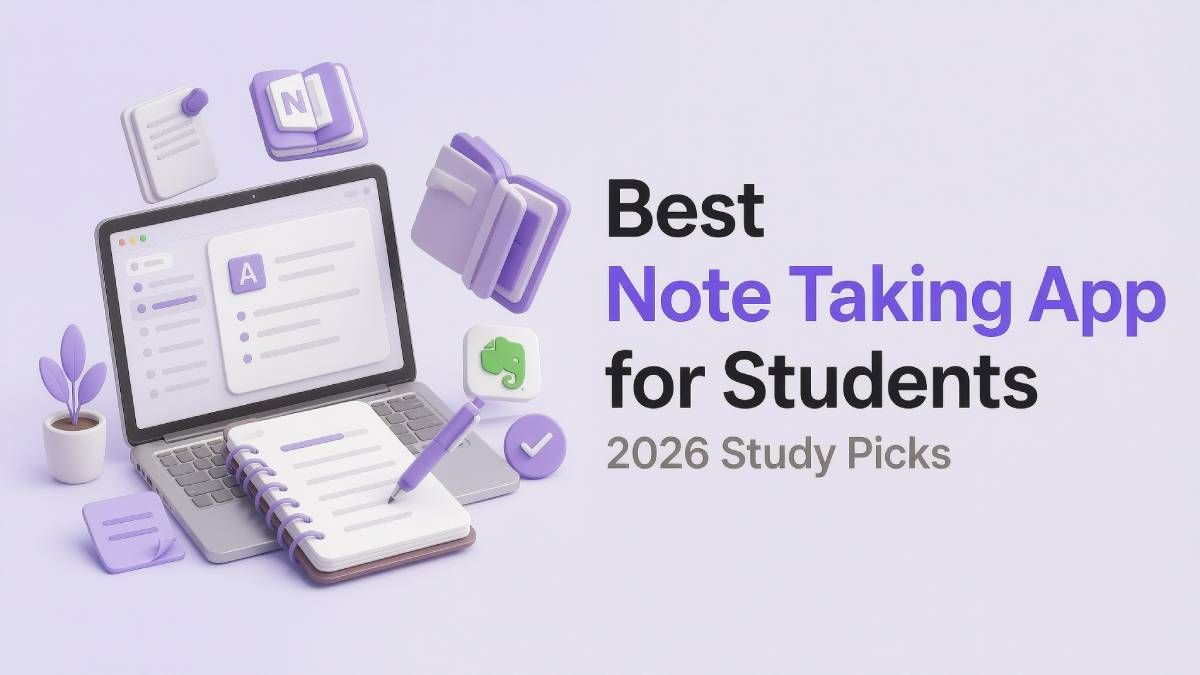
Best Note Taking App for Students: 2026 Study Picks

The best note taking app for students in 2026 is not always the app with the most features. It is the one that solves the biggest bottleneck in your study routine. For some students, that means turning lectures into summaries; for others, it means handwriting, research privacy, project planning, or audio review.
Start With Your Study Bottleneck
Most students do not need another beautiful notebook. They need a faster way to move from class materials to exam-ready understanding. A note taking app for students should support the way information enters your week, not force every class into the same format.
Before choosing one tool, ask where your study time gets stuck. Are you rewriting slides, annotating PDFs, losing research notes, managing too many deadlines, or replaying lectures? The best note taking apps for students are different because student problems are different.
The 5 Student Problems This Guide Solves
Instead of ranking apps by feature count, this guide ranks them by the academic problem they solve best. This makes the list more useful for real students, because each recommendation answers a specific study need.
| Student Problem | Best App | Why It Wins |
|---|---|---|
| Too much content to summarize | Lynote.ai | Converts lectures, PDFs, videos, images, and webpages into structured notes |
| Need to write and mark up PDFs | Goodnotes | Strong handwriting and annotation workflow |
| Want private long-term notes | Joplin | Open-source notes, Markdown, sync, and encryption |
| Need to manage courses and projects | Notion | Dashboards, databases, tasks, and collaboration |
| Need audio-linked lecture notes | Notability | Handwriting plus lecture recording and replay |
1. Lynote.ai: For Students With Too Much Content
Lynote.ai is the best note taking app for students whose biggest problem is information overload. It can generate notes from PDFs, documents, images, audio, video, YouTube links, and webpages. This makes it useful for recorded lectures, online courses, research papers, tutorials, class readings, and exam review.
Many students do not struggle because they lack notes. They struggle because their notes are scattered across slides, recordings, PDFs, web links, and unfinished summaries. Lynote helps turn that raw material into structured study notes.
Lynote is especially useful after class. Instead of spending hours rewriting content, students can generate a clean first version of the material. Then they can edit, review, ask questions, and create flashcards from the same source.
Student Workflow
Use Lynote when you already have study material but need it organized. Upload a lecture recording, paste a YouTube lesson, add a PDF, or process a webpage. Then turn the output into review notes or flashcards.
Best Used With
Lynote pairs well with Goodnotes for handwritten review and Notion for deadline tracking. Students can use Lynote to process content, then use another app to plan or personalize their study system. This makes it flexible for many academic workflows.
Avoid If
Avoid Lynote if your only goal is stylus handwriting on a tablet. It is not designed to replace a paper-like notebook. It works best when your study problem is source material, not blank-page writing.
2. Goodnotes: For Students Who Think With a Pen
Goodnotes is one of the best note taking apps for students who remember better by writing. It supports handwritten notes, typed text, PDF annotation, folders, templates, search, study tools, and a paper-like tablet experience. It is especially strong for visual learners.
Goodnotes fits courses where the material is spatial or visual. Math, medicine, design, chemistry, and engineering students often need to draw, annotate, solve, and highlight. A keyboard alone does not always match that learning style.
The app works best during class or active review. Students can import slides, write directly on PDFs, highlight textbook pages, and organize notebooks by subject. It turns a tablet into a digital binder.
Student Workflow
Use Goodnotes during lectures, labs, and review sessions. Import course slides before class, write directly on them, and mark confusing sections. Later, revisit those pages and rewrite key concepts into cleaner study sheets.
Best Used With
Goodnotes works well with Lynote when students want both AI summaries and handwritten practice. Lynote can create structured notes from long materials, while Goodnotes handles diagrams, formulas, and active recall. This combination is especially useful for visual courses.
Avoid If
Avoid Goodnotes if you do not use a tablet or stylus. It is less useful if your study materials are mostly videos, long web articles, or recordings that need automatic summaries. In that case, Lynote may solve the bigger problem first.
3. Joplin: For Students Who Want Ownership
Joplin is a note taking app for students who care about privacy and long-term control. It supports Markdown, notebooks, tags, attachments, web clipping, plugins, sync options, and end-to-end encryption. This makes it a strong choice for students who want their academic notes to remain portable.
Joplin is not trying to be the flashiest student notebook. Its value comes from structure and ownership. Students can keep reading notes, research summaries, article clips, and essay ideas in a system they control.
It is especially useful for research-heavy students. If you are building a thesis, literature review, or long-term academic archive, Joplin gives you a dependable place to store final notes. It works best for written knowledge rather than live handwriting.
Student Workflow
Use Joplin after reading and researching. Clip web sources, write Markdown summaries, tag ideas, and group notes by course or project. Over time, it becomes a private study library.
Best Used With
Joplin pairs well with Lynote for research workflows. Lynote can summarize dense materials first, and Joplin can store the refined notes. This is useful for students who want AI speed without giving up long-term control.
Avoid If
Avoid Joplin if you want polished handwriting, audio replay, or visual PDF study. It may feel plain compared with Goodnotes or Notability. It is best for students who value privacy more than a glossy interface.
4. Notion: For Students Managing a Busy Semester
Notion is more than a note taking app for students. It is a workspace for notes, tasks, calendars, databases, wikis, reading lists, group projects, and class dashboards. That makes it useful when academic life becomes a planning problem.
Notion is strongest when notes need context. A reading note can connect to an assignment, a deadline, a project board, or a class database. Students who manage multiple courses often benefit from that structure.
The risk is that Notion can become too customizable. A student may spend an afternoon designing a dashboard instead of studying. The best way to use it is simple: one dashboard, clear deadlines, and only the databases you truly need.
Student Workflow
Use Notion at the start of the semester and during weekly planning. Create pages for each course, track deadlines, manage group tasks, and collect project resources. Keep daily note-taking simple so the system does not become extra homework.
Best Used With
Notion works well with Lynote for students who need both study notes and planning. Lynote can process materials into notes, while Notion keeps assignments and deadlines visible. This separates learning from project management.
Avoid If
Avoid Notion if you only need quick class notes. It can feel too heavy for simple capture. Students who need offline-first writing or private Markdown notes may prefer Joplin.
5. Notability: For Students Who Need Lecture Replay
Notability is a note taking app for students who rely on live lectures. It combines handwriting, typing, annotation, and audio recording. Its most useful feature is the ability to review lecture audio alongside notes.
This matters when a professor explains something faster than you can write. Instead of guessing later, students can replay the lecture and connect the explanation to their written notes. That makes Notability valuable for dense or fast-moving classes.
Notability is best during class and immediately after class. It is less focused on databases, privacy, or AI-generated study notes. But for lecture-heavy students, it solves a very specific problem well.
Student Workflow
Use Notability when attending live classes. Write or type notes while recording the lecture, then replay confusing moments afterward. This gives students a second chance to understand what happened in real time.
Best Used With
Notability pairs well with Lynote when students want both lecture capture and AI summaries. Notability preserves the live classroom context, while Lynote can turn related materials into structured study notes. Together, they support both capture and review.
Avoid If
Avoid Notability if your classes are mostly self-paced videos, PDFs, or online readings. It is less useful if you do not need audio-linked notes. Students in that situation may get more value from Lynote or Joplin.
Choose by Student Type
If You Are a Lecture-Heavy Student
Choose Notability if live lecture audio matters most. Add Lynote if you also need summaries from recordings, slides, or readings. This combination helps with both capture and review.
If You Are a Visual Learner
Choose Goodnotes if handwriting, sketches, and PDF annotation help you understand. Add Lynote when you need summaries from long source materials. This gives you both visual memory and structured study notes.
If You Are a Research Student
Choose Joplin if privacy and long-term ownership matter. Add Lynote to summarize long papers, videos, and web sources before saving final notes. This is a strong setup for essays, theses, and literature reviews.
If You Are Managing Many Deadlines
Choose Notion if your main problem is planning. It helps organize assignments, deadlines, group tasks, and course dashboards. Add Lynote when your coursework also includes heavy reading or recorded lectures.
If You Are an Online Learner
Choose Lynote first if your learning happens through videos, webpages, PDFs, and recordings. It turns online study materials into structured notes. Goodnotes and Notability matter less unless you also study by handwriting.
FAQ
What is the best note taking app for students in 2026?
The best note taking app for students in 2026 is Lynote if your biggest need is AI-generated notes from lectures, PDFs, videos, and webpages. Goodnotes is better for handwriting, Notion is better for planning, Joplin is better for privacy, and Notability is better for lecture audio.
What are the best note taking apps for students who use tablets?
Goodnotes and Notability are the best note taking apps for students with tablets. Goodnotes is stronger for handwriting and PDF annotation. Notability is stronger for audio-linked lecture notes.
Which note taking app for students is best for research?
Joplin is best for private and long-term research notes. Lynote is better for turning research materials into summaries before final note-taking. Many research students can benefit from using both.
Are AI note taking apps useful for students?
Yes, AI note taking apps are useful when students need to process lectures, PDFs, videos, and online readings quickly. Lynote can turn those materials into structured notes and flashcards. This helps students reduce manual summarizing time.
Should students use one note taking app or several?
Students can use one app, but many benefit from a small study stack. Lynote can handle AI-generated study notes, Goodnotes can support handwriting, and Notion can manage deadlines. The best note taking apps for students often work better when each tool has a clear role.
Final Verdict
The best note taking app for students in 2026 depends on the study problem you need to solve. Lynote.ai is the best first pick for students overwhelmed by lectures, PDFs, videos, and research materials. If you want a note taking app for students that helps turn scattered content into exam-ready notes, Lynote.ai is the strongest place to start.

Written by Janet L. Harris
AI Writing Specialist
Janet reviews AI detectors and humanization tools, with a focus on accuracy, limitations, and responsible use. View all articles →