How to Translate Technical Documents: A Complete Guide

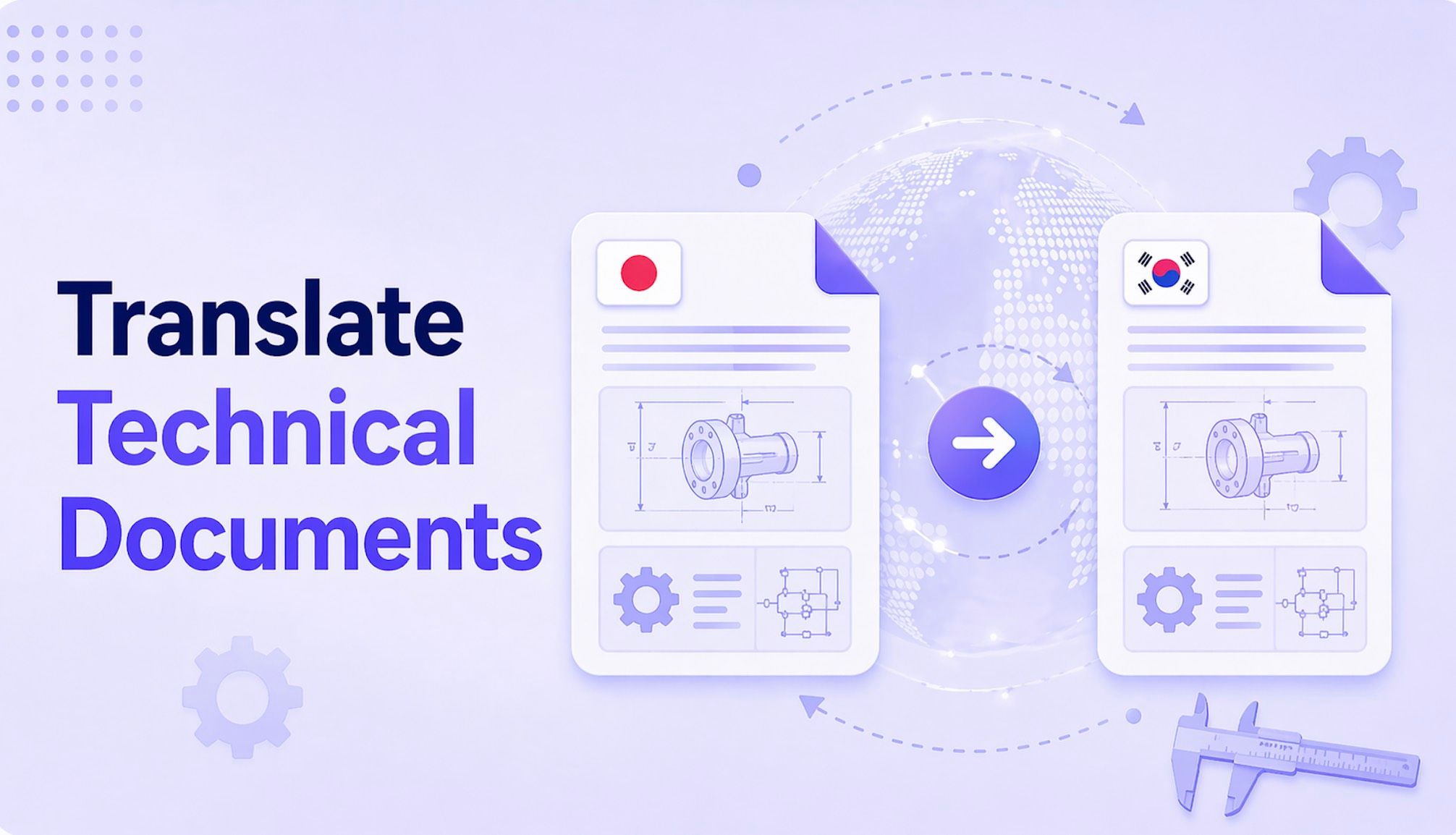
Translating a technical document effectively requires a strategy that goes beyond simple text replacement. The best method involves using AI-powered document translators that preserve complex layouts and handle specialized terminology. These tools process entire files like PDFs or DOCX, keeping diagrams, tables, and formatting intact. For mission-critical content like published manuals or legal contracts where absolute precision is non-negotiable, a professional human translator is essential. For quick, informal checks of short text snippets, manual copy-paste into general tools can suffice, but this approach fails for complete documents. This guide breaks down each method to help you choose the right one for your needs.
Quick Verdict: Which Technical Translation Method is Best for You?
Choosing a translation method isn't about finding a single "best" tool; it's about matching the right process to your specific project's needs for accuracy, speed, and budget. An engineer needing a quick translation of a foreign competitor's datasheet has very different requirements than a technical writer finalizing a user manual for a global product launch.
Here’s a quick breakdown to guide your decision.
| Method | Best For | Accuracy (1-5) | Speed | Cost | Layout Preservation (1-5) |
|---|---|---|---|---|---|
| AI Document Translator | Internal drafts, research papers, competitor analysis, quick-turnaround manuals | 4 | Seconds to Minutes | Low (often free) | 5 |
| Manual Copy-Paste | Single paragraphs, checking terminology, informal communication | 3 | Slow (per snippet) | Free | 1 |
| Professional Human | Client-facing manuals, legal contracts, marketing materials, medical devices | 5 | Days to Weeks | High | 5 |
Scores are editorial heuristics based on typical outcomes, not measured benchmarks. Accuracy and layout preservation can vary significantly by document complexity.
Bottom Line: Use an AI Document Translator like Lynote for 90% of internal and research tasks where speed and layout are critical. For final, public-facing documents where liability or brand reputation is at stake, invest in a Professional Human Translator. Reserve manual copy-paste for short, informal text checks only.
The Core Challenge: Why Technical Translation Breaks Standard Tools
You’ve been there. You have a 50-page PDF of an engineering schematic from a supplier in Germany. You copy a paragraph of specifications, paste it into a standard online translator, and get a decent-enough translation. But then you hit a table, a diagram with callouts, or a list of acronyms. The whole process falls apart.
This is the core challenge of technical translation. It’s not just about words; it’s about context, structure, and precision.
Here’s the honest truth about why your standard copy-paste workflow fails:
- Specialized Terminology: Technical fields are built on precise jargon. A term like "shear stress" in mechanical engineering or "epitaxial growth" in semiconductor physics has a specific, non-negotiable meaning. A generalist translation engine might offer a literal but incorrect equivalent, rendering the document useless or even dangerous.
- Context-Dependent Acronyms: Is "MOS" referring to "Metal-Oxide-Semiconductor" or "Mean Opinion Score"? Without the context of the entire document, a simple text-box translator has no way of knowing. This leads to embarrassing and confusing errors.
- The Sanctity of Formatting: In technical documents, layout is part of the information. Think of a circuit diagram where component labels must align perfectly, a chemical process flowchart, or a code block where indentation is syntactic. When you copy-paste, you strip all of that away. The result is a wall of text divorced from its essential visual meaning.
- Consistency is King: A long user manual might mention a specific part, like a "locking nut," hundreds of times. A professional uses a glossary or translation memory (TM) to ensure it's translated identically every single time. A manual, piecemeal approach almost guarantees inconsistency, confusing the end-user.
Standard tools see text. Technical documents are complex systems of text, data, and visuals. To translate them properly, you need a tool or service that respects the entire system.
Method 1: Use an AI Document Translator for Instant, Formatted Results
For the vast majority of day-to-day technical translation needs, a dedicated AI document translator is the most powerful and efficient solution. These tools are designed to solve the core challenge: they process the entire file at once, using AI to understand the structure and preserve the layout while translating the text.
This means your tables stay as tables, your images with captions remain in place, and your multi-column formatting doesn't collapse into a single unreadable block. It's a game-changer for anyone who works with PDFs, Word documents, or presentations.
A great example of this approach is the Lynote Document Translator, which offers a streamlined, no-signup process ideal for quick and secure translations.
“I recently had to review a 30-page research paper in PDF format for a project deadline. The paper was in Korean and filled with complex charts and data tables. A manual translation would have taken hours of painful copy-pasting and reformatting. Instead, I uploaded it to Lynote. In under a minute, I had a fully translated English PDF with every chart, table, and citation perfectly in place. It saved me an afternoon of work.”
Here’s how to translate your own technical documents using this method.
Step 1. Upload Your Technical Document
Navigate to the Lynote Document Translator page. You’ll see a simple interface without any login prompts. You can either drag and drop your file directly onto the upload area or click the "Choose Document" button to browse your computer. This friction-free start is perfect when you just need to get a file translated without creating yet another account.

Step 2. Select Your Target Language
Once your document is uploaded, the tool automatically detects the source language, saving you a step. Your job is to simply open the dropdown menu for the target language and select the one you need from over 135 options. After you've made your choice, click the translate button to let the AI, powered by Google's advanced neural translation engine, get to work.

Step 3. Download the Instantly Translated File
The translation process is remarkably fast, typically taking just a few seconds to a minute depending on the document's length and complexity. Once it's done, a download button will appear. Click it, and you'll receive a new file with the same name, now fully translated.

Method 2: The Manual Approach with General Tools (Google Translate, DeepL)
Let's address the elephant in the room: the free, web-based translators like Google Translate and DeepL. We've all used them, and for translating a single sentence or looking up a word, they're fantastic. But are they suitable for a full technical document?
The short answer is no. This method involves manually copying text from your source document, pasting it into the translator's text box, and then copying the translated text back into a new document.


The Pros:
- Free and Accessible: It costs nothing and is available in any browser.
- Good for Snippets: If you just need to understand a single paragraph or a specific warning label on a schematic, it's the fastest way to get a rough idea.
The Ugly Truth (The Cons):
- Total Formatting Destruction: This is the deal-breaker. The main reason AI document translators outperform copy-paste methods for technical manuals is their ability to process the entire file as a visual object, preserving the spatial relationship between text and images. When you copy-paste, you lose all formatting. Tables become jumbled text, bullet points disappear, and diagrams are left behind. You're left with a wall of text that's nearly impossible to cross-reference with the original.
- Inefficient and Error-Prone: For any document longer than a page, this process is painfully slow. Worse, it's a recipe for human error. It's easy to skip a paragraph, paste text into the wrong place, or introduce inconsistencies.
- No Context: Each paste is a separate transaction. The translator has no memory of the previous paragraph, making it impossible to handle document-wide consistency for acronyms and specialized terms.
Expert Takeaway: The manual copy-paste method should be your last resort, reserved only for short, informal text snippets where formatting is completely irrelevant. Attempting to translate a full manual this way will cost you more time in reformatting than you save in cost.
Method 3: When to Hire a Professional Human Translator
While AI has made incredible leaps, there are situations where the stakes are too high to leave any room for error. This is where professional human translators, often aided by sophisticated software, are irreplaceable.
So, when should you make the investment?
- Client-Facing or Public Materials: If the document is a user manual, a product datasheet, installation instructions, or marketing material that your customers will see, you need a human. Errors in these documents can damage your brand's reputation or, in the worst case, lead to product misuse and liability issues.
- Legally Binding Documents: Contracts, patents, regulatory filings, and compliance documents require 100% accuracy. The subtle nuances of legal language can be misinterpreted by AI, with potentially disastrous consequences.
- High-Risk or Safety-Critical Content: Think medical device instructions, chemical safety data sheets (SDS), or aviation maintenance manuals. Here, a mistranslation isn't just an inconvenience—it could be a matter of life and death.
- Content Requiring Creative Nuance: While less common in purely technical docs, if your material blends technical information with marketing language (a "tech-creative" piece), a human translator is needed to capture the intended tone and persuasive power.
Professional translators don't just replace words. They use CAT (Computer-Assisted Translation) tools which feature Translation Memory (TM) and Term Bases (TB). A TM stores previously translated segments to ensure consistency across a project, while a TB acts as a project-specific glossary. This ensures that a "hexagonal flange nut" is called that on page 1 and page 100, a level of consistency AI is still working to perfect.
The trade-off, of course, is cost and time. A professional translation can cost anywhere from $0.10 to $0.30 per word and take days or weeks. But for mission-critical documents, it's not an expense; it's an investment in quality and risk management.
5 Common Mistakes to Avoid When Translating Technical Content
Navigating technical translation is fraught with potential pitfalls. Avoiding these common mistakes can be the difference between a clear, usable document and a confusing, costly mess.
- Ignoring Document Formatting: The most frequent error is treating a technical document like a simple novel. As discussed, the layout is critical. Using a text-only translator for a 50-page PDF manual is a guaranteed way to waste hours trying to piece the document back together. Solution: Always use a file-based document translator that is explicitly designed to preserve layout.
- Failing to Create a Glossary (for large projects): If you're translating a suite of documents for a single product, consistency is everything. Without a pre-defined list of key terms and their approved translations (a glossary or term base), you'll end up with multiple different translations for the same component, confusing your audience.
- Using the Wrong Tool for the Job: Grabbing the first free tool you find without considering your document's complexity is a recipe for failure. A scanned, low-quality PDF needs a tool with robust OCR. A highly sensitive internal document requires a service with clear privacy and data deletion policies.
- Skipping the Human Review: Even the best AI translation is still a draft. For any important document, it needs a final review by a native speaker who is also a subject-matter expert. AI can sometimes produce translations that are grammatically perfect but technically nonsensical. This "proofread and edit" step is non-negotiable for external-facing content.
- Forgetting about Cultural Context: This applies more to user interfaces and manuals. Icons, color choices, and even examples might not resonate or could be misinterpreted in different cultures. A direct, literal translation might be technically correct but culturally awkward. A final review can catch these subtle but important issues.
Frequently Asked Questions
How accurate is AI for technical terminology?
Modern neural machine translation (NMT) engines, like the one powering Lynote, are surprisingly accurate with common technical terminology. Because they are trained on vast datasets of technical papers, patents, and manuals, they recognize context well. However, for highly niche, proprietary, or newly coined terms, they can still make mistakes. The best practice is to use AI for a first-pass translation and then have a human expert review it for accuracy.
Can AI translate scanned PDFs or documents with diagrams?
Yes, but with a crucial dependency: Optical Character Recognition (OCR). A scanned PDF is just an image of text. An AI translator must first use OCR to "read" the image and convert it into machine-readable text. Tools like Lynote include this capability. The quality of the translation will heavily depend on the quality of the scan. For diagrams, the AI will translate the text labels and captions within the diagram, but it will not alter the image itself. It preserves the image and its position relative to the translated text.
What is the difference between a CAT tool and an AI document translator?
An AI document translator (like Lynote) is a fully automated, end-to-end tool designed for speed and convenience. You upload a file, and you get a translated file back. A CAT (Computer-Assisted Translation) tool is a professional software suite used by human translators. It breaks a document into segments, suggests translations from its Translation Memory (TM), and helps the human translator work faster and more consistently. Think of it as a professional workbench, not a push-button solution.
Why did the fonts or layout shift slightly after my document was translated?
This can happen due to text expansion or contraction. For example, German text is often 20-30% longer than English text. When the translated text is inserted back into the original layout, it may need more space, causing lines to wrap differently, tables to resize, or fonts to be substituted if the original font doesn't support the target language's characters. Unlike X, Y handles Z because... Unlike a simple text translator that ignores this, a good document translator attempts to reflow the layout intelligently to accommodate these changes, but minor adjustments may still be needed.
Is it safe to upload sensitive documents to online translators?
This depends entirely on the service's privacy policy. You should never upload confidential or proprietary information to a free public tool that doesn't explicitly state its data security practices. Reputable services like Lynote state that they use SSL encryption for file transfers and delete files from their servers after processing. Always read the privacy policy before uploading sensitive material.
Conclusion: Choosing the Right Translation Strategy
The days of painstakingly copying and pasting technical text into a translator are over. Today, the choice is no longer between slow, expensive humans and fast, broken machine translations. The landscape has evolved, offering a spectrum of solutions tailored to specific needs.
Your decision should be a simple, strategic one:
- For internal use, research, and rapid drafting: An AI document translator is your go-to solution. It offers an unbeatable combination of speed, cost-effectiveness, and, most importantly, layout preservation. It delivers a usable, formatted document in minutes, not days.
- For mission-critical, public-facing content: Professional human translation is the only acceptable standard. The investment guarantees the accuracy, consistency, and nuance required for legal documents, final user manuals, and safety-critical instructions.
Editor's Choice
For the vast majority of professionals—engineers, researchers, and project managers—who need to quickly understand and work with technical documents in another language, the clear winner is an AI document translator.
The ability to drop a fully formatted PDF or DOCX file and get a translated version back in seconds that looks just like the original is a massive productivity boost. It removes the single biggest bottleneck of older methods: the complete destruction of document formatting. While you should always have an expert review critical data points, this approach gets you 95% of the way there, instantly.
If you’re ready to stop wrestling with broken layouts and start getting fast, accurate, and formatted translations, give a purpose-built tool a try.
Ready to see it in action? Translate your first technical document with the Lynote Document Translator and see the difference for yourself.


Written by Janet L. Harris
AI Writing Specialist
Janet reviews AI detectors and humanization tools, with a focus on accuracy, limitations, and responsible use. View all articles →