Quick Answer
There is no single AI detector that is best for every user or every document. A useful comparison should separate the underlying detection model from the surrounding product workflow. Lynote’s AI Detector is powered by GPTZero’s third-party API, so Lynote and GPTZero should not be presented as two independent detection benchmarks. The meaningful difference is the user experience around the detection layer: Lynote adds sentence-level review, Human / AI / Mixed-content analysis, and an integrated writing-refinement workflow inside a broader AI study assistant. Where a provider publishes an accuracy claim, attribute it to the provider’s stated benchmark and testing conditions rather than turning it into a universal ranking.
How We Evaluated These Tools
This comparison is based on publicly available product documentation, current access models, report features, and intended user workflows. We compare whether a tool is available directly to individuals, whether it provides document- or sentence-level review, how clearly it explains results, and where it is commonly positioned. Unless the same documents are tested under the same conditions, we do not convert these differences into a single “accuracy winner.”
Where Lynote Fits
Lynote is a practical option for users who want a GPTZero-powered detection layer inside a broader study and writing workflow. It combines sentence-level review and Human / AI / Mixed-content analysis with an integrated Humanizer. Because the detector uses GPTZero’s API, Lynote should be differentiated by workflow, usability, and integration—not presented as an independent detector model that is more accurate than GPTZero.
Recommended Conclusion
The best AI detection workflow depends on the job. Turnitin is built around institution-licensed academic-integrity workflows. GPTZero provides the detection model that also powers Lynote’s AI Detector, while Lynote layers that capability into a broader study assistant with sentence-level review and an integrated Humanizer. Other products may be designed around enterprise or publishing workflows. Compare products by access, reporting, integration, and use case; compare detection accuracy only when the underlying models and benchmark conditions are genuinely independent and documented.
Top 5 AI Detector Tools: A Detailed Review
Digging deeper, each tool offers a unique approach to AI content detection. Here’s a hands-on look at the five best AI writing checkers on the market today.
1. Lynote AI Detector
The Lynote AI Detector strikes an impressive balance between simplicity and power, making it a standout choice for students, educators, and content creators. Its clean interface doesn't hide a lack of features; instead, it provides one of the most useful outputs available: sentence-level highlighting. Instead of just giving you a single, often confusing, percentage, Lynote color-codes your text to show you exactly which sentences are most likely AI-generated. This is a game-changer for anyone looking to revise their work rather than just get a pass/fail grade.
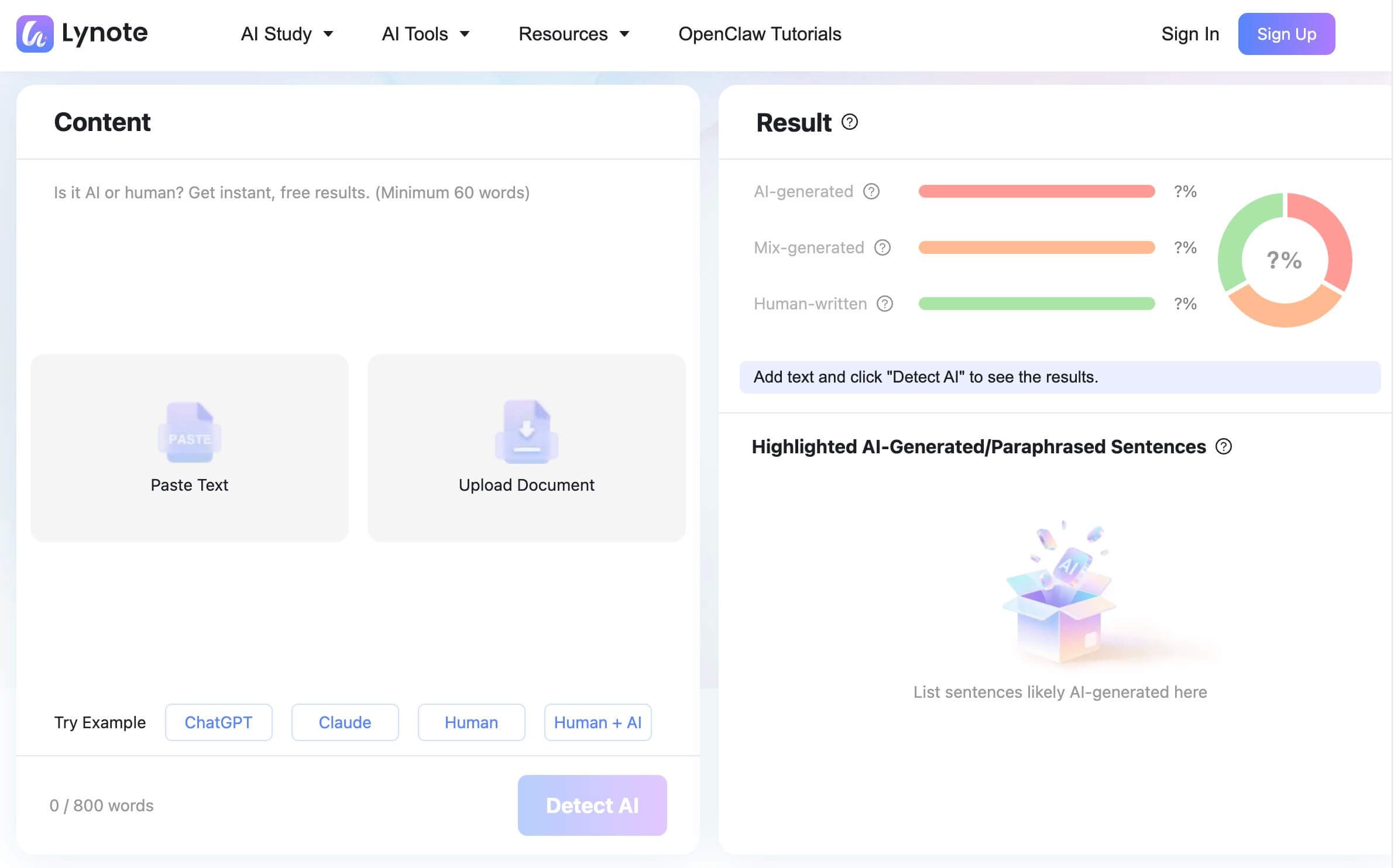
The ability to upload DOCX and PDF files directly saves time and hassle, moving beyond the simple copy-paste limitations of many other free tools. This was a lifesaver for me recently when I had to check a 10-page formatted report from a contractor. Dragging and dropping the PDF was far easier than trying to strip out the text while preserving its meaning. For its target audience, Lynote delivers clarity and actionable feedback without a paywall for core features.
Features:
- Sentence-Level Highlighting: Pinpoints specific sentences flagged as AI-generated.
- File Uploads: Supports direct uploads of .docx, .pdf, and .txt files.
- Clear Percentage Score: Breaks down the text into AI, Mixed, and Human percentages.
- Free and Accessible: No account is required for immediate use.
- Privacy-Focused: Claims not to use your submitted text to train its models.
| Pros | Cons |
|---|---|
| Highly intuitive, visual feedback | Free version may have word count limits |
| Supports common document formats | |
| Fast analysis and results |
Best For: Students, teachers, and individual writers who need clear, actionable feedback to revise and improve their text.
How to Use the Lynote AI Detector
Using the tool is straightforward and takes less than a minute.
- Step 1. Submit Your Text: Navigate to the Lynote AI Detector page. You have two options: you can either copy your text and paste it directly into the provided text box, or you can click the upload button to select a Word document, PDF, or text file from your computer.
- Step 2. Start the Analysis: Once your content is loaded into the tool, simply click the prominent “Detect AI” button. The system immediately begins its scan, analyzing linguistic characteristics like word choice, sentence complexity, and overall structure to identify machine-generated patterns.
- Step 3. Review the Detailed Results: In just a few seconds, the tool presents a comprehensive report. You'll see an overall breakdown of AI vs. human content percentages and, more importantly, your text will be displayed with individual sentences highlighted. This visual map allows you to quickly identify areas that might need a more human touch.

Extra tip
If your scan reveals a higher AI score than you're comfortable with, Lynote provides a direct next step. You can use their companion AI Humanizer to rephrase the flagged sentences, helping you retain your core ideas while adopting a more natural and authentic writing style.
2. GPTZero

The platform offers both a free version for quick checks and premium tiers that include features like bulk scanning and plagiarism detection through an integration with Scopus. While its interface is more data-heavy than Lynote's, it provides a level of analytical depth that academic professionals will appreciate.
Features:
| Pros | Cons |
|---|---|
| Trusted by many educational institutions | Free version has a character limit |
| Provides deep linguistic metrics | Interface can be less intuitive for casual users |
| Offers robust documentation features |
Best For: Educators, academic researchers, and institutions that require detailed, defensible reports on content authenticity.
3. Originality.ai
Originality.ai is built for professionals who can't afford to be wrong. Targeting SEO specialists, content marketing agencies, and web publishers, it positions itself as a premium, high-accuracy tool. It doesn't just detect AI; it simultaneously scans for plagiarism, creating a comprehensive content quality check in a single pass. This is its killer feature—saving professionals from running text through two separate tools.
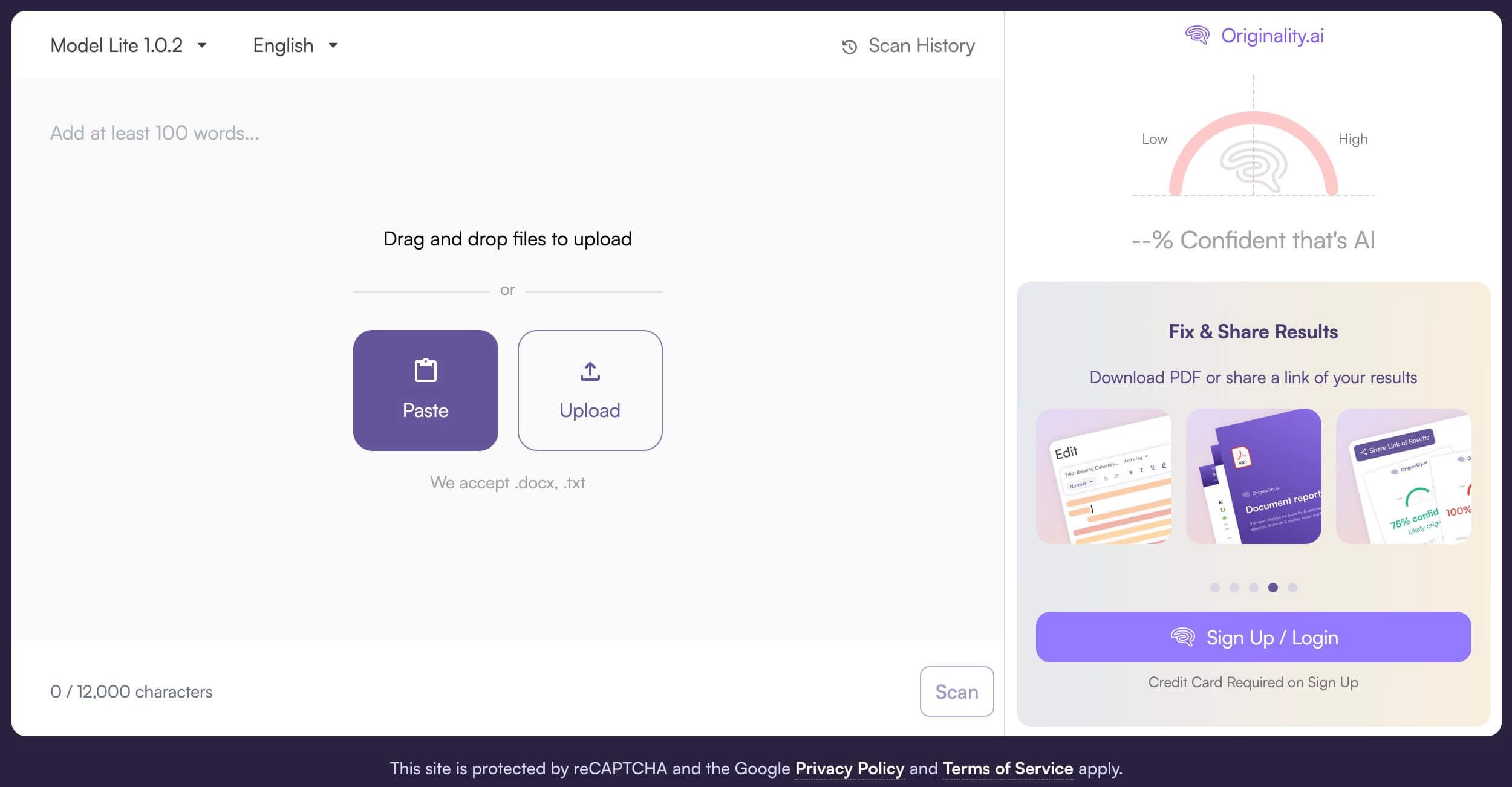
The interface is no-nonsense and built for workflow efficiency. However, it's not a free tool. It operates on a credit-based system, which makes it more suitable for commercial use than for a student checking a single essay. The main reason Originality.ai outperforms many free tools for professional use is its algorithm is specifically trained on the kind of paraphrased and spun SEO content that can sometimes fool less sophisticated models.
Features:
- Combined AI and plagiarism detection.
- Readability score analysis.
- Team management features for agencies.
- Full site scanning (in beta).
- API for programmatic access.
| Pros | Cons |
|---|---|
| High reported accuracy, especially for SEO content | No free version (pay-per-scan credits) |
| All-in-one check for AI and plagiarism | Can be expensive for high-volume checks |
| Designed for professional workflows | Overkill for individual or academic use |
Best For: SEO agencies, content marketers, and publishers who need a reliable, all-in-one solution for ensuring content quality at scale.
4. QuillBot AI Content Detector
Many writers are already familiar with QuillBot as a popular paraphrasing and grammar-checking tool. The company has leveraged its expertise in text analysis to build its own AI Content Detector. The biggest advantage here is convenience. If you’re already using the QuillBot ecosystem to write, edit, and rephrase, having the detector in the same place is a seamless experience.

The detector itself is straightforward: you paste your text and get a score indicating how AI-like it appears. It’s a solid, functional tool, but it lacks the advanced features of its more specialized competitors, like sentence highlighting or detailed reports. It’s a great value-add for existing QuillBot users but may not be the top choice for those seeking a dedicated, high-powered detection solution.
Features:
- Part of a comprehensive writing suite (paraphraser, grammar checker, etc.).
- Simple, easy-to-use interface.
- Free to use for moderate amounts of text.
| Pros | Cons |
|---|---|
| Convenient for existing QuillBot users | Lacks advanced features like file uploads or highlighting |
| Clean and simple user experience | Can feel less robust than dedicated detectors |
| Potential conflict of interest (detecting AI from a tool that rephrases it) |
Best For: Writers and students who are already invested in the QuillBot ecosystem and need a quick, convenient authenticity check.
5. Monica
Monica is an all-in-one AI assistant that lives in your browser as an extension, aiming to be your co-pilot for a wide range of tasks—summarizing articles, drafting emails, and, yes, detecting AI content. Like QuillBot, its primary appeal is integration. The AI detector is just one small piece of a much larger puzzle.
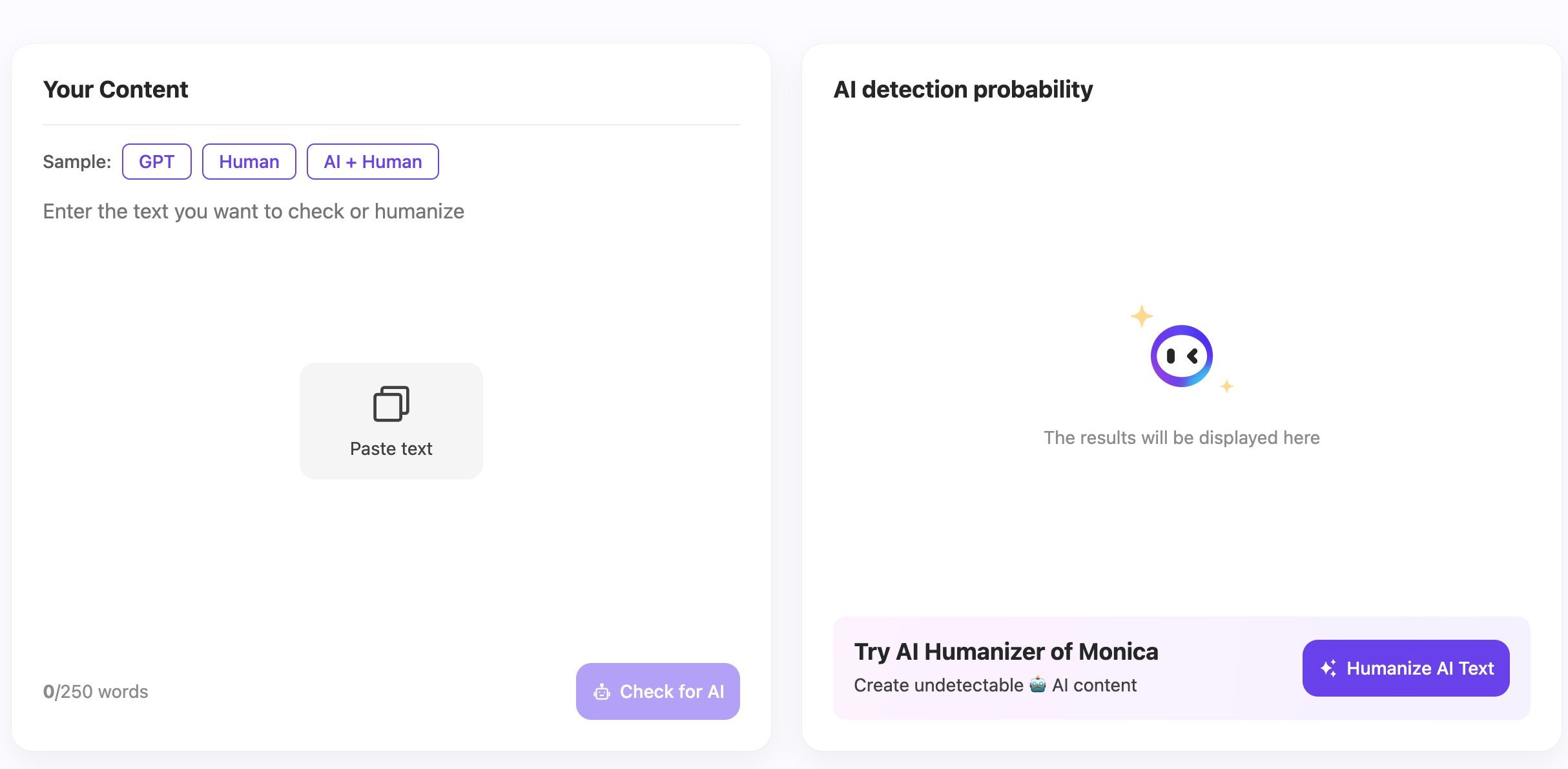
To use it, you typically highlight text on any webpage or paste it into the Monica chat interface. The detection is fast and surprisingly capable for a bundled feature. However, it’s not designed for deep analysis. You get a simple verdict (e.g., "Likely Human-Written") without percentages or highlights. This is perfect for a quick gut check on an article you're reading, but not for formally grading a paper or vetting a professional submission.
Features:
- Integrated into a browser-based AI assistant.
- Works on highlighted text from any website.
- Part of a suite with dozens of other AI tools.
| Pros | Cons |
|---|---|
| Extremely convenient for on-the-fly checks | Lacks detailed reports and specific scores |
| No need to navigate to a separate website | Not designed for deep or formal analysis |
| Free as part of the Monica assistant |
Best For: Casual users and professionals who want a quick "first look" detector built directly into their browser for spot-checking content online.
Comparing the Best 5 AI Checker Tools: Head-to-Head Analysis
Seeing the features side-by-side helps clarify which tool aligns with your specific needs. Here’s a more granular comparison of our top five picks.
| Feature | Lynote | GPTZero | Originality.ai | QuillBot | Monica |
|---|---|---|---|---|---|
| Detection Granularity | Sentence-Level | Paragraph/Document | Sentence-Level | Document-Level | Document-Level |
| File Upload Support | ✅ (PDF, DOCX, TXT) | ✅ (Paid Plans) | ✅ (Paid Plans) | ❌ | ❌ |
| Free Tier Limit | Generous (paste/upload) | ~5,000 characters | None (paid only) | ~1,200 words | Included in free plan |
| Plagiarism Check | ❌ | ✅ (Paid Plans) | ✅ (Integrated) | ✅ (Separate Tool) | ❌ |
| Unique Feature | Visual sentence highlighting | Academic-focused metrics | AI + Plagiarism in one scan | Integration with paraphraser | Browser extension integration |
| Primary Audience | Students & Writers | Educators | SEOs & Publishers | General Writers | Casual Users |
Bottom Line: For detailed, actionable revisions, Lynote's sentence highlighting is unmatched in the free category. For professional, high-stakes content, Originality.ai's combined AI and plagiarism scan is the most efficient workflow.
Beyond the Score: Understanding the Limitations of AI Detectors
It's tempting to treat an AI detection score as gospel, but that's a mistake. These tools are powerful aids, not infallible judges. Understanding their limitations is key to using them responsibly.
First, there's the ongoing cat-and-mouse game. As generative AI models become more sophisticated, their output becomes harder to distinguish from human writing. Detectors are constantly being updated, but there will always be a lag.
Second, heavily edited or paraphrased AI content is notoriously difficult to catch. If a user takes an AI-generated draft and spends significant time rewriting sentences, swapping words, and adding their own voice, many detectors will struggle to see the machine-generated foundation.
Expert Takeaway: An AI detection score should be the start of an inquiry, not the end. It's a signal that warrants a closer look, a conversation with the writer, or a more careful edit. It is not, by itself, definitive proof of misconduct.
Finally, remember that these tools analyze statistical patterns, not intent. They can't tell you if a student used AI for a quick outline or if they copied and pasted the entire essay. Context is everything.
Frequently Asked Questions
What is the best AI detector?
There is no universal best tool. The right choice depends on whether you need institutional integration, direct access, sentence-level review, document support, or a second opinion.
Which AI detector is most accurate?
Accuracy depends on the dataset, language, model, text length, and evaluation method. Compare claims only when the testing conditions are clear.
Can one AI detector prove who wrote a document?
No. Detection scores are probabilistic signals and should be combined with drafts, sources, version history, and human review when authorship matters.
Related Reading
-
How Do AI Detectors Work? Models, Signals, Scores, and Limitations
-
Can AI Detectors Be Wrong? False Positives, False Negatives, and Safer Review
-
GPTZero vs Turnitin: Which AI Detection Workflow Fits Your Use Case?
Sources

Written by Janet L. Harris
AI Writing Specialist
Janet reviews AI detectors and humanization tools, with a focus on accuracy, limitations, and responsible use. View all articles →