

Gratis AI CV Checker



Waarom de Lynote AI CV Checker gebruiken

AI CV Schrijfbeoordeling
Controleer of uw cv, curriculum vitae of professionele samenvatting AI-achtige formuleringen, repetitieve zinsneden of secties bevat die voor een recruiter te generiek kunnen overkomen.

Markeringen op Zinsniveau
Lynote markeert specifieke cv-regels in plaats van alleen één score te tonen, zodat u kunt zien welke opsommingen of samenvattingen een persoonlijkere bewerking nodig hebben.

Detectie van Generieke Opsommingen
Vind cv-opsommingen die sjabloonachtig, vaag of overmatig gepolijst klinken, en herzie ze vervolgens met duidelijkere prestaties, context en meetbare details.

CV en Curriculum Vitae Ondersteuning
Plak tekst voor een snelle AI cv-controle of upload een ondersteund PDF-, DOCX- of TXT-bestand wanneer u een vollediger concept wilt beoordelen.

Privacybewuste Beoordeling
Gebruik Lynote om gevoelige carrièretekst te beoordelen zonder het resultaat om te zetten in een aanstellingsbeslissing of een permanent oordeel over auteurschap.

Revisiegerichte Feedback
Behandel de AI-score als een bewerkingssignaal. Gebruik de gemarkeerde regels om uw cv specifieker, geloofwaardiger en beter afgestemd op uw echte ervaring te laten klinken.
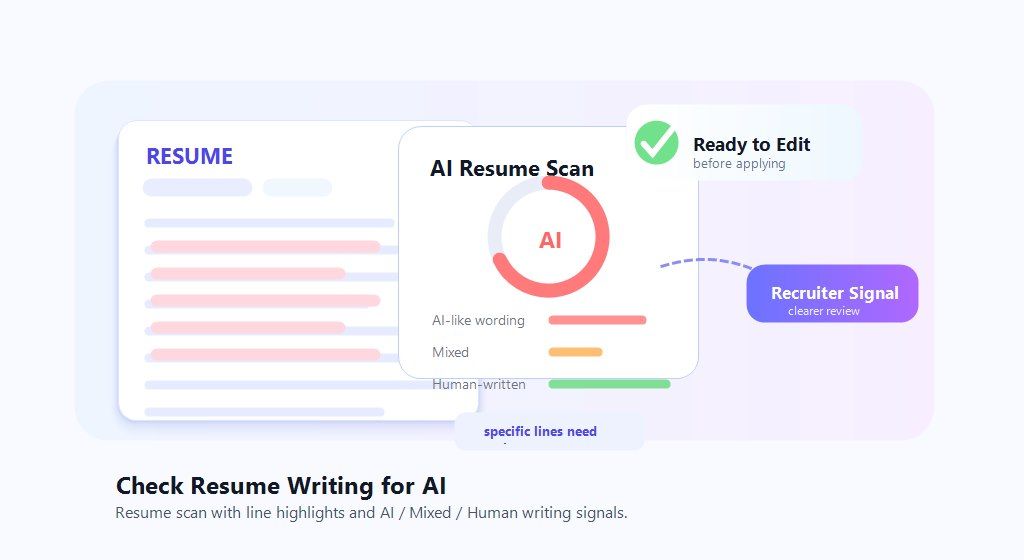
Controleer cv-tekst op AI
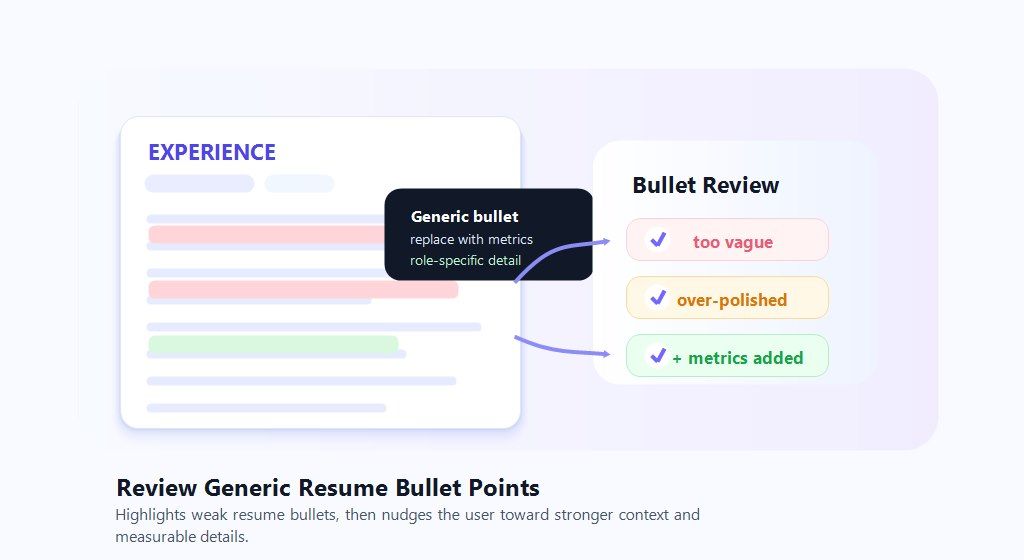
Beoordeel generieke cv-bulletpoints
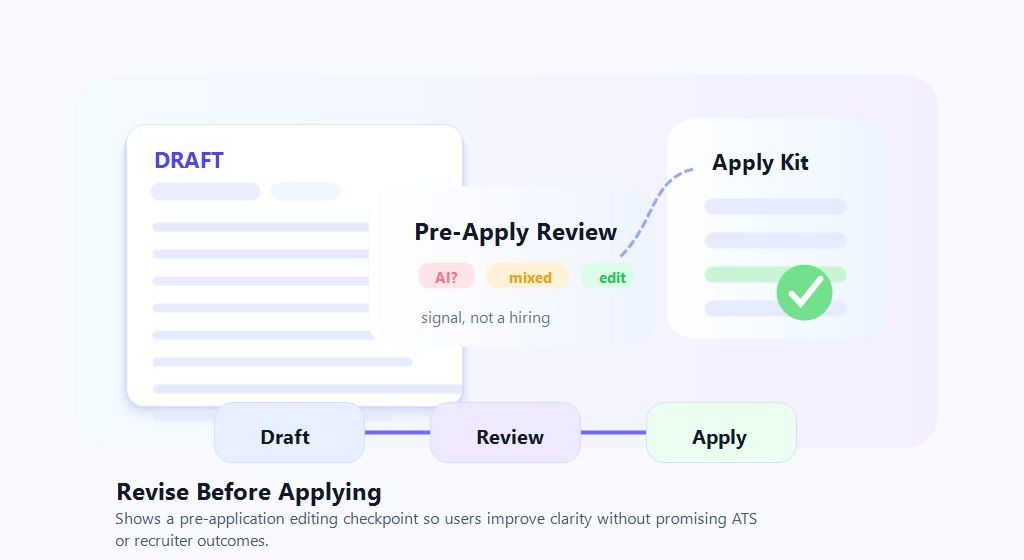
Herzie vóór het solliciteren
Hoe u een cv controleert op AI-tekst
Plak of upload uw cv
Plak uw cv-tekst in de checker of upload een ondersteund PDF-, DOCX- of TXT-bestand wanneer u een compleet concept wilt beoordelen.


Voer de AI-cv-check uit
Klik op de detectieknop om te scannen op door AI gegenereerde, gemengde en door mensen geschreven signalen in samenvattingen, ervaringspunten en andere cv-secties.
Beoordeel hoogtepunten en herzie
Gebruik de gemarkeerde regels om generieke formuleringen te vervangen door specifieke prestaties, duidelijkere verantwoordelijkheden en details die uw echte werk weerspiegelen.

Plak of upload uw cv
Plak uw cv-tekst in de checker of upload een ondersteund PDF-, DOCX- of TXT-bestand wanneer u een compleet concept wilt beoordelen.
Voer de AI-cv-check uit
Klik op de detectieknop om te scannen op door AI gegenereerde, gemengde en door mensen geschreven signalen in samenvattingen, ervaringspunten en andere cv-secties.
Beoordeel hoogtepunten en herzie
Gebruik de gemarkeerde regels om generieke formuleringen te vervangen door specifieke prestaties, duidelijkere verantwoordelijkheden en details die uw echte werk weerspiegelen.
Nuttige scenario's voor cv-beoordeling

Cv's voor leidinggevenden en management
Beoordeel samenvattingen voor leidinggevenden op vage strategische taal en voeg waar nodig concrete reikwijdte, beslissingen, teamgrootte of bedrijfsimpact toe.
Beoordeel samenvattingen voor leidinggevenden op vage strategische taal en voeg waar nodig concrete reikwijdte, beslissingen, teamgrootte of bedrijfsimpact toe.

Cv's voor carrièreverandering
Controleer of overdraagbare vaardigheden generiek klinken en herzie vervolgens de bulletpoints met duidelijkere voorbeelden uit uw vorige rollen en projecten.
Controleer of overdraagbare vaardigheden generiek klinken en herzie vervolgens de bulletpoints met duidelijkere voorbeelden uit uw vorige rollen en projecten.

Technische en productrollen
Inspecteer technische samenvattingen op modewoorden en voeg specifieke tools, systemen, resultaten en verantwoordelijkheden toe die overeenkomen met uw ervaring.
Inspecteer technische samenvattingen op modewoorden en voeg specifieke tools, systemen, resultaten en verantwoordelijkheden toe die overeenkomen met uw ervaring.

Cv's voor studenten en afgestudeerden
Beoordeel instap-cv's op AI-achtige formuleringen en maak academische projecten, stages en prestaties specifieker.
Beoordeel instap-cv's op AI-achtige formuleringen en maak academische projecten, stages en prestaties specifieker.
Voor wie is de AI-cv-checker bedoeld

Werkzoekenden
Controleer of uw cv door AI is geschreven, generiek klinkt of te gepolijst is voordat u het indient bij een vacaturesite, recruiter of bedrijfsportaal.

Loopbaancoaches
Gebruik signalen op zinsniveau om de duidelijkheid van cv's met klanten te bespreken en hen te helpen specifieke, op bewijs gebaseerde prestaties toe te voegen.

Cv-schrijvers
Beoordeel concepten van klanten op repetitieve AI-achtige formuleringen en maak de uiteindelijke bewerkingen persoonlijker voor de functie en kandidaat.

Freelance consultants
Polijst biografieën, voorstellen en projectoverzichten zodat ze geloofwaardig, specifiek en verbonden klinken met echt cliëntwerk.

Recruiters en HR-teams
Gebruik AI-schrijfsignalen als één beoordelingsinput en vermijd automatische beslissingen die alleen gebaseerd zijn op een detectiescore.

Studenten en recent afgestudeerden
Beoordeel cv's en sollicitatiebrieven voor vroege carrières op sjabloonachtige formuleringen en voeg vervolgens details toe van cursussen, stages en projecten.
Feedback van gebruikers over cv-beoordelingen

Senior Projectmanager

Lynote hielp me te zien welke cv-punten te generiek klonken. Ik heb ze herschreven met projectdetails en de uiteindelijke versie voelde veel specifieker aan voor mijn werk.

Loopbaanconsultant
Ik gebruik de highlights als gespreksstarter met klanten. Het is nuttig voor het opsporen van AI-achtige formuleringen zonder de score als het hele verhaal te behandelen.

Software-engineer
De checker ontdekte verschillende gepolijste maar lege zinnen in mijn technische samenvatting. Ik verving ze door tools, systemen en resultaten waaraan ik daadwerkelijk heb gewerkt.

HR-directeur
Voor cv's van leidinggevenden is de weergave op zinsniveau nuttig, omdat het vage leiderschapstaal aanwijst die een sterkere context nodig heeft.

Marketingspecialist
Ik realiseerde me niet hoe repetitief mijn opsommingstekens waren totdat de scan de zwakke regels bij elkaar groepeerde. Dit maakte de volgende bewerking veel eenvoudiger.

MBA-afgestudeerde
Als pas afgestudeerde gebruikte ik Lynote om ervoor te zorgen dat mijn cv klonk als mijn eigen projecten en stage-ervaring, en niet als een generieke sjabloon.
Veelgestelde vragen over AI-cv-controle
Veelgestelde vragen over het controleren van cv's, sollicitatiebrieven en concepten op AI-achtige schrijfsignalen.
U kunt Lynote gebruiken voor een snelle AI-cv-controle in uw browser. Plak uw tekst of upload een ondersteund bestand en bekijk vervolgens de AI-gegenereerde, gemengde en door mensen geschreven signalen.
Recruiters kunnen cv's opmerken die generiek, repetitief of losgekoppeld klinken van de werkelijke ervaring van een kandidaat. Sommige wervingsprocessen kunnen ook screeningstools gebruiken, maar een AI-detectorscore moet worden behandeld als een signaal, niet als bewijs.
Sommige ATS- en wervingsplatforms kunnen cv-tekst op verschillende manieren evalueren, maar Lynote mag niet worden gebruikt als garantie voor ATS-resultaten. Gebruik het om AI-achtige formuleringen te beoordelen en de duidelijkheid van uw cv te verbeteren voordat u solliciteert.
Plak uw cv-tekst of upload een ondersteund PDF-, DOCX- of TXT-bestand, voer de AI-controle uit en bekijk de gemarkeerde secties. Concentreer u op regels die vaag, overdreven gepolijst of te veel lijken op veelvoorkomende AI-cv-formuleringen.
AI kan helpen bij brainstormen en opstellen, maar uw uiteindelijke cv moet nauwkeurig uw eigen ervaring, vaardigheden en prestaties weergeven. Lynote helpt u het concept te beoordelen en meer specifieke, persoonlijke details toe te voegen.
Behandel de score niet als een definitief oordeel. Bekijk de gemarkeerde regels, vervang generieke beweringen door concrete prestaties, voeg rolspecifieke context toe en scan opnieuw na bewerking indien nodig.
Lynote is voornamelijk een AI-cv-checker. Het helpt u AI-achtige schrijfsignalen en generieke formuleringen te inspecteren; het garandeert geen ATS-compatibiliteit, recruiterbeslissingen of interviewresultaten.
Meer tools om AI-inhoud te controleren en te vermenselijken


Maak je cv meteen menselijker
Onderneem binnen een minuut actie om je cv menselijker te maken voordat je het indient.
Leer meer in het Lynote Seminar
Ontdek meer kennis over AI-detectie, herschrijven en humanisering in het Lynote seminar voor een gemakkelijker leven.


