01
履修科目の成績から結果を作成する
各学年の履修科目を入力して、含まれるクラスから全体の高校GPAを計算します。学校がカウントする成績と単位を使用してください。同じ履修科目に対して学期成績と通年成績の両方を入力すると、二重にカウントされる可能性があります。


加重平均と非加重平均の高校GPAを比較。科目を追加したり、以前のGPAを更新したりできます。
計算ツールで「高校」を選択し、コース名、成績、単位、コースレベルを入力して開始します。
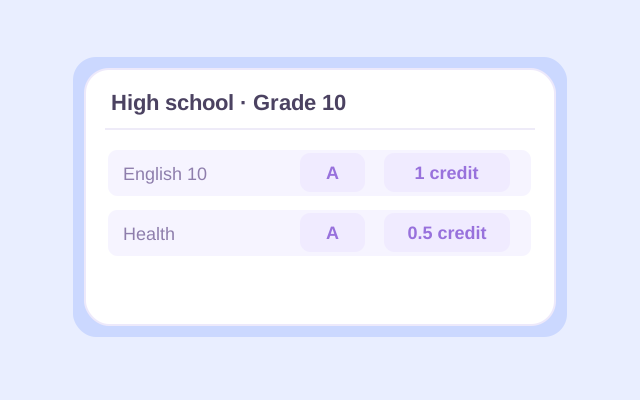
Select High school, then enter a course name and letter grade for each class. Choose the appropriate school year and the course's 0.5 or 1 credit value. Use your report card or transcript to check the entries, especially for half-credit electives.
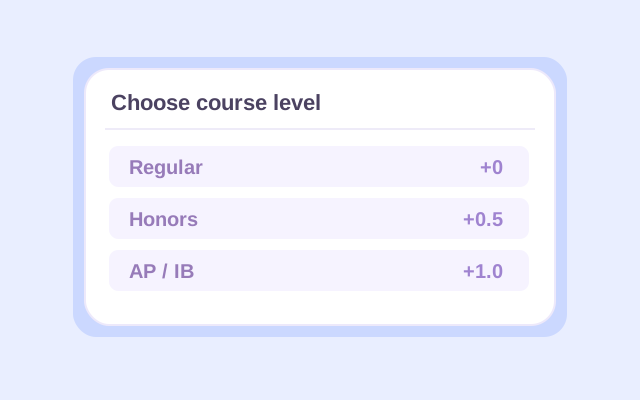
Choose Regular, Honors, AP, or IB for each course. Open Change if you need a different grading preset. Add other school years as needed, or use Previous GPA to enter an existing GPA and the credits behind it. Select whether that earlier GPA is weighted or unweighted.
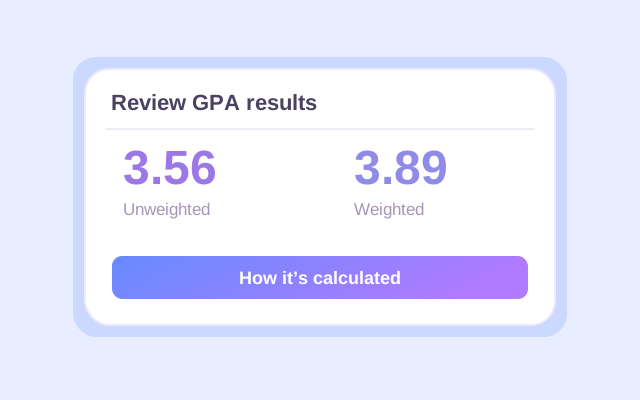
Click Calculate. Check the weighted and unweighted results, counted credits, and calculation details. If you added an earlier GPA, read which result is cumulative and which covers current classes only. Recalculate after changing any input, then export the result you want to keep.
An unweighted GPA calculator for high school uses each letter grade's base point value. On Lynote's default 4.0 preset, an A is 4.0 whether the course is Regular or AP.
The weighted high school GPA calculation adds 0.5 for Honors and 1.0 for AP or IB to eligible grades. A Regular A contributes 4.0 points per credit; an Honors A contributes 4.5; an AP or IB A contributes 5.0. An F receives no course-level bonus.
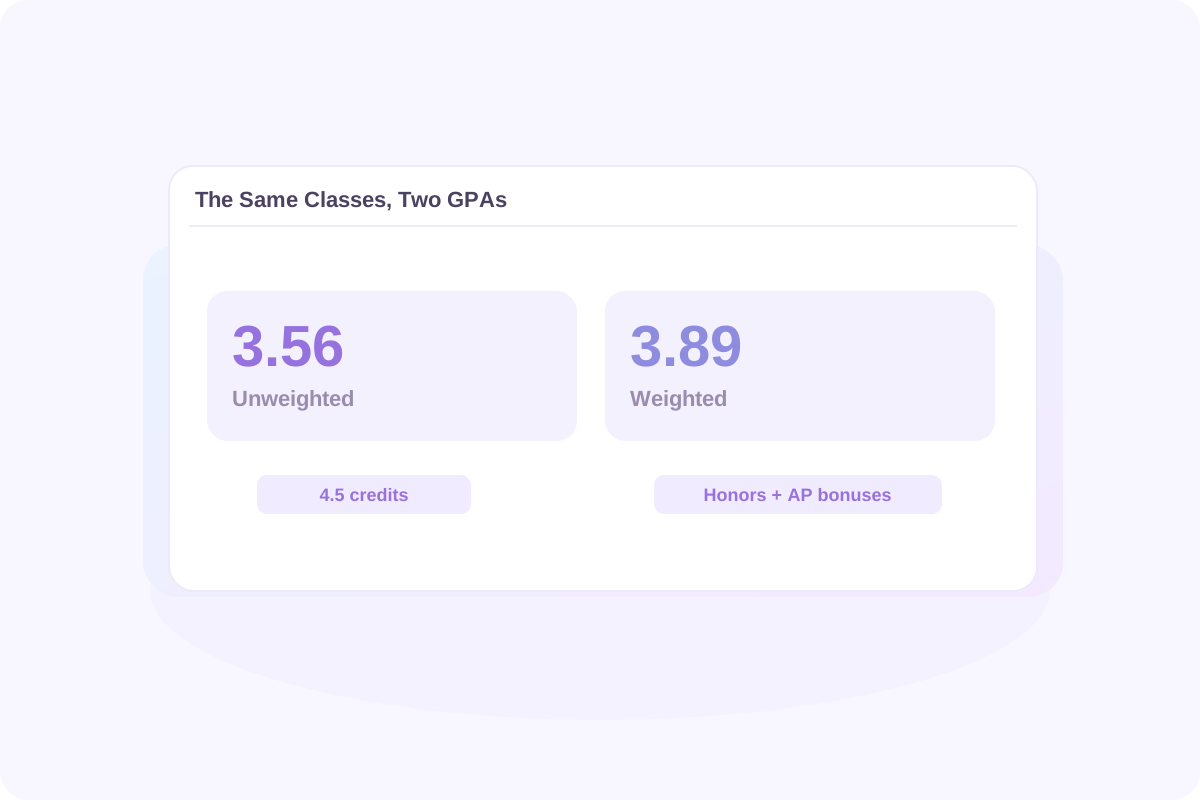
Using the course example below, the same grades produce a 3.56 unweighted GPA and a 3.89 weighted GPA. The difference comes from the Honors and AP bonuses. Each course's credit value affects both results.
When comparing GPAs, match the type and scale. A weighted 4.2 and an unweighted 3.8 are different measures. Your school may use bonuses that differ from Lynote's presets.
高校向けの非加重GPA計算ツールは、各成績の基本点数を使用します。Lynoteのデフォルトの4.0プリセットでは、コースがレギュラーであろうとAPであろうと、Aは4.0です。
加重高校GPA計算では、優等には0.5、APまたはIBには1.0が対象となる成績に加算されます。レギュラーのAは1単位あたり4.0ポイント、優等のAは4.5ポイント、APまたはIBのAは5.0ポイントに貢献します。Fにはコースレベルのボーナスは与えられません。
以下のコース例を使用すると、同じ成績で非加重GPA 3.56と加重GPA 3.89が生成されます。この違いは、優等とAPのボーナスによるものです。各コースの単位値は両方の結果に影響します。
GPAを比較する際は、種類とスケールを一致させてください。加重4.2と非加重3.8は異なる尺度です。あなたの学校はLynoteのプリセットとは異なるボーナスを使用する場合があります。
成績証明書に記載されている成績評価基準から始めます。この表は、Lynoteのデフォルトの4.0プラス/マイナス値とコースレベルのボーナスを示しています。
| 成績 | レギュラー / 非加重 | 優等 | AP / IB |
|---|---|---|---|
| A+ | 4.0 | 4.5 | 5.0 |
| A | 4.0 | 4.5 | 5.0 |
| A− | 3.7 | 4.2 | 4.7 |
| B+ | 3.3 | 3.8 | 4.3 |
| B | 3.0 | 3.5 | 4.0 |
| B− | 2.7 | 3.2 | 3.7 |
| C+ | 2.3 | 2.8 | 3.3 |
| C | 2.0 | 2.5 | 3.0 |
| C− | 1.7 | 2.2 | 2.7 |
| D+ | 1.3 | 1.8 | 2.3 |
| D | 1.0 | 1.5 | 2.0 |
| D− | 0.7 | 1.2 | 1.7 |
| F | 0.0 | 0.0 | 0.0 |
4.0スケールの高校GPA計算ツールの場合、その値があなたの学校と一致する場合はデフォルトのプリセットを維持してください。4.33プリセットはA+の基本値を4.33に変更します。「Letters only」はプラスとマイナスの記号を無視するため、B+、B、B−はすべてBの値���使用します。
あなたの学校がA+を授与しない場合は、実際に報告される成績を入力してください。プラスとマイナスの区別を削除することは別の選択です。必要な計算と一致する場合にのみ「Letters only」を選択してくだ���い。
学期GPAは1学期の成績を対象とします。累積高校GPAは、関連する学年全体で含まれるすべてのGPA対象の履修科目を合計したものです。新しい成績が加わるにつれて、以前の履修科目も結果に影響を与え続けます。
各学年の履修科目を入力して、含まれるクラスから全体の高校GPAを計算します。学校がカウントする成績と単位を使用してください。同じ履修科目に対して学期成績と通年成績の両方を入力すると、二重にカウントされる可能性があります。
すでにGPAをお持ちの場合は、その数値に含まれる単位とともに「以前のGPA」を使用してください。一致するGPAタイプを選択します。これにより、以前のすべてのクラスを再入力することなく、累積結果を更新できます。
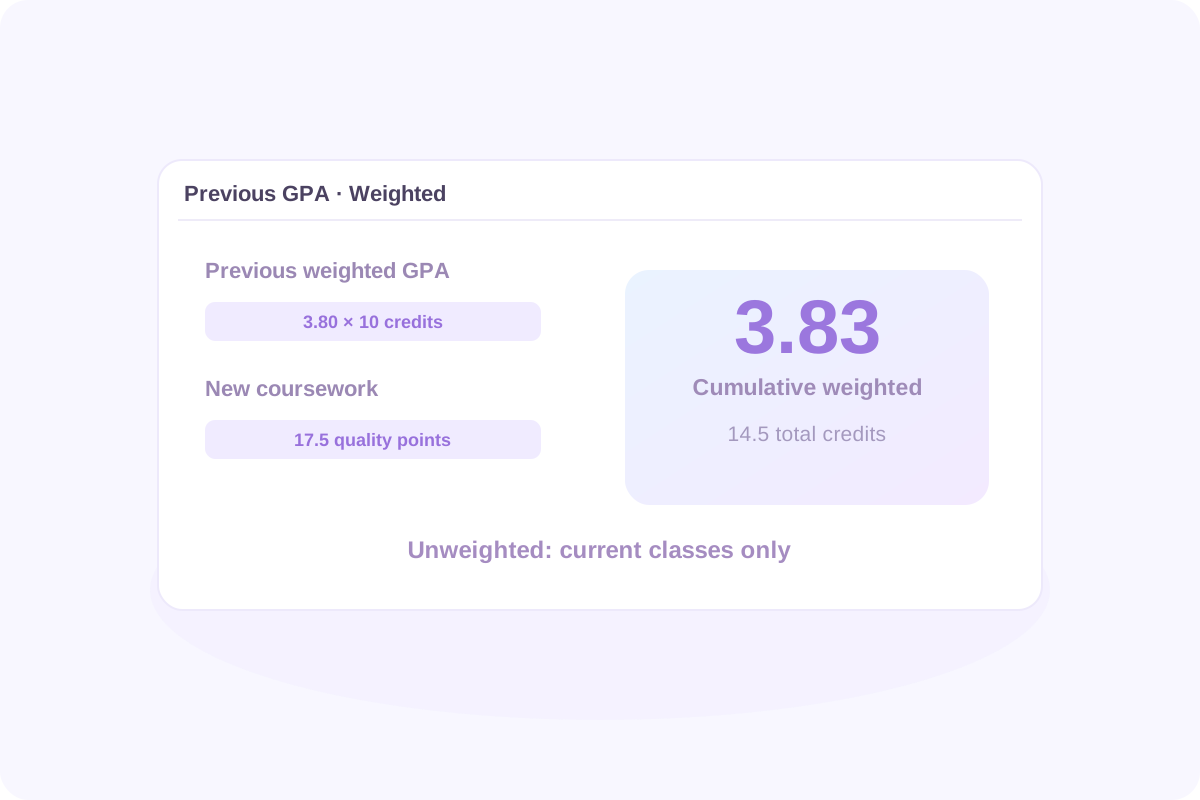
以前の加重GPAが10単位で3.80だったとします。上記の新しいコースを追加すると、4.5単位で17.5の加重クオリティポイントが加算されます。
更新された加重GPAは55.5 ÷ 14.5 = 3.83です。以前の加重データを提供し、以前の非加重データを提供しなかったため、非加重結果は現在のクラスのみで3.56のままです。
新しい累積GPA = (以前のGPA × 以前のGPA単位 + 新しいクオリティポイント) ÷ (以前のGPA単位 + 新しいGPA単位)
非加重累積結果を計算するには、以前の非加重GPAとそれに対応する単位を使用してください。GPAタイプを混同したり、以前のGPAとコースリストの両方に同じ以前のコース���含めたりしないでください。
学期GPAは1学期を対象とします。累積高校GPAは、関連する学年全体で含めるすべてのGPA対象コースワークを組み合わせたものです。新しい成績が届くと、以前のコースワークも結果に影響を与え続けます。
各学年のコースワークを入力して、含まれるクラスから全体の高校GPAを計算します。学校がカウントする成績と単位を使用してください。同じコースワークに対して学期成績と通年成績の両方を入力すると、二重にカウ��トされる可能性があります。
すでにGPAがある場合は、その数値に含まれる単位とともに「以前のGPA」を使用してください。一致するGPAタイプを選択します。これにより、以前のすべてのクラスを再入力することなく、累積結果を更新できます。
新しい累積GPA = (以前のGPA × 以前のGPA単位 + 新しいクオリティポイント) ÷ (以前のGPA単位 + 新しいGPA単位)
以前の加重GPAが10単位で3.80だったとします。上記の新しいコースを追加すると、4.5単位で17.5の加重クオリティポイントが貢献されます。
| コースワーク | GPA単位 | 加重クオリティポイント |
|---|---|---|
| 以前の学習: 3.80 GPA | 10.0 | 3.80 × 10 = 38.0 |
| 新しいコース | 4.5 | 17.5 |
| 合計 | 14.5 | 55.5 |
更新された加重GPAは55.5 ÷ 14.5 = 3.83です。以前の加重データを提供したため、以前の非加重データではないため、非加重結果は現在のクラスのみで3.56のままで���。
非加重累積結果を計算するには、代わりに以前の非加重GPAとそれに対応する単位を使用してください。GPAタイプを混在させたり、同じ以前のコースを「以前のGPA」とコースリストの両方に含めたりしないでく���さい。
結果を使用する前に、GPAの種類とそれが表すコースワークを確認してください。カウントされた単位、カウントされたクラス、学年ごとの結果、およびコースごとの計算の詳細を確認してください。
成績、単位値、またはコースレベルを変更すると、以前の結果は古くなります。ダウンロードする前に「計算」を再度クリックしてください。コースの入力はページを更新しても自動的に保持されないため、保存したいものはすべてエクスポートしてください。
有用な比較は、スケールと目標から始まります。デフォルトの非加重4.0スケールでは、4.0はA平均、3.0はB平均、2.0はC平均に相当します。これらは成績評価の基準値であり、普遍的な入学や奨学金の基準ではありません。
GPAを公表されている数値と比較する前に、その数値が加重か非加重か、どのコースが含まれているか、そしてそれが合格した学生を説明している��か、それとも資格要件なのかを確認してください。
大学は、あなたの学校で利用可能なコースの文脈であなたの記録をレビューすることができます。例えば、スタンフォード大学は、そのレビューを総合的であると説明し、学業成績を文脈で考慮します。計算結果だけでは、入学決定を予測することは���きません。
有用な比較は、スケールと目標から始まります。デフォルトの非加重4.0スケールでは、4.0はA平均、3.0はB平均、2.0はC平均に相当します。これらは成績点の参照値であり、普遍的な入学または奨学金の基準ではありません。
あなたのGPAを公開されている数値と比較する前に、その数値が加重平均か非加重平均か、どのコースが含まれているか、そしてそれが合格した学生を記述しているのか、それとも資格要件を記述しているのかを確認してください。
大学は、あなたの学校で利用可能なコースの文脈であなたの記録をレビューすることができます。例えば、スタンフォード大学は、そのレビューを総合的であると説明し、学業成績を文脈で考慮します。計算ツールの単独の結果では、入学決定を予測することはできません。
If your school gives every included course equal weight, enter 1 credit for each to produce an equal-course average. If some classes are worth 0.5 credits and others 1, use their actual values. Do not guess equal credits when they are unknown, and do not combine equal-course weights with a previous GPA measured in different credit units.
Lynote currently accepts letter grades. Convert each percentage or number grade to a letter using your school's grading chart, then select that letter. There is no universal percentage-to-GPA conversion, and dividing a percentage by 25 may not reproduce your school's calculation.
Use each letter grade's base points without Honors, AP, or IB bonuses. Multiply by course credits, add the quality points, and divide by counted credits. In High school mode, Lynote shows an unweighted result alongside the weighted one for the entered classes.
On the default 4.0 preset, an AP or IB A earns 5.0 weighted points per credit. That does not make every class a 5.0-scale class. Lynote does not offer a dedicated 6.0-scale preset or editable course bonuses. Check whether its preset values match the calculation your school requires.
If A+ is not a reported grade, simply enter the grades your school uses. Choose Letters only when plus and minus distinctions should be ignored. That preset treats A+, A, and A− as A; the standard 4.0 plus/minus preset instead keeps A− at 3.7.
Include ninth-grade coursework if it belongs in your school's cumulative GPA. A college or scholarship may count different years or subjects. Lynote follows the courses you include; it does not decide which years a particular institution requires.
Use the grade records and credits your school counts for GPA. For a semester GPA, include that semester's coursework. If you use a full-year final grade, do not also enter the component semester or quarter grades as additional coursework unless your school's method specifically requires that treatment.
They count when the GPA you are calculating includes them. A class may earn graduation credit without affecting GPA. Check your transcript or ask your school which courses are GPA-bearing, then include the appropriate grades or special grade symbols.
You can manually enter only the courses that belong in the core GPA you need. Confirm the required subjects, grade values, and weighting rules first. Lynote does not automatically identify core courses or certify an admissions, athletic-eligibility, or scholarship GPA.
Follow your school's rules for which attempts count and whether a dual-enrollment course earns extra points. Lynote does not automatically replace retakes or offer a separate dual-enrollment level. Do not assume an AP or Honors preset is equivalent unless its point values match the required treatment.
Enter the course's letter grade, not an AP exam score or an IB examination score. Select the actual course level for the weighted calculation. Exam results and course grades serve different purposes and should not be substituted for one another.
Start with your school's grading policy and distinguish its GPA from a scholarship GPA. Georgia's HOPE GPA uses its own course and weighting rules. Lynote's standard high school presets do not reproduce that official calculation; use GAfutures to check the applicable rules and your official HOPE GPA.
Use Lynote when the courses, credits, and point values match the GPA you want to estimate. Florida scholarship calculations can use different rules: the Bright Futures application guidance explains that its GPA may differ from a report-card GPA. This calculator does not determine Bright Futures eligibility.
Follow each college's current application instructions for the GPA to report. Some institutions assess grades in their school context or use their own calculation rules. Lynote estimates the GPA produced by your inputs and selected preset; it does not reproduce an institution's internal admissions review.
You can estimate a final cumulative GPA by entering all the completed coursework it should include, or by combining previous GPA data with the remaining courses. If you mean the exam score needed to earn a particular course grade, that is a different calculation; this GPA tool does not solve final-exam grade requirements.
Your school determines when official GPAs are updated. Use posted grades for a completed reporting period, or label expected-grade calculations as estimates. Recalculate when new grades arrive, and check your student portal or transcript for the official updated GPA.
Lynote provides a GPA calculation breakdown and result exports. An Excel, CSV, or printed result is not an official transcript, and the calculator does not currently provide a school-certified transcript template. Request an official transcript through your school's process.
You can start with 50 free calculations without signing up. Signed-in users receive a one-time allowance of 100 free calculations; additional use follows Lynote's credit rules. Entries are not automatically retained after a page refresh. Export your results before leaving if you need a copy.
| ツール | 用途 |
|---|---|
| 文字数カウンター | エッセイ、レポート、応募書類の文字数を確認する。 |
| AI学習パスジェネレーター | 学習目標に向かって勉強するトピックを整理する。 |
| AIノートジェネレーター | 対応する学習資料を整理された学習ノートに変換する。 |
| AIヒューマナイザー | 学校のAI支援に関する規則に従いながら、下書きの表現を修正する。 |
| AI検出器 | 執筆レビュー中に、AIコンテンツの推定値を一つの指標として確認する。 |
| 透明文字 | 空白文字が許可されているテキストフィールドに空白文字をコピーする。 |
| ドキュメント翻訳 | 多言語レビューのために、対応する学習ドキュメントを翻訳する。 |
| AIフラッシュカード | 対応する学習資料から練習用カードを作成する。 |
| PDF要約 | 対応する教科書の章や読書資料の主要なアイデアを確認する。 |
| 音声テキスト変換 | 後で確認するために、処理する許可を得た録音を文字起こしする。 |
実用的な読書とノート作成方法で、次の学習セッションをより簡単に整理しましょう。課題の読書を、小テストや授業のディスカッションの前に見直せるノートに変える方法を探りましょう。ノート作成のアプローチを比較し、講義、読書課題、復習セッションに適した構造を選びましょう。書かれた文字起こしが、使用を許可された録音の復習をどのようにサポートできるか学びましょう。