NotebookLM vs ChatGPT : Lequel est le meilleur pour étudier ?

NotebookLM est généralement préférable lorsque vous devez étudier un ensemble de sources défini, retracer une réponse jusqu'à une lecture, ou transformer un grand dossier de cours en matériel d'étude réutilisable. ChatGPT est généralement préférable lorsque vous avez besoin d'un tuteur adaptatif, d'une résolution de problèmes étape par étape, d'explications personnalisées ou d'aide pour appliquer une idée au-delà du matériel que vous avez téléchargé.
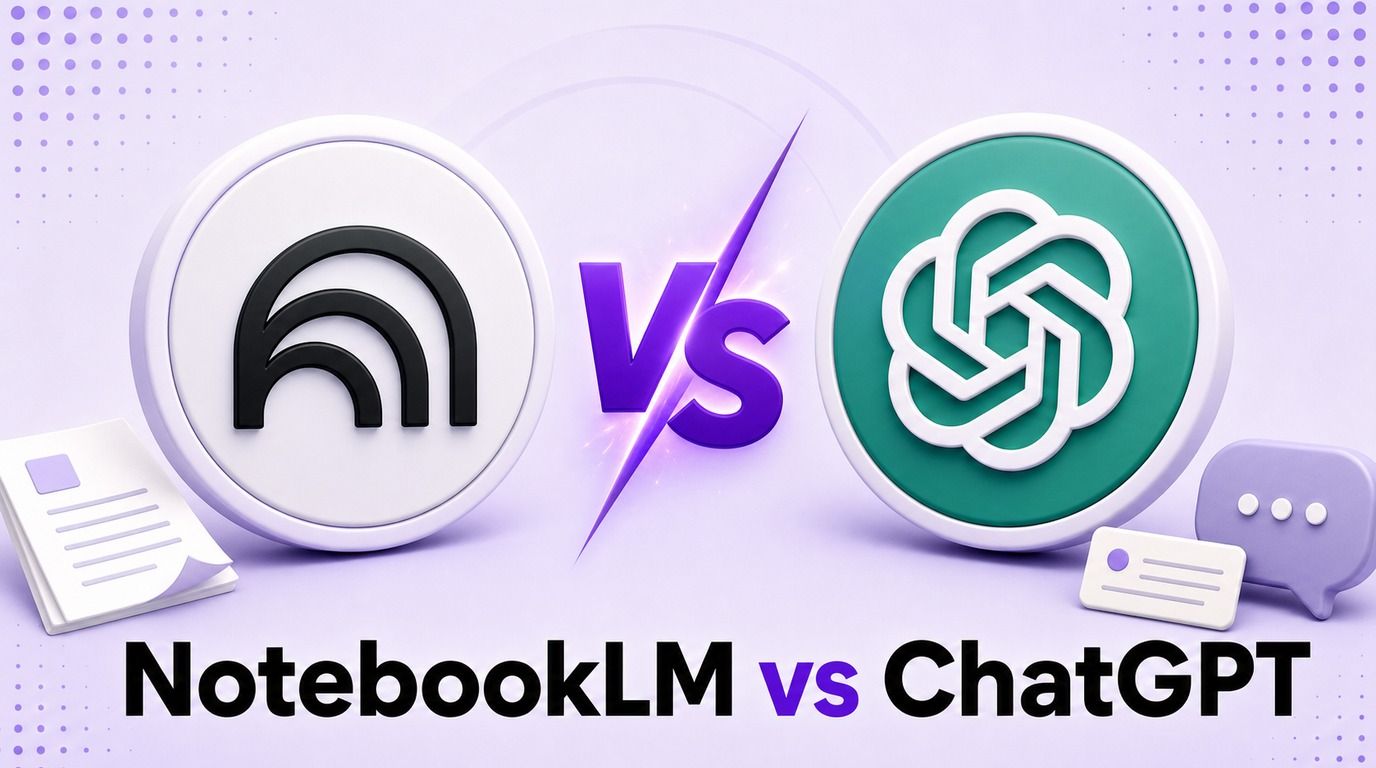
Aucun outil n'est le gagnant universel. La question utile n'est pas simplement « Quelle IA est la plus intelligente ? » mais « Ai-je besoin d'un contrôle plus strict sur les preuves, ou d'une conversation d'apprentissage plus flexible ? »
Cette comparaison NotebookLM vs ChatGPT examine cette décision à travers cinq cycles d'étude pratiques : synthèse de packs de lecture, explication de concepts, préparation aux examens, résolution de problèmes et vérification des preuves. Elle compare également les fichiers, les limites, les prix, l'organisation, la collaboration et les sujets où chaque outil présente l'avantage le plus clair.
Verdict rapide : NotebookLM ou ChatGPT ?
Choisissez NotebookLM lorsque votre professeur, manuel, articles, diapositives de cours ou documents internes définissent les limites de la réponse. Sa conception centrée sur les sources facilite la visualisation de l'origine des informations, la comparaison de plusieurs lectures et la création d'artefacts d'étude à partir de la même collection contrôlée.
Choisissez ChatGPT lorsque l'apprentissage dépend de l'interaction. Le mode Étude peut poser des questions, ajuster le niveau, réagir aux erreurs, générer de nouveaux exemples et vous aider à raisonner à travers un problème au lieu de simplement récupérer des informations d'un ensemble de sources.
Utilisez les deux lorsque vous souhaitez le flux de travail le plus efficace. Laissez NotebookLM organiser et vérifier les preuves, puis utilisez ChatGPT pour expliquer, remettre en question et vous aider à pratiquer ce matériel vérifié.
| Votre tâche principale | Meilleur point de départ | Pourquoi |
|---|---|---|
| Étudier les PDF et les notes de cours assignés | NotebookLM | Les réponses et les résultats d'étude restent étroitement liés aux sources sélectionnées |
| Retracer une affirmation à la lecture | NotebookLM | Les citations intégrées accélèrent la vérification des sources |
| Comparer plusieurs articles | NotebookLM | La sélection des sources et les questions inter-documents sont au cœur du flux de travail |
| Apprendre un concept difficile de manière interactive | ChatGPT | Il peut varier les explications et poser des questions de diagnostic |
| Résoudre des problèmes de mathématiques, de codage ou appliqués | ChatGPT | Raisonnement général et support d'outils plus solides |
| Être interrogé une question à la fois | ChatGPT | Le mode Étude est conçu pour un échange de type tutorat |
| Générer rapidement des flashcards basées sur des sources | NotebookLM | Les flashcards et les quiz sont des sorties natives de Studio |
| Rédiger, réviser, calculer, rechercher et créer | ChatGPT | Son ensemble d'outils plus large prend en charge davantage de types de travail |
| Construire un système d'étude complet | Les deux | L'un contrôle les preuves ; l'autre soutient la pratique active |
En résumé : NotebookLM est la meilleure salle de preuves. ChatGPT est la meilleure salle de pratique.
La différence fondamentale est le contrôle des sources vs l'enseignement adaptatif
NotebookLM et ChatGPT se chevauchent, mais ils partent d'hypothèses différentes. NotebookLM commence par un carnet contenant des sources ; ChatGPT commence par une conversation qui peut utiliser des fichiers, la mémoire, la recherche web, des outils et des instructions.
Cette différence modifie ce que chaque produit considère comme sa mission.
Google affiche désormais NotebookLM sous le nom de Gemini Notebook dans l'interface actuelle. Cet article conserve le nom NotebookLM car il reste le nom de produit établi et le terme le plus recherché par les étudiants.
NotebookLM commence par le matériel
Dans NotebookLM, le panneau des sources n'est pas un tiroir de pièces jointes ajouté à un chatbot général. C'est le fondement du carnet. Vous choisissez les documents qui doivent être actifs, puis posez des questions, générez des résultats et inspectez les citations dans ce contexte délimité.
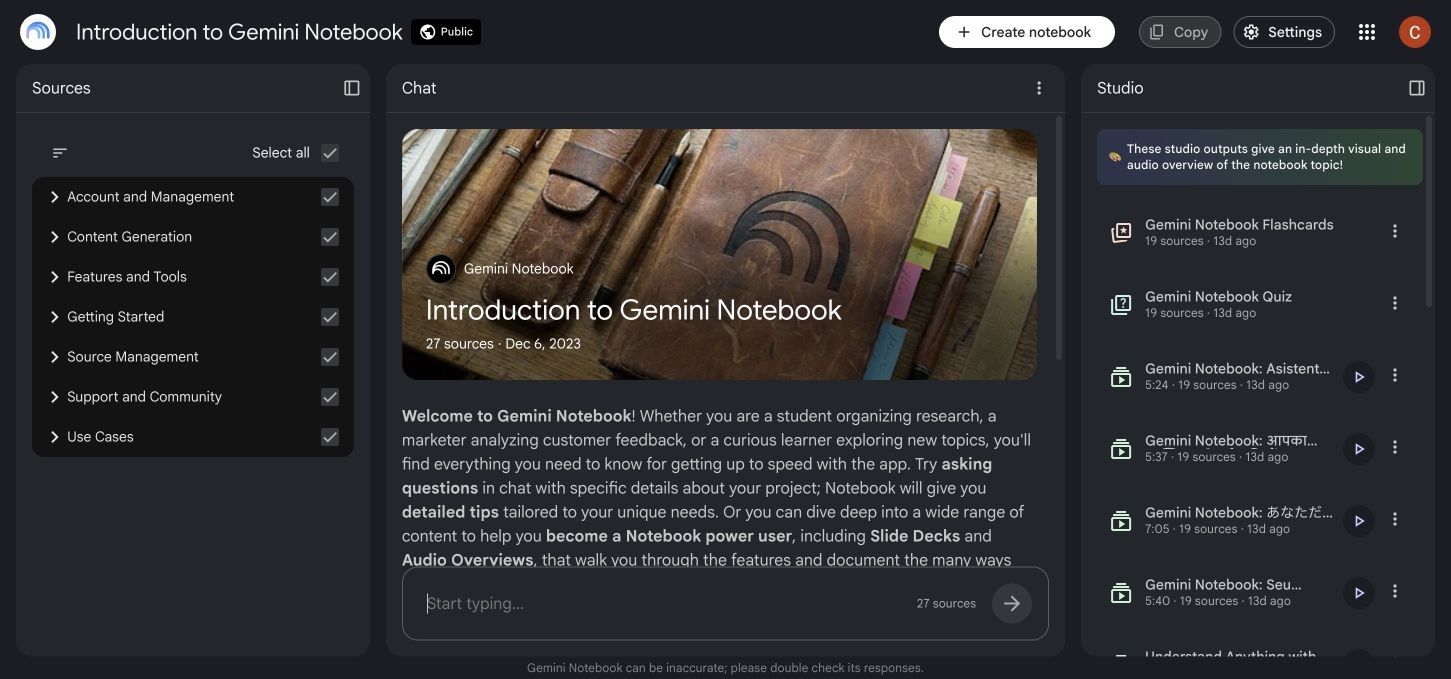
Cette conception est précieuse lorsque la formulation est importante. Un étudiant en droit peut avoir besoin de l'interprétation trouvée dans une affaire assignée, et non d'une explication générique de la doctrine ; un étudiant en médecine peut avoir besoin de la terminologie utilisée dans le dossier de cours, et non d'une réponse générale assemblée à partir de connaissances générales du modèle.
La contrainte est aussi une limitation. Si le matériel est incomplet, obsolète, biaisé ou mal organisé, NotebookLM peut produire une réponse bien fondée mais toujours inadéquate.
ChatGPT commence par l'apprenant
ChatGPT est conçu pour une conversation plus ouverte. Vous pouvez lui donner un niveau de cours, un objectif d'apprentissage, une date limite, un style d'explication préféré, une tentative incorrecte ou une difficulté cible et lui demander de s'adapter.
Le mode Étude renforce ce modèle de tutorat. Au lieu de toujours renvoyer une réponse finie, il peut travailler sur le problème avec des questions, des indices, des explications et des exercices de suivi.
ChatGPT peut également utiliser des fichiers téléchargés, mais l'expérience d'apprentissage n'est pas limitée à la récupération de fichiers. Il peut connecter le matériel téléchargé à des connaissances plus larges, utiliser les outils disponibles dans le chat ou créer de nouveaux exemples qui n'apparaissent pas dans la source originale.
Le meilleur outil dépend du goulot d'étranglement
Si votre problème est « J'ai 600 pages et je ne trouve pas les preuves », NotebookLM s'attaque directement au goulot d'étranglement. Si votre problème est « J'ai lu le chapitre mais je ne comprends toujours pas pourquoi cette équation fonctionne », ChatGPT est plus susceptible de fournir l'interaction utile.
C'est pourquoi un gagnant basé sur le nombre de fonctionnalités est trompeur. Une longue liste ne peut pas vous dire si votre prochaine session d'étude nécessite un contrôle des preuves, une explication, une pratique de récupération ou une production.
Comment nous comparons NotebookLM et ChatGPT équitablement
Une comparaison équitable devrait donner aux deux outils le même matériel et poser des questions qui exposent leurs différentes forces. Elle ne devrait pas demander à NotebookLM de se comporter comme un assistant web général ou juger ChatGPT uniquement sur sa capacité à reproduire un paragraphe téléchargé.
Le cadre ci-dessous utilise un PDF de cours, un article de recherche et une transcription de conférence publique. Les cinq rounds évaluent le flux de travail plutôt que de traiter une réponse impressionnante comme une référence permanente.
| Manche | Tâche partagée | Ce qui compte |
|---|---|---|
| 1. Pack de lecture | Résumer et concilier les trois sources | Couverture, synthèse inter-sources, traçabilité |
| 2. Leçon de concept | Expliquer un concept difficile à deux niveaux | Clarté, adaptation, questions de suivi utiles |
| 3. Préparation à l'examen | Créer un quiz, des flashcards et un plan de révision | Interactivité, contrôle, explications, réutilisation |
| 4. Pratique appliquée | Diagnostiquer une mauvaise réponse et créer un problème similaire | Qualité du feedback, raisonnement, ajustement de la difficulté |
| 5. Vérification des preuves | Vérifier une affirmation contestée et montrer le support | Sélection des sources, précision des citations, incertitude |
Il ne s'agit pas d'une référence de modèle statique. Les fonctionnalités, les modèles disponibles, les limites et les droits d'accès au compte changent, de sorte que le résultat durable est le type de flux de travail que chaque produit facilite.
NotebookLM vs ChatGPT en un coup d'œil
Le tableau ci-dessous compare les produits en tant que systèmes d'étude, et pas seulement comme des fenêtres de chat.
| Capacité | NotebookLM | ChatGPT | Vainqueur pratique |
|---|---|---|---|
| Réponses basées sur des sources sélectionnées | Conception de base | Disponible avec les fichiers téléchargés et les Projets, mais des réponses plus larges sont possibles | NotebookLM |
| Traçabilité des sources intégrée | Solide, citations liées aux sources | Varie selon le flux de travail ; les citations de recherche web diffèrent des références de fichiers téléchargés | NotebookLM |
| Lecture multi-sources | Conçu autour des carnets et des sources actives | Disponible via les chats et les Projets | NotebookLM |
| Tutorat adaptatif | Chat de source utile, mais moins centré sur le tuteur | Mode Étude, questions de suivi, explications ajustables | ChatGPT |
| Flashcards et quiz | Artefacts Studio interactifs natifs | Générés via des invites ou des raccourcis d'apprentissage si disponibles | NotebookLM pour les artefacts packagés ; ChatGPT pour la pratique conversationnelle |
| Sortie d'étude audio | Aperçus audio natifs | La voix peut prendre en charge les conversations d'étude, mais ce n'est pas le même flux de travail source-vers-podcast | NotebookLM |
| Cartes mentales et artefacts d'étude visuels | Options Studio natives | Peut générer des explications et des visuels en fonction des outils disponibles | NotebookLM |
| Mathématiques et raisonnement appliqué | Peut expliquer le matériel trouvé dans les sources | Raisonnement plus large, calcul, codage et correction interactive | ChatGPT |
| Rédaction et édition | Rapports et notes basés sur les sources | Rédaction, réécriture, Canvas et édition itérative plus larges | ChatGPT |
| Recherche web | La découverte de sources est disponible, mais les carnets restent centrés sur les sources | La recherche et la recherche approfondie peuvent être disponibles selon le plan | ChatGPT pour la recherche ouverte |
| Organisation à long terme | Carnets organisés autour d'un sujet ou d'un ensemble de sources | Les Projets regroupent les fichiers, les chats et les instructions | Égalité ; structures différentes |
| Personnalisation | Instructions au niveau du carnet et sources sélectionnées | Mémoire, contexte de conversation et instructions personnalisées | ChatGPT |
| Écosystème Google | Forte intégration Drive et Workspace | Les fichiers peuvent être téléchargés, mais ce n'est pas un carnet natif de Google | NotebookLM |
| Outils à usage général | Environnement de recherche et d'étude ciblé | Écosystème d'outils plus large | ChatGPT |
| Valeur d'étude gratuite | Flux de travail généreux basé sur les sources | Assistant général puissant avec des limites dépendantes du plan | Dépend de la tâche |
NotebookLM gagne plus de lignes liées à la lecture contrôlée. ChatGPT gagne plus de lignes liées à la pensée flexible et à la production.
Manche 1 : Apprendre à partir d'un long pack de lecture
NotebookLM a l'avantage le plus clair lorsque le travail commence par un grand ensemble de lectures fixe. Un carnet gratuit peut actuellement contenir jusqu'à 50 sources, et les téléchargements pris en charge incluent les documents courants, les présentations, les feuilles de calcul, les images, l'audio, les pages web, les fichiers ePub et les transcriptions publiques de YouTube.
Chaque source téléchargée peut actuellement contenir jusqu'à 500 000 mots ou 200 Mo. Ces limites rendent NotebookLM pratique pour les lectures de semestre, les collections de recherche, les fichiers de politique, les transcriptions d'entretiens et la documentation technique.
Pourquoi NotebookLM semble plus contrôlé
Vous pouvez activer des sources spécifiques pour une question, mentionner une source par son nom et ouvrir la citation derrière une réponse. Cela encourage une boucle utile : poser une question, inspecter, comparer avec le passage original et affiner la question.
Cette boucle est plus importante qu'un résumé soigné. Les étudiants perdent souvent en précision lorsqu'ils traitent un résumé généré comme un remplacement de la lecture ; NotebookLM rend la vérification plus pratique, mais l'étudiant doit toujours ouvrir la source.
Ce que ChatGPT fait bien avec les packs de lecture
Les Projets ChatGPT peuvent regrouper des fichiers, des chats et des instructions de projet. C'est utile lorsque la lecture mène à un travail supplémentaire, comme la rédaction d'un plan, la création d'une présentation, l'analyse d'une feuille de calcul ou la révision d'un article.
La faiblesse n'est pas que ChatGPT ne peut pas lire des documents. La faiblesse est qu'une réponse fluide peut mélanger le contexte du fichier avec des connaissances générales, à moins que vous ne restreigniez clairement la tâche et ne vérifiiez le passage de support.
Décision de la Manche 1
NotebookLM est le meilleur choix par défaut pour « Que disent ces documents assignés ? » ChatGPT devient plus attrayant lorsque la question suivante est « Que puis-je créer ou résoudre avec ce que j'ai appris ? »
Manche 2 : Expliquer un concept difficile
L'ancrage aux sources n'est pas la même chose que l'enseignement. Une citation peut montrer d'où vient une explication, mais elle ne garantit pas que l'explication corresponde au modèle mental actuel de l'apprenant.
ChatGPT est plus fort lorsque l'étudiant a besoin de parcourir plusieurs versions de la même idée. Vous pouvez demander une explication pour débutant, une explication avancée, une analogie visuelle, un contre-exemple, une leçon question par question ou un feedback sur votre propre explication.
Pourquoi le mode Étude change la comparaison
Le mode Étude de ChatGPT est conçu pour guider l'apprentissage par l'interaction. Vous pouvez fournir votre niveau, votre sujet, votre objectif, votre compréhension existante et votre date limite, puis demander à l'outil de faire une pause, de donner des indices, d'augmenter la difficulté ou de vous interroger avant d'expliquer.
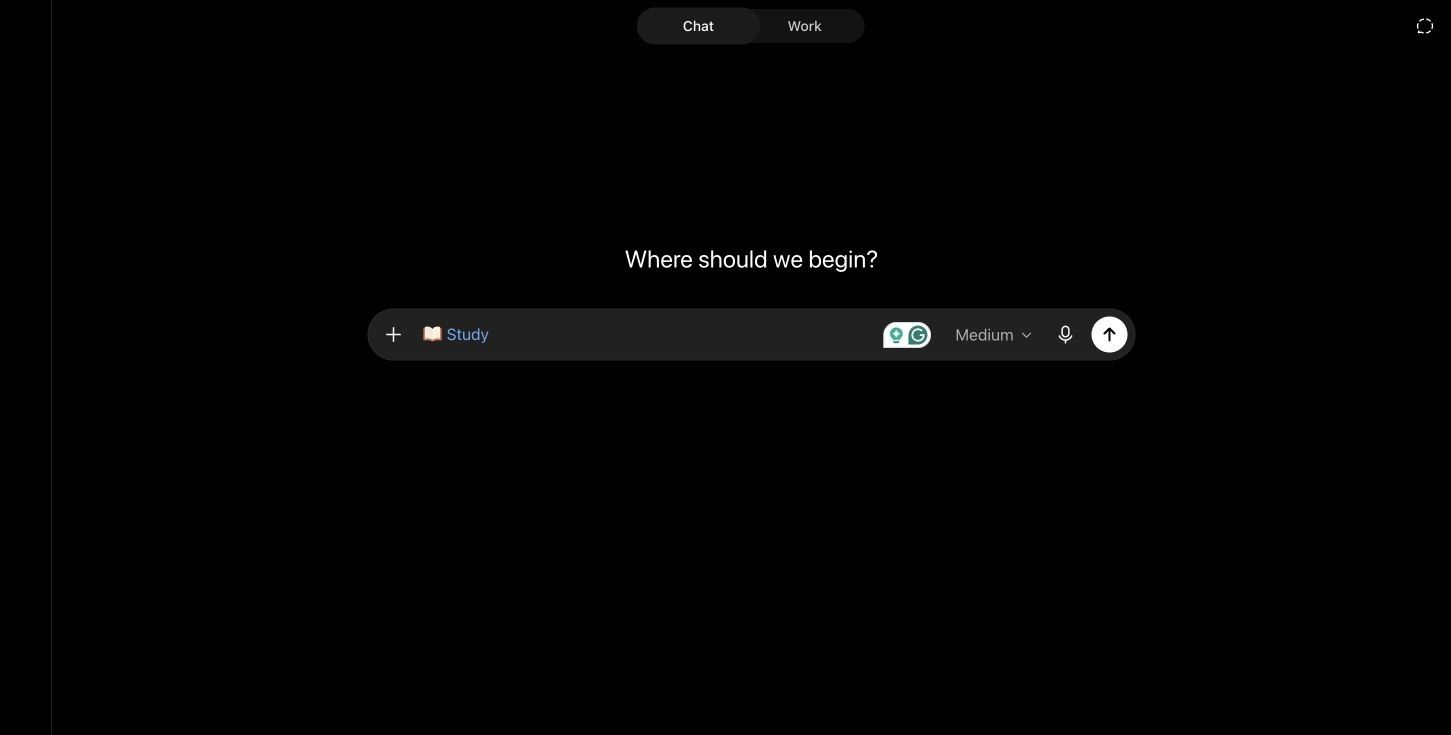
Lorsque la mémoire est activée, ChatGPT peut également personnaliser les conseils en utilisant des objectifs d'apprentissage ou des préférences enregistrés. Cela peut rendre les sessions de tutorat répétées plus continues qu'un carnet organisé uniquement autour du contenu source.
Où NotebookLM est toujours utile
NotebookLM est précieux lorsque le concept doit être expliqué en utilisant le langage exact du cours. Lui demander de comparer deux définitions à travers les lectures ou d'identifier où les auteurs sont en désaccord peut être plus utile que de recevoir une explication générale.
Le meilleur choix dépend donc du type de confusion. Utilisez NotebookLM lorsque vous ne savez pas ce que le matériel assigné affirme ; utilisez ChatGPT lorsque vous connaissez l'affirmation mais ne pouvez pas encore raisonner avec elle.
Décision de la Manche 2
ChatGPT gagne l'explication adaptative. NotebookLM gagne l'explication sous une stricte limite de preuves.
Manche 3 : Créer des quiz, des flashcards et du matériel de révision
Les deux outils peuvent transformer le matériel en pratique, mais NotebookLM traite les artefacts d'étude comme des produits avec leurs propres contrôles. Son Studio peut générer des flashcards et des quiz à partir des sources du carnet, avec des options de difficulté et de quantité.
NotebookLM peut expliquer les cartes ou les réponses aux quiz, mémoriser les progrès et permettre aux étudiants de répéter les concepts manqués. Les flashcards peuvent également être téléchargées au format CSV, ce qui les rend plus faciles à réutiliser ailleurs.
L'avantage des artefacts de NotebookLM
Le principal avantage n'est pas que ChatGPT ne peut pas écrire une flashcard. C'est que NotebookLM connecte les flashcards, les quiz, les cartes mentales, les rapports, les aperçus audio et d'autres artefacts au même carnet et à la même collection de sources.
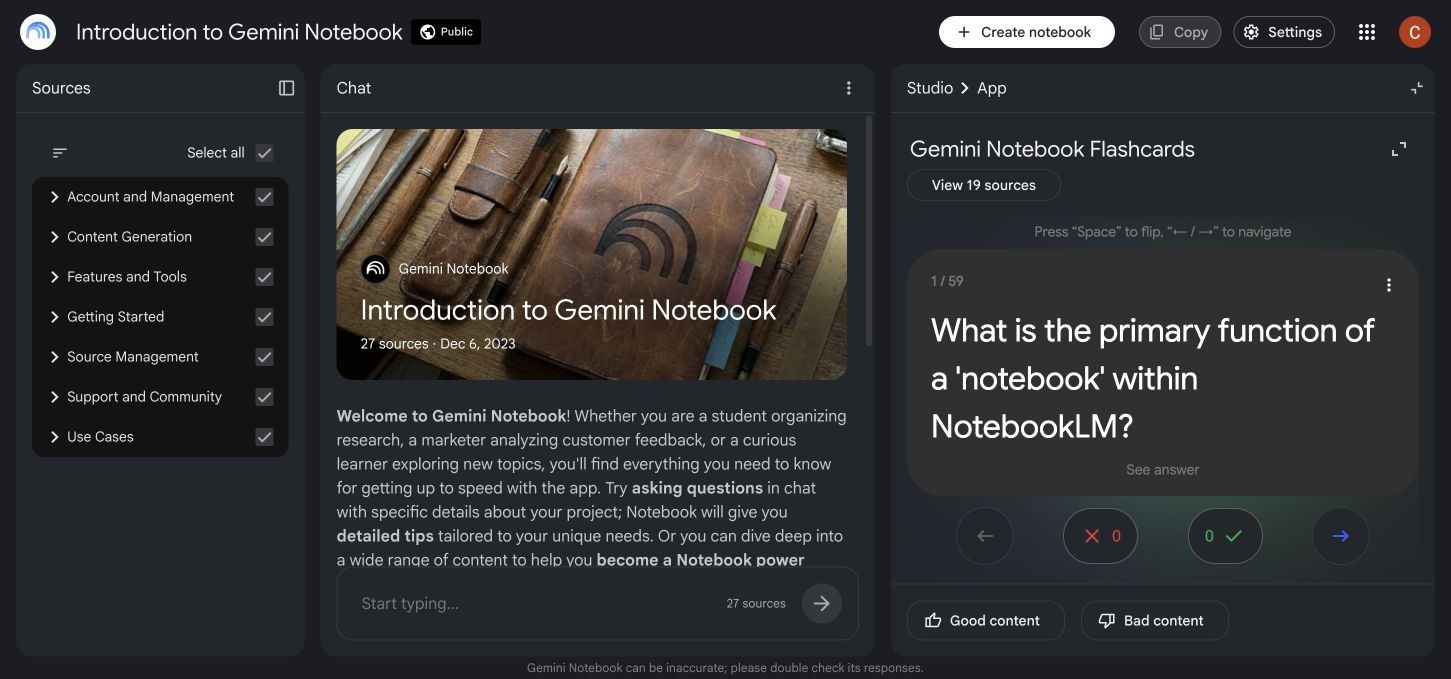
Pour un étudiant qui souhaite télécharger du matériel et produire rapidement plusieurs formats de révision, cela réduit le travail de configuration. Cela facilite également la régénération d'une aide à l'étude après avoir modifié l'ensemble des sources.
L'avantage de la pratique de ChatGPT
ChatGPT est plus flexible en session live. Vous pouvez lui demander de vous interroger une question à la fois, d'attendre votre raisonnement, de détecter un schéma dans vos erreurs et de modifier la question suivante en conséquence.
Il peut également créer un plan de révision en fonction d'une date limite, du temps disponible, du niveau de confiance et des performances précédentes. La qualité dépend fortement de l'invite et de la façon dont vous poursuivez la conversation honnêtement au lieu de demander toutes les réponses en une seule fois.
| Résultat d'étude | Force de NotebookLM | Force de ChatGPT |
|---|---|---|
| Flashcards | Natives, basées sur les sources, conscientes de la progression, export CSV | Formulation hautement personnalisable et suivi conversationnel |
| Quiz | Contrôles natifs de difficulté et de révision | Questions adaptatives et feedback immédiat du tuteur |
| Guide d'étude | Synthèse rapide à travers les sources sélectionnées | Personnalisé en fonction du temps, des objectifs et des points faibles |
| Carte mentale | Artefact natif basé sur les sources | Peut expliquer les relations ou créer des visuels lorsque les outils le permettent |
| Révision audio | Aperçu audio à partir des sources du carnet | Tutorat vocal et pratique orale |
| Plan de révision | Peut résumer ce que les sources couvrent | Meilleure personnalisation en fonction du calendrier et des performances |
Décision de la Manche 3
NotebookLM gagne lorsque vous souhaitez un ensemble de matériel d'étude basé sur les sources. ChatGPT gagne lorsque vous souhaitez que la session de pratique s'adapte continuellement à vos réponses.
Manche 4 : Résoudre des problèmes et apprendre de ses erreurs
Les comparaisons axées sur la lecture sous-estiment souvent l'importance de la pratique appliquée. Les étudiants en mathématiques, physique, ingénierie, économie, statistiques, codage et apprentissage des langues ont besoin de plus que de simples résumés.
ChatGPT a l'avantage car il peut résoudre un nouveau problème, inspecter une tentative incorrecte, identifier où le raisonnement a changé de direction et générer un problème similaire. Il peut également utiliser des outils de calcul, d'analyse de données, de codage ou visuels lorsque ces fonctionnalités sont disponibles.
L'invite la plus utile est la mauvaise réponse
Un bon test de tutorat n'est pas « Résolvez ceci. » C'est « Voici ma tentative ; posez-moi des questions jusqu'à ce que je trouve la première étape incorrecte. »
Cette invite révèle si l'outil peut soutenir l'apprentissage plutôt que de simplement produire une réponse. Le mode Étude de ChatGPT est mieux aligné avec cette interaction car il est conçu pour utiliser des questions, des indices et des explications progressives.
Le rôle de NotebookLM dans la résolution de problèmes
NotebookLM peut ancrer l'explication à un chapitre de manuel, une feuille de formules, un exemple résolu ou une grille d'évaluation. Cela aide lorsqu'un cours utilise une méthode spécifique et que l'étudiant veut éviter une technique alternative qui ne sera pas acceptée.
Cependant, un ensemble de sources délimité peut également restreindre la gamme d'exemples ou de stratégies de récupération. Si le matériel téléchargé explique mal l'idée, ancrer la réponse plus étroitement peut répéter la même confusion.
Décision de la Manche 4
ChatGPT est le meilleur tuteur pour la résolution de problèmes. NotebookLM est le meilleur compagnon pour vérifier si la méthode de solution correspond aux documents assignés.
Manche 5 : Recherche, preuves et vérification des citations
L'avantage le plus important de NotebookLM n'est pas l'« exactitude » dans l'abstrait. C'est la traçabilité : l'utilisateur peut inspecter quel passage téléchargé soutient la réponse.
Cela rend NotebookLM efficace pour les revues de littérature, les comparaisons de politiques, l'analyse d'entretiens, les archives de réunions et toute tâche où le lecteur doit passer de la synthèse aux preuves.
Les citations ne rendent pas une source correcte
Une citation répond à la question « D'où vient cette affirmation ? » Elle ne répond pas à « Cette source est-elle fiable, actuelle, complète ou interprétée correctement ? »
Si un carnet contient des notes de cours obsolètes ou un article de blog faible, une réponse fondée peut reproduire fidèlement le problème. Une bonne recherche nécessite toujours une évaluation des sources, des vérifications de dates, une révision de la méthodologie et une attention aux désaccords.
ChatGPT est meilleur pour élargir la recherche
ChatGPT peut utiliser la recherche web ou la recherche approfondie lorsque ces outils sont disponibles. Cela le rend utile lorsque l'ensemble de sources n'est pas encore connu et que l'étudiant a besoin de découvrir des articles actuels, des pages officielles, des explications concurrentes ou de nouvelles données.
L'inconvénient est une charge de vérification plus large. L'utilisateur doit ouvrir la page citée, confirmer qu'elle soutient l'affirmation et éviter de citer une réponse générée comme s'il s'agissait de la preuve originale.
Décision de la Manche 5
Utilisez NotebookLM pour interroger une collection que vous avez déjà choisie. Utilisez ChatGPT pour explorer au-delà de cette collection, puis ramenez les sources vérifiées les plus solides dans un espace de travail contrôlé.
Support de fichiers, limites, organisation et collaboration
Les limites changent fréquemment, donc les chiffres ci-dessous reflètent les informations d'aide officielles disponibles en juillet 2026. Vérifiez toujours l'interface actuelle avant de choisir un plan payant pour un grand projet.
| Détail du flux de travail | NotebookLM | ChatGPT |
|---|---|---|
| Conteneur principal | Carnet | Chat ou Projet |
| Limite de conteneur gratuite | Jusqu'à 100 carnets par utilisateur | Les Projets illimités sont actuellement documentés |
| Fichiers ou sources gratuits | Jusqu'à 50 sources par carnet | Jusqu'à 5 fichiers par Projet |
| Limites payantes plus élevées | Dépendant du plan, jusqu'à des centaines de sources | Go/Plus jusqu'à 25 fichiers par Projet ; Edu/Pro/Business/Enterprise jusqu'à 40 |
| Plafond par fichier | Jusqu'à 500 000 mots ou 200 Mo par source téléchargée | Documents jusqu'à 512 Mo et 2 millions de jetons, avec des limites distinctes pour les feuilles de calcul et les images |
| Types de sources | Docs, PDF, PPTX, CSV, ePub, images, audio, URL, transcriptions YouTube, fichiers Google | Documents courants, feuilles de calcul, présentations, images et texte collé |
| Synchronisation cloud | Les sources Google Drive peuvent se synchroniser | Les fichiers de projet sont stockés dans le Projet ; la disponibilité des applications cloud varie |
| Espace de travail partagé | Partage de carnet avec des contrôles dépendants du plan | Projets partagés avec accès au chat ou à l'édition |
| Instructions | Personnalisation au niveau du carnet | Instructions de projet et instructions de chat |
| Cohérence mobile | Certaines fonctionnalités de NotebookLM peuvent être en retard par rapport au bureau | Accès web, iOS et Android étendu ; la disponibilité des fonctionnalités peut varier |
L'organisation de NotebookLM est axée sur le sujet
Un carnet fonctionne mieux lorsque ses sources sont liées. La création d'un carnet par cours, question de recherche, client ou projet maintient la cohérence des citations et des artefacts générés.
Le fait de jeter du matériel non lié dans un seul carnet affaiblit la récupération. Le carnet peut toujours répondre, mais l'utilisateur passe plus de temps à sélectionner et à nommer les sources pour éviter les mélanges accidentels.
L'organisation de ChatGPT est axée sur le travail
Un Projet peut contenir plusieurs conversations, fichiers et instructions autour d'un effort continu. Cette structure convient à un travail qui évolue dans le temps, comme passer de la recherche à l'analyse, la rédaction, la révision et la présentation.
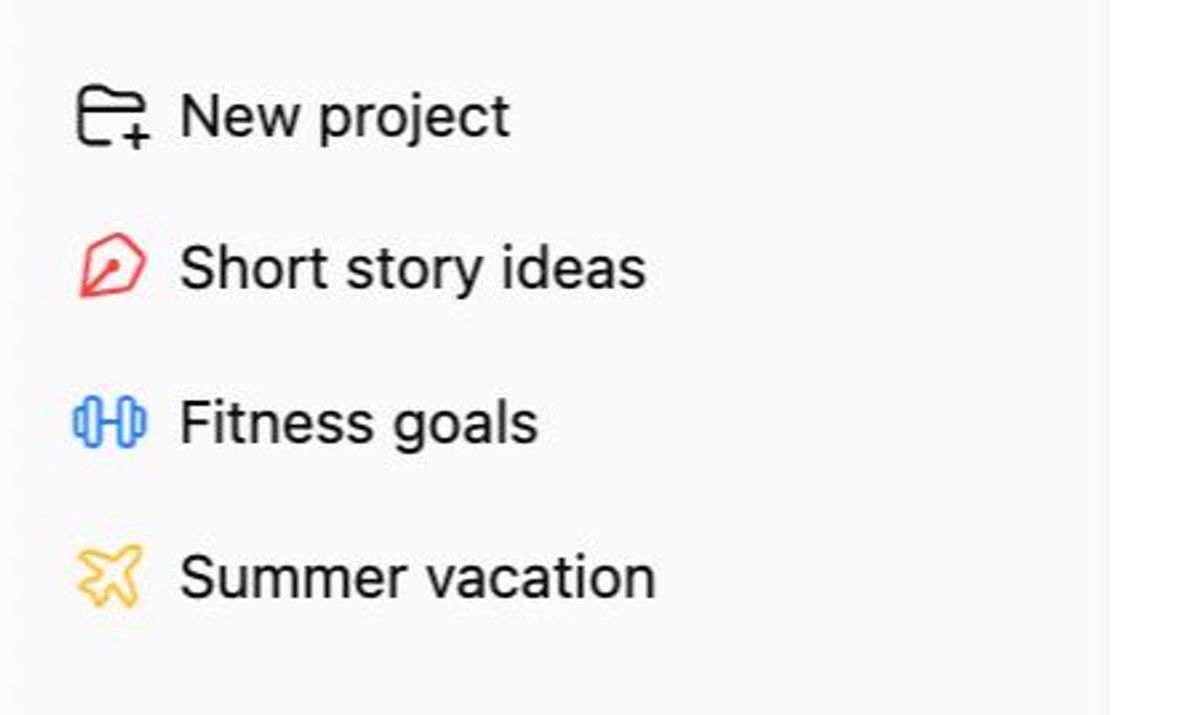
Une limitation importante est que le mode Étude est actuellement conçu pour les conversations de chat régulières ou temporaires plutôt que pour les conversations GPT ou de Projet. Le comportement du produit peut changer, alors vérifiez les outils disponibles dans votre compte avant de construire un flux de travail semestriel autour de cette combinaison.
Tarification et valeur du plan gratuit de NotebookLM vs ChatGPT
Les deux produits offrent un accès gratuit utile, mais leur valeur gratuite apparaît à différents endroits. NotebookLM Standard est exceptionnellement performant pour les étudiants dont le besoin principal est de collecter des sources, de poser des questions fondées et de générer des artefacts d'étude.
ChatGPT Free fournit un assistant général plus large, mais les messages, les modèles, les téléchargements et les outils avancés ont des limites dépendantes du plan. Pendant une période d'examen, le problème pratique peut être le plafond d'utilisation plutôt que l'existence technique d'une fonctionnalité.
| Question de valeur | NotebookLM | ChatGPT |
|---|---|---|
| Puis-je commencer gratuitement ? | Oui | Oui |
| Meilleure utilisation gratuite | Étudier une collection de sources définie | Explications, questions, travail léger sur les fichiers, assistance générale |
| Principale raison de passer à la version supérieure | Limites plus élevées pour les carnets, les sources, les chats et les artefacts ; partage premium ou personnalisation | Accès à des modèles et outils plus performants, plus de messages et de téléchargements, flux de travail avancés plus larges |
| Écosystème payant | Google AI et plans Workspace ou Éducation éligibles | Plans Go, Plus, Pro, Business, Edu et Enterprise |
| Qui pourrait ne pas avoir besoin de payer | Étudiants avec un ensemble de lectures gérable | Étudiants ayant des besoins occasionnels en tutorat |
| Qui ressent les limites en premier | Utilisateurs intensifs de plusieurs cours ou d'artefacts à grand volume | Utilisateurs fréquents de modèles avancés, de téléchargements, de recherche ou d'analyse |
Le prix de l'abonnement seul n'identifie pas la meilleure valeur. Un étudiant en littérature avec 30 lectures assignées peut tirer davantage de la capacité de source gratuite de NotebookLM, tandis qu'un étudiant en ingénierie qui a besoin d'une résolution de problèmes interactive quotidienne peut justifier un plan ChatGPT payant.
Les prix régionaux, les taxes, les licences institutionnelles et l'accès promotionnel varient. Comparez la page de paiement et les limites d'utilisation exactes affichées dans votre compte plutôt que de vous fier à une ancienne capture d'écran.
Quel outil est le meilleur pour votre matière ?
Différentes matières créent différentes exigences en matière de preuves et de pratique.
| Matière ou style d'apprentissage | Meilleur choix par défaut | Raison |
|---|---|---|
| Histoire et sciences humaines | NotebookLM | Fort pour comparer les lectures, les thèmes et les passages de sources primaires |
| Revue de littérature | NotebookLM | Synthèse inter-articles et traçabilité des citations plus faciles |
| Droit et politique | NotebookLM | Utile lorsque les réponses doivent rester liées aux cas, statuts ou textes assignés |
| Médecine et sciences de la santé | Les deux | NotebookLM pour les sources de cours ; ChatGPT pour l'explication et la pratique, avec une vérification minutieuse |
| Mathématiques | ChatGPT | Meilleure résolution interactive de problèmes et diagnostic des idées fausses |
| Ingénierie | ChatGPT | Raisonnement appliqué, calculs et exemples itératifs plus solides |
| Codage | ChatGPT | Génération de code, débogage, explication et support d'outils |
| Apprentissage des langues | ChatGPT | Conversation, correction, jeu de rôle et pratique adaptative |
| Apprentissage auditif | NotebookLM | Les aperçus audio transforment le matériel sélectionné en discussions révisables |
| Révision d'examen | Les deux | NotebookLM construit les matériaux ; ChatGPT gère la pratique adaptative |
| Recherche de groupe | Les deux | NotebookLM organise les preuves ; les Projets ChatGPT soutiennent une production collaborative plus large |
Ces recommandations sont des points de départ, pas des règles. Un étudiant en mathématiques effectuant une revue de littérature peut préférer NotebookLM, tandis qu'un étudiant en histoire pratiquant des questions de défense orale peut préférer ChatGPT.
Le meilleur flux de travail peut utiliser les deux
Les étudiants perdent souvent du temps à essayer de forcer un seul outil à effectuer chaque étape. Un flux de travail plus propre sépare le travail sur les sources de la pratique d'apprentissage.
-
Sélectionnez du matériel faisant autorité. Rassemblez les lectures assignées, les références officielles, les notes de cours et les transcriptions qui devraient définir le sujet.
-
Construisez la base de preuves dans NotebookLM. Organisez les sources, posez des questions de comparaison, inspectez les citations et identifiez les désaccords ou les lacunes.
-
Créez des notes vérifiées. Résumez les concepts avec vos propres mots et conservez les liens ou les références de page aux passages originaux.
-
Pratiquez dans ChatGPT. Utilisez le mode Étude ou un chat régulier pour expliquer les concepts, tester la mémorisation, diagnostiquer les erreurs et générer de nouvelles applications à partir des notes vérifiées.
-
Retournez aux preuves originales. Avant de citer, de soumettre ou de faire une affirmation importante, vérifiez la source plutôt que de vous fier à la réponse de l'IA.
Cette division du travail est plus robuste que le transfert d'un résumé généré non vérifié d'un modèle à un autre. NotebookLM devient la salle des preuves ; ChatGPT devient la salle de pratique.
Où Lynote s'intègre pour les matériaux d'étude mixtes
NotebookLM est convaincant pour les carnets centrés sur les sources, tandis que ChatGPT est convaincant pour le tutorat et la création plus large. Lynote AI Note Generator répond à un besoin connexe mais distinct : transformer des entrées d'étude mixtes en notes éditables et liées aux sources, et transporter ces notes dans la prochaine activité d'apprentissage.
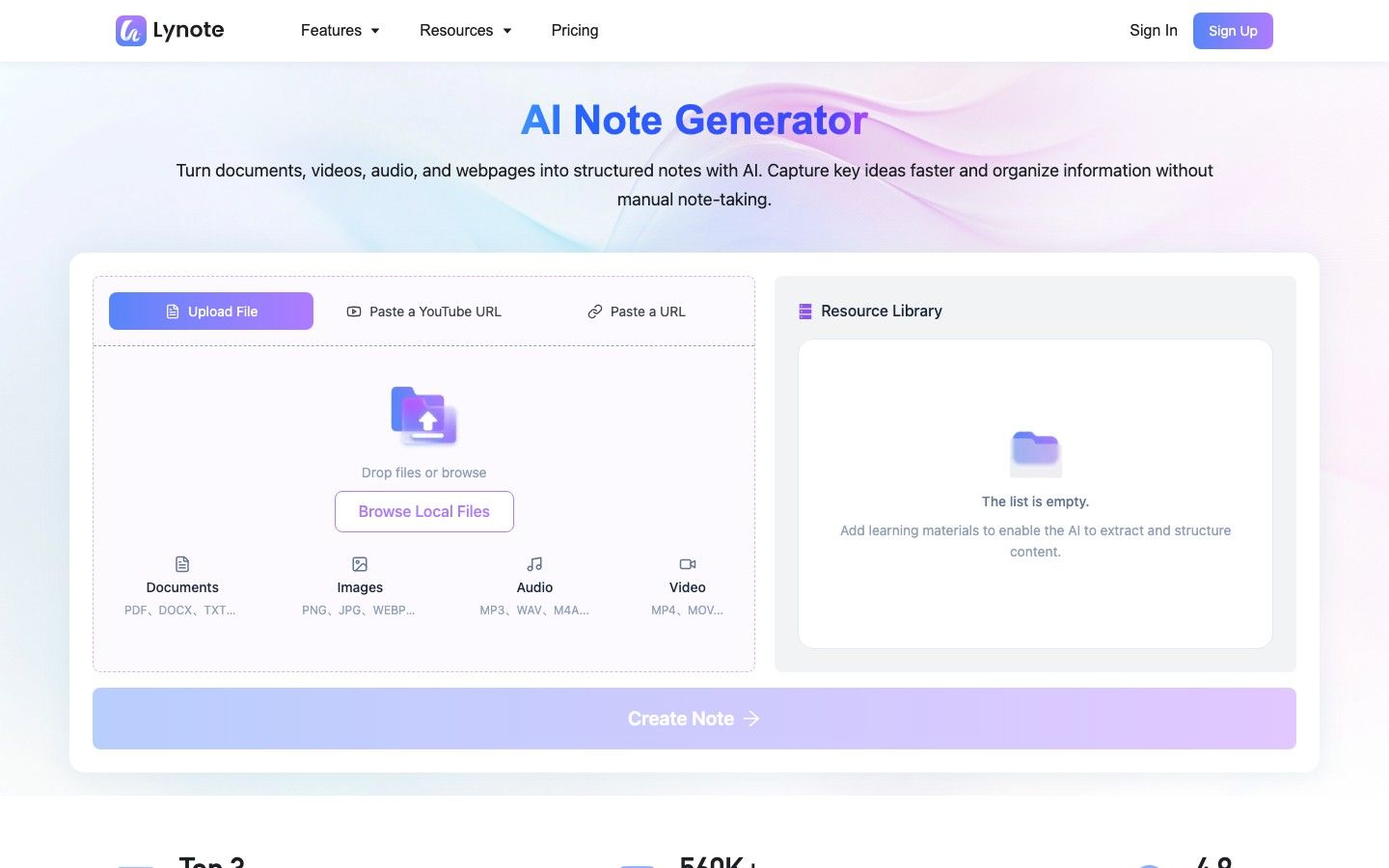
Le flux de travail est utile lorsqu'un cours n'est pas principalement composé de PDF. Lynote peut rassembler des documents, des images, des pages web, de l'audio, de la vidéo et du matériel YouTube, puis générer des notes structurées avec des titres, des puces et des sections liées aux sources.
Comment créer des notes d'étude avec Lynote
- Ajoutez le matériel d'étude. Téléchargez un document, une image, un fichier audio ou vidéo pertinent, ou collez une page web ou une URL YouTube. Lors de l'utilisation d'une URL, analysez-la afin que le contenu puisse être chargé dans l'espace de travail.
-
Créez la note. Exécutez le flux de travail de la note pour transformer la source en sections structurées et en points clés.
-
Examinez et corrigez le résultat. Modifiez la note générée, vérifiez les détails importants par rapport au matériel original et posez des questions de suivi si des éclaircissements sont nécessaires.
-
Réutilisez-la pour une étude active. Exportez ou partagez la note, ou convertissez le matériel en flashcards pour la pratique de la mémorisation.
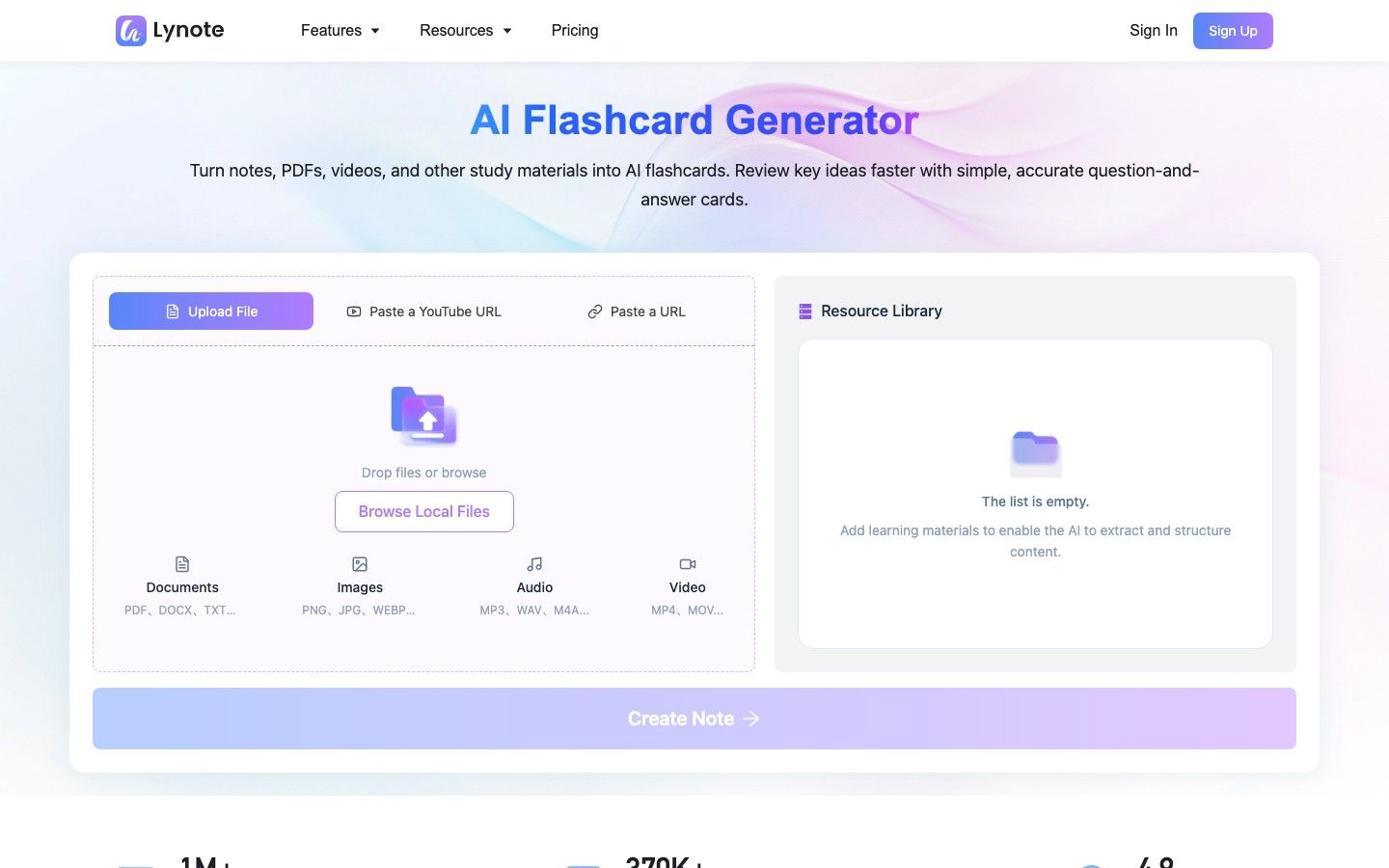
Lynote n'est pas automatiquement meilleur que NotebookLM ou ChatGPT. Son avantage est la continuité du flux de travail pour les apprenants qui souhaitent que les médias mixtes deviennent des notes éditables et des flashcards sans traiter chaque source comme une tâche manuelle distincte.
Limitations, exactitude, confidentialité et intégrité académique
Aucun outil d'étude basé sur l'IA ne devrait devenir l'autorité pour un cours. Les deux produits peuvent mal comprendre un document, manquer de contexte, simplifier à l'excès un argument ou produire une réponse confiante qui ne correspond pas aux attentes de l'instructeur.
L'ancrage réduit un risque, pas tous les risques
L'ancrage aux sources de NotebookLM rend la dérive non supportée plus facile à remarquer, mais il ne valide pas la source et ne garantit pas une interprétation correcte. La flexibilité de ChatGPT crée plus d'opportunités de connexions utiles et plus d'opportunités d'introduire des informations que la tâche n'avait pas demandées.
L'habitude la plus sûre est la même dans les deux outils : inspecter les affirmations importantes, vérifier les citations et les calculs, et garder le matériel original disponible.
Vérifiez les règles de données avant de télécharger
Les dossiers de cours, les recherches non publiées, les transcriptions d'entretiens, les documents de travail et les dossiers d'étudiants peuvent être confidentiels ou protégés par le droit d'auteur. Examinez la politique de votre institution, le type de compte, les paramètres de rétention et les autorisations de partage avant de télécharger du matériel.
Ne supposez pas qu'un compte personnel et un compte géré par une institution ont des contrôles de données identiques. Supprimez le matériel qui n'a pas sa place dans un service tiers.
Utilisez l'IA pour renforcer l'apprentissage, pas le remplacer
Générer un guide d'étude n'est pas la même chose que comprendre le sujet. Si l'outil résume, répond et écrit toujours avant que vous ne tentiez le travail, cela peut réduire la récupération et l'effort qui rendent l'apprentissage durable.
Utilisez des quiz sans révéler la réponse, expliquez les concepts à l'outil, comparez la réponse avec la lecture et enregistrez ce que vous ne pouvez toujours pas expliquer. Ces comportements transforment l'IA d'une machine à réponses en une aide à l'apprentissage.
Les règles académiques varient également. Une école peut autoriser l'IA pour le brainstorming ou l'étude tout en restreignant son utilisation dans les travaux écrits notés, les examens à emporter, les devoirs de codage ou l'analyse de recherche.
FAQ sur NotebookLM vs ChatGPT
NotebookLM est-il meilleur que ChatGPT pour les étudiants ?
NotebookLM est meilleur pour les étudiants qui apprennent à partir d'un ensemble de lectures défini, surtout lorsque les citations et la traçabilité des sources sont importantes. ChatGPT est meilleur pour le tutorat interactif, la résolution de problèmes et l'explication personnalisée.
NotebookLM est-il plus précis que ChatGPT ?
NotebookLM est souvent plus contrôlable lorsque la bonne réponse doit provenir de sources téléchargées. Cela ne le rend pas universellement plus précis car des sources faibles, obsolètes ou incomplètes peuvent toujours produire des réponses faibles.
NotebookLM peut-il remplacer ChatGPT ?
Pas complètement. NotebookLM peut remplacer de nombreuses tâches de questions-réponses sur des documents, de résumé et d'étude basées sur des sources, mais ChatGPT reste plus flexible pour le tutorat, l'écriture, les calculs, le codage et la création ouverte.
Quel outil est le meilleur pour les articles de recherche ?
NotebookLM est généralement meilleur pour lire et comparer une collection d'articles connue. ChatGPT est utile pour développer des questions, explorer au-delà de cette collection, analyser des informations et améliorer le processus de rédaction après que les affirmations ont été vérifiées.
Lequel est le meilleur pour les PDF et les manuels ?
NotebookLM est le choix par défaut le plus solide pour une collection de PDF ou de chapitres de manuels car son flux de travail est centré sur la sélection des sources et les citations. ChatGPT peut être meilleur lorsque vous avez besoin que le matériel soit réenseigné de manière interactive ou appliqué à de nouveaux problèmes.
ChatGPT peut-il faire ce que NotebookLM fait ?
ChatGPT peut télécharger des fichiers, les organiser en Projets, résumer des documents et répondre à des questions à leur sujet. NotebookLM offre toujours un carnet de sources plus spécialisé, avec une navigation de citation plus stricte et des artefacts d'étude natifs tels que les aperçus audio, les cartes mentales, les flashcards et les quiz.
NotebookLM est-il gratuit ?
Oui. NotebookLM dispose d'un niveau Standard gratuit avec des limites sur les carnets, les sources, les chats et les artefacts générés, ainsi que des limites plus élevées via les plans Google payants éligibles.
Dois-je utiliser NotebookLM et ChatGPT ensemble ?
Oui, lorsque la tâche inclut à la fois une lecture riche en preuves et une pratique active. Utilisez NotebookLM pour organiser et vérifier la base de sources, puis utilisez ChatGPT pour expliquer, interroger, défier et vous aider à appliquer les idées vérifiées.
Verdict final
NotebookLM l'emporte lorsque la tâche d'apprentissage est définie par un ensemble de preuves. C'est le meilleur choix pour les longs packs de lecture, la comparaison inter-sources, le traçage des citations et la génération rapide d'artefacts d'étude basés sur les sources.
ChatGPT l'emporte lorsque les progrès dépendent de l'interaction. C'est le meilleur choix pour les explications adaptatives, les questions socratiques, la résolution de problèmes, le diagnostic des erreurs, l'écriture, le codage et la création plus large.
Pour de nombreux étudiants sérieux, la meilleure réponse n'est pas NotebookLM ou ChatGPT. C'est un transfert délibéré : établir ce que disent les sources dans NotebookLM, puis pratiquer ce que vous pouvez faire avec ces connaissances dans ChatGPT.

Écrit par Danny
Responsable Marketing Produit
Danny explique comment les fonctionnalités de Lynote s'intègrent dans de vrais flux de travail, de la productivité quotidienne aux cas d'utilisation de rédaction axée sur le produit. Voir tous les articles →