

Humaniseur de paragraphe gratuit en ligne
Contenu
Résultat

Votre résultat humanisé apparaîtra ici. Pour commencer, collez votre texte généré par IA dans la zone de gauche.



Pourquoi utiliser l'humaniseur de paragraphe de Lynote ?

Humanisez les paragraphes gratuitement
La limite gratuite de l'humaniseur de paragraphe vous donne jusqu'à 600 mots par requête, ce qui est suffisant pour les paragraphes de corps de texte, les sections d'e-mail, les réponses courtes et les passages générés par l'IA.

Travaillez à partir de texte collé ou de fichiers
Collez le texte que vous souhaitez corriger, ou téléchargez un fichier PDF, DOC, DOCX ou TXT et extrayez le passage qui a réellement besoin d'être réécrit.

Humanisez les paragraphes multilingues
Utilisez Lynote dans plus de 80 langues lorsque vous avez besoin d'humaniser gratuitement un paragraphe, d'adoucir une formulation traduite ou de rendre une courte section moins littérale.

Corrigez uniquement les sections faibles
Utilisez cet outil gratuit d'humanisation de paragraphe IA lorsque certaines parties de votre brouillon semblent automatisées mais que le reste fonctionne déjà. Réécrivez les sections faibles sans aplatir l'ensemble du document.

Commencez sans compte
Lorsque la date limite approche, collez le texte et humanisez ce paragraphe sans créer de compte pour une utilisation de base.

Commentaires après la réécriture
Après la réécriture, le rapport d'authenticité instantané fournit des commentaires sur les signaux de détection prédits afin que vous puissiez décider ce qui nécessite encore une édition humaine.

Réparez le rythme des phrases
Ce réécrivain de paragraphe humanisé divise les phrases de même longueur, supprime les transitions d'IA évidentes et rend chaque ligne plus fluide vers la suivante.

Gestion attentive des brouillons
L'humanisateur de paragraphes IA est conçu pour gérer attentivement les textes collés et les fichiers téléchargés, surtout lorsque vous éditez des brouillons scolaires, professionnels ou de clients.

Qu'est-ce qu'un humanisateur de paragraphes ?
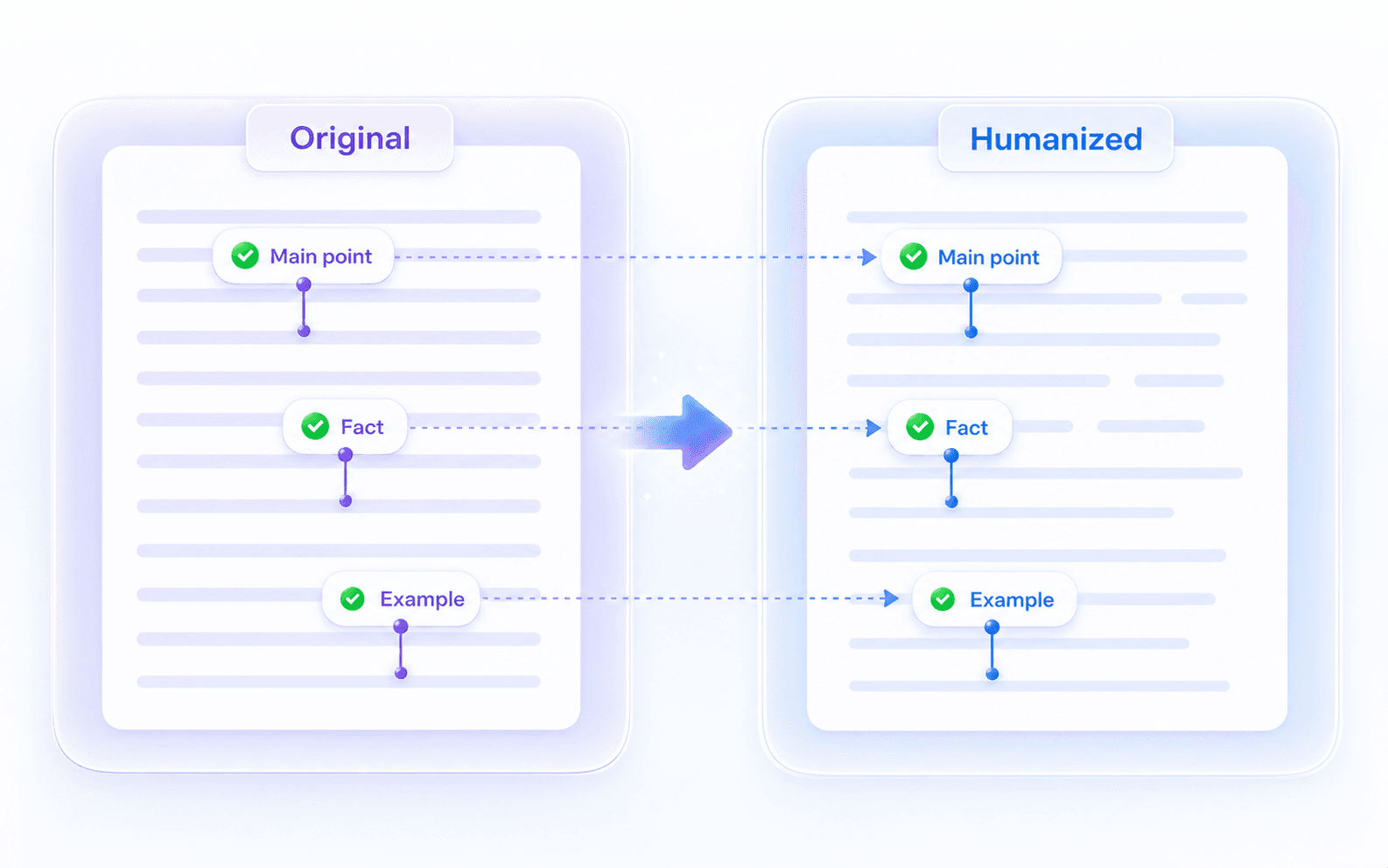
Humanisez les paragraphes sans perdre le sens
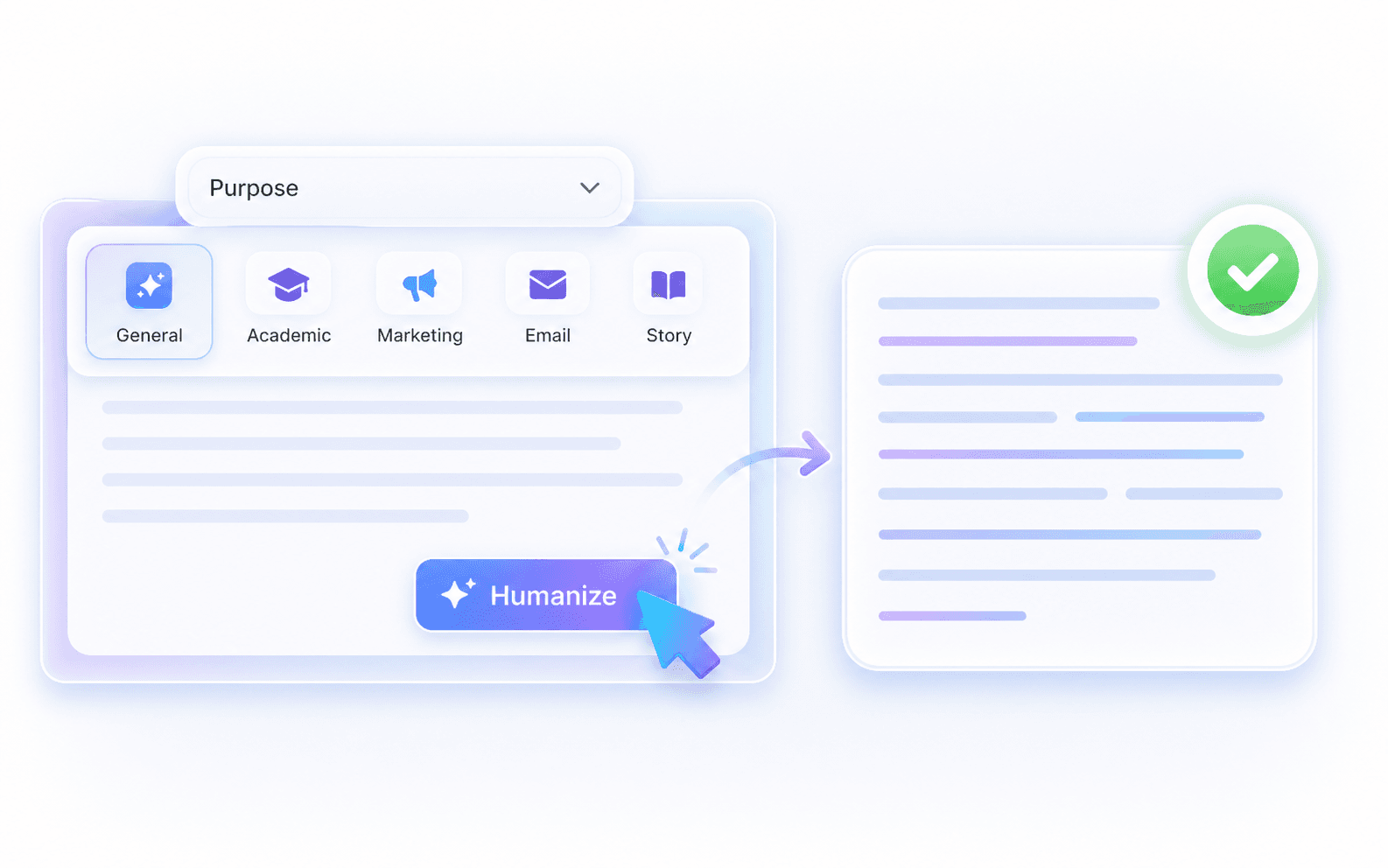
Réécritures de paragraphes basées sur l'objectif
Comment humaniser des paragraphes en 3 étapes

Collez votre texte
Collez le texte qui semble rigide, répétitif, trop formel ou manifestement assisté par l'IA. Vous pouvez également télécharger un fichier pris en charge et sélectionner le passage dans la limite de 600 mots de la requête gratuite.


Humanisez le texte
Choisissez un objectif tel que Général, Académique, Marketing, Affaires, Essai, E-mail, Juridique ou Histoire, puis cliquez sur Humaniser pour générer une version plus claire.

Vérifiez et copiez
Comparez la réécriture avec votre texte original. Conservez les formulations plus percutantes, restaurez toute formulation requise, puis copiez la version qui ressemble toujours à votre document.
Humanisez les paragraphes où une section compte

Paragraphes de corps d'essai
Humanisez gratuitement un paragraphe lorsqu'une section d'essai contient les bonnes preuves mais semble trop rigide pour le reste du document.
Humanisez gratuitement un paragraphe lorsqu'une section d'essai contient les bonnes preuves mais semble trop rigide pour le reste du document.

Introductions et conclusions de blog
Remplacez les introductions génériques, les transitions répétées ou les conclusions IA soignées par un paragraphe qui semble écrit pour le lecteur réel.
Remplacez les introductions génériques, les transitions répétées ou les conclusions IA soignées par un paragraphe qui semble écrit pour le lecteur réel.

Textes de produits et publicitaires
Humanisez une description de produit ou un paragraphe de campagne afin que l'avantage semble spécifique sans modifier les affirmations, les prix ou les offres approuvés.
Humanisez une description de produit ou un paragraphe de campagne afin que l'avantage semble spécifique sans modifier les affirmations, les prix ou les offres approuvés.

Lettres de motivation et biographies
Utilisez cet humanisateur pour réécrire mes paragraphes sur les sections d'expérience, de biographie ou de lettre de motivation afin qu'elles semblent confiantes au lieu d'être copiées d'un modèle.
Utilisez cet humanisateur pour réécrire mes paragraphes sur les sections d'expérience, de biographie ou de lettre de motivation afin qu'elles semblent confiantes au lieu d'être copiées d'un modèle.
Texte court traduit
Humaniser le texte des paragraphes qui a été traduit trop littéralement, surtout lorsque le sens est correct mais que le rythme anglais semble peu naturel.
Humaniser le texte des paragraphes qui a été traduit trop littéralement, surtout lorsque le sens est correct mais que le rythme anglais semble peu naturel.
Sections prêtes pour le client
Peaufiner une section destinée au client avant la livraison afin qu'elle corresponde au brief, à la proposition ou à la voix de la marque environnants.
Peaufiner une section destinée au client avant la livraison afin qu'elle corresponde au brief, à la proposition ou à la voix de la marque environnants.
Qui utilise un humanisateur de paragraphes ?

Étudiants et chercheurs
Utilisez l'humanisateur de paragraphes gratuit lorsque les paragraphes de recherche, d'essai ou de devoir contiennent des preuves solides mais nécessitent une meilleure fluidité.

Éditeurs de contenu
Humanisez ce paragraphe lorsqu'une introduction, un résumé ou une mise à jour semble trop générique pour votre public.

Marketeurs e-commerce
Humanisez les textes courts générés par l'IA dans les descriptions de produits, les sections de pages de destination et les paragraphes de campagne tout en conservant l'exactitude des détails commerciaux.

Demandeurs d'emploi
Utilisez un humanisateur de paragraphes IA sur les sections qui expliquent votre expérience, vos réalisations ou votre motivation.

Rédacteurs non natifs
Fluidifiez les courts paragraphes en anglais lorsque le message est correct mais que la formulation semble traduite ou trop formelle.

Rédacteurs indépendants
Utilisez un humanisateur de paragraphes IA pour aligner les sections brutes avec le ton préféré d'un client avant d'envoyer le brouillon.
Réécritures de paragraphes dans des flux de travail réels

Étudiante diplômée

"J'avais un paragraphe de revue de littérature qui semblait copié-collé d'un autre brouillon. Lynote l'a fait correspondre au reste de mon article tout en gardant mes sources en vue."

Rédacteur de contenu
"L'objectif Marketing m'a aidé avec une introduction de blog de 150 mots qui utilisait constamment le même modèle de transition. J'ai seulement eu à corriger ce paragraphe, pas à recommencer l'article."

Marketeuse e-commerce
"Cet outil gratuit d'humanisation de paragraphe est utile pour les courts textes de présentation de produits. Il rend nos accroches moins génériques tout en nous aidant à conserver les affirmations approuvées inchangées."

Demandeur d'emploi
"Cet outil gratuit d'humanisation de paragraphe par IA m'a aidé à réécrire la partie la plus faible de ma lettre de motivation. Les chiffres sont restés, mais le paragraphe sonnait enfin comme moi."

Rédacteur non natif
"J'utilise ce réécrivain de paragraphe pour l'humaniser lorsque ma biographie en anglais semble traduite. La réécriture conserve mes détails mais rend le paragraphe plus facile à lire."

Consultant indépendant
"L'objectif « E-mail » est bon pour les messages clients. Il a nettoyé un paragraphe de 150 mots sans que la note entière ne semble trop rédigée."
Foire aux questions
Un outil d'humanisation de paragraphe est un outil de réécriture ciblé pour les paragraphes et les courts passages. Il est utile lorsque l'idée est bonne mais que la formulation semble rigide, répétitive, traduite ou générée par l'IA.
Collez votre texte, choisissez un objectif si nécessaire, et cliquez sur Humaniser. Comparez ensuite le résultat avec l'original avant de remplacer le texte dans votre brouillon.
Oui, l'utilisation de base ne nécessite aucune inscription. Le niveau gratuit vous permet de traiter jusqu'à 600 mots par requête.
Un reformulateur se concentre souvent sur des formulations alternatives. Un outil d'humanisation de paragraphe se concentre sur l'ensemble du passage : la phrase thématique, la fluidité, les transitions, le rythme et l'intégration du paragraphe dans le brouillon environnant.
Il est conçu pour conserver votre idée principale, les noms et les faits tout en améliorant la formulation. Vous devez toujours vérifier les citations, les chiffres et la terminologie requise.
Oui, il fonctionne bien pour humaniser les textes courts générés par l'IA tels que les introductions d'e-mails, les légendes de médias sociaux, les accroches de produits et les courtes biographies professionnelles.
Utilisez Général pour les paragraphes courants, Académique ou Essai pour les écrits scolaires, Marketing pour les textes de produits, Affaires ou E-mail pour les messages professionnels, Juridique pour les formulations formelles, et Histoire pour les textes narratifs.
Vous pouvez réécrire du texte dans plus de 80 langues. Si vous préférez télécharger des fichiers plutôt que de les coller, nous prenons en charge les formats .pdf, .doc, .docx et .txt.
Votre texte est traité via le flux de travail de réécriture sécurisé de Lynote. Évitez de coller des informations très sensibles et examinez le paragraphe final avant de l'utiliser dans un cadre public ou professionnel.
Non. Bien que l'outil améliore la lisibilité et supprime les schémas robotiques courants, il s'agit d'une aide à l'édition, et non d'un outil de contournement garanti. Lynote fournit un rapport d'authenticité instantané afin que vous puissiez examiner les scores prédits et effectuer des ajustements manuels.


