Обзор приложения для заметок Evernote для более умных заметок

Приложение для заметок Evernote по-прежнему является одним из самых узнаваемых инструментов для сохранения идей, вырезания веб-страниц, организации блокнотов и управления личными знаниями. Но если ваша основная цель — превращать видео, PDF-файлы, лекции, веб-страницы и аудио в структурированные заметки, традиционного приложения для заметок может быть недостаточно. В этом обзоре объясняется, где Evernote работает хорошо, где оно может показаться ограниченным, и как Lynote AI Note Generator предоставляет пользователям более ориентированный на ИИ способ создания заметок из реальных исходных материалов.
Краткий вердикт: Является ли Evernote по-прежнему хорошим приложением для заметок?
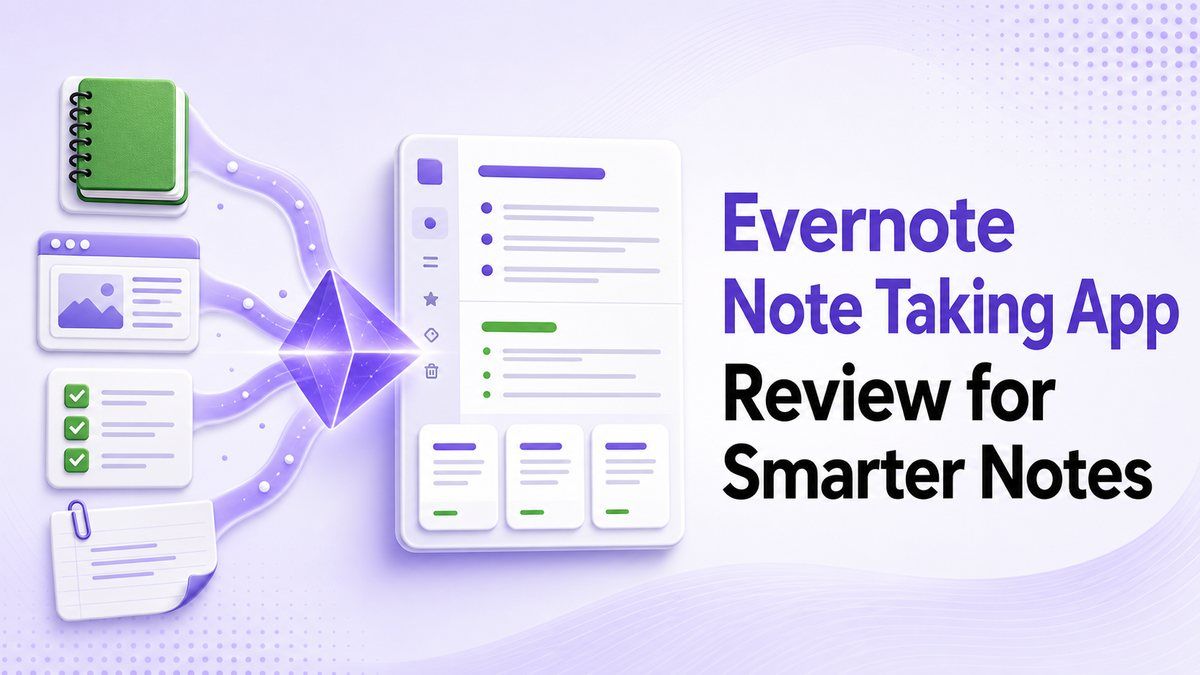
Приложение для заметок Evernote полезно, если вам нужна долгосрочная система блокнотов для личных заметок, задач, веб-клипов и контента с возможностью поиска. Официальный сайт Evernote позиционирует его как место для хранения заметок, задач и расписаний вместе, с такими функциями, как блокноты, пространства, поиск, задачи, календарь, веб-клиппер, совместная работа и функции ИИ.
Однако лучший инструмент зависит от вашего рабочего процесса. Если вы вручную пишете заметки и хотите организовать их со временем, Evernote может быть полезен. Если вы хотите, чтобы ИИ генерировал структурированные заметки из документов, видео, аудио, изображений, веб-страниц или ссылок YouTube, Lynote AI Note Generator создан более непосредственно для этой задачи.
Что хорошо делает приложение для заметок Evernote
Приложение для заметок Evernote наиболее эффективно как система хранения и организации. Вы можете создавать блокноты, сохранять онлайн-заметки, вырезать веб-контент, сканировать документы, искать по сохраненным материалам и держать задачи рядом с заметками. Это полезно для людей, которые уже знают, что хотят написать, и просто нуждаются в надежном месте для хранения.
Онлайн-заметки Evernote также полезны для доступа с разных устройств. Вы можете сохранить мысль на одном устройстве и вернуться к ней позже с другого. Для пользователей, которым нравится классическая структура блокнота, рабочие процессы приложения Evernote по-прежнему кажутся знакомыми и надежными.

Что нужно знать перед использованием Evernote для создания заметок с помощью ИИ
Создание заметок в Evernote отличается от создания заметок с помощью ИИ. В традиционном рабочем процессе вы по-прежнему решаете, что захватить, как это резюмировать, какие детали важны и как структурировать окончательную заметку. Функции ИИ могут помочь с производительностью, но основной опыт по-прежнему сосредоточен на организации заметок, которые вы создаете или собираете.
Это важно, если ваши источники длинные. Запись лекции, исследовательский PDF, учебное пособие на YouTube, видеозапись встречи или веб-страница часто требуют больше, чем пустая заметка. Вам может понадобиться инструмент, который извлекает основные идеи, создает заголовки, определяет ключевые детали и предоставляет заметку, которую вы можете сразу редактировать.
Evernote против Lynote: Сравнение функций
| Функция | Evernote | Lynote AI Note Generator |
|---|---|---|
| Лучше всего подходит для | Хранения и организации заметок | Генерации заметок из исходных материалов |
| Стиль ввода | Ручные заметки, вырезки, сканы, сохраненный контент | Документы, аудио, видео, изображения, веб-страницы, ссылки YouTube |
| Структура заметок | Созданная пользователем или на основе шаблона | Заголовки, маркированные списки и разделы, сгенерированные ИИ |
| Учебный процесс | Заметки, задачи, организация | Заметки, вопросы и ответы, а также флеш-карточки |
| Обработка источников | Хорошо для сохранения контента | Создан для обработки исходного контента в заметки |
| Идеальный пользователь | Пользователи для личной продуктивности | Студенты, исследователи, создатели и специалисты, работающие с длинными источниками |
Приложение для заметок Evernote — неплохой выбор. Оно просто оптимизировано для другого этапа рабочего процесса. Lynote более полезен, когда вы хотите, чтобы первый черновик заметки создавался из вашего контента автоматически.

Как работает создание заметок в Evernote
Шаг 1. Создайте или захватите заметку
В Evernote вы обычно начинаете с создания заметки, вырезания веб-страницы, сканирования документа или сохранения фрагмента контента. Это делает приложение для заметок Evernote полезным для повседневного захвата информации. Оно хорошо работает, когда вы уже знаете информацию, которую хотите сохранить.
Ограничение заключается в том, что захват — это не то же самое, что понимание. Если вы сохраняете длинную статью или конспект лекции, вам все равно может потребоваться самостоятельно резюмировать и реорганизовать информацию. Эта дополнительная работа может замедлить студентов, исследователей и занятых специалистов.
Шаг 2. Организуйте заметки в блокноты
Рабочие процессы приложения для заметок Evernote сильно зависят от блокнотов, тегов и поиска. Это хорошо для людей, которым нравится поддерживать личный архив. Вы можете группировать идеи по классу, проекту, клиенту или теме.
Но организация становится сложнее, когда содержимое заметки беспорядочно. Скопированная стенограмма, черновая заметка о встрече или вставленный отрывок исследования могут потребовать очистки, прежде чем станут полезными. Именно здесь создание заметок с помощью ИИ может сэкономить время.
Шаг 3. Поиск, объединение или повторное использование заметок
Поиск Evernote помогает пользователям быстро находить старые материалы. Некоторые пользователи также объединяют заметки, когда связанная информация распределена по нескольким записям. Это может помочь консолидировать контент, но объединенный результат все равно может потребовать редактирования.
Распространенная поисковая фраза: "evernote setting merge notes features remove titles in merged content" (настройки Evernote объединение заметок функции удаление заголовков в объединенном контенте). Это отражает реальную проблему пользователей: люди хотят, чтобы объединенные заметки были чище и менее повторяющимися. Даже когда заметки можно объединить, пользователи все равно могут хотеть лучшей структуры, меньшего количества повторяющихся заголовков и более отполированного конечного результата.
Где Evernote может показаться ограниченным
Приложение для заметок Evernote лучше всего работает, когда ваша информация уже готова к записи. Если вы делаете заметки из учебника, встречи или быстрой идеи, это хорошо. Если вы пытаетесь превратить 40-минутное видео на YouTube или плотный PDF-файл в организованные заметки, рабочий процесс может стать ручным.
Онлайн-заметки Evernote также не всегда являются самым быстрым путем от исходного материала к готовым для обзора знаниям. Вам может потребоваться скопировать контент, резюмировать его, отредактировать заголовки, удалить повторяющийся текст и решить, что стоит сохранить. Для интенсивных учебных процессов Lynote кажется более прямым решением.
Улучшенный рабочий процесс: Сначала генерируйте заметки с помощью Lynote
Lynote AI Note Generator разработан для пользователей, которые не хотят начинать с пустой заметки. Вы можете загружать документы, видео, аудио, изображения или вставлять веб-страницы и ссылки YouTube. Затем Lynote создает структурированные заметки с заголовками, маркированными списками и организованными разделами.

Это делает его полезным для студентов, просматривающих лекции, исследователей, читающих статьи, создателей, изучающих видео, и специалистов, обрабатывающих встречи или отчеты. Вместо того чтобы сначала сохранять контент, а затем резюмировать его, вы можете сразу превратить контент в пригодную для использования заметку.
Как использовать Lynote в качестве альтернативы Evernote для заметок с ИИ
Шаг 1. Добавьте исходный контент
Откройте Lynote AI Note Generator и добавьте свой материал. Вы можете загрузить файлы или вставить URL-адрес YouTube или веб-страницы, в зависимости от того, что вы хотите превратить в заметки. Это полезно, когда ваш источник еще не является чистой письменной заметкой.
В отличие от стандартного рабочего процесса приложения для заметок Evernote, источником может быть видео, аудиофайл, документ, изображение, веб-страница или ссылка YouTube. Это дает Lynote более сильную отправную точку для современных привычек обучения и исследований. Вы предоставляете контент, а Lynote готовит его для генерации заметок.
Шаг 2. Создайте структурированные заметки с ИИ
Нажмите «Создать заметку», чтобы Lynote мог обработать исходный материал. Результат организован в заголовки, маркированные списки и четкие разделы. Это помогает вам просматривать ключевые идеи без ручного переписывания всего источника.
Это особенно полезно для длинного контента. Лекция, учебное пособие, отчет или интервью могут содержать полезные детали, которые легко упустить. Lynote помогает превратить этот исходный материал в заметку, которую легче сканировать, редактировать и повторно использовать.
Шаг 3. Редактируйте, задавайте вопросы или превращайте заметки во флеш-карточки
После создания заметки вы можете редактировать ее в рабочем пространстве. Вы также можете задавать дополнительные вопросы о содержимом или преобразовывать заметки во флеш-карточки для активного запоминания.

Это делает Lynote больше, чем просто место для хранения.
Создание заметок в Evernote хорошо подходит для долгосрочной организации, но Lynote сильнее, когда цель состоит в обучении на основе исходного материала. Если вам нужны учебные заметки, карточки для повторения или быстрое понимание, заметки, сгенерированные ИИ, могут сократить ручную работу.
Когда следует выбрать Evernote?
Выберите приложение для заметок Evernote, если вам нужен знакомый цифровой блокнот для личной организации. Оно хорошо подходит для сохранения идей, вырезания веб-страниц, ведения списков задач и поддержания долгосрочного архива. Если ваш рабочий процесс в основном состоит из написания и организации собственных заметок, Evernote все еще может быть полезен.
Рабочие процессы приложения Evernote также полезны для пользователей, у которых уже есть система. Если ваши блокноты, теги и шаблоны работают, возможно, нет причин полностью переключаться. Лучший вопрос — нужен ли вам второй инструмент для создания заметок с помощью ИИ.
Когда следует выбрать Lynote?
Выберите Lynote, если ваши заметки обычно начинаются с исходного материала. Студенты могут загружать файлы лекций, исследователи могут обрабатывать PDF-файлы, создатели могут резюмировать видео с YouTube, а специалисты могут превращать встречи в организованные заметки. В таких случаях генерация заметок с помощью ИИ быстрее, чем начало с чистого листа.
Lynote не предназначен для замены всех привычек ведения личных блокнотов. Его сила заключается в превращении необработанного контента в структурированные заметки, которые вы можете редактировать, задавать вопросы, экспортировать или преобразовывать во флеш-карточки. Если вы часто резюмируете материал перед его хранением, Lynote может быть использован перед вашим окончательным архивом заметок.
Evernote и Lynote могут работать вместе
Вам не нужно рассматривать это как решение «или-или». Некоторые пользователи могут сначала использовать Lynote для генерации структурированных заметок, а затем перемещать окончательные заметки в Evernote для долгосрочной организации. Это дает вам скорость ИИ в начале и знакомую систему блокнотов в конце.
Этот рабочий процесс практичен, если вам уже нравятся онлайн-заметки Evernote, но вы не любите вручную резюмировать все. Lynote обрабатывает этап от источника к заметке. Evernote может оставаться местом, где хранятся отполированные заметки, если это соответствует вашей рутине.
Часто задаваемые вопросы о приложении для заметок Evernote
Является ли Evernote хорошим приложением для заметок?
Да, Evernote — хорошее приложение для заметок, предназначенное для захвата, организации, поиска и хранения заметок. Оно особенно полезно для пользователей, которым нравятся блокноты, веб-клиппинг, задачи и кросс-устройственный доступ. Оно может показаться менее прямым, если ваша основная потребность — заметки, сгенерированные ИИ из видео, аудио, PDF-файлов или веб-страниц.
Какая лучшая альтернатива Evernote для заметок с ИИ?
Lynote — сильная альтернатива, когда вы хотите, чтобы ИИ генерировал структурированные заметки из исходного контента. Он поддерживает документы, аудио, видео, изображения, веб-страницы и ссылки YouTube. Главное преимущество в том, что он начинает с вашего материала и автоматически создает организованные заметки.
Может ли Evernote объединять заметки?
В Evernote есть рабочие процессы для объединения или организации связанных заметок, но пользователям все равно может потребоваться вручную очищать объединенный контент. Поисковые запросы, такие как "evernote setting merge notes features remove titles in merged content" (настройки Evernote объединение заметок функции удаление заголовков в объединенном контенте), показывают, что люди часто хотят большего контроля над тем, как выглядят объединенные заметки. Если вам нужен чистый, структурированный ИИ-вывод, создание новой заметки в Lynote может быть проще.
Полезны ли онлайн-заметки Evernote для студентов?
Онлайн-заметки Evernote могут быть полезны для студентов, которые хотят хранить конспекты лекций, ссылки на исследования, контрольные списки и учебные материалы. Однако студентам, работающим с лекциями, видео с YouTube, PDF-файлами или записями, может потребоваться большая автоматизация. Lynote может помочь превратить эти источники в структурированные учебные заметки и флеш-карточки.
Lynote лучше, чем Evernote?
Lynote лучше подходит для генерации заметок из исходного материала, в то время как Evernote более известен как традиционный архив заметок. Лучший выбор зависит от вашей задачи. Если вам нужно быстро создавать структурированные заметки из контента, Lynote — более целенаправленный вариант.
Окончательный вердикт
Приложение для заметок Evernote остается полезным для хранения, организации и поиска заметок, но это не всегда самый быстрый способ создания заметок из длинных исходных материалов. Если ваш рабочий процесс начинается с PDF-файлов, видео, аудио, веб-страниц или ссылок YouTube, Lynote AI Note Generator может помочь вам быстрее перейти от необработанного контента к структурированным заметкам. Используйте Evernote для организации, если вам это нравится, но используйте Lynote, когда вы хотите, чтобы ИИ сначала создал заметки.

Автор: Danny
Менеджер по продуктовому маркетингу
Дэнни объясняет, как функции Lynote вписываются в реальные рабочие процессы: от повседневной продуктивности до сценариев использования для создания продуктового контента. Все статьи →