8 Best AI Homework Helpers in 2026: Compared for Students

AI homework helpers can make studying less frustrating when they explain a problem clearly instead of only giving a final answer. The useful ones help you break down a question, understand the concept, and turn messy class materials into something you can actually review.

The hard part is choosing the right tool. Some AI homework apps are strong for math photos, some are better for PDFs, and some work more like study assistants than answer machines.
This guide compares eight AI homework helpers for students in 2026, with a focus on input options, explanation quality, study workflow, limitations, and who each tool fits best.
Quick Comparison of the Best AI Homework Helpers
| Tool | Best For | Strongest Input Types | Best Fit | Free Option |
|---|---|---|---|---|
| Lynote | Turning class materials into notes, summaries, and study support | Documents, images, audio, video, YouTube URLs, webpages | Students who want to understand and organize source material | Yes |
| EduBrain | Quick homework explanations | Text, images, PDFs, audio | Students who want fast question help | Yes |
| Mindko | Browser-based homework and LMS workflows | Webpage text, screenshots, course materials | Students who work inside learning platforms | Trial or paid access varies |
| NoteGPT | Simple online homework Q&A | Text, images, PDFs | Students who want a lightweight free helper | Yes |
| UPDF | Studying with long PDFs | PDFs, text, images | Students who work from readings and handouts | Yes |
| Decopy | Photo-based math and scanned homework | Images and text | Students who start from screenshots or photos | Yes |
| Gauth | Math, STEM, and visual explanations | Images and text | Students who want photo solving plus visual learning | Yes |
| StudyMonkey | General homework questions | Text and images | Students who want a simple question box | Yes |
How to Choose an AI Homework Helper
The best AI homework helper is not always the one that answers fastest. For schoolwork, the better question is whether the tool helps you understand the steps well enough to solve a similar problem later.
Use these criteria before choosing:
| Criteria | Why It Matters |
|---|---|
| Step-by-step explanations | Helps you learn the method, not just copy the answer. |
| Input support | Photos, PDFs, videos, and notes matter if your homework does not start as clean text. |
| Subject fit | Math solvers, PDF assistants, and general tutors solve different problems. |
| Follow-up support | Lets you ask why a step works or where your mistake happened. |
| Study workflow | Notes, summaries, flashcards, and saved history help with review. |
| Academic integrity | The tool should support learning, not replace your own work. |
1. Lynote - Best for Turning Homework Materials Into Study Output
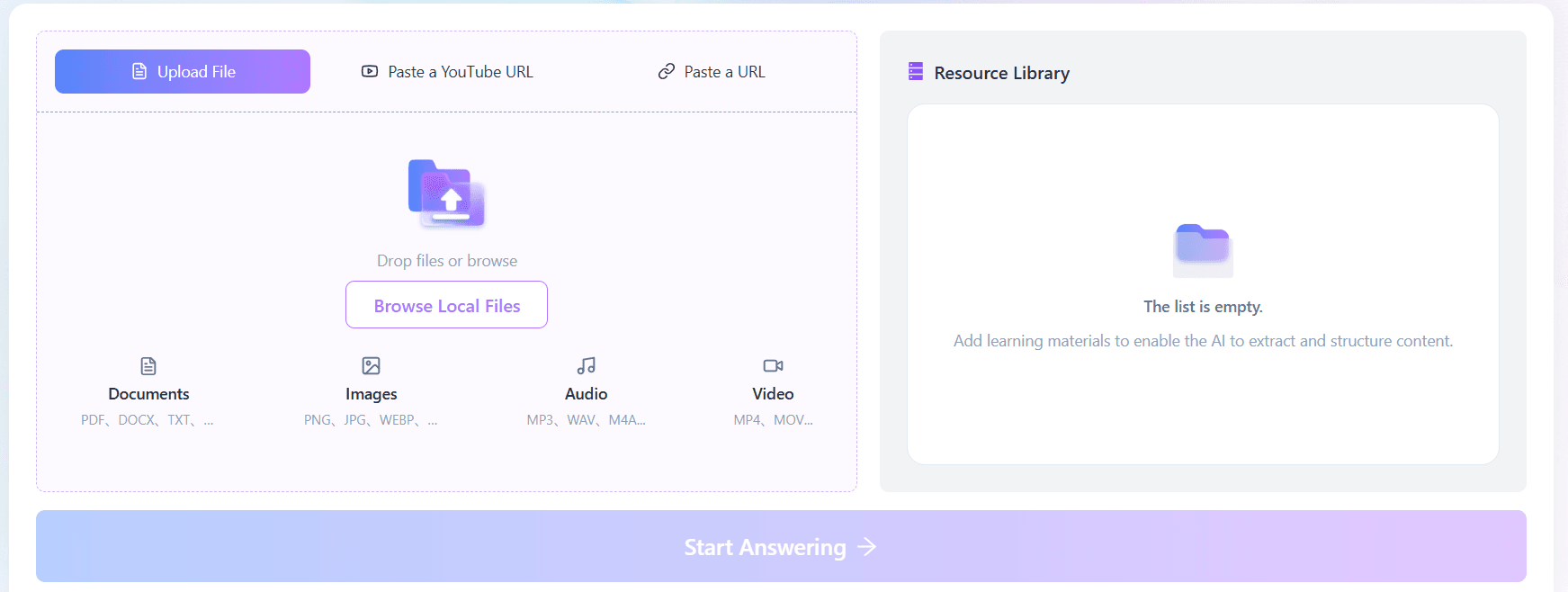
Lynote works best when your homework is connected to source material: lecture slides, textbook PDFs, YouTube lessons, recorded classes, images, or webpages. Instead of treating homework as one isolated question, Lynote helps you turn those materials into structured notes, summaries, and study outputs you can review later.
That makes it especially useful for students who need to understand a concept before answering. You can upload or paste learning materials, generate organized notes, summarize long content with Lynote AI Summarizer, and turn key concepts into flashcards with Lynote AI Flashcard Generator.
Key Features
- Supports documents, images, audio, video, YouTube URLs, and webpages.
- Generates structured notes from learning materials.
- Helps condense long readings into summaries.
- Can turn important concepts into flashcards for review.
- Works well for multi-step study workflows instead of one-off answer chasing.
Pros
- Good fit for students who learn from PDFs, lectures, videos, and notes.
- Strong for organizing homework context before answering questions.
- Useful across many subjects because it starts from your own materials.
- Better for learning and review than copy-paste answers.
Cons
- Not designed as a pure shortcut for submitting finished homework.
- Students who only want a one-line answer may find the workflow more study-focused.
- Some advanced workflows may require more setup than a simple photo solver.
Best for: Students who want an AI homework helper that also supports note-taking, summarizing, and studying from their own course materials.
2. EduBrain - Best for Quick Step-by-Step Homework Help
EduBrain is a direct homework helper for students who want to upload a question and get a guided answer quickly. It supports common homework inputs such as text, images, PDFs, and audio, which makes it flexible for assignments that are not already typed out.
The strongest use case is fast explanation. If you have a single problem and need a breakdown, EduBrain is easier to start with than a broad productivity tool.
Key Features
- Supports text, image, PDF, and audio inputs.
- Offers step-by-step answers.
- Includes related study tools such as notes, flashcards, and answer generation.
- Free access is available, with paid upgrades for additional features.
Pros
- Simple starting point for homework questions.
- Flexible input support.
- Good for students who want fast explanations.
- Useful for many subject areas.
Cons
- The article-style output can feel less interactive than a full tutor workflow.
- Advanced reasoning and ad-free use may depend on the paid plan.
- Students still need to verify answers, especially for complex or high-stakes work.
Best for: Students who want quick, straightforward help with individual homework questions.
3. Mindko - Best for Browser and LMS-Based Homework Workflows
Mindko, formerly associated with College Tools, is built around browser-based homework help. It is especially relevant for students who work inside online learning platforms and want a Chrome extension-style assistant.
The tool can help with highlighted text, screenshots, and course materials. That makes it more specialized than a normal chatbot, but it also means students should be careful about permissions, school policies, and how they use it during graded work.
Key Features
- Browser extension workflow.
- Supports screenshots and webpage-based questions.
- Can use course materials for context.
- Offers follow-up chat for clarification.
Pros
- Convenient for students who study inside learning platforms.
- Useful for screenshots, quizzes, and web-based homework prompts.
- Can support follow-up explanations.
- More integrated than a standalone question box.
Cons
- Pricing and trial availability can vary by platform.
- Browser extensions may require permissions students should review carefully.
- Not every school allows AI assistance inside LMS workflows.
- Best suited to browser-based homework, not every study scenario.
Best for: Students who want homework help inside browser-based school platforms and are comfortable checking permissions and school rules.
4. NoteGPT - Best Lightweight Free Homework Helper
NoteGPT offers a simple AI homework helper that accepts typed questions, pictures, and PDFs. It is useful when you want a fast answer workflow without installing a separate app.
It is not the most advanced study system in this list, but it is easy to start. That makes it a reasonable option for students who need quick support for basic homework questions.
Key Features
- Supports typed questions, images, and PDFs.
- Designed for quick online answers.
- Covers multiple subjects.
- No-sign-up access is promoted on the homework helper page.
Pros
- Easy to use.
- Good for quick questions.
- Supports common homework formats.
- Helpful for students who want a lightweight web tool.
Cons
- Less robust for long-term study organization.
- Advanced features may require paid access.
- Explanations can vary depending on question clarity.
Best for: Students who want a simple, low-friction AI homework helper for quick questions.
5. UPDF - Best for Homework Based on PDFs
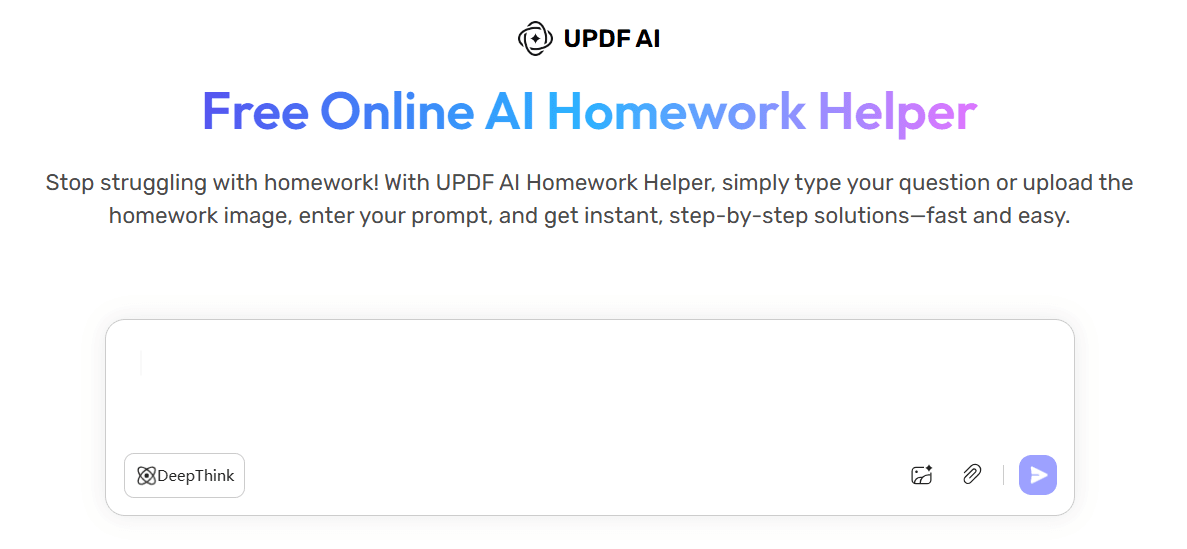
UPDF is a better fit when your homework starts from a PDF: textbook chapters, readings, worksheets, slides, or research papers. Its broader product is centered on PDF reading, editing, translation, summarization, and AI chat.
That makes UPDF useful for students who need to understand long documents before answering questions. It is less ideal if your main need is a photo-first math solver.
Key Features
- AI chat with PDFs.
- PDF summarization and translation.
- PDF conversion and document tools.
- Homework helper support for questions based on text, images, and PDFs.
Pros
- Strong PDF workflow.
- Helpful for readings, reports, and study documents.
- Good for students who need summarization and document comprehension.
- Works across desktop and mobile ecosystems.
Cons
- More PDF-centered than homework-centered.
- Some useful PDF and AI features are paid.
- Not the best choice for quick handwritten math photos.
Best for: Students who do most of their homework from PDFs, handouts, readings, or research documents.
6. Decopy - Best for Photo-Based Math Questions
Decopy is strongest when you start with a picture of a homework question. It is especially useful for math-style questions where a student wants a step-by-step solution from an uploaded image.
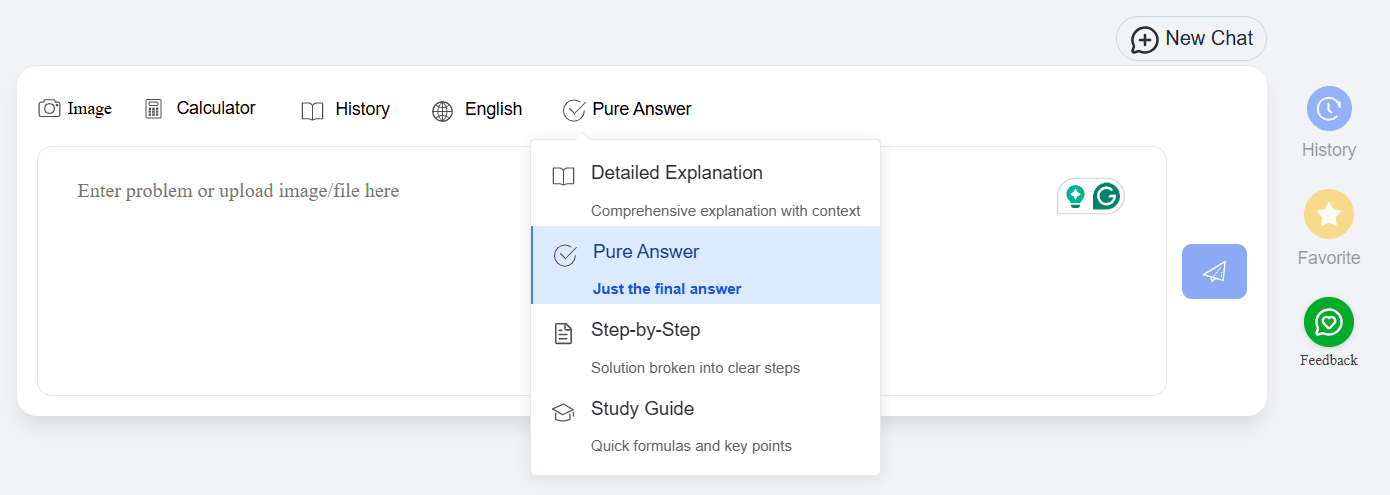
The tool also supports answer modes such as detailed explanations and study guides. That gives students more control over whether they want a quick answer or a longer learning path.
Key Features
- Photo-based homework input.
- Text input support.
- Math formula rendering.
- Multiple answer modes, including direct answers and step-by-step explanations.
- Practice-style support for similar exercises.
Pros
- Good for screenshots, scans, and photos.
- Helpful for math and formula-heavy work.
- Offers different explanation styles.
- Simple for students who do not want to retype a problem.
Cons
- Image quality can affect results.
- Less useful for long reading assignments.
- Students should still check reasoning on advanced questions.
Best for: Students who often start with photos of math problems, worksheets, or scanned homework.
7. Gauth - Best for Math, STEM, and Visual Learning
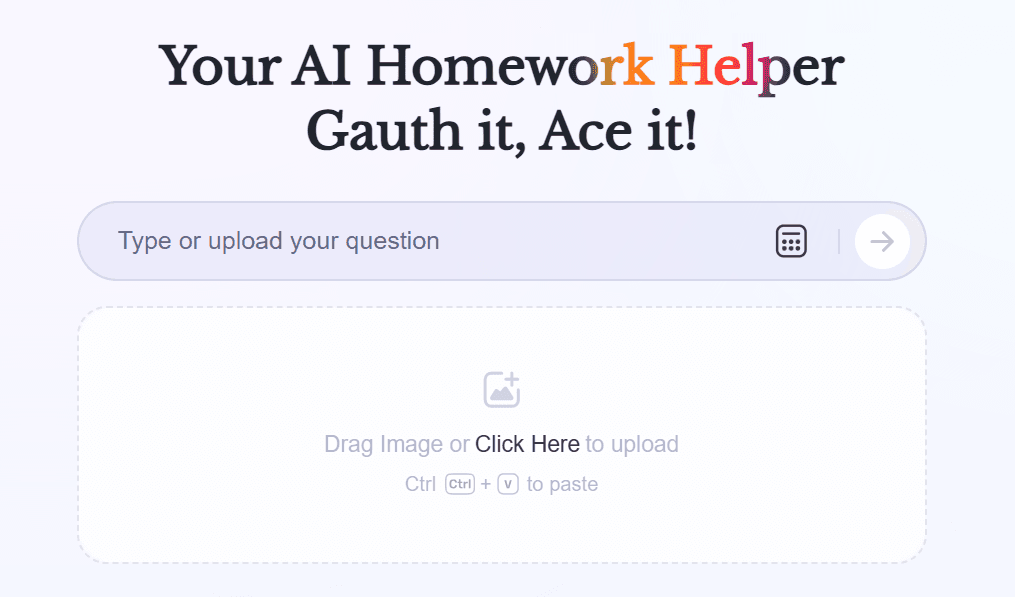
Gauth is one of the better-known AI homework helpers for math and STEM questions. It uses photo-based input for homework problems and can provide explanations that help students follow the solution process.
Its visual learning features also make it different from a basic answer generator. For students who learn better with diagrams or visual explanations, Gauth can be more engaging than a plain text solver.
Key Features
- Photo-based homework solving.
- Strong fit for math and STEM.
- Step-by-step explanation support.
- Scientific calculator and visual learning features.
- Optional expert or tutor-style support may be available depending on plan.
Pros
- Strong for math and STEM workflows.
- Useful photo input.
- Visual learning support can make concepts easier to understand.
- Familiar option for students who already use mobile homework apps.
Cons
- Some detailed help is paid.
- Free usage limits may change.
- Less ideal for long essay-style or reading-heavy assignments.
- Advanced problems still need careful checking.
Best for: Students who want a photo-based homework helper for math, science, and visual explanations.
8. StudyMonkey - Best Simple Question-and-Answer Tool
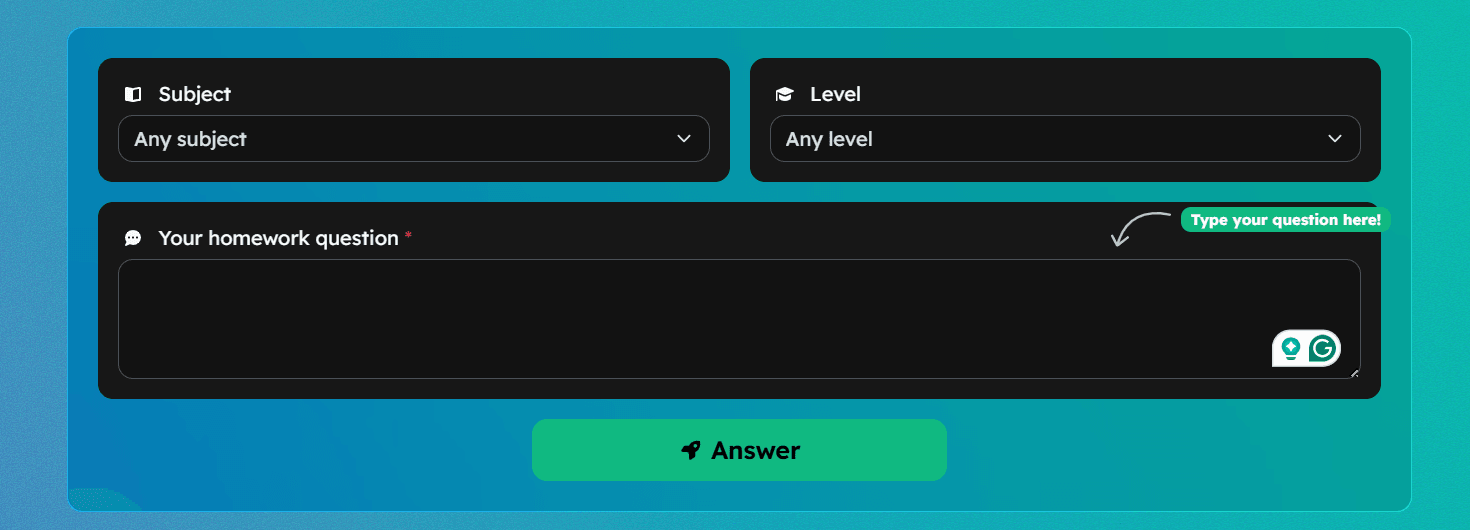
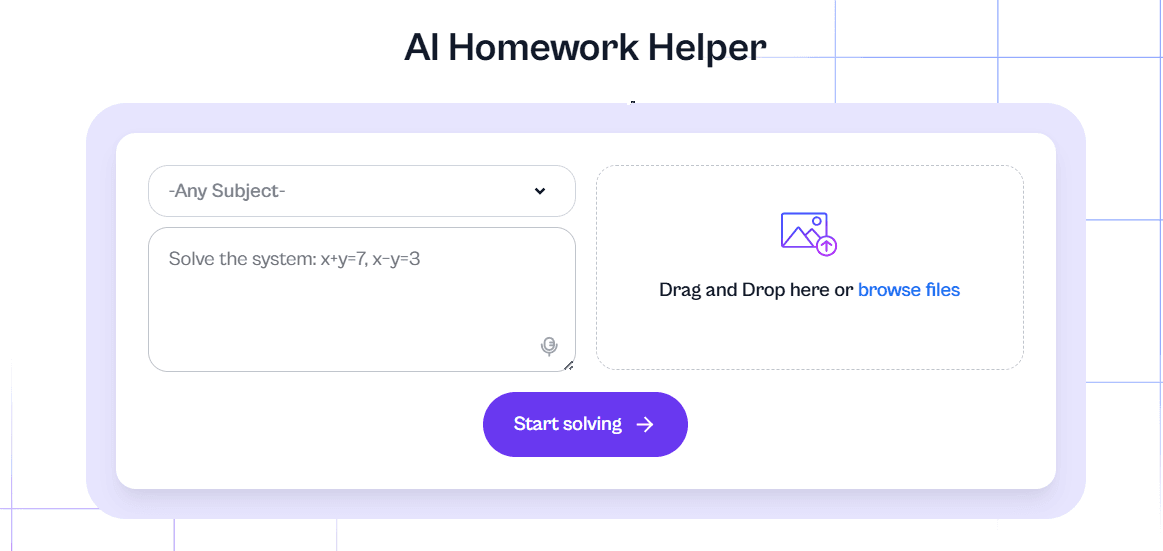
StudyMonkey is a straightforward AI homework helper built around asking a question and getting an answer. Students can choose a subject and level, then type a question or upload an image.
It is not as rich as a full study workspace, but that simplicity is the point. For students who want a beginner-friendly interface, StudyMonkey is easy to understand quickly.
Key Features
- Subject and level selection.
- Text and image input.
- Step-by-step explanations.
- Question history on supported plans.
- Free and paid tiers.
Pros
- Beginner-friendly interface.
- Good for general homework questions.
- Useful when students want a direct answer format.
- Paid plans add more capacity and subjects.
Cons
- Free usage may be limited.
- Ads or plan restrictions may affect the experience.
- Less specialized than math-first or PDF-first tools.
- Students should verify answers before relying on them.
Best for: Students who want a simple homework question tool without a complicated workflow.
Which AI Homework Helper Should You Choose?
If your homework starts with PDFs, readings, lectures, videos, or mixed class materials, Lynote is the best fit because it helps turn source material into notes, summaries, and flashcards. It supports a study workflow instead of only answering one isolated prompt.
If you mostly need photo math help, Gauth or Decopy may be better starting points. If you work from long PDFs, UPDF is worth considering. If you want quick online answers, EduBrain, NoteGPT, or StudyMonkey may be enough.
| Student Need | Best Starting Point |
|---|---|
| Turn class materials into notes and study outputs | Lynote |
| Get fast help with a single question | EduBrain or NoteGPT |
| Solve photo-based math problems | Gauth or Decopy |
| Study from long PDFs | UPDF |
| Work inside browser-based school platforms | Mindko |
| Use a simple general homework question box | StudyMonkey |
How to Use AI Homework Helpers Responsibly
AI homework helpers are most useful when you treat them like tutors, not answer machines. Ask for the reasoning, compare it with your class notes, and rewrite the answer in your own words only after you understand the method.
For graded work, follow your school or instructor's AI policy. A good rule is to use AI for explanation, practice, organization, and review, not for submitting work you do not understand.
FAQs About AI Homework Helpers
What is the best AI homework helper in 2026?
The best option depends on your homework style. Lynote is strong for students who study from documents, notes, videos, and mixed course materials, while Gauth and Decopy are better for photo-based math help.
Are AI homework helpers accurate?
They can be helpful, but they are not always correct. Always check important answers against your class materials, textbook, rubric, or teacher guidance.
Can AI homework helpers solve math from photos?
Some tools can. Gauth, Decopy, and several homework solvers support photo-based input, but image quality and problem complexity can affect the result.
Is using an AI homework helper cheating?
It depends on how you use it and what your school allows. Using AI to understand a concept or practice a similar problem is different from submitting AI-generated work as your own.
Which AI homework helper is best for PDFs?
UPDF is strong for PDF-centered workflows, while Lynote is useful when you want to turn PDFs and other course materials into notes, summaries, and flashcards.
Final Verdict
The best AI homework helper is the one that matches how you actually study. For quick math photos, choose a photo solver. For long PDFs, choose a document-focused tool.
For mixed coursework, notes, videos, and review, choose a study workflow tool like Lynote.
Used well, AI can make homework less confusing. The goal should not be to skip learning, but to get clearer explanations, better study materials, and more confidence when you solve the next problem on your own.

Written by Janet L. Harris
AI Writing Specialist
Janet reviews AI detectors and humanization tools, with a focus on accuracy, limitations, and responsible use. View all articles →