

01
根据课程成绩计算结果
输入每个学年内的课程,以计算所包含课程的总体高中平均绩点。使用您学校计算的成绩和学分。为同一课程同时输入学期成绩和全年成绩可能会导致重复计算。
比较加权和未加权高中 GPA。添加课程或更新现有 GPA。
在计算器中选择高中。输入您的课程名称、字母成绩、学分和课程级别即可开始。
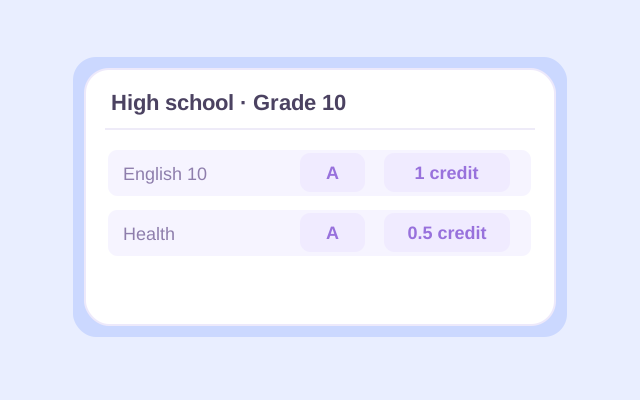
Select High school, then enter a course name and letter grade for each class. Choose the appropriate school year and the course's 0.5 or 1 credit value. Use your report card or transcript to check the entries, especially for half-credit electives.
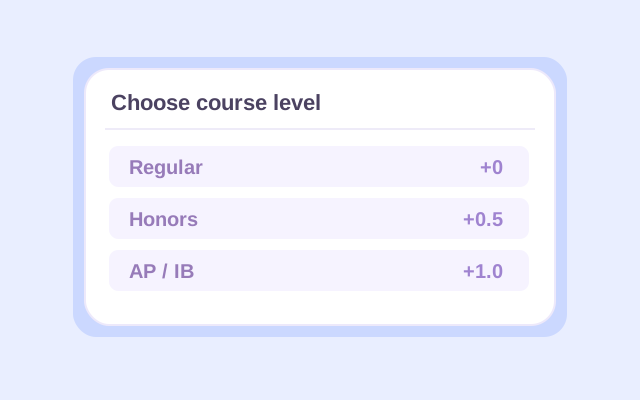
Choose Regular, Honors, AP, or IB for each course. Open Change if you need a different grading preset. Add other school years as needed, or use Previous GPA to enter an existing GPA and the credits behind it. Select whether that earlier GPA is weighted or unweighted.
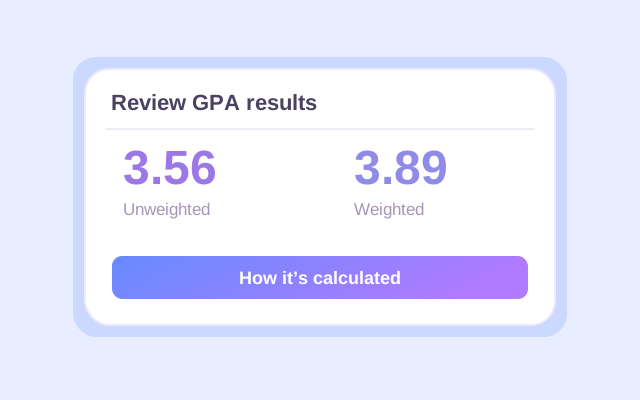
Click Calculate. Check the weighted and unweighted results, counted credits, and calculation details. If you added an earlier GPA, read which result is cumulative and which covers current classes only. Recalculate after changing any input, then export the result you want to keep.
An unweighted GPA calculator for high school uses each letter grade's base point value. On Lynote's default 4.0 preset, an A is 4.0 whether the course is Regular or AP.
The weighted high school GPA calculation adds 0.5 for Honors and 1.0 for AP or IB to eligible grades. A Regular A contributes 4.0 points per credit; an Honors A contributes 4.5; an AP or IB A contributes 5.0. An F receives no course-level bonus.
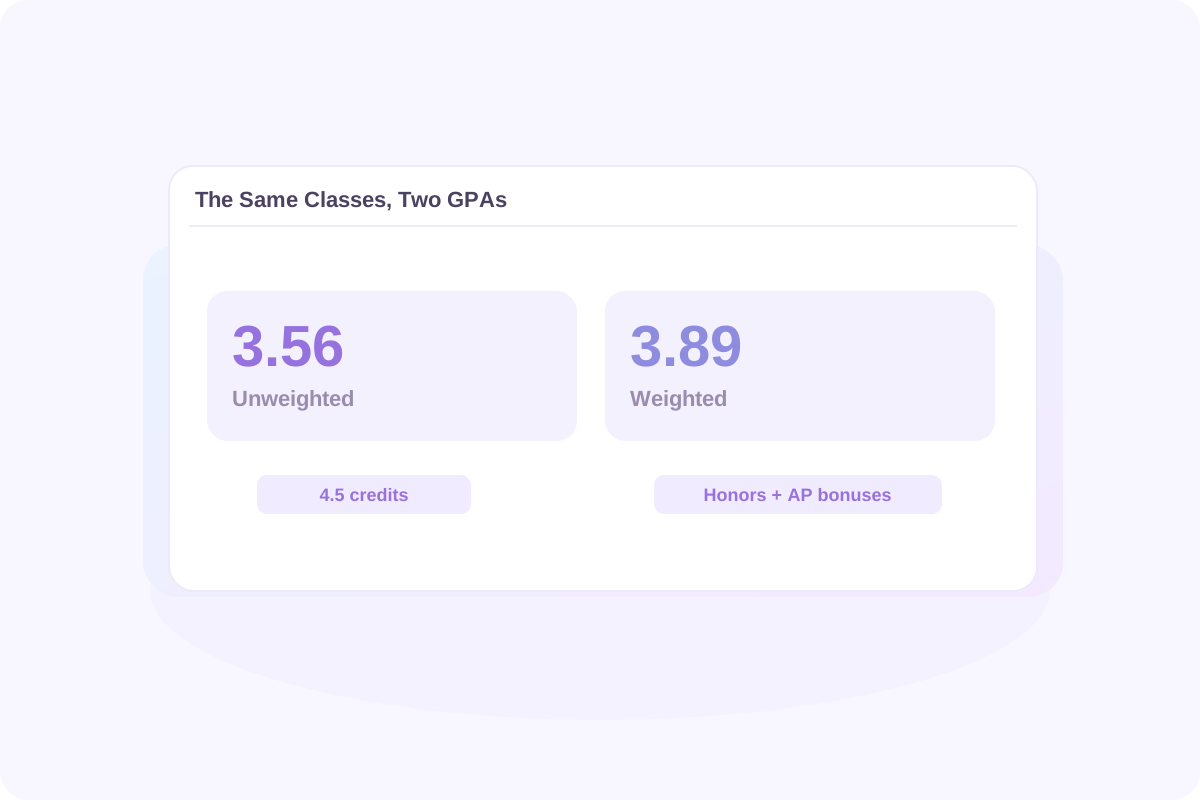
Using the course example below, the same grades produce a 3.56 unweighted GPA and a 3.89 weighted GPA. The difference comes from the Honors and AP bonuses. Each course's credit value affects both results.
When comparing GPAs, match the type and scale. A weighted 4.2 and an unweighted 3.8 are different measures. Your school may use bonuses that differ from Lynote's presets.
高中未加权 GPA 计算器使用每个字母成绩的基本分数。在 Lynote 的默认 4.0 预设中,无论是普通课程还是 AP 课程,A 都为 4.0。
加权高中 GPA 计算为荣誉课程增加 0.5 分,为 AP 或 IB 课程增加 1.0 分。普通 A 课程每学分贡献 4.0 分;荣誉 A 课程贡献 4.5 分;AP 或 IB A 课程贡献 5.0 分。F 课程不获得课程级别奖励。
使用下面的课程示例,相同的成绩会产生 3.56 的未加权 GPA 和 3.89 的加权 GPA。差异来自荣誉和 AP 奖励。每门课程的学分值都会影响这两个结果。
比较 GPA 时,请匹配类型和量表。加权 4.2 和未加权 3.8 是不同的衡量标准。您的学校可能使用与 Lynote 预设不同的奖励。
从成绩单上的评分标准开始。此表显示了 Lynote 的默认 4.0 加减值和课程级别奖励。
| 字母成绩 | 普通 / 未加权 | 荣誉 | AP / IB |
|---|---|---|---|
| A+ | 4.0 | 4.5 | 5.0 |
| A | 4.0 | 4.5 | 5.0 |
| A− | 3.7 | 4.2 | 4.7 |
| B+ | 3.3 | 3.8 | 4.3 |
| B | 3.0 | 3.5 | 4.0 |
| B− | 2.7 | 3.2 | 3.7 |
| C+ | 2.3 | 2.8 | 3.3 |
| C | 2.0 | 2.5 | 3.0 |
| C− | 1.7 | 2.2 | 2.7 |
| D+ | 1.3 | 1.8 | 2.3 |
| D | 1.0 | 1.5 | 2.0 |
| D− | 0.7 | 1.2 | 1.7 |
| F | 0.0 | 0.0 | 0.0 |
对于 4.0 分制的高中 GPA 计算器,当其值与您的学校匹配时,请保留默认预设。4.33 预设将 A+ 的基本值更改为 4.33。仅字母会忽略加号和减号,因此 B+、B 和 B− 都使用 B 值。
如果您的学校不授予 A+,请输入实际报告的成绩。删除加号和减号的区别是一个单独的选择;当它与您需要的计算匹配时,请选择仅字母。
学期平均绩点涵盖一个学期。累计高中平均绩点结合了您在相关学年内所有计入平均绩点的课程。随着新成绩的到来,之前的课程会持续影响结果。
输入每个学年内的课程,以计算所包含课程的总体高中平均绩点。使用您学校计算的成绩和学分。为同一课程同时输入学期成绩和全年成绩可能会导致重复计算。
如果您已经有平均绩点,请使用“之前的平均绩点”及其包含的学分。选择匹配的平均绩点类型。这使您无需重新输入所有早期课程即可更新累计结果。
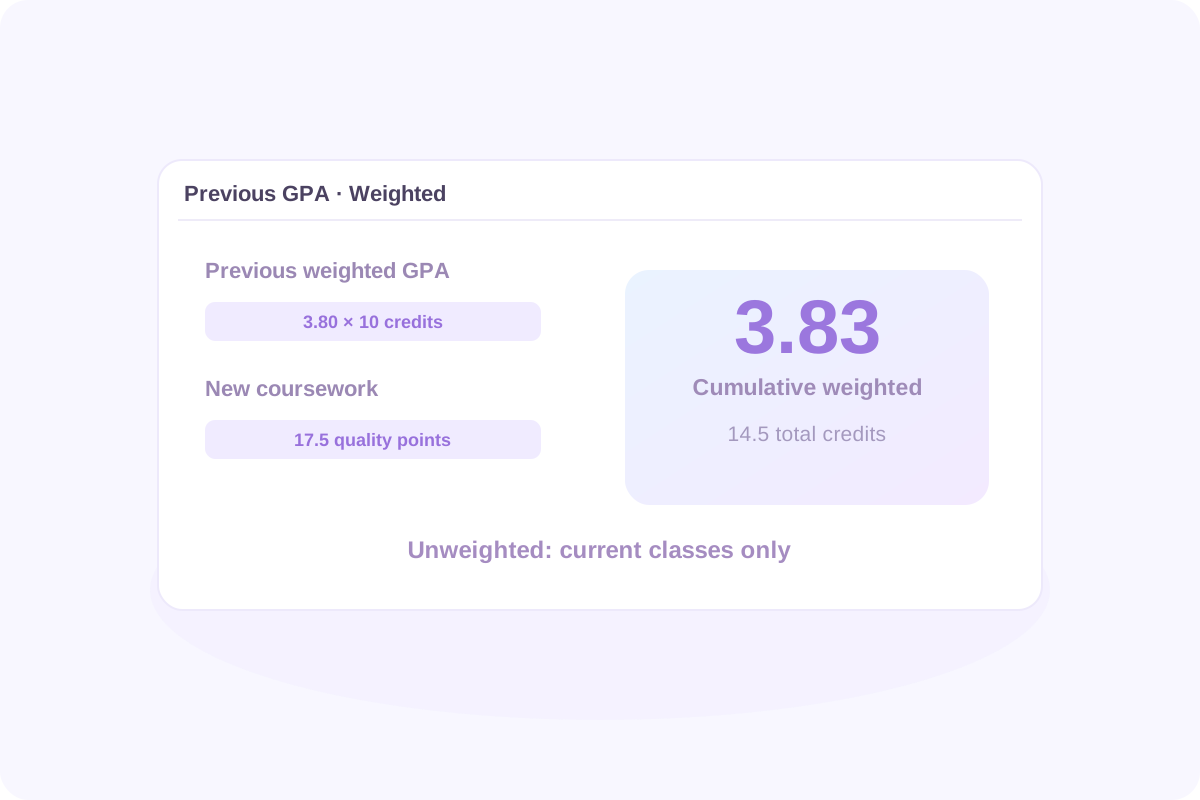
假设您之前的加权平均绩点为3.80,共10个学分。添加上述新课程,这些课程贡献了17.5个加权质量点,共4.5个学分。
更新后的加权平均绩点为 55.5 ÷ 14.5 = 3.83。未加权结果仍为仅针对当前课程的3.56,因为您提供了之前的加权数据,而不是之前的未加权数据。
新的累计平均绩点 = (之前的平均绩点 × 之前的平均绩点学分 + 新的质量点) ÷ (之前的平均绩点学分 + 新的平均绩点学分)
要计算未加权累计结果,请使用之前的未加权平均绩点及其相应的学分。切勿混合平均绩点类型,或在“之前的平均绩点”和课程列表中同时包含相同的早期课程。
学期 GPA 涵盖一个学期。累计高中 GPA 结合了您在相关年份中包含的所有计入 GPA 的课程。随着新成绩的到来,早期课程会继续影响结果。
在每个学年下输入课程,以根据所包含的课程计算总体高中 GPA。使用您的学校计算的成绩和学分。同时输入学期成绩和全年成绩可能会导致同一课程被计算两次。
如果您已经有 GPA,请使用“现有 GPA”及其包含的学分。选择匹配的 GPA 类型。这使您无需重新输入所有早期课程即可更新累计结果。
新累计 GPA = (现有 GPA × 现有 GPA 学分 + 新的质量分数) ÷ (现有 GPA 学分 + 新的 GPA 学分)
假设您之前的加权 GPA 为 3.80,涵盖 10 个学分。添加上述新课程,这些课程贡献 17.5 个加权质量分数,涵盖 4.5 个学分。
| 课程 | GPA 学分 | 加权质量分数 |
|---|---|---|
| 以前的学习:3.80 GPA | 10.0 | 3.80 × 10 = 38.0 |
| 新课程 | 4.5 | 17.5 |
| 合并 | 14.5 | 55.5 |
更新后的加权 GPA 为 55.5 ÷ 14.5 = 3.83。未加权结果仍为仅当前课程的 3.56,因为您提供了早期的加权数据,而不是早期的未加权数据。
要计算未加权累计结果,请使用早期的未加权 GPA 及其相应的学分。切勿混合 GPA 类型或在“现有 GPA”和课程列表中包含���同的早期课程。
在使用结果之前,请检查 GPA 类型及其所代表的课程。查看计算的学分、计算的课程、学年结果以及逐门课程的计算详情。
更改成绩、学分值或课程级别会使早期结果过时。在下载之前再次点击“计算”。页面刷新后,课程条目不会��动保留,因此请导出您想要保留的任何内容。
有用的比较始于评分标准和目标。在默认的未加权4.0分制下,4.0对应A平均分,3.0对应B平均分,2.0对应C平均分。这些是绩点参考值,并非普遍的录取或奖学金门槛。
在将您的平均绩点与公布的数字进行比较之前,请检查该数字是加权还是未加权,它包含哪些课程,以及它描述的是被录取的学生还是资格要求。
大学会根据您学校提供的课程情况来审查您的记录。例如,斯坦福大学将其审查描述为全面性审查,并结合背景考虑学业成就。仅凭计算器结果无法预测录取决定。
有用的比较始于量表和目标。在默认的未加权 4.0 量表上,4.0 对应于 A 平均分,3.0 对应于 B 平均分,2.0 对应于 C 平均分。这些是分数参考值,而不是普遍的录取或奖学金门槛。
在将您的 GPA 与公布的数字进行比较之前,请检查该数字是加权还是未加权,它包含哪些课程,以及它描述的是被录取的学���还是资格要求。
大学可以在您学校提供的课程背景下审查您的记录。例如,斯坦福大学将其审查描述为整体性,并考虑背景下的学业成就。仅凭计算器结果无法预测录取决定。
If your school gives every included course equal weight, enter 1 credit for each to produce an equal-course average. If some classes are worth 0.5 credits and others 1, use their actual values. Do not guess equal credits when they are unknown, and do not combine equal-course weights with a previous GPA measured in different credit units.
Lynote currently accepts letter grades. Convert each percentage or number grade to a letter using your school's grading chart, then select that letter. There is no universal percentage-to-GPA conversion, and dividing a percentage by 25 may not reproduce your school's calculation.
Use each letter grade's base points without Honors, AP, or IB bonuses. Multiply by course credits, add the quality points, and divide by counted credits. In High school mode, Lynote shows an unweighted result alongside the weighted one for the entered classes.
On the default 4.0 preset, an AP or IB A earns 5.0 weighted points per credit. That does not make every class a 5.0-scale class. Lynote does not offer a dedicated 6.0-scale preset or editable course bonuses. Check whether its preset values match the calculation your school requires.
If A+ is not a reported grade, simply enter the grades your school uses. Choose Letters only when plus and minus distinctions should be ignored. That preset treats A+, A, and A− as A; the standard 4.0 plus/minus preset instead keeps A− at 3.7.
Include ninth-grade coursework if it belongs in your school's cumulative GPA. A college or scholarship may count different years or subjects. Lynote follows the courses you include; it does not decide which years a particular institution requires.
Use the grade records and credits your school counts for GPA. For a semester GPA, include that semester's coursework. If you use a full-year final grade, do not also enter the component semester or quarter grades as additional coursework unless your school's method specifically requires that treatment.
They count when the GPA you are calculating includes them. A class may earn graduation credit without affecting GPA. Check your transcript or ask your school which courses are GPA-bearing, then include the appropriate grades or special grade symbols.
You can manually enter only the courses that belong in the core GPA you need. Confirm the required subjects, grade values, and weighting rules first. Lynote does not automatically identify core courses or certify an admissions, athletic-eligibility, or scholarship GPA.
Follow your school's rules for which attempts count and whether a dual-enrollment course earns extra points. Lynote does not automatically replace retakes or offer a separate dual-enrollment level. Do not assume an AP or Honors preset is equivalent unless its point values match the required treatment.
Enter the course's letter grade, not an AP exam score or an IB examination score. Select the actual course level for the weighted calculation. Exam results and course grades serve different purposes and should not be substituted for one another.
Start with your school's grading policy and distinguish its GPA from a scholarship GPA. Georgia's HOPE GPA uses its own course and weighting rules. Lynote's standard high school presets do not reproduce that official calculation; use GAfutures to check the applicable rules and your official HOPE GPA.
Use Lynote when the courses, credits, and point values match the GPA you want to estimate. Florida scholarship calculations can use different rules: the Bright Futures application guidance explains that its GPA may differ from a report-card GPA. This calculator does not determine Bright Futures eligibility.
Follow each college's current application instructions for the GPA to report. Some institutions assess grades in their school context or use their own calculation rules. Lynote estimates the GPA produced by your inputs and selected preset; it does not reproduce an institution's internal admissions review.
You can estimate a final cumulative GPA by entering all the completed coursework it should include, or by combining previous GPA data with the remaining courses. If you mean the exam score needed to earn a particular course grade, that is a different calculation; this GPA tool does not solve final-exam grade requirements.
Your school determines when official GPAs are updated. Use posted grades for a completed reporting period, or label expected-grade calculations as estimates. Recalculate when new grades arrive, and check your student portal or transcript for the official updated GPA.
Lynote provides a GPA calculation breakdown and result exports. An Excel, CSV, or printed result is not an official transcript, and the calculator does not currently provide a school-certified transcript template. Request an official transcript through your school's process.
You can start with 50 free calculations without signing up. Signed-in users receive a one-time allowance of 100 free calculations; additional use follows Lynote's credit rules. Entries are not automatically retained after a page refresh. Export your results before leaving if you need a copy.
<p>通过实用的阅读和笔记方法,让您的下一次学习更易于组织。探索如何将指定的阅读材料转化为笔记,以便在测验或课堂讨论前进行复���。比较不同的笔记方法,选择适合讲座、阅读作业或复习课程的结构。了解书面文本如何支持您复习允许使用的录音。</p>