

01
根據課程成績建立您的結果
輸入每個學年下的課程,以計算所包含課程的總體高中平均成績 (GPA)。使用您學校計算的成績和學分。為同一課程同時輸入學期成績和全年成績可能會導致重複計算。
比較加權與未加權高中 GPA。新增課程或更新先前 GPA。
在計算機中選擇高中。輸入您的課程名稱、字母成績、學分和課程級別以開始使用。
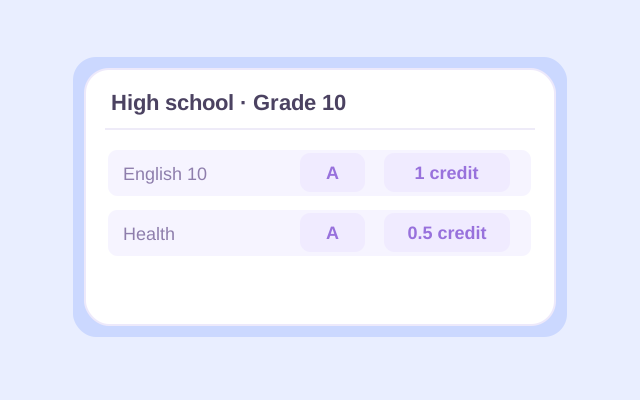
Select High school, then enter a course name and letter grade for each class. Choose the appropriate school year and the course's 0.5 or 1 credit value. Use your report card or transcript to check the entries, especially for half-credit electives.

Choose Regular, Honors, AP, or IB for each course. Open Change if you need a different grading preset. Add other school years as needed, or use Previous GPA to enter an existing GPA and the credits behind it. Select whether that earlier GPA is weighted or unweighted.
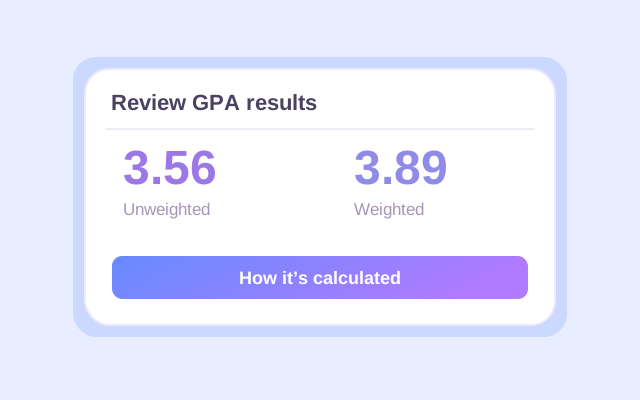
Click Calculate. Check the weighted and unweighted results, counted credits, and calculation details. If you added an earlier GPA, read which result is cumulative and which covers current classes only. Recalculate after changing any input, then export the result you want to keep.
An unweighted GPA calculator for high school uses each letter grade's base point value. On Lynote's default 4.0 preset, an A is 4.0 whether the course is Regular or AP.
The weighted high school GPA calculation adds 0.5 for Honors and 1.0 for AP or IB to eligible grades. A Regular A contributes 4.0 points per credit; an Honors A contributes 4.5; an AP or IB A contributes 5.0. An F receives no course-level bonus.
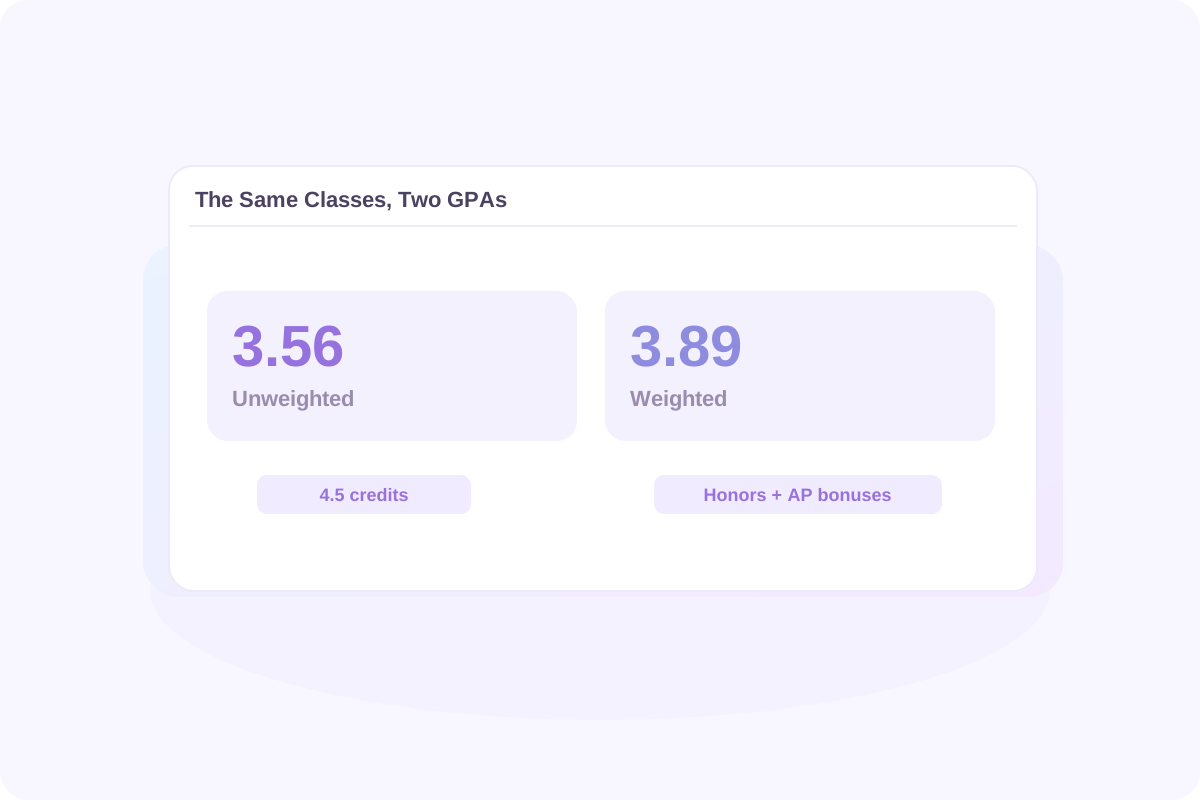
Using the course example below, the same grades produce a 3.56 unweighted GPA and a 3.89 weighted GPA. The difference comes from the Honors and AP bonuses. Each course's credit value affects both results.
When comparing GPAs, match the type and scale. A weighted 4.2 and an unweighted 3.8 are different measures. Your school may use bonuses that differ from Lynote's presets.
高中未加權 GPA 計算機使用每個字母成績的基本分數值。在 Lynote 的預設 4.0 預設中,無論課程是常規還是 AP,A 都為 4.0。
加權高中 GPA 計算會為符合條件的成績新增 0.5 分(榮譽課程)和 1.0 分(AP 或 IB 課程)。常規 A 每個學分貢獻 4.0 分;榮譽 A 貢獻 4.5 分;AP 或 IB A 貢獻 5.0 分。F 不會獲得課程級別獎勵。
使用下面的課程範例,相同的成績會產生 3.56 的未加權 GPA 和 3.89 的加權 GPA。差異來自榮譽和 AP 獎勵。每門課程的學分值都會影響這兩個結果。
比較 GPA 時,請匹配類型和量表。加權 4.2 和未加權 3.8 是不同的衡量標準。您的學校可能使用與 Lynote 預設不同的獎勵。
從成績單上的評分量表開始。此表格顯示了 Lynote 的預設 4.0 加減值和課程級別獎勵。
| 字母成績 | 常規 / 未加權 | 榮譽 | AP / IB |
|---|---|---|---|
| A+ | 4.0 | 4.5 | 5.0 |
| A | 4.0 | 4.5 | 5.0 |
| A− | 3.7 | 4.2 | 4.7 |
| B+ | 3.3 | 3.8 | 4.3 |
| B | 3.0 | 3.5 | 4.0 |
| B− | 2.7 | 3.2 | 3.7 |
| C+ | 2.3 | 2.8 | 3.3 |
| C | 2.0 | 2.5 | 3.0 |
| C− | 1.7 | 2.2 | 2.7 |
| D+ | 1.3 | 1.8 | 2.3 |
| D | 1.0 | 1.5 | 2.0 |
| D− | 0.7 | 1.2 | 1.7 |
| F | 0.0 | 0.0 | 0.0 |
對於 4.0 分制的高中 GPA 計算機,當其值與您的學校匹配時,請保留預設預設。4.33 預設將 A+ 的基本值更改為 4.33。僅字母會忽略加號和減號,因此 B+、B 和 B− 都使用 B 值。
如果您的學校不授予 A+,請輸入實際報告的成績。移除加號和減號的區別是另一個選擇;僅當這與您需要的計算匹配時才選擇「僅字���」。
學期平均成績 (GPA) 涵蓋一個學期。累計高中平均成績 (GPA) 結合了您在相關學年內所有計入 GPA 的課程。隨著新成績的到來,早期的課程會持續影響結果。
輸入每個學年下的課程,以計算所包含課程的總體高中平均成績 (GPA)。使用您學校計算的成績和學分。為同一課程同時輸入學期成績和全年成績可能會導致重複計算。
如果您已經有平均成績 (GPA),請使用「先前平均成績 (GPA)」及其包含的學分。選擇匹配的平均成績 (GPA) 類型。這讓您無需重新輸入所有早期課程即可更新累計結果。
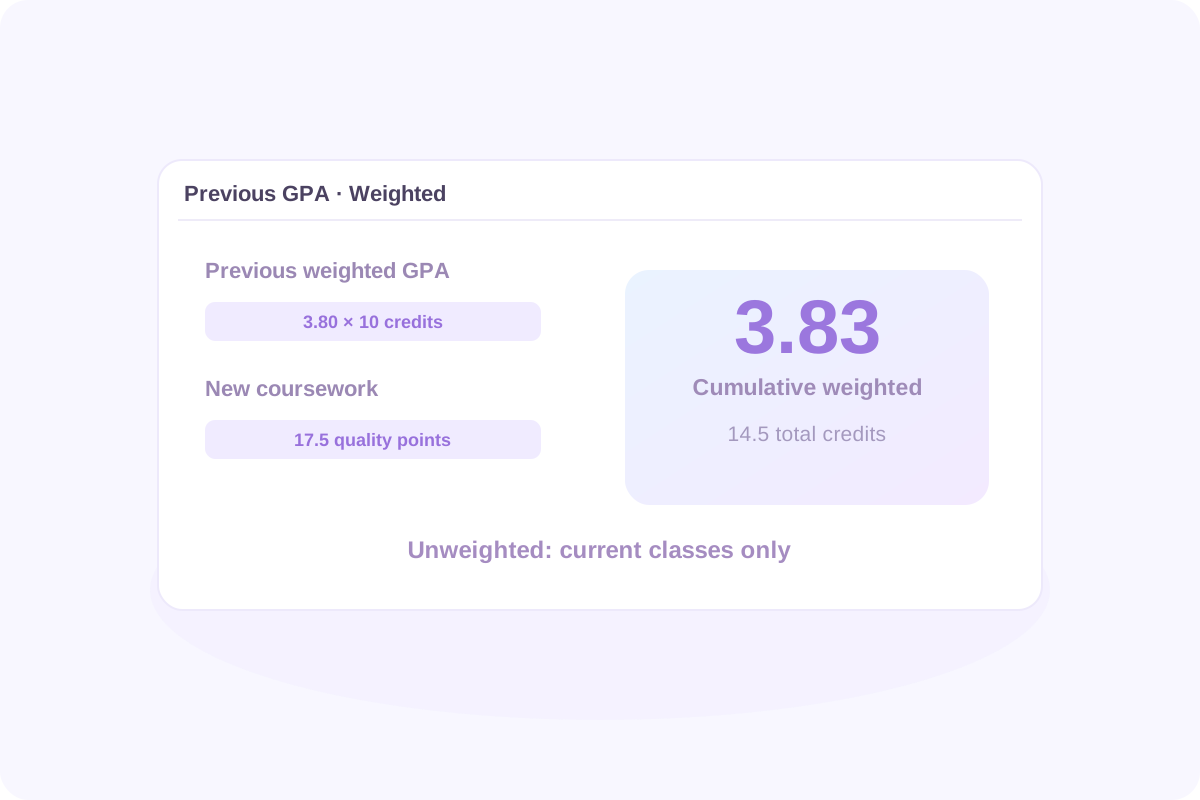
假設您先前的加權平均成績 (GPA) 為 3.80,共 10 個學分。新增上述新課程,這些課程在 4.5 個學分中貢獻了 17.5 個加權品質點數。
更新後的加權平均成績 (GPA) 為 55.5 ÷ 14.5 = 3.83。由於您提供了先前的加權數據,而非先前的未加權數據,因此未加權結果僅針對當前課程保�� 3.56。
新的累計平均成績 (GPA) = (先前平均成績 (GPA) × 先前平均成績 (GPA) 學分 + 新品質點數) ÷ (先前平均成績 (GPA) 學分 + 新平均成績 (GPA) 學分)
要計算未加權累計結果,請改用較早的未加權平均成績 (GPA) 及其相應的學分。切勿混合平均成績 (GPA) 類型,或在「先前平均成績 (GPA)」和課程列表中同時包含相同的較早課程。
學期 GPA 涵蓋一個學期。累積高中 GPA 結合了您在相關學年內包含的所有計入 GPA 的課程。隨著新成績的到來,先前的課程會繼續影響結果。
在每個學年下輸入課程,以從包含的課程中計算總體高中 GPA。使用學校計算的成績和學分。同時輸入相同課程的學期成績和全年成績可能會導致重複計算。
如果您已經有 GPA,請使用「先前 GPA」及其包含的學分。選擇匹配的 GPA 類型。這讓您可以更新累積結果,而無需重新輸入每個先前的課程。
新累積 GPA = (先前 GPA × 先前 GPA 學分 + 新品質點數) ÷ (先前 GPA 學分 + 新 GPA 學分)
假設您先前的加權 GPA 為 3.80,共 10 個學分。新增上述新課程,這些課程在 4.5 個學分中貢獻了 17.5 個加權品質點數。
| 課程 | GPA 學分 | 加權品質點數 |
|---|---|---|
| 先前學習:3.80 GPA | 10.0 | 3.80 × 10 = 38.0 |
| 新課程 | 4.5 | 17.5 |
| 合併 | 14.5 | 55.5 |
更新後的加權 GPA 為 55.5 ÷ 14.5 = 3.83。未加權結果仍為僅限目前課程的 3.56,因為您提供了先前的加權數據,而不是先前的未加權數據。
要計算未加權累積結果,請改用先前的未加權 GPA 及其對應的學分。切勿混合 GPA 類型或在「先前 GPA」和課程列表中包含相同的先前課程。
在使用結果之前,請檢查 GPA 類型及其代表的課程。檢閱計算的學分、計算的課程、學年結果以及逐門課程的計算��情。
更改成績、學分值或課程級別會使先前的結果過時。在下載之前再次點擊「計算」。頁面重新整理後,課程輸入不會自動保留,因此請匯出您想要保留的任何內容。
有用的比較始於量尺和目標。在預設的未加權 4.0 量尺上,4.0 對應於 A 等級平均,3.0 對應於 B 等級平均,2.0 對應於 C 等級平均。這些是成績點參考值,而非普遍的入學或獎學金門檻。
在將您的平均成績 (GPA) 與公佈的數字進行比較之前,請檢查該數字是加權還是未加權,它包含哪些課程��以及它描述的是錄取學生還是資格要求。
大學會根據您學校提供的課程來審查您的記錄。例如,史丹佛大學將其審查描述為全面性,並在上下文中考慮學業成就。單獨的計算器結果無法預測錄取決定。
有用的比較始於量表和目標。在預設的未加權 4.0 量表上,4.0 對應於 A 平均,3.0 對應於 B 平均,2.0 對應於 C 平均。這些是成績點數參考值,而不是普遍的入學或獎學金門檻。
在將您的 GPA 與已發布的數字進行比較之前,請檢查該數字是加權還是未加權,它包含哪些課程,以及它描述的是���取學生還是資格要求。
大學可以在您學校提供的課程背景下審查您的記錄。例如,史丹佛大學將其審查描述為全面性,並在背景下考慮學術成就。單獨的計算機結果無法預測入學決定。
If your school gives every included course equal weight, enter 1 credit for each to produce an equal-course average. If some classes are worth 0.5 credits and others 1, use their actual values. Do not guess equal credits when they are unknown, and do not combine equal-course weights with a previous GPA measured in different credit units.
Lynote currently accepts letter grades. Convert each percentage or number grade to a letter using your school's grading chart, then select that letter. There is no universal percentage-to-GPA conversion, and dividing a percentage by 25 may not reproduce your school's calculation.
Use each letter grade's base points without Honors, AP, or IB bonuses. Multiply by course credits, add the quality points, and divide by counted credits. In High school mode, Lynote shows an unweighted result alongside the weighted one for the entered classes.
On the default 4.0 preset, an AP or IB A earns 5.0 weighted points per credit. That does not make every class a 5.0-scale class. Lynote does not offer a dedicated 6.0-scale preset or editable course bonuses. Check whether its preset values match the calculation your school requires.
If A+ is not a reported grade, simply enter the grades your school uses. Choose Letters only when plus and minus distinctions should be ignored. That preset treats A+, A, and A− as A; the standard 4.0 plus/minus preset instead keeps A− at 3.7.
Include ninth-grade coursework if it belongs in your school's cumulative GPA. A college or scholarship may count different years or subjects. Lynote follows the courses you include; it does not decide which years a particular institution requires.
Use the grade records and credits your school counts for GPA. For a semester GPA, include that semester's coursework. If you use a full-year final grade, do not also enter the component semester or quarter grades as additional coursework unless your school's method specifically requires that treatment.
They count when the GPA you are calculating includes them. A class may earn graduation credit without affecting GPA. Check your transcript or ask your school which courses are GPA-bearing, then include the appropriate grades or special grade symbols.
You can manually enter only the courses that belong in the core GPA you need. Confirm the required subjects, grade values, and weighting rules first. Lynote does not automatically identify core courses or certify an admissions, athletic-eligibility, or scholarship GPA.
Follow your school's rules for which attempts count and whether a dual-enrollment course earns extra points. Lynote does not automatically replace retakes or offer a separate dual-enrollment level. Do not assume an AP or Honors preset is equivalent unless its point values match the required treatment.
Enter the course's letter grade, not an AP exam score or an IB examination score. Select the actual course level for the weighted calculation. Exam results and course grades serve different purposes and should not be substituted for one another.
Start with your school's grading policy and distinguish its GPA from a scholarship GPA. Georgia's HOPE GPA uses its own course and weighting rules. Lynote's standard high school presets do not reproduce that official calculation; use GAfutures to check the applicable rules and your official HOPE GPA.
Use Lynote when the courses, credits, and point values match the GPA you want to estimate. Florida scholarship calculations can use different rules: the Bright Futures application guidance explains that its GPA may differ from a report-card GPA. This calculator does not determine Bright Futures eligibility.
Follow each college's current application instructions for the GPA to report. Some institutions assess grades in their school context or use their own calculation rules. Lynote estimates the GPA produced by your inputs and selected preset; it does not reproduce an institution's internal admissions review.
You can estimate a final cumulative GPA by entering all the completed coursework it should include, or by combining previous GPA data with the remaining courses. If you mean the exam score needed to earn a particular course grade, that is a different calculation; this GPA tool does not solve final-exam grade requirements.
Your school determines when official GPAs are updated. Use posted grades for a completed reporting period, or label expected-grade calculations as estimates. Recalculate when new grades arrive, and check your student portal or transcript for the official updated GPA.
Lynote provides a GPA calculation breakdown and result exports. An Excel, CSV, or printed result is not an official transcript, and the calculator does not currently provide a school-certified transcript template. Request an official transcript through your school's process.
You can start with 50 free calculations without signing up. Signed-in users receive a one-time allowance of 100 free calculations; additional use follows Lynote's credit rules. Entries are not automatically retained after a page refresh. Export your results before leaving if you need a copy.
<p>透過實用的閱讀和筆記方法,讓您的下一次學習��程更容易組織。探索如何將指定的閱讀材料轉化為您可以在測驗或課堂討論前重新溫習的筆記。比較不同的筆記方法,並選擇適合講座、閱讀作業或複習課程的結構。了解書面謄本如何支援您獲准使用的錄音複習。</p>